
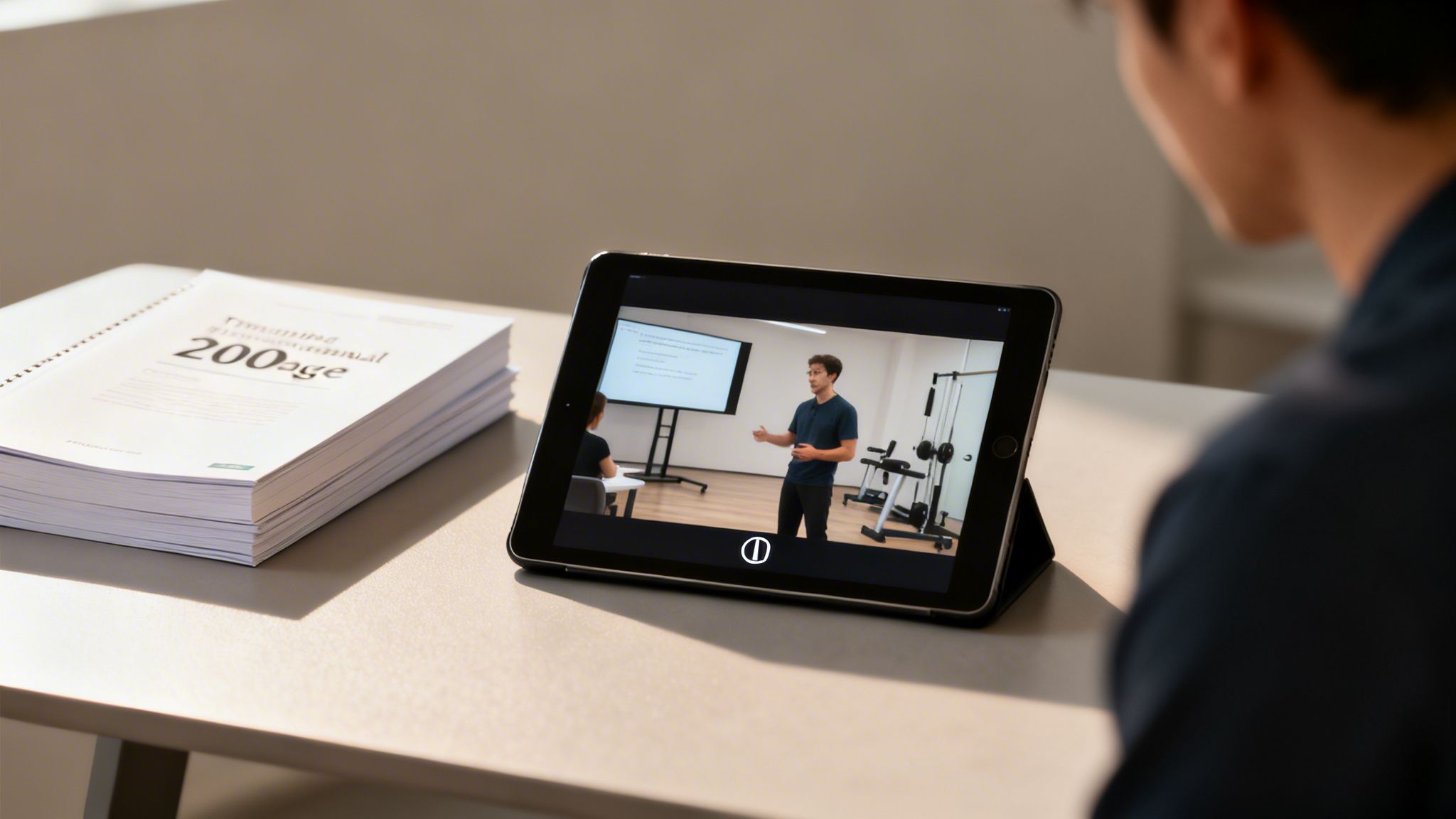
Think about the last time you had to learn something new for work. Was it by flipping through a dusty, 200-page binder? Or was it with a clear, concise video that walked you through every step? That's the exact shift video training software is designed to power.
This isn't just a simple video editor. It's a complete ecosystem that lets anyone—from a corporate L&D department to a solo entrepreneur—create, manage, and deliver engaging video-based lessons.
The Digital Shift From Manuals to Media
At its heart, video training software is all about capturing valuable knowledge and transforming it into a library of on-demand learning experiences that can be used again and again. It tackles the age-old problems of traditional training: it's often inconsistent, expensive, and let's be honest, pretty boring. Instead of relying on dense handbooks or flying everyone out for a seminar, you can create one polished video that trains thousands.
This isn't just a small-time trend, either. The market reflects a massive move toward video-first learning. The global video training software market was valued at around USD 13.86 billion in 2024, jumping up from USD 10.23 billion in 2023. Experts predict it will soar to USD 20.22 billion by 2027. You can dig deeper into the numbers behind this growth in this detailed market report.
So, what exactly do these platforms do? They are built to handle the entire lifecycle of a training video, from the first spark of an idea to measuring its impact. Here’s a quick breakdown of their core capabilities.
Core Functions of Modern Video Training Platforms
| Core Function | Description | Primary Benefit |
|---|---|---|
| Content Creation | Tools to record your screen or webcam, edit footage, and add overlays. Some even generate videos from text prompts. | Lowers the barrier to producing professional-looking training content without a film crew. |
| Content Management | A centralized media library to organize, tag, and update all your training videos in one secure place. | Ensures everyone is learning from the most current and correct information, eliminating outdated materials. |
| Delivery & Distribution | Features for sharing videos securely with specific groups, embedding them in internal sites, or delivering them via a learning portal. | Gives you complete control over who sees what, ensuring the right content gets to the right people. |
| Analytics & Tracking | Dashboards showing viewer engagement, completion rates, quiz scores, and other key performance indicators. | Provides concrete data to prove training effectiveness and identify areas where learners might be struggling. |
Essentially, these platforms bring everything you need for effective video training under one roof.
Think of it like a professional television studio, a library, and a school administrator all rolled into one intuitive application. This combination empowers you to not only produce educational content but also to ensure it reaches the right audience and achieves its learning objectives effectively.
By bringing these functions together, a solid video training software platform turns learning from a passive, one-off event into an active, ongoing process. It gives you the framework to build a training program that can scale and be measured, whether you're onboarding a new hire or upskilling a veteran team member.
Essential Features of Powerful Training Software
Not all video training software is created equal. While many platforms can simply host a video file, the best ones provide a full suite of integrated tools to make creating content easier, get learners more involved, and actually measure what they’ve learned.
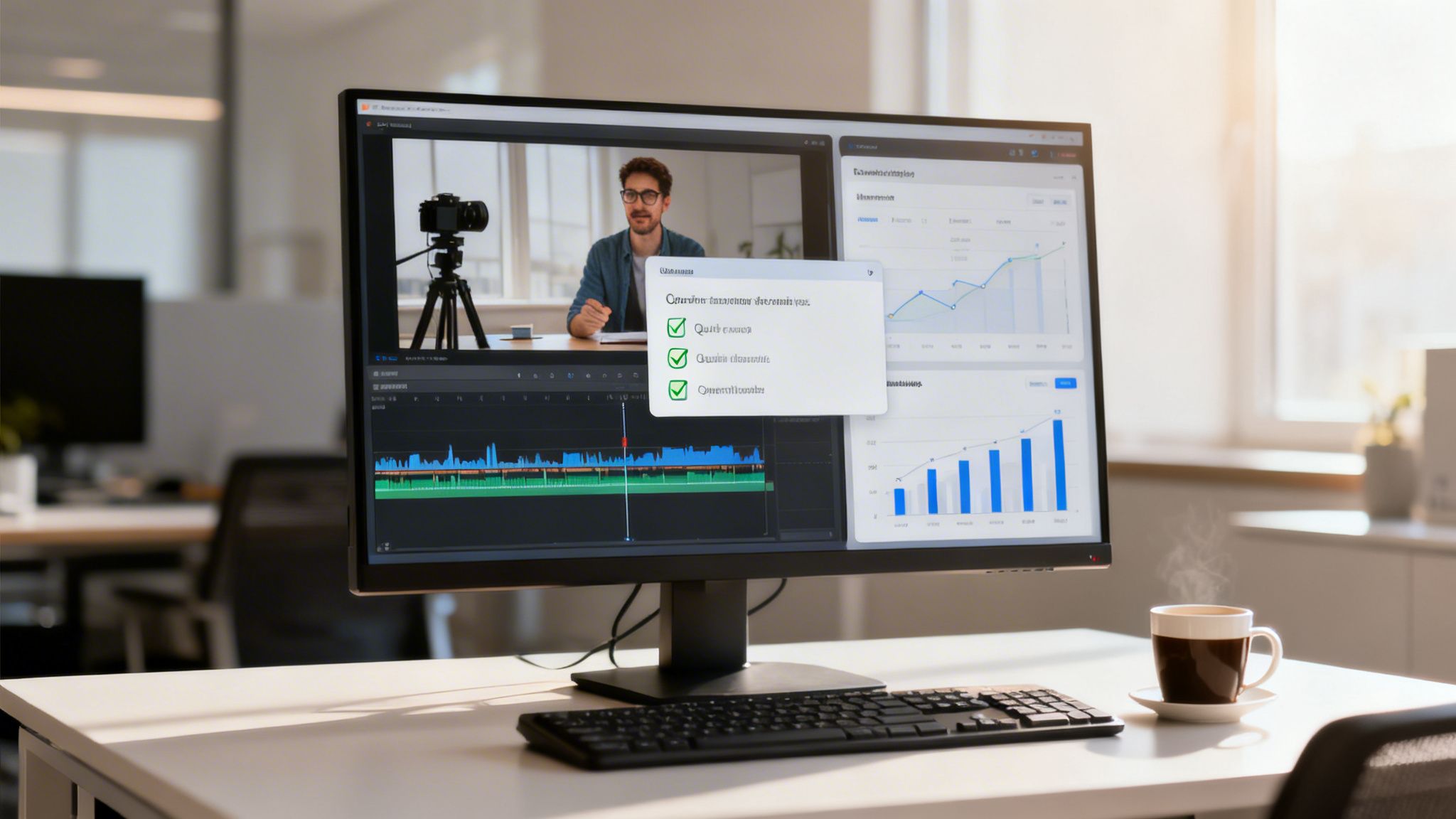
Think of it like this: you could just hand someone a screwdriver, or you could give them a complete, professional toolkit. A basic tool lets you upload a video you've already made, but a comprehensive solution supports you from start to finish. It all starts with having great tools to create the content itself.
Content Creation and Automation
The best video training software takes the headache out of production. You shouldn't need a professional videographer to create a simple training module. Instead, great software puts the tools in the hands of your subject matter experts—the people who actually know the material.
Here’s what that usually looks like:
- Screen Recording: This is a must-have for any kind of software demo or process walkthrough. It lets you show people exactly what to do on their screen, which is far more effective than just telling them.
- Simple Editing Tools: Look for intuitive features that let you trim dead air, add text callouts, or splice different clips together. You shouldn't need a degree in film editing to make a few quick changes.
- AI-Powered Generation: This is where things get really interesting. Imagine an HR manager simply pasting in the text of a new company policy, and the software automatically creates a polished video—complete with a script, relevant visuals, and a voiceover.
This AI-driven approach is becoming more and more common. The AI video generation market is expected to explode from USD 3.67 billion in 2026 to USD 24.89 billion by 2036. That massive growth shows just how much AI is changing the game, making video production faster and more scalable than ever before. For a deeper dive, check out these exciting AI video market trends in a detailed industry report.
Powerful software turns knowledge experts into capable content creators. It removes technical roadblocks, allowing them to focus on what they know best while the platform handles the production complexities.
Learner Interactivity and Accessibility
Let's be honest: just watching a video passively is a recipe for forgetting everything. That's why top-tier software builds interactivity directly into the experience, turning learners from spectators into active participants.
Accessibility is another critical piece of the puzzle. Features like a robust video player with adjustable playback speeds and a built-in subtitle generator are no longer optional. To make the content feel more personal and engaging, many platforms also use high-quality, human-like narration. You can get a better sense of what's out there by exploring our guide on the https://clipcreator.ai/blog/best-text-to-speech-software.
Management and Analytics
Finally, great training software has to give you the tools to manage your video library and see if it's actually working. This means having a central, organized place for all your content and—just as important—analytics dashboards that make sense.
These dashboards should track key metrics like how long people are watching, what their quiz scores are, and how many have completed the training. This gives you real data to prove the value of your programs and spot where you might need to make improvements.
The Real-World Benefits of Video Learning

The shift toward video-based training isn't just about keeping up with the latest tech trend. It's a smart, strategic move that businesses are making because it gets real results. Companies are now putting their money into video training software because it solves some of the oldest problems in corporate learning, offering clear wins in how well people learn, how fast you can scale, and how much you save.
The reason it works so well isn't magic; it's science. Our brains are hardwired to process visuals far more efficiently than plain text. When you combine those visuals with sound and a good story, you’ve created a learning experience that makes information stick in a way a boring manual never could.
Supercharge Knowledge Retention
Think about learning a complex safety procedure from a dense, jargon-filled document. Now, imagine watching a short video that walks you through the exact same steps, showing you what to do. The video isn’t just easier to follow—it's also what you're more likely to remember when you're actually on the job.
It’s not just a feeling; the numbers back it up. Viewers tend to retain about 95% of a message when they see it in a video, compared to a mere 10% from reading text. This huge leap in retention means your training actually works, leading to fewer mistakes, higher-quality work, and a much more capable team.
Video turns passive reading into active watching. This engagement fires up more areas of the brain, forging stronger connections that lock in new information and make it easier to recall under pressure.
By making learning genuinely engaging, video training software has a direct, positive impact on a company's performance.
Achieve Unmatched Scalability and Consistency
One of the biggest headaches with traditional training is getting everyone on the same page. A live trainer might have an off day, or different instructors could stress different points, creating a patchwork of understanding across the company.
Video solves this problem completely. You can produce one perfectly polished training module and deliver it to a single new hire or a global team of ten thousand. Everyone gets the exact same high-quality message, every single time. This guarantees that crucial information, from compliance rules to your brand’s voice, is communicated with flawless consistency.
Unlock Significant Financial Savings
The financial case for video training is hard to argue with. Just think about all the costs that come with old-school, in-person training sessions.
- Travel and Accommodation: Flying employees and instructors to one location is a huge expense.
- Instructor Fees: Expert trainers command high fees, especially for repeat sessions.
- Venue Rentals: You have to pay for the physical space to hold the training.
- Lost Productivity: Pulling entire teams off their work for a day or more means work simply isn't getting done.
With video training software, these expenses shrink dramatically or disappear entirely. You build the content once and can use it forever, delivering a clear and often immediate return on your investment. Plus, letting employees train on their own schedule minimizes disruptions, weaving learning into the workday instead of bringing everything to a halt.
How Different Industries Use Video Training
Video training software isn't just for corporate onboarding anymore. Its real strength lies in its incredible flexibility, allowing it to solve specific problems in all sorts of fields, from the classroom to the startup scene. Think of it like a high-quality multitool—the same core device can be used by an electrician, a camper, or a DIY enthusiast for completely different tasks.
In the business world, this software has become a cornerstone of modern learning and development. A manufacturing company, for example, might create detailed safety videos to ensure every employee follows protocol, drastically reducing accidents. At the same time, a software firm could build a whole library of screen-recorded tutorials to help new customers master complex features, which in turn lightens the load on their support team.
Let's take a look at how different sectors are putting this technology to work.
Video Training Software Application by Industry
A comparative look at how different industries leverage video training software to solve unique challenges and achieve specific goals.
| Industry | Primary Use Case | Example Application |
|---|---|---|
| Healthcare | Clinical Skills & Compliance Training | Nurses practice new procedures through interactive video simulations before working with patients, ensuring both safety and competence. |
| Manufacturing | Safety & Equipment Operation | A factory uses short videos to demonstrate the correct way to operate heavy machinery, accessible via a QR code on the machine itself. |
| Retail & Hospitality | Customer Service & Product Knowledge | New hotel staff watch video scenarios on how to handle difficult guest situations, ensuring consistent, high-quality service. |
| Technology/SaaS | Customer Onboarding & Feature Updates | A software company releases a quick screen-recording tutorial to guide users through a newly launched feature, reducing confusion. |
| Education | Flipped Classrooms & Supplemental Learning | A history teacher assigns a video lecture for homework, using class time for a collaborative project on the topic instead of a lecture. |
As you can see, the applications are as diverse as the industries themselves, all focused on delivering targeted knowledge efficiently.
Education and E-Learning
For teachers and academic institutions, video training software has opened up a new world of dynamic and accessible learning. It’s the engine behind the "flipped classroom" model, where instructors assign video lectures to be watched at home. This simple shift frees up precious class time for hands-on activities, group discussions, and one-on-one guidance.
This approach also beautifully accommodates different learning speeds. A student struggling with a concept can rewind and re-watch an explanation as many times as needed, while another can breeze through familiar material. The video essentially becomes a patient, 24/7 tutor.
The real power of video in education is its ability to meet students where they are. It transforms learning from a one-size-fits-all lecture into a personalized journey that accommodates individual needs and learning styles.
Ultimately, this shift fosters a more equitable and effective learning experience for everyone.
The Creator Economy and Bite-Sized Learning
The creator economy has seized on video training software as a primary vehicle for turning expertise into income. Experts in just about any field—from personal finance to dog training—can now package their knowledge into polished video courses and sell them to a global audience, no publisher required.
But a new, even more agile trend is taking hold: short-form, "faceless" micro-lessons. Businesses are now using tools like ClipCreator.ai to produce quick, engaging training snippets perfect for platforms like TikTok and YouTube Shorts. Imagine a company creating a 60-second animated video to explain a new customer service policy. It meets employees on the apps they’re already scrolling through. For a deeper look into this approach, you can learn more about crafting effective training videos for customer service teams.
This micro-learning strategy is fantastic for reinforcing key ideas and delivering information right when it's needed. Training stops being a formal, scheduled event and becomes a natural part of the daily workflow. And because these videos are often faceless animations, the focus remains squarely on the message, making them ideal for quick, memorable lessons.
How to Choose the Right Video Training Software
Picking the right video training software can feel like searching for the perfect tool in a massive, crowded workshop. You'll see some heavy-duty, all-in-one systems designed for huge companies, right next to sleek, specialized gadgets built for a single purpose. The key is to know exactly what you plan to build before you start shopping.
To find your best fit, it's easy to get distracted by flashy features you'll never actually use. A better approach is to start with an honest look at your goals, your audience, and what you absolutely need the software to do. This simple framework will help you cut through the noise and land on the one platform that truly works for you.
Step 1: Define Your Primary Training Goal
Before you even glance at a vendor's website, stop and ask yourself: what is the main problem I'm trying to solve here? Are you building a comprehensive library of mandatory compliance courses for a global team? Or are you trying to pump out quick, engaging micro-lessons to help your sales team in the field?
- For Corporate L&D: Your goal might be replacing expensive in-person seminars with a scalable, trackable online program. In that case, you'll need a platform with robust analytics, top-notch security, and LMS integration.
- For Educators: You might be looking to "flip" your classroom, creating video lectures for students to watch at home. This would free up precious class time for hands-on work. For you, ease of use and simple creation tools are paramount.
- For Creators and Marketers: Your aim could be to rapidly produce short-form, faceless videos for social media or lead-generation funnels. Speed, automation, and AI-driven features will be your best friends.
This decision tree shows how your main objective—whether it's corporate, educational, or creative—steers you down a completely different path when it comes to choosing tools.
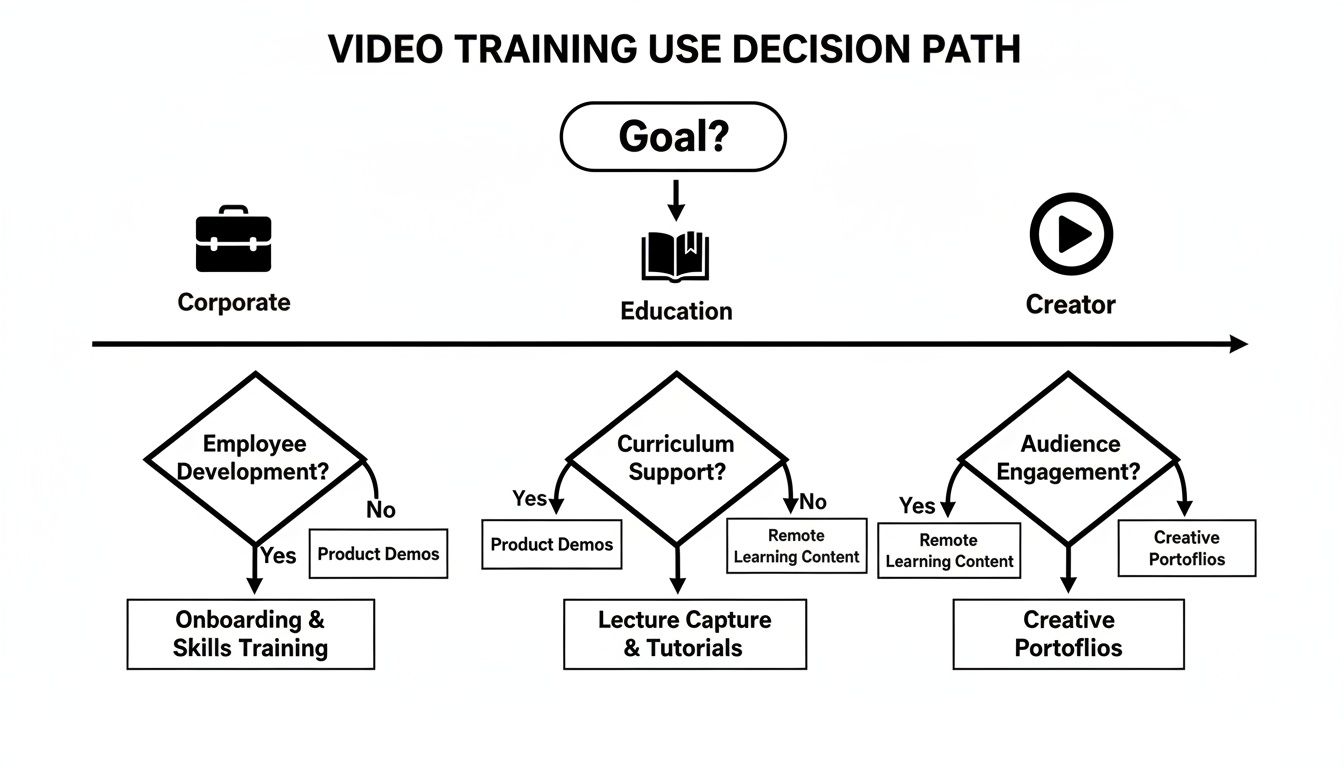
As you can see, the ideal software for a corporate training department is worlds apart from what a solo content creator needs. That’s why your core goal is the most critical place to start.
Step 2: Assess Your Audience and Feature Needs
With your goal locked in, it’s time to think about your learners. Are they tech-savvy employees who can handle a complex interface, or are they busy field technicians who need a dead-simple viewing experience on their phones? The answer will dictate your feature checklist.
Create two columns: "must-haves" and "nice-to-haves." For instance, if you're training a diverse, global team, then automatic multi-language subtitles are a must-have. If you're a small business owner creating software demos, then high-quality screen recording is your top priority.
Your feature list should be a direct reflection of your goals and your audience’s needs. Don't pay for an advanced analytics suite if your main goal is simply to get a single training video out the door.
Step 3: Evaluate Vendors and Pricing
Now that you have your list, you can finally start looking at vendors. Look past the sticker price and think about the total value. A cheaper tool might end up costing you more in the long run if it lacks the support or key features that save you time. A good video production software comparison can be invaluable here, helping you weigh features against your specific needs.
Look for transparent pricing models without hidden fees. Does the vendor charge per user, per video, or a flat monthly subscription? Make sure the model aligns with your growth plans. A per-user fee can get expensive fast if you're training a large or fluctuating audience.
Finally, never underestimate the power of good customer support and a clean user experience. Sign up for free trials. Watch the demos. Read what other users are saying. The best video training software for you is, quite simply, the one your team will actually enjoy using.
Your Implementation Roadmap for Video Training

Rolling out new video training software can feel like a massive project, but breaking it down into smaller, smarter steps makes all the difference. The secret isn't a big, splashy company-wide launch. Instead, start with a pilot program.
Pick one department or team that’s open to new ideas and give them a specific training challenge to tackle with the new software. This small-scale test run lets you iron out any technical wrinkles and gather real, honest feedback without the high-stakes pressure of a full launch. It's your dress rehearsal, and it provides crucial insights that will shape your entire approach.
Develop a Content and Rollout Strategy
Once you’ve learned what works from your pilot, it’s time to build out a full content plan. Don't try to boil the ocean. Start by creating videos that solve your most common problems or answer the questions your teams ask over and over again.
A solid plan for training videos production is your blueprint for success. This is where you’ll define the style, tone, and learning goals for your videos, ensuring they all feel consistent and genuinely helpful. Good strategy often means thinking in terms of a series—a collection of related micro-lessons is usually far more effective than a single, long video.
Finally, you can move to a wider rollout. Take everything you learned from your pilot group and apply it as you introduce the software to other teams.
Implementation isn't a one-and-done task; it's an ongoing cycle of improvement. Use the analytics built into your software to see how people are engaging with the videos. This feedback loop is what allows you to make your next batch of training content even better than the last.
Following this simple roadmap—pilot, plan, and then roll out—helps you introduce video training in a structured way, leading to better adoption and a real return on your investment.
Still have a few questions about video training software? You're not alone. Let's tackle some of the most common questions people ask before they dive in.
Frequently Asked Questions About Video Training Software
Getting ready to bring video training into your organization is a big step, and it's smart to have questions. Here are a few straightforward answers to help you make your final decision with confidence.
Can Small Businesses Afford Video Training Software?
Absolutely. The idea that video training is only for big corporations with deep pockets is a thing of the past. Today's market is packed with options for every budget, from massive enterprise systems to incredibly affordable tools.
Many of the best platforms run on a simple subscription model, which means you can get started without a huge upfront investment. Think of tools designed for short-form content—they’re a perfect example. They give small teams the power to create professional-looking training videos without needing a film crew, delivering a fantastic return on a small budget.
How Much Time Does It Take To Create a Training Video?
The honest answer? It depends. A quick, 5-minute screen recording tutorial could be done in under an hour, from hitting record to exporting the final file. It all comes down to the topic's complexity and the tool you're using.
But this is where things get interesting. AI-powered tools are completely changing the timeline. Some platforms can now whip up a complete video—script, visuals, and all—from just a simple text prompt in a matter of minutes. This slashes production time and makes it possible for anyone, on any team, to create great content consistently.
Modern video training software is built for speed. Its real value is turning your subject-matter experts into efficient content creators, not filmmakers, by removing technical hurdles and automating the tedious stuff.
How Do I Measure the Success of My Video Training?
Measuring success goes way beyond just counting views. The best video training software comes with built-in analytics that show you exactly how your audience is interacting with the material. This is where you find the real story.
To get a clear picture of your training's impact, keep an eye on these metrics:
- Completion Rates: Who’s watching all the way to the end?
- Viewer Engagement: Are people re-watching certain parts or skipping others? This tells you what’s hitting home and what isn't.
- Quiz Scores: This is the most direct way to see if people are actually learning and retaining the information.
- Feedback/Ratings: Get qualitative insights straight from your learners about what they liked or what could be better.
Tracking this data doesn't just prove the ROI of your training efforts—it gives you the exact feedback you need to make your next video even more effective.
Ready to start creating engaging, short-form training videos in minutes? With ClipCreator.ai, you can automate your content production, turning simple ideas into polished, ready-to-share micro-lessons. Start your journey with ClipCreator.ai today

Create your first video in under 2 minutes
Pick a niche, and ClipCreator.ai generates and auto-posts faceless videos to your channels every day.
Join ClipCreator.ai