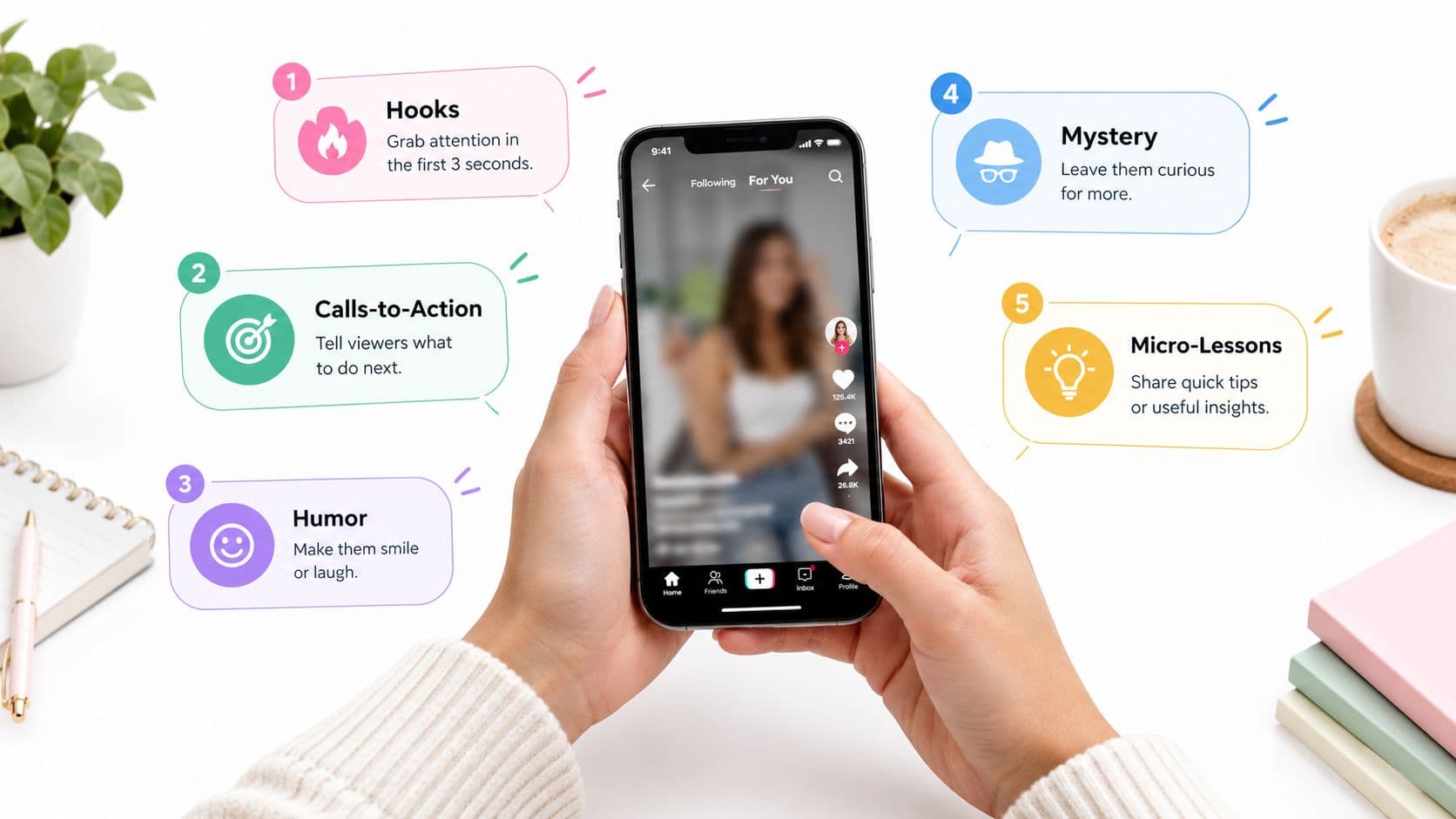
You can watch Reels for an hour and still feel oddly unsure about posting one. The format looks simple on the surface, but the moment you open the creator screen, the questions stack up, what should I make, how long should it be, and how do I know if it worked?
Instagram Reels use is easier to understand when you treat it like a publishing system, not a lottery. That shift matters because Reels can reach people who don't follow you yet, and the job is to create a video that earns attention, signals value, and leads somewhere useful.
What Instagram Reels Are and Why They Matter
You may watch hundreds of Reels before posting your first one. The format appears simple, yet publishing requires different choices: what deserves attention, how much context viewers need, and what action should follow the video.
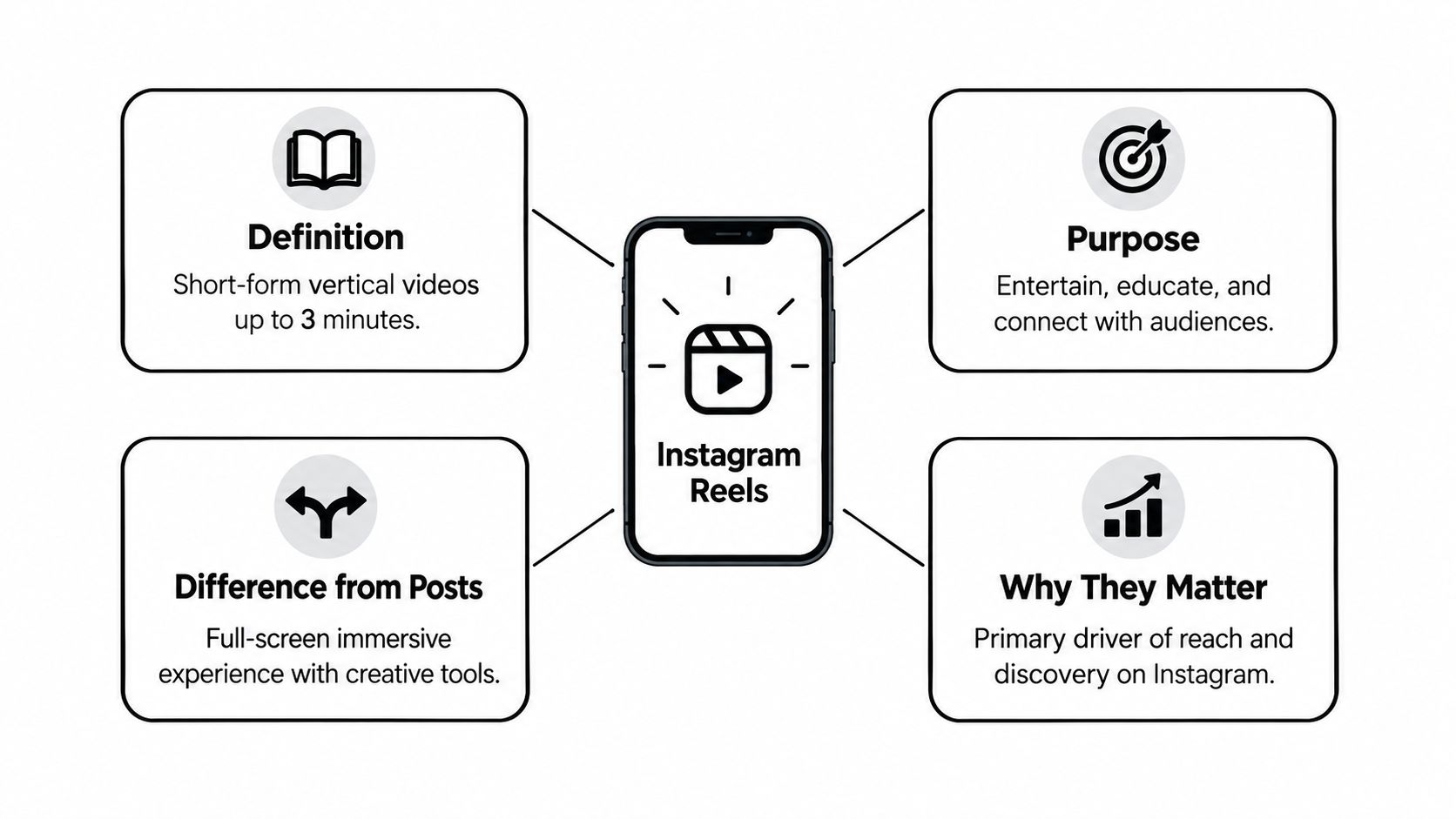
A Reel is Instagram's full-screen vertical video format, designed for quick viewing, discovery, and repeat watching. It appears within an app people already use, which lowers the barrier to viewing. For creators, however, the video must feel native to Instagram's viewing habits and recommendation system.
Where Reels fit inside Instagram
Reels can appear in the Reels tab, Explore, and the main feed. A viewer may therefore discover your video before visiting your profile or following you. Static posts usually rely more heavily on existing audience behavior, while Reels can introduce your account through recommendation.
Stories disappear after 24 hours and suit temporary updates or informal behind-the-scenes material. Feed posts and carousels remain easier to browse from a profile. Reels support motion, discovery, and recommendation. TikTok has its own audience and viewing habits, so repurposing a TikTok export rarely performs as well as an edit shaped for Instagram's distribution system.
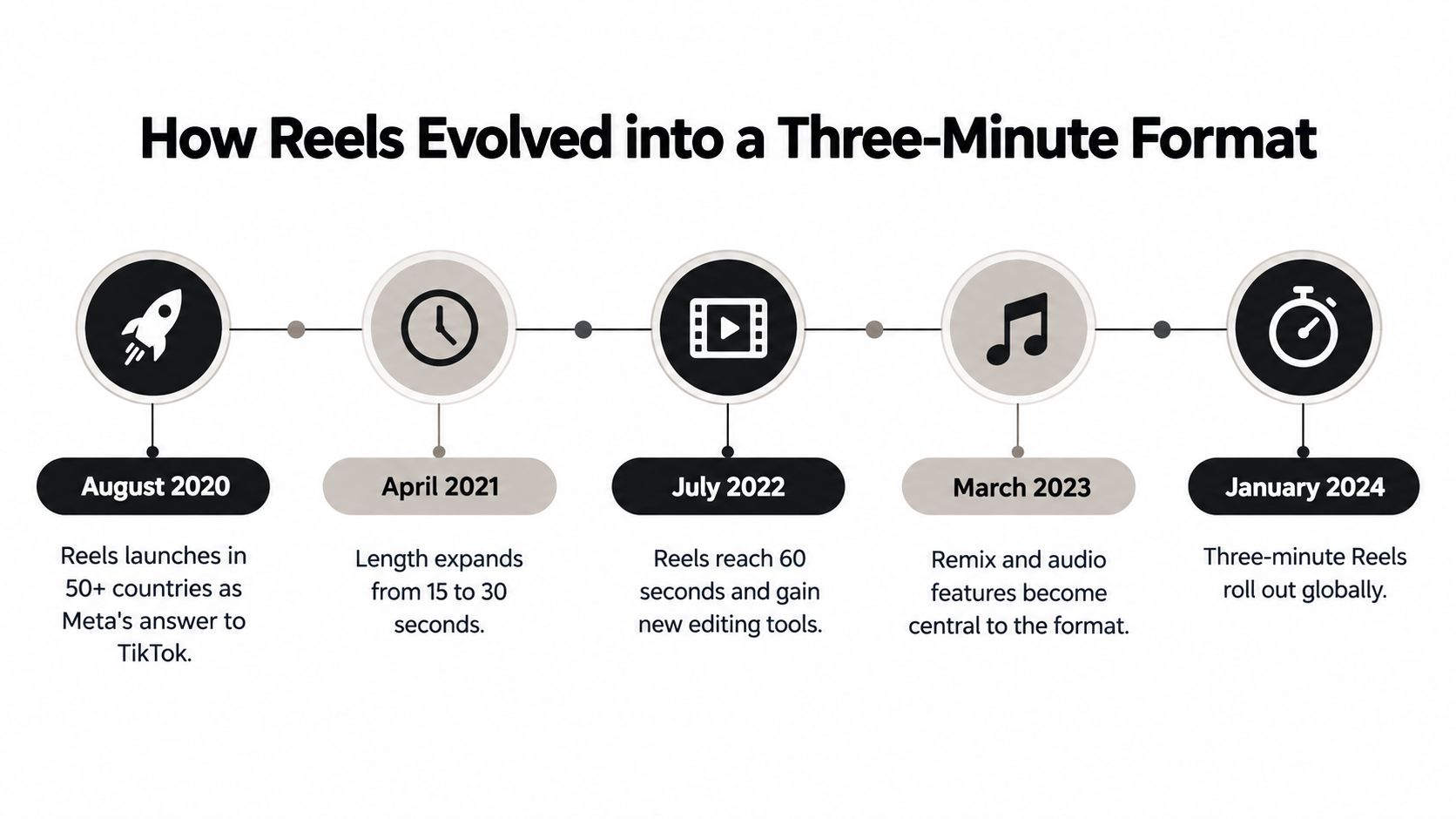
Instagram launched Reels globally on August 5, 2020, beginning with videos of up to 15 seconds, then extending the format to 90 seconds and later three minutes Adam Connell's Reels history summary. The longer formats support tutorials, stories, demonstrations, and branded explanations alongside short entertainment.
Treat Reels as a publishing system. Viewer behavior supplies signals such as watch time, shares, and saves. Creator behavior adds profile visits, follows, and other profile actions. A practical starting point is to study prebuilt automation templates for their opening, pacing, and ending, then build an original version around one clear viewer need.
Practical rule: make the first second create a reason to watch the next one. Views show distribution, while watch time, shares, saves, and profile actions show whether the video earned attention.
How Reels Evolved into a Three-Minute Format
Reels began as Instagram's answer to TikTok, with a deliberately short format that made the new feature easy to understand and quick to produce. The early approach favored lightweight, familiar clips and helped establish Reels as a distinct publishing format Adam Connell's launch overview.
Why each length change mattered
The original 15-second limit rewarded sharp hooks, quick reveals, and trend-led clips. A creator could build a Reel around one punchline, a fast transformation, or a single lesson. That habit still influences advice online, even though the available format has expanded.
The move to 90 seconds, followed by three minutes, changed the creative task. A Reel could carry a fuller tutorial, a short essay, several examples, or a more deliberate branded story. Length is now a distribution choice: a longer Reel can carry a tutorial or branded story that a 15-second clip never could.
Meta later reported that Reels were played more than 140 billion times per day across Instagram and Facebook, showing the format's importance to the company's video strategy. Cross-platform distribution also gives creators another route to reach viewers, although performance still depends on how well the edit fits each audience and viewing context.
What the timeline tells creators
A short Reel suits an idea that is narrow, visual, or emotional. A longer Reel gives the viewer room to follow context, a sequence of steps, or a payoff that needs more than one beat.
The publishing decision should begin with the viewer's job. If the goal is a quick reaction, a compact edit may produce stronger completion and replay signals. If the goal is instruction or consideration, extra length can support watch time, saves, shares, and profile actions, provided every section earns its place.
If the idea needs more room to breathe, use the available length. If it does not, keep the edit tight so the viewer can understand and replay it easily.
The old instinct to compress every concept into fifteen seconds has run its course. Match the duration to the job of the video, then judge the result through watch behavior and meaningful actions rather than views alone.
How the Reels Algorithm Decides Who Sees Your Video
A viewer watches your Reel through the opening, replays a useful explanation, saves a checklist, or visits your profile. Those actions give Instagram evidence about whether the video should reach people beyond your existing audience, as outlined in Hootsuite's algorithm overview.

The signals that matter
Instagram evaluates watch time, replays, likes, shares, saves, and follow-up actions such as profile visits and follows. High completion and rewatch behavior suggest that the video held attention. Shares and saves indicate value that extends beyond the first viewing, while profile actions show interest in the creator or topic.
Raw views are only the entry point. A useful Reel keeps attention, gives viewers a reason to return, or prompts a meaningful next step.
| Ranking signal | What it measures | Production lever |
|---|---|---|
| Watch time | How long people stay with the video | Start with a clear promise and cut dead air |
| Replays | Whether viewers watch again | Build an ending that connects naturally to the opening |
| Shares | Whether viewers think someone else should see it | Make the idea specific, useful, or relatable |
| Saves | Whether viewers want to return later | Include a takeaway, checklist, or reference point |
| Profile visits and follows | Whether the Reel creates curiosity about the account | Establish a clear series identity or next step |
How to engineer the signals
A faceless creator has to communicate personality through writing, narration, editing, and visual consistency. The opening should state the idea quickly. Every pause or unclear caption gives the viewer a reason to leave before the main point appears.
The ending should reward completion. A simple loop, a final reveal, or a line that connects with the opening can make the Reel feel complete and encourage another play.
Use controlled comparisons instead of changing everything at once. Keep the topic and posting time similar, then vary one element, such as the hook, subtitle pacing, or scene rhythm. Compare retention, shares, saves, and profile actions per impression. The version with fewer initial plays may still be stronger if it creates more valuable behavior.
What to measure after posting
- Watch time first: Early exits usually point to a weak promise, slow opening, or unclear first frame.
- Shares and saves next: These indicate whether the Reel offered practical utility or social value.
- Profile actions last: Visits and follows show whether the video created enough trust or curiosity to continue the relationship.
The algorithm rewards evidence that a viewer cared: completion, replays, saves, shares, and profile actions. Build each Reel around one clear viewer response, then use the results to improve the next publication.
Five Real Use Cases for Instagram Reels
Scroll any niche hashtag and you will see accounts mixing reach clips, tutorials, and brand posts in one grid. The result can be a muddled signal for viewers and the recommendation system. Choose the Reel's main job first, then match its structure and success measure to that job.
Pick the job before you pick the style
| Use case | Primary success signal | Best fit | Watch-out |
|---|---|---|---|
| Reach growth | Non-follower discovery | Hook-led clips, strong openings | Chasing views without audience fit |
| Engagement | Shares, saves, comments | Opinion clips, prompts, quick tips | Asking for interaction without earning it |
| Brand awareness | Recognition and recall | Recurring visual identity, repeated themes | Looking polished but forgettable |
| Education | Saves and profile visits | Micro-lessons, FAQs, how-tos | Teaching too broadly and losing focus |
| Faceless publishing | Completion, subtitles, repeat viewing | Narrated stories, explainers, scripted series | Weak audio, messy captions, generic visuals |
What each use case looks like in practice
Reach growth introduces the account to people who have no prior context or loyalty. The opening therefore needs to establish the subject quickly, while the rest of the video should deliver enough relevance to earn continued viewing. Track non-follower reach alongside watch time, rather than treating raw plays as the whole result.
Engagement gives viewers a reason to respond. A sharp opinion, useful shortcut, or relatable moment can earn saves and shares more reliably than a broad “comment below” prompt. Those actions reveal whether the Reel created value people wanted to keep or pass along.
Brand awareness grows through repeated signals. Recognition comes from using the same fonts, framing, tone, and visual habits until viewers can identify the account before reading the handle. Measure profile actions and returning interest as well as exposure.
Education turns a Reel into a small reference tool. A focused micro-lesson, answer to a specific question, or concise how-to gives viewers a clear reason to save it and visit the profile for related material. Broad teaching often leaves the viewer unsure what to remember.
Faceless publishing suits account owners who do not want to appear on camera. Narration supplies personality, subtitles preserve clarity, and deliberate visuals keep attention moving without a face on screen. For ad-backed or story-led campaigns, Wojo Media's ad playbook offers a useful reference for connecting content with promotion.
ClipCreator.ai can turn prompts into scripted, narrated short videos with subtitles and scheduling for educational or faceless workflows. Its practical role is to support a repeatable publishing system. The topic, audience promise, and signal you measure still determine whether each Reel is doing useful work.
Technical Specs and the Faceless Production Workflow
The easiest way to sabotage a Reel is to export it in the wrong shape. Instagram Reels should be rendered as 1080x1920 pixels, in a 9:16 aspect ratio, at 30fps or higher, with MP4 or MOV delivery, and text kept inside the central safe area CreatorFlow's publishing guide.
Build the file correctly
A clean export matters because incorrect framing can crop subtitles, and heavy compression can make small text hard to read. For a faceless video, that's a bigger problem than it sounds, because the subtitles are doing the job that facial expression would normally do.
A practical upload-ready workflow usually looks like this:
- Start with a short script: Keep the idea tight enough that the viewer can follow it without extra context.
- Pair each line with a visual beat: Use images or scene changes that match the narration instead of random stock clips.
- Render in the right format: Export as 1080x1920, 9:16, 30fps, MP4/MOV.
- Check the safe area: Keep text away from the top and bottom edges so interface controls don't cover it.
- Review the finished file: Watch it once before scheduling to catch subtitle timing issues or awkward cuts.
What faceless production should include
The best faceless Reels still feel specific. Original narration carries the message, subtitles carry the clarity, and the visual sequence carries the rhythm.
Rule of thumb: if the subtitles can't be followed without pausing, the reel is too dense for clean mobile viewing.
Cover design also matters because the thumbnail often sets the expectation before the video plays. If you want a deeper look at framing and thumbnail setup, Reel cover dimensions and tips is a practical resource.
For a format-focused reference, see this Instagram Reels format guide. It's useful when you're checking whether your edit, caption placement, and file settings will survive real-world publishing.
The biggest misconception is that no-camera content has to look cheap. It doesn't, if the script, subtitles, pacing, and export settings are handled with care.
Why Posting More Reels Can Make Engagement Worse
More output sounds like more growth, but that only holds if the extra output is good enough to deserve attention. Brands increased Reel output by nearly 35% year over year, while Reels engagement averaged roughly 0.45%, and carousels can outperform Reels for accounts over 50,000 followers Influencer Marketing Hub benchmark summary.
More volume can scale the wrong thing
That gap between volume and engagement is a warning sign. If the creative is weak, posting more just gives the same weak idea more chances to underperform.
The better question is what you're scaling, the idea, the system, or the mistake. A small account that improves one signal at a time often gets farther than a busy account that publishes constantly without diagnosing why people stop watching.
A cleaner review process separates the outcomes that matter:
- Non-follower reach: Are new people seeing the Reel?
- Early retention: Do they stay past the opening?
- Completion rate: Do they finish the video?
- Shares and saves: Do they think it's worth keeping or sending?
- Profile actions: Does the Reel create enough curiosity to earn a visit or follow?
- Conversions: Does the Reel lead somewhere useful after the view?
How to diagnose the problem
If reach is fine but completion is weak, the hook or pacing is off. If completion is fine but saves are low, the idea may be entertaining but not useful. If saves are good but profile actions are flat, the Reel may be valuable without clearly representing the account.
Faceless creators should use the same framework to check whether automation is helping or just multiplying a template. If every Reel looks and sounds the same, the account can gain production speed without gaining audience insight.
Use the metric that fails first as the thing you fix first. Views alone won't tell you where the creative broke down.
Closing the Watcher to Creator Gap on Reels
About 81% of U.S. Instagram users watched Reels, while only about 39% uploaded them, according to Morning Consult data reported by eMarketer's Reels audience overview. The gap points to a publishing opportunity: watching requires attention, while posting requires a repeatable process that fits real constraints.
Build for the people who watch first
Time, privacy, camera confidence, and uncertainty about voice are the obstacles that stop watchers from posting. A clear format reduces those decisions before production begins.
A publishing system can make an account recognizable without showing a face. Use a recurring visual identity, original narration, accurate captions, and light sourcing for educational claims. Comments can then guide follow-up episodes, giving viewer behavior a direct role in creator decisions.
A faceless series works best as an ongoing format rather than a collection of unrelated uploads. One Reel can answer a question, the next can extend the explanation, and another can respond to a comment from a new angle. The sequence gives viewers a reason to return while keeping production manageable. For a practical workflow, how to make faceless videos explains ways to create this kind of content without relying on an on-camera presence.
What to treat as success
Measure the publishing system through actions that show useful attention: saves, DMs, replies, profile visits, and returns for the next episode. Views help you see whether distribution occurred, but they do not explain whether the Reel earned trust or prompted a next step.
Treat a first-week win as three saves and one profile visit from a non-follower, not a view count. A creator does not need influencer status to use Reels well. Consistency, clarity, and recognition give watchers a practical path toward participation.
Your First Seven Days Publishing Reels
Start by picking one use case, not all five. On day one, audit a few posts and choose whether your main goal is reach, engagement, education, branding, or faceless publishing.
Day two, lock a visual template and safe-area text style. Day three, script and produce the first Reel under 90 seconds. Day four, publish a second Reel on the same topic with a different hook. Day five, review watch time, shares, and saves in Instagram Insights. Day six, reply to comments and turn one into a follow-up Reel. Day seven, decide on a cadence you can maintain and schedule the next batch using the publishing tools you already have.
For a practical publishing walkthrough, how to post Instagram Reels gives a useful reference for the mechanics. Once the first week is done, the work is no longer “making a Reel,” it's running a system that keeps improving the next one.
ClipCreator.ai helps you turn scripts into short, faceless videos with AI narration, subtitles, and scheduling, so your Reels process becomes repeatable instead of improvised. If you want to publish Instagram Reels without building every video by hand, visit ClipCreator.ai and see how the workflow fits your content.

Create your first video in under 2 minutes
Pick a niche, and ClipCreator.ai generates and auto-posts faceless videos to your channels every day.
Join ClipCreator.ai