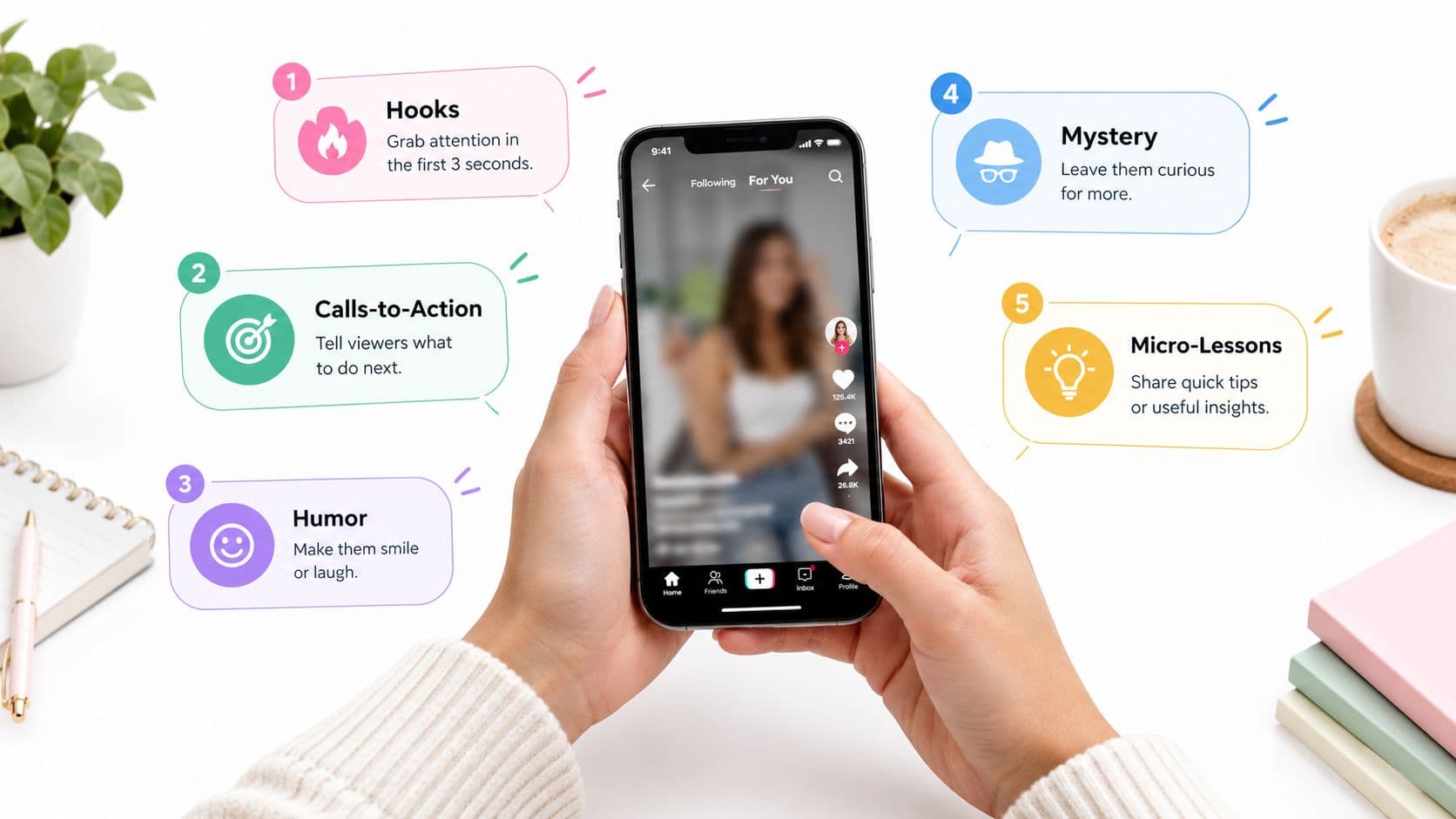
A faceless story or tips video can be well edited, clearly narrated, and still stall after a few hundred views. Often, the problem isn't the footage. The caption gives viewers no reason to keep watching, search for the topic, comment, or save the post. Change “A story about a locked door” to “The door was locked from the inside. Then someone knocked,” and the viewer has a question to resolve.
Good captions for TikTok work with the opening visual, spoken hook, subtitles, and hashtags. They can support watch time, comments, saves, and shares, but only when they match the video's actual promise. TikTok introduced automatic captions as an accessibility feature on April 6, 2021, helping viewers read spoken content while listening or watching without sound, as explained in TikTok's automatic captions announcement.
Below are ten caption types built for specific faceless formats. Each includes a ready-to-use example, an on-screen placement rule, and a hashtag approach. For broader ideas about the psychology behind attention and persuasion, explore these marketing psychology TikTok picks.
1. Curiosity-Gap Hook Captions
A curiosity-gap caption gives viewers an unanswered question. It doesn't explain the whole video. It creates a specific reason to stay until the explanation, reveal, or ending.
For a faceless horror video, try: “The door was locked from the inside. Here's what happened next…” For a tips video, use: “Nobody tells you this about your first week of college.” Both examples promise information without making the viewer guess what the video is about.
The caption should match the first spoken line. If the on-screen text asks about a locked door but the voiceover starts with unrelated background, viewers may leave before the story begins. Use the caption and opening narration as one hook, not two competing ideas.
Build the open loop carefully
Deliver the meaningful payoff before the final moments. If the answer arrives too late, the viewer may feel manipulated. A stronger structure introduces the question, adds escalating details, and resolves the central tension while leaving room for a final reaction or implication.
Use readable burned-in text for the first second. Choose a bold font, strong contrast, and a position away from faces, important objects, and TikTok's interface controls. The video hook generator can help you develop variations before production.
Practical rule: The caption should promise one unanswered question, not five vague possibilities.
For hashtags, use one topic tag and one genre tag. A scary story might use #scarystories and #storytime. A college tips video could use #collegetips and #studentadvice. Avoid burying the hook under a long hashtag block.

2. Series and Part-Two Cliffhanger Captions
A series caption tells viewers where the video belongs and gives them a reason to find the next episode. It works for multi-part horror stories, historical explainers, business lessons, and educational mini-courses.
Start with the sequence label. “Part 1: The voicemail arrived three years after she disappeared” is clearer than placing “Part 1” at the end. Viewers immediately know the video is part of a larger story, and searchers can identify the topic from the opening words.
The cliffhanger needs to change the situation, not merely stop the narration. “Then something happened” is weak because it creates no concrete expectation. “The recording used her voice, but she had never made the call” gives the next part a clear narrative problem.
Keep the series easy to enter
Pin the first episode to the profile. Use the same title treatment, background style, voice, and caption format across the sequence. A new viewer should recognize the series even if they encounter Part 4 first.
Batch-production helps with continuity. Write the full arc before publishing the opening episode, then prepare several parts so names, clues, and visual details remain consistent. For an educational series, make each episode useful on its own while adding a reason to continue.
A cliffhanger should create anticipation, not confusion.
Place the part number in the first line of the post caption and in the opening on-screen text. Keep both away from the lower caption area and right-side controls. For hashtags, use the series topic plus a format tag, such as #horrorstories #part1 or #historytok #learnontiktok. Don't use a generic trending tag that says nothing about the subject.
3. Storytime Genre-Tag Captions
Genre-tag captions tell viewers exactly what kind of experience they're about to get. They suit faceless channels because the topic, narration style, and visual mood can establish the format before a recognizable creator appears on screen.
Try: “A night-shift nurse hears knocking from the basement. #scarystories #storytime” for a horror narrative. A calming channel might use: “A quiet forest tale to help you fall asleep. #bedtimestory #sleepstories.”
The sentence supplies context. The hashtags reinforce it. A caption that contains only #fyp or #viral gives viewers and the platform little information about the video itself.
Match tags to the actual promise
Use a small group of relevant hashtags. One or two should describe the genre, one can identify the niche, and an additional broad tag is optional. Search TikTok suggestions for phrases people already use around your topic, then check whether your video belongs there.
A scary story shouldn't use #comedy because the tag is popular. A sleep story shouldn't promise true crime. Misaligned tags may bring an initial audience that leaves quickly because the content isn't what they expected.
For visual placement, put the genre phrase in the first on-screen text block, above the lower interface area. Don't duplicate the full post caption as subtitles. The subtitle track should carry the narration, while the post caption can clarify the genre and invite discovery.
Explore this guide to storytelling for short-form content for additional narrative angles. Relevant hashtags might include #scarystories, #storytime, #bedtimestories, or a specific niche tag such as #paranormalstories.
4. Keyword-Optimized Search-Friendly Captions
Search-friendly captions describe the video in the words a viewer might type into TikTok. The approach is simple: identify the subject, place the main phrase near the beginning, and write naturally around it.
Examples include “Easy three-step budgeting method for beginners” for a personal finance explainer and “Why the sky is blue explained in a short science lesson” for an educational video. A faceless tutorial might open with “How to make cold brew at home without special equipment.”
TikTok's global scale makes wording important. DataReportal recorded at least 1.59 billion TikTok users worldwide in January 2025, with major audiences in the United States, Indonesia, Brazil, Mexico, and the Philippines. Those figures appear in DataReportal's TikTok statistics, and they underline why plain language travels better than a local idiom or unclear joke.
Write for search intent
Search the topic inside TikTok and review autocomplete suggestions. Use the phrase that best matches the lesson, not a list of loosely related keywords. Put the query in the post caption, say it naturally in the voiceover, and show it in the opening on-screen text.
For For You discovery, keep the caption tight and lead with the benefit. For a search-led tutorial, add the specific method, audience, or problem the video solves. Longer text only helps when it adds useful context, related wording, or a clear question.
Use a central safe area for the keyword overlay. It must remain visible while the background changes, and it shouldn't cover a product demonstration or important visual evidence. Review open captions versus closed captions before choosing how much text belongs in the video itself.
Hashtags should support the query, not replace it. Use a specific topic tag such as #coldbrew or #budgetingtips, then add a relevant audience tag if needed.
5. Comment-Prompt Captions
A comment prompt asks for a particular response. It works best when the video already creates a decision, disagreement, prediction, or personal connection.
For a story, write: “Who do you think was the villain?” For a binary choice, use: “Would you have opened the door, A or B?” For an educational video, ask: “Which study habit would you try first?”
Generic prompts such as “Thoughts?” make viewers do too much work. A specific question gives them an easy entry point and makes the comments more useful to the creator.
Ask one question
Use one main prompt per video. If you ask viewers to choose an ending, explain a theory, share a personal experience, and tag a friend in the same caption, each request becomes weaker. Make the question answerable from the content and keep it near the end of the post caption if the opening already carries the hook.
The on-screen version can appear after the key scene or lesson. Keep it short, large, and separate from subtitles. For example, a narrated mystery can show “Who made the call?” in the final scene while the post caption asks viewers to choose between two suspects.
Reply to early comments with substance. A follow-up video can answer a common theory, correct a misunderstanding, or continue an argument. That gives the original prompt a useful role in your content plan rather than treating comments as an isolated metric.
Use hashtags that identify the subject, not the request. A mystery might use #mysterytok and #storytime. A lesson could use #studytips and #productivity. The question drives participation, while the tags help classify the topic.
6. POV Captions
POV captions place the viewer inside a scene. They work especially well for faceless videos because the audience can project themselves into the role without needing to see a creator's face.
Try “POV: You're the only one who hears the whisper in the attic” over a dark interior. For a business story, use “POV: Your first client finally says yes.” The sentence should establish a situation immediately, not explain the entire backstory.
Specific details make the perspective stronger. Mention a location, a sensory cue, or a moment of pressure. “POV: It's 2 a.m., and the elevator stops below ground” gives the visual team a clear setting and gives the viewer an immediate problem.
Keep the perspective visible
Place the POV line in the first frame or first spoken beat. Keep it in the upper or central safe area, away from the username, action buttons, and post-caption region. Match the first visual to the words. An attic whisper needs an attic, not a generic nighttime scene.
The voiceover can then deepen the situation. Don't repeat the exact POV sentence in every subtitle block. Use the on-screen hook for context and subtitles for the spoken narrative.

Use one or two hashtags that identify the format or niche, such as #pov, #horror, or #smallbusinessstory. Avoid adding every adjacent tag. The caption already does the main positioning work.
POV is not a substitute for a plot. If the scene has no change, obstacle, or emotional turn, the format can feel like an empty label. Give the viewer something to experience, then make the final caption or voiceover pay off that perspective.
7. Numbered and Listicle Captions
Numbered captions promise a clear structure. They suit educational micro-lessons, product tips, study content, cooking instructions, and faceless explainers where viewers want a quick answer.
Examples include “Three study habits that help you prepare for exams” and “Four signs your sourdough starter is ready.” The number sets an expectation, while the subject tells viewers whether the information applies to them.
Keep the list focused. Three strong points are better than a long sequence of shallow ones. Each item should have a visual marker, a short explanation, and a clear connection to the opening promise.
Make the number part of the video
Show the list number on screen as each point appears. Use consistent typography so viewers know where they are. A simple layout might place 1, 2, or 3 beside the key phrase while subtitles carry the supporting narration.
Put the topic in the post caption as well. “Three beginner budgeting mistakes and how to avoid them” is more useful than “Three things you need to know.” The specific version helps viewers understand the value before they expand the caption.
Place the list title in the upper-middle safe area. Keep the individual point labels away from the bottom caption bar and right-side controls. If a chart, ingredient, or product detail matters, move the text rather than covering it.
For hashtags, use the subject plus the audience. Examples include #studytips #studentlife, #sourdough #bakingtips, or #personalfinance #moneymindset. Don't add unrelated broad tags just to make the list appear more discoverable.
8. Caption-Voiceover Sync Captions
A viewer should be able to follow a faceless video with the sound off. Synchronized captions track the narration closely, while visuals supply context, atmosphere, or evidence. Proofread names, technical terms, numbers, and meaningful sounds. A transcription error can change the point or make a key instruction hard to understand.
A 2024 ACM CHI study analyzed 300 TikTok videos, including general-audience videos and videos from Deaf and disabled creators. Among videos containing at least one captioning error, the average word-error rate was 7.9%, with observed rates ranging from 0.5% to 35.7%, as reported in the ACM CHI captioning study. Treat caption review as part of production. Check the transcript, timing, line breaks, contrast, and descriptions of sounds that affect meaning.
Edit for meaning, not just spelling
Break the voiceover into short phrase-level segments. Keep text in the central safe area, above the lower caption region and away from the right-side buttons. If two people speak, identify them. If a laugh, alarm, or door slam changes the scene, add a concise sound description.
Follow an audio and video syncing guide to set timing before adding motion effects. Use one font and color system across the channel. Emphasize only words that deserve attention, since constant animation makes subtitles harder to read.
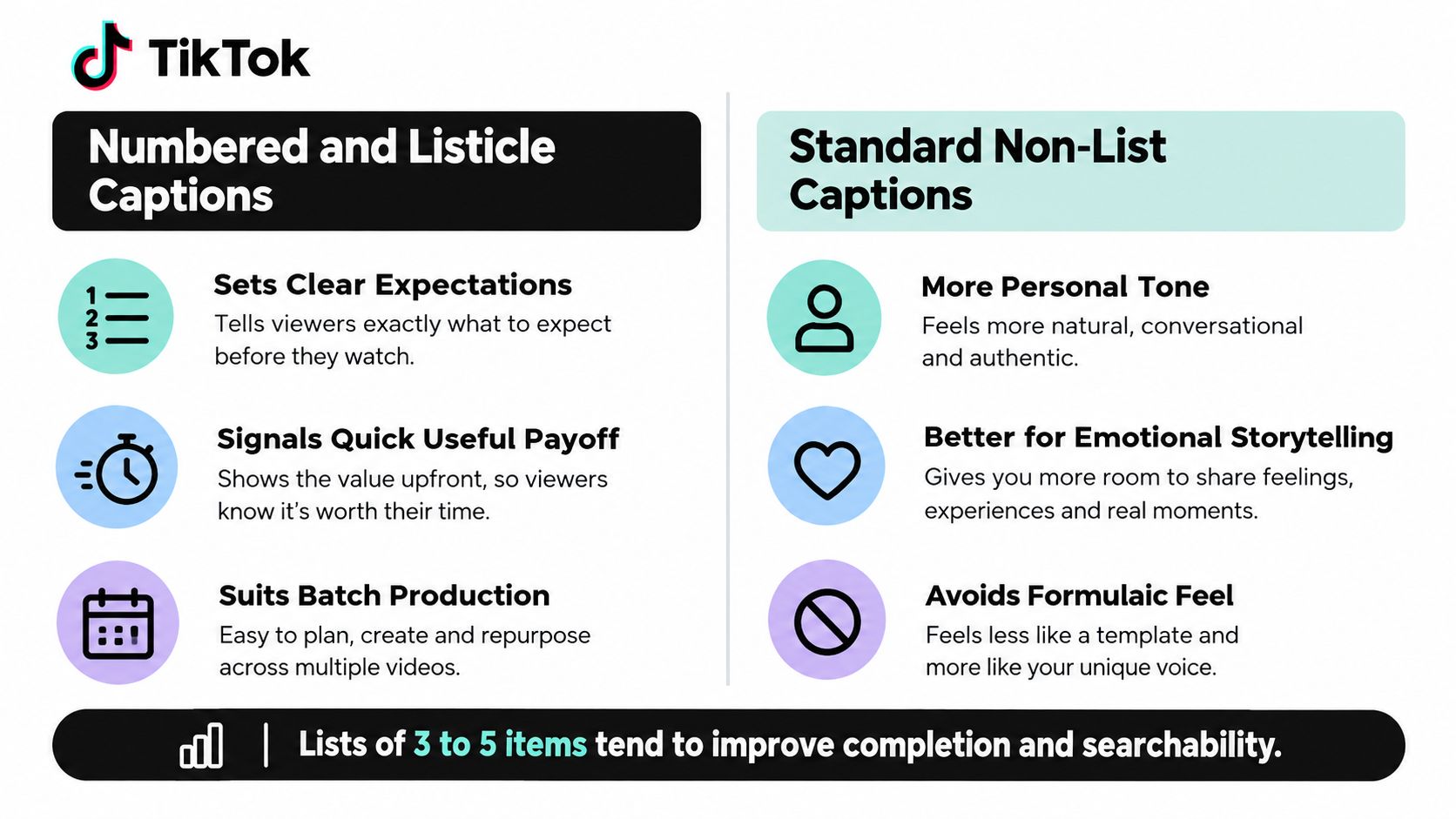
Pair the format with the job it performs. A post caption can promise “Three signs the house is unsafe”, while on-video subtitles deliver the voiceover word by word. For a faceless home-safety explainer, place the promise near the upper-middle safe area and keep synchronized subtitles above the bottom controls. Use hashtags such as #homesafety #hometips, matching the topic and intended audience.

9. Trend-Riding Captions
A trend-riding caption adapts a popular phrase, sound, or format to a specific subject. The trend may earn attention, but the niche connection gives viewers a reason to remember the video.
A history channel might use a “day in the life” structure to explain a historical event. A product brand could apply a familiar meme format to show one feature solving a real customer problem. The caption should name that connection in the opening line, such as “When the Roman senator realizes the meeting is not going to plan.”
Copying a trend without changing its meaning produces interchangeable content. Faceless channels need an especially clear subject because the creator's personality isn't carrying the video.
Use the trend as packaging
Check TikTok's Creative Center or Discover page for formats that are still gaining attention. Adapt quickly, but don't abandon your core topic. A scary-story channel can use a trending structure while preserving its suspense style. An educator can borrow a meme format without replacing the lesson with a joke.
Place the trend-related phrase in the first on-screen text block. Keep it brief and readable, then let the narration provide the subject-specific detail. For hashtags, combine one trend or format tag with one or two niche tags. If the trend is only loosely related, the niche tag becomes more important.
Trend posts should support evergreen content, not replace it. Formats change quickly, while a useful tutorial, explanation, or compelling story can continue attracting search traffic. Review trend-based videos for clarity before publishing. If a viewer doesn't recognize the trend, they should still understand the video.
10. Save-and-Share Value Captions
Value captions tell viewers why a video is worth keeping or sending to someone else. They suit tutorials, study notes, reference stories, recipes, checklists, and concise explainers.
Use a benefit-led request: “Save this for your next exam. Photosynthesis explained in a quick recap.” For sharing, try: “Send this to the friend who keeps forgetting their passwords.” The request works because it identifies a practical moment, not because it asks viewers to improve a platform metric.
The video must earn the request. A vague opinion is less saveable than a clear process, summary, or set of steps. If viewers can't imagine using the information later, “save this” feels automatic and easy to ignore.
Make the reference useful
Put the main benefit in the post caption. Use the on-screen text for the title or takeaway, then let synchronized subtitles explain the details. Keep critical text away from TikTok's interface areas so viewers can read it while pausing or revisiting the video.
A 2025 review of accessibility research notes that usability depends on more than transcription accuracy. Readability, timing, speaker identification, and meaningful nonverbal information can affect whether viewers understand the content, as discussed in this research on accessible social-video captions. A useful reference video must therefore remain understandable when viewers return to it later.
Use hashtags that describe the resource, such as #studytips, #mealpreptips, #howto, or a precise subject tag. Repurpose evergreen videos with a new value-led caption only when the content still matches the promise. Track saves and shares alongside watch behavior, then make more videos around topics viewers repeatedly keep or send.
Comparison of 10 TikTok Caption Types
| Caption Style | 🔄 Implementation complexity | ⚡ Resource requirements | 📊 Expected outcomes | Ideal use cases | ⭐ Key advantages & 💡 tip |
|---|---|---|---|---|---|
| Curiosity-Gap Hook Captions | Low, short copy, single-line hook | Low, text + aligned opening script | Higher watch-through and completion rates | Storytellers, faceless narratives, short-form marketers | ⭐ Drives curiosity-led retention; 💡 Match caption to first spoken line and deliver payoff early |
| Series and Part-Two Cliffhanger Captions | Moderate, requires sequencing and planning | Moderate, batch production, scheduling, consistent assets | Builds repeat viewership and profile visits over time | Serialized storytellers, multi-part lessons, episodic brands | ⭐ Creates habitual viewing; 💡 Batch-produce and pin Episode 1 |
| Storytime Genre-Tag Captions | Low, pick accurate genre tags | Low, minimal hashtag research | Better discovery to niche audiences | Storytime, horror, bedtime/sleep channels | ⭐ Improves algorithmic categorization; 💡 Use 2–4 focused genre/niche tags |
| Keyword-Optimized (Search-Friendly) Captions | Moderate, needs keyword research | Low–Moderate, research time, caption + on-screen text | Extended lifespan; discovery via search intent | Educators, how-to creators, small businesses | ⭐ Surfaces content in search over time; 💡 Put primary keyword early in caption |
| Comment-Prompt Captions | Low, craft one clear question | Low, copy + moderation/time to reply | Increased comments and community engagement | Storytellers, creators, brands seeking interaction | ⭐ Boosts comment-driven distribution; 💡 Ask a specific A/B or short-answer question |
| POV Captions | Low, concise second-person scenario | Low, caption + matching visuals | High relatability; encourages shares/comments | Short-form creators, storytellers, relatable brand content | ⭐ High shareability and relatability; 💡 Keep to one vivid sentence with sensory detail |
| Numbered and Listicle Captions | Low–Moderate, structure and pacing | Moderate, plan items, on-screen numbering | Clear expectations; good completion for tips content | Educators, tips channels, marketers | ⭐ Sets quick-value expectations; 💡 Limit to 3–5 items for short videos |
| Caption-Voiceover Sync Captions | High, precise timing and QA | Moderate–High, subtitling tools and proofreading | Better accessibility; improved retention for sound-off viewers | Faceless creators, e-learning, accessible brand content | ⭐ Improves comprehension and watch time; 💡 Proofread and keep lines short (≤40 chars) |
| Trend-Riding Captions | Low, adapt trending phrase or meme | Low, fast turnaround, trend monitoring | Rapid reach spikes but short-lived visibility | Brands, trend-aware creators, agencies | ⭐ Quick discovery during trend peaks; 💡 Adapt trend to niche and limit frequency |
| Save-and-Share Value Captions | Low, explicit benefit-focused ask | Low, requires genuinely useful content | More saves/shares and repeat views; strong value signals | Educators, evergreen tutorial creators, small businesses | ⭐ Drives durable engagement (saves/shares); 💡 Phrase request around viewer benefit, not metrics |
Turn These Captions Into a Repeatable Posting System
Don't treat the ten formats as ten unrelated tricks. Build a small caption system that gives each video a clear job. Start with the viewer's intent, then choose the caption style that supports it.
A scary story may need a curiosity hook, synchronized subtitles, and a comment prompt about the ending. A tutorial may need a search-friendly title, numbered on-screen steps, and a save request. A serialized lesson may combine a part label with a keyword opening, then use a cliffhanger only when the next episode continues the explanation.
A practical weekly workflow looks like this:
- Choose one opening promise: Decide whether the video should create curiosity, place the viewer in a POV scene, name a searchable problem, or promise a numbered takeaway.
- Add one engagement action: Ask for a specific theory, choice, or experience. Don't stack several questions into one caption.
- Add one value signal: Tell viewers why they may want to save or share the video, but only when the content gives them a real reference point.
- Review the visual text: Check spelling, names, timing, contrast, line breaks, and overlap with faces, products, buttons, and the bottom caption area.
- Label the topic accurately: Use hashtags that describe the genre, audience, or subject. A smaller relevant set is more useful than unrelated trend tags.
Keep the post caption and on-screen subtitles separate in purpose. The subtitles should make the spoken story understandable without sound. The post caption should provide a searchable summary, context, hook, or conversation prompt. Repeating every sentence in both places wastes space and can make the frame difficult to read.
Test templates across similar videos rather than judging one post in isolation. Track watch time, completion behavior, comments, saves, and shares. If curiosity hooks hold attention but produce weak comments, add a focused question. If search captions attract the right viewers but earn few saves, make the lesson more reference-friendly.
Your caption library should grow from real production notes. Save the exact opening line, visual format, hashtag group, and result for each video. After a few cycles, you'll know which combinations fit horror stories, educational clips, product explainers, and bedtime narratives.
Once a template proves useful, use ClipCreator.ai to generate faceless videos with scripts, story-aligned visuals, voiceovers, synchronized subtitles, and publishing options. You can edit basic details such as the title and caption before publishing, then schedule a consistent flow across supported platforms. The tool is most useful when it handles repetitive production while you keep control of the topic, promise, and final quality review.
Start with one caption type this week. Pair it with a clear faceless format, place the text inside the safe area, and write down what viewers did after watching. Keep the formats that make the content easier to understand and more useful, not merely the ones that sound clever.
ClipCreator.ai helps you create and publish short, faceless videos with generated scripts, visuals, voiceovers, and synchronized subtitles, while letting you edit titles and captions before publishing. Build your next caption-led TikTok workflow with ClipCreator.ai and turn the format that works into a repeatable publishing process.

Create your first video in under 2 minutes
Pick a niche, and ClipCreator.ai generates and auto-posts faceless videos to your channels every day.
Join ClipCreator.ai

