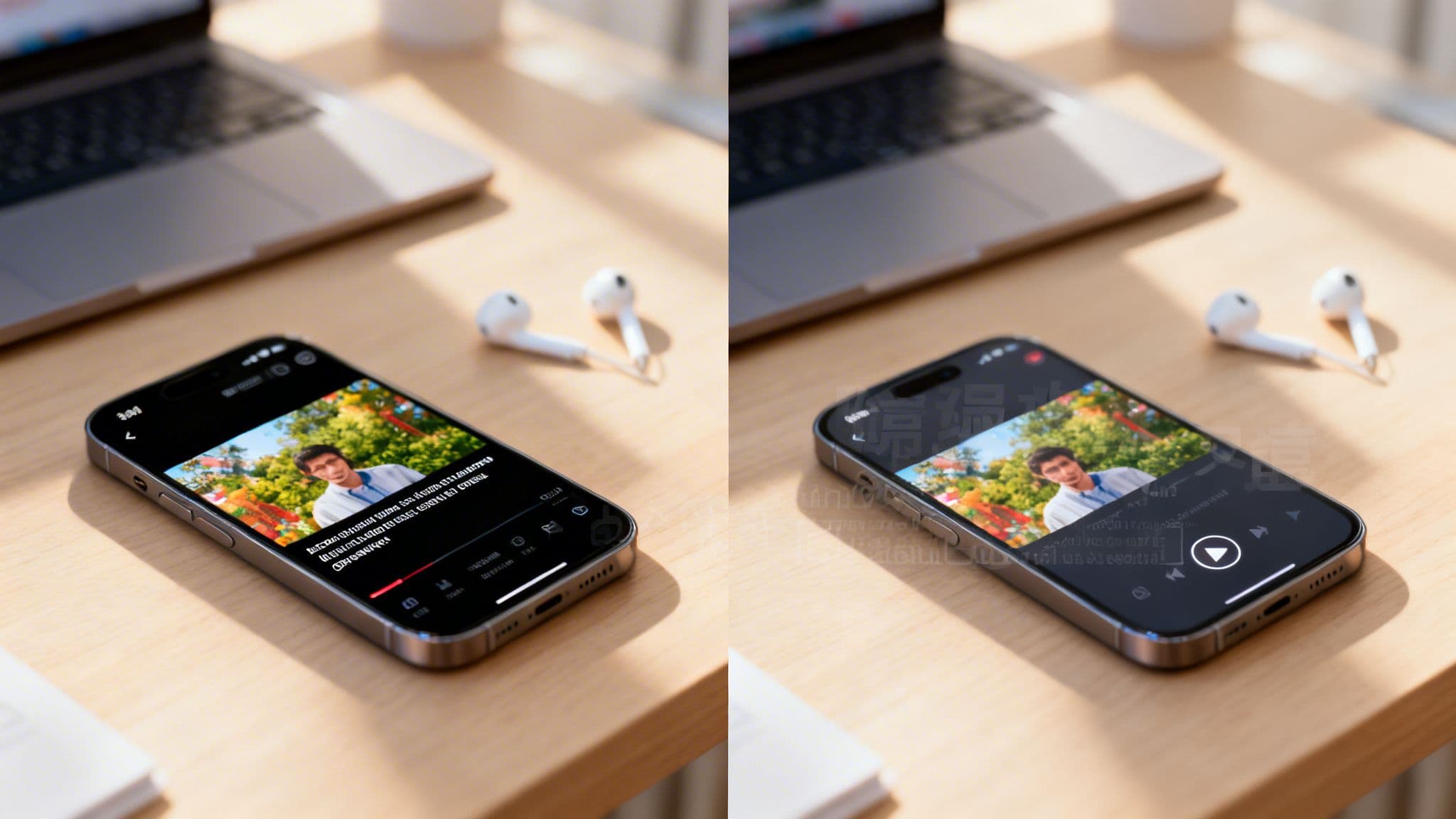
When it comes to adding text to your videos, the choice between open vs. closed captions feels like a small detail, but it has a huge impact. The fundamental difference is straightforward: open captions are permanently burned into the video and are always visible, while closed captions are a separate, optional layer that viewers can turn on or off.
Your decision hinges on a simple question: do you want to guarantee everyone sees your captions, or do you want to give your audience control?
Open Captions vs. Closed Captions: The Core Differences
Figuring out whether to use open or closed captions is one of the first strategic calls you'll make for any video. This isn't just a technical setting; it directly shapes the viewer's experience, your content's accessibility, and even how well it performs on different platforms.
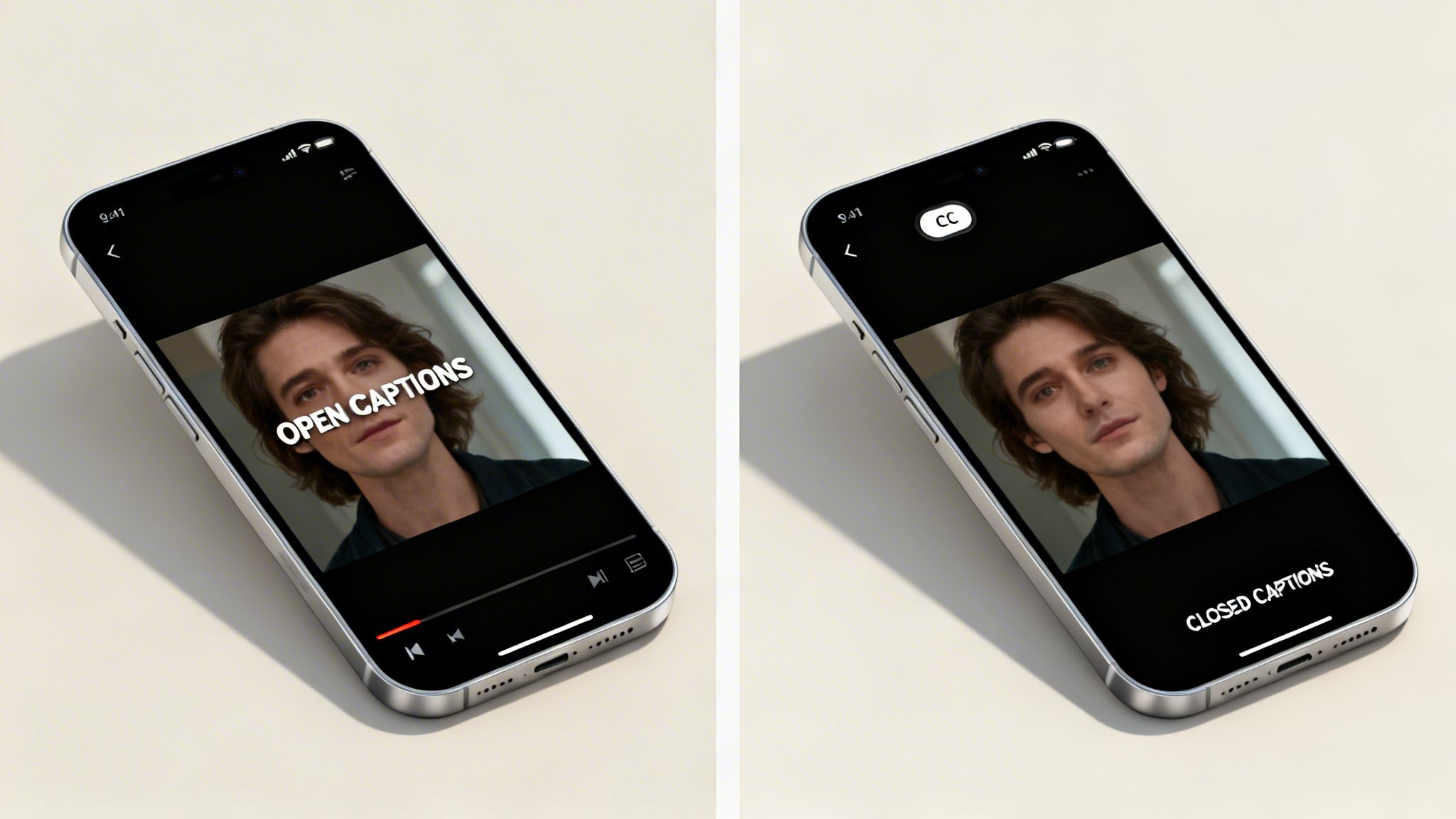
Think of open captions as part of the video image itself, like a permanent graphic. They can't be turned off, which ensures every single viewer sees the text, no matter their personal settings or the platform they're using.
Closed captions (CC), on the other hand, live in a separate text file (usually an .SRT file) that the video player syncs up with the action. This separation is what gives viewers the power to toggle them on or off. On many platforms, users can even customize the text's appearance, changing the font, size, or color to suit their needs.
Core Attributes at a Glance
This choice isn't just a minor detail—it defines how people will engage with your content. In sound-off environments, like scrolling through a TikTok or Instagram feed, the guaranteed visibility of open captions is a game-changer. But on a platform like YouTube, where viewers are accustomed to having control, robust closed captioning support is the standard.
The decision between open and closed captions is a strategic trade-off. You are choosing between ensuring 100% message delivery in all viewing conditions (open) and providing user control and technical SEO benefits (closed).
To help clarify which option is the right fit for your goals, let’s quickly break down their key characteristics.
Quick Comparison: Open Captions vs. Closed Captions
This table offers a snapshot of the fundamental differences, making it easy to see which type of caption aligns with your specific needs.
| Attribute | Open Captions (OC) | Closed Captions (CC) |
|---|---|---|
| Viewer Control | None; captions are always on. | Full control; viewers can toggle on/off. |
| Permanence | Burned into the video file permanently. | A separate data file synced with the video. |
| Styling | Set by the creator; consistent for all viewers. | Can be customized by the viewer (platform permitting). |
| Platform Support | Universal; plays on any video player. | Dependent on the video player and platform. |
| Ideal Use Case | Social media (TikTok, Reels) where video autoplays on mute. | Long-form content (YouTube), e-learning, and broadcasts. |
Ultimately, open captions give you, the creator, complete control over the viewing experience, while closed captions hand that control over to the viewer. Each approach has its place, and knowing when to use which is key to a smart video strategy.
The Technical Breakdown of How Captions Work
To really get why the choice between open and closed captions matters so much, you have to look under the hood. The difference isn't just what your audience sees on screen; it’s fundamental to how each type is created, stored, and played back. This technical reality is what defines everything from creative control to platform compatibility.
Think of open captions as being permanently baked into the video's DNA. During the editing or rendering phase, the text is "burned" directly onto the video frames. Each letter becomes a set of pixels, just like any other visual in your shot.
Because they are literally part of the video image, open captions are not a separate stream of data. They're an inseparable part of the video file itself, which is why they work on any platform or device that can play a video. No special software is needed because, as far as the video player is concerned, the text is just more pixels to display.
The Anatomy of Closed Captions
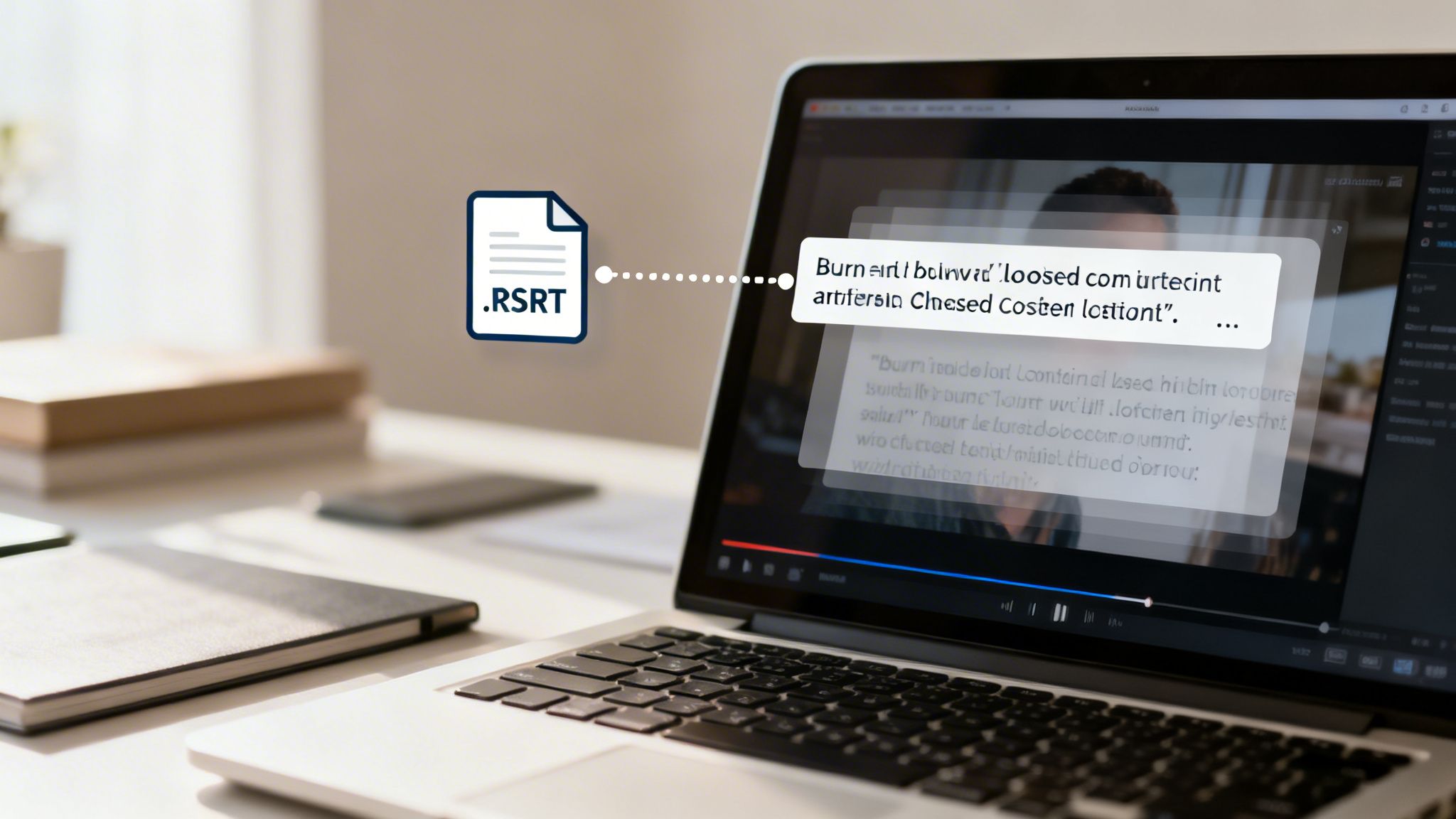
Closed captions, on the other hand, work on a completely different principle. They exist as a separate, lightweight text file that contains the dialogue paired with precise timecodes. We call these Sidecar files.
You’ll mostly run into two common formats:
- .SRT (SubRip Subtitle): This is the old workhorse and the most universally supported format. An SRT file is incredibly simple: it just contains numbered captions, the start and end timecodes, and the text itself.
- .VTT (Video Text Tracks): As the modern standard for web video (HTML5), .VTT is essentially an evolution of .SRT. It adds support for more advanced features like text styling (colors, fonts), positioning on the screen, and other metadata.
When someone plays a video with closed captions enabled, the video player is actually doing two things at once. It’s decoding the video stream while simultaneously reading the accompanying .SRT or .VTT file. The player then overlays the text on top of the video at the exact moments dictated by the timecodes. This separation of text and video is what gives the viewer the power to toggle them on and off.
The core technical difference is this: open captions are part of the video's pixels, while closed captions are separate, timed text data that the player overlays on top of the video.
This distinction has huge practical implications for any creator. Since closed captions are just text data, the whole process often begins with creating a full transcript. You can learn more about this foundational step in our guide on how to write a transcript of a video.
The growing demand for both methods isn't happening in a vacuum; it’s part of a massive shift in digital media. The global captioning market hit USD 5.71 billion in 2023 and is projected to reach USD 11.5 billion by 2032. As you can see in this detailed industry report, this explosive growth is driven by AI-powered tools and accessibility laws like the ADA, which has mandated captions in many contexts since 2010.
Your choice directly affects your workflow. Burning in open captions is a rendering task, while managing closed captions means creating and uploading an entirely separate file.
How Captions Shape Accessibility and Viewer Experience
The choice between open vs closed captions isn't just a technical detail—it fundamentally changes who can access your video and how they interact with it. At its core, the decision comes down to what you want to prioritize: guaranteed visibility for everyone, or individual control for the viewer.
When you use open captions, you're locking in a single, universal viewing experience. The text is literally burned into the video file, so every person who watches will see the exact same thing. It’s a definitive statement that accessibility comes standard.
The Case for Guaranteed Visibility with Open Captions
Think of open captions as the default "on" switch for accessibility. They put the responsibility on the creator, not the viewer, to ensure the message gets across. This is a game-changer in any setting where audio is an afterthought.
You see this in action all the time in public spaces—airports, waiting rooms, and gyms—where TVs are almost always on mute. Open captions make sure the video is still effective. The same principle applies to the endless scroll of social media, where most users watch with the sound off.
For the Deaf and hard-of-hearing community, this approach provides an immediate, barrier-free experience. There's no fumbling around for a tiny "CC" button that might not even be available on certain video players. The content is accessible right from the start.
Open captions are a statement of inclusive design. They build accessibility directly into the content, rather than making it an optional add-on for the viewer to find and enable.
This guaranteed visibility is especially powerful on platforms dominated by silent autoplay. Consider that up to 85% of videos on some platforms are watched without sound. A Facebook study even found that adding subtitles can boost video view time by an average of 12%. You can explore more about how subtitles improve content performance on Captioningstar.com. When attention is measured in seconds, that boost is huge.
Empowering Viewers with Closed Captions
While open captions deliver certainty, closed captions deliver choice. By keeping the text as a separate file that can be toggled on or off, you hand the controls over to your audience. This flexibility is a cornerstone of good user experience.
After all, not everyone wants or needs captions. Someone watching in a quiet office might prefer a clean screen, while a viewer with low vision might need to adjust the caption style to make it legible. Platforms like YouTube excel here, allowing users to customize the font, size, color, and background of closed captions to fit their exact needs.
This level of personalization is something viewers have come to expect. In fact, reports show that while around 80% of younger viewers use captions, they want the freedom to turn them off. Forcing captions on them can feel surprisingly restrictive on platforms built around user control.
Matching Caption Type to Viewer Needs
So, which one is right for you? It really depends on the context. A 30-second Instagram Reel has very different needs than a 20-minute YouTube documentary.
Choose open captions when:
- Your platform is built for silent viewing: This is essential for TikTok, Instagram Reels, Facebook feeds, and YouTube Shorts.
- Creative control is non-negotiable: You want to use branded fonts, unique colors, or slick animations that are part of the video's style.
- Your video will be on public displays: Think digital signs in a loud food court or a quiet library where audio is off-limits.
Choose closed captions when:
- You're creating long-form content: Viewers of longer videos on platforms like YouTube or Vimeo expect the ability to control captions.
- You need to reach a global audience: Closed captions make it simple to provide multiple language options for viewers to select from.
- Customization is a key accessibility goal: You want to empower viewers to adjust the text style for maximum readability.
How Captions Impact Your SEO and Reach
When you're deciding between open vs. closed captions, you're making a choice that goes way beyond just helping people watch with the sound off. This is a strategic decision that directly impacts how many people find your videos in the first place. The technical nuts and bolts of each caption type create very different outcomes for your SEO and how algorithms on social platforms treat your content.
Let’s start with closed captions. Think of them as a secret transcript you’re handing directly to search engines. Because the caption file (.SRT) is separate from the video, crawlers from Google and YouTube can read every single word.
This is a massive, direct SEO advantage. Imagine someone searches for a very specific phrase you mentioned halfway through a 20-minute video. With closed captions, your video has a real shot at showing up in their search results because the engine indexed your entire dialogue.
The Sneaky "SEO" of Open Captions
So, if open captions are just pixels burned into the video and invisible to search engines, are they useless for discoverability? Absolutely not. To think so would be a huge mistake, especially if you're focused on social media growth.
Their benefit isn't direct, crawlable SEO—it's something I call "engagement SEO." Open captions are phenomenal at boosting the user engagement signals that platforms like TikTok and Instagram are obsessed with.
The key trade-off is this: Closed captions give search engines a script to read, making your content directly searchable. Open captions grab human attention, boosting engagement metrics that social algorithms use to decide if a video is worth pushing to more people.
These are the metrics that skyrocket with good open captions:
- Watch Time: In a world where most people scroll with the sound off, captions are what keep them watching.
- Completion Rate: Viewers are far more likely to stick around until the end if they can easily follow along.
- Shares & Comments: When a video is easy to understand and consume, it's more likely to be shared and discussed.
On a platform like TikTok, the algorithm cares a whole lot more about how long people are watching your video than what Google's crawlers can index. High engagement is the signal to "show this to more people," and that's the viral loop every creator is chasing.
Which Caption Type Wins on Each Platform?
There’s no single "best" choice here. The right move depends entirely on where your video is being posted and what you want to achieve with it.
| Platform / Goal | Go With... | The Strategy Behind It |
|---|---|---|
| YouTube (Long-form) | Closed Captions | Your goal is long-term searchability on Google and YouTube. Viewers on this platform expect to be able to turn captions on/off and even translate them. |
| YouTube Shorts | Open Captions | Here, it's all about stopping the scroll. Stylized, burned-in text captures attention in a fast-paced, sound-off feed where immediate engagement is everything. |
| TikTok & Instagram | Open Captions | Engagement is king. You need to guarantee your captions are seen in an autoplay, silent-first environment to maximize watch time and completion rates. |
| Website/Blog Post | Closed Captions | You can get double the SEO benefit. The video player uses the captions, and you can repurpose the transcript text on the page itself to boost your article's ranking. |
It's worth noting that huge leaps in speech-to-text AI have made all of this much more accessible. Production costs for captioning have dropped by 50-70%, and creators who use them are seeing real results: 12% longer watch sessions and 20% higher engagement on Reels. For a deeper dive into the data, you can check out this analysis on how subtitling impacts global media distribution on Speechmatics.com.
The bottom line is simple: match your caption strategy to the platform's behavior. If you want to be found through search, feed the crawlers with closed captions. If you want to go viral on social feeds, hook your audience with open captions.
Platform-Specific Rules for TikTok YouTube and Instagram
Picking between open and closed captions isn't a simple choice—it’s a strategic one that depends entirely on where you're posting your video. Each social media platform has its own culture, its own algorithm, and its own user habits. What works on YouTube won't necessarily fly on TikTok.
You have to match your caption style to how people actually watch videos on each app. If you don't, you're basically speaking the wrong language, and your message will get completely lost. Let’s get into the nitty-gritty of what that means for TikTok, YouTube, and Instagram.
TikTok: The Land of Open Captions
TikTok is all about speed. The feed is a blur of sound-off autoplay videos, and you have about one second to hook someone. In this environment, open captions aren't just a nice-to-have; they're mandatory. People are scrolling so fast that if they can't figure out what your video is about without sound, they’ve already swiped past it.
When you burn captions directly into your video, you make sure your message lands with every single viewer. This is huge for watch time and completion rates, which are two of the biggest factors the TikTok algorithm looks at. Plus, you can style your open captions to become a part of your brand, making your content easy to spot in a sea of videos. If you need some help getting started, our guide on how to turn on captions on TikTok walks you through the steps.
YouTube: A Dual Strategy for Shorts and Long-Form
YouTube is a different beast because you're dealing with two completely separate video formats. This means your captioning strategy needs to be flexible.
For your standard, long-form videos, closed captions are the way to go. At its heart, YouTube is a search engine, and the transcript file from your closed captions gives it a ton of text to index, which can seriously boost your video’s discoverability. YouTube viewers also expect to be in the driver's seat—they want to be able to turn captions on or off, change how they look, and even use auto-translate features.
But for YouTube Shorts, you have to think like you're on TikTok. Shorts live in a fast-paced vertical feed where videos often play on mute. To stop the scroll and get that initial hook, open captions are your best bet.
Instagram: Open Captions Dominate Reels and Stories
Just like TikTok, Instagram’s most popular features—Reels and Stories—are built for silent viewing. When someone is scrolling their feed or tapping through Stories, your video automatically plays without sound. If they can’t understand what’s happening, you’ve lost them.
This is why open captions have become the default for Instagram. They deliver your message from the very first frame and help drive the likes, comments, and shares that the algorithm loves. To get a better sense of how captions fit into the bigger picture, it's always a good idea to review Instagram's specific platform guidelines and make sure your content is fully optimized.
On fast-scrolling, sound-off feeds like TikTok and Instagram, open captions are a must for engagement. On search-focused platforms like YouTube, closed captions are a powerful SEO tool.
The flowchart below breaks down this fundamental choice: are you aiming for search visibility or immediate viewer interaction?
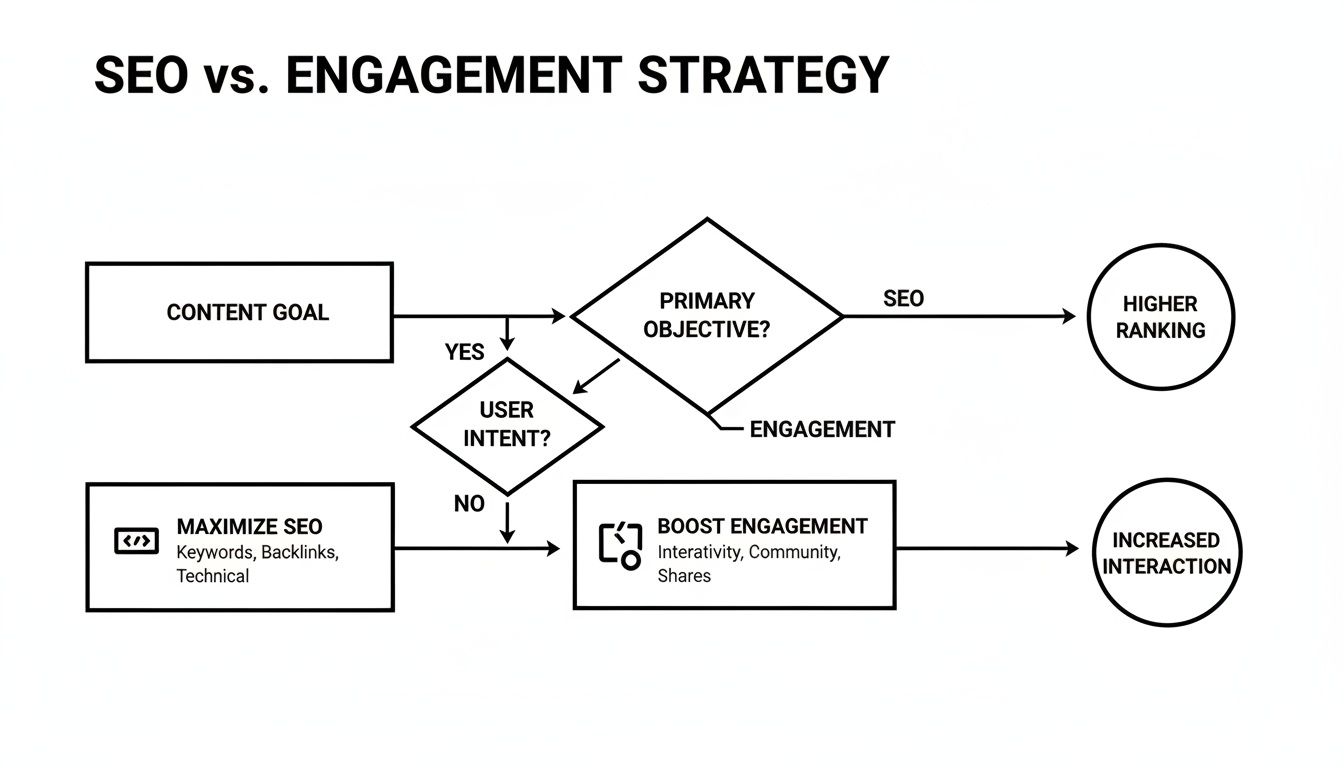
As you can see, the path is pretty clear. If SEO is your priority, closed captions are the answer. If engagement is the goal, open captions are the obvious choice.
Recommended Caption Strategy by Platform and Format
To make things even simpler, here's a quick cheat sheet. Use this table to make the right call every time you prep a video for upload.
| Platform / Format | Primary Recommendation | Reasoning |
|---|---|---|
| YouTube (Long-Form) | Closed Captions | Better for SEO, gives users control, and enables features like multi-language support. |
| YouTube Shorts | Open Captions | Grabs attention and boosts watch time in a fast, sound-off vertical feed. |
| TikTok | Open Captions | Absolutely essential for hooking viewers instantly in a silent-first environment. |
| Instagram (Reels/Stories) | Open Captions | Ensures your message gets across during autoplay, which boosts key engagement signals. |
Think of this table as your go-to guide. It cuts through the confusion and helps you align your content with how people actually use these platforms, ensuring your videos always make an impact.
A Practical Implementation Guide for Creators
Alright, enough with the theory. Knowing the difference between open and closed captions is great, but now it's time to get your hands dirty. Let's walk through exactly how you can create both types of captions, whether you're making quick social clips or longer, more in-depth videos.
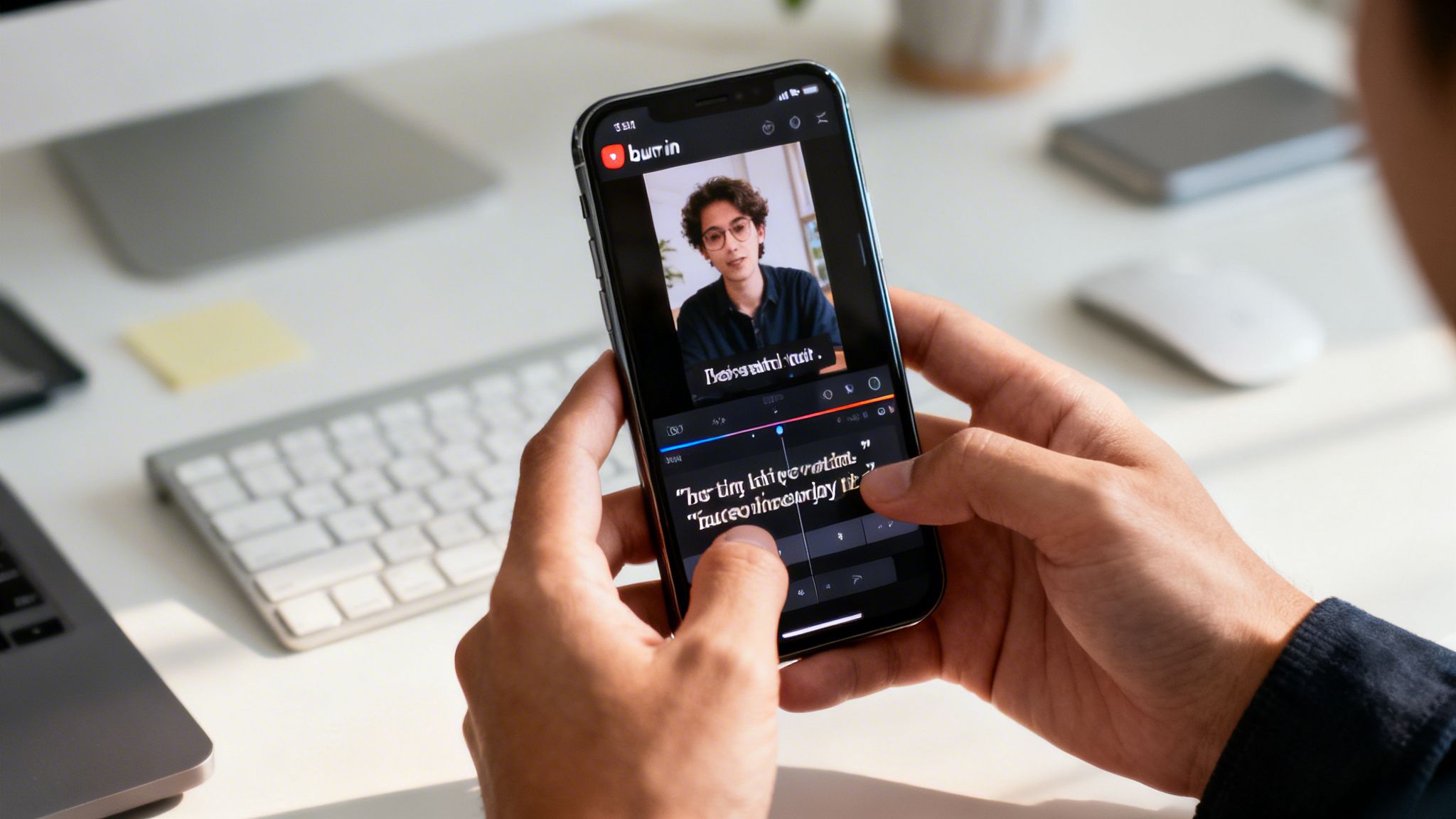
For creators pumping out content for platforms like TikTok and Instagram, open captions are king. The whole idea is to "burn" the text right into your video file. This makes sure your captions are always on and look exactly how you want them to, matching your unique brand style.
Creating Open Captions for Social Media
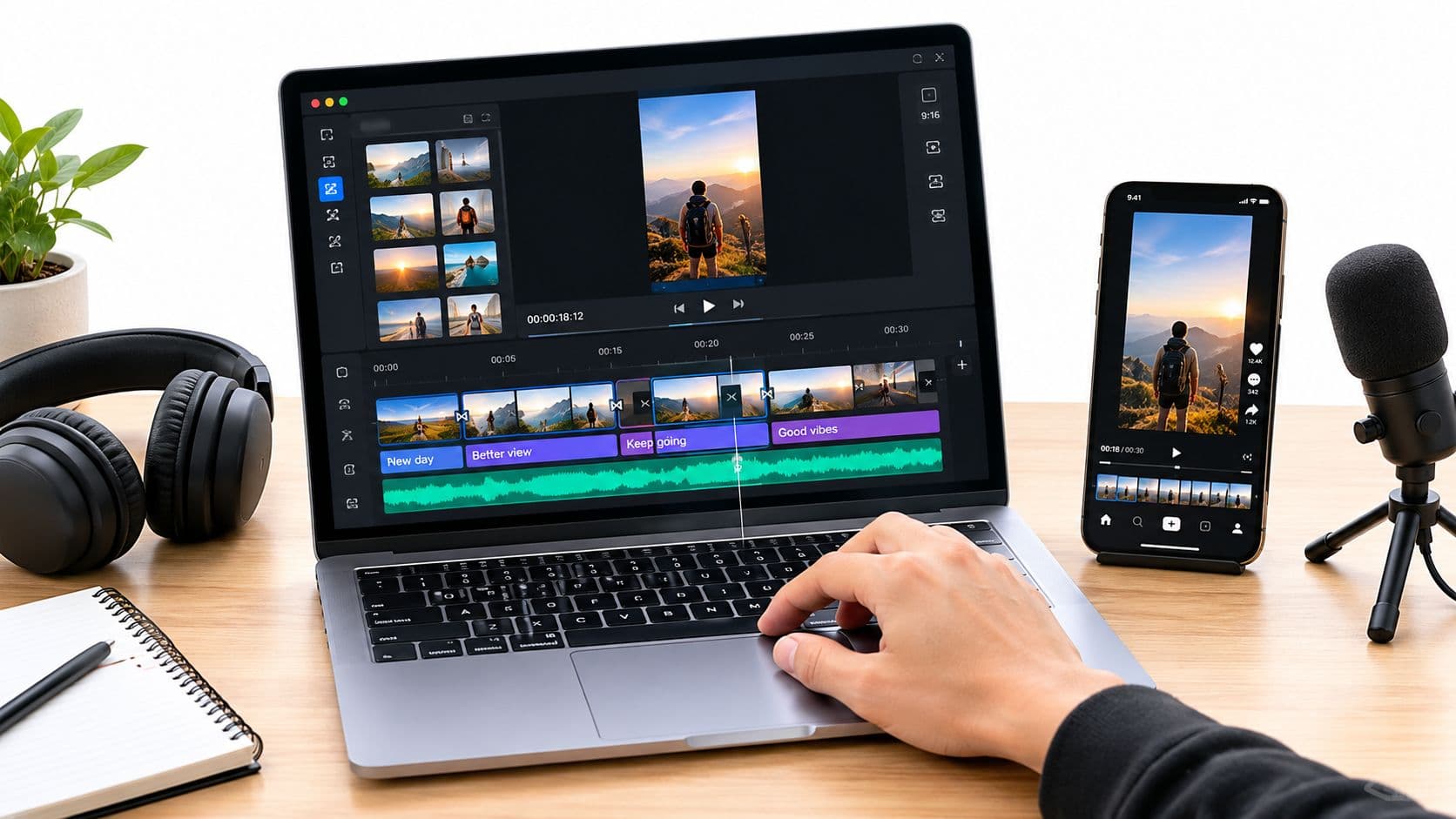
The quickest path to creating open captions, especially if you're making lots of faceless story videos, is with automated tools. These apps listen to your audio, generate the text, and let you pick cool fonts and animations before exporting a final video with the captions baked right in.
Of course, you can also roll up your sleeves and do it manually in your favorite video editor.
- In CapCut: Tap the "Auto Captions" button to get a head start. After it generates the text from your audio, you can jump in to fix any mistakes and customize the font, colors, and animations before you export.
- In Adobe Premiere Pro: Once you’ve transcribed your sequence, you can generate a caption track. The key step here is to select the "Burn Captions Into Video" option in your export settings to make them permanent.
Remember, burning captions into a video is a final, irreversible step. Once they're rendered, you can't turn them off or make changes. That means getting the text and style right before you export is absolutely crucial.
This hands-on approach gives you total creative freedom, letting you turn your captions into a core part of your video's aesthetic.
Generating Closed Captions for YouTube
When your game plan includes search engine optimization on a platform like YouTube, you'll want to use closed captions. These are separate files that viewers can toggle on or off. The most common format you'll encounter is the .SRT (SubRip Subtitle) file. The good news is, making one is surprisingly simple and doesn't require fancy editing software.
- Get a Transcript: First things first, you need the full text of your video’s audio. You can either type this out yourself or save time with an automated transcription service.
- Find a Free Online Tool: Just search for a "free SRT generator" online. These web-based tools are perfect for the job—you just paste your transcript and start adding timestamps to sync the text with your video.
- Refine and Export: Play your video while using the tool, marking the start and end times for each line of dialogue. Before you finalize the file, it's a good idea to run the text through a grammar checker tool to catch any typos and ensure everything is clear and professional.
- Upload to YouTube: Head over to YouTube Studio and find the "Subtitles" tab for your video. From there, you can upload the .SRT file you just made. YouTube will handle the rest, syncing it perfectly for your audience.
This method not only empowers your viewers but also gives search engine crawlers all that rich text they need to properly index your content. If you'd like a more detailed breakdown of this workflow, check out our guide on how to add closed captioning to a video.
Your Top Captioning Questions, Answered
Alright, we've covered a lot of ground on the open vs closed captions debate. But even with all the details laid out, a few practical questions almost always come up. Let's get straight to the answers you need to finalize your content strategy.
Making the final call can feel like a big decision, but a few clear answers can cut through the noise. Here’s what creators ask us most.
Can a Video Have Both Open and Closed Captions?
Technically, you can, but you absolutely shouldn't. It creates a terrible viewing experience. Just picture it: a viewer turns on the built-in closed captions on a video that already has open captions burned into the frame. The result is a jumbled, overlapping mess of text that makes your video impossible to watch.
This completely defeats the purpose. Open captions are there to ensure everyone sees the text, while closed captions give the viewer control. Using both at the same time takes away that control and just adds visual clutter. You have to make a choice—go for the guaranteed visibility of open captions or the user control and SEO perks of closed captions.
This is a classic "either/or" situation. Stacking both formats is redundant and actively hurts the user experience by creating a confusing text overlap. Pick one path based on your specific platform and goals.
Are Open Captions Bad for YouTube SEO?
This is a great question, and the answer is a little nuanced. It really depends on what kind of YouTube content you’re making. For your standard long-form videos, yes, using only open captions can negatively impact your SEO. Search crawlers from Google and YouTube can't "read" the text that's part of the video file itself. By skipping a separate closed caption file, you're missing a huge opportunity to have your entire script indexed for search, which is a big deal for discoverability.
But when it comes to YouTube Shorts, the game changes completely. The Shorts algorithm acts more like TikTok's, focusing on quick engagement signals like watch time and completion rate. In that fast-paced, often sound-off environment, the guaranteed visibility of stylish open captions is what will hook viewers and drive the metrics that matter.
What Is the Best Way to Add Captions to Faceless Videos?
If you're creating faceless content at scale—think scary stories, historical deep dives, or commentary channels—efficiency is everything. Manually transcribing and timing captions for several videos a week is a massive time sink that can lead to burnout.
This is where automated captioning tools are a game-changer. They use AI to handle the entire process: transcribing your audio, syncing the text perfectly, and letting you apply a consistent, branded style. This workflow gives you a few major wins:
- Speed: Get accurate captions done in minutes, not hours.
- Consistency: Lock in a uniform style across all your videos to build a stronger brand identity.
- Style: Easily add eye-catching fonts, colors, and animations to make your content pop.
Automating this part of the process frees you up to do what you do best: create compelling stories that your audience will love. When you streamline the technical work, you can post more consistently and grow your channel much more effectively.
Ready to stop worrying about captions and start creating amazing faceless videos effortlessly? ClipCreator.ai automates everything from script to final video, complete with perfectly synced, stylized open captions. Let our AI handle the hard work so you can focus on growing your audience. Check out how easy it can be at https://clipcreator.ai.

Create your first video in under 2 minutes
Pick a niche, and ClipCreator.ai generates and auto-posts faceless videos to your channels every day.
Join ClipCreator.ai