When you need to turn a video into text, you're looking at two main routes: you can use an automated AI service or you can do it manually. Honestly, the best choice really comes down to your priorities—are you racing against a deadline, or is pinpoint accuracy the most important thing?
Why Video Transcripts Are a Content Game Changer
Before we get into the nitty-gritty of how to create a transcript, let's talk about why it's so important. Too many creators treat transcription as an afterthought, but I’ve learned it's one of the most powerful things you can do for your content. It’s not just about having a text file; it’s about unlocking the true potential of every video you produce.
Thinking of a transcript as just a script is missing the bigger picture. The real value is what it enables, often in ways you might not expect.
Supercharge Your Video SEO and Reach
Here’s the thing: search engines like Google can’t actually "watch" your videos. They crawl and index text. A transcript is a word-for-word map of your content that makes every single spoken word a searchable keyword. This alone can give your video's search ranking a massive boost.
But it's not just about search engines. A transcript instantly makes your content available to more people, including:
- Viewers with hearing impairments who need text to follow along.
- Non-native speakers who can read English better than they can follow spoken dialogue.
- Anyone in a loud (or quiet) place like an office or a bus, watching with the sound off.
I’ve also found that many people just scan a transcript first to see if a video is worth their time. It’s a quick way for them to get the key points without committing to watching the whole thing.
A workplace habit study actually backed this up, finding that 46% of people read transcripts because they're short on time and can digest the information much faster by reading.
Unlock Effortless Content Repurposing
This is where things get really exciting for creators. A good transcript is the secret to working smarter, not harder. You can take a single video and slice it into dozens of other content formats. That 90-second faceless TikTok video you made? It can easily become a detailed blog post, a handful of quote graphics for Instagram, or even a viral Twitter thread.
This strategy is a major reason the global transcription market was valued at USD 21.6 billion in 2022 and is still climbing. It's clear that knowing how to create and use a transcript is no longer a "nice-to-have" skill—it's essential for anyone serious about content creation. You can dig into the full transcription industry statistics to see just how big this is.
Choosing Your Transcription Method: AI vs. Manual
So, you need to turn your video's audio into text. The first big decision you'll face is how to do it. Are you going with an automated AI service or hiring a human for manual transcription? This choice isn't as simple as "fast AI vs. accurate human." The best path really hinges on your specific project—your budget, your deadline, how clean your audio is, and just how perfect the final transcript needs to be.
For creators looking to move fast, a tool like an AI subtitle generator can feel like a magic wand, giving you a workable transcript in minutes. These tools are built for speed and efficiency above all else.
The Case for Automated AI Transcription
Let's be real: for content creators pumping out videos daily for platforms like TikTok or YouTube, waiting a couple of days for a manual transcript is a non-starter. AI-powered services are the engine that keeps this high-volume content machine running, turning around a draft transcript in the time it takes to grab a coffee.
The market has exploded to meet this need. Projections show the AI transcription space rocketing from $4.5 billion in 2024 to an incredible $19.2 billion by 2034. Why? Because modern AI models are getting shockingly good, sometimes hitting 99% accuracy with clean audio. That's nearly human-level performance delivered almost instantly—a perfect fit for the breakneck speed of social media.
AI is hands-down the best choice in a few key scenarios:
- Working in Bulk: You need to transcribe a backlog of 50 podcast episodes or webinars to boost your SEO.
- Tight Deadlines: Your social media clip is scheduled to go live in an hour and you need captions now.
- Crystal-Clear Audio: The recording is high-quality, features a single speaker, and has virtually no background noise.
For a huge number of creators, the sheer speed and low cost of AI are a killer combination. Getting a solid, editable draft quickly is often way more valuable than waiting around for a flawless one.
When Manual Transcription Is Worth the Effort
But AI isn't the answer to everything. For some projects, the nuanced understanding and precision of a human transcriber are absolutely essential. A person can decipher overlapping conversations, filter out background noise, and correctly identify industry-specific jargon in a way that even the best AI still fumbles.
In my experience, if a transcript is going to be used for legal evidence, medical records, or academic research, manual transcription is the only way to guarantee the required level of accuracy. The stakes are too high for even minor errors.
Here are situations where you should definitely stick with a human expert:
- Messy Audio: The video has multiple people talking over each other, a ton of background noise, or poor recording quality.
- Thick Accents: The speakers have strong regional or international accents that tend to confuse automated systems.
- Technical Lingo: The content is full of specialized terminology from fields like medicine, engineering, or law where every word has to be perfect.
Yes, manual transcription takes more time and costs more money. But for those challenging projects, it provides a level of reliability that AI just can't promise yet. It all comes down to picking the right tool for the job.
And if your main goal is simply getting subtitles on your videos, you might want to check out our guide on the best auto captions app to find a solution that fits your workflow.
The Practical Workflow for a Perfect Transcript
Alright, so you’ve decided whether to go with an automated service or tackle the transcription yourself. Now it’s time to get down to business. Knowing how to create a great transcript isn't about being the world's fastest typist; it's about having a solid, repeatable process. This workflow will take you from a raw video file to a polished, professional document you can actually use.
The first thing you need to do—and this is a step people constantly skip—is to prepare your media. The old saying "garbage in, garbage out" is especially true for transcription. If your audio is muddy, full of background noise, or too quiet, both AI and human transcribers will have a nightmare.
Before you do anything else, just listen to your audio. Can you clean it up? Even simple, free tools like Audacity or the built-in audio features in your video editor can work wonders. A little noise reduction or boosting quiet voices can make a huge difference. Spending 10-15 minutes on audio prep can easily save you an hour of headaches and corrections later.
Getting the First Draft Down
With your audio sounding as clean as possible, it's time to generate the raw text. If you're using an AI transcription service, this part is incredibly straightforward. Just upload your file, and the platform will spit out a draft, usually within a few minutes.
If you're transcribing manually, your setup is everything. You'll want transcription software that lets you control playback with your keyboard (hotkeys) or a foot pedal. This is a game-changer because it allows you to type continuously without constantly fumbling with your mouse to pause and play the video.
- Playback Speed: Don't try to be a hero. Slow the video down to about 75% or 80% of its normal speed. This makes it so much easier to keep pace without constantly hitting pause.
- Auto-Rewind: Most transcription tools have a feature that automatically jumps back a couple of seconds every time you stop. Turn this on. It's perfect for catching the last few words you might have missed.
Remember, this first pass isn't about perfection. It’s about getting the words on the page. Don't stress about spelling, grammar, or punctuation just yet. Your only job is to capture the dialogue.
This flowchart shows how the two paths—AI versus manual—diverge right from the start.
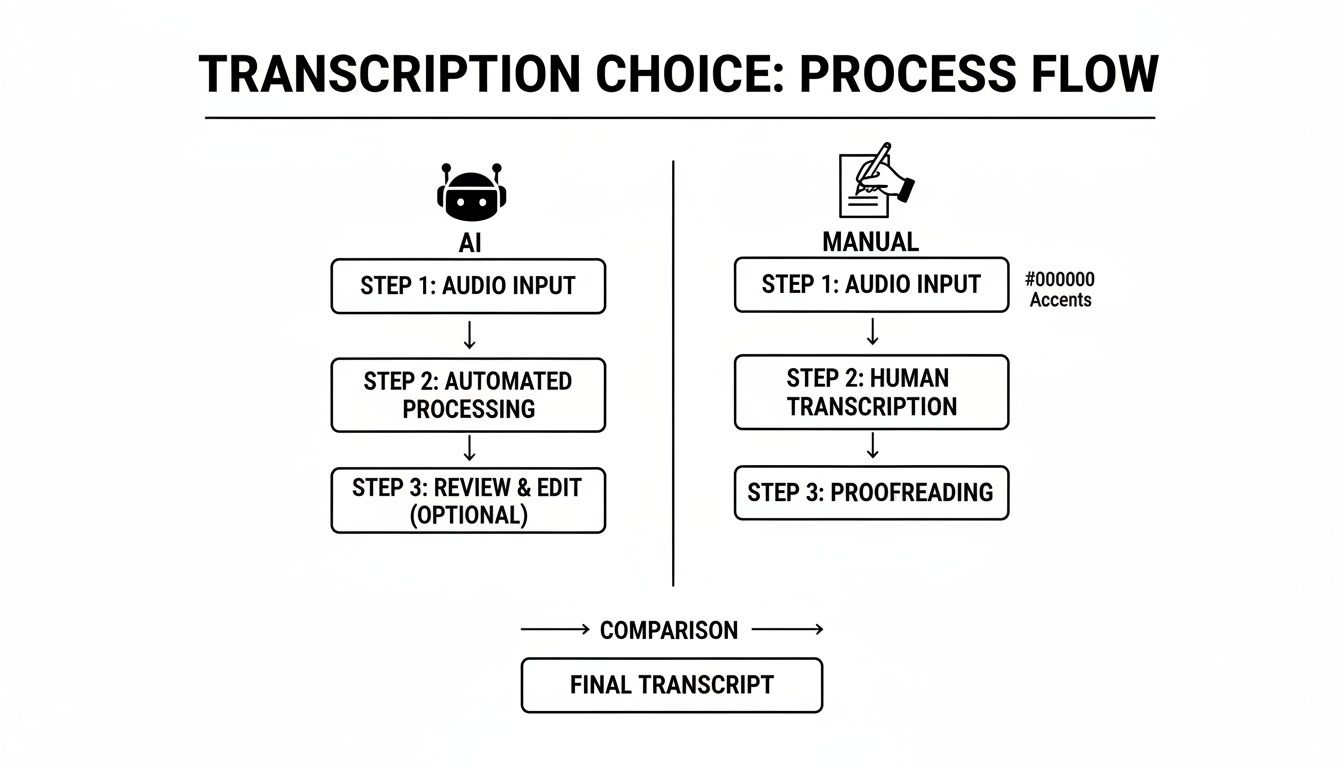
As you can see, even though you start with the same video file, the journey to a finished transcript involves very different steps depending on the method you choose.
The All-Important Cleanup and Formatting Pass
This is where the real work begins. It’s the editing phase that separates a merely "okay" transcript from a truly useful one. Whether your draft was generated by AI or by your own typing, it's going to need a thorough cleanup.
First, do a full read-through while listening to the audio one more time. This is your chance to catch typos, misheard words, and glaring punctuation errors. AI, in particular, gets tripped up by proper nouns, industry-specific acronyms, and technical jargon, so keep a sharp eye out for those.
Next, you need to add structure and make the text readable. Huge walls of text are useless. Break them down into smaller paragraphs and add these crucial elements:
- Speaker Labels: You have to know who's talking. Use a clear and consistent format, like "Interviewer:" or "Jane D.:", and make it bold so it stands out.
- Timestamps: Inserting timestamps at regular intervals (every 30-60 seconds or at the start of a speaker's turn) is a lifesaver. It lets people quickly find a specific moment in the video. The standard format is
[00:01:23]. - Non-Verbal Cues: Context is king. Don't forget to note important sounds that aren't dialogue. Use brackets to indicate things like
[laughter],[applause], or[dog barks in background].
If you hit a spot where the audio is completely garbled, don't just guess. It’s far better to mark it with something like
[inaudible 00:05:14]. This preserves the integrity of your transcript by admitting what you don't know, rather than introducing a potential error.
Your clean, edited text is a fantastic starting point, but its real power comes from proper formatting. A raw wall of text is just a record; a strategically formatted transcript can be a powerful asset for all sorts of things.
How you format and export your document depends entirely on where and how you plan to use it.

Think of it like this: you wouldn't wear hiking boots to a wedding. The format you'd use for a blog post is completely different from the one needed for YouTube captions. Getting this final step right is what transforms your text from a simple script into a versatile piece of content.
The most common mistake I see is creators just exporting a single .txt file and calling it a day. While that's better than nothing, it misses huge opportunities for engagement and functionality across different platforms.
Choosing the Right Format for Your Goal
Let's break down the three primary formats you'll run into. Each one has a specific job, and knowing which to use is a key part of turning your video into something that truly works for you.
1. Clean, Readable Transcript (for Blogs & Articles)
This format prioritizes readability above all else. It's meant to be read like an article, not just a script.
- Structure: Use clear speaker labels (like Host:), short paragraphs, and even add some subheadings to break up long monologues.
- Example:
Sarah: Welcome to the show! Today, we're discussing how to make the perfect sourdough starter. It's easier than you think. - Export As: A
.docxfile or copy it directly into your content management system (CMS). This gives you total control over text styling, like bolding and italics.
2. Timestamped Transcript (for Video Editors & Researchers)
This version is the workhorse for anyone who needs to find specific moments in the video. The timestamps are your navigation guide.
- Structure: Add timestamps at logical breaks—whenever a new person starts talking or the topic shifts. The standard format is
[HH:MM:SS]. - Example:
[00:01:15] Mark: The key is using filtered water. Tap water often contains chlorine, which can inhibit yeast growth. - Export As: A simple
.txtor.docxfile is perfect. The focus here is on function, not fancy formatting.
Mastering Caption Files for Social Media
This is where transcription becomes absolutely essential for modern content. For short-form video on TikTok, YouTube, and Instagram, caption files are non-negotiable.
In fact, the online transcription services market is projected to hit $2.5 billion by 2025, a boom driven almost entirely by the demand for video captions. If you want to dig into the numbers, you can explore the full market research on transcription services.
Captions are formatted in specialized files like .SRT or .VTT. They aren't just text; they're text synchronized with specific start and end times, making sure they appear on screen exactly when the words are spoken.
An SRT file might look technical at first glance, but it's really just a simple sequence:
1
00:00:05,250 --> 00:00:08,120
This is the first line of text
that will appear on screen.
2
00:00:09,000 --> 00:00:11,500
And this is the second caption chunk.
Thankfully, most AI transcription tools can export directly to .SRT or .VTT formats, saving you a ton of manual work. You can then upload this file straight to your video platform of choice. For a more detailed walkthrough, check out our guide on how to add subtitles to your video.
Getting this export step right is the final piece of the puzzle, making your video accessible and engaging for everyone.
Putting Your Transcript to Work with Content Repurposing
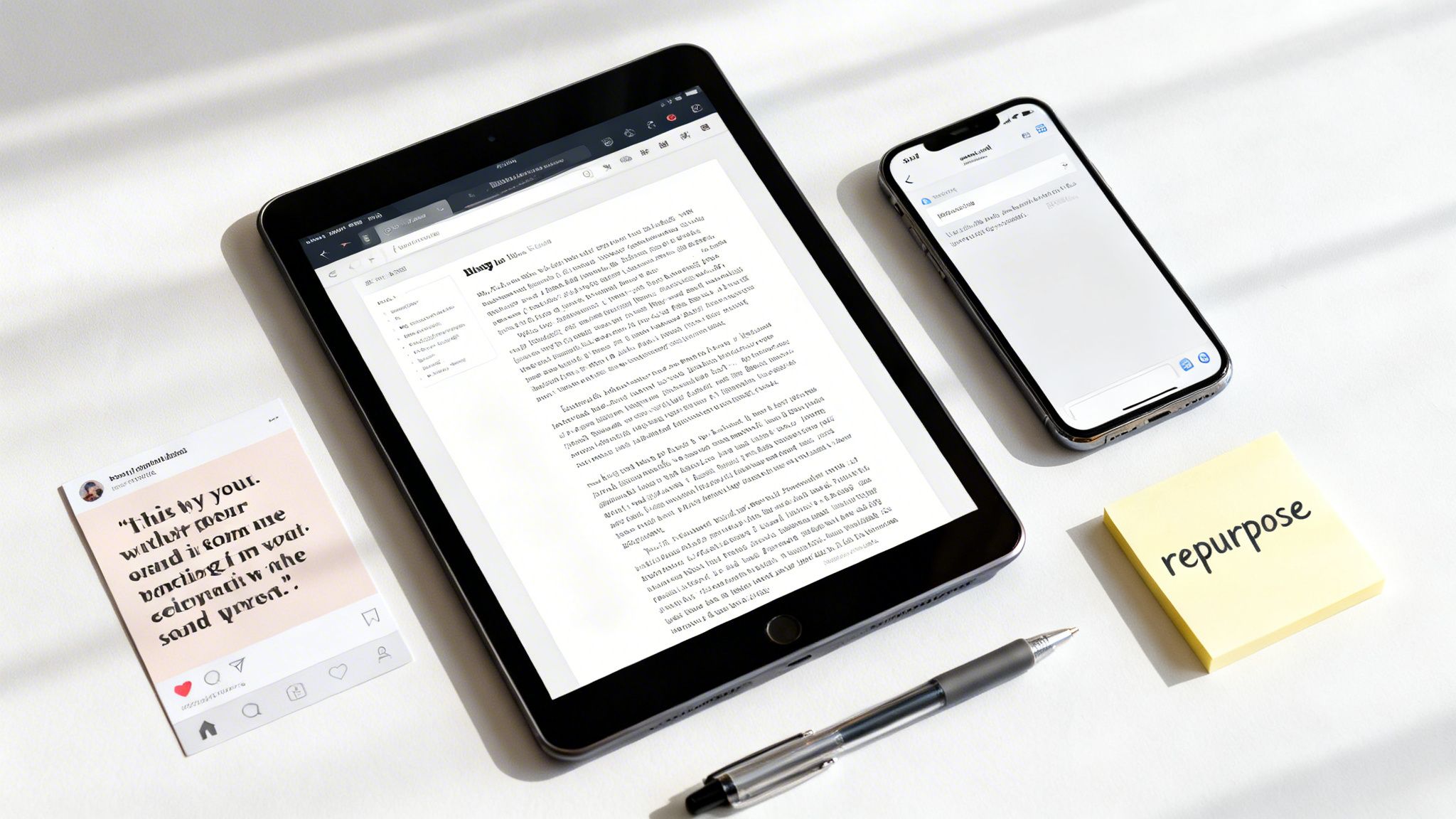
You've done the hard part and now have a clean, accurate transcript sitting on your hard drive. So, what’s next? This is where the real magic begins. A transcript isn't just a byproduct of your video; it’s the key to multiplying your content with a fraction of the effort.
Instead of staring at a blank page wondering what to create next, you can use your finished transcript as the raw material for a whole suite of new assets. This shifts you from a one-and-done video workflow into a smarter cycle of content repurposing, saving you a ton of time while getting your message in front of more people.
Turn Your Video into an In-Depth Blog Post
One of the most powerful moves you can make is transforming your transcript into a full-fledged blog post. This works especially well for those short, narrative-style videos you see all over TikTok and YouTube—like the popular 90-second faceless story videos.
Your transcript is the perfect skeleton for the article, but a blog post gives you the room to add more flesh to the bones. You can:
- Expand on Key Points: Go deeper with details, background info, or context you couldn't squeeze into a short video. For a scary story, for example, you could add extra lore about the characters or the setting.
- Insert Rich Media: Embed the original video right into the post. Add relevant images, pull-quotes, or even charts to make the content more engaging and easier to digest.
- Boost Your SEO: A detailed, text-based article gives search engines a feast of keywords to crawl and rank. This helps you capture organic traffic long after the initial buzz around your video has faded.
Imagine you made a 90-second video about a historical event. The transcript gives you the script, but the blog post can feature timelines, maps, and short biographies, turning it into a much more valuable resource for your audience.
A study on workplace habits revealed something interesting: 46% of people prefer to read a transcript because they’re short on time and can scan text much faster than they can watch a video. This means there’s a built-in audience just waiting for your repurposed content.
Create Snackable Social Media Content
That transcript you just finished? It’s practically a goldmine of bite-sized content ready-made for social media. By combing through the text, you can pull enough material for an entire campaign’s worth of posts from just one video.
The key is to adapt, not just copy and paste. Think about what resonates with your audience on Instagram versus what works on Twitter or LinkedIn.
Here are a few ideas to get you started:
- Quote Graphics: Find the most powerful, funny, or insightful lines from your transcript. Use a simple tool like Canva to turn them into eye-catching graphics for Instagram or Facebook.
- Twitter Threads: Take a core concept or a list from your video and break it down into a thread. Each tweet can build on the last, telling a micro-story that encourages clicks and replies.
- Email Newsletters: Summarize the video's main takeaways in your next newsletter. You can feature a standout quote and then link back to both the full video and the blog post you created from it.
This approach transforms one piece of pillar content—your video—into a web of smaller assets that all point back to your core message. If you're ready to explore even more ways to get the most out of every video, our guide on content repurposing strategies offers a ton of other ideas for your workflow.
Got Questions About Transcription? Let's Clear a Few Things Up.
As you start turning your videos into text, you're bound to run into a few common questions. We all did when we first learned how to write a transcript of a video. Getting a handle on these key points now will save you a ton of headaches later.
Let's dive into some of the most frequent questions people have about the transcription process.
How Long Does It Really Take to Transcribe a Video?
This is probably the number one question, and the honest answer is: it depends. But we can definitely give you some reliable benchmarks. The time it takes all comes down to your method and how clean your audio is.
If you’re doing it by hand, a skilled professional can typically transcribe one minute of clear audio in about 4-6 minutes. For someone just starting out, or if the audio is messy with background noise, that number can easily jump to 8-10 minutes of work for every one minute of video. That means a straightforward 10-minute video could easily tie you up for more than an hour.
On the other hand, an automated service like ClipCreator.ai can spit out a draft transcript for that same 10-minute video in just 2-3 minutes. Of course, you’ll still need to spend a little time cleaning it up. Budget another 10-15 minutes for proofreading, depending on how accurate the AI's first pass was.
What’s the Difference Between a Transcript and Captions?
It's easy to mix these two up, but they serve completely different roles.
A simple way to think about it: a transcript is the entire script of your movie in a single document. Captions are the lines that appear at the bottom of the screen, perfectly timed to the action.
- A transcript is a plain text file of all the spoken words in your video. It's usually a single block of text or broken into paragraphs with speaker labels. Its main purpose is for things like SEO, pulling quotes for articles, or just having a readable version of your content.
- Captions, which you'll see in files like SRT or VTT, are the transcript broken down into small, time-coded snippets. Each snippet is synchronized to pop up on screen exactly when the words are spoken. This is crucial for accessibility and for the huge number of people who watch videos with the sound off.
Can I Transcribe a Video with Bad Audio?
You can, but it's going to be painful. Poor audio quality is the single biggest enemy of an accurate transcription.
If you're transcribing manually, things like loud background music, muffled speakers, or people talking over each other will slow you to a crawl and introduce a lot of mistakes.
For an AI transcription tool, audio quality is even more important. Modern AI has gotten pretty good at handling slight imperfections, but throw in a strong accent or a noisy cafe environment, and you’ll get a garbled mess that requires a massive amount of manual editing.
If you can, always start with the best audio you possibly can. It’s the single best thing you can do to ensure you get a clean, accurate transcript without tearing your hair out.
Ready to skip the tedious work and get perfect transcripts and videos in minutes? ClipCreator.ai automates the entire process, from AI-generated scripts to ready-to-publish short videos with flawless captions. Start creating engaging content today

Create your first video in under 2 minutes
Pick a niche, and ClipCreator.ai generates and auto-posts faceless videos to your channels every day.
Join ClipCreator.ai