You're on the couch with a phone in one hand and a voice memo from last night in the other. The idea is fine. The cut isn't. The opening doesn't say what the video is about, the words sit on top of the buttons, and you're not sure the file will even land in the Shorts feed.
That's a production stall, not a talent problem. Learning how to make a Shorts video that still works with the sound off comes down to a short list of decisions: the file settings, one idea, captions that carry the claim, and a check that the video isn't a generic template with your name on it.
Pick the length before you write. Script one point. Cut to the beats. Test it muted. Publish, then read retention before you make the next one.
Shorts Specs You Need Before You Start
Set the file format and frame before scripting. They determine how much narration fits and where captions can sit without being cropped.
| Setting | Recommended value | Why it matters |
|---|---|---|
| Aspect ratio | 9:16 vertical | Fills the phone screen and fits the Shorts feed |
| Resolution | 1080 x 1920 | Keeps text and faces sharp on phone screens |
| Maximum length | 3 minutes | Allows longer Shorts; narrative videos often use 30 to 60 seconds |
| Frame rate | 30 fps | Provides smooth motion without unnecessarily large files |
| File format | MP4 with H.264 | A widely accepted upload format |
Aspect ratio controls the shape of the picture. A horizontal or letterboxed video can leave black bars instead of filling the phone screen. Use 1080 x 1920 to keep faces and on-screen text clear on a phone. YouTube accepts Shorts up to 3 minutes, while narrative and explainer videos often run 30 to 60 seconds. Choose the shorter range when the idea is simple; a longer runtime gives you room to develop more detail, but only if each beat earns its place. 30 fps suits ordinary motion without creating unnecessarily large files. MP4 with H.264 is a widely accepted export choice.
Check the frame and runtime before upload. If the image is wider than it is tall, or black bars surround it, the video may not appear as intended in the Shorts feed. A clip beyond the length limit will not be treated as a Short.
Play the exported file on a phone. Check that the full picture is visible, captions stay within the frame, and the file details show the intended duration. For a cross-platform check, the LinkedIn video specs and strategy can help you compare formats, while the YouTube video specs page lists upload requirements to compare with your export settings.
Practical rule: Choose 30, 45, or 60 seconds before writing. The target runtime sets the space available for narration, visuals, and pauses.
How to Plan and Script a Short Around One Idea
A Short that tries to make two points usually loses both. Write down the single claim the viewer should leave with, then run an originality check. Does this video add an original claim, customised narration, its own visual sequence, sourced facts, or commentary a viewer cannot get from a generic template? If none of those apply, change the topic.
YouTube's guidance on altered or synthetic content says realistic synthetic media may need a disclosure, and that disclosure itself does not reduce audience reach or monetization eligibility. The harder problem is a channel that looks repetitive. Reused clips and template videos with no meaningful creative contribution can create monetization trouble even when the edit is clean.
Write the narration first. A 45-second Short is about 110 words at a normal speaking pace. Split that script into three parts, and mark a visual beat of roughly 1 to 3 seconds under each sentence.
The hook states the premise in the opening 3 seconds. TikTok's creative best practices say to prioritize the hook within the first 6 seconds, add captions or overlays, and limit on-screen text to about 5–10 words per second. A TikTok Marketing Science analysis of 3,500 ads found that introducing suspense early increased watch time by 16%, while surprise produced a 1.7× video-through rate. Use one of those, not all three.
The body stays on the same idea. Every image, zoom, and subtitle change has to match the spoken sentence. Sharp vertical pictures and a voice that stays clear under music beat a busy frame. Pixelated visuals and muddy audio are the failures TikTok flags directly.
The close pays off the hook or loops back to it. Hiding the answer until the last second feels like a trick, and people leave.
Say the Short is about why bread doesn't rise. Open on the flat loaf: "Your dough didn't fail. Your yeast never woke up." Three beats show cold liquid, yeast that never foamed, and dough that never stretched. The close is one fix: warm the liquid and proof the yeast for ten minutes before you mix.
Read only the first sentence aloud. If the premise isn't in it, rewrite that line before you touch a timeline. A longer pass at structure is in our notes on how to script a video.
How to Build and Edit Your Vertical Video
Build in this order. Skipping ahead is how faces get cropped and captions land on the buttons.
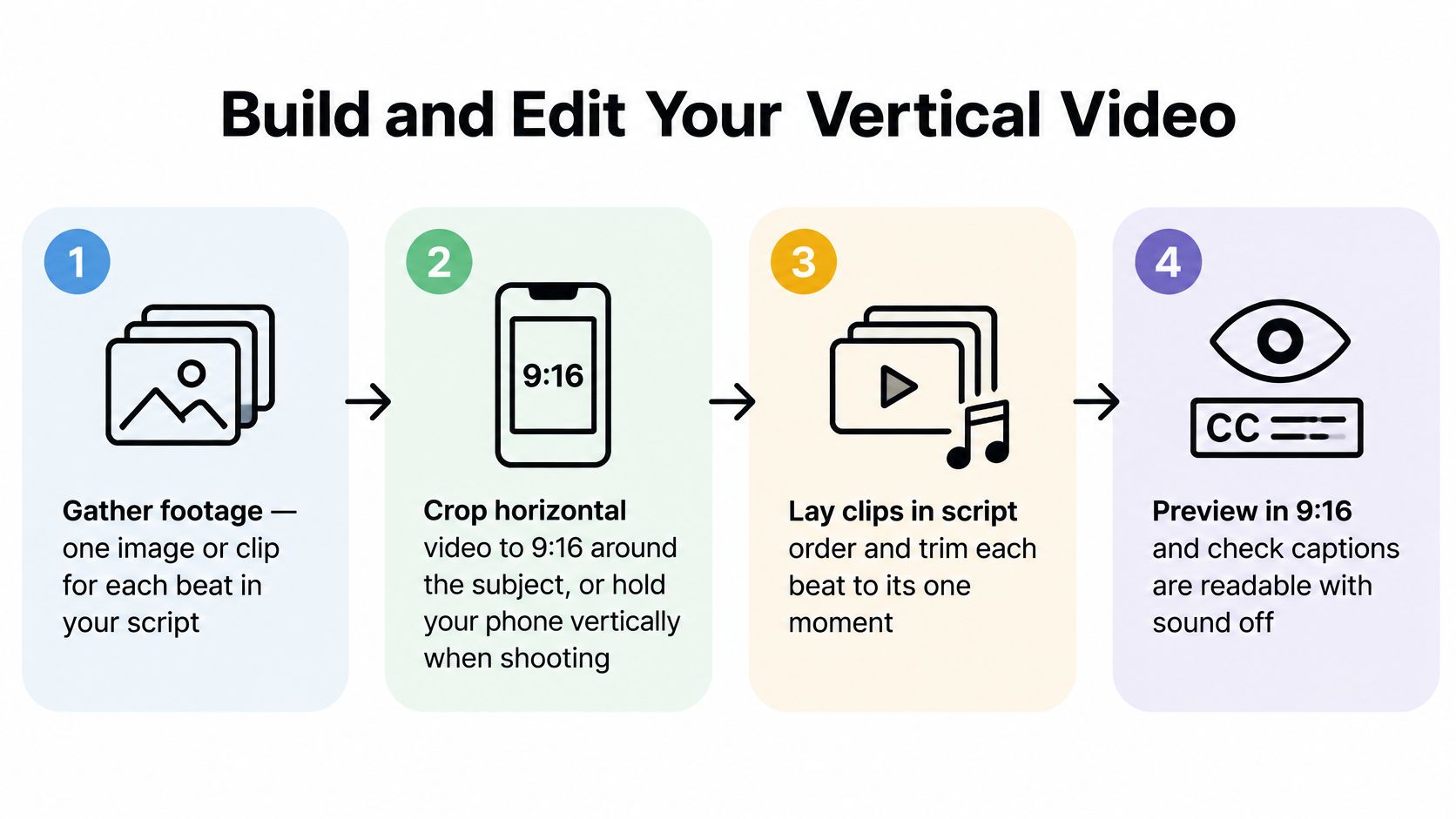
- Gather one image or clip per beat. If you're cutting a long horizontal video, crop around the subject so the person or object stays in frame. If you shoot on a phone, hold it upright so the footage is already vertical. Generating the pictures instead of filming can get a first assembly together in under 2 minutes. The time you save belongs on the checks below, not on extra effects.
- Set the canvas before you place anything. Zooms and crops should be made for the final frame. A wrong canvas forces a late crop that slices faces and captions. That repair is slower than starting over.
- Cut each clip to its beat, usually 1 to 3 seconds. Delete any pause longer than a breath. A held shot with no new information is where viewers swipe. If a sentence needs two pictures, split the sentence. Don't stretch one picture to cover both.
- Add a slow zoom on still images. Static frames feel frozen next to moving ones. Keep the move small. A fast zoom reads as panic, and it fights the words.
- Lay the voiceover, then drop the music until every word is clear. Music that is too loud is the most common reason people stop. If you can't hear a number or a name on phone speakers, the bed is too high. No sound effect should carry a fact the pictures don't also show.
- Add the captions on this cut, then run the checks in the next part before you export. Captions added after export get rushed, and rushed captions miss names and numbers.
- Export at 1080 x 1920 as MP4 with H.264, and play that file on a phone. The preview inside the editor hides cropping that a phone screen shows immediately.
Save the finished timeline as a template: same canvas, caption style, music level, and export preset. The next Short should only change the pictures and the words.
Captions and Sound for Sound-Off Viewers
Captions aren't decoration. They're how a lot of people watch.
Industry reporting cited by Oktopost, drawing on Verizon Media and Publicis research, says 92% of U.S. consumers watch mobile video with the sound off, and 80% are more likely to watch a video to completion when captions are available. People watch on a bus, at a desk, or with hearing limits. If the words aren't on screen, the Short doesn't have a story for them.
What the caption track has to get right
Automatic speech-to-text is a draft, not a finish. Check every line against the audio for names, numbers, and punctuation. A wrong number or a dropped "not" can reverse an educational or branded claim.
Keep lines to one or two rows so they can be read at a glance. Time each line to the spoken word, not to the start of the clip. Use high contrast against both light and dark frames. When two voices appear, label the speaker. Our notes on automatic subtitles on YouTube cover the generation step. The read-through is still yours.
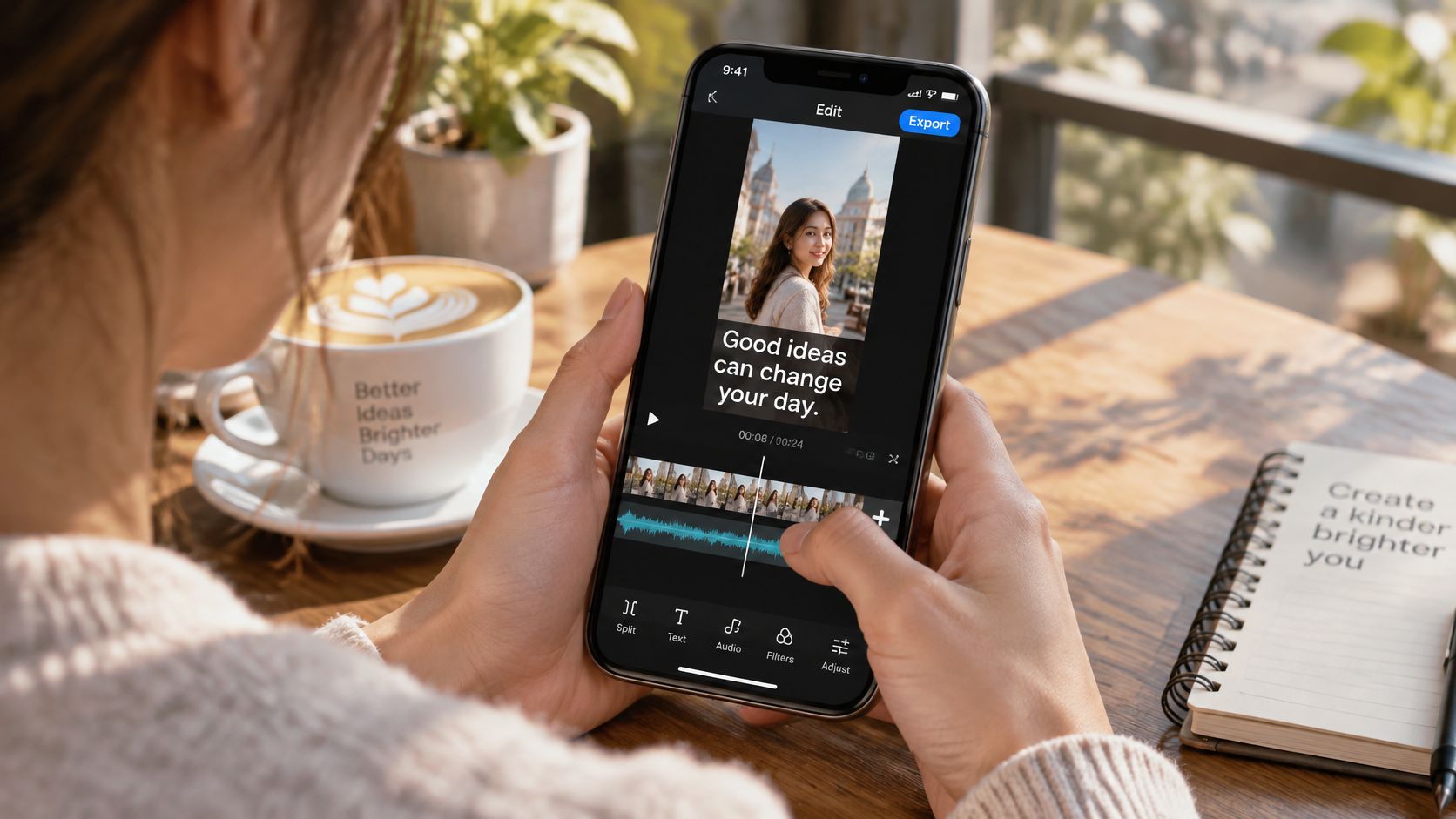
Place captions in the middle of the frame. Stay clear of the bottom, where the channel name and buttons sit, and clear of the top, where a title overlay goes.
The check before you export
Tick these on the edited cut:
- Accuracy: Every caption matches the audio, including names, numbers, and negatives.
- Line length: Each caption fits on one or two lines without running into the edges.
- Contrast: Text stays readable on a dark frame and a light frame.
- Muted playback: With sound off, the pictures and captions still state the claim.
- Audio balance: The voice sits clearly above the music, with no volume jump between beats, and no sound effect that carries a fact the captions don't repeat.
A short look at caption timing on a real timeline makes the placement problem obvious.

If the muted version fails, fix the words and the pictures. Don't raise the music and hope.
How to Upload, Title and Publish Your Short
Publish from the file you already checked on a phone, not from a new export you haven't watched.
- Open YouTube Studio and choose Create, then Upload video. Uploading from the phone app is fine for a test. Studio is easier when you need the description, the disclosure, and a scheduled time in one place.
- Select the finished vertical file and confirm the Shorts label appears before you publish. If that label is missing, stop. The aspect ratio or the length is wrong, and publishing it as a regular video won't fix the framing.
- Write a title that states the premise in plain words, with the topic keyword near the start. "Why your bread didn't rise" tells someone what they'll get. "You won't believe this baking mistake" doesn't. Viewers decide in the same glance they use to skip.
- Add a short description when the Short makes a factual claim. One or two lines of context, a source, or a related link is enough. A novel in the description doesn't help the person who never taps it.
- Use a few relevant hashtags, not a block of them. Extra tags don't buy discovery. They make the description look spammy, and they can hide the sentence you wanted read.
- If the video contains realistic altered or synthetic content, apply the disclosure before you publish. Do this on the upload, not in a comment after the fact.
- Schedule for when your audience is usually watching, or publish now if you're testing a new topic. A scheduled post only helps after you know which hours get watches. For a first test, immediate is fine.
The same finished file doesn't have to live on one network. You can download any generated video and publish it manually to any social network, so one cut can reach a second audience without a new edit. If the weekly posting itself is the bottleneck, it can be worth it to hire a social media manager through Virtustant rather than letting finished files sit unpublished.
Measure Retention and Pick Your Next Short
Views don't tell you whether the Short worked. Someone can be shown the video and leave in a second. That still counts as distribution.
YouTube's Shorts discovery guidance says recommendation systems weigh whether viewers choose to watch or ignore a Short, average view duration, average percentage viewed, likes, and post-watch survey signals. Read those before you touch the edit.
| Signal | What it indicates | Next action |
|---|---|---|
| Low average percentage viewed | Viewers leave before the premise is clear | Rewrite the opening sentence and first visual |
| Short average view duration | Pacing or middle section loses viewers | Cut beats and tighten the narration |
| High views, weak retention | Distribution without sustained attention | Strengthen the hook and promise |
| Strong retention, low views | Good content with weak packaging | Test a new title and first frame |
| Few likes and weak survey response | Viewers did not feel the payoff | Rework the close or loop |
Find the sentence where they leave
Open the retention graph and mark the exact second the line drops. Play that moment. The cause is usually a delayed premise, a repeated shot, or a sentence that doesn't add anything. If people leave before they understand the claim, rewrite the opening. Adding a whoosh or a zoom on a confusing line doesn't repair it.
A high view count with a weak average percentage viewed means the video was shown and not watched. Strong retention with few views points at the title or the first frame, not at the middle. The Gamerplug stats guide is a clear reminder that raw counts hide the number that should change your next edit.
Change one variable at a time: the opening line, the first visual, the pacing, the caption style, or the ending. If you change three, you won't know which one moved the graph.
Publish at least three Shorts on the same topic before you judge the topic. A single upload can get very uneven recommendation exposure, and one quiet video isn't a verdict.
ClipCreator.ai turns a prompt or a template into a vertical Short with a script, story-aligned images, a voiceover, and subtitles, so the sound-off cut and the originality pass aren't an afterthought. You keep the file, check the opening, and publish on your schedule. Start the next one at ClipCreator.ai.

Create your first video in under 2 minutes
Pick a niche, and ClipCreator.ai generates and auto-posts faceless videos to your channels every day.
Join ClipCreator.ai