The most consistent posters received five times more engagement per post than inconsistent posters in Buffer's 2025 analysis. But Buffer defined highly consistent users as those who posted during at least 20 of the previous 26 weeks, not people who published every day. That's an association, not proof that a schedule alone causes better results.
Learning how to post consistently on Instagram starts with building a routine you can repeat when work gets busy. You need a manageable publishing count, a production block, and a way to decide whether the next post deserves its place in the queue.
A Posting Cadence You Can Keep
Sustainable Instagram posting cadence by creator stage
| Cadence | Posts per week | Batch size | Why it fits |
|---|---|---|---|
| Solo creator starting out | 3 | 3 scripts per session | Lower end of the sustainable baseline, with more time for each post |
| Steady small brand | 4 | 4 scripts per session | Leaves room for recurring themes and production work |
| Growth push | 5 | 5 scripts per session | Upper end of the baseline, requiring weekly quality checks |
| Daily poster | 7 | 7 scripts per session | Requires dedicated capacity, not spare-time production |
| Typical business average, benchmark only | 9.3 | About 9 scripts per session, plus a rolling reserve | Above the sustainable range, not a target |
The baseline comes from Buffer's analysis of approximately 2.1 million posts from 102,000 Instagram accounts, which identified 3–5 weekly posts as a likely balance between reach, growth, and workload. The business benchmark is separate: Hootsuite reported an average of 9.3 Instagram posts per week in Q1 2025, while recommending a sustainable cadence of 3–5.
Treat the creator stages as operating choices, not rankings. A solo creator needs room to learn scripting and editing; an established brand may already have footage, customer questions, and approved messaging ready to use.
Choose capacity before ambition
At the lighter end, you can spend longer finding a useful example, tightening a hook, or improving subtitles. The trade-off is fewer opportunities to test ideas, so each post needs a clear purpose.
A growth push requires more than faster editing. Someone still has to check factual accuracy, approve visuals, write captions, and respond after publication. Daily posting becomes fragile when all those jobs belong to someone who also handles sales or client work.
Higher volume can support growth, but it doesn't remove those production costs. The first thing to break is often the script: openings get vague, examples repeat, and the final posts in the batch feel like obligations.
Capacity check: Time a finished post from script to publication, then multiply that workload by your proposed weekly count. Include revisions, captions, uploads, and review, not just editing.
Keep the test readable
For video-heavy calendars, Clipatra's platform tactics for Shorts and Reels can help you decide which creative choices need platform-specific attention before you batch.
Choose the row you can sustain for a 30-day test, rather than the one that looks most impressive. Keep topic labels and formats stable during that trial. If you change frequency, subject matter, and creative style together, you won't know which change helped or hurt.
How to Batch and Schedule a Week of Posts
Batching works when you group similar decisions together. Writing, recording, editing, and publishing each require different attention, so don't rebuild the entire workflow for every post.
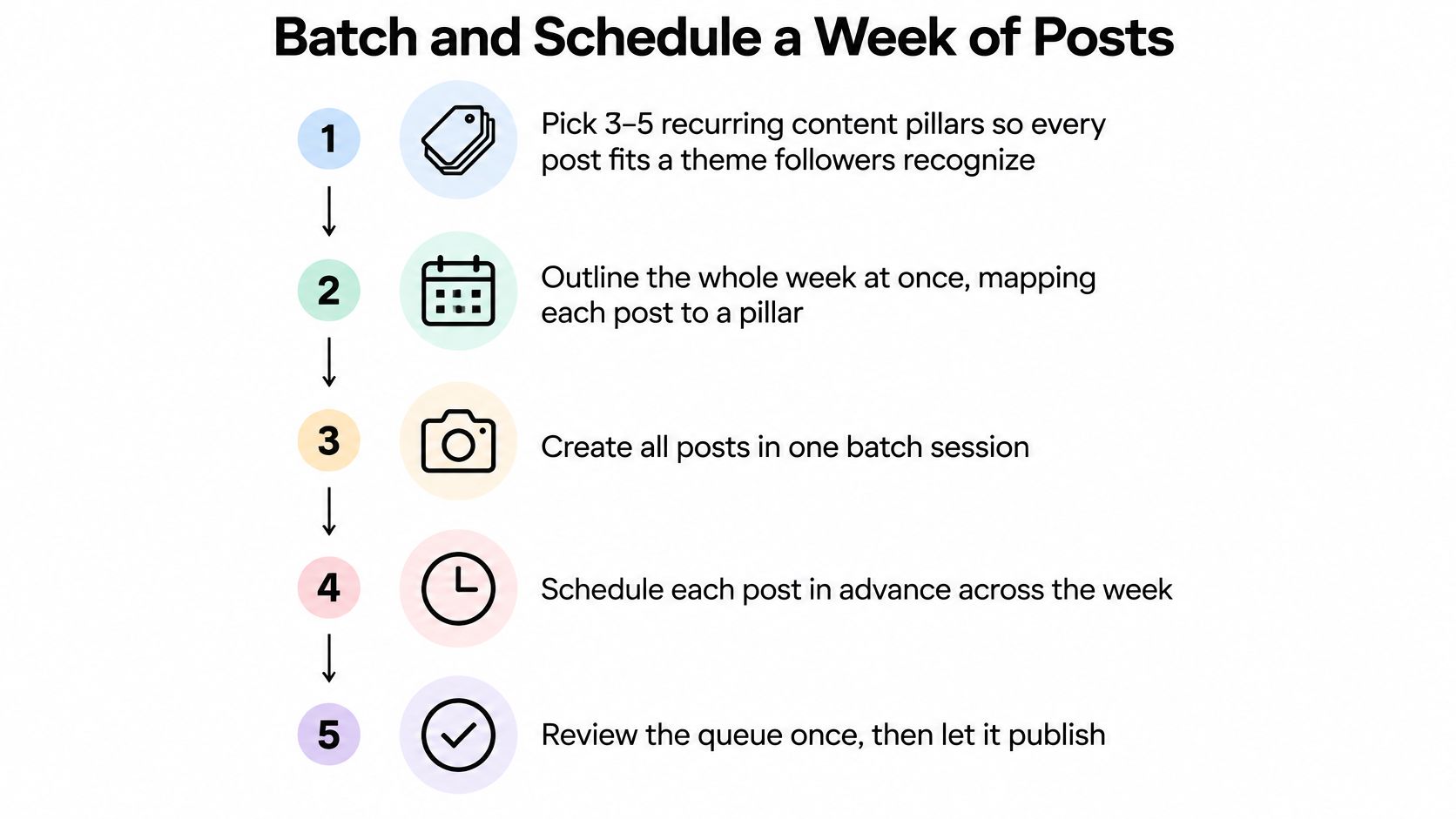
Use this process as a production checklist, with a separate performance review after publication.
Build the batch before opening the editor
- Pick recurring content pillars. Start with a manageable set of themes, such as customer questions, demonstrations, mistakes, and behind-the-scenes explanations, so you aren't choosing from unlimited possibilities. The common slip is using categories so broad that almost any idea fits, leaving you with no useful editorial filter.
- Outline the whole week together. Give every post a hook, a specific payoff, and a clear viewer action; a Netco Design LLC social media content calendar can help you turn those decisions into a visible queue. Batching without outlines usually produces scripts that approach the same point with slightly different wording.
- Produce assets by task. Record your clips or voiceovers together, then edit in a separate block so you aren't repeatedly switching between performance and technical work. The common mistake is polishing the opening post while the rest remain unwritten; our batch content creation guide offers a deeper workflow for separating those stages.
Turn finished files into a publishing queue
- Assign fixed weekday slots. Give each approved post a destination in the calendar so publication doesn't depend on remembering it during a busy afternoon. Scheduling only the subjects you feel like making leaves gaps and can crowd useful but less exciting posts out of the week.
- Set publishing days and times. In our workflow, users choose when their videos are published, or download any generated video and publish it manually to any social network. Don't confuse an exported file with a scheduled post: check the account, cover, caption, subtitles, and publication status before closing the task.
- Review performance every Friday. Compare reach, shares, profile visits, and completion with your recent baseline, using the same reporting window for each post. The common slip is comparing a newly published video with an older one that has had much longer to accumulate views.
For a video walkthrough to accompany your production block, use the tutorial below.

A healthy week ends with the planned posts scheduled, a spare post ready for a disrupted production day, and a short review note. Record what changed and what you'll test next, rather than writing a vague verdict such as “Reels did well.”
Keep the spare useful and evergreen. An outdated announcement isn't a backup, and a rejected draft doesn't become publishable just because the calendar is empty.
Staying Consistent Without Recycled Content
Say a small educational channel publishes a recurring myth-versus-fact series. Each video follows the same sequence: introduce the misconception, demonstrate an example, explain the correction, and ask a relevant question.
The creator keeps the visual template but writes a different myth each time. A lesson about watering seedlings uses different footage and evidence from a lesson about repotting, even though viewers recognize the series immediately.
That distinction matters. Instagram's recommendation guidance on originality says identical reposts may be replaced by the original in recommendations, and accounts that repeatedly publish other people's content without materially enhancing it can lose recommendation distribution.
Reuse the structure, not the substance
Structured originality means reusable production templates paired with new narratives and audience-specific angles. Keep your typography, narration style, and editing rhythm; change the problem, example, explanation, and takeaway.
A useful content pillar strategy helps you develop related ideas without producing near-duplicates. A pillar about beginner gardening mistakes, for example, can include diagnosis, prevention, demonstrations, and answers to viewer questions.
Before scheduling, ask:
- New example: Does this post add a demonstration, situation, or piece of reasoning that wasn't in the last installment?
- Distinct hook: Does the opening introduce this particular problem, rather than repeat last week's promise?
- Fresh payoff: Would a returning follower learn something they haven't already seen?
Changing the caption doesn't fix a recycled video. Neither does replacing the background while keeping the same script and conclusion.
Keep the recognizable container. Replace the lesson inside it.
Automation should reduce assembly work, not replace editorial judgment. Review the batch side by side, because repetition is easier to spot across a queue than inside an isolated preview.
Your brand voice can remain steady without every post sounding identical. If the examples and insights are new, a familiar format gives followers a reason to return rather than a reason to skip.
The Days and Times Worth Testing First
Engagement rate by day of the week on Instagram
| Day | Average engagement rate | Note |
|---|---|---|
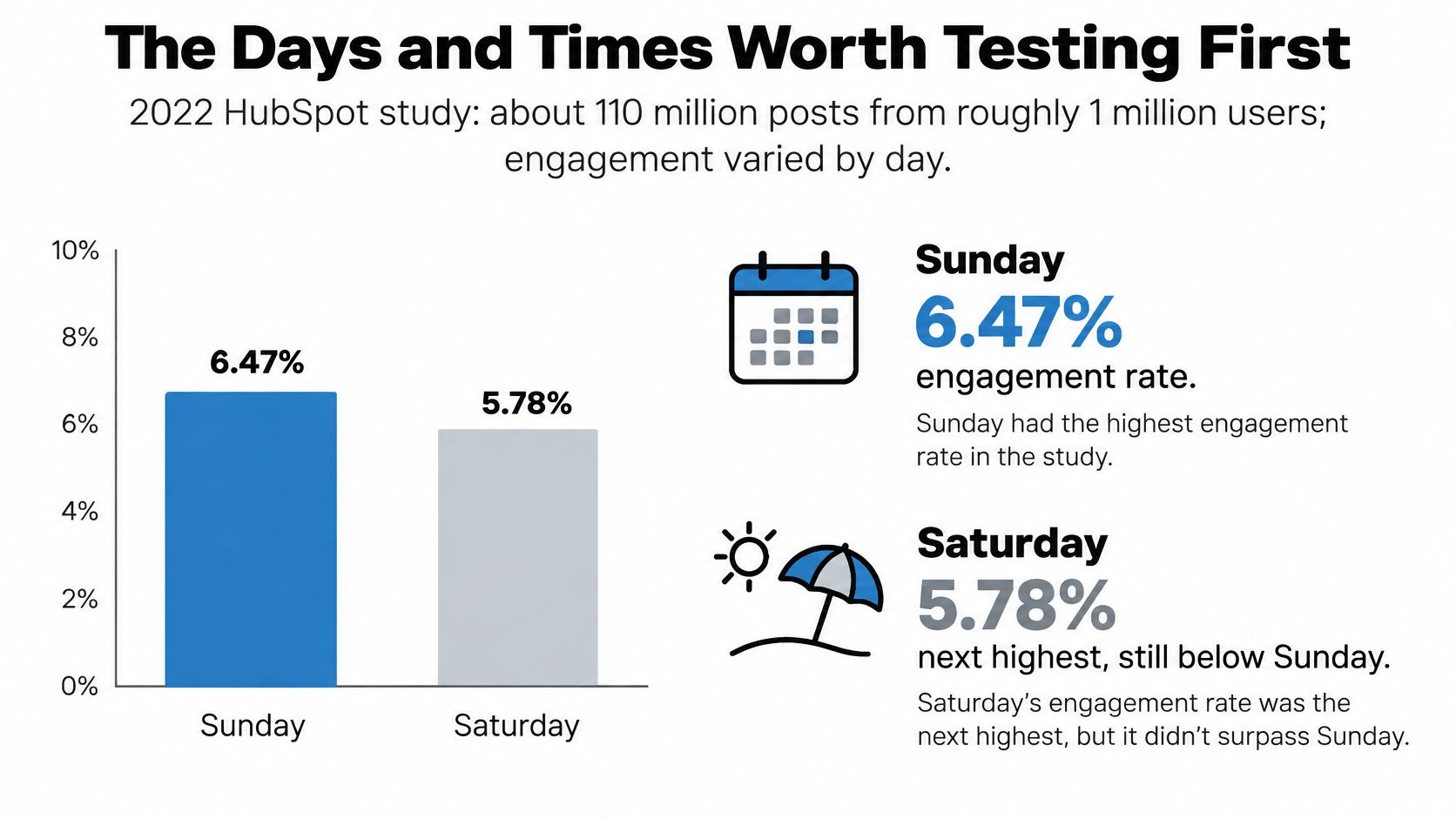
| Sunday | 6.47% | Highest day in the study |
| Saturday | 6.05% | Second-highest day |
| Monday | 5.95% | Third-highest day |
| Tuesday to Friday | Unknown | Not reported in the study summary |
These day-level averages come from the 2022 HubSpot Instagram Engagement Report, which examined approximately 110 million posts from about 1 million users. In that analysis, North American evenings were generally strong, some datasets favored mornings around 9–11 a.m., and London showed notable engagement around noon, 9 p.m., and 1 a.m.
These are historical starting points, not universal rules. Audience location, industry, format, and time zone change the result. A local bakery shouldn't adopt an overnight London slot because it appeared in a broad analysis.
The visual offers a quick comparison, but use the table's Saturday figure for your planning.
Run a controlled window test
Choose a pair of plausible publishing windows in your audience's time zone. For example, test a morning window against an evening window for four consecutive weeks, distributing comparable topics and formats across both.
Log reach and shares per post, then compare typical results rather than letting a single breakout determine the winner. Keep the interval between publication and measurement consistent so older posts don't get an unfair advantage.
Use your account insights to narrow the candidates. Our guide to the best time to post Instagram Reels can help you translate audience activity into testable slots.
- Control the creative mix: Don't put every strong demonstration in the evening and every experimental post in the morning.
- Record exceptions: Note holidays, promotions, collaborations, and unusual events that might explain a result.
- Keep a practical window: A slightly stronger slot isn't useful if it repeatedly prevents you from moderating important comments.
Changing the schedule after a weak upload hides the answer. A window earns a permanent place when it produces repeatable results across comparable posts and fits the way you operate.
When to Add, Hold or Cut Posts
More posts don't automatically mean better performance. Instagram's ranking explanation describes signals such as engagement and predicted interest, not a simple daily-posting counter.
A busy queue can coexist with declining audience response. Before adding volume, check whether viewers still watch, save, and share the individual posts you're already publishing.
Use signals, not publishing streaks
The following thresholds are operating rules for your own test, not Instagram requirements or guaranteed performance benchmarks.
Signals for holding, adding or cutting posting volume
| Signal | Hold | Add | Cut |
|---|---|---|---|
| Reach per post | Stable over four weeks | Rising while quality holds | Falling across two weeks |
| Saves and shares | Steady per post | Rising per post at the same cadence | Dropping on the newest posts |
| Completion rate | Steady | Strong on a short test batch | Declining as volume rises |
| Production quality | Consistent hooks and scripts | Can be preserved at higher volume | Rushed hooks or repeated scripts |
Read the signals together. Strong reach with weaker completion might mean the opening attracts viewers but the explanation doesn't deliver; it isn't an automatic instruction to publish more.
Likewise, a specialist tutorial may reach fewer people but earn useful saves and relevant profile visits. Judge it against its purpose and comparable posts, not an unrelated entertainment video.
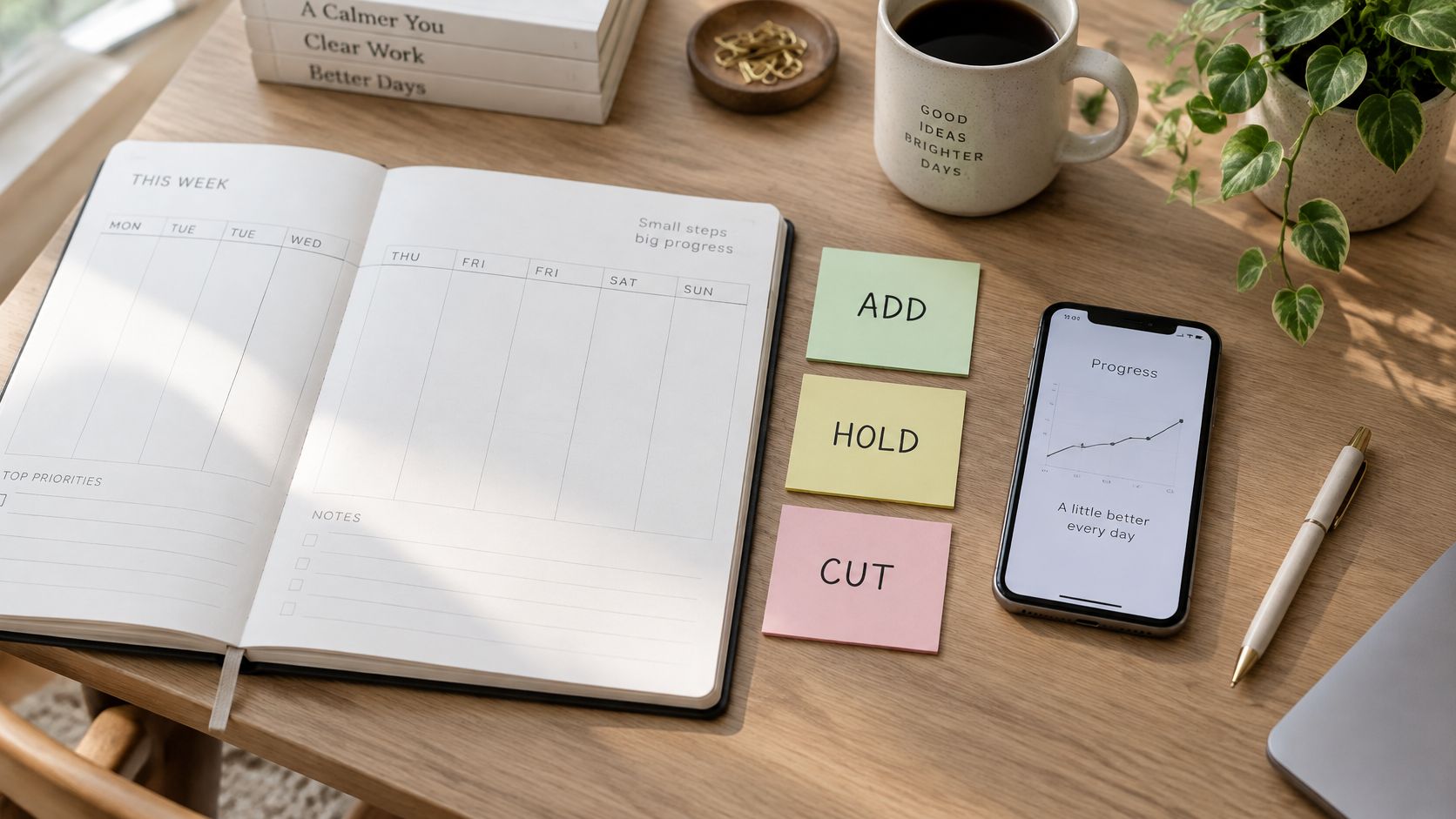
A visible weekly planner makes it easier to assess the workload before adding another commitment.
Make the smallest useful adjustment
Hold when your per-post signals remain steady and the work fits comfortably. You don't need to increase frequency just because the workflow has become easier; use that breathing room to improve examples or build a reserve.
Add a post only when you can preserve the existing quality standard. Keep its format familiar during the test so you're evaluating extra volume rather than an entirely different creative approach.
Cut when weaker response persists or the team starts filling slots with rushed material. First inspect whether the problem is a specific topic, unclear hook, or production bottleneck, then remove the least useful commitment rather than abandoning the schedule.
A deliberate reduction is discipline, not failure.
Track production strain alongside audience response. Late approvals, unfinished scripts, and missing subtitles are early warnings that your apparent capacity isn't real.
Consistency means reliably delivering valuable formats. The right volume is the amount you can support without making the next post less useful than the last.
Commit to One Cadence This Week
Pick a single row from the cadence table and put that commitment into next week's calendar. Reserve the production time before assigning publication slots, because a posting reminder won't create an unfinished video.
Check the workload against the hours you have. Include approval and upload time, then choose the content pillars and publishing windows you'll keep stable during the trial.
Write down the baseline before you begin
Record your recent reach, saves, shares, and completion results before the first scheduled post goes live. Keep the comparison usable by separating formats and noting what each post was intended to achieve.
For our users, edit the title and caption of each generated video before publication. Keep that review inside the production block instead of treating it as an optional last-minute task.
- This week: Finish and queue the batch you can realistically maintain.
- During the test: Log exceptions without rebuilding the entire routine.
- At day 30: Choose whether to hold, add, or cut using audience response and production quality together.
If you also publish elsewhere, keep separate performance records for each network. You can share a production routine without assuming the same creative or timing choices work everywhere.
Make the commitment concrete: reserve your next batch session now, name the posts it must produce, and protect that appointment like any other delivery deadline.
ClipCreator.ai creates short, faceless videos with scripts, story-aligned images, voiceovers, and subtitles to support a repeatable production routine. Visit ClipCreator.ai to build your next batch, choose publishing days and times, and keep editorial review part of the schedule.

Create your first video in under 2 minutes
Pick a niche, and ClipCreator.ai generates and auto-posts faceless videos to your channels every day.
Join ClipCreator.ai