A major benchmark found that TikTok brands posting 2 to 5 times per week get the most efficient lift from increasing their cadence, while moving beyond that range creates smaller incremental gains. The practical answer to how often to post on TikTok for business isn't “as much as possible.” It's to choose the highest schedule your team can sustain without weakening the videos themselves.
This quarter, most small businesses should start with 3 to 5 posts per week, then test a higher cadence only when production quality, creative variety, and comment engagement remain stable. Your account's growth stage matters more than a universal posting rule.
The Real Posting Frequency Data Behind TikTok Business Growth
The strongest neutral benchmark for business accounts places the efficient starting range at 2 to 5 TikTok posts per week. Buffer's analysis found that this range produced up to 17% more views per post than posting once weekly. Accounts publishing 6 to 10 times per week saw about 29% more views per post, while accounts publishing 11 or more times per week saw about 34% more, with smaller efficiency gains as volume increased. These figures come from an observational analysis, so treat them as a testing baseline, not a promise of performance. Read the full methodology in Buffer's TikTok posting frequency analysis.
That gives marketers three useful bands:
| Posts per Week | Average Views per Post | Engagement Rate | Best Fit For |
|---|---|---|---|
| 2 to 5 | Roughly flat around 500 median views in the benchmark | Not reported by frequency band | Most small businesses and lean teams |
| 6 to 10 | Roughly flat at the median, with more breakout potential | Not reported by frequency band | Teams with repeatable formats and batch production |
| 11+ | Roughly flat at the median, with the highest upside from occasional breakouts | Not reported by frequency band | Established content operations with dedicated capacity |
The median views per post stayed roughly flat across frequency groups in that analysis. More publishing mainly creates more opportunities for an unusually strong video, rather than lifting every video equally. That distinction should shape your budget, staffing, and expectations.
Historical brand data tells a similar story from a different angle. Rival IQ found that the average brand published about 2 TikTok videos per week in 2024, while the top 25% published at least 4 per week. The same benchmark reported a median engagement rate per follower of 2.6%, which was 4 times Instagram's level in that study. See the Rival IQ TikTok benchmark for the underlying comparison.
More recent reporting indicates that average publishing volume rose across account-size tiers from 2024 to 2025, with posting frequency increasing by 40% on average. Engagement by views remained between 4.20% and 4.30% for five consecutive quarters from Q1 2025 through Q1 2026, according to Socialinsider's latest benchmark summary.
Don't copy TikTok's most aggressive guidance before checking your operation. Use your audience data, production capacity, and a practical data driven TikTok scheduling guide to choose a starting band. The four-stage framework below turns that decision into a working schedule. Cadence only multiplies results when each video has a tested opening, clear value, and a direct call to action.
Why More Posts Does Not Always Mean More Views
Publishing more gives your account more chances to find a breakout topic. It doesn't make every video stronger.
The benchmark difference between 2 to 5, 6 to 10, and 11 or more posts per week shows a classic diminishing-return pattern. The first increase takes an account from inconsistent visibility to a dependable stream of content. The next increase creates more testing opportunities, but it also consumes more filming, editing, review, and community-management time. The highest band can work for a mature team, yet it becomes expensive when every extra post is rushed.
A small business shouldn't compare its output with a competitor that has editors, presenters, designers, and a content library. If your fifth weekly post is a weak variation of your second, publishing it may produce less value than improving the second video's hook, pacing, captions, or demonstration.
Production rule: Your ideal cadence is the highest schedule your weakest weekly post can still carry.
TikTok performance is evaluated video by video. A larger content pool may increase the chance that one post travels further, but repetitive videos can make viewers swipe faster and reduce the usefulness of each new upload. Frequency also creates a distribution problem when every post targets the same audience need with the same visual treatment.
The practical test is simple. Before adding a publishing slot, ask whether you can maintain a distinct format, a useful idea, and a strong first two seconds. If the answer is no, keep the lower cadence and invest the saved time in scripting, editing, and audience replies.
Content variety matters as much as quantity. Rotate educational clips, product demonstrations, customer questions, founder commentary, behind-the-scenes footage, and timely reactions. A weekly schedule with different jobs for each post gives the audience a reason to keep watching.

Your target isn't the largest number in a benchmark. It's a cadence that produces enough experiments without turning your feed into a stream of interchangeable clips.
Matching Your Cadence to Your Growth Stage
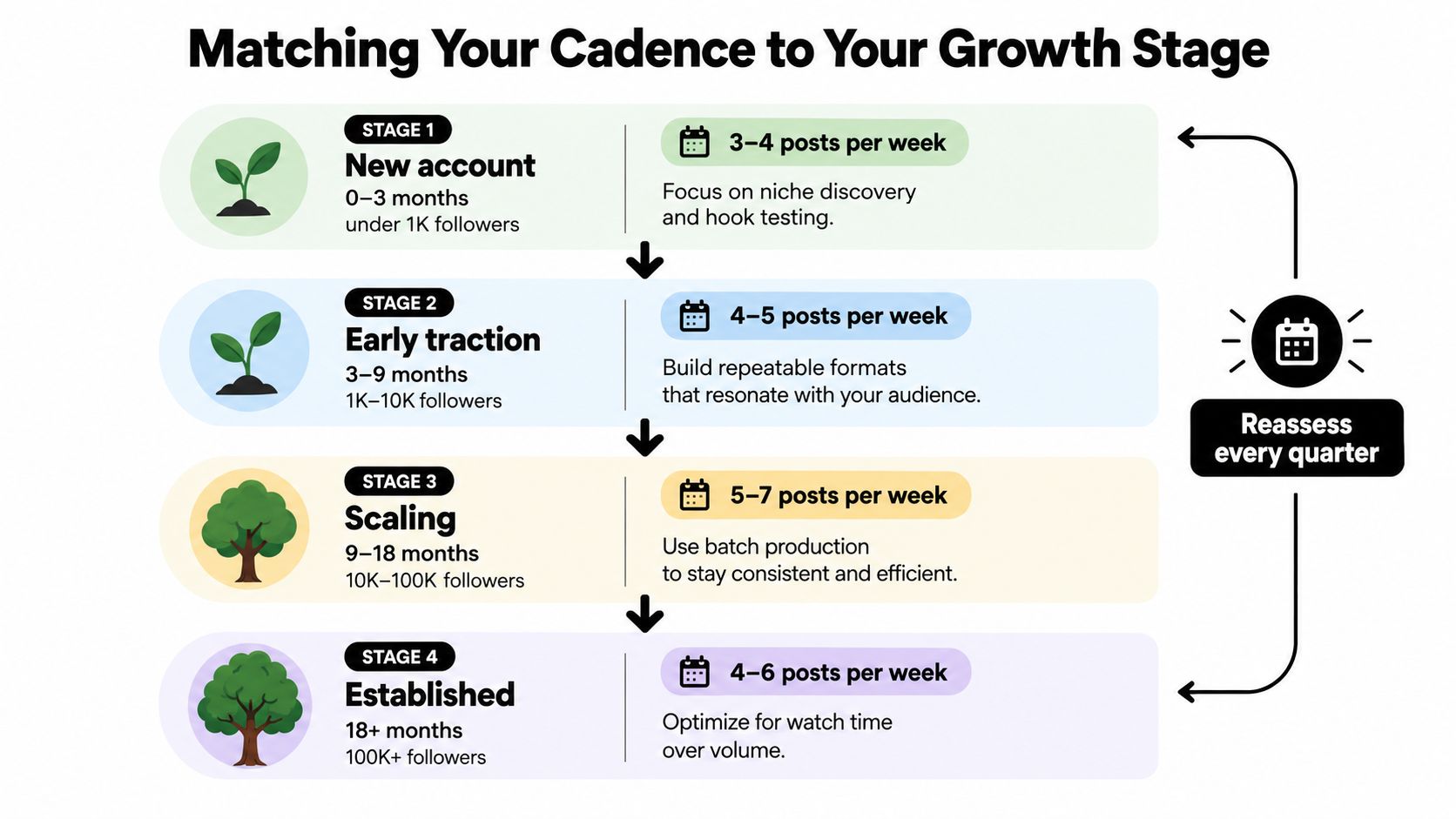
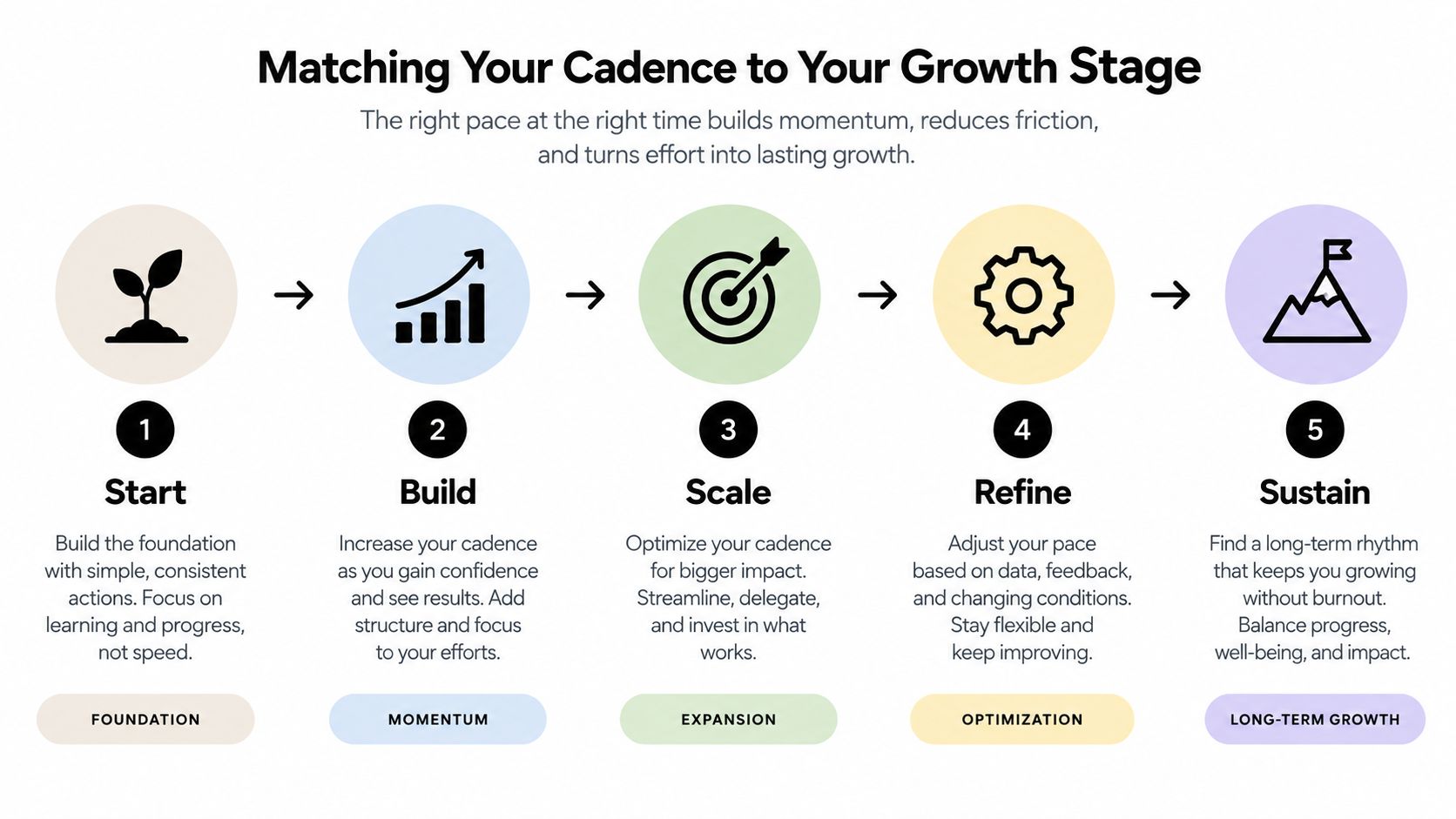
Treat cadence as a lever you adjust as the business earns more production capacity. Don't raise the target just because the account gained followers. Raise it when the team can create more useful variations without lowering retention, relevance, or consistency.
Stage 1, new account
For the first 0 to 3 months, aim for 3 to 4 posts per week if the account has fewer than 1,000 followers. This is a discovery phase, not a volume contest. Test different hooks, audience problems, visual structures, and calls to action.
Use one post to answer a beginner question, one to demonstrate the product or process, one to share a point of view, and an optional fourth post for a trend or comment response. Drop formats that attract views but no meaningful response. Keep formats that generate questions, saves, shares, or profile visits.
Stage 2, building traction
From 3 to 6 months, move toward 5 to 7 posts per week when your account is building an audience between 1,000 and 10,000 followers. Rotate tutorials, behind-the-scenes clips, trend reactions, customer objections, and product use cases.
Batch the repeatable formats. Leave one flexible slot for a timely response or a strong audience question. Hold the lower end of the range if editing is late, captions are unclear, or the team can't respond to comments after publishing.
Stage 3, established account
From 6 to 12 months, test 8 to 12 posts per week for an account between 10,000 and 100,000 followers, but only with a documented content engine. Use evergreen explainers, series-based videos, repurposed footage, and controlled variations of proven formats.
Don't mistake access to a larger audience for permission to flood it. Review each added slot after a full testing period. If average watch time or meaningful interactions weaken, return to the previous schedule and improve the formats before expanding again.
Stage 4, scaled brand
At 100,000 followers or more, 10 to 14 posts per week can be a workable operating target when the brand has production owners, approval rules, a content backlog, and reliable analytics reviews. This isn't a recommendation for every large account. It is a capacity threshold.
Step up when the team has unused ideas, repeatable editing workflows, and stable quality. Hold cadence when the content calendar depends on last-minute filming or when several posts feel like duplicates. Reassess the schedule each quarter, not after one unusually strong or weak video.
The numbers above are operating recommendations, not platform laws. Your next step should be based on whether the account needs more learning, more reach, or better conversion from existing attention.
A Weekly Posting Schedule a Small Team Can Actually Run
A one-person operation doesn't need a new concept every day. It needs a repeatable production rhythm with a clear role for each publishing slot.
Use local audience time as your starting point. Test windows around 11 a.m., 1 p.m., and 7 p.m., then replace them with the periods that your TikTok analytics show are most useful. Don't treat a generic time slot as permanent.
| Day | Posts | Content Type | Publish Window | Production Method |
|---|---|---|---|---|
| Monday | 1 | Trend-jack with a niche angle | 1 p.m. local | Prepare trend structure ahead, capture the final reaction live |
| Tuesday | 1 | Product demonstration | 7 p.m. local | Batch-film during the weekly shoot |
| Wednesday | 1 | Founder point of view | 11 a.m. local | Batch-film several questions in one session |
| Thursday | 1 | Educational explanation | 7 p.m. local | Script and edit in the batch workflow |
| Friday | 1 | Behind the scenes | 1 p.m. local | Capture during normal work, then edit |
| Saturday | 1 | Customer or user-generated content | 11 a.m. local | Request permission, add context, and schedule |
| Sunday | 0 | Community reply and comment engagement | Reply during audience activity | No feed post required |
This is a six-post schedule, but you can remove Saturday when capacity is tight. Monday's trend slot and Friday's behind-the-scenes clip need more flexibility, while Tuesday through Thursday can be filmed together. Reserve one weekly block for scripting, one for filming, and one for editing.
After every publication, spend 30 minutes replying to relevant comments, pinning a useful response, and recording questions for future videos. That window is a workflow recommendation, not a guaranteed distribution trigger. The point is to give the operator a defined community task instead of allowing engagement to consume the entire day.
For a more detailed calendar structure, use this TikTok posting schedule for small teams. Keep the schedule visible in your project-management tool, with each idea assigned a status such as briefed, filmed, edited, approved, scheduled, and published.
Testing and Measuring Your Ideal Cadence
Cadence is a hypothesis. Test it like one.
Choose a single primary KPI before changing your schedule. For most businesses, use median views per post when the goal is efficient reach. Use follower conversion or qualified profile visits when the objective is audience growth or demand generation. Track watch time, completion behavior, comments, shares, saves, and post-level follower gains as secondary signals.
Run the test for 4 to 6 weeks, the same window recommended by the benchmark methodology described earlier. Start with a manageable sequence such as 3 posts per week, then 5, then 8, provided your team can produce comparable work at each level. Don't change your content format, offer, audience, or editing standard at the same time.
Set up a clean experiment
Create a simple spreadsheet with one row per video. Record:
- Publishing details: Date, time, format, topic, hook, and call to action.
- Primary outcome: Median views per post for each cadence block.
- Quality signals: Watch time, completion behavior, comments, shares, and saves.
- Business signal: Profile visits, enquiries, clicks, or follower conversion.
- Production cost: Time spent scripting, filming, editing, approving, and replying.
Compare blocks rather than isolated winners. One breakout video can distort a weekly average, so review the median and examine the distribution of results. If the additional posts only add work without improving total useful reach or business outcomes, they're not earning their place.
Know when to scale or pull back
Scale up when views per post trend upward or remain stable, comment quality holds, follower conversion improves, and the production process still leaves room for creative review. Hold the cadence when total reach rises but each added post becomes weaker and less relevant.
Pull back when views per post fall consistently, watch time erodes, comments become less relevant, or the team starts recycling ideas without a new audience benefit. Check how to see TikTok analytics before making the decision.
Pick the lowest cadence that meets your primary objective while preserving quality. A sustainable winner beats a more ambitious schedule that the team abandons after a short burst.
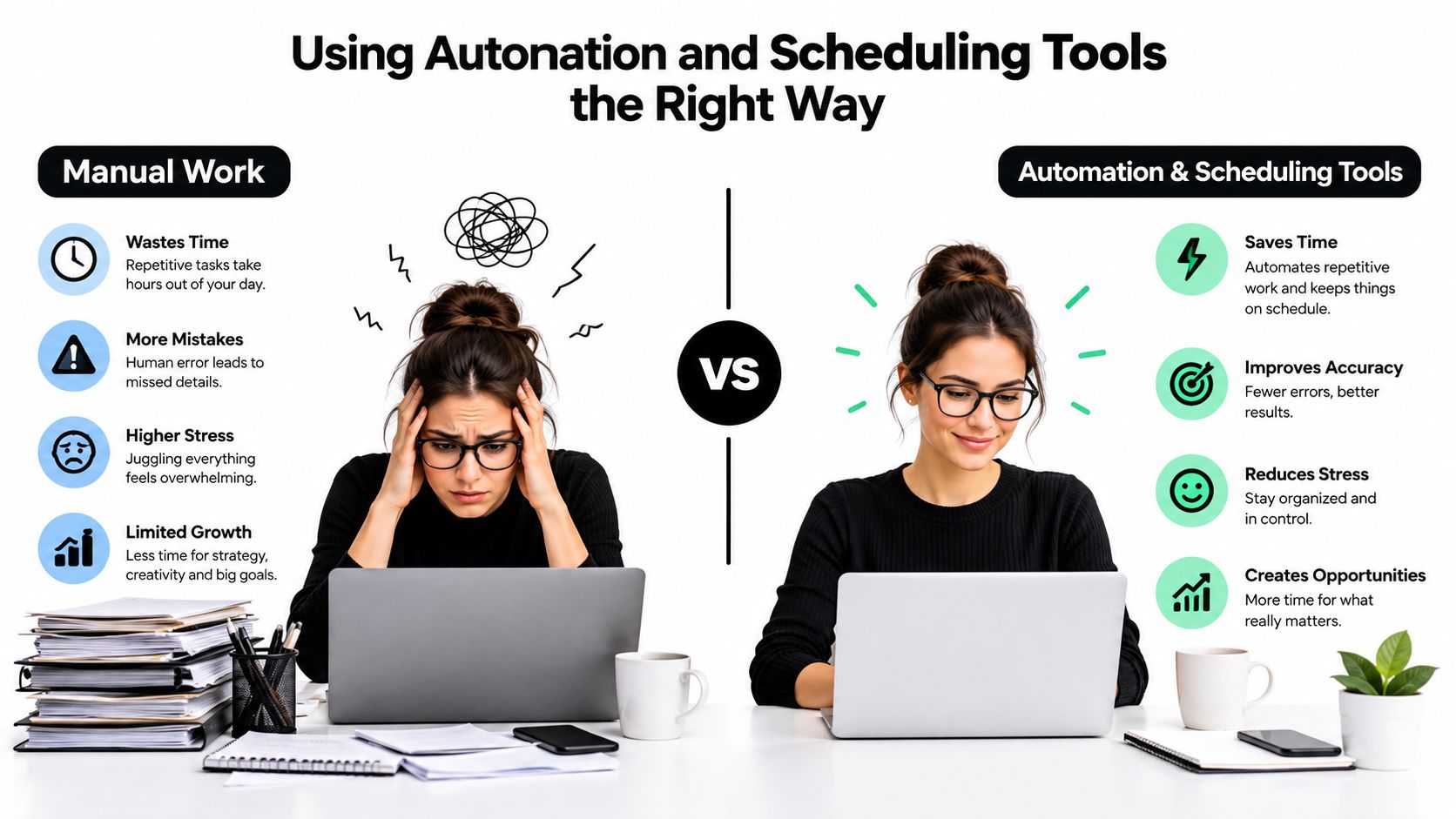
Using Automation and Scheduling Tools the Right Way
Automation should remove repetitive administration, not remove judgment.
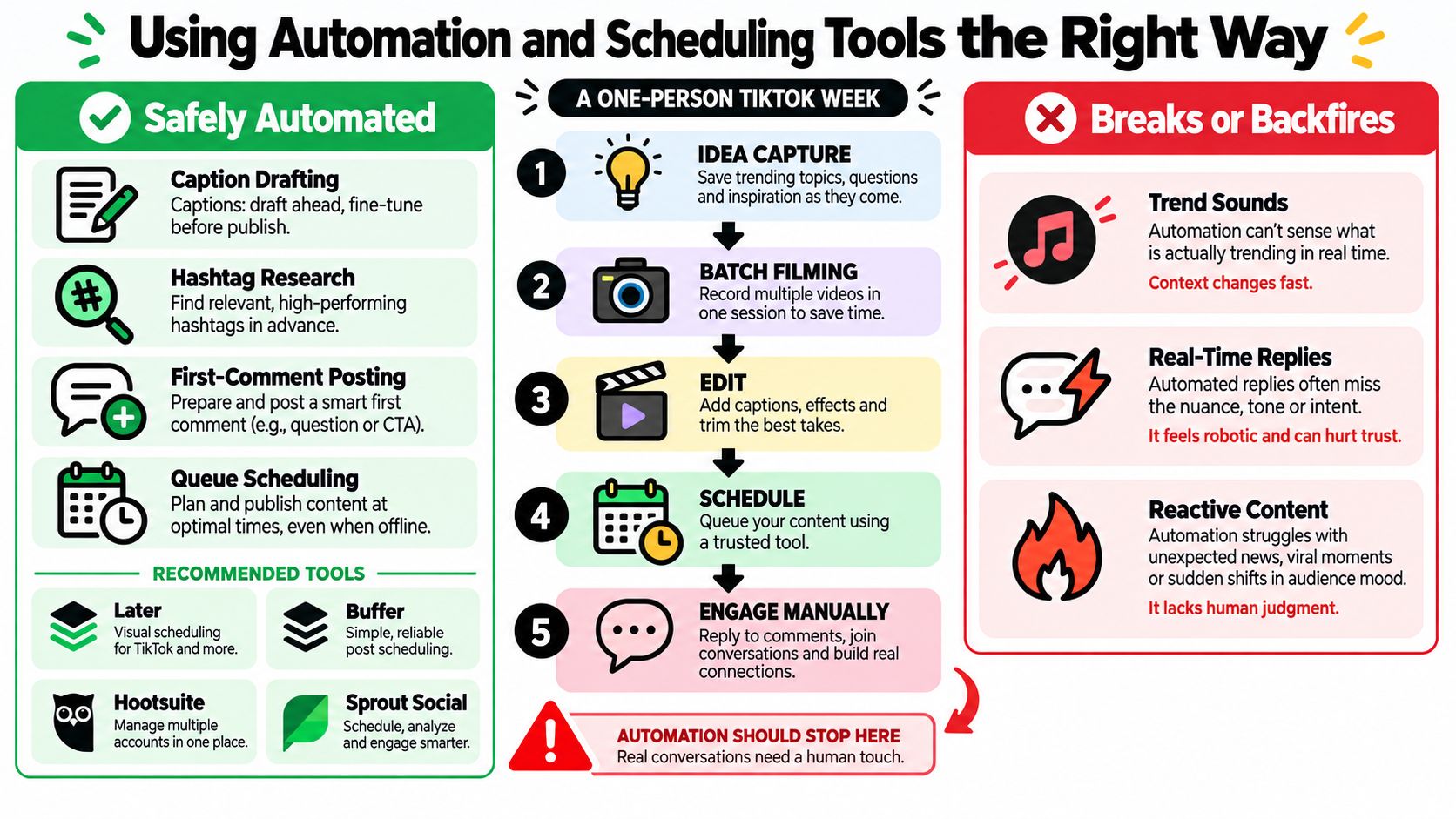
A small team can safely automate caption drafts, recurring hashtag groups, queue scheduling, cross-posting of suitable evergreen clips, and analytics exports. Tools such as Later, Buffer, Hootsuite, and Sprout Social can help organize the queue, but the operator still needs to check every asset before it goes live.
Build a controlled handoff
Use this sequence for each scheduled video:
- Draft: Write the hook, supporting points, caption, and call to action.
- Create: Film or generate the footage, then edit for native vertical viewing.
- Review: Check the message, brand fit, permissions, sound, and text.
- Schedule: Select the audience's tested time window and add the post to the queue.
- Publish and engage: Confirm the post went live, then handle early comments manually.
- Measure: Add the results to the cadence spreadsheet after the reporting window.
Automation should stop at the moment context matters. Don't auto-publish a trend reaction after the trend has changed, schedule a sensitive response without human approval, or use an automated reply when a customer is asking about a complaint.
Run a pre-publish quality check
Before adding a video to the queue, verify:
- Caption: It makes one clear promise and uses natural search language.
- On-screen text: It remains readable on a small screen and doesn't sit under interface controls.
- Audio: The sound is licensed or available for the account's intended use.
- Resolution: The file is vertical, sharp, and free of distracting platform watermarks.
- Timing: The chosen slot suits the audience and the content's urgency.
- CTA: The viewer knows what to do next, whether that's comment, save, visit, or follow.
A production system that uses templates can make repetition more efficient without making the feed repetitive. For teams creating visual variations at scale, scale TikTok videos with Bulk Image Generation offers a useful reference for template-led workflows.
For a practical setup, the 0 tier** can use TikTok's native tools, a spreadsheet, cloud storage, and a basic editor. Around **30 per month, add one scheduling platform and a structured asset library. Around $100 per month, combine scheduling, approval, analytics, and reusable production templates for a small team or several client accounts. Use this guide to automate social media posts to map the handoffs, then keep final review with a human.
Common Posting Mistakes and Your 30-Day Action Plan
High volume won't rescue a vague strategy. These five mistakes make accounts look active while limiting useful growth.
Posting daily without a content pillar
A daily schedule built from disconnected ideas forces viewers to relearn why they should follow. Choose a small set of recurring subjects, then give each post a distinct angle. Your audience should recognize the problem you solve even when the format changes.
Copying a competitor's volume
A competitor may have a larger team, a deeper footage library, or a dedicated editor. Copy the structure of their workflow, not their post count. Set your own ceiling based on the time available after filming, review, and comment management.
Ignoring hook retention
If viewers leave immediately, publishing another version of the same weak opening won't fix the account. Write several first lines for each idea, test the clearest one, and remove introductions that delay the value.
Recycling Reels one to one
A video that works on Instagram may carry the wrong framing, pacing, caption, or watermark for TikTok. Re-edit the opening, adjust the on-screen text, and make the premise understandable without relying on another platform's context.
Chasing trends instead of compounding formats
A trend can create a timely opportunity, but it shouldn't replace a repeatable series. Keep a small number of proven formats, then use trends only when they strengthen the audience problem you're already solving.
Your 30-day rollout
Week 1, audit. Export recent video results, group posts by format, and review audience-retention graphs. Identify the strongest hooks, the weakest production steps, and the cadence your team maintained.
Week 2, commit. Choose one posting band. A small business will usually start at 3 to 5 posts per week, then assign each slot a content role. Prepare enough scripts and footage to avoid daily improvisation.
Week 3, test timing. Compare selected publishing windows such as 11 a.m., 1 p.m., and 7 p.m. local time without changing the content standard. Keep notes on the audience and business signals that matter, not just views.
Week 4, decide. Compare the full period, remove one-off outliers from your judgment, and select the lowest cadence that supports your primary KPI. Lock that schedule for the next month, then reassess after another meaningful block of data.
Screenshot this checklist:
- Choose the growth-stage cadence.
- Define the primary KPI.
- Assign a job to every weekly slot.
- Batch-film repeatable formats.
- Reserve a flexible trend or community slot.
- Review every caption, sound, and text layer.
- Engage after publishing.
- Record results by post and by cadence block.
- Cut weak formats before adding volume.
- Reassess the schedule at the next quarterly review.
Use ClipCreator.ai to create short, faceless videos from prompts with scripts, visuals, voiceovers, subtitles, and scheduled publishing in one workflow. Set a cadence that matches your capacity, connect your TikTok account, and use the resulting content queue to test consistency without turning every post into a manual production task.

Create your first video in under 2 minutes
Pick a niche, and ClipCreator.ai generates and auto-posts faceless videos to your channels every day.
Join ClipCreator.ai

