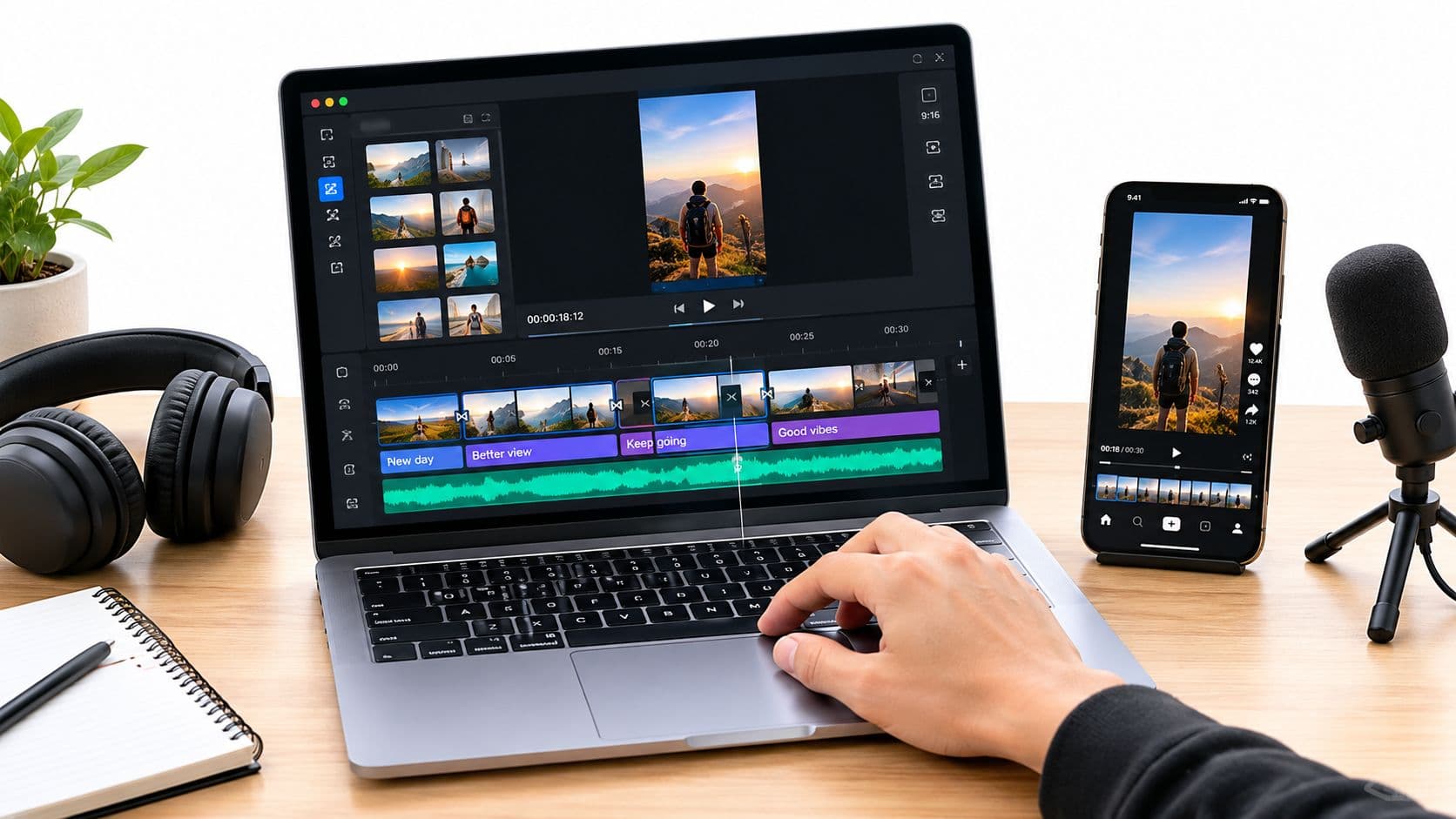
Automating your social media isn't just about saving a few minutes; it's a complete shift in how you operate. Instead of constantly reacting to your content calendar, you're proactively building a system that posts for you. It’s the difference between being a slave to the "post now" button and being the architect of your online presence.
This means using smart tools to schedule your content in advance, ensuring you stay visible and consistent on platforms like TikTok and Instagram, even when you’re not online.
The True Cost of Manual Social Media Management
If you're still manually posting to social media, you know the feeling. It’s less like creative marketing and more like a frantic juggling act. The pressure to constantly create, format, and publish fresh content across multiple platforms is relentless. It’s not just a time sink; it’s actively holding back your growth.

This constant hustle creates a cycle of problems that, thankfully, automation is perfectly designed to fix.
The Downward Spiral of Inconsistency
Let's be honest: social media algorithms are creatures of habit. They reward consistency. When you post sporadically—three videos one week and radio silence the next—your reach takes a nosedive. Trying to keep up manually is a daily battle against burnout, unexpected meetings, and just life getting in the way.
An automated system, on the other hand, is your guarantee. It pushes your content live at the perfect moment, every single time, even if you’re on a plane or in bed. This steady rhythm tells the algorithms that you’re a reliable source of content, which can do wonders for your visibility.
Creative Burnout Is Real
When you’re doing everything by hand, you’re forced to be the scriptwriter, video editor, copywriter, and scheduler all at once. That kind of relentless multitasking is a creativity killer. It leaves you with zero mental energy for big-picture strategy or trying out that new video trend you’ve been eyeing.
The real cost isn't just the hours you lose; it's the high-impact growth strategies you never have time to implement. Automation isn't a shortcut—it's a strategic tool for reclaiming your most valuable asset: creative focus.
The numbers don't lie. Research shows that businesses often sink 6-10 hours per week managing just one platform. If you’re a creator juggling TikTok, YouTube, and Instagram, that can easily spiral to 24-50 hours weekly.
In contrast, automation helps teams slash their content creation time, boosting overall productivity by 14.5% and cutting marketing overhead. If you're curious, you can explore the full breakdown of these powerful social media automation statistics to see the real-world impact.
Learning how to automate your social media posts turns your workflow from a source of constant stress into a powerful engine for growth. You can finally step away from the tedious mechanics of publishing and get back to what you do best: building a brand that truly connects with your audience.
Putting Your Automated Content Flywheel into Motion

Real social media mastery isn't just about scheduling posts. It's about building a self-sustaining system—what I call a content flywheel. This is how you break the exhausting cycle of scrambling for new ideas every single day. Instead, you build a predictable, three-part machine that handles planning, creation, and publishing almost on its own.
Thinking in terms of a flywheel shifts your focus from tedious daily tasks to smart, system-level strategy. You stop feeding the content beast and start building an entire ecosystem where high-quality content practically generates and posts itself. This frees you up to work on the big-picture stuff that actually grows your brand.
Phase One: Nailing Down Your Content Plan
The bedrock of any automation workflow is a rock-solid plan. You need a reliable stream of content ideas that completely erases the "what should I post today?" panic. The trick is to build your content calendar around repeatable, viral-friendly themes.
Think of these as your content pillars. For example, if you run a channel about mysteries, your weekly schedule could look something like this:
- Monday: Dive into unsolved historical mysteries.
- Wednesday: Share creepy, narrative-driven "scary stories."
- Friday: Unpack mind-bending conspiracy theories.
This thematic approach gives you a clear roadmap for the week, month, or even quarter. You always know exactly what kind of content to produce, which makes the whole creation process incredibly simple. You’re not starting from scratch every morning; you're just executing a proven formula.
A well-defined content plan is the engine of your flywheel. It provides the structure and predictability needed for your automation tools to work their magic, ensuring you never run out of engaging ideas.
Phase Two: Automating the Actual Creation
With your themes mapped out, it's time for the real magic: automated content creation. This is where modern AI tools have become absolute game-changers, especially for short-form video on platforms like TikTok and YouTube Shorts. The goal is to remove yourself from the tedious, time-sucking editing process entirely.
Tools like ClipCreator.ai were built specifically for this. You can take your theme for the day—say, "unsolved historical mysteries"—and feed the tool a simple text prompt. The AI gets to work and generates a complete, ready-to-publish faceless video.
Here's what it handles for you:
- An AI-written script based on your idea.
- A surprisingly lifelike voiceover to narrate the story.
- Automatically sourced, relevant background visuals.
- Perfectly synced subtitles for better engagement and accessibility.
This process flips content creation from a multi-hour headache into a task that takes just a few minutes. If you want to see exactly how this fits into a larger strategy, we have a complete guide on content creation automation you can check out.
Phase Three: Scheduling It All to "Set and Forget"
The final piece of your flywheel is scheduling. This is where you connect your creation engine to your social channels and truly "set and forget" your content for the week, or even the whole month.
Your automation platform should let you upload your generated videos in bulk and queue them up for specific dates and times. The smarter tools will even analyze your audience's activity to suggest the best posting times for maximum reach on TikTok, YouTube, and Instagram.
Once it's all configured, the system takes over. Your "scary story" video goes live on Wednesday evening, and your "historical mystery" posts on Monday afternoon—all without you lifting a finger. This is how you achieve true consistency, keep the algorithms happy, and build a content flywheel that works for you 24/7.
Picking the Right Tools for Your Video Automation Stack
Let's be honest, the market for social media tools is incredibly crowded. A quick search throws dozens of options at you, and they all start to look the same. But here's the thing: when your strategy is built around video, especially short-form content, most of those generic tools just won't cut it.
You're not just looking for a simple post scheduler. You need a powerhouse that understands the nuances of creating and distributing video across multiple platforms. Your choice here is the difference between simply queuing up posts and building a true, automated content engine that works for you.
Moving Past Basic Schedulers
Look, a simple scheduler—think of a basic plan from Buffer or Hootsuite—is fantastic if all you're doing is pushing out static images and links. They get the job done for that.
But they hit a wall when you get serious about a video-first approach for platforms like TikTok, YouTube Shorts, and Instagram Reels. Each one has its own quirks—unique video specs, audio trends, and audience expectations. A generic tool just isn't built to handle that level of detail.
This is where more advanced platforms come into play. We're talking about all-in-one social media suites and, more recently, specialized AI video automators. These tools are designed not just to post your content, but to actively help you create it.
The right tool doesn't just ask, "When should this post go live?" It asks, "How can we create a high-performing video from scratch and get it in front of the right audience at the perfect time?" That mindset shift is what separates a simple time-saver from a genuine growth partner.
The Non-Negotiable Features for Video Automation
As you start comparing your options, zero in on these three core features. For anyone serious about automating social media with video, these are the absolute pillars of an effective system.
- True Multi-Platform Support: The tool has to play nice with TikTok, YouTube, and Instagram, period. This isn’t just about a basic connection; it means respecting each platform's native video requirements without forcing you into weird workarounds or, worse, butchering your video quality.
- AI-Powered Content Creation: To achieve real automation, the tool needs to do some of the creative heavy lifting. Look for things like AI script generation from a simple idea, automated voiceovers, and auto-generated subtitles. This is where tools like ClipCreator.ai really shine, by taking you from a text prompt to a finished video.
- Smart Scheduling & Analytics: A good tool does more than just post at a set time. You need analytics that tell you what's actually resonating with your audience, suggestions for the best times to post, and the ability to bulk upload content to fill your calendar for weeks.
To get the most out of your video content, you might also consider using some of the best video to text converter tools to repurpose your scripts and captions into blog posts or other written assets.
To make the decision a bit clearer, I've put together a table comparing the different types of tools you'll encounter.
Social Media Automation Tool Feature Comparison
This table breaks down how different categories of tools handle the specific demands of a video-centric social media strategy.
| Feature | Simple Schedulers (e.g., Buffer Lite) | All-in-One Platforms (e.g., Sprout Social) | AI Video Automators (e.g., ClipCreator.ai) |
|---|---|---|---|
| Basic Post Scheduling | ✅ Excellent | ✅ Excellent | ✅ Excellent |
| Multi-Platform Video Support | ❌ Limited (often struggles with native formats) | ✅ Good (better native integration) | ✅ Best-in-class (built for video-first platforms) |
| AI Content Creation | ❌ Not available | ❌ Limited (some AI caption helpers) | ✅ Core feature (AI script, voice, video generation) |
| Auto-Subtitling | ❌ Not available | ❌ Limited or third-party integration | ✅ Built-in and automated |
| In-Depth Video Analytics | ❌ Basic metrics only | ✅ Good (detailed performance tracking) | ✅ Good (focused on video engagement metrics) |
| Bulk Upload & Scheduling | ❌ Limited or not available | ✅ Available | ✅ Core feature |
As you can see, while simple schedulers have their place, a modern video strategy demands a more robust solution. AI-powered automators are specifically built to solve the biggest bottleneck: creating the actual content at scale.
For a more detailed breakdown of specific platforms, our guide to the top social media automation tools offers a much deeper dive.
Putting Your Social Media Automation Plan into Action
Alright, let's get down to business. Moving from thinking about automation to actually doing it is where you'll see the magic happen. A solid workflow isn't just about the software you pick; it's about building a repeatable system that takes your ideas and turns them into a consistent flow of great content, all without you having to scramble every single day.
The whole process really boils down to three key phases: mapping out your schedule, creating the content, and then letting the tech publish it for you.
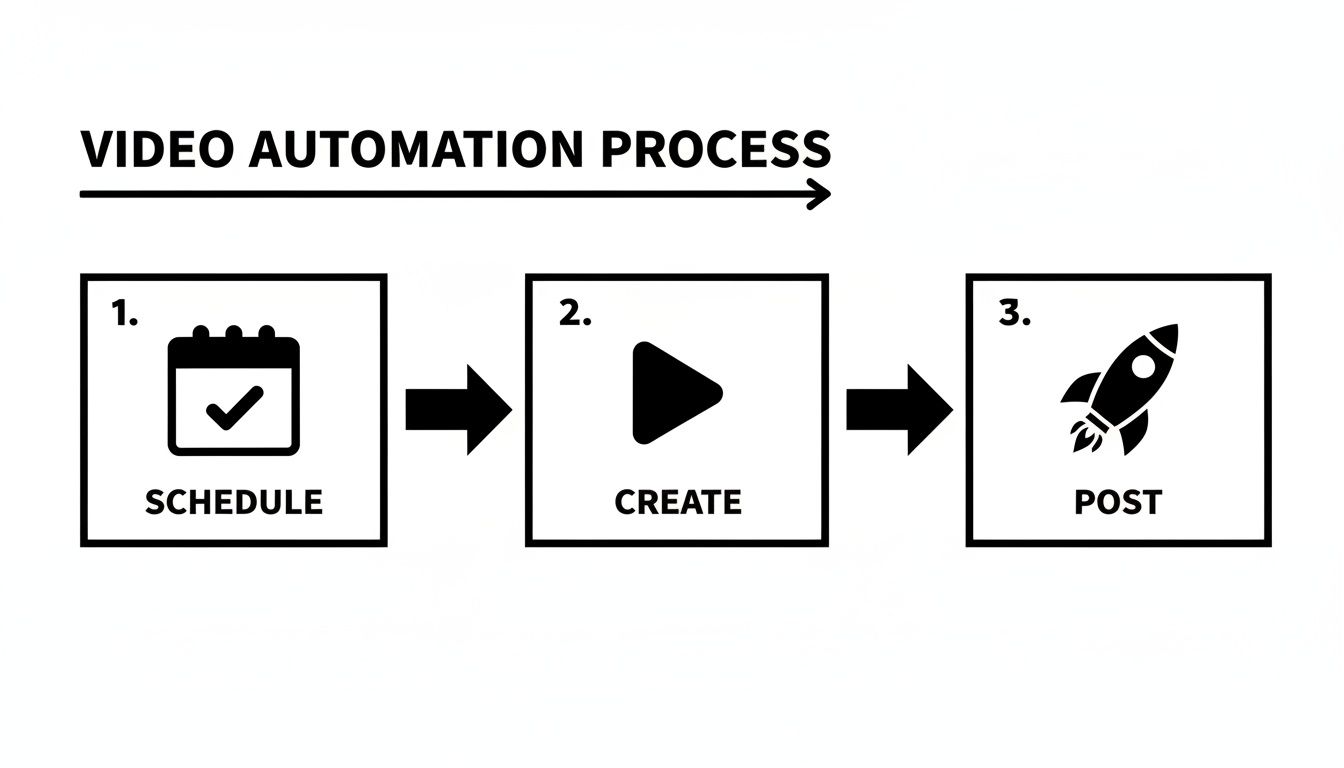
This is the core loop: schedule, create, and post. When this is running smoothly, your content engine is officially automated.
First, Nail Down Your Content Pillars and Cadence
Before you even log into a scheduling tool, you need a plan. The very first thing to do is define your content pillars—these are the main themes or topics your audience expects and loves from you. This gives your content a predictable rhythm and saves you from the "what should I post today?" panic.
For example, if you run a channel about weird historical facts, your pillars might look like this:
- Twice a week: "Bizarre Historical Events" videos for TikTok and YouTube Shorts.
- Once a week: A slightly longer "Deep Dive" video on a specific historical figure for Instagram Reels.
Just like that, you know exactly what you need to make. You're not starting from a blank slate anymore; you're just filling in the slots for your established themes.
Use AI to Source Your Content Ideas
With your pillars locked in, coming up with specific video ideas gets a whole lot easier. AI has become a massive shortcut here. In fact, nearly 40% of marketers are already using AI tools daily. For short-form video creators, it's a huge advantage—45% of them are brainstorming content ideas with AI.
This is where a tool like ClipCreator.ai comes in handy. You can auto-generate HD faceless videos from simple text prompts or templates, complete with voiceovers and subtitles.
A great AI prompt for our "Bizarre Historical Events" pillar could be:
"Generate five short video scripts about obscure but fascinating historical events. Each script should be under 90 seconds, build suspense, and end with a surprising reveal. Focus on events from the 18th century."
In a matter of minutes, you've got a week's worth of solid ideas ready to go.
Connect Your Accounts and Set Your Schedule
Once you have a bank of content ready, it's time to hook up your social media accounts to your automation platform. Good news: modern tools use secure, official API connections, so you never have to hand over your passwords. This is what allows them to publish directly to TikTok, YouTube, and other platforms for you.
After you're connected, you'll set up your posting schedule. Don't just pick random times! Dive into your platform analytics to see when your audience is actually online and active.
A good starting point might be:
- TikTok: 7:00 PM on weekdays, 2:00 PM on weekends.
- YouTube Shorts: 4:00 PM daily.
Lock these times into your scheduler, bulk-upload your AI-generated videos, and let the system do its job. For a deeper dive into the nitty-gritty of scheduling, this step-by-step guide to scheduling social media posts is a fantastic resource.
The real goal here is to create a "set-and-forget" calendar. You should be able to spend one afternoon batch-creating and scheduling your content to fill up your calendar for the next few weeks—or even a full month.
Finally, automate the final touches. Set up your tool to automatically generate relevant hashtags based on the video's content and, most importantly, add subtitles. So many platforms report that videos with subtitles have way higher completion rates. It's a small automated step that delivers a huge win for engagement.
With that, your workflow is complete. You've just transformed a chaotic, manual task into a smooth and effective content machine.
Measuring Success to Refine Your Strategy

Getting your social media posts automated is a fantastic time-saver, but that’s only half the battle. The real magic happens when you start using performance data to make every single post smarter than the last. We're not talking about vanity metrics like simple view counts. This is about digging into the numbers that show what your audience actually wants to see.
When you automate, you're essentially creating a consistent stream of content. This consistency is your secret weapon, as it gives you a rich dataset to pull insights from.
Your goal is to transform your automation system from a simple content scheduler into a data-fueled growth engine. By focusing on the right numbers, you can ditch the guesswork and start making strategic moves that genuinely boost your results.
Identifying the Metrics That Matter
When it comes to short-form video on platforms like TikTok and YouTube Shorts, a handful of key metrics paint the clearest picture of your content's health.
- Watch Time: This is the big one. It tells you exactly how long people are sticking around. A high average watch time is a powerful signal to the algorithm that your content is compelling and deserves a bigger audience.
- Completion Rate: What percentage of people make it all the way to the end of your video? A high completion rate is one of the strongest indicators of truly engaging content.
- Shares and Saves: These actions are golden. When someone shares or saves your video, they’re basically telling the platform, "This is high-value content that other people need to see."
These three metrics give you so much more insight than likes or even follower counts. They directly reflect how well your automated videos are grabbing and holding attention. For a deeper dive, check out our complete guide on how to measure social media engagement.
Don't just automate posting—automate learning. Use the data from your scheduled content to find winning patterns, then double down on what works. This feedback loop is the secret to scaling your growth efficiently.
Using Data to Make Smarter Decisions
Once you start consistently tracking these metrics, you'll see patterns begin to emerge. It’s almost inevitable.
Let’s imagine you’ve automated a month’s worth of videos covering two topics: "scary stories" and "historical facts." You check your analytics and notice the scary story videos consistently get a 40% higher completion rate. That’s your sign. The data is screaming at you to produce more of that specific content.
You can also run simple experiments to fine-tune your approach. For one week, schedule all your posts to go live at 7 PM. The following week, switch it up and schedule them all for 9 PM. Compare the initial engagement and reach, and you’ll quickly discover your audience’s sweet spot.
This data-driven mindset changes everything about automation. It’s no longer just about keeping your feed active; it's about actively and intelligently optimizing it. You're using the consistency that automation provides to gather insights that make your content better, your strategy sharper, and your growth faster.
Got Questions About Social Media Automation?
Stepping into the world of automation always brings up a few questions. It’s smart to wonder if you’re making the right call or if there are pitfalls to avoid. Let's walk through some of the most common concerns I hear from creators so you can move forward with confidence.
Most people's biggest worry? That automating posts will make their brand feel distant and tank their engagement. That’s a myth that’s worth busting right now.
Will Automating My Posts Make Me Seem Like a Robot?
Honestly, only if you do it wrong. The secret is to use automation for consistency, not to replace genuine connection. Social media algorithms absolutely love a steady stream of content, and a good automation setup is your best bet for delivering that.
Think about it this way: when you use a tool like ClipCreator.ai to batch-create a bunch of great videos and then schedule them for the best times, you’re not checking out. You're actually buying back your time for what really moves the needle—real, human engagement.
This gives you the headspace to reply to comments, jump into DMs, and actually talk to your community. Those are the things algorithms (and people) truly value.
Automation takes care of the publishing so you can focus on the people. It’s a tool to multiply your ability to connect, not an excuse to disappear.
What’s This Going to Cost Me?
The price tag on social media automation can swing pretty widely. You’ve got simple schedulers with free plans for the basics, and then you have heavy-duty platforms that can run a few hundred dollars a month. It all depends on what you need.
AI video tools like ClipCreator.ai usually have different tiers based on how much content you’re cranking out. The best way to look at the cost is to think about the return. If a tool saves you 20 hours a month while also bumping up your views and comments, it pays for itself almost immediately.
Can I Juggle Multiple Accounts for Different Projects or Clients?
You bet. This is actually one of the main reasons these tools exist. Any serious automation platform is built to handle this exact situation.
You can securely link and manage a whole roster of TikTok, YouTube, or Instagram accounts from one central spot. This is a game-changer for creators with multiple channels or agencies handling a portfolio of clients. It’s how you go from a time-consuming hobby to a scalable, efficient operation.
Ready to finally get off the content creation hamster wheel? ClipCreator.ai is designed to help you generate and schedule a full month's worth of high-quality, faceless videos in just a few hours. Give it a try and see just how simple it is to put your channel growth on autopilot. Find out more at https://clipcreator.ai.

Create your first video in under 2 minutes
Pick a niche, and ClipCreator.ai generates and auto-posts faceless videos to your channels every day.
Join ClipCreator.ai