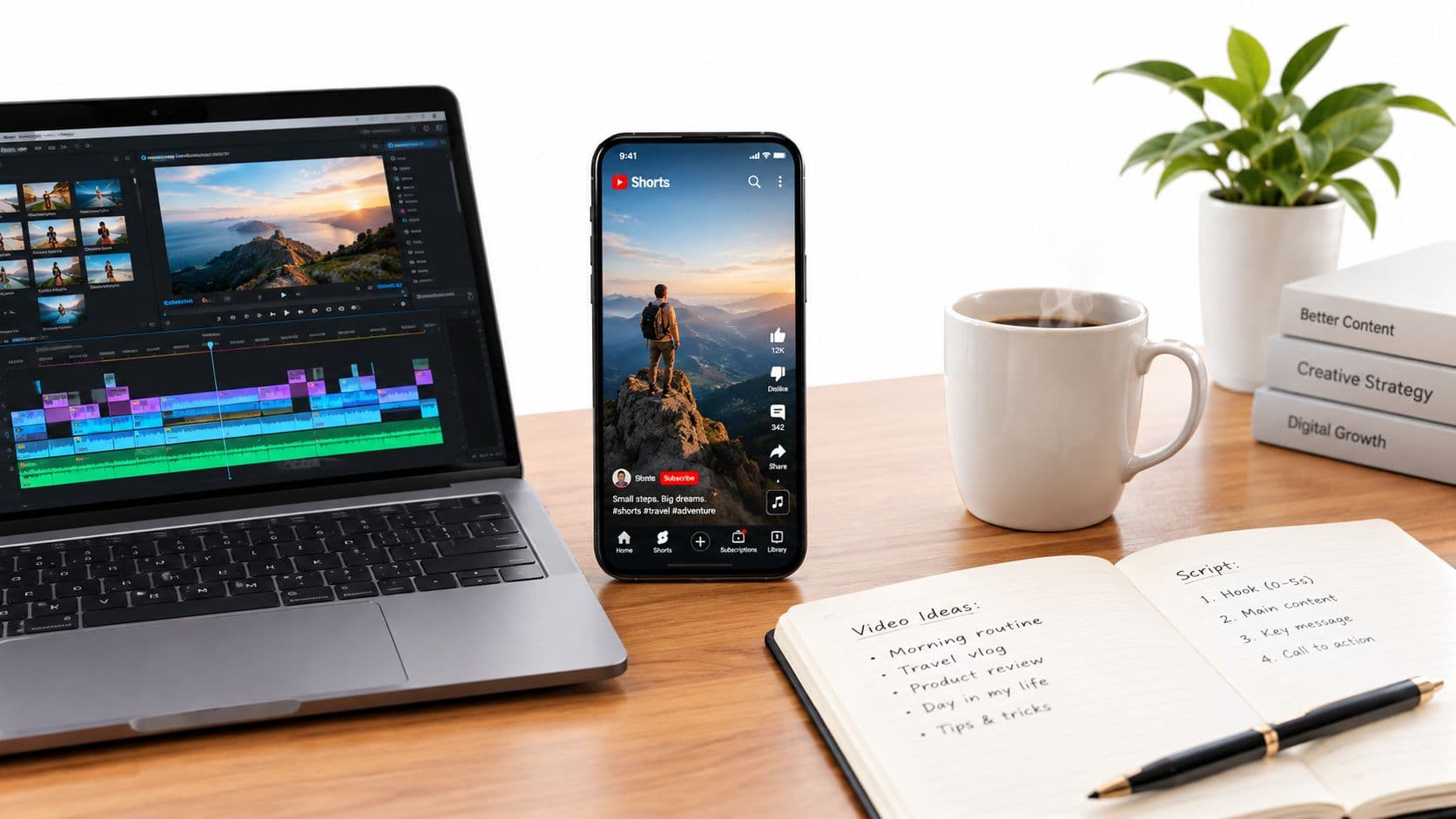
YouTube Shorts reached more than 5 trillion cumulative views and was averaging more than 200 billion daily views by 2025 to 2026, which tells you everything about the job here, your video has to survive the feed, not just exist on your channel. If you want to know how to make YouTube Short videos that get watched, start with retention, because the viewer's thumb decides your reach long before a like or comment does.
A faceless Short I'd trust is built like a tiny machine. The hook stops the swipe, the pacing prevents boredom, the visuals reset attention, and the analytics tell you what broke. That's the workflow that keeps working when you're making Shorts at scale, whether you're using your own footage, AI images, voiceover, or a scheduling stack.
Why YouTube Shorts Reward Retention Over Everything
A Short doesn't win because it is uploaded. It wins when the feed keeps showing it to more people because viewers don't swipe away. That shift matters more than most beginner advice admits, because likes and comments can't rescue a video that loses attention in the first seconds.
What the feed is really measuring
In practice, the Shorts feed behaves like a continuous test. If people pause, watch, and keep going, the system gets a stronger signal that the video belongs in front of more viewers. If they swipe instantly, the video loses momentum before engagement even has a chance to matter.
That's why creators who obsess over comments often miss the point. The sharper question is whether the opening frame, first sentence, and first motion create enough curiosity to hold the thumb still. In other words, the best Short is not the one with the most shouting, it's the one with the least friction.
Practical rule: if the first second doesn't create a reason to stay, nothing later in the clip can fully recover the loss.
Why scale changes the strategy
By 2026, industry reporting placed YouTube Shorts at roughly 2 billion monthly active users, around 200 billion daily views, and an average engagement rate of 5.91%, while analyses also noted that Shorts between 50 and 60 seconds often receive the most views (2026 Shorts statistics). That scale means there's room for almost every niche, but only if the video is structured for retention from the start.
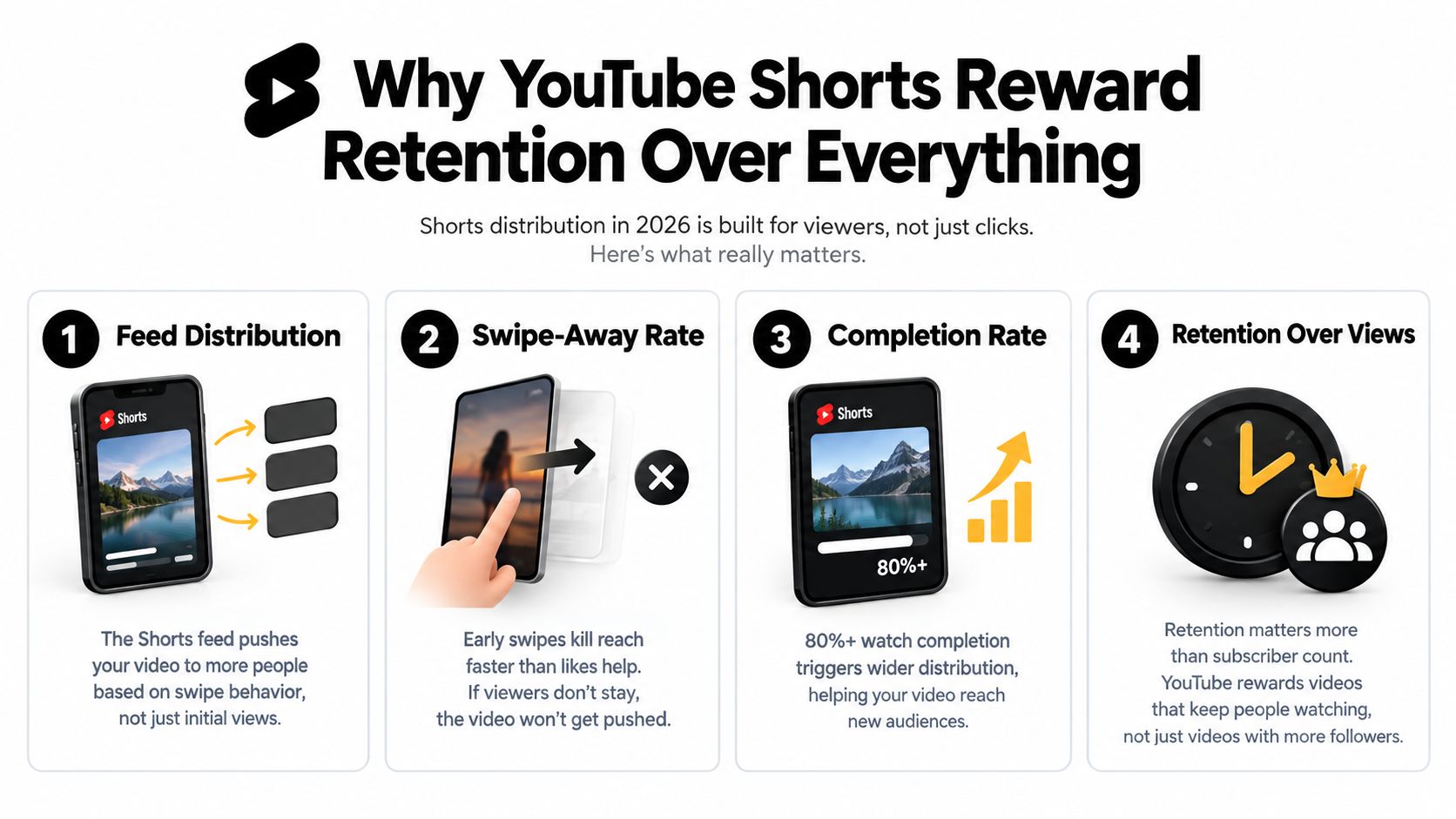
A useful way to think about Shorts is this, retention is distribution fuel. Subscriber count helps, but it's not the main lever when the feed is deciding whether to widen the audience. If you want a broader explanation of why some videos spread and others stall, this viral-video breakdown is a solid companion read.
Finding Ideas and Writing Scripts That Hold Attention
The easiest way to waste a week is to start editing before the idea has a shape. Strong Shorts come from ideas that can be understood fast, then expanded with just enough tension to keep the viewer moving. For faceless channels, that usually means a simple concept, a strong opening line, and a script that matches what the viewer will see on screen.
Pick ideas that can be understood in one breath
The best ideas for Shorts are usually narrow. A scary-story channel doesn't need a novel, it needs one unsettling incident. An explainer channel doesn't need a full lesson, it needs one useful insight the viewer can repeat to someone else.
If you're stuck, use the same test I use for faceless scripts, can the idea be pitched in a single sentence without setup? If not, it's probably too broad for a Short. That doesn't mean it's bad, it means it belongs in a longer format or needs to be split into smaller angles.
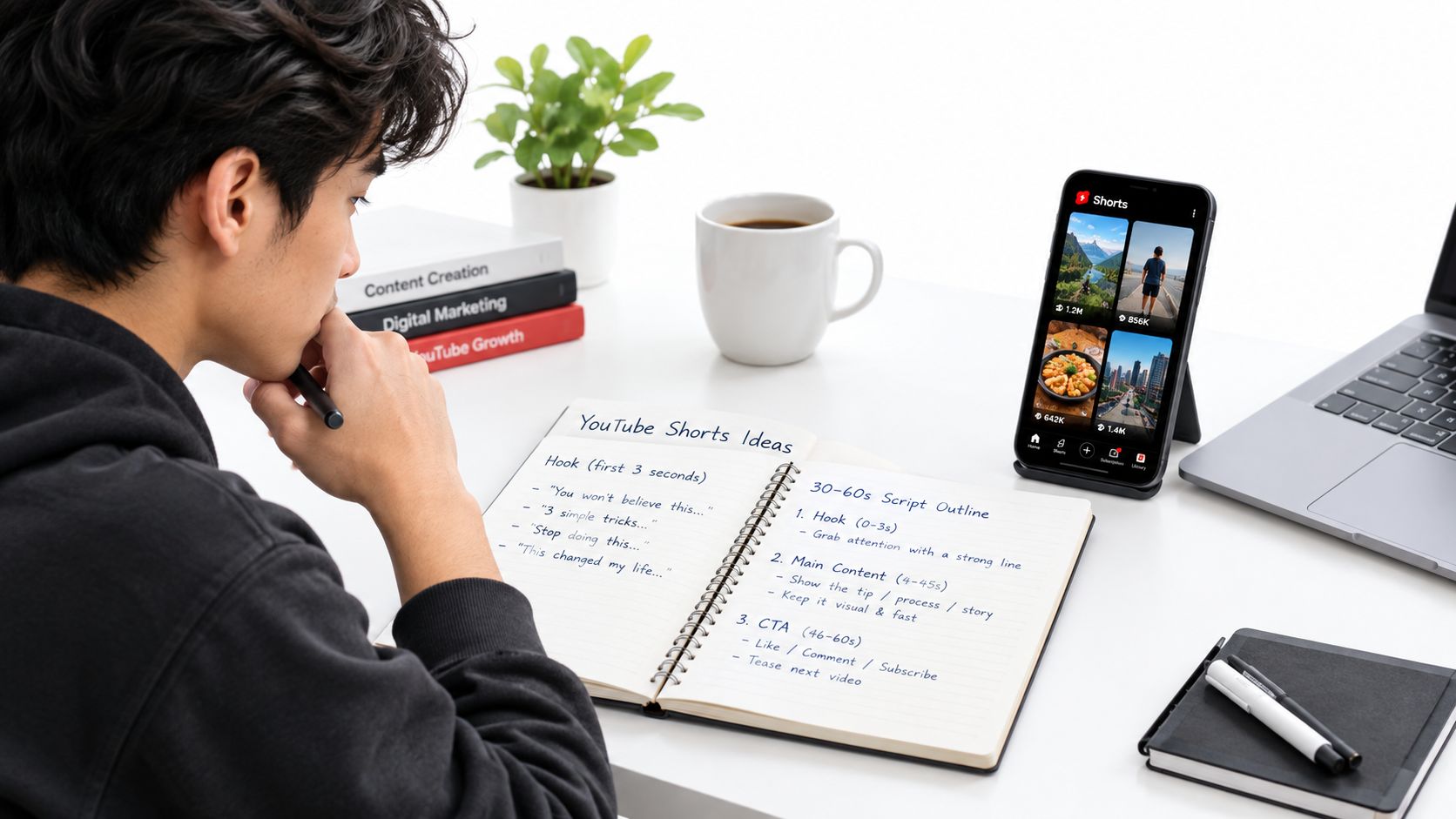
A simple scripting frame works well:
- Hook: open with the most interesting line first.
- Build: add one or two beats of context.
- Payoff: end with a reveal, lesson, or sharp turn.
- Exit: close before the energy drops.
Write for voiceover and visuals at the same time
A lot of scripts fail because they're written like podcasts. Shorts need words that line up with visual changes, on-screen text, and quick scene resets. If a line is too long to fit the visual moment, it should probably be cut or split.
A practical way to check this is to read the script out loud and compare the rhythm to the visual plan. If one sentence needs three shots to stay interesting, it may be too dense. If the visuals need a bigger beat, expand the line so the edit has room to breathe.
If you want a lightweight way to pressure-test the pace, use this script timer before you build anything else. It won't tell you whether the idea is good, but it will tell you when a script has drifted beyond the runtime it can carry.
Keep the first three seconds brutally clear. Most Shorts don't lose because the middle is weak, they lose because the opening didn't promise enough.
You can also use the structure guidance in this scripting guide when you're turning rough ideas into a tighter voiceover draft. That's especially useful if you're batch-writing multiple faceless Shorts in the same niche, because consistency beats improvisation at scale.

A quick hook test before you record
Before you commit to a full production run, ask whether the opening creates tension, novelty, or utility. A question hook works when the answer is interesting. A warning hook works when the consequence feels immediate. A promise hook works when the payoff is specific enough to trust.
The wrong move is to open with empty setup. “Today I'm going to talk about...” gives the viewer permission to leave. Start with the claim, the shock, or the result instead.
Creating Faceless Assets With Images Voiceover and Subtitles
Faceless production works best when it's treated like an assembly line. One pass creates the script, one pass creates the visual plan, one pass creates the voice, and one pass handles captions. When those pieces are made separately and then glued together carelessly, the Short feels disconnected. When they're built from the same script, the whole video feels intentional.
Build visuals that match the script beat by beat
For AI image-based Shorts, every scene should answer one question, what should the viewer be looking at right now? If the voiceover mentions a locked door, the image should show the door. If the line shifts into danger, the visual should shift too. Random stock shots might look polished, but they drain clarity.
Consistency matters here. Keep character style, color mood, and framing aligned across scenes so the Short feels like one story instead of six unrelated images. Faceless channels do better when the viewer never has to reorient.
Treat voiceover as pacing, not decoration
Voiceover should control the rhythm of the Short. Flat narration makes even a good script feel slow, while overacted delivery can make the content feel noisy and fake. Aim for a tone that matches the niche, calm for explainers, tense for stories, matter-of-fact for advice.
If you're generating or recording narration, check whether the voice can comfortably carry the entire script without rushing the final lines. When the voice starts to speed up, the viewer feels it immediately. That's usually the point where the video begins to lose retention.
For a deeper look at that workflow, this voice-over guide is useful when you're deciding how narration should sit against the visuals. It's the same principle whether you're recording manually or using an automated pipeline.
Make subtitles work for scanning
Subtitles aren't just accessibility support in Shorts, they're part of the edit. They should match the spoken pace, land on the important words, and stay readable on a small screen. If they're too dense, they become visual clutter.
A good subtitle track also creates rhythm. Short phrases, clean line breaks, and emphasis on key terms help the viewer follow the story even if they're watching without sound. That matters because faceless Shorts often win attention visually first and verbally second.
ClipCreator.ai fits into this stage when you want the script, images, voiceover, and subtitles assembled into one HD Short without hand-stitching every asset. It's especially useful when the goal is to produce a repeatable faceless format rather than a one-off edit.
Editing and Formatting Your Short for the YouTube Player
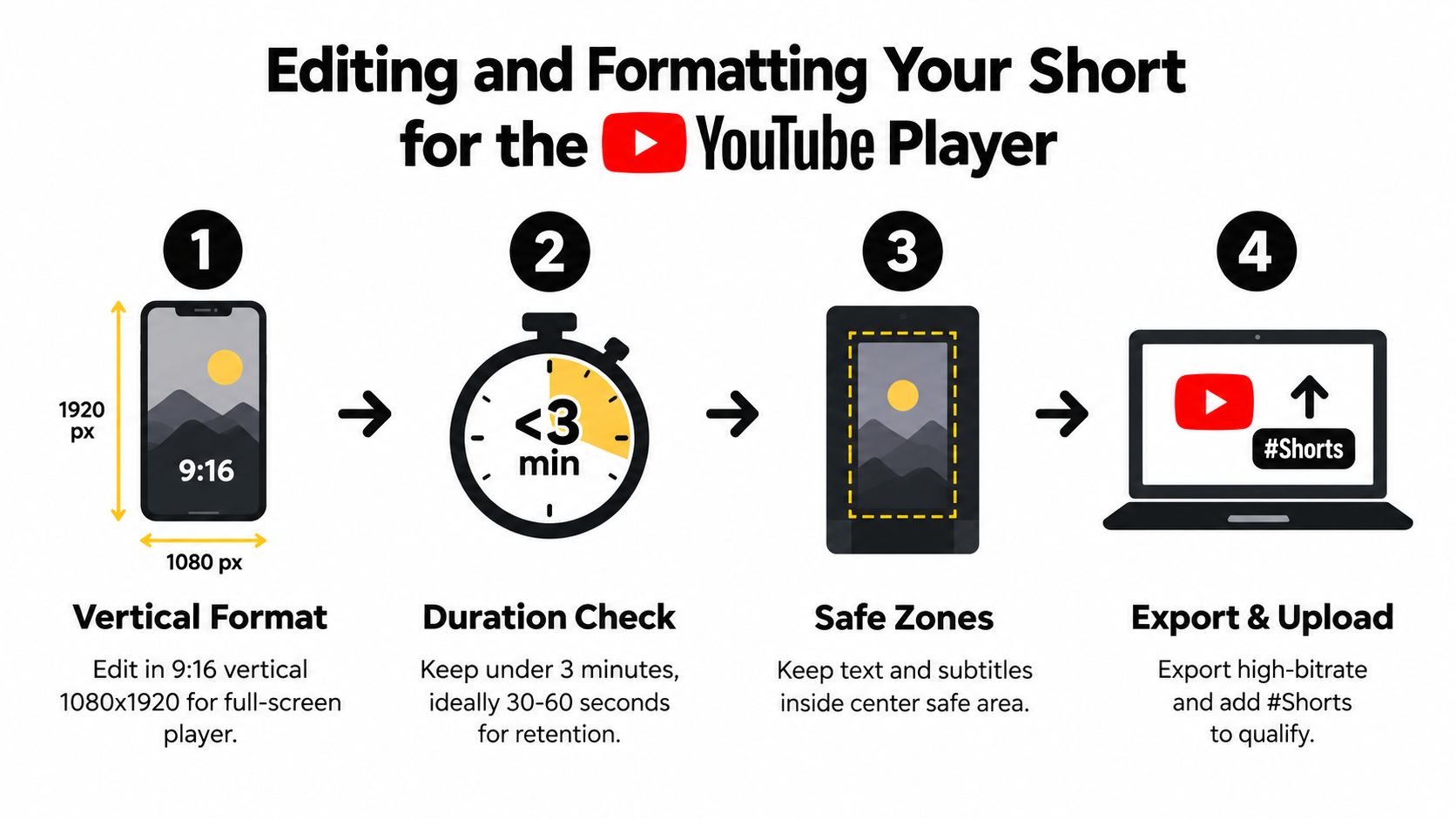
The technical finish matters because a good idea can still underperform if the format fights the player. Shorts now support vertical and square formats, and Google Help also documents uploads up to 3 minutes from desktop or Android, plus trimming longer uploads into Shorts (YouTube Help on Shorts creation). That flexibility is useful, but the safest habit is still to edit for the player first and the upload path second.
Format for the screen people actually hold
Edit in 9:16 vertical framing when the Short is meant to live natively in the Shorts feed. Keep the strongest visual action in the center, because captions, buttons, and interface elements can crowd the edges. If you're repurposing a wider asset, crop aggressively enough that the subject still feels intentional, not squeezed.
A square clip can work, but it needs a clear reason to exist. Otherwise, vertical is the safer default because it fills the player and gives the subject more presence. This is one of those cases where “close enough” usually costs you attention.
Keep the runtime honest
The current ceiling is more flexible than the old 60-second mindset, but the practical sweet spot for most faceless creators is still much shorter. Use the longer allowance when the story needs it, not because the platform permits it. If the core payoff lands in 38 seconds, don't stretch it to 70 just because you can.
Retention usually drops when a Short lingers on one visual for too long or repeats the same point in a different sentence. The fix is not always faster editing. Sometimes it's a cleaner script, fewer scene changes, or one sharper transition that resets attention.
Protect the safe zone and the flow
Keep text, subtitles, and critical visuals inside the central safe area. Anything too close to the bottom gets crowded by player controls, and anything too high can feel cut off on some screens. A clean Short should look built for the interface, not merely dropped into it.
For repurposed workflows, desktop editing is often more practical than mobile-only creation because it's easier to manage assets, timing, and exports in one place. If you need to move a finished Short into a reusable file, this guide to saving Shorts as MP4 is a useful reference for that handoff.
Export for quality, not just speed
A rushed export can flatten motion, soften text, or make subtitles look cheap. Use a clean export preset, then check the result on a phone before uploading. If the Short looks sharp on desktop but muddy on mobile, it's not ready.
A final platform check matters too. If the viewer can't immediately understand what the Short is about, the algorithm doesn't have much to work with. A technically valid upload that feels confusing is still a weak upload.
Publishing Optimizing and Reading Your Shorts Analytics
Publishing starts the diagnosis. The first 24 hours matter most because that's when the earliest viewer signals show whether the video is being carried by the feed or ignored after the first impression. One 2026 analytics guide recommends checking whether Viewed vs. Swiped Away is above 70%, whether average percentage viewed is above 90%, and whether returning viewers are increasing, because those early signals are the clearest read on feed distribution (Shorts analytics guide).
Titles and descriptions should reduce confusion
A Shorts title doesn't need to be clever if the video itself is already doing the work. It should reinforce the promise, not replace it. Use the title to make the topic instantly legible, then let the opening beat carry the attention.
Descriptions and hashtags help with organization, but they won't rescue a weak video. The goal is to make the upload easy to classify, easy to understand, and easy to continue watching. If the first frame and the title disagree, that mismatch can hurt you.
Read the drop-off timestamp, not just the headline numbers
The most useful analytics habit is to inspect the retention curve and find the exact second viewers leave. If that drop happens in the same place across multiple uploads, the problem is probably structural. The hook might be too slow, the audio transition might be flat, or the visual reset may be arriving too late.
A repeated drop at the same timestamp is a production note, not a mystery.
Fixing that pattern is more valuable than chasing generic engagement. Likes can make you feel good, but retention tells you whether the Short is structurally sound. If the curve falls apart early, the next upload should be built around a different opening shape, not a more energetic caption.
Shorts Retention Targets and What to Fix
| Video Length | Retention Target | If You Miss It Try This |
|---|---|---|
| Under 15 seconds | Above 60% retention, with over 75% often suggesting looping behavior (retention benchmarks) | Shorten the setup, remove any pause before the first reveal, and make the opening frame do more work |
| 15 to 30 seconds | Above 50% retention (retention benchmarks) | Cut repeated lines, collapse two beats into one, and move the payoff earlier |
| 30 to 60 seconds | Above 40% retention (retention benchmarks) | Reduce any slow middle section, add a visual reset, and tighten the final third |
| High-performing Shorts | Shorts with more than 1 million views averaged about 76% retention of their length in one creator analytics guide (retention benchmarks) | Use that as a script and editing benchmark when you're testing stronger hooks and cleaner scene changes |
The pattern is simple, shorter videos can afford less waste. If the story doesn't need extra time, don't force it to use extra time. The algorithm cares about completion behavior more than upload length, so the strongest edit is usually the one that says the most with the fewest moving parts.
Automating Your Workflow and Staying Consistent
Consistency beats bursts of inspiration. A faceless Shorts channel becomes manageable when you stop treating every upload like a fresh creative emergency and start batching the pieces that don't need to be rebuilt each time. The goal is a repeatable system where ideas, scripts, visuals, and scheduling move in one direction.
Batch the parts that slow you down
The easiest wins come from separating creative work from production work. Spend one block collecting ideas, one block writing scripts, and one block assembling visuals and captions. When you mix all three in a single session, decision fatigue sets in and the output quality usually drops.
Scheduling solves another problem, it keeps publishing from depending on daily motivation. If you already know the times you want to post, set them in advance and stop babysitting the upload process. That's especially useful for creators managing multiple faceless series at once.
Use automation where the repetitive work lives
A tool like ClipCreator.ai can fit into this workflow because it generates short faceless videos from templates or prompts, pairs scripts with images, voiceover, and subtitles, and supports scheduling and multi-platform auto-posting. Its plans scale from posting three times per week to twice daily, so the workflow can grow without you rebuilding the process every time. It also keeps the job focused on input quality instead of manual assembly.
What automation should not do is flatten your judgment. Keep the hook, pacing, and visual logic under your control. The system should remove friction, not remove taste.
A simple seven-day rhythm
- Day 1: collect 10 ideas and pick the strongest three.
- Day 2: write three scripts and trim anything that doesn't support the hook.
- Day 3: generate visuals, voiceover, and subtitles.
- Day 4: edit and export the first batch.
- Day 5: schedule uploads and review the first analytics signals.
- Day 6: note where viewers drop off.
- Day 7: revise the next batch based on what the curve showed.
That kind of rhythm turns Shorts into a system instead of a guessing game. Once the pipeline is stable, you stop wasting time on repeated setup and start spending more energy on the only part that really matters, making viewers stay.
If you want a faster way to build faceless Shorts without stitching everything together by hand, visit ClipCreator.ai. It's built to help you move from script to video to scheduled upload in one workflow, which is exactly what makes Shorts sustainable when you're posting regularly.

Create your first video in under 2 minutes
Pick a niche, and ClipCreator.ai generates and auto-posts faceless videos to your channels every day.
Join ClipCreator.ai

