The most popular advice about making Reels is wrong in a specific, measurable way. You've read it a hundred times: keep every Reel between 15 and 30 seconds, pick trending audio, post at 7 p.m., repeat. The length rule is the weakest link. Instagram now supports Reels up to three minutes, and the platform's own ranking logic doesn't care about a fixed number. It predicts whether a viewer finishes the video, shares it, likes it, or taps the audio page, as Instagram's ranking explainer sets out. A 90-second narrated story that holds attention beats a 20-second clip people swipe past in four seconds, every time.
The second most popular advice is equally shaky: automate everything and scale volume. Automation helps you publish consistently. It does not make your output original, and originality is now a ranking input, not a nice-to-have. A generated video that reuses someone else's footage, structure, and pacing is a repost with better production value.
I'd start with the technical floor before touching script or strategy, because a strong idea dies fast in a file that looks cropped, bordered, or recycled on a phone screen.
Reel Export Specs That Stay Full Screen
Build the master at 1080 by 1920 pixels, 9:16 vertical, no borders. That's the file a phone wants. Instagram's published limits are looser than that, and knowing where they sit keeps you from treating a minimum as a target. The Instagram Help Center guidance on Reels accepts aspect ratios from 1.91:1 through 9:16, requires at least 30 frames per second, and sets a 720-pixel minimum resolution. A 720-pixel horizontal export technically uploads. It also plays like a letterboxed crop on a modern display.
The table below separates what to aim for from what Instagram will merely tolerate, plus the formats that cost you recommendation reach.
| Setting | Practical target | Instagram floor or risk |
|---|---|---|
| Aspect ratio | 9:16 full screen, no borders | 1.91:1 through 9:16 accepted |
| Resolution | 1080 × 1920 | 720 pixels minimum |
| Frame rate | 30 fps or higher, fixed | At least 30 fps |
| Container and codec | MP4 or MOV, H.264, progressive, square pixels | Low-resolution output can be shown less |
| Audio | Stereo AAC at 128 kbps or higher | Muted Reels may get less distribution |
| Safe zones | Faces, text, and captions clear of top, bottom, and right UI | Text should not cover most of the screen |
| Originality flags | Original or licensed audio, no other-app watermark | Bordered, watermarked, or mostly text Reels may be recommended less |
Instagram states plainly that low-resolution, bordered, muted, majority-text, or visibly watermarked Reels may receive reduced recommendation visibility. That is five separate quality flags you control at export, before a single viewer sees the work. A faint CapCut or TikTok watermark left in the corner is the easiest one to miss, since many editors only strip it if you remove it manually before saving.
Compose for a narrow window. Keep the subject centered and large enough to read at arm's length. Reserve the top and bottom strips for interface controls, and pull captions and key type in from the right edge, where the like and share buttons sit. Subtitles should be high-contrast, burned in, and legible with the sound off, because a large share of viewing happens in public.
For broad device compatibility, export MP4 or MOV with H.264 video, progressive scan, square pixels, a fixed frame rate, and stereo AAC audio at 128 kbps or higher. Fixed frame rate does real work here: variable frame rate exports from phone editors often stutter after Instagram re-encodes them. If your editor offers a variable-to-constant conversion, use it.
Then play the exported file on an actual phone, sound on, before you polish another word of script. Check for a border, a logo, clipped captions, and audio that peaks. Getting the master right is step one of how to make videos for Instagram Reels, and it happens before the creative is finished.
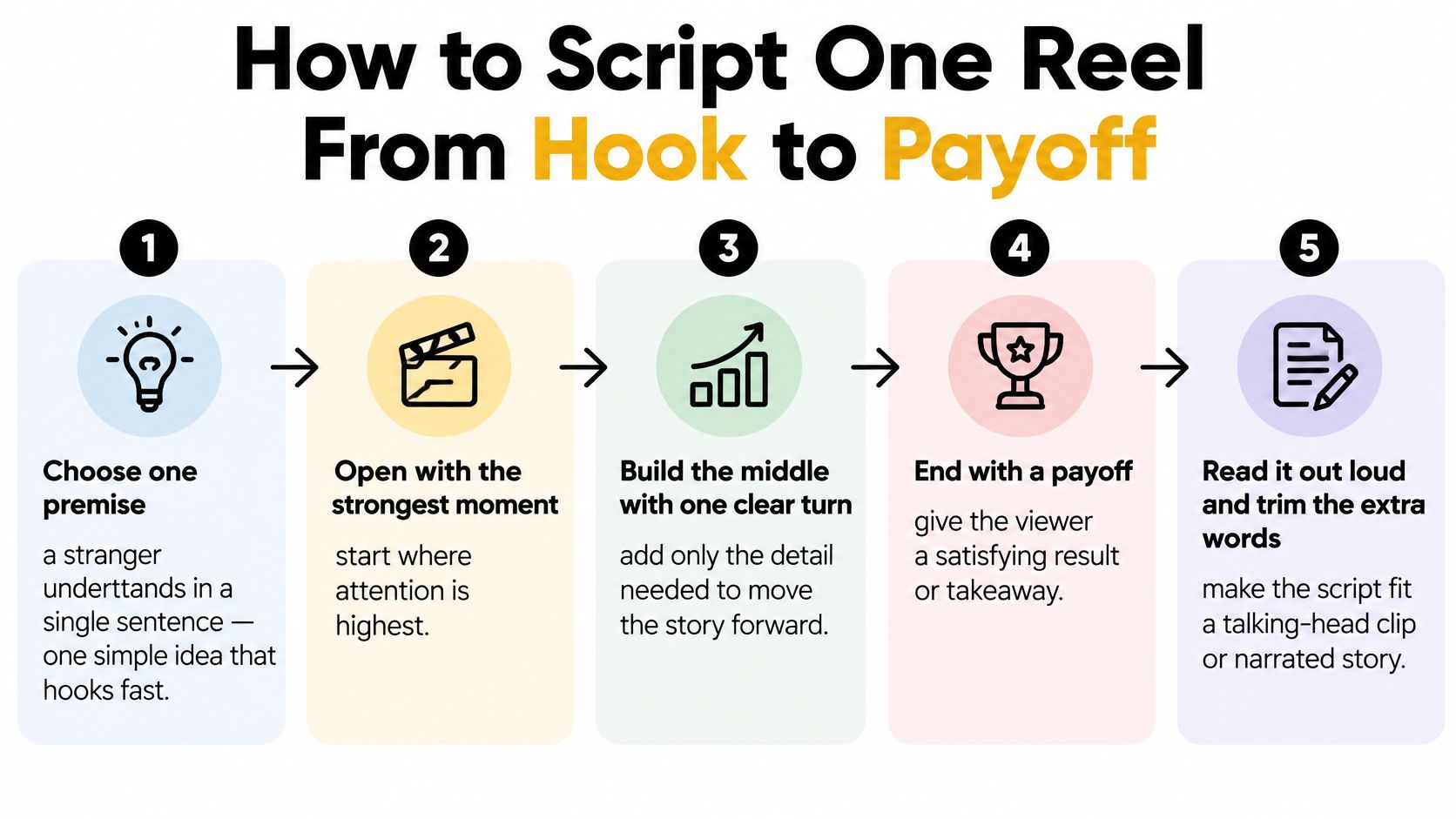
How to Script One Reel From Hook to Payoff
A Reel script is one premise, one turn, one payoff. If the idea needs a second Reel to make sense, it is still too big. A stranger scrolling past should understand the premise from a single sentence, and that sentence becomes the working title.
Use this order.
- Pick one premise a stranger understands in a single sentence. "The cake collapsed because the oven was 25 degrees too hot." "The reason your captions get cut off." "A 60-second bedtime story about a lighthouse keeper who hears knocking." If you can't say it in one line, you have two Reels.
- Write the opening seconds as a spoken or on-screen hook. Instagram's creator guidance recommends making the opening seconds of a Reel engaging to reduce viewer drop-off. Treat that window as the whole game: open on the collapsed cake rather than the kitchen counter.
- Split the rest into three to five beats: hook, turn or proof, payoff. Fewer than three feels abrupt. More than five usually means the runtime is doing work the premise cannot support.
- Draft narration for that one idea, then mark the cut points. Write a version that stops cleanly at about 20 seconds, and mark where a 45 or 90-second cut earns extra detail. Length is chosen by completion and shares, so if the short cut keeps the turn and payoff intact, ship the short cut.
- Pair every beat with a visual change. A new shot, a new generated image, a camera move, a hard cut on the beat. Faceless automation only helps when the images, voice, and subtitles are specific to this story; a static frame under changing narration is where retention dies.
- Write burned-in captions as part of the script, not decoration. Keep them short enough to read between cuts, and let them restate the turn rather than repeat every word.
- End on a concrete reason to replay or send it. A twist line, a one-line summary, a result the viewer can try today.
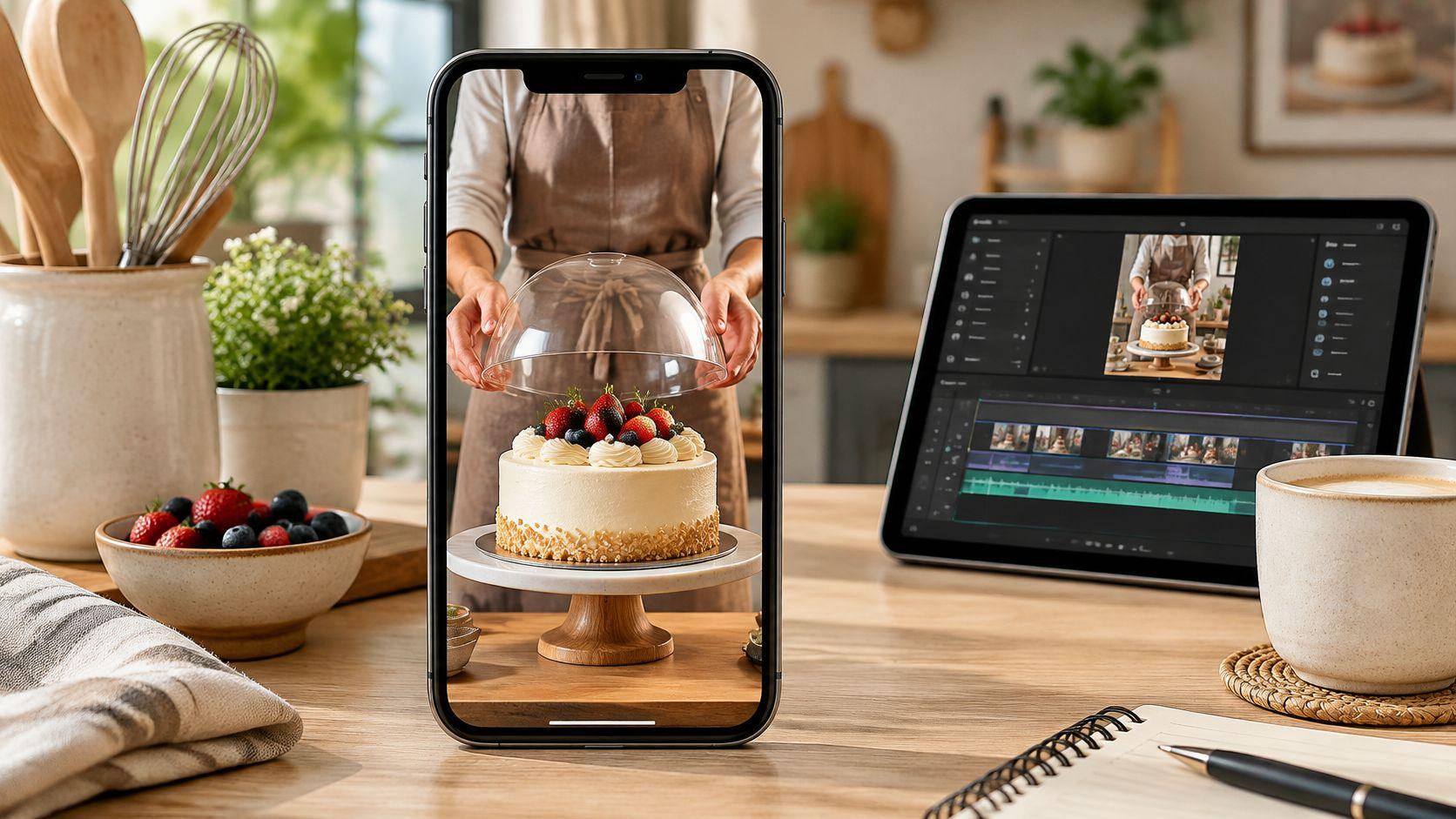
Run a bakery example through it. The hook is a hand pressing a collapsed sponge cake. The turn is a thermometer reading the oven temperature against the recipe's setting. The payoff is the sliced cake with an even crumb and one line naming the fix. Sixty seconds, three visuals, one lesson. The weak version of the same idea adds a sourdough tip, a frosting tip, and a plug for a class, then loses the room at second eight.
Practical rule: if the script needs a second topic to be interesting, the first topic isn't strong enough yet.
Narration pace sets runtime. Read the draft aloud with a stopwatch, and cut words rather than speeding up. A brisk 20-second read is roughly 50 to 55 words. Ninety seconds lands near 220 to 240 words, which is why only stories with a genuine turn should go that long. Judge the cut by completion and sends: if viewers drop before the turn, shorten the setup; if they finish and share, the next idea may earn 45 or 90 seconds. The full beat sheet method, including how to structure narration for a voiceover rather than a talking head, is worth learning through a guide to planning a narrated video script.
Write the beat sheet before you shoot, and write it on one page. If it doesn't fit on one page, the idea is too large for the format.
Faceless Story Reels That Still Count as Original
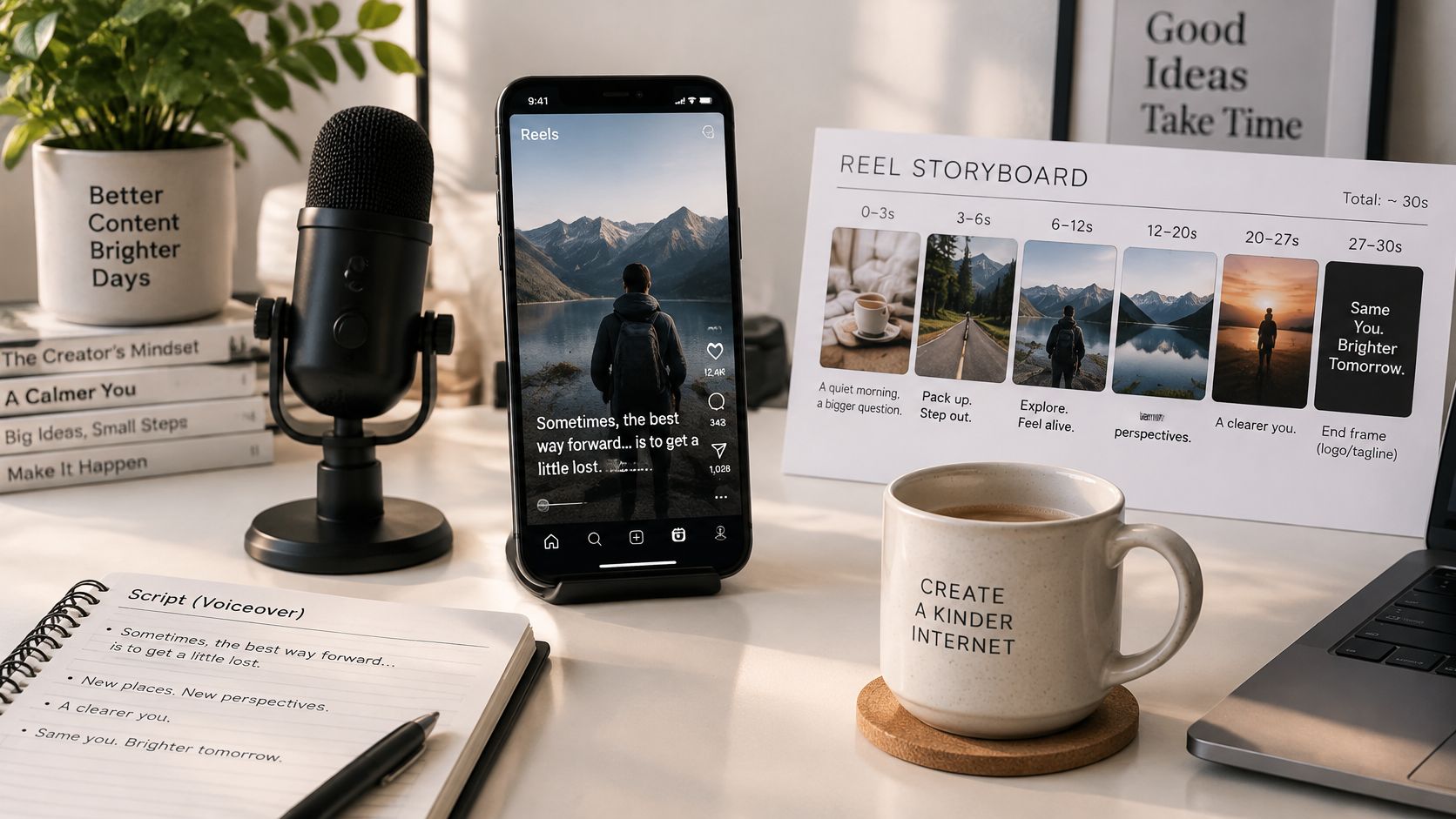
A faceless Reel holds attention without a presenter by substituting four things: images that follow the plot sentence by sentence, a distinct voiceover, burned-in subtitles, and a cut every few seconds. A lighthouse story works because the visuals change when the plot turns, the voice carries the tension, and the captions make it watchable in a quiet room. None of that requires a face on camera. All of it requires decisions.
What doesn't count as original is now the expensive mistake. Figures compiled in 2026 Instagram statistics reporting indicate that 75% of Instagram recommendations in the United States came from original posts by late 2025, after a 10-percentage-point increase in the fourth quarter, and that nearly 45% of recommended Reels were less than one day old. Read those together: recommendations favor original work, and they favor fresh work. A three-week-old repost with new subtitles sits on the wrong side of both signals.
The assumption worth challenging: a proven story shape is a template you fill with stock footage. The shape is a pacing skeleton. The content has to be yours.

Take a public-domain tale produced two ways. Weak version: stock clips of a generic lighthouse, a synthetic voice reading text found online, a music bed, a corner logo from the video tool. It looks like an aggregate repost because it is one. Strong version: a local legend retold in your own words, original generated scenes matched to each sentence, a named geographic detail you verified, and a voice that sounds like the same narrator every week. Same format, opposite outcome.
A Rewrite Pass That Makes a Template Original
Run five checks before anything gets scheduled.
Premise. Is this a story only your brand would tell, or the same viral premise with swapped nouns?
Voice. Rewrite the narration the way you speak. Delete the phrases the template handed you.
Visuals. Build custom images aligned to individual sentences. A picture that could sit under any story is filler.
Claims. Verify the factual detail: a named place, a real date, a plausible cause. One verified detail separates a story from a fabrication.
Structure. Watch for duplicated clips and near-identical beat order. If a viewer could lay your Reel over the viral original and see the same beats in the same places, rewrite the sequence.
A border, a trending sound, and a fresh caption on someone else's footage is packaging.
Automation is fine here. It's a consistency tool. ClipCreator.ai, for example, generates images that follow the story sentence by sentence, offers a choice of AI-generated voices, and adds subtitles automatically, all without you opening an editor. What no tool supplies is the premise, the voice, or the judgment about which detail to verify. Reject any output you'd have to defend as "not technically a repost" before it goes into the schedule. Originality is what earns the completion and shares that decide a Reel's reach; automation only decides whether you can sustain it week after week.
Build Visuals, Voice, and Edit Steps for a Vertical Master
Production is a short, ordered pipeline. Skip a step and you either re-export twice or discover a problem after publishing.
1. Build the visuals vertical-first. Film in 9:16 with the subject centered and the frame composed for a narrow display, or generate one image per narration sentence so every frame matches a beat. For faceless work, one image per sentence is the tighter discipline: it forces visual change and prevents a single still from sitting under forty seconds of audio.
2. Record a distinct voiceover at a steady pace. Keep it clearly louder than any music bed. If a viewer has to strain to hear the narration over a track, the track is too loud, and the audio flag becomes a mute. Record in one take per section and fix stumbles by re-recording the sentence, not by speeding the whole file up.
3. Assemble on the timeline, cutting to a new visual every few seconds. Match each clip to its line on the beat sheet. When a beat has no visual change, you've found the moment viewers leave.
4. Add burned-in subtitles in high-contrast type inside the safe area. Sized to read with sound off. Test them at phone size, not on your monitor.
5. Check claims and rights. Verify factual statements, and remove any footage you don't hold rights to. This step is legal as much as editorial.
6. Set the canvas to 1080 by 1920 and export MP4 with H.264, progressive scan, fixed 30 fps, stereo AAC at 128 kbps. Then check the file against the export table above before it goes anywhere near the upload screen.
7. Play the export on a phone, sound on. Confirm captions clear the top, bottom, and right edges, no border appears, no other-app logo survives, and the audio is present and unpolluted.
Export check: if the file plays clean on a phone with sound on and no watermark, it's ready. If you're unsure, it isn't.
Say a bakery builds a Reel from three sources: a filmed shot of the oven door, a generated image of the collapsed cake, and a voiceover naming the temperature error. That's three visuals, one voice, one 1080 by 1920 master, exported once and checked once. The narration was written to the beat sheet first, so the edit is assembly rather than invention. That order, script then visuals then export, is what keeps a weekly cadence survivable.
Test Reel Length and Captions by Completion
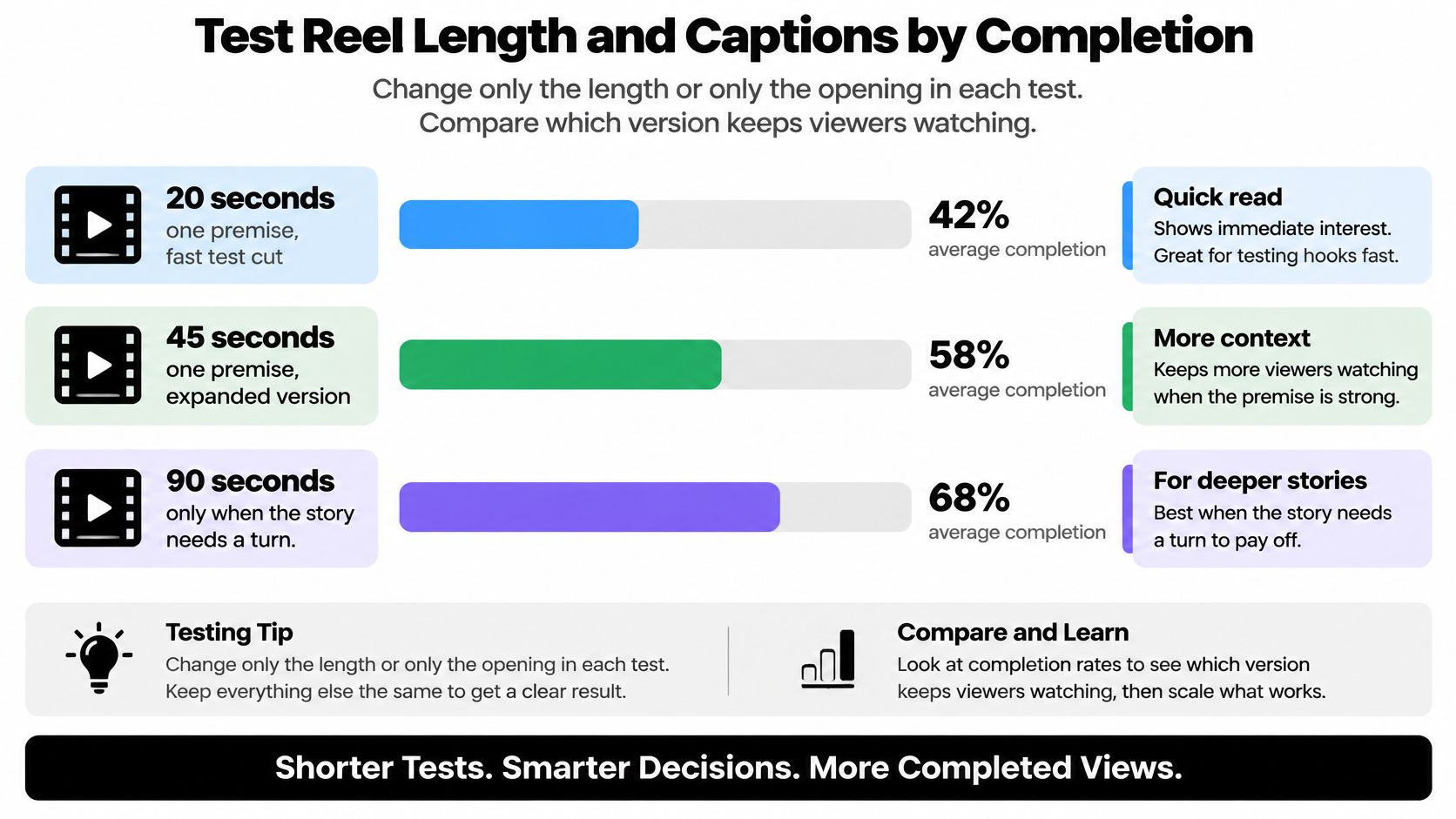
Length is a variable you test, not a setting you adopt. The 15 to 30-second rule persists in tutorials even though Instagram's format supports Reels up to three minutes, and the signals the platform says it weighs are predicted interest, watch time, and completion rather than duration, as Later's breakdown of the Reels algorithm notes. The useful question isn't "how long should a Reel be." It's "how much story can this audience finish."
Design the Test Before You Edit
Take one premise and build up to three cuts: about 20 seconds, about 45 seconds, and 90 seconds only when the story needs a turn to pay off. Change one variable per test. Either the length, or the opening line, or the caption style, or the ending. Not two.
Shape every cut the same way regardless of runtime: a concise setup, a payoff that matches the hook, high-contrast burned-in captions, and an ending that gives a reason to share or replay. Keep the feed caption short and let it name the promise without reciting the script. Licensed trending audio belongs under the voice, never over it.
Read results after a consistent window, and read four numbers: average watch time, completion rate, shares per reach, and follows per 1,000 views. Likes are the weakest scoreboard of the four. They cost the viewer nothing and predict nothing about distribution.
| Pattern | Likely cause | What to publish next |
|---|---|---|
| Drop in the first 3 seconds on every length | Premise or first visual is unclear | Rewrite the hook, keep the shorter body |
| High completion on 20 seconds, sharp drop on 45 and 90 | Extra beats are padding | Keep the 20-second cut |
| 45 or 90 seconds hold completion and earn more shares | The story or lesson needs the extra time | Keep the longer cut |
| Longer cut has more total watch time but fewer shares | People watch but do not pass it on | Keep it only if watch time is the goal; otherwise test a sharper ending |
| Several elements changed at once | No clean read on length | Rerun with one change: opening, length, captions, or ending |
The first row is where most creators misdiagnose. A dip in the opening seconds looks like a length problem and almost never is. Trim a weak hook from 45 seconds to 20 and the same percentage still leaves in the first three seconds. Fix the opening first, then test length on a hook that already holds.
Diagnostic to remember: retention that collapses early is a hook problem. Retention that decays after the lesson lands is a length problem.
Read the Benchmarks Without Betting On Them
Third-party numbers are directional. One reported 2026 cross-platform dataset places average Instagram Reels engagement at 0.45%. A separate benchmark reports that Instagram leads in shares across account sizes and that medium-sized accounts average 21 comments per Reel. Neither figure tells you what your audience will do with your 45-second tutorial. They tell you the range you're operating in, and that shares are the metric where the platform is strongest.
Instagram's own explanation of Reels ranking describes what it predicts: whether viewers watch a Reel all the way through, reshare it, like it, or visit its audio page. Build toward the first two.
Three traps account for most failed tests:
- Changing the hook, the length, and the captions in the same week produces no readable result.
- Optimizing likes while completion slides trains you toward short, forgettable cuts.
- Recycling previously posted or watermarked material contaminates the comparison entirely, since Instagram identifies it as potentially less recommendable.
The third trap matters more for faceless series than for filmed ones. Automation earns its keep only when the story, the narrator voice, and the visuals are new. A file re-exported from an earlier post, or a cut assembled from stock the audience has seen under other accounts, fails the test before it starts because the retention curve measures a Reel viewers already know.
A longer cut can win on total watch time if people stay. Keep it only when shares hold alongside completion. If watch time rises and shares fall, you've made something people tolerate rather than something they send.
Publish on a Cadence Viewers Can Expect
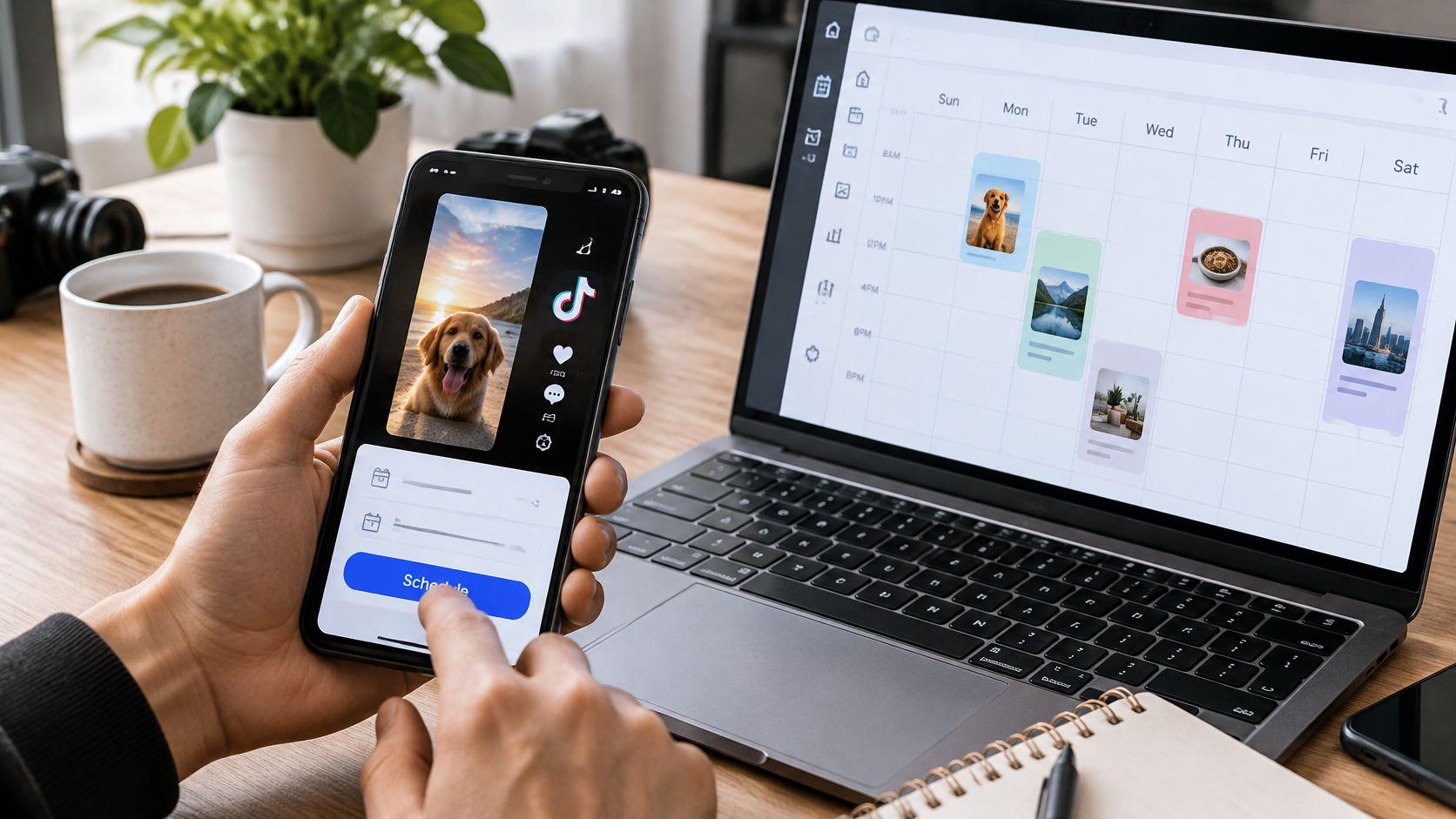
A finished file is an asset. A cadence is the business. Pick a schedule you can hold for a month, such as three Reels a week on the same weekday slots, and treat it as fixed. A burst of six posts followed by ten days of silence teaches the audience nothing and gives you no clean data.
Before each post, run the phone check again: sound present, captions inside the safe area, no border, no other-app logo. Then upload the clean master natively. Native upload keeps your audio library, your caption styling, and your account signals intact. Write a caption that states the payoff in one or two lines. Add a relevant audio choice only if it sits under the voice rather than competing with it. Keep on-screen text and hashtags light, because discovery here depends on watch-through and reshares far more than on a long tag list.
The pre-publish checklist is four questions. Sound? Captions clear? No border? No foreign logo? Four yeses and it ships.
For faceless series, plan one premise per Reel, a recognizable narrator voice, and a next episode that is a new story rather than the same file re-exported. Re-uploading an identical file, or a version still carrying another platform's watermark, is exactly the recycled upload that Instagram may recommend less. If you want a systematic approach to timing and slot selection, this guide to scheduling Instagram Reels covers the mechanics without re-litigating the creative.
Keep a log with five columns: date, length, hook line, completion rate, shares per reach. Two weeks of entries tells you more than any benchmark. If reach is healthy but follows stall, move the time slot. Don't change the creative in the same week you change the slot, or you'll lose the read. For a broader view of what compounds on the platform, Silver Spoon Agency's notes on organic Instagram growth are a useful cross-check on engagement patterns that outlast individual posts.
Ship the Next Faceless Reel This Week
Pick one premise from your beat sheet, write one payoff line, and export a single 9:16 master at 1080 by 1920. Schedule it into a repeating slot you can hold for two weeks. That's the whole assignment. Not a content system, not a channel strategy. One Reel, one slot, two weeks of evidence.
For narrated stories, micro-lessons, and other faceless formats, ClipCreator.ai is one production path when the bottleneck is writing, images, voice, and subtitles rather than filming. AI-powered story generation builds a narrative from a pre-made viral story type or a custom prompt, images are generated to follow the story closely, and videos run up to 90 seconds depending on the script and voiceover length. That ceiling matches the retention window tested earlier, which is the point.
Download the finished file and upload that clean master to Instagram Reels by hand, editing the title and caption first. Then run the same phone check one more time: sound on, captions inside the safe area, no border or logo. The decision for this week isn't whether to automate or film. It's which idea you'll publish, and whether the version you ship is one people finish.
ClipCreator.ai turns a premise into a finished faceless Reel, with an AI-written script, story-aligned images, a chosen voiceover, and automatic subtitles in a downloadable HD file. It handles the production steps above so you can spend your time on the hook and the payoff instead of the export settings. Start with one story at ClipCreator.ai and publish it this week.

Create your first video in under 2 minutes
Pick a niche, and ClipCreator.ai generates and auto-posts faceless videos to your channels every day.
Join ClipCreator.ai