You've probably already seen the gap.
Making a talking head is easy now. Making one that people want to interact with is harder. Most avatar demos look polished for ten seconds, then fall apart the moment you ask a follow-up question, push the tone off script, or try to reuse that same character across a real content workflow.
That's where most creators get stuck. They can generate a face, clone a voice, and animate lips. But they still don't have a usable digital personality. They have a puppet without a role, a script without a system, or a brand asset that doesn't survive contact with actual users.
A solid chat with an avatar setup has to do more than speak. It needs to answer with the right information, stay in character, recover when it doesn't know something, and fit the format where you'll use it. Customer support, short-form education, internal training, lead qualification, and faceless video content all demand different behavior. The avatar that works in one context can feel awkward in another.
The Rise of Conversational Avatars
People didn't wake up one morning and suddenly decide they wanted to chat with a avatar on every website. What changed is that the behavior was already trained by voice. Speaking to software through a phone stopped feeling strange a while ago, and visual AI is the next logical layer.
That's why conversational avatars feel less like a novelty now and more like a familiar interface with a face. Users already expect software to respond instantly, understand natural phrasing, and handle quick back-and-forth exchanges. Adding a human-like visual wrapper makes the interaction feel more direct, especially in formats where trust, clarity, or brand presence matter.
The broader market shift supports that direction. The conversational AI market is projected to grow from $13.2 billion in 2024 to $49.9 billion by 2030, with a 24.9% annual growth rate, and the same source notes that 91% of adults using voice assistants accessed them via smartphones by 2022. That pairing matters because it shows both demand growth and existing user comfort with conversational interfaces at scale, as outlined in these conversational AI market projections.
For creators, the shift isn't just technical. It changes what audiences will tolerate. A static explainer used to be enough. Now people expect responsiveness, personality, and a sense that the interface is aware of context. That applies to support experiences, educational content, and branded media alike.
If you work in short-form video, this also connects directly to the broader move toward AI-native production. A lot of the same creative decisions that matter in avatar chat also matter in automated video systems, especially around consistency, pacing, and persona design. The teams getting ahead are treating avatars as communication products, not effects. That mindset lines up well with approaches used in AI-generated video content workflows.
A good avatar doesn't win because it looks real. It wins because the interaction feels coherent.
Choosing Your Digital Persona
Your first decision isn't technical. It's representational. Before you build logic, voice, or automation, you need to decide who this avatar is supposed to be on screen.
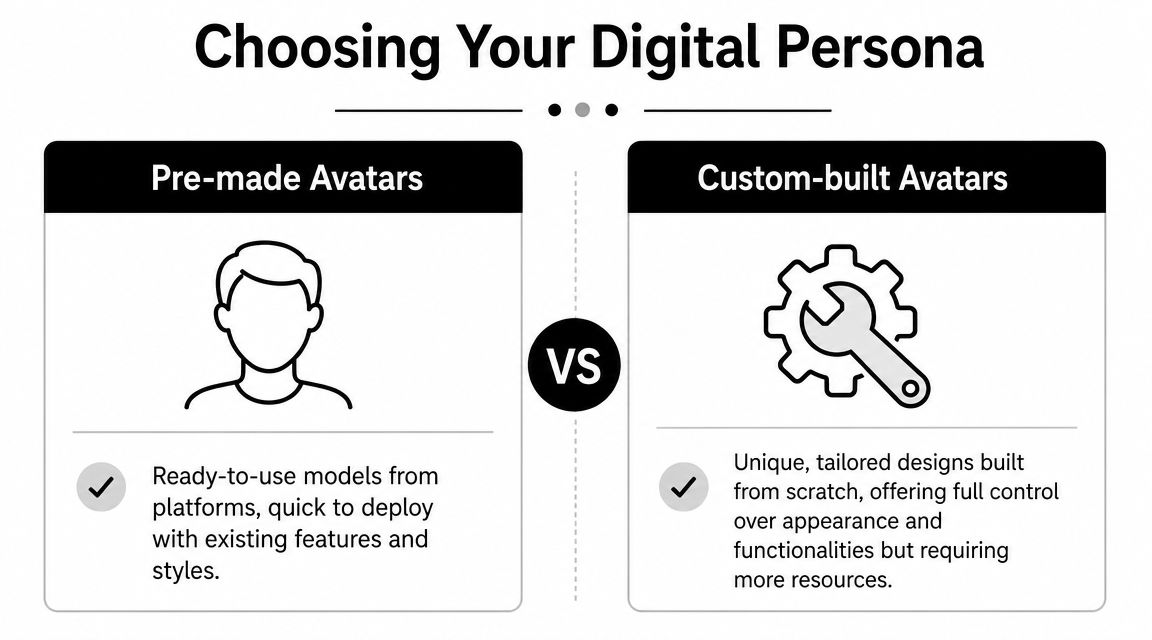
Avatar development typically follows one of two routes. These involve starting with a pre-made avatar from a platform, or building a custom persona for a specific brand, creator, or use case. Both can work. The wrong choice usually comes from solving for convenience when the true need is consistency.
When pre-made avatars are enough
Pre-made avatars are useful when speed matters more than uniqueness. If you're validating a content format, testing audience response, or building an internal prototype, they remove a lot of friction. You can focus on scripting, turn-taking, and voice quality instead of burning time on design iteration.
They're also a practical fit when the avatar is a presenter, not a character. Think onboarding instructions, FAQ delivery, short educational clips, or simple lead capture. In those cases, the audience mainly cares that the delivery is clear and stable.
A pre-made option usually works well if you need:
- Fast deployment: You can test the experience without waiting on character design or asset approvals.
- Lower creative overhead: The platform already solved pose ranges, animation behavior, and baseline styling.
- Functional delivery: The avatar only needs to communicate, not become a recognizable brand figure.
When custom is the better move
Custom avatars become worth it when the persona itself carries meaning. If the avatar is meant to represent your founder, your host, your fictional channel guide, or a branded educator, generic faces start to work against you. They're easy to spot, and audiences notice when the visual identity feels rented.
This matters even more as the category matures. One market projection estimates the AI avatar market at $110.9 billion by 2034, with interactive digital humans expected to account for 69.5% of the market in 2025, which points to strong commercial interest in responsive avatar experiences rather than static visuals, according to this AI avatars market analysis.
A custom build gives you control over things that tutorials often ignore:
| Choice | Why it matters |
|---|---|
| Facial age and expression range | Some avatars read as trustworthy, others read as salesy or uncanny. |
| Wardrobe and styling | A finance educator, gaming narrator, and skincare brand shouldn't all look like the same default host. |
| Camera framing | Tight framing can feel intimate for chat, but restrictive for reusable content scenes. |
| Animation intensity | Too much expression looks artificial. Too little makes the avatar feel dead. |
Style is strategy
Photorealistic avatars aren't always the best choice. In many cases, a slightly stylized digital persona performs better because the audience doesn't expect perfect realism. That reduces the uncanny effect and gives you more room to unify visuals across scripts, thumbnails, subtitles, and supporting graphics.
Practical rule: If your audience expects authority, use restraint. If your audience expects entertainment, give the avatar stronger visual signals and a more distinct point of view.
A useful test is simple. Ask whether the avatar should be remembered for being a person, a presenter, or a character. That answer usually tells you how much uniqueness you need.
Connecting the Brain and Voice
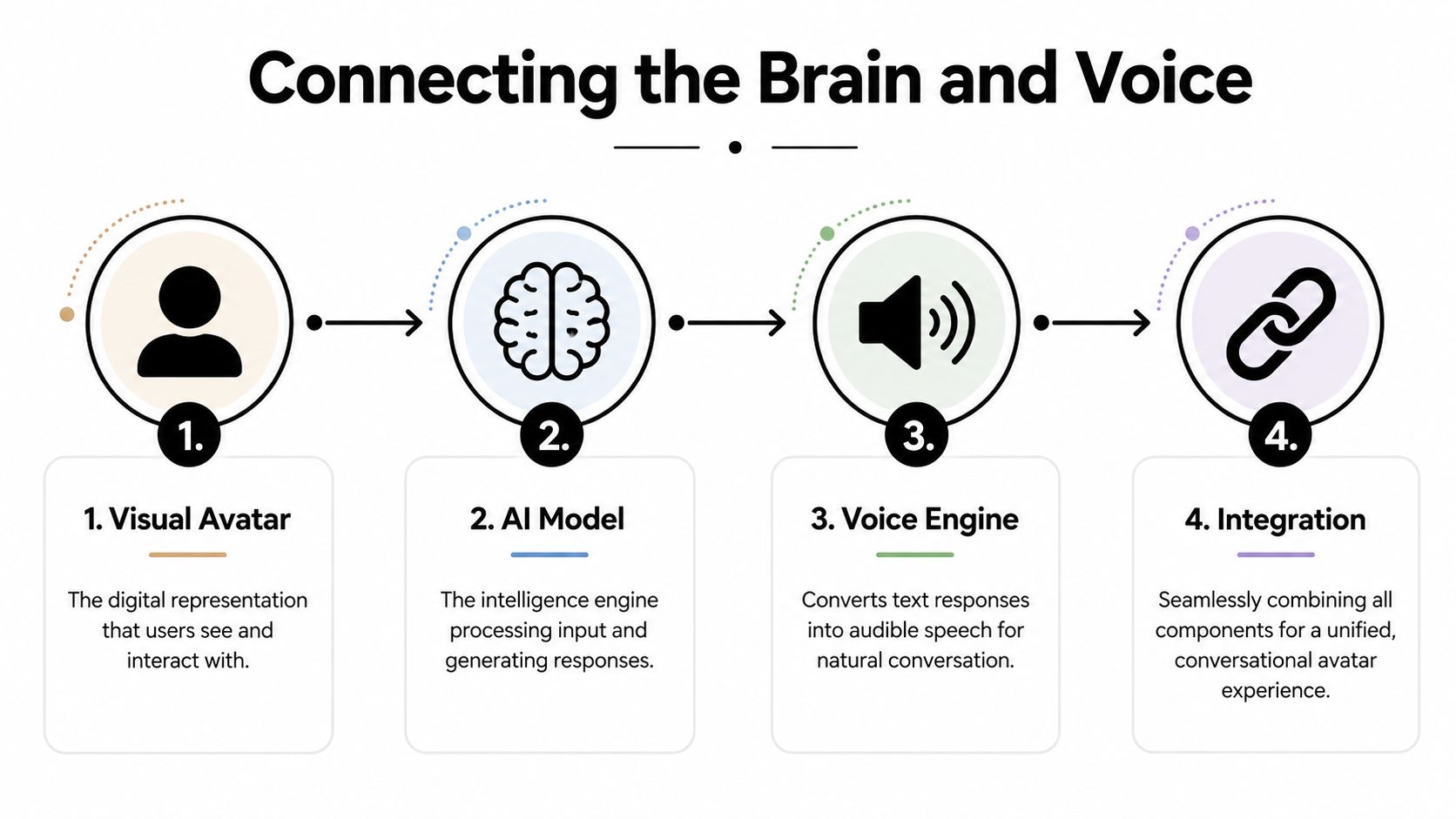
An avatar by itself doesn't converse. It performs output. To make chat with an avatar work, you have to connect four separate layers so they behave like one system.
The four parts that matter
Think of the stack like stagecraft.
- The visual avatar is the face. It handles appearance, facial animation, and screen presence.
- The AI model is the brain. It interprets input, selects a response, and follows role instructions.
- The voice layer handles ears and speech. It converts user speech to text and turns model output back into audio.
- The integration layer coordinates timing. It routes messages, syncs mouth movement, and manages fallbacks.
The reason many demos feel awkward is that these parts are built separately and stitched together poorly. The language model may answer well, but the speech starts too late. Or the voice sounds natural, but the avatar mouth movement lags. Or the animation is smooth, but the model rambles because nobody constrained response length.
What the runtime actually does
A production flow usually looks like this:
- Input capture: The user types or speaks.
- Interpretation: Speech becomes text if needed, then the system identifies intent.
- Response generation: The model answers using its instructions and available knowledge.
- Voice rendering: Text becomes speech in the selected voice.
- Facial animation: The avatar syncs mouth movement and expression to the audio.
- Recovery logic: If the system is uncertain, it asks a clarifying question or escalates.
Latency ceases to be merely a technical footnote and transforms into a creative problem. If the pause is too long, users interrupt, repeat themselves, or assume the system failed. Research discussed in this interactive avatar paper reports real-time head avatars with about 500 ms latency, which is a useful benchmark for what starts to feel conversational rather than delayed.
What works and what breaks
The simplest builds often fail for predictable reasons.
- Overstuffed prompts: If the model is carrying personality rules, product docs, legal policy, and tone guidance in one bloated prompt, response speed and consistency usually suffer.
- Unstable voice selection: A great-looking avatar paired with a flat or mismatched voice creates immediate friction.
- No interruption handling: Real users don't wait politely. They talk over the avatar, change topics, and ask vague questions.
- Animation first thinking: Teams sometimes obsess over realism before they've solved turn-taking and response quality.
Voice selection deserves more time than most creators give it. If the voice doesn't match the avatar's age, authority, energy, or cadence, the whole character feels stitched together. If you're comparing providers, this guide to text-to-speech software options is a good starting point for evaluating voice quality in a creator workflow.
If the system can't handle interruption, clarification, and silence, it isn't ready for real users.
Crafting a Compelling Avatar Personality
Most avatar projects fail at the personality layer, not the visual one. The face is fine. The voice is fine. Then the avatar opens its mouth and sounds like a generic assistant wearing someone else's skin.
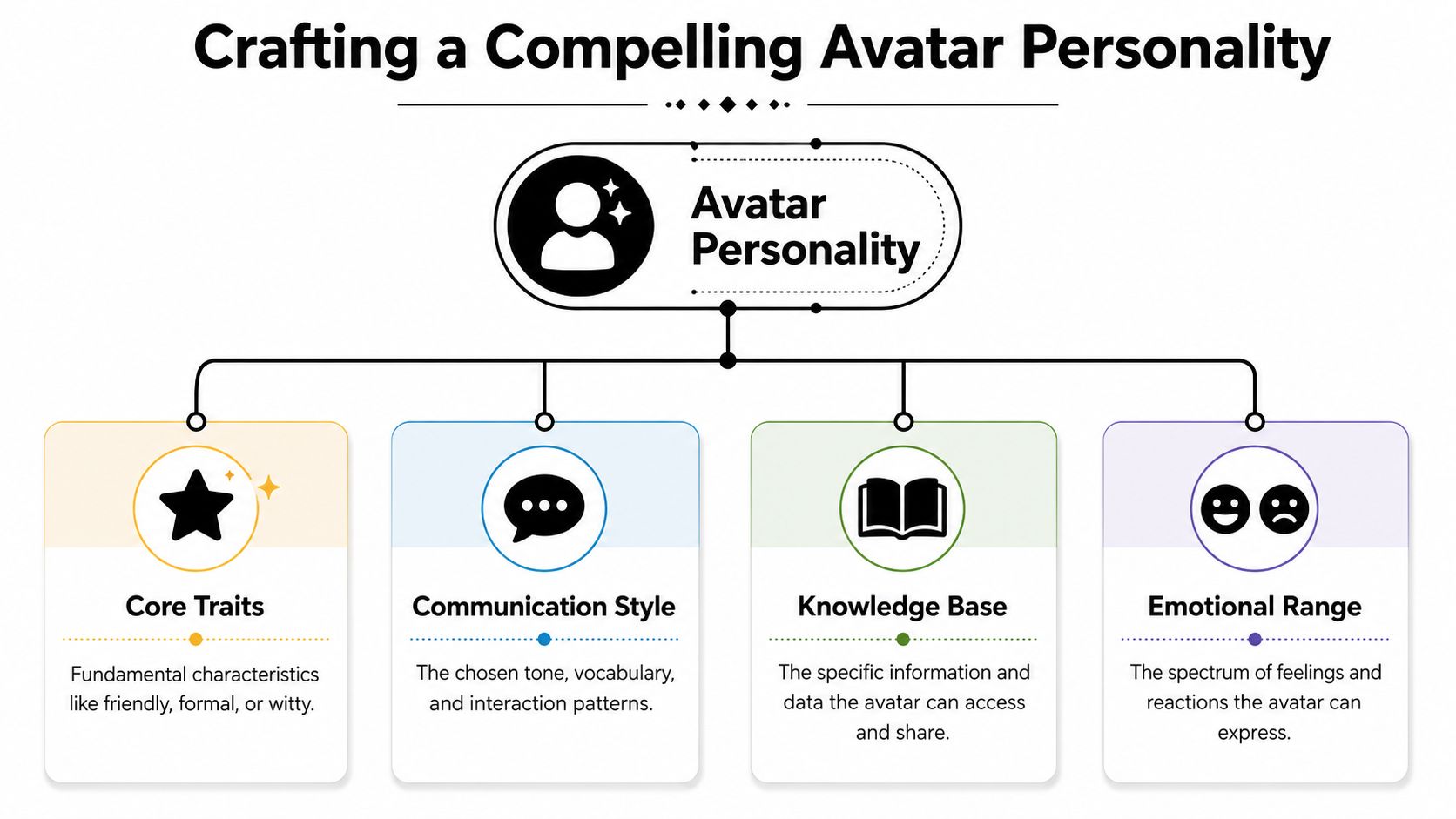
The fix isn't “better prompting” in the loose sense people usually mean. It's tighter role design. A production avatar needs a narrow purpose, a clear communication style, a bounded knowledge base, and explicit behavioral limits. Without that, it drifts.
Start with a job, not a vibe
The most reliable pipeline for a production avatar is a four-step setup: define a narrow task, attach a retrieval-augmented knowledge base, constrain tone and personality, and add explicit safety boundaries. The same guidance stresses that the knowledge base is the most critical step, especially when it includes FAQs, policies, procedures, and internal guides for real-time lookup, as described in this RAG-based avatar implementation guide.
That framework works because it forces discipline. “Friendly and smart” isn't a role. “A creator education avatar that answers beginner questions about vertical video scripting in concise, practical language” is a role.
Build the personality in layers
A useful way to design the character is to stack four layers.
- Base role: What does this avatar exist to do?
- Speaking style: Short and direct, warm and explanatory, dry and authoritative, playful and fast.
- Knowledge access: What documents or approved content can it pull from?
- Boundaries: What should it refuse, redirect, or escalate?
Here's the difference in practice:
| Weak setup | Strong setup |
|---|---|
| “Be helpful and human.” | “Answer beginner creator questions using short paragraphs, simple examples, and no hype.” |
| “Talk like our brand.” | “Use clear, upbeat language. Don't use slang. Don't imitate a founder's personal writing style.” |
| “Use company info.” | “Answer only from indexed docs, approved FAQs, and product policy pages. If missing, say you don't know.” |
Personality is also an editing problem
Even well-grounded avatars can sound stiff if the response style is too machine-clean. That's why creators often revise model outputs before they become spoken dialogue or reusable script blocks. Techniques related to how AI text humanizers work can help you understand why some lines feel natural and others sound overly symmetrical, padded, or synthetic.
That doesn't mean you should sand every edge off. A memorable avatar usually has a few repeatable traits. Maybe it explains by analogy. Maybe it uses crisp one-line corrections. Maybe it always admits uncertainty plainly instead of hiding behind vague phrasing.
The best avatar personalities don't try to sound human in general. They sound like a specific person doing a specific job.
What creators often miss
A lot of tutorials focus on backstory. Backstory can help, but it's not what keeps the avatar stable. Stability comes from operational constraints.
Use a short personality card that includes:
- Signature tone cues: Calm, sharp, mentor-like, skeptical, energetic.
- Allowed humor range: None, light, dry, playful.
- Response length rules: Brief answer first, then optional detail.
- Fallback behavior: Ask one clarifying question before answering ambiguous prompts.
- Brand exclusions: Phrases, claims, or attitudes the avatar should never use.
An avatar becomes compelling when users can predict how it will respond without feeling like every answer is scripted.
Navigating Privacy and Safety Controls
The fastest way to ruin a public-facing avatar is to treat safety as a post-launch cleanup task. Once people can chat with a avatar in real time, they will test its edges immediately. Some will do it by accident. Others will do it on purpose.
That's why boundaries can't live only in a system prompt. They need to show up in the entire workflow. Input filters, retrieval rules, refusal behavior, escalation paths, logging practices, and moderation review all matter. If one layer fails, another one should catch the issue before the avatar says something harmful, misleading, or brand-damaging.
What needs a hard boundary
Some topics should trigger a redirect every time. Others should trigger a narrowed response. The mistake is assuming the same rule works for all sensitive cases.
Use a checklist like this:
- Off-limits subjects: Define topics the avatar should refuse completely.
- High-risk advice areas: Require the avatar to stay general and avoid personalized instruction where harm could result.
- Brand-sensitive claims: Prevent the system from improvising promises, policies, or legal interpretations.
- Escalation conditions: Route unclear, emotional, or edge-case conversations to a human or a safer fallback.
A lot of teams also forget content provenance. If your avatar references media, scripts, product demos, or user-submitted material, your rights handling should be clear long before launch. These fair use guidelines for creators are useful for thinking through how content use can become a compliance issue, not just a creative one.
Privacy has to be visible, not assumed
Users don't trust avatar systems just because the UI looks polished. They trust them when the system behaves predictably with their data. If the avatar listens, stores transcripts, personalizes answers, or hands context to other tools, that should be clearly communicated in plain language.
Keep privacy controls concrete:
- Tell users what is being processed: Audio, text, uploaded files, or all three.
- Separate memory from convenience: Don't retain conversation details by default unless retention is part of the product.
- Limit access: Only the systems that need the conversation data should touch it.
- Make human handoff explicit: Users should know when they're leaving an automated flow.
Safety isn't the layer that makes the avatar less useful. It's the layer that makes it deployable.
Using Your Avatar for Automated Content
The most interesting use of avatar systems isn't the live demo on a landing page. It's what happens when the same persona becomes a repeatable content engine.
That's the bridge many creators miss. They build an avatar for chat, then leave it trapped inside a chat box. But once the role, voice, and knowledge boundaries are stable, that avatar can anchor an automated content workflow across short-form video, explainers, recurring series, and multilingual versions.
A practical creator scenario
Take a creator running a faceless educational channel. The topic could be productivity, language learning, history facts, personal finance basics, or software tutorials. The format works best when the audience knows what kind of host they're getting each time.
Instead of writing every script from scratch, the creator uses the avatar persona as the editorial center of the workflow.
The process looks like this:
- Pick a recurring formatMaybe it's “one concept in under a minute” or “one common mistake and one fix.”
- Prompt from the avatar's roleThe system generates script ideas in the established voice, not in a generic assistant tone.
- Convert to spoken performanceThe voice layer reads the script with the same cadence and character the audience already recognizes.
- Package into short-form outputVisuals, subtitles, pacing, and scene transitions get assembled around the same persona identity.
- Review for driftThe creator checks whether the script still sounds like the avatar and whether any claims need tightening.
Why this scales better than one-off clips
When the avatar has a clear personality and bounded knowledge, content production gets cleaner. Scripts sound more consistent. Voice delivery matches from one video to the next. Thumbnail concepts and subtitle style stop changing every week because the persona already defines the lane.
That matters even more when creators publish frequently or adapt content across markets. Independent guidance on avatar deployment notes that systems able to generate videos in multiple languages with precise lip-syncing are becoming important for global communication, while operational concerns like brand safety, consent, audience perception, and cross-market consistency still need careful handling, as discussed in this guide to AI avatar use cases.
Where content workflows usually break
The weak point isn't generation. It's continuity.
A few common problems show up fast:
- Persona drift across episodes: The avatar starts sounding different because prompts keep changing.
- Visual inconsistency: Backgrounds, styling, or animation energy don't line up with the brand.
- Localization mismatch: The translated version keeps the words but loses the character.
- Approval bottlenecks: Teams generate quickly but still need a human to catch off-brand phrasing.
A good fix is to create a content operating sheet for the avatar. Keep it short and practical.
The operating sheet I recommend
Include these fields:
- Series role: Who is this avatar in the context of the channel?
- Audience assumption: Beginner, intermediate, or mixed.
- Script rhythm: Fast hooks, short body, clean ending, or a more measured explainer style.
- Voice notes: Warm, clipped, energetic, restrained.
- Visual rules: Framing, subtitle style, scene density, background treatment.
- Non-negotiables: No speculation, no exaggerated claims, no forced humor, no mimicry of real people.
That single document does more for scalable content quality than most model tweaks.
The ultimate gain is that your avatar stops being a novelty asset and starts acting like production infrastructure. It can answer, narrate, teach, summarize, and host. Once that happens, the line between chat interface and content pipeline gets thin.
If you want to turn a well-defined avatar persona into repeatable short-form videos without stitching every piece together manually, ClipCreator.ai is built for that workflow. It helps creators generate faceless videos with AI-written scripts, visuals, voiceovers, subtitles, scheduling, and auto-posting, so the avatar logic you've developed can feed a consistent publishing system instead of staying stuck as a one-off demo.

Create your first video in under 2 minutes
Pick a niche, and ClipCreator.ai generates and auto-posts faceless videos to your channels every day.
Join ClipCreator.ai