
You know the moment. The edit is done, the thumbnail is ready, you hit upload, and suddenly the internet behaves like it's on strike. The progress bar crawls, a teammate starts a video call, and your livestream starts dropping frames right when you need it to hold steady. That's not just “bad Wi‑Fi,” it's a bandwidth management problem, and it shows up in creator life long before anyone opens a router admin page.
A lot of people treat bandwidth as a background utility, like power. But once you're publishing video, running live sessions, syncing cloud files, and sharing one connection with other devices, bandwidth turns into a scheduling problem. Who gets the line first, what gets delayed, and what gets capped all matter more than raw speed.
If you've ever had to reschedule a post because a huge upload ruined your afternoon, a telecom solutions near me guide can help you think about the bigger networking picture without assuming you're an enterprise IT team. The useful idea isn't “buy more gear,” it's “make the connection behave on purpose.”
The Moment Your Upload Stops Cooperating
A creator's worst networking moment usually looks small from the outside. The video is already rendered, the captions are baked in, and the file should be flying up to the platform. Instead, it inches forward while your cloud backup wakes up, someone else in the house starts streaming, or your own laptop decides it's time to sync everything at once.
That's where bandwidth management stops being a buzzword and starts being a workflow tool. It's the practice of deciding what traffic matters most right now, then making the network follow that decision before performance falls apart. For a one-person studio, that might mean letting the upload win over background sync. For a small team, it might mean keeping a live stream stable while a teammate joins a call and a file transfer waits its turn.
The useful mental shift is simple. Your network isn't failing because it has feelings, it's failing because too many jobs are asking for the same pipe at the same time. Once you treat that pipe like a shared workspace, the next question becomes obvious, which task gets the desk, and which one can wait.
If you've ever wondered why one person's upload can make a whole setup feel sluggish, that's the same logic behind larger network policies. The scale changes, but the problem doesn't. Creators are just seeing the issue from the front end instead of the server room.
What Bandwidth Management Actually Means
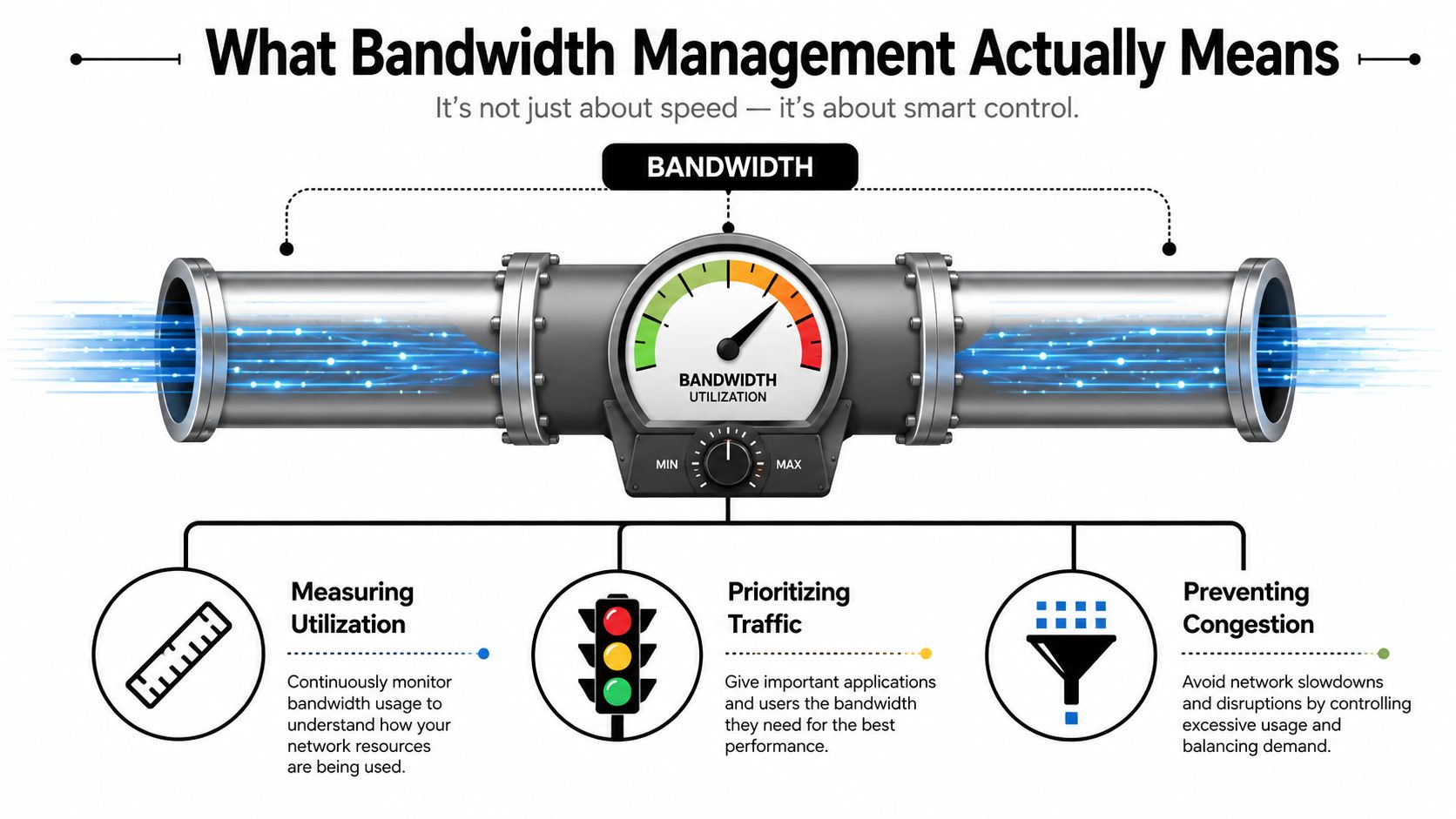
Bandwidth is the amount of data a connection can move at once. Bandwidth management is the discipline of using that capacity deliberately instead of hoping everything fits. The easiest way to picture it is a kitchen with one stove, bandwidth is the heat, and management is the order you cook each dish so nothing burns.
How utilization is measured
The standard way to measure how hard a connection is working is utilization as a percentage of total capacity, using the formula (Total Bandwidth Used / Total Available Bandwidth) * 100. Practical guidance often treats sustained use above 75% as a point where congestion risk rises and someone should investigate. That matters because many real networks already run closer to the edge than they look at first glance.
One independent network study found average utilization of 57% on non-cellular networks and 61% on cellular networks, which means a lot of production traffic is already using more than half of what's available, even before a big upload or live session lands on the line. You don't need to memorize the percentages to use the lesson. You need to understand that “it seems fine” and “it has headroom” are not the same thing.
Practical rule: watch the trend, not just the snapshot. A link that sits near the same ceiling every afternoon is telling you more than a single busy-minute chart ever will.
Bandwidth management uses that measurement to decide when to prioritize, delay, or limit traffic. If you want a field example of how congestion thinking shows up in large-scale environments, the congestion fixes for China teams page is a useful reminder that the same core ideas still apply when the network gets crowded.
Core Techniques Every Creator Should Know
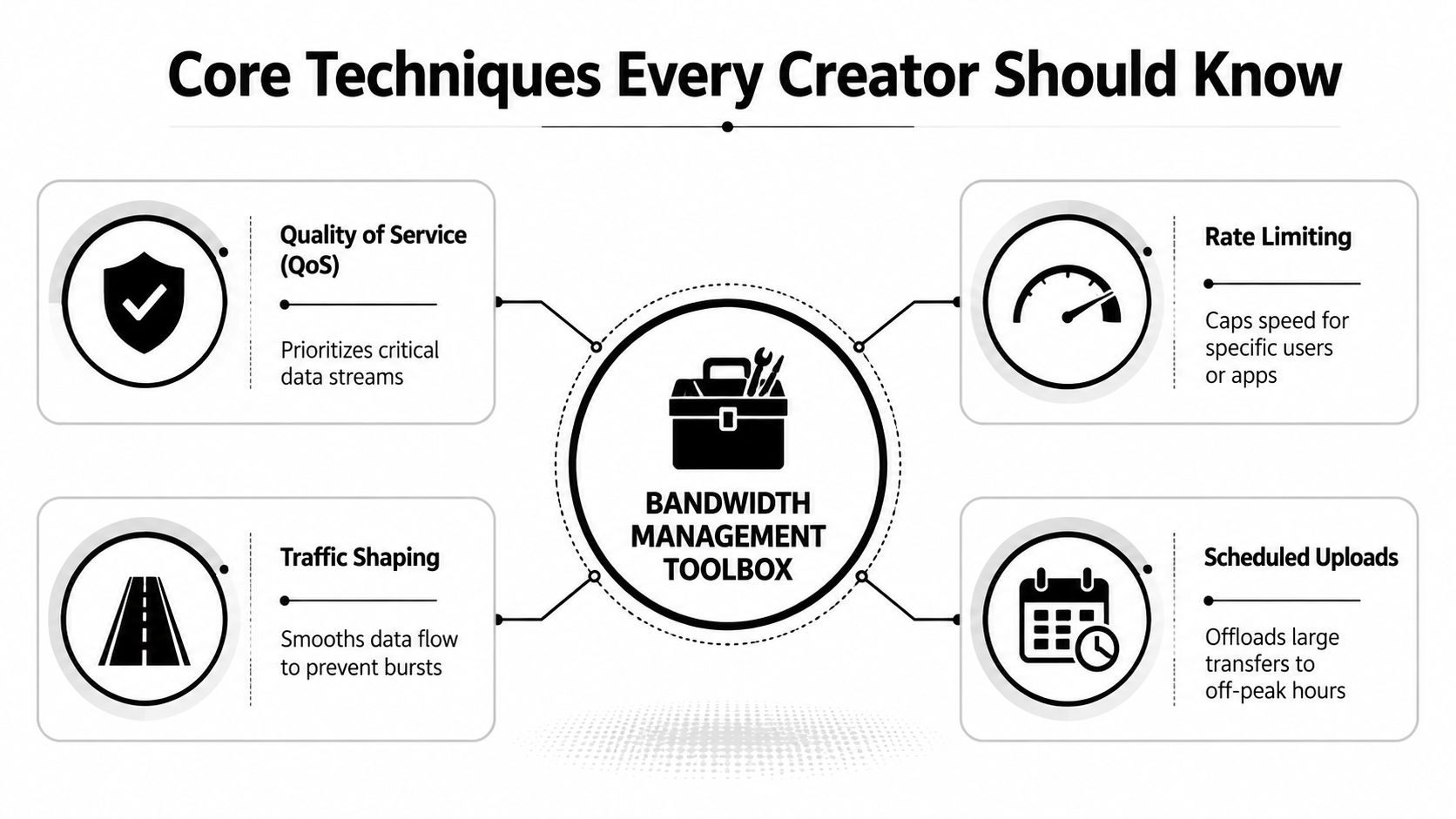
The creator version of bandwidth management usually comes down to four tools. They're not interchangeable, and mixing them up is where a lot of DIY setups go sideways.
QoS, rate limiting, and traffic shaping
Quality of Service, or QoS, tells the network to favor one kind of traffic over another. In a small studio, that can mean keeping a live stream or video call responsive while a file upload runs in the background. The point isn't to make everything fast, it's to protect the traffic that breaks first when the line gets crowded.
Rate limiting puts a hard ceiling on how fast a specific app, device, or user can go. If your cloud backup keeps eating the link before a scheduled post, rate limiting can keep that background job from crowding out the upload you care about. It's a blunt tool, but in small networks, blunt can be good if it stops one task from taking over.
Traffic shaping is gentler. Instead of just cutting something off, it smooths the flow so bursts don't slam into the queue all at once. That matters because modern systems track not only total bytes, but also shaped bytes, drop packets, and average wait time in queues, which reflects how traffic is being admitted and delayed.
Scheduled uploads are the least glamorous and often the smartest. If your large exports go live after peak hours, you reduce contention before the network has a chance to get messy. Sometimes the best bandwidth policy is not a fancy rule, it's choosing a better time.
The cleanest fix is often workflow timing, not a more aggressive filter.
If you want a video workflow example tied to compression and file size, this guide on how to compress a MP4 video fits neatly with the bandwidth-saving mindset.

Building a Simple Policy That Actually Holds
The biggest mistake in small-network bandwidth management is overbuilding it. People create too many rules, too many categories, and too many exceptions, then nobody follows the policy because nobody can remember it.
Start with a baseline
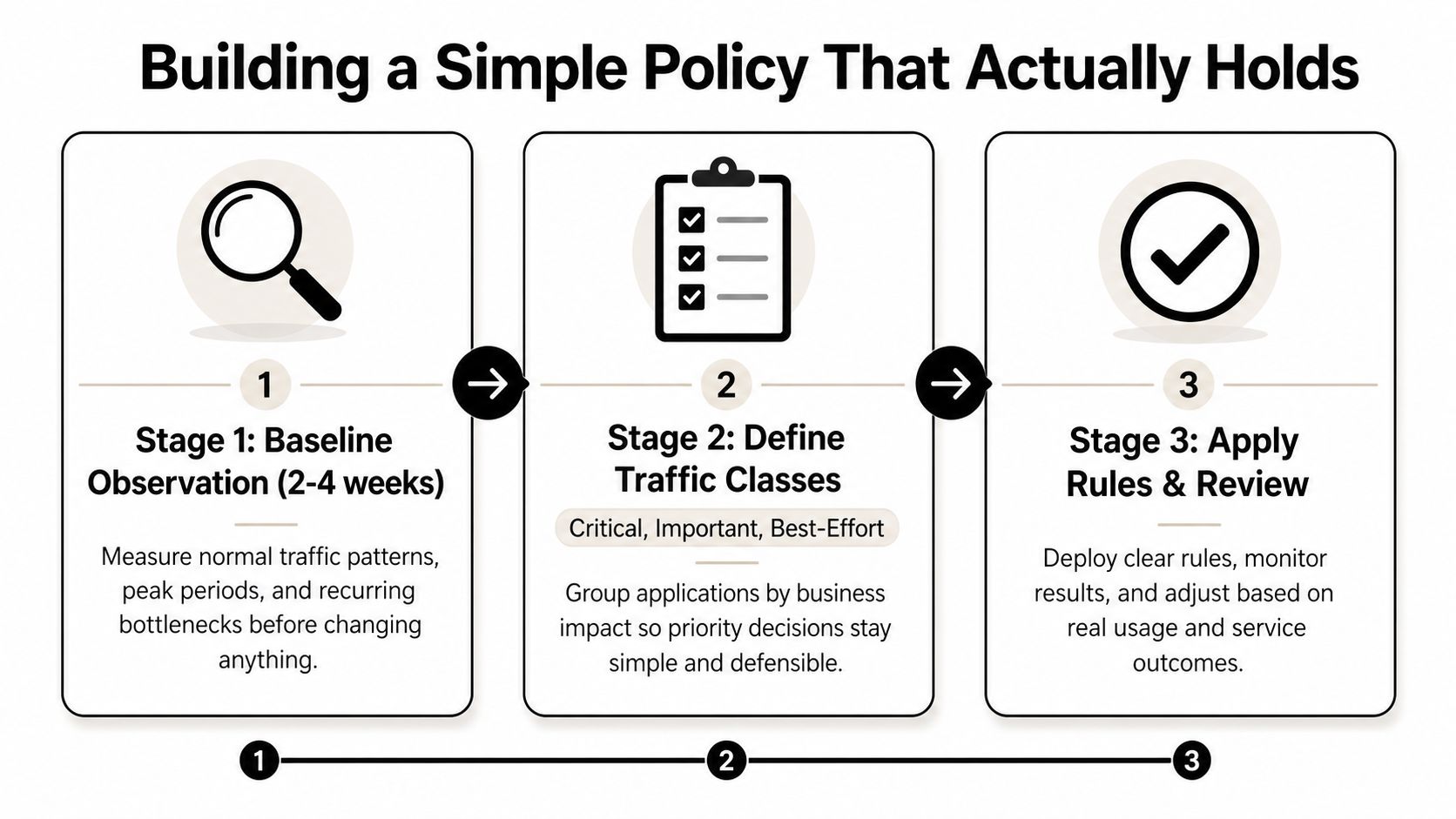
A technically sound baseline is to watch traffic for 2-4 weeks before enforcing controls. That window catches weekday and weekend patterns, peak-hour contention, and recurring bottlenecks, so you're not guessing based on one weird afternoon. It also helps you avoid locking in a rule that only fixes a temporary problem.
A practical taxonomy keeps things manageable. A 2026 guide argues for just three durable classes, critical business, normal business or guest, and background or bulk, because an elaborate setup often becomes unmaintainable. That advice is especially useful for creators, since your real decision usually isn't “which of 12 traffic types matters most,” it's “what breaks if this upload loses priority?”
After you classify traffic, apply rules at the edge where traffic leaves the network. The useful model is simple, a rule matches packets, and a traffic profile assigns guaranteed and maximum bandwidth. That's how a small office firewall or advanced router can reserve space for important traffic while still capping nonessential transfers.
If you're organizing your publishing pipeline as well as your network, the same kind of simple structure shows up in content creation and management. The workflow lesson is the same, fewer durable categories usually beat a giant taxonomy nobody uses.
Monitoring and Diagnostic Tools You Can Use Today
A good monitoring habit doesn't need enterprise software. It needs a clear question, a short check, and enough history to spot patterns. The goal is to find out whether the problem sits with one device, one app, or one site before you touch the policy.
| Tool Category | What It Shows | Best For |
|---|---|---|
| Router-side dashboards | Link usage, connected devices, traffic spikes | Seeing whether the connection itself is crowded |
| OS-level traffic meters | Per-app or per-device consumption on a laptop or desktop | Catching background sync, cloud backup, or update traffic |
| Lightweight synthetic tests | Whether an upload or live session behaves well at a specific time | Checking performance before a scheduled post or stream |
Router dashboards are the fastest first look because they show the network as a whole. OS-level meters are better when one machine seems to be hogging everything. Synthetic tests are most useful before a planned upload, since they help you see whether the line is behaving normally at the time you need it.
A useful outside reference for evaluating tooling is how to choose capacity planning software, especially if you want to think in terms of visibility and forecasting instead of just “does it have charts.” The best tool is the one you'll check regularly, not the one with the longest feature list.
Practical Configuration Tips for Small Networks
The safest first move on a home router or small office firewall is to turn on QoS if the device supports it, then reserve priority for the traffic that needs steadiness. That often means live calls, uploads, or streaming workflows before backups, sync tasks, and big downloads. Keep the rule small enough that you can explain it to someone else without opening the admin page.
Make the network easier to live with
- Cap background sync apps: Let cloud backups, photo libraries, and auto-update services use less of the link when you're publishing or live.
- Front-load large uploads: Send finished files when the network is quiet, not when everyone else is online.
- Check policy order: Some platforms process bandwidth management before outbound QoS, so the order of your rules can change which packets get shaped first.
- Watch for one noisy device: If a single laptop or phone is the problem, fix that endpoint before you rewrite the whole policy.
The cleanest upgrades are often boring. A creator who moves exports to off-peak hours and limits background traffic usually gets a more stable result than someone who keeps opening advanced menus hoping for magic.
For video publishers, the upload itself matters too. If you're planning formats and delivery windows, the guidance in YouTube video specs helps you avoid re-encoding surprises that create bigger files than you expected.
Start with the change that reduces surprise, not the one that sounds most technical.
When Buying More Bandwidth Is the Wrong Move
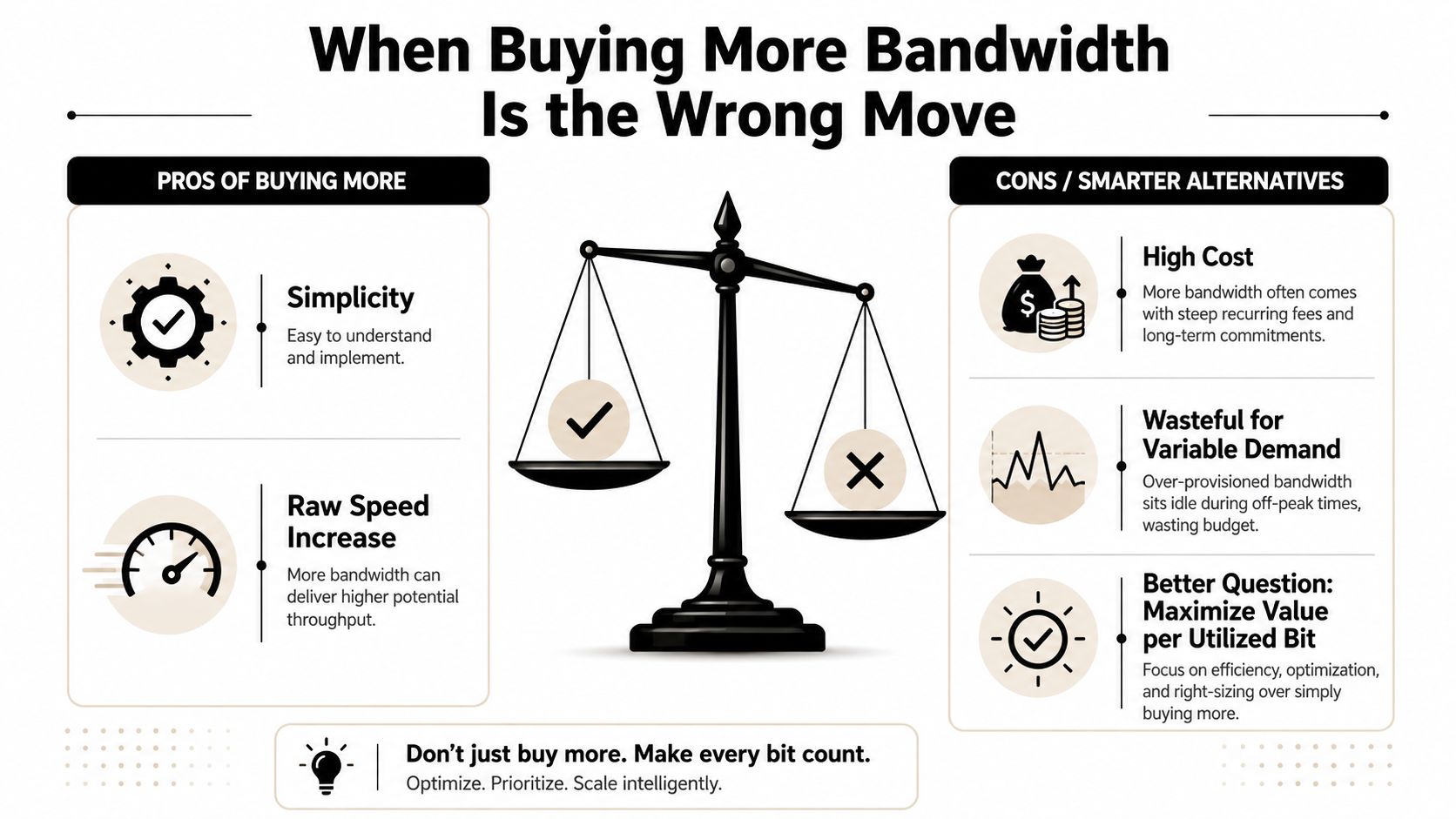
The reflex answer to a slow network is often “add more speed.” Sometimes that's right. Sometimes it just hides a workflow problem and raises your monthly cost without fixing the actual pain point.
Value per utilized bit matters
A more useful question is whether the current link is being used well. In low-connectivity or cost-constrained environments, guidance from development-focused bandwidth work says unused bandwidth is wasted money and that shared networks should stay within CIR 80% of the time. That pushes the conversation away from raw capacity and toward fairness, efficiency, and service quality.
For creators, that means you should think in terms of what's happening on the line before you pay for more of it. If the issue is one giant backup colliding with a livestream, compression, scheduling, or throttling may solve the problem better than an upgrade. If the issue is frequent, genuine demand across many users, more capacity may be justified.
The important distinction is whether the network is structurally undersized or just poorly coordinated. In variable-demand setups, a smarter policy can deliver more value than a faster plan because it protects the traffic that matters and trims what doesn't. That's especially true when fairness matters, such as shared spaces, small offices, or public institutions that have to serve many people without wasting scarce upstream capacity.
A capacity upgrade makes sense when demand is consistently real and the line still stays crowded after you've already improved scheduling, compression, and prioritization. If those fixes clear the pressure, you've saved money and avoided buying performance you didn't need.
Putting It All Together and Looking Ahead
The practical creator checklist is short. Watch the line before you change it. Keep traffic classes simple. Put priority on what breaks first, not what sounds most important. Revisit the policy after real use, because a rule that looked perfect on paper can still be awkward in a live workflow.
The other shift is workflow design. Automated scheduling and multi-platform publishing reduce the number of times you ask a connection to do everything at once, which makes bandwidth management easier before the router ever gets involved. When the publishing system itself is set up to post at the right time, the network has fewer chances to get in your way.
A calm upload is a designed upload.
If you want your publishing workflow to create less network drama, ClipCreator.ai helps creators automate short-form video creation, scheduling, and multi-platform posting so content goes live without manual coordination. That kind of set-and-forget publishing makes bandwidth management easier because uploads can move on your schedule instead of colliding with everything else. Visit ClipCreator.ai and see how much calmer your content pipeline feels when the timing is built in.

Create your first video in under 2 minutes
Pick a niche, and ClipCreator.ai generates and auto-posts faceless videos to your channels every day.
Join ClipCreator.ai

