An AI video generator from text is a tool that takes your written words—a script, a blog post, even just a simple idea—and turns them into a complete video. Think visuals, a voiceover, and captions, all generated automatically. It's a lifesaver for anyone who wants to pump out high-quality, short-form videos for platforms like TikTok, Instagram Reels, or YouTube Shorts without getting bogged down in editing software.
The New Wave of Automated Social Video
If you've ever tried to keep up with the demand for social video, you know the struggle. The editing alone can be a full-time job. But we're seeing a major shift away from that manual grind. Now, it's all about automated workflows that let you create compelling, faceless videos from a simple text prompt. This isn't just a minor improvement; it's completely changing how creators and businesses operate. Suddenly, a consistent content schedule isn't a pipe dream—it's a manageable reality.
This isn't just a niche trend, either. The AI video generator market is absolutely exploding. It's expected to rocket from $551.7 million** in 2023 to a staggering **$3,441.6 million by 2033. That’s a compound annual growth rate of 20.3%. This incredible growth tells you one thing: creators are flocking to these tools because they work. They make it possible to scale production without sacrificing quality.
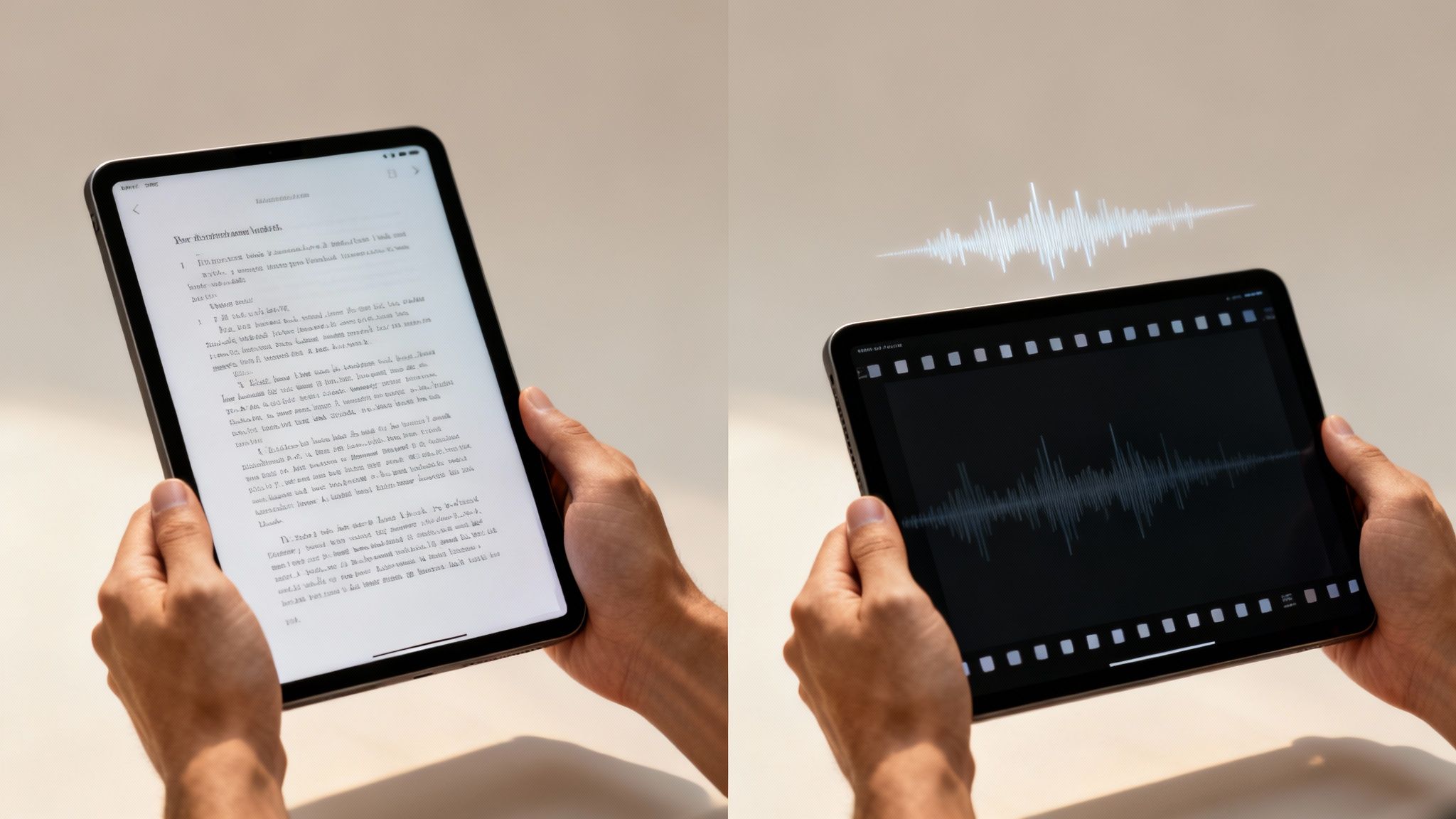
At its heart, the process is incredibly simple. You feed the machine text, and it spits out a video.
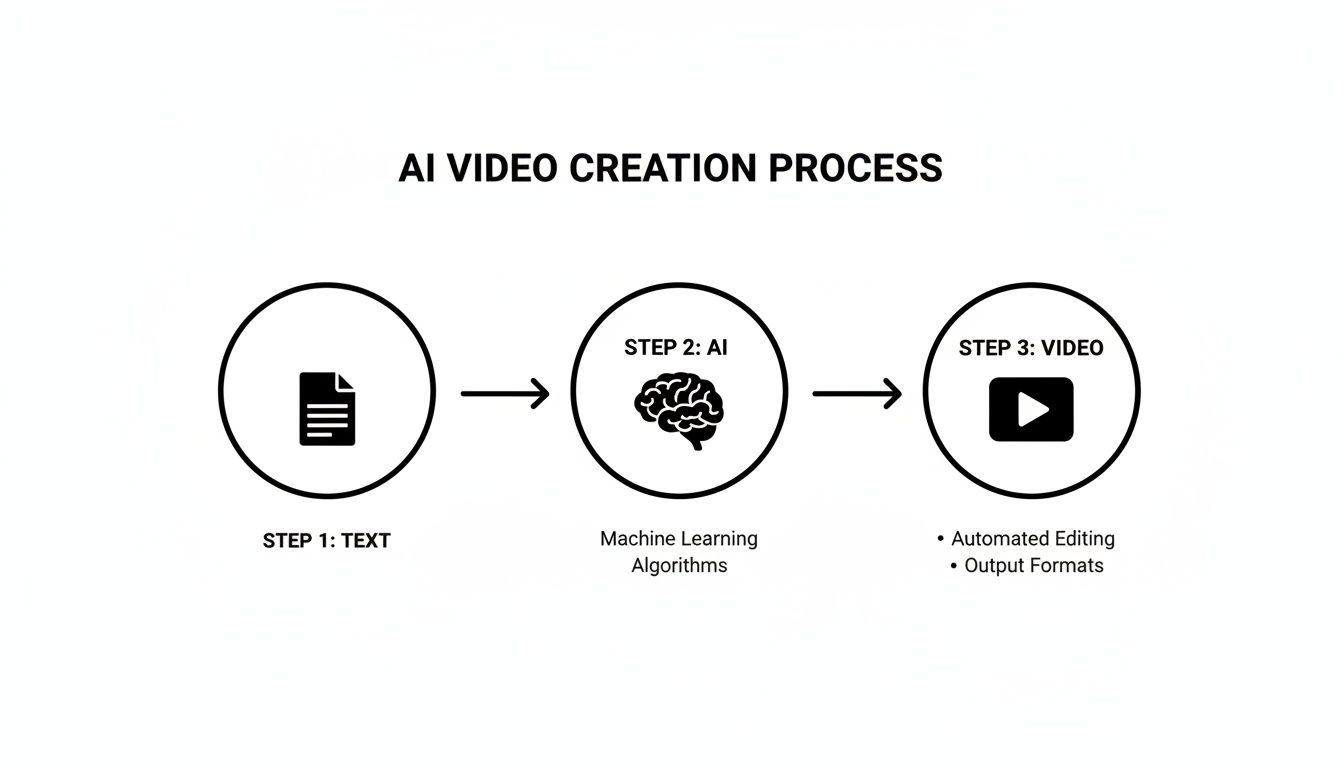
As you can see, it's a direct line from your idea (the text) to the finished product, with the AI handling all the heavy lifting in between.
Democratizing Content Creation
So, what does this actually mean for you? It means the walls have come down. You no longer need a fancy camera, an expensive software subscription, or a film degree to create videos that get views. Tools like an AI Short Video Generator are putting professional-level production into everyone's hands.
This is a game-changer because it levels the playing field. Anyone with a good idea can now produce videos that look just as polished as those from big-name creators. The focus is back where it should be: on creativity and storytelling, not technical hurdles.
This guide is your complete roadmap to making this workflow your own. We’ll walk through everything, step-by-step.
You'll learn how to:
- Pick the right video templates that actually connect with your target audience.
- Write scripts and prompts that get the AI to produce exactly what you envision.
- Create realistic voiceovers and find visuals that perfectly match your narrative.
- Fine-tune and schedule your videos for maximum impact on TikTok, Instagram, and YouTube.
Getting Your Scripts Ready for AI
The magic of turning text into a compelling video doesn't just happen inside the AI. It starts with your script. The real secret is learning how to "talk" to the AI in a way it understands. Think of it less like writing and more like directing. Your script is the blueprint you give your AI production crew, telling it not just what to show, but how to show it.
This means you have to get more specific than just giving it a topic. A prompt like "a scary story" is too vague and will get you a generic, forgettable video. To create something that truly grabs attention, you need to feed the AI emotional cues, describe the pacing, and paint a picture with detailed visual instructions. A solid script is your best tool for getting the AI to create the exact vision you have in your head.

A Simple Framework for Scripts That Work
To get great results every time, you need a repeatable process. Let's walk through a simple structure for a suspenseful story—a format that absolutely crushes it on platforms like TikTok and Instagram Reels. This narrative arc gives the AI clear signposts to follow.
- The Hook: Your first sentence has one job: stop the scroll. Make it intriguing. For instance: "The old house at the end of the street was empty, but every night, a single light turned on in the attic."
- Rising Tension: Slowly build the mystery. Add conflict or unanswered questions. "Armed with only a flashlight, I decided to investigate. The front door creaked open, and a cold draft whispered down the dusty hallway."
- The Climax: This is the peak of the action, the moment of highest suspense. "As I climbed the rickety attic stairs, the light flickered out, plunging me into total darkness. That's when I heard a floorboard squeak right behind me."
- The Twist: End with something unexpected that resolves the tension. "My flashlight beam sliced through the dark, revealing not a ghost, but an old record player, its needle stuck, turning a lamp on and off with each rotation."
Following a structure like this gives the AI a narrative roadmap. Each bullet point acts as a scene, helping the generator pick the right visuals and modulate the voiceover's tone to build and release tension perfectly.
If you want to go even deeper on storytelling and dialogue, our guide on how to write a video script is packed with more frameworks you can adapt for AI video creation.
Templates vs. Custom Scripts: Which One to Choose?
Most AI video tools, including our own ClipCreator.ai, come with ready-made templates for popular formats like bedtime stories, historical facts, or motivational clips. This brings up a common question: should you use a template or write your own script from scratch?
The answer really depends on your goal. Templates are fantastic when you need to churn out content quickly or want to jump on a proven viral trend without reinventing the wheel. Custom scripts, on the other hand, are for when you have a totally unique idea or want to control every single detail of the final video.
Here’s a quick breakdown to help you decide.
Scripting Approaches for Different Video Goals
| Video Goal | Best Approach | Why It Works | Example Prompt Snippet |
|---|---|---|---|
| Daily Viral Facts | Template | Provides a consistent, proven structure for speed and brand recognition. | "Template: Unbelievable History Fact. Fact: [Insert your fact here]." |
| Brand Storytelling | Custom Prompt | Offers full creative control to align with your unique brand voice and message. | "Craft a 60-second inspiring story about overcoming failure, with a hopeful tone..." |
| Explainer Video | Hybrid | Use a template for the intro/outro structure, but a custom script for the core content. | "Template: 3 Tips Hook. Tip 1: [Custom script]. Tip 2: [Custom script]..." |
| Creative Experiment | Custom Prompt | Allows for complete freedom to test new formats, tones, and visual styles. | "Generate a surreal, dream-like video about a city where time moves backward..." |
Ultimately, the sweet spot is often a mix of both. I frequently start with a template to get the basic structure down, then heavily customize the script to inject my own personality and creative angle. This hybrid approach gives you the best of both worlds: the efficiency of a template and the originality of a custom-written piece.
Bringing Your Story to Life With AI Visuals and Voice

Once your script is locked in, it's time for the fun part: letting the AI work its magic to create the sights and sounds of your video. A good ai video generator from text isn't just grabbing random stock photos. It’s actually reading your script, picking out keywords, sensing the emotional tone, and understanding the story's flow to build a visual narrative that makes sense.
The real power here, though, is that you're in the driver's seat. You get to be the creative director, guiding the AI to get the exact look and feel you're going for.
Mastering Visual Prompts and Styles
Think of your prompts as if you're giving instructions to a human artist. If you're vague, you'll get something generic. But if you're specific, you can get visuals that perfectly match what's in your head. The goal is to make the final video look like every image was chosen on purpose, not just pulled from a database.
Here’s how you can steer the AI toward the aesthetic you want:
- For a horror story: Try using words like "cinematic, dark, ominous, eerie, high contrast, film grain." This tells the AI you want something tense and atmospheric.
- For a children's story: You might use prompts like "soft, whimsical, pastel colors, gentle lighting, storybook illustration." This will create that friendly, charming look.
- For a historical fact video: Specifying "archival footage style, sepia tone, documentary, realistic" helps the AI generate something that feels authentic and educational.
Learning how to use AI to create viral faceless content on platforms like TikTok is a fantastic way to put these visual prompting skills into practice.
Choosing the Perfect Voice
The visuals draw people in, but it's the voice that truly tells the story. I've seen great videos fall flat because the voiceover just didn't fit. A robotic or mismatched voice can completely kill the vibe and make viewers click away instantly.
Think about the mood you're creating. A deep, slow voice is perfect for a suspenseful mystery. An upbeat, energetic voice works great for motivational content. Most AI tools give you a ton of options—different ages, accents, and tones. My advice? Don't just pick the first one you hear. Listen to a few samples with a line from your script to see which one really captures the personality of your story.
The voice you choose is your audience's guide. It needs to do more than just read the words; it has to convey the emotion behind them. This is what makes the story feel real and keeps people watching.
This whole space is exploding. The market for generative AI in video was worth $336.1 million in 2023** and is expected to soar to **$2,298.8 million by 2033. That just goes to show how much demand there is for tools that can create this kind of content quickly and easily.
When you nail the combination of visuals and voice, you turn a simple script into something special. If you're just starting out and want to try this without spending anything, finding a good text to video generator free of charge is a great way to experiment.
Putting Your Content Calendar on Autopilot
You’ve just created a fantastic video with an AI video generator from text, which is a huge accomplishment. But the work isn't over just yet. Getting that video in front of the right people at the right time is what really makes the difference. This last part of the process is all about setting your content up for success and then building a system to publish it for you.
It all starts with a simple but critical detail: subtitles. A massive number of people watch social media videos with the sound off, so auto-generated captions are an absolute must. They don't just make your content more accessible; they dramatically improve retention by making sure your message gets through, even when someone is scrolling silently. Thankfully, most platforms make this a simple, one-click job.
Building Your Automated Content Pipeline
The real game-changer in this workflow is scheduling. Instead of being trapped in the daily cycle of creating and posting, you can batch-produce a bunch of videos at once and then schedule them to go live at the best possible times. This is the shift from being a content creator to a content strategist.
The idea is to build a dependable pipeline that consistently feeds your TikTok, YouTube Shorts, and Instagram Reels channels without you having to manually post every single day. That kind of consistency is a huge signal to the social media algorithms.
Here’s how to get it done right:
- Connect Your Social Accounts: Tools like ClipCreator.ai let you link your social media profiles directly, which makes the whole auto-posting process incredibly smooth.
- Pinpoint Your Best Posting Times: Dive into the analytics for each platform. When are your followers online and most engaged? Schedule your posts for these peak windows to get that crucial initial burst of views and likes.
- Establish a Posting Cadence: Decide on a schedule you can realistically stick to. Is it three times a week? Once a day? A consistent rhythm trains your audience to anticipate your content and tells the algorithm you're a serious creator.
If you want to go deeper on setting up this kind of hands-off system, our guide on how to automate social media posts has you covered.
By setting up a "set-it-and-forget-it" system, you free up your time to focus on what really matters: analyzing what works, refining your scripts, and planning your next batch of content. This is how you scale your presence without burning out.
The Bigger Picture of AI Video Growth
This whole automated workflow isn't just a neat trick; it’s part of a massive industry shift. The global AI video market is exploding, projected to rocket from $7.6 billion in 2024** to an incredible **$156.57 billion by 2034.
This growth, at a compound annual rate of 35.33%, is being driven by the relentless demand for short-form video on platforms like TikTok and YouTube. You can get more details on this trend in the full artificial intelligence video market report. By embracing automation now, you're positioning yourself right at the front of this powerful wave in content creation.
Getting People to Actually Watch (and Watch Again)
Creating your video with an ai video generator from text is a huge first step, but it's really just the beginning. The real test is whether your video can cut through the noise and grab someone's attention. A perfectly polished video that gets zero views is just taking up space. Your focus has to be on making content that people genuinely want to watch and interact with.
This means you need to start thinking less like a content producer and more like a social media strategist. Every single element, from the very first frame to your final sign-off, has to be engineered to stop the scroll, get a reaction, and make viewers want to see what you post next.
Nail the First Three Seconds
On platforms like TikTok and YouTube Shorts, you have a blink-and-you'll-miss-it window to hook someone. If you don't give them a reason to stop scrolling instantly, they're gone. This is why a killer hook isn't just important; it's everything.
Your hook has to punch through the noise with immediate curiosity or intrigue. Forget slow build-ups. Start with a bold claim, a shocking fact, or the most dramatic part of your story right at the top.
- Ask a provocative question: Try something like, "What if the biggest secret in history was hidden right under our noses?"
- Highlight a common problem: "You're probably making this one mistake every single day and have no idea."
- Lead with the climax: Show the most visually stunning or surprising part of your video first. This makes people stick around to figure out how you got there.
A great hook is a promise. You're promising your viewer something interesting, surprising, or valuable, and the rest of your video needs to deliver on that promise.
Make Your Videos Worth Re-Watching
Want to know what the social media algorithms absolutely love? Re-watches. When someone watches your video more than once, it sends a powerful signal that your content is high-quality. You can actually design your videos to encourage this behavior.
One way is to create a "narrative loop," where the end of the video flows seamlessly back into the beginning. This makes a second viewing feel almost automatic. Another trick is to sprinkle in tiny visual details or flash text on the screen so quickly that it's easy to miss the first time. If viewers sense they might have missed something, their curiosity often gets the best of them, and they'll hit replay.
Crafting a video that reveals a little more with each watch doesn't just pump up your metrics. It creates a more memorable, shareable experience. This is a subtle but incredibly powerful way to get the algorithm on your side.
Use Your Captions to Start a Conversation
Your caption is so much more than a video description—it's a direct line to your audience. Don't just summarize what's in the video. Use that space to spark a real conversation.
Ask open-ended questions that invite people to share their own opinions and stories. For instance, if your video is about a historical mystery, your caption could be, "What part of this story do you think is the most unbelievable? Let me know in the comments."
This simple shift in approach accomplishes two critical things:
- It juices the algorithm: Comments are a massive engagement signal. More comments mean the platform is more likely to show your video to a wider audience.
- It builds a real community: When you actively engage with comments and foster discussions, you turn passive viewers into a loyal audience that feels connected to your content.
Finally, don't forget to look at your data. Dive into your analytics. See which hooks are keeping people watching the longest and which captions are getting the most comments. Treat this information like gold, and use it to make your next batch of AI-generated videos even better.
Answering Your Questions About AI Video Generators
Jumping into any new tech always comes with a few questions. When it comes to using an AI video generator from text, I've found that most creators have the same initial handful of concerns. It's smart to get the practical details sorted out before you dive in and rework your content strategy. Let's tackle some of the most common ones I hear.
The first thing people usually ask is about ownership. It’s a big one. Who actually owns the videos the AI creates? The answer is simple: you do. When you generate content using a tool like ClipCreator.ai, you get full ownership and all the commercial rights that come with it. That means you're free to use your videos for ads, monetize them on YouTube, or post them wherever you want without looking over your shoulder.
Then comes the question of quality. Can an AI-made video really look good enough for the high standards of TikTok or Instagram? Absolutely. The tech has come a long, long way. Today's generators push out crisp, clear high-definition (HD) video that's already perfectly optimized for vertical screens.
I've learned that the secret to getting a top-tier result isn't just about the tool—it's about the prompts you feed it. The more detail you pack into your script, with specific visual cues and emotional direction, the more polished and professional your final video will look.
Can I Make It Look and Sound Like Me?
This is a huge point for anyone with an established brand. You’ve worked hard to build a specific look and feel, so of course, you want the AI content to match. While the built-in AI voices are impressively realistic, creators often want to know if they can add their own personal touch. The answer depends on the platform you choose, so it pays to check the feature list.
Many of the more advanced tools let you upload your own audio or even offer voice cloning. The same goes for visual branding. You can typically customize your videos with your own assets to keep everything consistent.
- Your Logo: Most platforms let you easily add your logo as a watermark.
- Your Colors: You can often set a specific color palette that matches your brand's identity.
- Your Fonts: Using your brand's font for subtitles is a small detail that makes a big difference.
This kind of control means your AI-generated videos won't feel generic. Instead, they'll slide right into your existing marketing and feel like a natural part of your brand. It’s clear these tools are built to be powerful and flexible enough for just about any modern creator.
Ready to get off the editing hamster wheel and put your content creation on autopilot? With ClipCreator.ai, you can spin your ideas into engaging, viral-ready videos in just a few minutes. Give it a try and see for yourself how easy it can be.

Create your first video in under 2 minutes
Pick a niche, and ClipCreator.ai generates and auto-posts faceless videos to your channels every day.
Join ClipCreator.ai