You've got an idea for a short video, but turning it into a post still means writing a script, finding visuals, recording narration, fixing captions, and uploading the finished file. By the time it's ready, the next idea is already waiting.
AI video agents aim to coordinate that work rather than generate footage. The useful question isn't just how quickly they create a video. It's whether they can deliver something accurate, properly labeled, usable by your business, and ready for an audience without overlooking a critical check.
What an AI Video Agent Does Beyond Generation
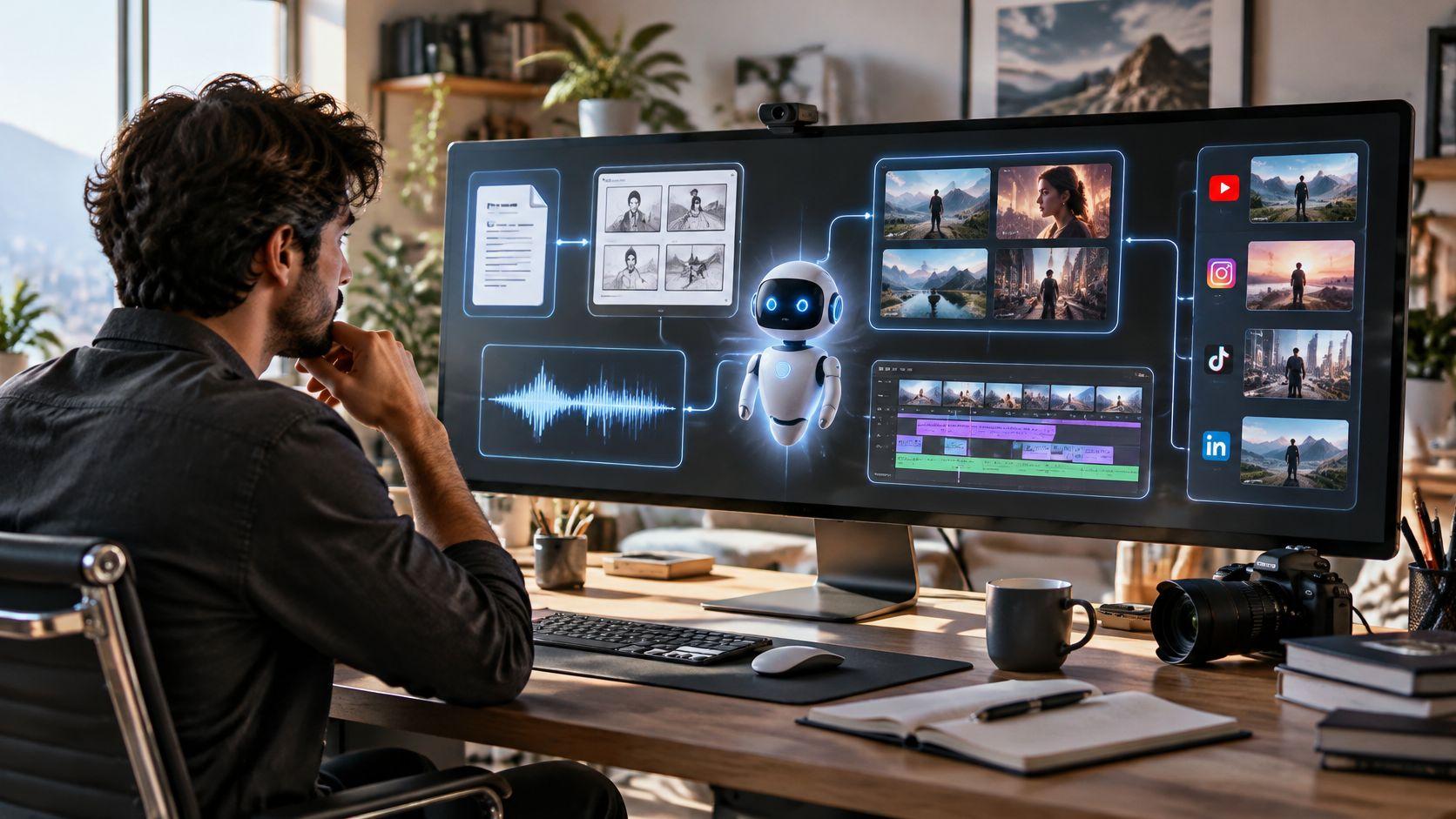
An AI video agent takes a brief and coordinates the production chain toward a finished video. Instead of asking you to move files between separate tools, it plans the work, calls the tools it needs, and carries the results into the next stage.
Think of a video generator as a camera operator: it produces the shot you request. An agent is closer to a production manager, coordinating the script, visuals, narration, edit, and delivery. A production manager still needs approvals, and so does an automated workflow.
What each tool type handles on its own
| Capability | Video generator | Editing tool | AI video agent |
|---|---|---|---|
| Turns a text brief into a finished video | Partly | No | Yes |
| Writes the script | Rarely | No | Yes |
| Creates scene images and voiceover | Partly | No | Yes |
| Adds subtitles and exports the file | Sometimes | Yes | Yes |
| Schedules or auto-publishes | No | No | Yes |
| Needs a person to coordinate each stage | Yes | Yes | Rarely |
These are useful category distinctions, not guarantees about every product. An agent's publishing ability requires supported integrations, account authorization, and an appropriate approval process.
Coordination is the meaningful difference
Commercial forecasts help explain the interest, but they don't measure autonomous agents specifically. Research and Markets estimated the global AI video-generator market at approximately $761.6 million in 2025**, with a projection of **$2.9 billion by 2032.
For creators, the practical distinction is simpler than market size: generating a compelling clip doesn't automatically produce a publishable video. Someone or something must still connect the script, images, voice, subtitles, format, and destination.
When evaluating that coordination, Busylike's guide to compare AI video production companies offers a useful starting point for comparing production support rather than judging providers by sample footage alone. Ask who handles revisions, approvals, and delivery when an output misses the brief.
Choose around your bottleneck. If you need an unusual visual and enjoy assembling the finished piece yourself, a generator may be enough. If coordinating recurring posts is what stops you from publishing consistently, an agent is the more relevant category.
How an AI Video Agent Turns One Brief Into a Published Video
Say you're making a bedtime story about a fox returning a lost lantern. The agent needs more than attractive forest images: it must preserve the story's sequence, keep the fox recognizable, and leave enough time for the narration.
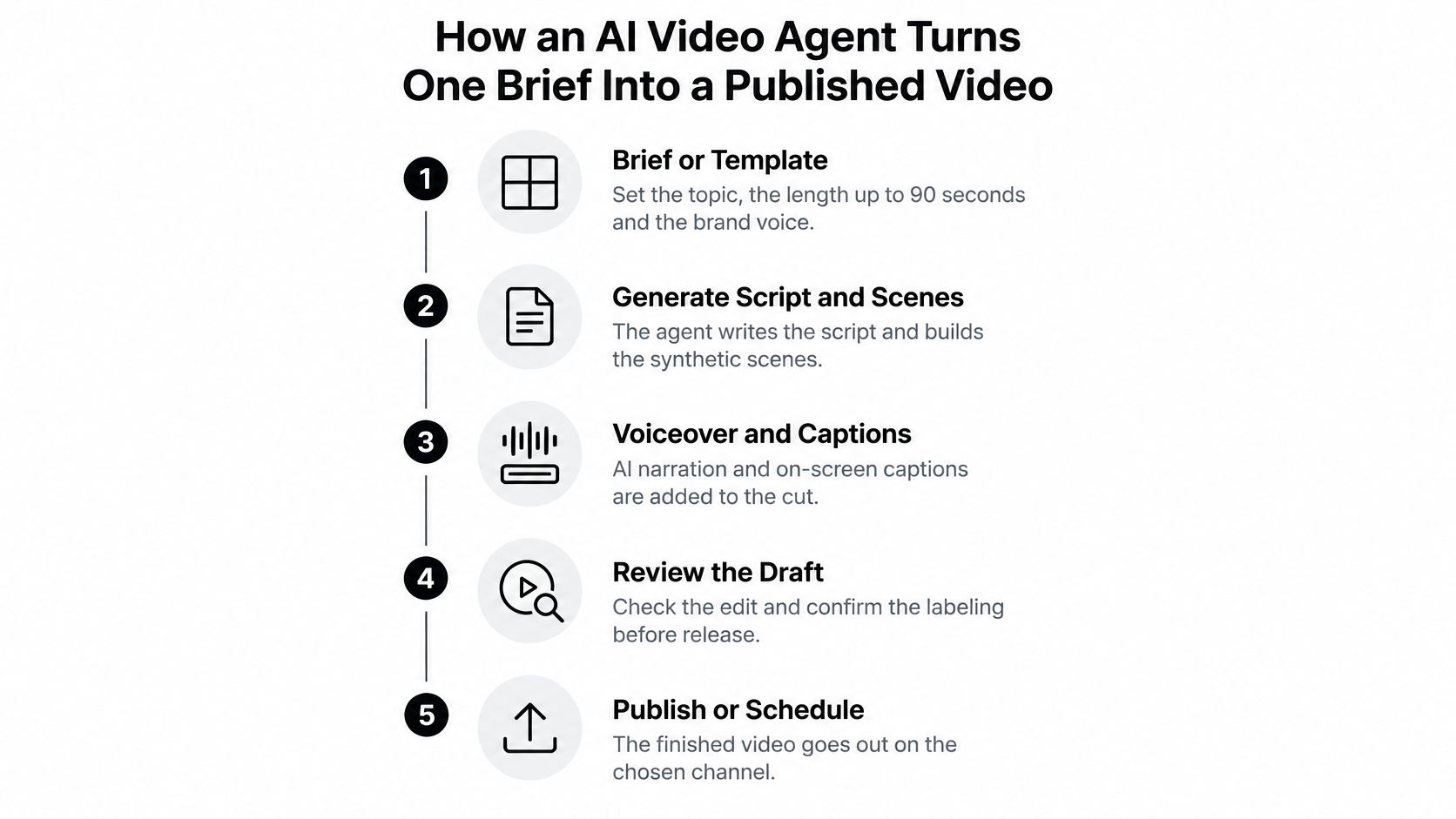
The overview below groups the production work into broad phases.
From instructions to an assembled draft
- Choose a template or write the brief. Specify the topic, intended audience, target length, and brand voice so the agent has clear constraints. A common failure is a vague instruction such as “make it engaging,” which gives the system little guidance about tone or purpose.
- Generate the script and divide it into scenes. Each scene should advance a clear story beat, such as finding the lantern or meeting its owner. If the script introduces too many events, the finished video can feel rushed even when every sentence sounds reasonable.
- Create story-aligned images. The agent turns scene descriptions into visual instructions, preserving important objects and actions. Watch for literal mismatches, such as showing the fox carrying the lantern before the story says it finds it.
- Generate the voiceover. Choose narration that fits the audience and emotional tone. A voice can sound natural while reading too quickly for viewers to follow the pictures.
- Add and align subtitles. Captions should reflect the actual spoken words and appear when those words are heard. Common failures include mistimed phrases, incorrect names, and text that disappears before viewers can finish reading.
- Assemble the scenes and format the video. The edit combines images, narration, captions, and transitions into the intended viewing format. Check for awkward pauses, cropped subjects, or captions hidden beneath platform interface elements.
- Review the draft against the approved script. Compare what viewers see and hear with what you intended, including the ending. A technically successful export can still omit the story's resolution or contain an unsupported claim.
- Publish or schedule to an authorized account. Confirm the destination, visibility, disclosure settings, and publishing time before release. Follow the guide to linking social media accounts during setup so account connection doesn't become a last-minute obstacle.
How the agent keeps the story consistent
A useful continuity mechanism is structured episode memory: a record of characters, setting, plot facts, visual references, and voice settings. The ECCV VideoAgent study examined memory-augmented video understanding with specialized tools, supporting the design principle that agents benefit from retaining observations rather than treating every moment independently.
That study isn't proof that a production tool will maintain perfect character consistency. It explains why an agent should compare later scenes against an explicit record instead of relying on the original prompt alone.
Draft approval means checking the whole experience: the story makes sense, the voice is understandable, the captions match, and the final frame doesn't cut off the conclusion.
Platform Labeling Rules to Check Before Auto-Posting
A realistic synthetic scene can mislead viewers even when the channel never shows a presenter's face. A fictional emergency, invented eyewitness clip, or generated historical scene may look like recorded evidence when it appears in a feed.
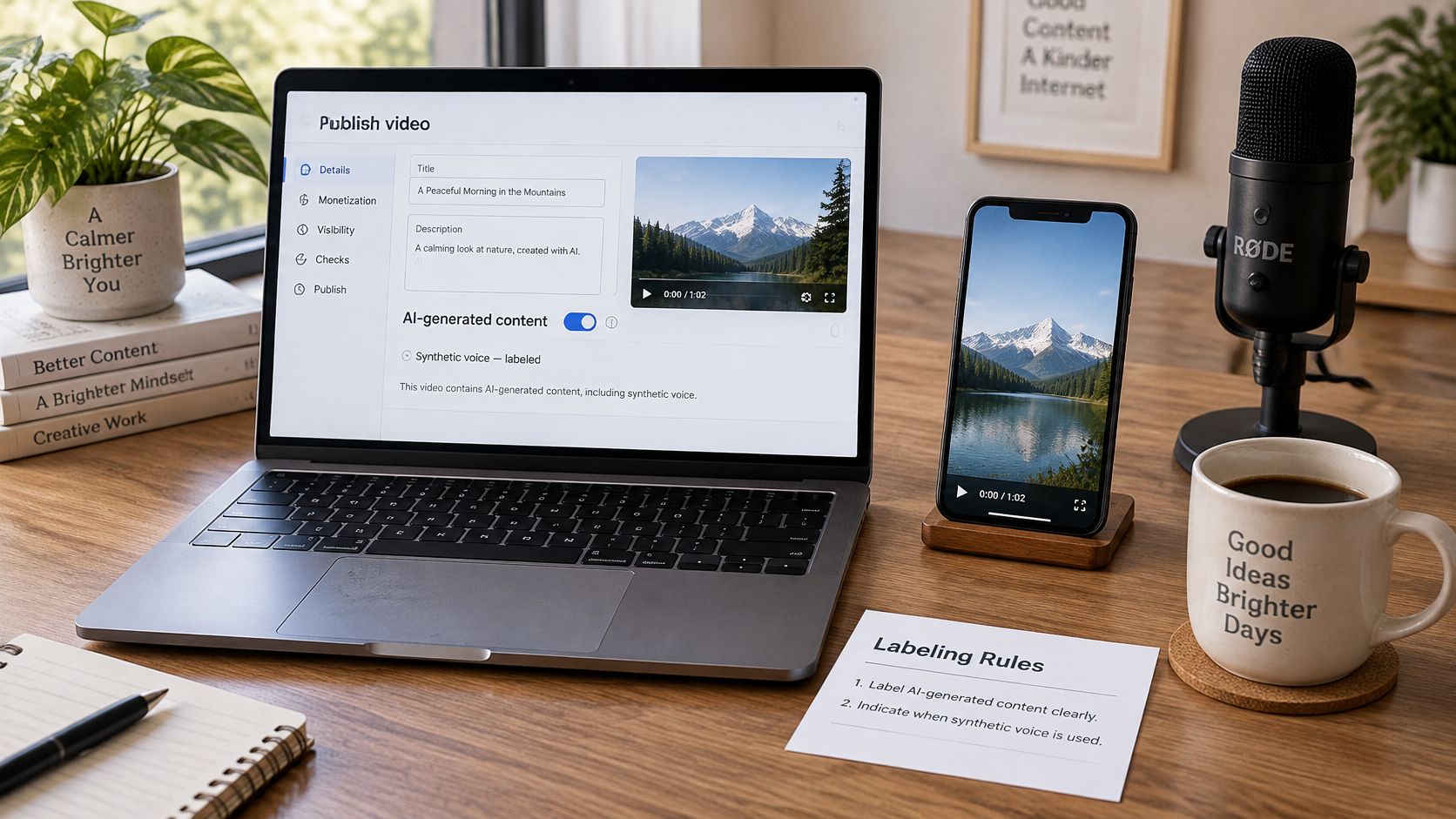
That makes labeling a publishing task, not an optional note added after production. AI voices, realistic imagery, and synthetic scenes need review together, because the combination determines what viewers might believe.
Keep disclosure decisions alongside the edit, rather than leaving them for whoever presses publish.
Match the label to the destination
Photoroom's guide to AI-video labeling describes YouTube's disclosure requirement for meaningfully altered or generated photorealistic content, TikTok's labeling requirement for generated or significantly edited realistic scenes or people, and Instagram's related labeling and detection mechanisms.
Label triggers and the check before posting
| Platform | Label trigger | Check before posting |
|---|---|---|
| YouTube | AI meaningfully alters or generates photorealistic content | Set the disclosure at upload when the trigger applies |
| TikTok | AI-generated or significantly edited realistic scenes or people | Apply the AI label before the post goes live |
| AI-generated content subject to related labeling and detection mechanisms | Confirm current label prompts before scheduling |
Treat this table as a review aid, not a substitute for checking the destination's current upload controls. Don't assume a scheduler transfers every disclosure choice, or that a label embedded in a downloaded file will automatically activate a platform's disclosure setting.
Classify the content, not just the channel
Scary stories need close attention when their visuals resemble security footage, news coverage, or real incidents. A fictional script doesn't prevent a realistic image from creating the wrong impression.
Narrated lessons require a distinction between illustration and apparent evidence. Generated footage presented as a real historical recording deserves a different review from an obviously stylized diagram explaining the same event.
Illustrated bedtime tales generally create less confusion about whether an event was filmed. Still, inspect any realistic person, imitated voice, or scene that might be mistaken for something authentic.
A faceless format isn't a disclosure exemption. Review what the audience will reasonably think it's seeing and hearing.
Build a disclosure record into the publishing handoff: what was generated, which platform setting applies, and who approved it. If the integration can't carry the required setting, use a manual upload rather than skipping it.
The agent's rule should be straightforward: pause for human review whenever a draft crosses a disclosure trigger. Approval should address the actual video, not merely the template it started from.
Who Owns the Video and What You Can Use
Contractual ownership, copyright protection, and exclusivity are different questions. Contractual ownership concerns the rights granted under your agreement with a provider. Copyright concerns legally protectable authorship, while exclusivity concerns whether someone else can use or create similar material.
The distinction matters to creators: a study of creators and AI-assisted work reports that 90% consider the ability to obtain copyright protection important, while 49% always or often disclose AI use. Receiving a finished file doesn't, by itself, resolve every rights question attached to its components.
Separate permission from protection
Under our terms, users own their generated videos and can use them for personal or commercial purposes. Users can also download any generated video and publish it manually to any social network, which is useful when moving a file between accounts or delivering it to a client.
Those contractual permissions shouldn't be read as a promise that every machine-generated element receives copyright protection. They also don't guarantee that another person can't receive a similar image, phrase, or visual arrangement.
Human contributions deserve separate documentation. An original script, deliberate scene selection, editing decisions, sequencing, and human-directed revisions may matter to an authorship assessment, but choosing a brand voice doesn't automatically settle that assessment.
Keep a rights record with the project
For branded work, retain a practical record of what went into the finished video:
- Creative contributions: Save the original script, prompts, revision history, and notes explaining substantive human decisions.
- Editable materials: Preserve project assets where available so you can identify, replace, or revise individual components.
- Source permissions: Record licenses and attribution for supplied footage, music, images, and other outside material.
- Approval responsibility: Name who checks rights before a paid campaign or client delivery.
Don't assume that adding narration makes borrowed material safe to use. Our fair-use guidelines can help frame that review, but a particular use still needs its own assessment.
Say an agency combines a client's original script with generated forest scenes and licensed music. The delivery should distinguish those components rather than describing the entire package as unconditionally exclusive.
Before a branded or monetized launch, ask counsel to assess commercial permissions, human authorship, third-party material, and any exclusivity promised to the client. A clear contract and a usable rights record are more valuable than a broad ownership slogan.
Where AI Video Agents Fit Creators, Educators and Brands
The best fit depends on the job you need done, not whether you consider yourself an AI creator. Recurring formats with clear briefs are easier to delegate than work whose value comes from original reporting, personal performance, or access to real events.
The working setup can look similar across audiences, while the approval responsibilities differ considerably.

Use cases, benefits and limits
| Use case | Typical output | Main benefit | Main limit |
|---|---|---|---|
| Faceless story channels | Short serialized episodes | Steady posting rhythm | Labeling rules for realistic scenes |
| Educators and e-learning | Narrated micro-lessons | Quick updates to lesson content | Accuracy of generated facts |
| Small brands | Recurring product or tip videos | Consistent output without a studio | Brand voice needs review |
| Agencies | Client video batches | Scales across accounts | Client ownership and approval terms |
| Storytellers | Themed story series | Continuity across episodes | Character drift without memory checks |
Match the workflow to the responsible person
Faceless story channels can delegate recurring episode assembly while the creator plans the series. For a fictional mystery channel, the human decision is whether a realistic missing-person image could be confused with an actual appeal.
Educators can turn an approved explanation into a narrated micro-lesson without rebuilding the presentation from scratch. A biology teacher still needs to check whether a generated diagram shows the process correctly; the educational video production guide offers a useful framework for planning instruction around a learning objective.
Small brands can create recurring product explanations or practical tips from an approved brief. Say a bakery wants a video explaining how to store sourdough: someone at the bakery must approve both the advice and the tone before publication.
Agencies can organize repeatable production across client accounts, but they need an explicit handoff between drafting and approval. A restaurant client's account shouldn't receive a post because another client approved the same general template.
Storytellers can use a shared episode record to support a themed series. They should inspect recurring characters and significant props, especially when a changed detail would contradict the plot.
Decide what you're actually delegating
An agent can assemble an explanation; it can't supply your professional judgment. It can visualize a product tip; generated imagery shouldn't replace evidence of how the product performs in practice.
If volume and consistency are the constraint, an agent may fit. If the constraint is original expertise, interviews, demonstrations, or live footage, use it as a production assistant around those inputs, not as their replacement.
Reliability Limits and a Pre-Launch Checklist
Computer-use capability isn't the same as dependable production. The OSWorld benchmark introduced in 2024 contains 369 tasks across Ubuntu, Windows, and macOS and established that the evaluated multimodal models were far from reliable autonomous computer agents.
That's relevant because a video workflow involves more than generating pictures. An agent may need to interpret instructions, manage assets, operate tools, synchronize audio, and produce a valid export. A failure at any handoff can leave you with a polished-looking but unusable result.
Use a checklist beside your performance review, rather than judging readiness from a successful demonstration.

Measure completed work, not attractive samples
A practical measure is the share of jobs completed without human correction. Define completion before testing: the approved content is present, the audio and captions work, the file meets your requirements, and the publishing handoff succeeds.
The AgenticVBench benchmark organizes post-production work around assembly, repair, sequencing, and repurposing, reinforcing the need to evaluate workflows rather than visual quality alone. For your own operations, categorize failures by planning, retrieval, generation, editing, or export so you can identify the stage that needs attention.
For example, a caption spelling error and an upload failure require different remedies. Recording both as “video failed” won't tell you whether to change the script review, subtitle check, or account connection.
Keep these misconceptions out of your launch decision:
- Hands-off doesn't mean unchecked: An agent can coordinate stages while a person retains responsibility for consequential approvals.
- Faster isn't automatically better: A channel still needs useful ideas and videos that serve its audience.
- Ownership isn't exclusivity: Don't promise a client rights beyond those you can document.
Run the pre-launch checks
- Define the video type and realism level. Record whether the format uses illustrations, photorealistic scenes, synthetic narration, or representations of real people. This gives the reviewer something concrete to assess instead of a vague “AI content” category.
- Check each destination's disclosure process. Confirm where the relevant upload or scheduling control appears, and whether your publishing method supports it. If it doesn't, assign a manual step before release.
- Record the rights for the intended account. Identify the brand or client receiving the video, the permitted uses of supplied assets, and the person authorized to approve publication. Don't let account access stand in for client consent.
- Preserve the production record. Keep prompts, revisions, the approved script, and editable project files where available. Store the approval alongside the final export so a later correction doesn't depend on someone remembering what happened.
- Run a small test batch and log corrections. For example, try three videos representing an ordinary episode, a continuity-heavy story, and a disclosure-sensitive draft. This is a suggested test design, not a performance benchmark; use it to expose different failure paths.
- Route disclosure-sensitive drafts to a person. The reviewer should inspect the final render and confirm the publishing settings, not approve a script while unseen generated scenes continue downstream. Leave the item unpublished when approval is missing.
Each generated video incurs non-refundable GPU costs, so test your instructions before scaling production. An unclear brief can create avoidable reruns even when the software operates as intended.
Keep publishing control reversible
ClipCreator.ai handles video creation through publishing after you connect a TikTok or YouTube account. You can revoke our access to your YouTube account at any time through your Dashboard or Google Security settings.
Use a workflow demonstration to identify the points where you'll inspect the draft and confirm the account handoff.

Fallback rule: Repair the smallest failed unit, then check the affected sequence again.
If a scene image contradicts the script, regenerate that scene rather than automatically rerunning the whole project. If narration changes, recheck subtitle timing and the surrounding cuts because the repair may affect those dependencies.
Start with the test batch. Approve it manually, record every intervention, and expand automation only after you understand what still requires your attention.
ClipCreator.ai offers an automated path from a video brief to scheduled publishing, while you set the standards for content, rights, and disclosure. Visit ClipCreator.ai to create a test batch, then review the finished videos before committing to an ongoing publishing routine.

Create your first video in under 2 minutes
Pick a niche, and ClipCreator.ai generates and auto-posts faceless videos to your channels every day.
Join ClipCreator.ai