Most advice about a YouTube video idea generator gets the order wrong. Creators are told to ask for more ideas, more titles, more hooks, then pick their favorite and hope the algorithm agrees. That's backwards. If you run faceless channels, the bottleneck usually isn't idea volume, it's idea demand, and YouTube already exposes the signals that tell you whether people want a topic before you spend time making it.
That shift matters because YouTube's own workflow keeps getting more research-driven. By 2026, YouTube Studio's Research Tab could surface related search terms, topics, companies, public figures, and products, plus search-volume signals and content gaps, which turns ideation into a demand check instead of a guessing game, as described in YouTube Research Tab content idea guidance. The best creators I've watched do the same thing manually, then let a generator multiply the winning angle. If you want a broader framework for choosing topics, I'd pair this with content gap analysis and only ask an AI for ideas after the gap is clear.
A generic prompt box can't do that work for you. It can only remix whatever you feed it. That's why the strongest workflow starts with evidence, then uses the generator to speed up execution, not replace judgment. If you want a shortcut to better inputs, TransClipper's guide on viral YouTube topics with hook templates is useful because it frames the topic around the hook, not just the title.
Why Most YouTube Video Idea Generators Fail Creators
Most generators fail for the same reason most brainstorm sessions fail. They produce a pile of plausible ideas, but plausibility is not demand. A creator can get 50 title variations in seconds and still end up with a weak topic if the underlying search intent is thin or the angle is already overused.
The better way to think about a YouTube video idea generator is as a demand-discovery engine. YouTube rewards topics that already show measurable audience interest, and the discovery system gives you enough clues to see that interest before publishing. That shift moves ideation away from guesswork and toward evidence, which is why the stronger tools ask for a niche, channel description, or metadata before they generate anything.
Why volume hides weak decisions
A tool that spits out generic ideas is easy to admire and hard to use. The output often sounds clean because it avoids specificity, not because it found a real opportunity. I've tested plenty of these tools across faceless channels, and the worst ones make every niche sound equally viable, which is exactly how creators waste a week on content that never had a search footprint.
The practical issue is decision quality. If a generator cannot help you separate a topic with real audience appetite from one that only sounds trendy, it creates noise. That is why the smart workflow starts by looking at YouTube's own signals, then lets the generator multiply the validated angle into more formats.
Practical rule: If a tool cannot explain why an idea should work, it is not helping you choose. It is creating a false sense of productivity.
The difference shows up fast in channel planning. A creator who picks one evidence-backed topic and builds three spin-offs will usually beat someone who publishes ten random brainstormed titles. That is especially true for faceless content, where the packaging has to do more of the work.
What a better generator genuinely does
A useful generator does not replace research, it compresses it. It should help you move from a raw niche to a topic set that reflects what viewers are already searching for and clicking. That is also why resources like ClipCreator.ai's blog on topic discovery matter, because the topic itself should be validated before production starts.
Once you treat the generator as a validation multiplier, the outputs get better. Instead of “10 video ideas about productivity,” you ask for ideas that fit your audience, format, and content gap. That is the difference between a brainstorming toy and a production tool. For a cleaner starting point, content gap analysis helps you see where demand exists before you ask AI to fill the blanks. The same logic applies when you use viral YouTube topics with hook templates, because the hook matters only after the idea has proven demand.
Crafting Prompts That Produce Shorts-Ready Concepts
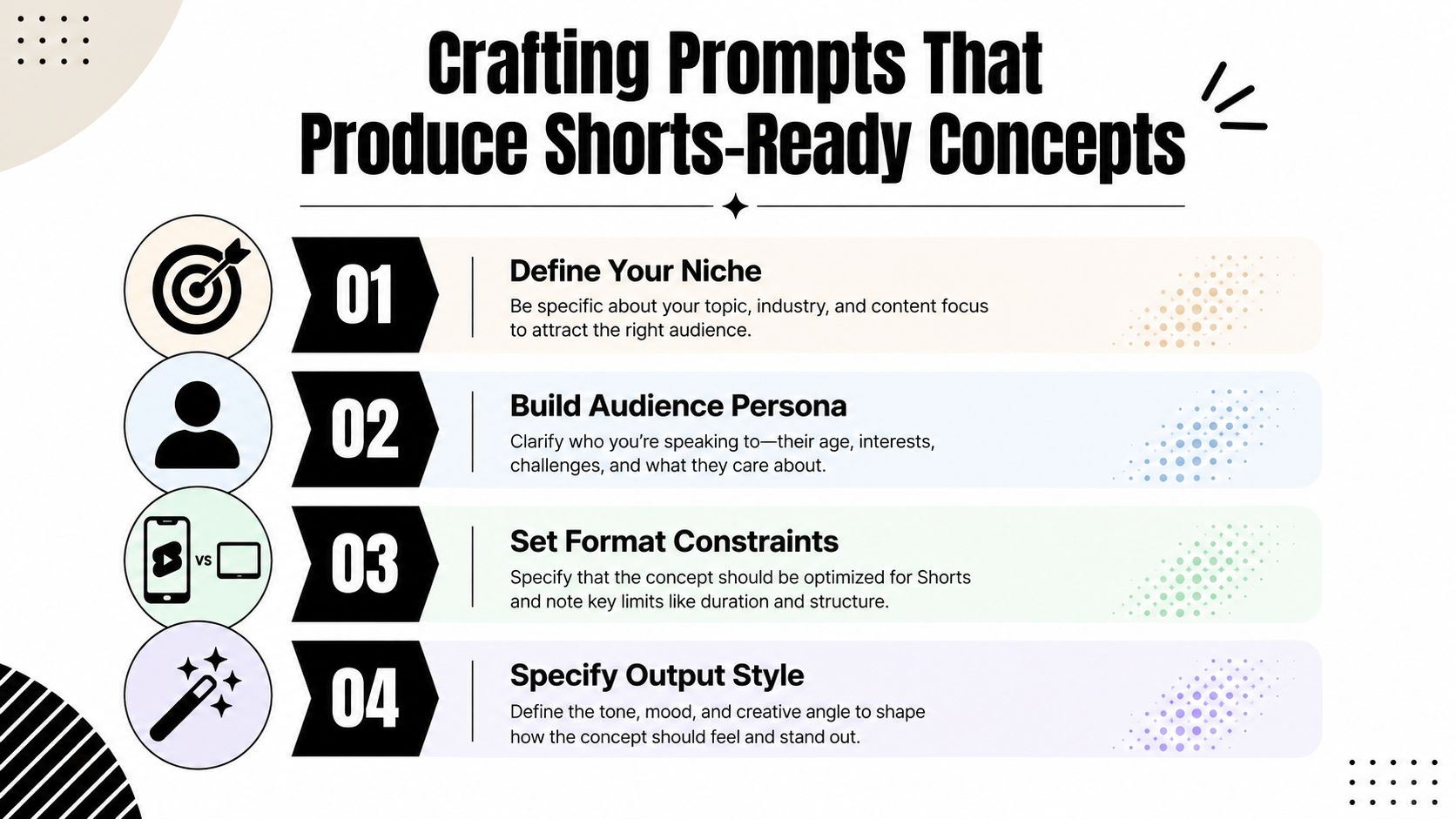
A good prompt does three jobs at once. It narrows the niche, constrains the format, and tells the generator what kind of output you can produce without a face on camera. If you skip those details, the tool tends to return broad topics that sound decent on paper and collapse when you try to script them into a Short.
Use four inputs, not one vague topic
The cleanest prompt structure I've used includes niche, audience, format, and tone. That sounds basic, but it changes the quality of the output because the generator stops inventing generic “video ideas” and starts drafting concepts that can survive in a 30 to 90 second format. If you already know the audience problem, the idea becomes more usable immediately.
A practical prompt looks like this:
Niche: personal finance for beginnersAudience: viewers who want fast, simple explanations and hate jargonFormat: YouTube Shorts, 30 to 60 secondsTone: direct, calm, faceless, no hype
Then ask for hooks, not just topics. A stronger version is:
“Give me 15 YouTube Shorts ideas for beginner personal finance viewers. Each idea should include a strong first-line hook, a simple payoff, and a visual angle that works without a talking head.”
That prompt forces the tool to think in short-form terms. It also lines up better with faceless production, where you need narration, visuals, and pacing to do the heavy lifting.
Shape the output around retention, not just subject matter
For Shorts, the first 3 seconds matter more than the topic label. That means your prompt should ask for a hook format, a payoff, and a visual pattern. If you're building a faceless channel, that's what separates usable output from “interesting but unfilmable” ideas.
I also like to specify what not to include. Ask for ideas that avoid long setup, avoid obvious advice, and avoid topics that need a personal anecdote on screen. That keeps the generator from returning content that only works for personality-led channels.
If you want a separate workflow for prompt design, ClipCreator.ai's prompt guide is a solid reference point because it treats prompt inputs as production constraints, not creative decoration. The more clearly you define the constraints, the less cleanup you do later.
A second useful option for hands-off creators is Auralume AI's shorts maker, mainly because it reflects the same logic, structured inputs tend to produce more publishable short-form output than loose topic dumping.
Validating Ideas With Real YouTube Demand Signals
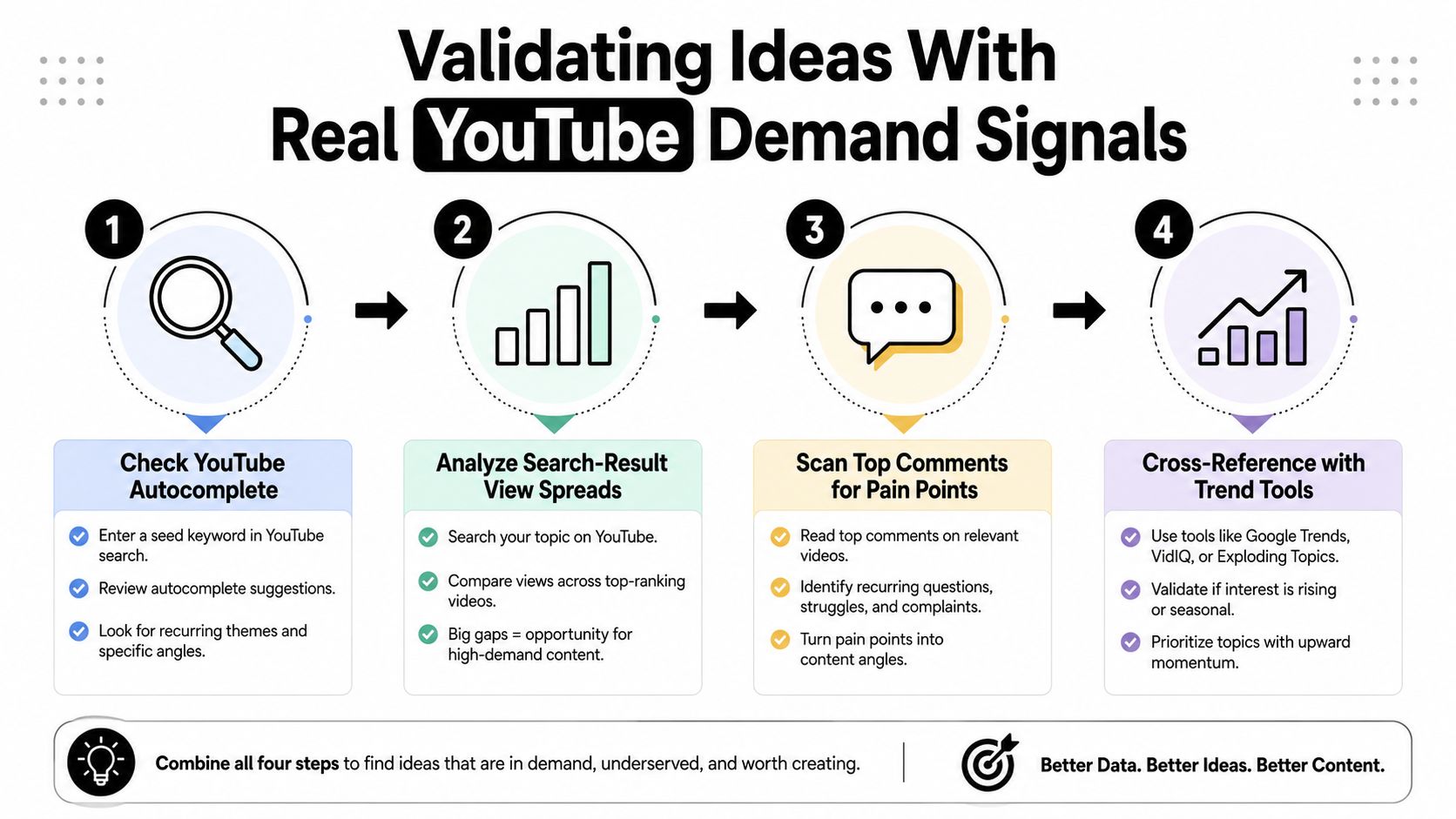
The quickest way to cut a weak idea is to check whether YouTube already answers it well. I treat validation as a short research pass, not a content strategy meeting. If an idea cannot survive a quick scan of search results, comments, and related topics, it should stay out of the backlog.
Read the signals before you write the script
Start with autocomplete. If YouTube starts filling in your query with related searches, the platform has enough demand data to recognize the topic family. Then compare the top results, because the spread between their view counts gives you a rough read on whether the topic has steady interest or only a few isolated winners. Industry guidance in the source brief treats a spread like 50K views versus 5K views as a sign of steady demand, while sub-1K results suggest weak keyword viability, and that is a practical cutoff when you are sorting ideas quickly.
The next pass is comment mining. Open the top videos and look for repeated questions, complaints, or follow-up requests. Those comments often point to an underserved angle. If viewers keep asking the same thing, the existing videos did not fully answer the problem.
A quick scoring pass keeps this from turning into overthinking:
- Autocomplete presence: the topic family appears in search suggestions.
- Result spread: the top videos show clear demand, not dead pages.
- Comment repetition: viewers ask the same follow-up question more than once.
- Angle gap: the topic is covered, but not from your chosen format or persona.
A topic is worth publishing when it is answered poorly enough that your version can stand out.
Use outliers, not just averages
The best validation habit is checking outlier videos. If one video in a niche performs far better than the rest, the topic may be stronger than the average result suggests. That matters because average results can hide opportunity, especially in crowded niches where most creators miss the sharper angle.
I usually spend 10 to 15 minutes per idea on this pass, then move on. That is enough time to know whether a concept deserves a faceless Short. If the idea passes, I add it to a backlog and only then ask the generator for variations, hooks, or format conversions.
For a closer look at trend research, ClipCreator.ai's trending-topics guide is useful because it pushes creators toward topic evidence before production. That habit keeps a generator from flooding you with polished but weak concepts.
Adapting a Validated Idea Into a Faceless Short
A validated idea still isn't a video. It has to become a script that works without a face, without conversational filler, and without a slow opening. The easiest mistake here is writing for a long-form mindset and then trying to compress it into a Short, which usually produces a rushed mess.
Build the Short around one payoff
Start with a single promise. A faceless Short works best when the viewer knows exactly what they'll get, fast. The opening line should create curiosity, then the body should deliver one clear takeaway, not a pile of related advice.
A reliable structure looks like this:
- Hook the problem in the first line.
- State the payoff in plain language.
- Show 2 or 3 beats that explain the idea.
- End on a close or twist that leaves the takeaway memorable.
The narration style should match the niche. A finance Short can sound calm and precise. A story-based channel can use suspense and faster pacing. A tutorial Short should sound direct and practical, because the viewer is there for clarity, not personality.
Make visuals do the work the face would've done
Without a presenter, the visuals need to carry context. That can mean screenshots, text callouts, animated objects, stock footage, or simple motion graphics. The goal isn't decoration, it's reducing cognitive load so the viewer never has to guess what part of the script they're on.
One idea can become three different Shorts. A single validated concept can be turned into a myth-busting clip, a step-by-step clip, or a mistake-based clip. The topic stays the same, but the framing changes, which gives you more room to test angle and retention without inventing a new subject every time.
If you want the same idea to work on TikTok and Instagram Reels, keep the visual language broad and the text overlays short. Short-form platforms reward speed and clarity, and a faceless format needs both.
Automating Production With ClipCreator.ai
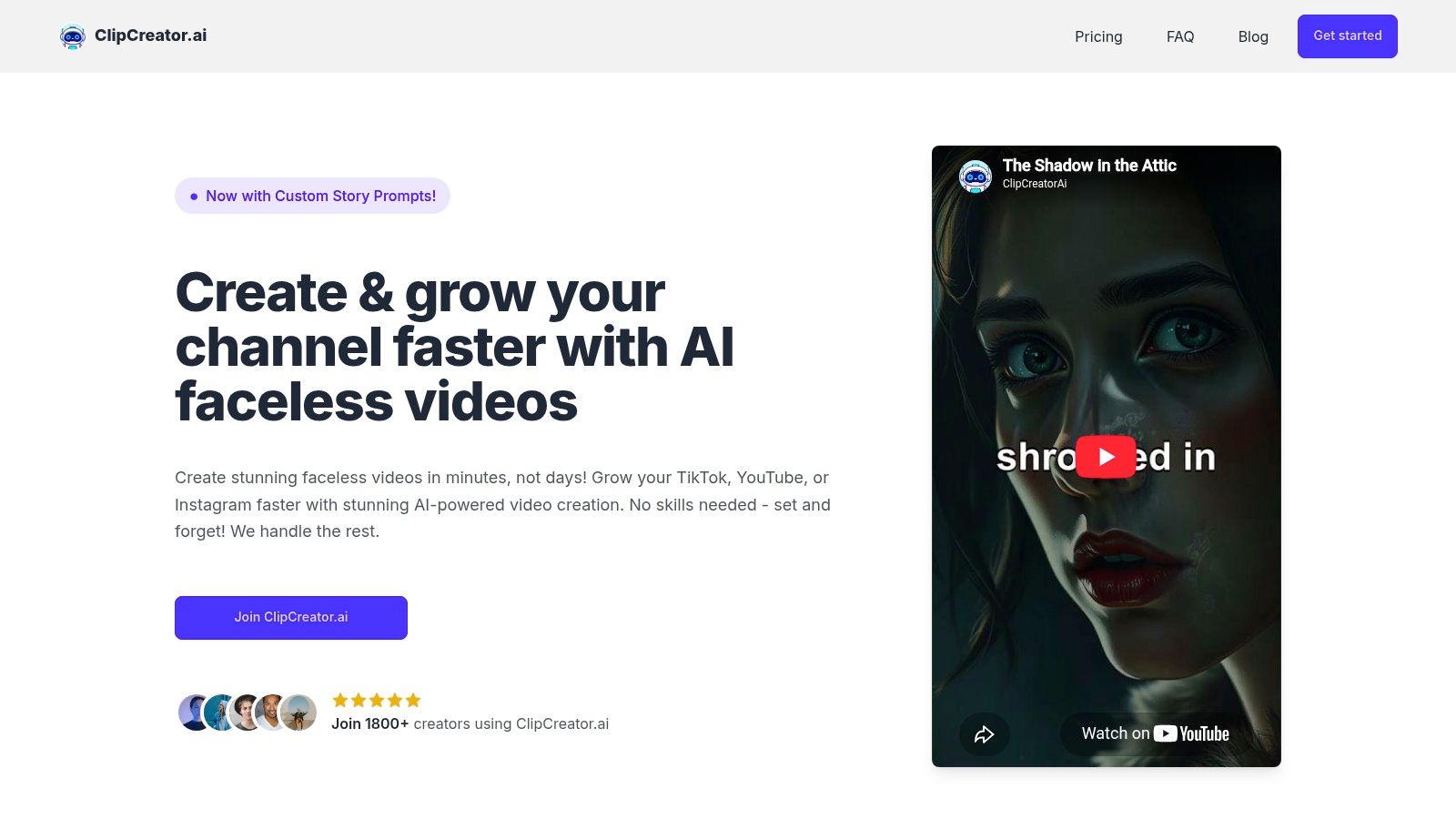
Once an idea is validated and scripted, production is usually where time disappears. ClipCreator.ai turns that validated concept into a scripted Short with AI-written narration, story-aligned images, lifelike voiceovers, and subtitles. It also supports scheduling and multi-platform posting, which helps if you want the same workflow to stay active across YouTube, TikTok, and Instagram.
The useful part is the sequence. You feed in the validated concept, choose a template or custom prompt, then let the system generate the assets needed for a publish-ready Short. Topic research stays separate from video assembly, which is how a faceless pipeline should run. I'd rather spend judgment on picking the right idea than manually cutting subtitles every time.
A video tool earns its place by reducing friction without flattening the channel voice. In practice, the idea still has to come from your validation process, while the platform handles the repetitive production steps. That split is what makes a set-and-forget workflow realistic for creators who publish often.
The publishing side matters just as much. When scheduling is built into the workflow, you can line up releases around your ideal posting times and keep the channel active without daily manual uploads. That helps creators who run multiple faceless channels or hand off production to a small team.
The deciding factor is whether the tool can move a validated idea through script, voice, visuals, captions, and posting without sending you back into editing software. That is the difference between a nice demo and a production system you can keep using.
Building a Weekly Idea-to-Publish Workflow
Consistent creators treat ideation as a weekly operating system rather than a creative burst. One short, disciplined session can produce more usable output than an entire afternoon of random brainstorming, especially when the same ideas can be validated, scripted, and queued in batches.
A simple weekly cadence that actually sticks
A workflow that fits a real creator schedule does not need to swallow the day.
- Monday, idea capture: pull topics from YouTube autocomplete, channel research, and your backlog.
- Wednesday, validation pass: check result spreads, comments, and outlier videos.
- Thursday, scripting: turn the winners into faceless Short scripts with a hook, beats, and ending.
- Friday, publishing setup: push approved videos into the scheduling queue.
The source brief's weekly research ritual recommends a 45-minute session and adding 5 to 10 validated ideas to the backlog each week, which is a sane target if you're trying to keep a funnel full without burning out as described in the workflow guidance. The number matters less as a target than as a discipline. It keeps the process in motion.
Feed performance back into the generator
The value of a weekly system shows up after publication. When a Short performs well, I tag the topic, the hook type, and the format. Then I feed those patterns back into the next prompt so the generator starts producing closer matches to what my channel already proves it can win with.
Format rotation helps here too. If one niche starts to feel stale, I keep the audience and change the frame, or keep the frame and change the subject family. Short-form channels get sluggish when every idea looks identical, and a clean backlog helps you avoid that trap.
For creators who want to extend one winning concept across channels, ReachLabs.ai's take on social currency for brand growth is a useful reminder that shareable ideas often travel better when the framing is easy to repeat. That idea fits Shorts especially well, because repeatable formats are easier to publish at scale.
A good YouTube video idea generator does not end at brainstorming. It starts with demand, turns validated concepts into faceless Shorts, and then feeds performance back into the next prompt. ClipCreator.ai fits that kind of workflow by turning approved ideas into scripted, voiced, captioned Shorts you can schedule without daily editing.

Create your first video in under 2 minutes
Pick a niche, and ClipCreator.ai generates and auto-posts faceless videos to your channels every day.
Join ClipCreator.ai