You're probably in the same loop most Shorts creators hit. You find an idea, write a script, record or generate assets, fix captions, resize everything to vertical, export, upload, then watch a decent-looking video stall. The next day, you need another one.
That's the core problem a YouTube Shorts generator should solve. Not “make one video fast.” A single fast video doesn't change anything if your workflow is still fragile, inconsistent, and impossible to repeat without burning out.
The creators who scale Shorts usually stop treating each upload like a mini film project. They build a repeatable system. The system handles ideation, formatting, quality control, scheduling, and feedback. Then every new Short becomes another test inside an engine instead of another all-or-nothing gamble.
The Shorts Content Treadmill and Your Escape Plan
The treadmill starts innocently. You post when inspiration hits. One video takes off a little, so you try to recreate it manually. Another flops, and suddenly you're rewriting hooks, changing visuals, and second-guessing every edit.
That approach breaks because Shorts is a volume-and-iteration environment. YouTube Shorts now averages over 200 billion daily views, and top-performing creators post 18–22 Shorts per month according to LoopEx Digital's Shorts statistics roundup. The audience is there. The challenge is publishing often enough, with enough consistency, to learn what your channel responds to.
A lot of creators hear “automation” and think low quality. That's usually because they've only seen one-click outputs with no editorial process behind them. A useful YouTube Shorts generator doesn't replace judgment. It removes the repetitive work that steals time from judgment.
What the treadmill actually looks like
Most manual Shorts workflows fail in the same places:
- Idea drift. You start with one concept, then the script, visuals, and title all pull in different directions.
- Editing bottlenecks. Captions, framing, and pacing changes eat more time than the actual idea.
- Inconsistent publishing. You disappear for a week because one upload took too long.
- No feedback loop. Every Short feels isolated, so you don't build patterns you can repeat.
Practical rule: If your process can't produce multiple tested Shorts from one content idea, it isn't a growth system yet.
The escape plan is simple in theory. Build a pipeline that starts with repeatable concepts, turns them into vertical-ready assets quickly, and leaves you enough time to review what matters most: the hook, pacing, captions, ending, and publish cadence.
A YouTube Shorts generator fits into that pipeline when it helps you produce batches, not just outputs. That's the difference between “I made a video” and “I built a channel operation.”
From Idea to Viral Prompt
The strongest automation workflows don't begin with video generation. They begin with prompt quality. If your prompt is vague, your Short will feel vague. If your prompt has a clear audience, emotional tone, structure, and end condition, the AI has something usable to build from.
Creator success on Shorts depends on a tight workflow: find a real audience idea, convert it into a vertical creative brief, and edit for retention. The hard part isn't generation itself. It's quality control and iteration, as noted in PixVerse's guide to YouTube Shorts AI video ideas.

Start with a format, not a random topic
“A video about space” is not a creative brief. It's a subject area.
A better starting point looks like this:
- Narrative lens. Is this a mystery, explanation, warning, or story?
- Audience expectation. Are they here for fear, curiosity, usefulness, or surprise?
- Delivery style. Calm voice, urgent voice, documentary tone, dramatic storytelling.
- Ending type. Twist ending, clean payoff, loop-friendly last line.
A scary story channel is a good example because the format is narrow enough to systemize. The channel doesn't need “new content ideas” in the abstract. It needs a repeatable prompt family. Think abandoned motel stories, late-night phone calls, strange neighbors, or hidden-room reveals. Each one gives the generator clear genre rules.
Templates versus custom prompts
Templates work best when you need speed and consistency. Custom prompts work best when you've already learned what your audience responds to and want tighter control.
Here's the practical trade-off:
| Approach | Best use | Risk |
|---|---|---|
| Template-driven | Fast batch production in a proven format | Results can feel generic if you don't customize the angle |
| Custom prompt | Better originality and stronger niche voice | Easier to overcomplicate and confuse the generator |
When writing prompts, I'd rather over-specify the emotional shape than over-specify visual fluff. “Slow-burn suspense with a reveal in the final line” is more useful than adding decorative adjectives everywhere.
A solid prompt usually includes:
- The topic
- The point of view
- The tone
- The pacing
- The hook
- The ending behavior
For script ideas that don't flatten out halfway through, this guide on tips for script writing is a useful companion.
Don't ask the generator to “make it viral.” Ask it to create a specific feeling for a specific viewer in a specific format.
That's how a YouTube Shorts generator stops producing filler and starts producing assets you can publish.
Bringing Your Story to Life with AI
Once the prompt is solid, the generator's job is coordination. Good Shorts don't come from a script alone, or visuals alone, or voice alone. They come from alignment between those elements.
A modern workflow should produce a script, visual sequence, voiceover, and subtitle base as one connected output, not as four disconnected tasks you have to manually stitch together.
What a generation pass should actually do
When I evaluate a YouTube Shorts generator, I don't start by asking whether it can create a video quickly. I start with four operational questions:
- Does the script have a usable structure?
- Do the visuals match the narrative beat by beat?
- Does the voice fit the channel style?
- Can I edit the weak parts without rebuilding from scratch?
That last point matters most. Fast output is worthless if revision is painful.
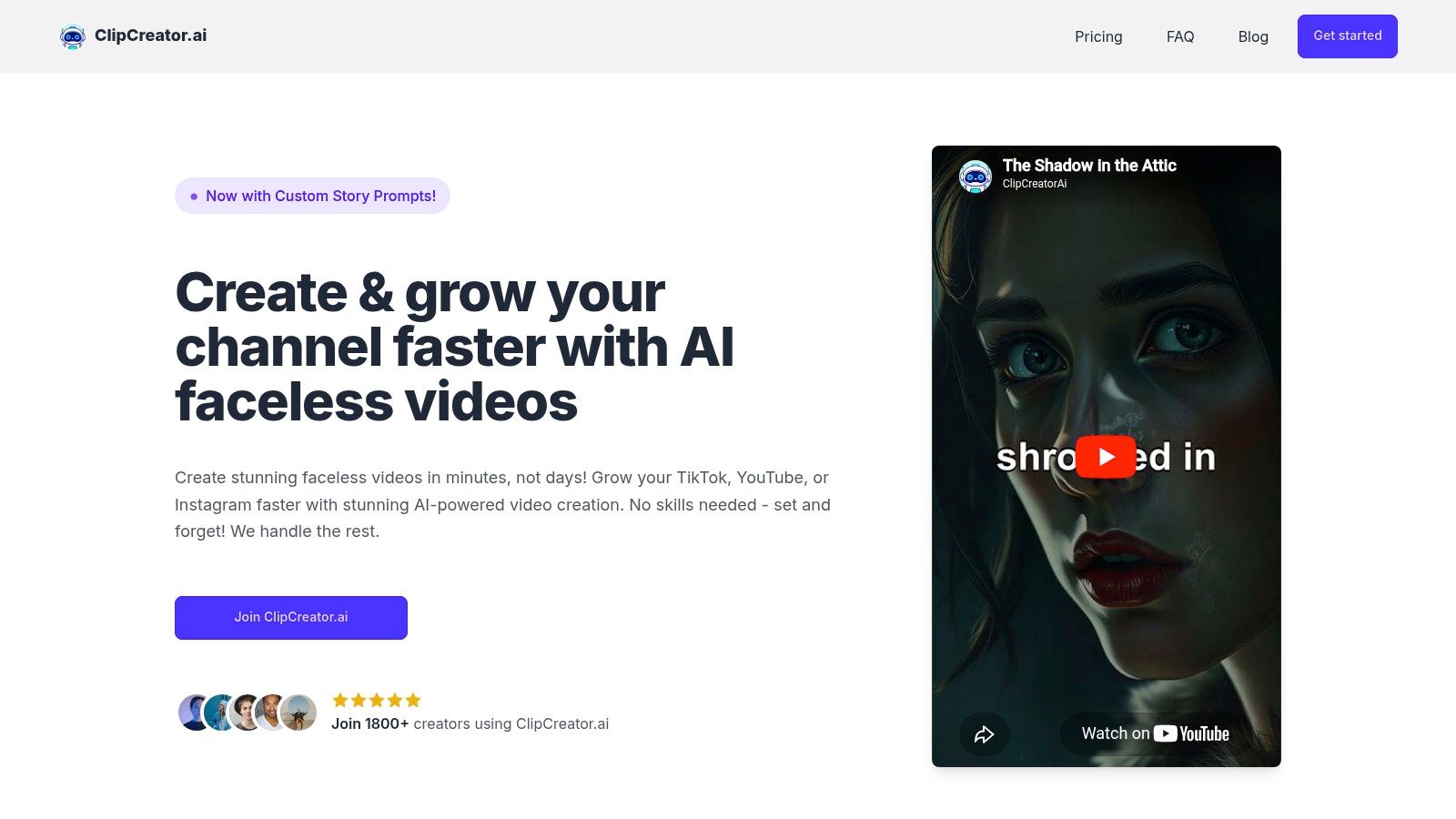
Tools in this category vary. Some are strong on script generation and weak on scene cohesion. Others are good at visuals but produce generic voiceovers. Platforms such as ClipCreator.ai's overview of AI video generation for YouTube describe a workflow where a prompt or template turns into a faceless short with aligned imagery, voice, subtitles, and publishing support. That kind of integrated flow is useful because it reduces handoff friction between steps.
Match voice and visual rhythm to the niche
Different niches need different production choices.
For educational Shorts, an authoritative or calm voice usually works better than a dramatic one. For scary stories, a slightly restrained delivery often performs better than exaggerated horror narration because it feels more believable. For business content, clean pacing and readable text matter more than cinematic transitions.
Here's the simplest way to evaluate output after generation:
| Element | What to check | Why it matters |
|---|---|---|
| Script | One idea per beat | Prevents clutter and confusion |
| Images | Scene relevance | Keeps the viewer oriented |
| Voiceover | Tone consistency | Builds trust and channel identity |
| Captions | Readability on mobile | Helps viewers follow without audio |
One quick preview tells you a lot. If the images feel like stock filler, the prompt was probably too broad. If the voice sounds emotionally wrong, the niche assumptions are off. If the script feels overwritten, shorten the idea rather than trying to rescue it with editing tricks.
A generation walkthrough is easier to understand when you watch the flow in action:

The output is a draft, not a final publish
Many channels stumble at this point. They generate and upload with almost no review because the whole appeal of AI is speed. That's exactly backwards.
Generated Shorts should enter a review queue, not a publish queue.
I treat AI output as a first draft with structure already assembled. That's a huge advantage. But it still needs a human pass for scene order, awkward phrasing, pronunciation issues, caption breaks, and weak endings. The faster your generator is, the more disciplined your review step needs to be.
That's how you turn generation into a reliable production system instead of an automated content roulette wheel.
Adding the Polish for Maximum Retention
A generated Short becomes competitive when you improve the parts viewers feel immediately but rarely name directly. Two of the biggest are captions and loop design.
Shorts performance is driven by viewer satisfaction signals such as replay rate, click-through rate, and engagement density. Endings matter because a smooth return to the first frame can improve rewatches, while weak final seconds often create sharp retention drop-offs, according to Genmi's analysis of the Shorts formula.
Captions are part of the edit
Many creators still treat subtitles like packaging. They're not. They affect comprehension, pacing, and perceived quality.
If captions appear too late, break in strange places, or cover important visual details, the viewer has to work to follow the video. On Shorts, any extra effort is dangerous because swiping away is frictionless.
Good captions do three jobs at once:
- They clarify the spoken line when the viewer is watching without sound
- They reinforce rhythm by revealing text in sync with the beat
- They support retention because the eye has a second reason to stay on-screen
The ending decides whether the Short gets replayed
A lot of creators obsess over the first line and ignore the final second. That's a mistake.
The strongest looping Shorts usually do one of these:
- End on a phrase that naturally points back to the opening
- Close on a visual frame that matches the first scene
- Cut before the energy drops
A weak ending tells the viewer they're done. A loop-friendly ending quietly asks them to watch again.
This is one of the clearest examples of why polishing matters. A YouTube Shorts generator can create the core asset quickly, but retention often comes from these final editorial decisions. They look small in the timeline. They're not small in the feed.
Optimizing Your Short for the YouTube Algorithm
A Short can look finished in the editor and still fail in distribution.
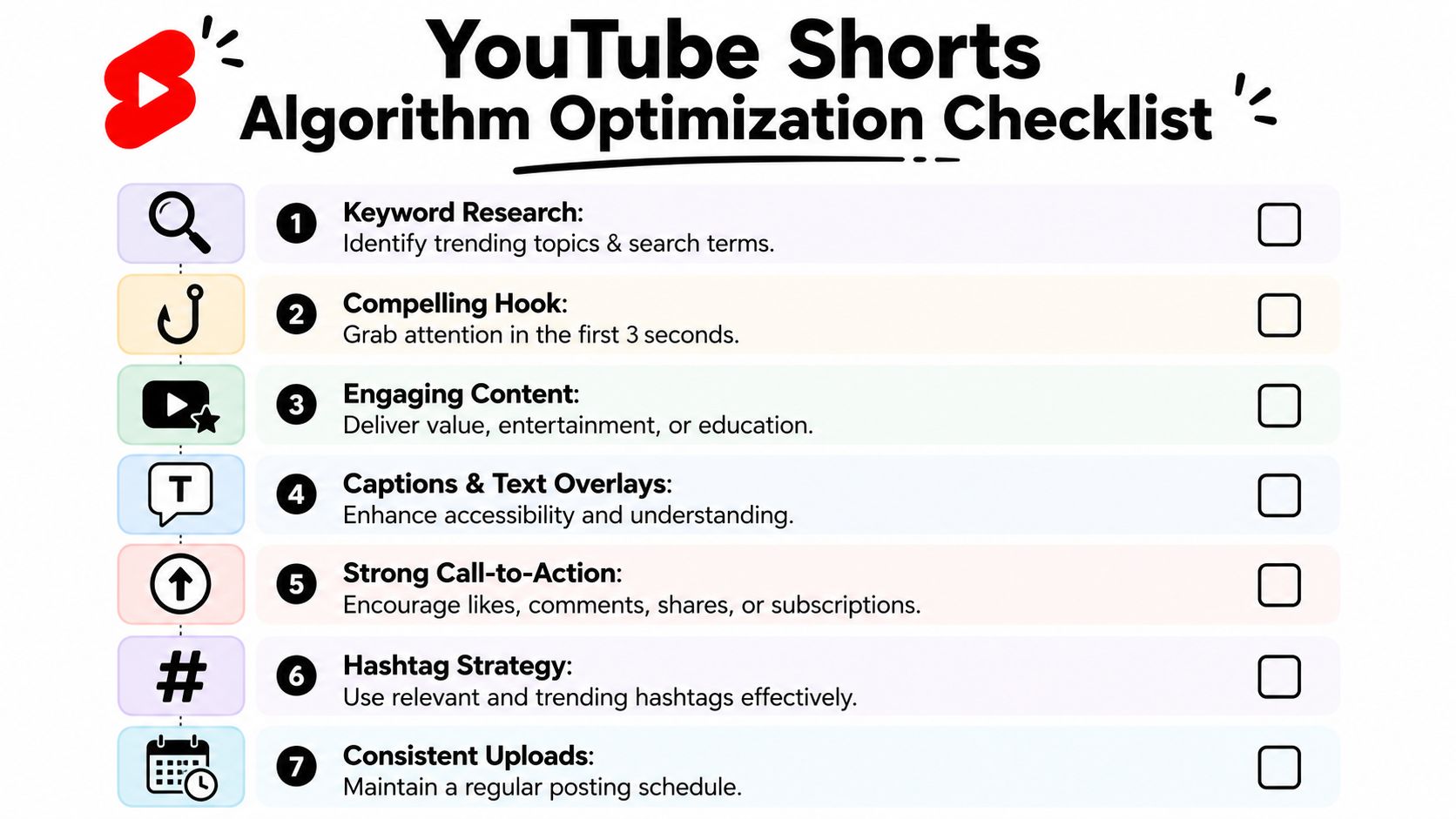
That usually happens because the video, metadata, and channel pattern are sending mixed signals. YouTube is trying to answer a simple question fast: who is this for, and do viewers in that group keep watching? If your hook says “horror story,” your title reads like a generic motivation clip, and your channel jumps between unrelated topics, the system gets a noisy read. So do your viewers.
For performance, keep the asset aligned on three levels. The video needs a clear audience fit. The title needs to confirm the payoff. The channel needs enough topic consistency that one Short teaches YouTube something useful about the next one. vidIQ's Shorts algorithm breakdown makes the same point from a different angle: early viewer response and repeatable publishing patterns matter more than treating each upload like a standalone event.
Start with audience clarity, not keywords
A YouTube Shorts generator speeds up creation, but speed creates a new risk. It becomes easy to publish five different styles in a week and learn nothing from the results.
I've had better growth when each batch stays inside one repeatable content lane. If a channel is built around creepy first-person stories, every upload should reinforce that expectation with similar framing, pacing, and payoff structure. If the lane is quick business breakdowns, the opening should promise a lesson or result right away. This makes each post part of a system, not an isolated test.
That also affects metadata choices. Good packaging confirms what the viewer is about to get.
- Title should state the payoff or curiosity gap in plain language
- Description should add context and supporting terms without stuffing
- Hashtags should stay close to the actual topic and format
Broad labels create weak feedback loops. Clear labels create cleaner analytics.
Runtime should match the idea's job
Shorter is not always better. Longer is not always smarter.
A punchline, reveal, or single visual trick usually performs best when it arrives fast. A suspense sequence or compressed tutorial may need more setup to earn the payoff. The right question is not “How long should Shorts be?” The right question is “At what second does this idea stop adding value?”
That decision is easier when you review Shorts in batches and compare where attention tends to dip across similar formats. A documented short-form production timeline for batching and review helps here because runtime stops being a guess. It becomes a repeatable editorial decision tied to format.
Packaging should improve classification
Creators often treat titles and hashtags as discovery hacks. In practice, they work better as classification signals.
If the Short is about “three AI prompts that fix weak hooks,” say that clearly. If it is a horror POV clip about a motel hallway, do not title it like a general mystery video just because the wording feels broader. Broad packaging may increase low-quality impressions, but those impressions are less likely to convert into strong watch behavior. On Shorts, bad traffic is expensive because the viewer can leave instantly.
The same rule applies to thumbnails when YouTube surfaces your Short outside the feed. Keep the frame selection visually consistent with the opening seconds so the click leads into the same promise.
Use a pre-publish pass to protect the system
Before anything goes live, run one fast review. The goal is not perfection. The goal is to stop preventable misses from contaminating your testing data.
Check these points:
- Topic match. Would a new viewer identify the subject in the first second and in the title?
- Hook-to-payoff fit. Does the opening promise exactly what the ending delivers?
- Runtime discipline. Is there any line, pause, or shot that slows the idea without increasing curiosity?
- Metadata alignment. Do the title, description, and hashtags all describe the same video?
- Channel fit. Does this Short strengthen the content lane you want YouTube to associate with your account?
Optimization matters because the algorithm responds to viewer behavior, and viewer behavior is shaped before you hit publish.
That is why I treat this step as quality control for the whole engine. One well-packaged Short can win. A channel grows faster when every Short teaches YouTube the same lesson about who should see the next one.
Automating Your Content Engine for Consistent Growth
Monday morning gets a lot easier when this week's Shorts are already built, reviewed, and scheduled. That shift matters more than speed. It turns content creation from a daily scramble into a repeatable publishing system that keeps your channel active even when your time or energy drops.
Build the workflow around repeatability
A Shorts generator starts paying off when every upload moves through the same pipeline. Consistency improves output quality, but it also improves your testing. If hooks, formats, and posting cadence are all changing at once, it is hard to tell what caused a win.
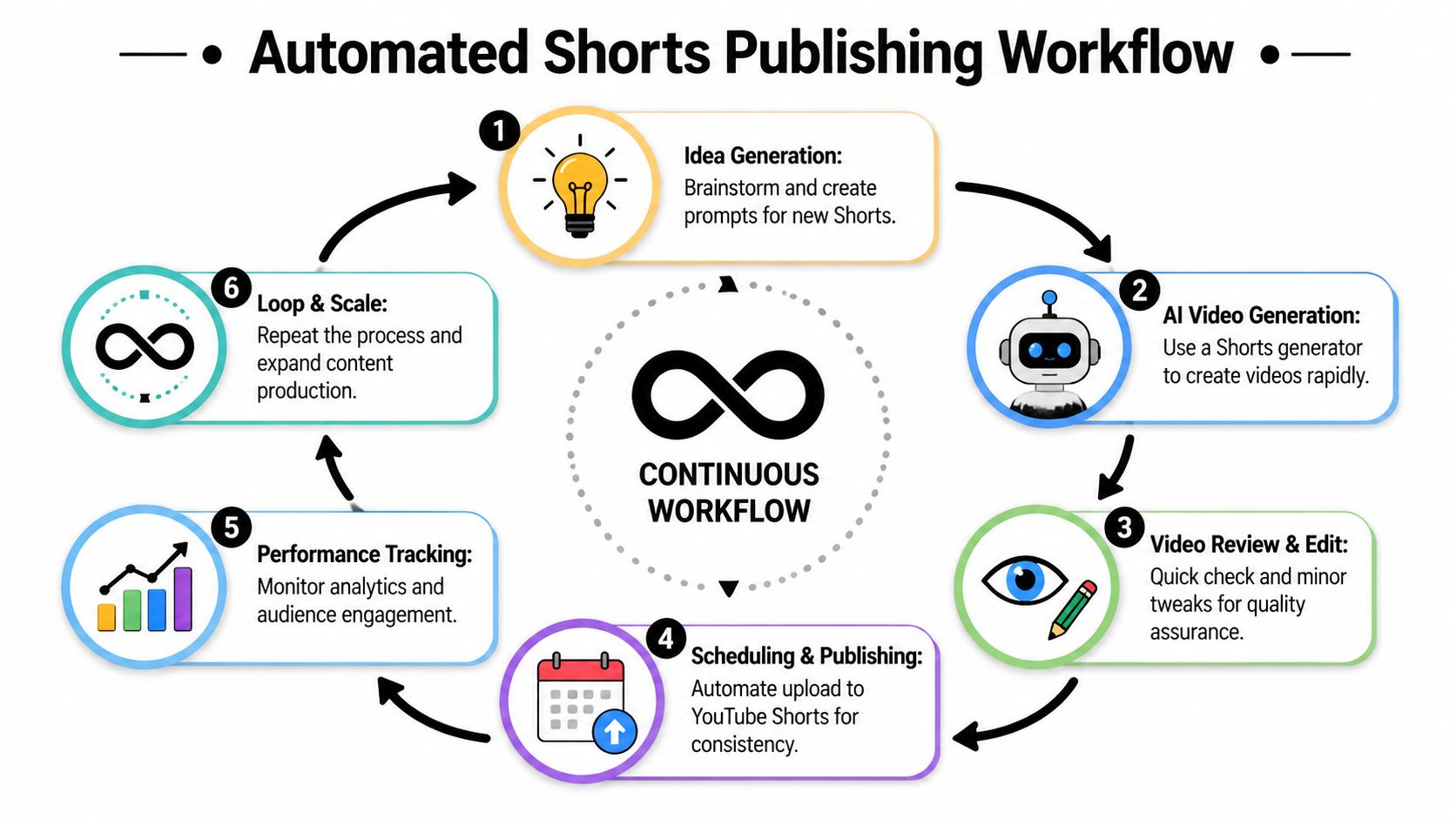
A workable engine has six parts:
- Idea bankStore prompt families, not random one-off concepts. If one angle works, build five nearby variations while the audience signal is still clear.
- Batch generationCreate several Shorts from the same topic in one session. This reduces setup time and gives you cleaner comparisons across intros, pacing, and endings.
- Review passCheck for the mistakes that kill retention early: weak opening lines, mismatched visuals, subtitle timing issues, and endings with no payoff.
- SchedulingQueue videos before the week starts. Posting consistency should come from the system, not from whether you feel creative that day.
- Analytics reviewLook for patterns across batches. Which prompt structure gets replays? Which opening loses viewers at second two? Which topic pulls comments instead of passive views?
- IterationFeed the winners back into the next production cycle and retire formats that repeatedly underperform.
For creators who want a real operating rhythm, this short-form production timeline for batching and scheduling videos is a useful model for turning loose ideas into a publish-ready queue.
Niche choice changes the economics
A system only works long term if the topic supports the effort. Some Shorts niches attract stronger monetization and better downstream business value than others, as noted earlier. That does not mean every channel should chase finance or software. It means the niche decision affects how patient you can afford to be while the system compounds.
I have seen creators make this mistake repeatedly. They automate broad entertainment, publish more, and assume volume will cover weak economics. Usually it does not. High-volume output in a low-value niche can still leave you with thin returns, unstable audience signals, and very little room for editing mistakes.
A tighter niche often gives the system better feedback. The audience is clearer. The packaging gets sharper. Sponsors, leads, or affiliate revenue tend to align more naturally with the content. Automation works best when it is scaling a focused content lane, not random ideas that happen to be easy to generate.
Scheduling is an editorial control layer
Scheduling does more than save time. It protects decision quality.
When videos are queued in advance, you can group Shorts by theme, spread similar topics apart, and avoid flooding the channel with near-duplicates. You also get enough distance from the draft to review it more objectively. A Short that felt strong at midnight often looks much weaker the next morning.
That is why I treat scheduling as part of the creative process. It gives the system structure. Structure makes testing cleaner, and cleaner testing is how a Shorts engine improves month after month.
The best automation setup removes repetitive production work and leaves your attention for topic selection, hook decisions, and performance review.
If you want a tool that fits that system-first approach, ClipCreator.ai lets you generate faceless short-form videos from prompts or templates, add voiceovers and subtitles, and schedule publishing to platforms like YouTube so your Shorts workflow is easier to repeat without rebuilding it every day.

Create your first video in under 2 minutes
Pick a niche, and ClipCreator.ai generates and auto-posts faceless videos to your channels every day.
Join ClipCreator.ai

