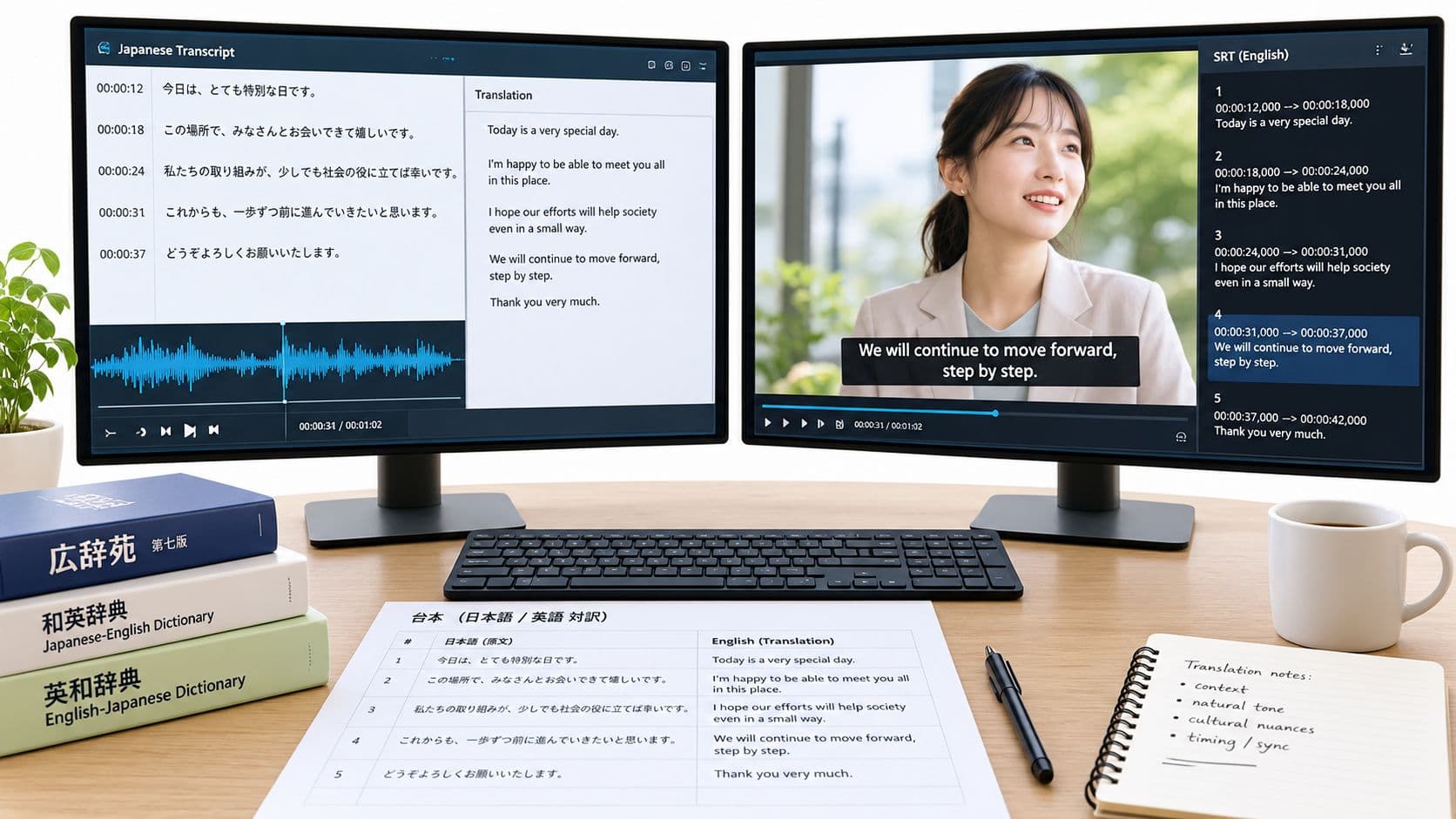
You've got a two-minute anime clip, a Japanese audio track, and an auto-subtitle button promising a finished translation. The result is usually a dense wall of English that technically follows the dialogue but sounds as if someone assembled it from a phrasebook. Characters speak in unnatural fragments, jokes lose their timing, signs disappear, and the captions change too quickly to read.
Good Japanese to English subtitles aren't produced by translation alone. They come from a controlled production pipeline: source the Japanese transcript, clean it, choose the translation method, cue the captions, edit for natural English, export an SRT, and run final quality assurance. Anime, J-drama, and vertical video each add different constraints, so the right workflow must account for voice performance, screen format, sound effects, on-screen text, and reading speed.
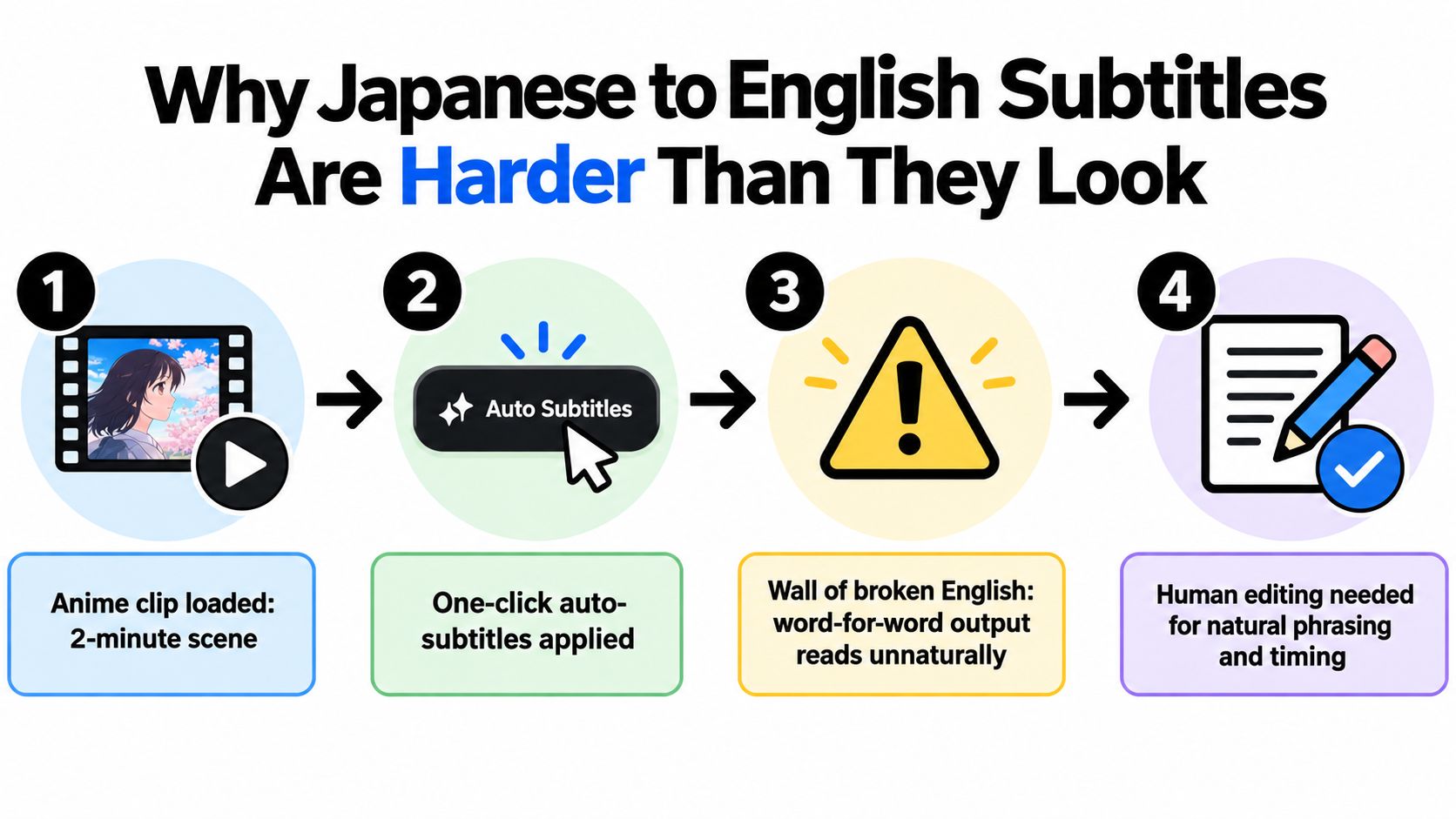
Why Japanese to English Subtitles Are Harder Than They Look
Japanese creates problems before translation even begins. Spoken Japanese doesn't use spaces between words, which can confuse automatic speech recognition. Honorific language changes the relationship between speakers, while omitted subjects and sentence fragments leave meaning to context. A literal system may translate the words correctly and still miss who is speaking, how formal the line is, or whether a sentence is sincere, sarcastic, hesitant, or threatening.
Anime adds another layer. A character may trail off, shout over an explosion, use a stylized catchphrase, or speak through heavy vocal effects. Important information may appear on a sign, phone screen, title card, or handwritten note rather than in the dialogue. J-drama usually gives you more realistic pauses and interruptions, but quiet conversational scenes can make breath timing and overlapping speech difficult. Vertical video introduces its own constraint, because long subtitle lines compete with faces, interface elements, and safe-area margins.
The production pipeline that prevents rework
Treat the job as seven connected decisions:
- Source the transcript. Work from the cleanest Japanese text or audio available.
- Clean the Japanese. Correct recognition mistakes, speaker changes, punctuation, and segmentation.
- Choose the translation method. Use machine translation for suitable draft material and human judgment for tone, context, and compression.
- Create cues. Set in-points, out-points, line breaks, and reading speed.
- Edit for subtitle English. Make the result concise, conversational, and appropriate to the character.
- Export the SRT. Preserve valid numbering, timecodes, encoding, and spacing.
- Run final QA. Watch for meaning, timing, formatting, and platform-specific failures.
Production rule: A subtitle file can be linguistically accurate and still fail if viewers can't read it before the next cue appears.
The historical development of Japanese subtitling shows why this is a production discipline rather than a novelty feature. A foundational milestone came in 1931, when the Hollywood film Morocco was released in Japan with subtitles created by Tamaru, an event widely described as the first Hollywood film subtitled for a domestic Japanese audience. The broader practice was also shaped by pioneers such as Yukihiko Tamura and Shunji Shimizu, establishing formal subtitling methods early in the sound-film era. The Artifice's history of subtitling provides that historical context.
Sourcing and Cleaning the Japanese Transcript
Your English draft can only be as reliable as the Japanese source beneath it. Start by deciding whether you need a transcript, an existing subtitle file, or a fresh transcription. Each route is useful, but each fails in a different way.
Three ways to obtain the source
Manual transcription is usually the safest option for a short clip with slang, dialect, shouting, or overlapping voices. Play the original file repeatedly, type what you hear in Japanese, and mark uncertain words rather than guessing. A hiragana and katakana reference helps with unfamiliar names and sound effects, while the video supplies visual context that audio recognition may miss.
Automatic speech recognition is faster for standard dialogue. Whisper, MacWhisper, and CLOVA Note can provide a useful first pass, especially when one person speaks clearly in a quiet scene. Expect more correction when characters interrupt each other, narration runs quickly, or anime performances use exaggerated pitch, breathiness, or vocal fry.
Subtitle extraction can save time when a legitimate source already contains Japanese captions. Check MKV or ASS subtitle tracks first, then consider YouTube auto-captions when the video is an authorized upload. Existing subtitles still need review, because timing may not match your cut and captions may omit visual text or background dialogue.
Clean the transcript before translating
A practical cleanup pass should include:
- Separate speakers: Give each speaker a consistent label, even if those labels won't appear in the final file.
- Correct kanji recognition: Compare suspicious characters against the audio, scene, and recurring vocabulary. Similar-looking kanji can send the entire English line in the wrong direction.
- Normalize punctuation: Use consistent punctuation and half-width marks where your workflow requires them.
- Split run-ons: Divide long ASR lines at natural breath points, clause boundaries, or speaker changes.
- Mark uncertainty: Highlight words you can't confirm instead of allowing a translation model to invent confidence.
- Record visual text: Add signs, labels, messages, and titles as separate notes for later treatment.
Honorifics require a deliberate choice. Don't strip san, kun, or senpai mechanically if they communicate hierarchy or intimacy. Instead, decide whether the relationship will be conveyed through the English wording, retained terminology, or a consistent style-sheet rule.
For a broader workflow around obtaining source dialogue, the free YouTube video transcript guide can help you organize the starting material before subtitle editing begins. The main principle remains simple: clean Japanese reduces every downstream correction.
Machine vs Human Translation for Japanese to English Subtitles
Machine translation is useful when you treat it as a draft generator, not a final subtitle editor. DeepL and Google Translate can handle straightforward narration, simple declarative sentences, and clearly stated information. GPT-class systems can use surrounding lines and character notes more effectively, but they still need source context and strict instructions.
A human translator or experienced subtitle editor earns their value on the lines that depend on implication. Japanese often leaves subjects unstated, and pronouns such as 私, 僕, and 俺 can signal character identity, intimacy, or attitude rather than functioning as interchangeable versions of “I.” Keigo shifts, puns, seasonal language, anime-specific exclamations, sarcasm, and deliberately awkward speech all need judgment.
| Line Type | DeepL/Google | GPT-class MT | Human Translator |
|---|---|---|---|
| Straight narration | Strong draft | Strong with context | Polishes register and rhythm |
| Simple declarative dialogue | Often usable | Can preserve nearby context | Checks intent and voice |
| Keigo and status changes | May flatten formality | Can explain alternatives, but may choose incorrectly | Matches social relationship |
| Gendered first-person speech | Inconsistent | Needs character guidance | Selects voice deliberately |
| Puns and wordplay | Frequently literal | Can suggest options | Rebuilds the joke for English |
| Fast or dense dialogue | Doesn't solve length | Can condense on request | Judges what information to cut |
| Cultural references | May over-literalize | Offers explanations | Chooses adaptation or retention |
The most practical workflow is hybrid. Run machine translation across the cleaned transcript to create coverage, then focus human attention on cultural references, tone, omissions, awkward syntax, and lines that exceed the available reading time. This approach is faster than translating every line from scratch and safer than publishing an unchecked machine output.
Where the trade-off becomes visible
Machine translation has low direct cost and quick turnaround, which suits rough previews, internal edits, or large volumes of uncomplicated speech. Its hidden cost appears during correction. A mistranslated relationship, name, or implied subject can force you to revisit several later lines.
Human translation costs more time and money, but it reduces the risk of a polished file that communicates the wrong character or joke. A skilled editor also condenses naturally. They can turn a long Japanese thought into a short English cue without preserving every filler phrase, repeated subject, or politeness marker.
For creators working with short-form material, a dedicated workflow such as video translation for shorts may help with the first-pass mechanics. It still shouldn't replace a review of tone, timing, and culturally specific meaning.
Timing and Cueing Subtitles for Readability
A correct translation becomes unusable when viewers can't finish reading it. For English subtitles, a practical working target is around 15 to 17 characters per second, with lines kept near 42 characters. These are production targets, not substitutes for watching the actual video, because dense vocabulary and unfamiliar names can require more time.
Independent subtitling research shows why this check matters. One study found that 25% of translated subtitles contained errors, with stylistic errors accounting for 11%, lexical errors 5%, hygienic errors 4%, pragmatic errors 3%, and syntax errors 2%. Another audiovisual study found 18.4% of subtitles contained errors, while 23.6% of lines reached at least 20 characters per second, with a maximum of 38. The study treats that reading-speed threshold as a readability error. The subtitling quality study supports checking speed after translation, not only spelling and grammar.
| Parameter | Target | Hard Limit |
|---|---|---|
| English reading speed | Around 15 to 17 CPS | Avoid sustained speeds at or above 20 CPS |
| Line length | Near 42 characters | Shorten before the line becomes visually dense |
| In-point | Start of speech or relevant sound | Don't reveal dialogue before the scene supports it |
| Out-point | About one second after speech ends when space allows | Never linger into an unreadable overlap |
| Cue gap | A visible separation between cues | Keep at least a 2-frame gap to prevent flicker |
A repeatable cueing pass
In Aegisub or Subtitle Edit, scrub to the first audible syllable and set the in-point. Listen through the end of the thought, set the out-point, type the English, and inspect the line break. Repeat this process rather than translating the entire file first and timing it as an afterthought.
Break at phrase boundaries. Keep a noun with its modifier, avoid splitting a verb phrase, and don't strand a pronoun such as “he” on a second line. A subtitle that appears before the speaker is established on screen feels disconnected, while an out-point that remains visible through the next line creates competing information.
For font, size, weight, and visual contrast, the best fonts for subtitles guide is a useful companion. The font won't repair bad timing, but a readable typeface gives your timing decisions a fair chance.
Editing for Natural English and Cultural Fit
Subtitle English is its own register. It tends to be shorter, more conversational, and more immediate than a transcript or literary translation. The editor's job isn't to preserve every syllable. It's to preserve the line's meaning, intention, rhythm, and character voice inside the available screen time.
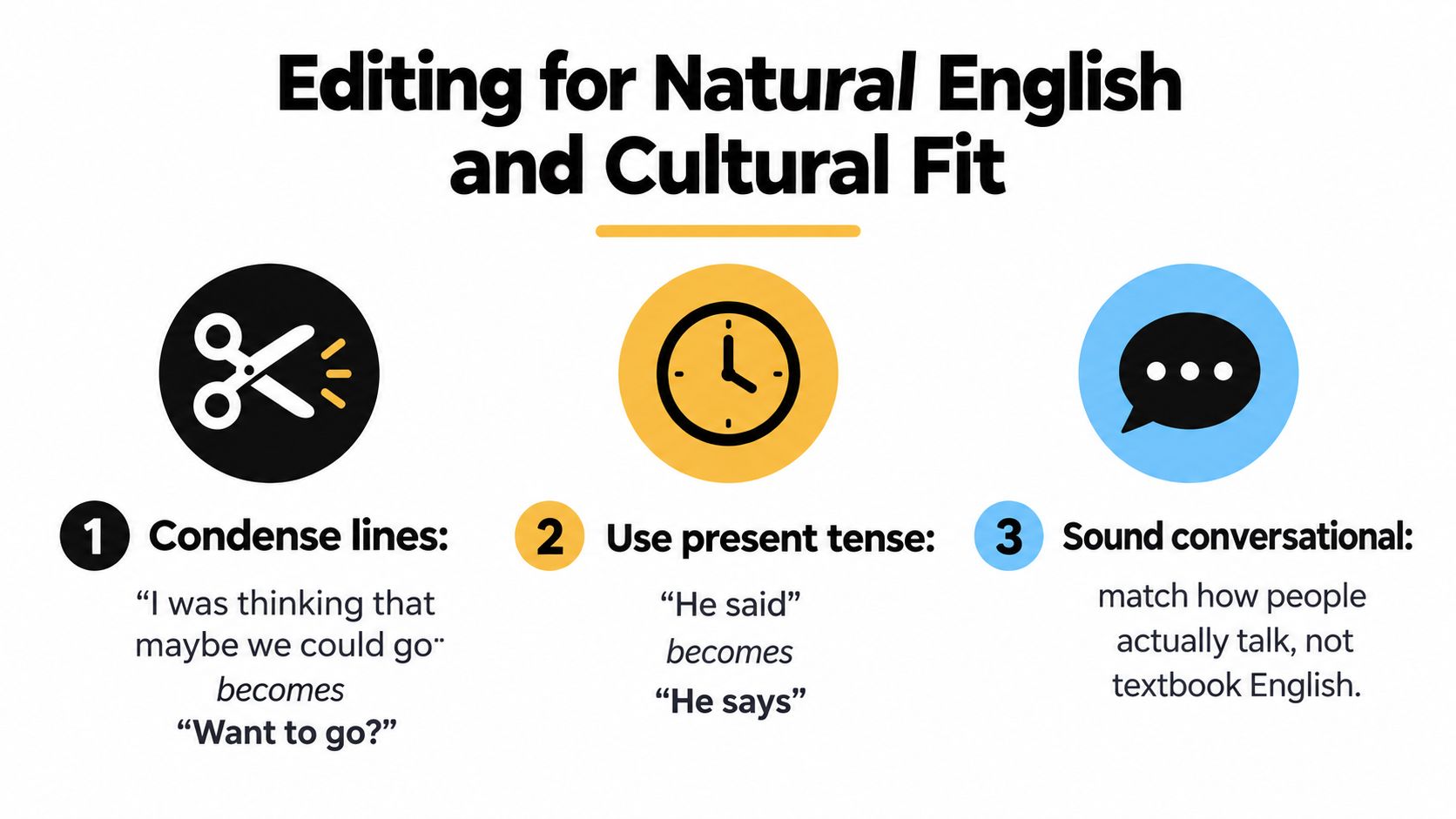
Condense without flattening the speaker
A literal line such as:
“I was thinking that maybe we could go.”
can become:
“Want to go?”
That edit removes hesitation without changing the invitation. In a different scene, the hesitation may be the point, so the shorter version would be wrong. Always ask what the filler is doing before cutting it.
Present tense often feels more natural in captions. “He said he was leaving” may become “He says he's leaving” when the scene is narrating an event in progress. Keep past tense when the timeline depends on it, but don't preserve formal written constructions only because the Japanese source is grammatically complete.
Honorifics should serve the relationship. Retain san, kun, or senpai when the term carries social meaning or is part of the setting. In other scenes, translate the intent through wording and formality. “Tanaka-san waves” can become “Tanaka waves” if the respectful distance is already clear from the character's speech and the style sheet defines that choice.
Protect tone, idioms, and visual information
Sentence-final particles such as zo and ze can add force, swagger, or roughness, but they don't map to one fixed English word. Gendered endings and first-person choices also shape the speaker. Don't add “you know,” “man,” or “right” to every line as a mechanical substitute. Use the surrounding performance to decide whether English needs an equivalent at all.
Idioms need functional translation. A phrase meaning “bad eyesight” shouldn't become “eyes are bad” because the Japanese image is more literal. A translation note is useful when the reference is essential and impossible to convey briefly, but frequent explanations interrupt the scene and make the editor more visible than the characters.
On-screen text deserves its own caption layer. Translate a sign, phone message, title, or handwritten note when it affects the plot, and distinguish it typographically or positionally from spoken dialogue. Don't hide important visual information inside a dialogue subtitle that appears at the wrong moment.
Finish with a style sheet. Record character names, capitalization, recurring terms, honorific policy, punctuation, song formatting, sound-effect treatment, and rules for on-screen text. Consistency matters because viewers notice when the same character or technique changes spelling halfway through a clip.
Exporting and Validating SRT Files
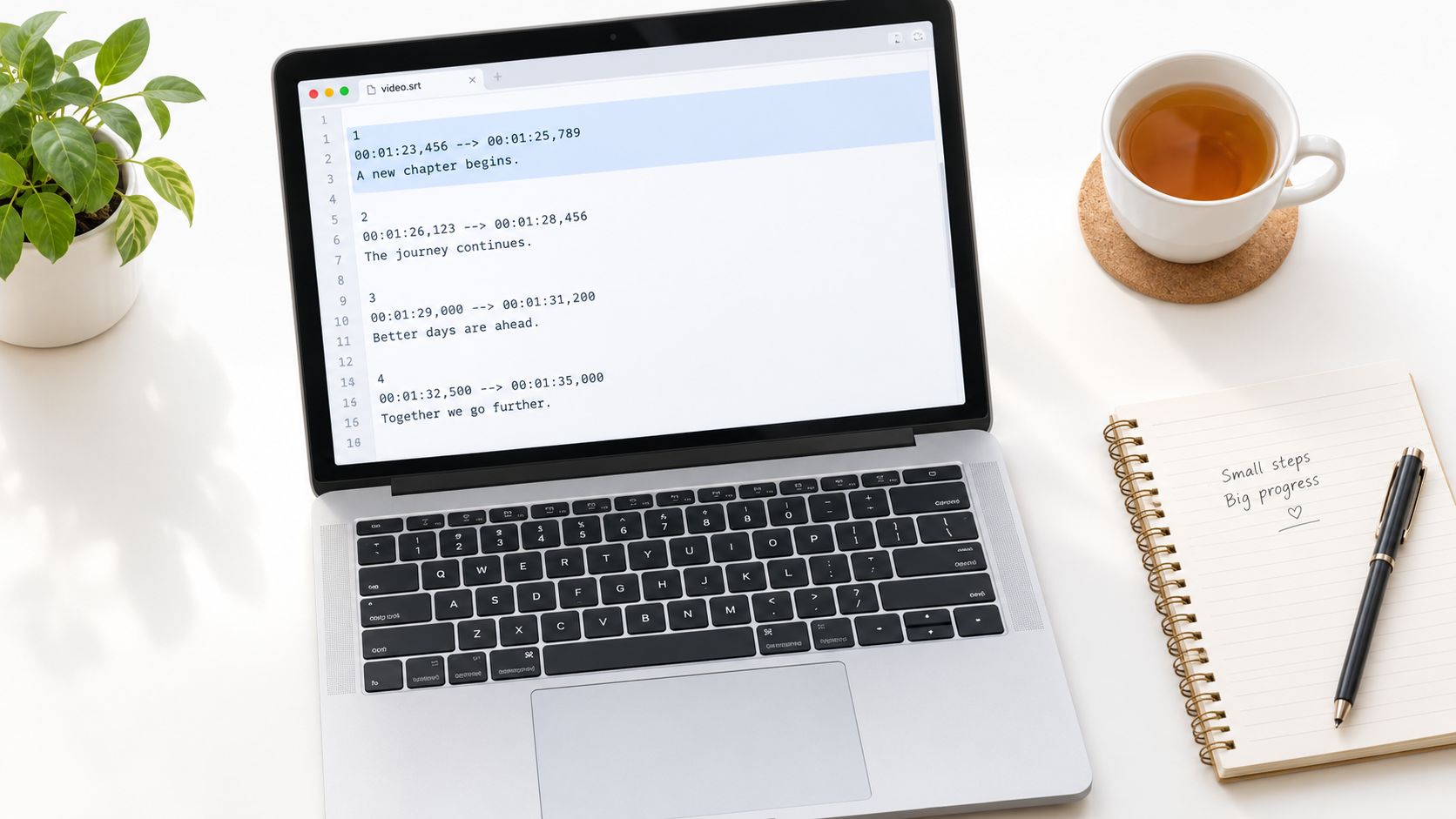
An SRT file is simple enough to edit by hand and strict enough to break when small formatting details are wrong. Each cue needs a sequential index, a timecode line, caption text, and a blank line before the next cue.
A clean block looks like this:
00:01:23,456 --> 00:01:25,789I found it.
The timecode uses comma decimals in standard SRT format. Mixed decimal separators, missing blank lines, hidden BOM characters, or malformed arrows can cause inconsistent behavior in VLC, YouTube, and editing software.
Encoding and structural validation
Export as UTF-8 without BOM unless your target platform specifically requires another format. Shift-JIS may display Japanese correctly in one environment and turn into mojibake on an English-language system. Open the exported file in a plain-text editor after saving so you can inspect the actual characters and separators.
Subtitle Edit's spell and format checks, checksub.com, and Subtitle Validator can catch common structural failures. Pay particular attention to:
- Overlapping timecodes: Two cues compete for the same reading window.
- Frame-rate mismatches: Time or frame calculations can drift when the source uses 24 fps and the project assumes 23.976 fps.
- Invalid numbering: A missing or duplicated sequence number can confuse parsers.
- Malformed line breaks: The caption may render as one dense paragraph instead of balanced lines.
- Unexpected characters: Encoding artifacts can corrupt names, punctuation, or Japanese text.
The SRT file creator guide can help when you need to build or restructure a timed-text file, but validation still belongs in your own delivery process.
After structural checks, perform a drift test. Play the video and subtitle file together at normal speed, checking roughly at the quarter points of the video, halfway through, near the end, and at the final frame. Log any drift over one second, then inspect whether the cause is a bad opening sync, a frame-rate mismatch, a removed shot, or cumulative timing error.
Preview the final file in VLC with subtitles forced on. Then use YouTube's unlisted upload workflow to confirm that the platform renders line breaks, punctuation, and special characters as expected.
The following video provides a visual reference for subtitle creation and review. Use it as a supplement to the file-level checks, not as a replacement for testing your own export.

Final Quality Checks Before You Publish
Run QA in passes. If you try to judge translation, timing, typography, and cultural nuance simultaneously, you'll miss errors because each problem competes for attention. A good final review should include a technical pass, a language pass, and a viewer pass.
Technical and language checks
Use this checklist before delivery:
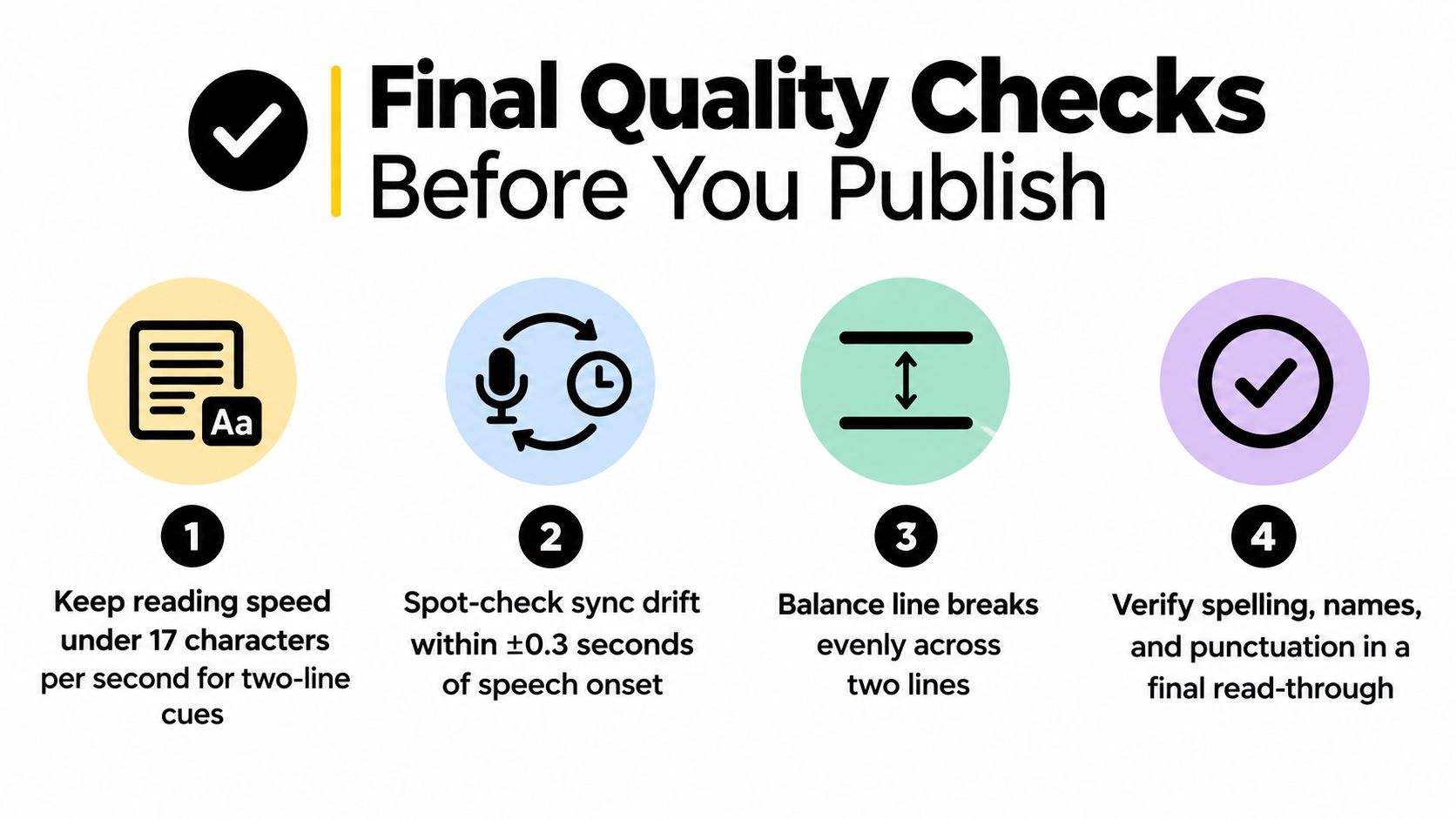
- Reading speed: Keep two-line cues under 17 characters per second where your target style requires that limit.
- Line length: Keep lines near 42 characters and balance the two lines visually.
- Sync onset: Spot-check speech onset within ±0.3 seconds where precise alignment is required.
- Cue separation: Confirm that adjacent captions don't overlap or flicker.
- Punctuation: Remove orphan punctuation, accidental double spaces, and inconsistent quotation marks.
- Names and terms: Compare recurring names, places, attacks, titles, and honorifics against the style sheet.
- Speaker tags: Apply one format consistently when tags are necessary.
- Encoding: Open the delivered SRT in the target players, not only in the authoring program.
- Visual text: Confirm that plot-relevant signs, phones, titles, and labels receive appropriate treatment.
- Platform layout: Check safe-area margins, especially when captions sit over faces or interface elements in vertical video.
The evidence base supports this emphasis on alignment and targeted review. The JESC corpus contains 3,236,660 training sentence pairs, plus 2,000 validation pairs and 2,001 test pairs, with 29,368 unique English words and 87,833 unique Japanese words. It reports average sentence lengths of 8.32 English words and 8.11 Japanese words, while 75% of aligned pairs were perfectly aligned, 13% partially aligned, and 12% misaligned. The JESC corpus paper shows why large subtitle datasets remain useful while still requiring filtering and quality control.
The viewer-only test
Run the file through Subtitle Edit's quality profile or an equivalent validator to catch CPS spikes, gap problems, and formatting issues. Then watch the video once with the audio muted and subtitles as your only source of meaning. This test exposes missing subjects, unclear speaker changes, untranslated visual clues, and captions that depend too heavily on hearing the Japanese performance.
For anime, check songs, stylized text, sound effects, and recurring attack names separately. For J-drama, watch interruptions and quiet pauses. For vertical short-form video, inspect margins on a phone-sized preview rather than trusting a desktop monitor.
Subtitle literacy and audience expectations are changing, especially as bilingual and vertical-video formats become more influential. A 2025 study reported significant growth in subtitle literacy, particularly among younger viewers, while a 2026 review discussed the growing influence of bilingual and vertical-video subtitles alongside traditional interlingual captions. The reviewed subtitle-literacy research points to a practical conclusion: readability depends on the medium, not only on the language pair.
Accessibility deserves the same attention. A literature review found limited guidelines and empirical support for choices involving typeface, size, color, exposure time, and characters per line, while Japanese subtitling research discusses SDH-style captions for deaf and hard-of-hearing viewers. The accessibility and subtitling review reinforces that translated subtitles and accessibility captions aren't always interchangeable. Decide whether viewers need dialogue translation, sound information, speaker identification, or all three.
ClipCreator.ai helps creators turn short-form ideas into finished videos with AI-written scripts, generated visuals, voiceovers, and automatically timed subtitles. If you're publishing vertical clips and want the production steps handled in one workflow, visit ClipCreator.ai and build your next video from a proven template or a custom prompt.

Create your first video in under 2 minutes
Pick a niche, and ClipCreator.ai generates and auto-posts faceless videos to your channels every day.
Join ClipCreator.ai

