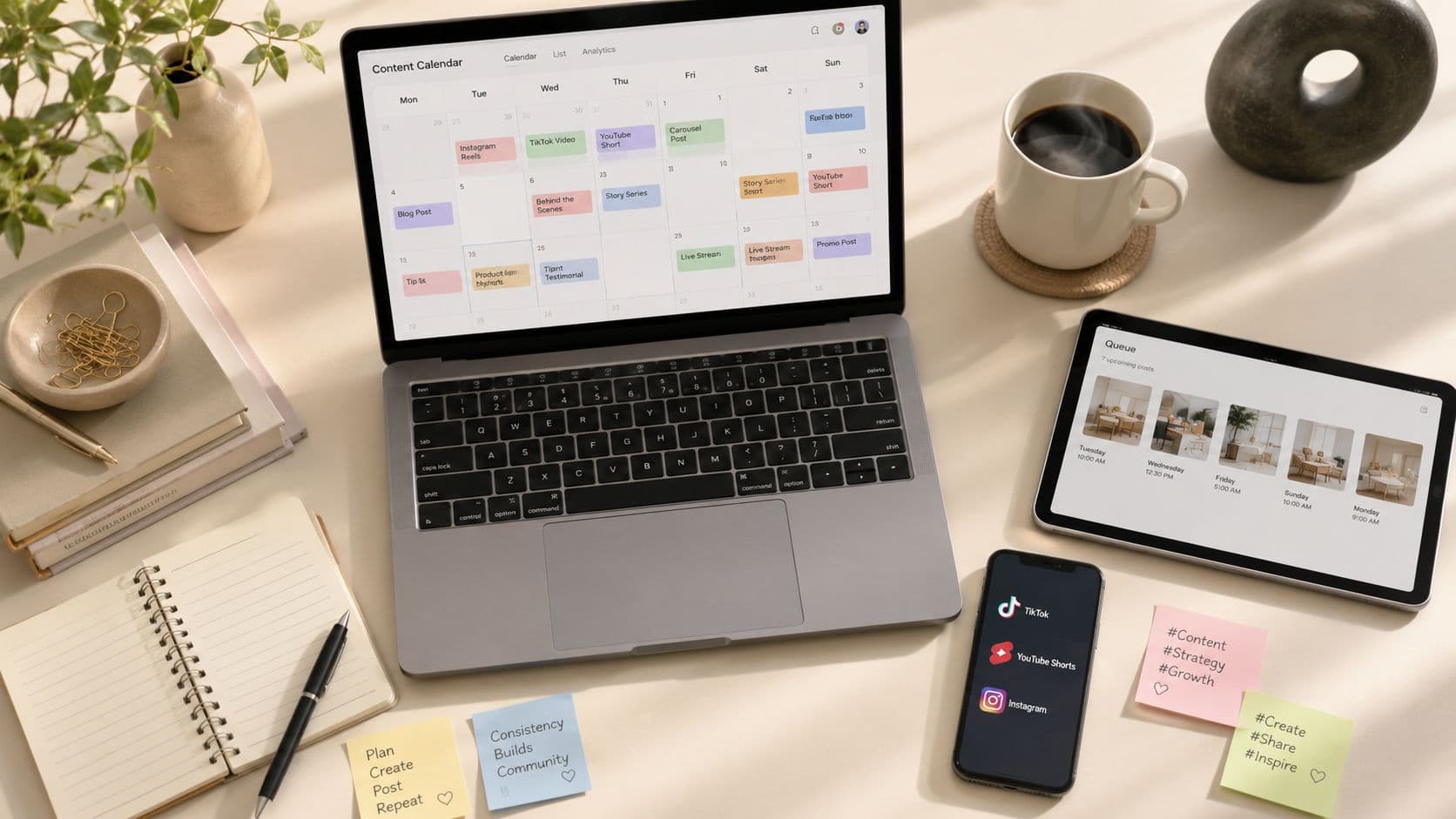
It's Tuesday night. You've got three browser tabs open, a half-edited Reel in one window, and a TikTok draft sitting in your camera roll. You meant to publish hours ago, but the caption still needs work, the thumbnail doesn't fit, and tomorrow's post hasn't been made.
That pattern isn't laziness. It's a broken operating system. Reactive posting forces creative decisions, editing, publishing, and comment monitoring into the same narrow window. The result is decision fatigue, missed timing opportunities, inconsistent hooks, and a calendar that depends on who remembers to post.
How to schedule social media posts effectively is less about finding a magic button and more about building a repeatable production system. You create in batches, queue finished assets, review what went live, and reserve time for real-time conversations. The scheduler is only one part of that system.
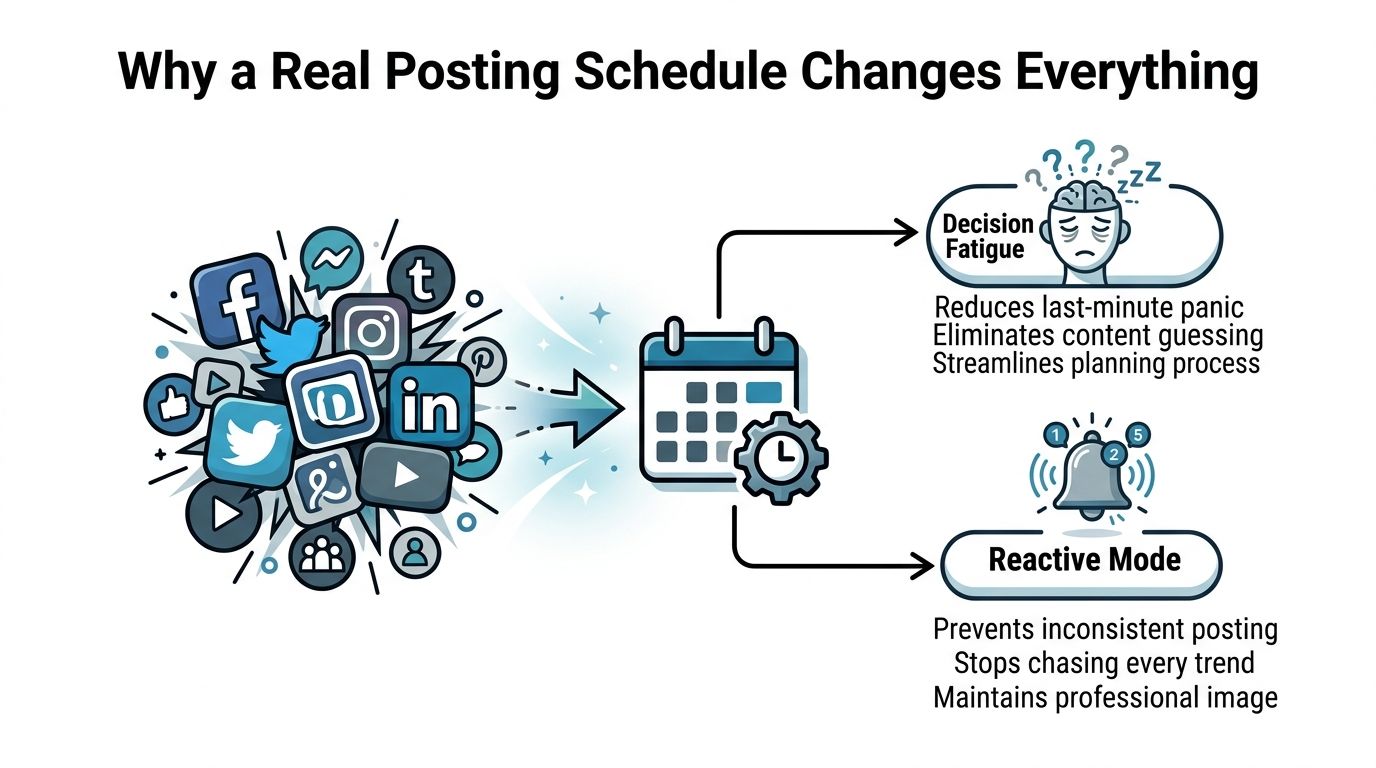
Why a Real Posting Schedule Changes Everything
A creator posting reactively often begins each publishing session by re-evaluating which idea to use, which video to find, and which caption to write, while notifications compete for attention. That work pushes the creator toward the easiest publishable idea instead of the strongest one, especially when editing and posting share the same deadline.
A real schedule separates those decisions. Production gets a focused block, queueing follows an asset review, and monitoring happens after posts collect early signals. The trade-off is that scheduled content needs a review step. Without it, a mistake can sit in the queue and repeat across channels. With it, the person writing a hook is not also racing a publishing window.
The shift toward scheduling reflects a practical operating need. A 2026 benchmark report says 73% of social media marketers use dedicated scheduling tools, compared with 61% in 2024 and 47% in 2022. It also reports that teams using scheduling tools save an average of 6.3 hours per week, or about 328 hours per year, while managing an average of 5.2 platforms (ScheduleWave's social media scheduling statistics).
Operational rule: Don't make publishing day the day you invent the content.
Scheduling also makes performance comparisons easier to interpret. If each post goes live at a random time and follows a different production process, analytics cannot cleanly show whether the hook, format, topic, or timing caused the result. A consistent cadence creates a usable test environment, while a local-time test matrix can reveal differences that a static “best time” chart hides.
Use three operating blocks:
- Production day: Write scripts, record footage, gather visuals, and edit platform-ready versions.
- Queue day: Attach captions, hashtags, alt text, thumbnails, and platform-specific settings, then check previews.
- Review day: Confirm published posts, inspect early performance, and record lessons for the next batch.
That structure turns a queue into a working system. It also leaves room for real-time replies and platform-native adjustments instead of forcing every channel into identical content.
The Four-Phase Scheduling Workflow
A dependable content engine has four connected phases: audit, batch-produce, queue, and monitor. Each phase should have a clear owner, even if one person owns all four roles. Assigning them to fixed points in the week prevents the calendar from becoming an aspirational document that nobody opens.
Audit before you create
Start with the previous 30 days of published content, using the review period described in the workflow guidance from Hootsuite's social media posting schedule guide. Don't sort posts by likes alone. Flag the formats, hooks, subjects, and time slots associated with saves, shares, comments, and sustained video viewing.
Record the useful details in a simple sheet:
- Format: Reel, carousel, talking-head video, Short, image, or text post.
- Opening hook: The first spoken sentence or on-screen promise.
- Audience action: Save, share, comment, click, or follow.
- Production cost: How difficult the asset was to make.
- Repurposing potential: Whether the idea can become another platform-native version.
The audit should end with production decisions, not observations. “Video performed well” is too vague. “Short educational videos with a direct problem statement earned more saves than promotional intros” gives the next batch a usable direction.
Batch-produce around repeatable ingredients
Create in themed blocks so one research session can support multiple assets. A talking-head recording day might cover several related questions. A product session can capture demonstrations, close-ups, and alternate openings. A behind-the-scenes block can produce both short clips and still images.
Batching works best when you standardize the parts that don't need fresh creative judgment:
- Templates: Keep approved subtitle styles, cover layouts, and export presets ready.
- Hook bank: Store tested opening patterns and rewrite them for the current topic.
- Asset folders: Separate raw footage, approved exports, captions, and archived files.
- Review status: Use labels such as draft, needs approval, queued, published, and recycle.
If your organization publishes community content, a focused resource on how to schedule posts for your church can help translate the same workflow into recurring announcements, event reminders, and volunteer communications.
Queue finished work, not unfinished intentions
Load complete assets into the scheduler with the caption, hashtags, cover, alt text, destination, and approval status already attached. A blank caption field marked “finish later” is a hidden task waiting to break the calendar.
Keep platform versions separate. The same source video may need a different opening line for TikTok, a search-oriented description for YouTube Shorts, and a concise caption for Instagram. A unified calendar is useful, but it shouldn't encourage identical publishing packages everywhere.
Monitor the first useful signal
Monitoring doesn't mean refreshing the dashboard all day. Check whether the post published correctly, then inspect early view velocity, audience retention, shares, saves, and meaningful comments. A post with modest initial reach but strong saves may deserve a follow-up, while a high-view post with weak retention may not be worth copying.
Assign one person to log the lesson. Recycle the winning structure, not necessarily the exact post. If a topic worked because the hook answered a clear question, preserve that clarity while changing the example, footage, and conclusion.

Most calendars rot at the handoff between audit and batch production. Teams notice that something worked, then create unrelated content the following week. The four phases prevent that gap by turning performance observations into a specific production brief.
Choosing the Right Scheduling Setup
The right setup depends on how many platforms you manage, how much customization your content needs, and whether someone can respond when an automated post fails. A solo creator publishing on one network doesn't need the same infrastructure as a brand with approvals, regional accounts, and platform-specific edits.
Native schedulers
TikTok, YouTube Studio, and Meta Business Suite provide direct platform access. Native tools are usually the most accurate choice for basic publishing because they're close to the platform's own permissions and format rules. They're also economical for a creator who manages one account on one platform.
The trade-off is fragmentation. You'll usually work in separate dashboards, lose the benefit of a cross-platform calendar, and handle platform-specific review in different places. Native queues can also feel limited when you're planning a larger campaign or coordinating multiple contributors.
Third-party dashboards
Tools such as Later, Buffer, and Hootsuite give small teams one calendar for several networks. They can add approval flows, content libraries, analytics rollups, and visual planning features. Some also support link-in-bio pages and reusable publishing presets.
The cost is complexity and, often, a growing per-seat bill. Platform permissions can also prevent full automation. A third-party tool may prepare a TikTok post but still require a manual approval tap, especially when the media type or account permission doesn't support direct publishing.
For a broader comparison of features and pricing of scheduling tools, compare the exact platform permissions rather than choosing based on the number of integrations listed on a sales page. If your workflow centers on short-form video, review video scheduling software alongside general social dashboards.
Automated pipelines
n8n, Make, and a simple GitHub Actions workflow can connect triggers, storage, approvals, and publishing endpoints. This approach suits operationally heavy teams that need conditions such as “publish only after approval,” “send regional content to the correct account,” or “create a review task when a render fails.”
Control comes with maintenance. Someone must manage authentication, monitor failed webhooks, update integrations, and document what happens when a platform changes its API behavior. A custom pipeline is powerful, but it's a poor choice if nobody owns the system after launch.
| Setup Type | Cost | TikTok Native Publish | Queue Depth | Maintenance |
|---|---|---|---|---|
| Native platform tools | Usually free | Most accurate within supported permissions | Platform-dependent | Low |
| Third-party dashboard | Subscription-based | Varies by account and media type | Often broader and cross-platform | Moderate |
| Automated pipeline | Infrastructure and tool costs vary | Depends on integration and approval design | Customizable | High |
A solo creator on one platform should start native. A small team publishing across Instagram, TikTok, and YouTube will usually benefit from a third-party calendar. A brand with complex approvals, regional publishing, or automated content generation may justify a pipeline.
The best tool is the one your team will open on Monday morning. A complex dashboard that nobody maintains creates less consistency than a basic native scheduler used every week.
Platform-Specific Setup for TikTok, YouTube Shorts, and Instagram
Treat each platform scheduler as a separate integration. A shared calendar can show the campaign, but the publishing package still needs platform-specific checks for media, captions, thumbnails, permissions, and recovery.
TikTok
TikTok's native scheduler supports clips up to around 15 minutes, according to the setup requirements in the supplied workflow brief. Third-party publishing also depends on the creator enabling scheduling inside the TikTok environment before sending content through an external tool.
Build a dry run before loading a full queue. Confirm that the account is authorized, the video is in the correct vertical format, the caption renders as expected, and the publishing notification reaches the person responsible for recovery. Webhook delays can cause a queued post to land 3 to 10 minutes late during peak hours, so treat the selected time as an operating target rather than a guarantee.
For TikTok, preserve the native sound and editing experience when it matters to the concept. A scheduler is useful for finished clips, but it shouldn't replace the platform-native treatment of trends, replies, and timely edits.
YouTube Shorts
YouTube Shorts are scheduled through YouTube Studio, and the upload behaves more like a standard YouTube video than a simple social post. Check the visibility setting, processing status, title, description, thumbnail treatment, and any metadata your external dashboard may not support.
A scheduler can place the upload in the calendar, but YouTube Studio remains the verification point. Confirm that the video has finished processing before the release window and that the public setting is correct. Keep a fallback contact or owner assigned because a stuck upload can't be fixed by rearranging the calendar.
For creators who publish Shorts as a series, maintain a naming convention and a consistent cover system. That makes scheduled uploads easier to audit and helps the team identify missing episodes quickly.
Meta Business Suite handles Instagram feed posts and Reels reliably for many standard workflows. Check captions after scheduling because some automatic publishing paths can remove line breaks, and Instagram captions can be clipped at 2,200 characters under the supplied platform requirements.
First-comment hashtags need separate handling. Either place the tags in the caption or use an automation step that posts the first comment after publication. Don't assume the scheduler will create that comment automatically.
Use a saved 9:16 preset for vertical video across TikTok, YouTube Shorts, and Instagram, while keeping essential text away from interface areas. Run one unpublished or low-risk test before committing a campaign.
| Feature / Limit | TikTok | YouTube Shorts | |
|---|---|---|---|
| Primary scheduler | Native TikTok scheduler or approved third-party connection | YouTube Studio | Meta Business Suite or approved third-party connection |
| Key review point | Account permission and publish status | Processing and visibility | Caption rendering and Reel publish status |
| Caption concern | Hook visibility near the beginning | Search-oriented title and description | 2,200-character caption ceiling |
| Comment workflow | Check native interaction after publishing | Use YouTube comments and pinned context | First-comment hashtags may need a separate automation |
| Shared video preset | 9:16 vertical export | 9:16 vertical export | 9:16 vertical export |
For YouTube-specific workflows, the guide to how to schedule YouTube Shorts is useful when you're separating upload preparation from release timing.
Picking Posting Times That Actually Fit Your Audience
Generic charts are starting hypotheses, not operating instructions. A 2026 analysis of 9.6 million Instagram posts identified Thursday at 9 a.m., Wednesday at 12 p.m., and Wednesday at 6 p.m. as strong windows, while broader summaries often place reliable activity around weekday mid-mornings (Social Media Today's posting-time analysis).
A separate 2026 Emplifi benchmark analyzing 399 million social posts identifies Tuesday through Thursday, 9 a.m. to 1 p.m. local time, as a strong default window, while warning that enterprise-scale audiences don't share one universal best time (Emplifi benchmark data). That warning matters more than the chart. Your audience may span regions, age groups, work patterns, and platform habits.
Build a local-time test matrix
Use each platform's own analytics timezone, not the timezone configured in your scheduling dashboard. Then test three distinct windows:
- Midweek morning baseline: Use the weekday morning range supported by the benchmark evidence.
- Weekday evening slot: Test when your audience is more likely to browse after work or school.
- Weekend afternoon slot: Test a different attention context rather than making every experiment a weekday comparison.
Run each candidate consistently, change one variable at a time, and record the platform, local timezone, content type, hook, and audience segment. The supplied audience data also shows that U.S. windows differ by platform, with Facebook and YouTube strongest at 9 a.m. to 12 p.m., Instagram at 12 p.m. to 3 p.m., TikTok and X at 3 p.m. to 6 p.m., and LinkedIn at 9 a.m. to 12 p.m. (HubSpot's social media marketing report).
Track first-60-minute view velocity alongside later totals. Early movement helps you compare whether a post gained immediate attention, while final totals can be distorted by later distribution. Treat any conclusion from fewer than three test cycles as a hypothesis, not a permanent rule.
Writing Captions and Hashtags for Scheduled Posts
Scheduled posts often fail in the caption field, not during upload. A polished video with a weak first sentence gives the viewer no reason to stop, especially when the caption and on-screen text compete for attention.
For TikTok, put the hook at the beginning of the caption and repeat the core promise in the on-screen text. The supplied platform guidance lists a 4,000-character caption limit, but length shouldn't become an excuse to bury the point. Write the first line for a fast scan, then add context, a specific payoff, and a natural prompt for discussion.
YouTube Shorts descriptions deserve more care than a copied caption. Use the first sentence to clarify the topic and align it with the title. If a timestamp or chapter marker helps viewers find their way in the clip, prepare it before queueing rather than trying to edit metadata after publishing.
Instagram captions can carry more context, but scheduled workflows need a final rendering check. Line breaks may change through some automatic publishing paths, and the supplied platform requirements list a 2,200-character limit. Keep hashtags tightly relevant instead of filling the field with broad terms, and decide in advance whether they belong in the caption or a separate first comment.
Alt text should be written during preparation. Don't leave accessibility copy to an automatic pass that may describe the image inaccurately, especially when the post won't receive a second review before publication.
Caption check: Read the first sentence without the video. If the topic and benefit aren't clear, rewrite before scheduling.
Troubleshooting and Keeping Your Calendar Consistent
Automation removes repetitive work, but it doesn't remove operational risk. TikTok can fail when the phone is offline during a required publishing step, YouTube Shorts can remain in processing beyond the selected release time, and Instagram Reels can require review when edits or account permissions interfere with publishing.
Time-zone drift creates a separate problem. As an audience expands across regions, the time that worked for the original community may no longer serve every segment. Re-anchor your test matrix using each platform's local analytics rather than moving the entire calendar based on one dashboard's default timezone.
Publishing more isn't automatically better. An independent research summary reports an optimal frequency of 6 to 7 posts per week, with engagement and positive brand mentions declining when publishing exceeded that threshold (the Emplifi summary of posting-frequency research). Use that finding as a volume warning, not a universal prescription. If additional posts cannibalize attention from earlier posts or lower production quality, reduce the cadence.
The weekly consistency audit
Reserve a short review at the end of the week. Check:
- Published versus scheduled: Confirm every planned asset went live on the intended platform.
- Failure notifications: Look for rejected media, expired permissions, and incomplete uploads.
- Early performance: Record view velocity, retention, saves, shares, and meaningful comments.
- Hook patterns: Mark openings that repeatedly lose attention or attract strong responses.
- Next-batch decisions: Recycle effective structures and remove weak variations.
- Timing matrix: Re-anchor local-time assumptions every 30 days.
A 10-minute Sunday ritual is enough to keep the system healthy. Open the calendar, compare the queue with the platforms, remove anything made irrelevant by current events, assign unresolved failures, and confirm the next production block. That small habit prevents a silent backlog from becoming another Tuesday-night emergency. For a broader planning framework, use this guide to content calendar planning as a reference for separating ideas, assets, approvals, and publishing dates.
ClipCreator.ai can generate faceless short-form videos with scripts, visuals, voiceovers, and subtitles, then schedule and auto-post them to connected TikTok or YouTube accounts. Visit ClipCreator.ai to turn a repeatable video queue into a production-to-publishing workflow, with publishing cadences that fit your available capacity.

Create your first video in under 2 minutes
Pick a niche, and ClipCreator.ai generates and auto-posts faceless videos to your channels every day.
Join ClipCreator.ai

