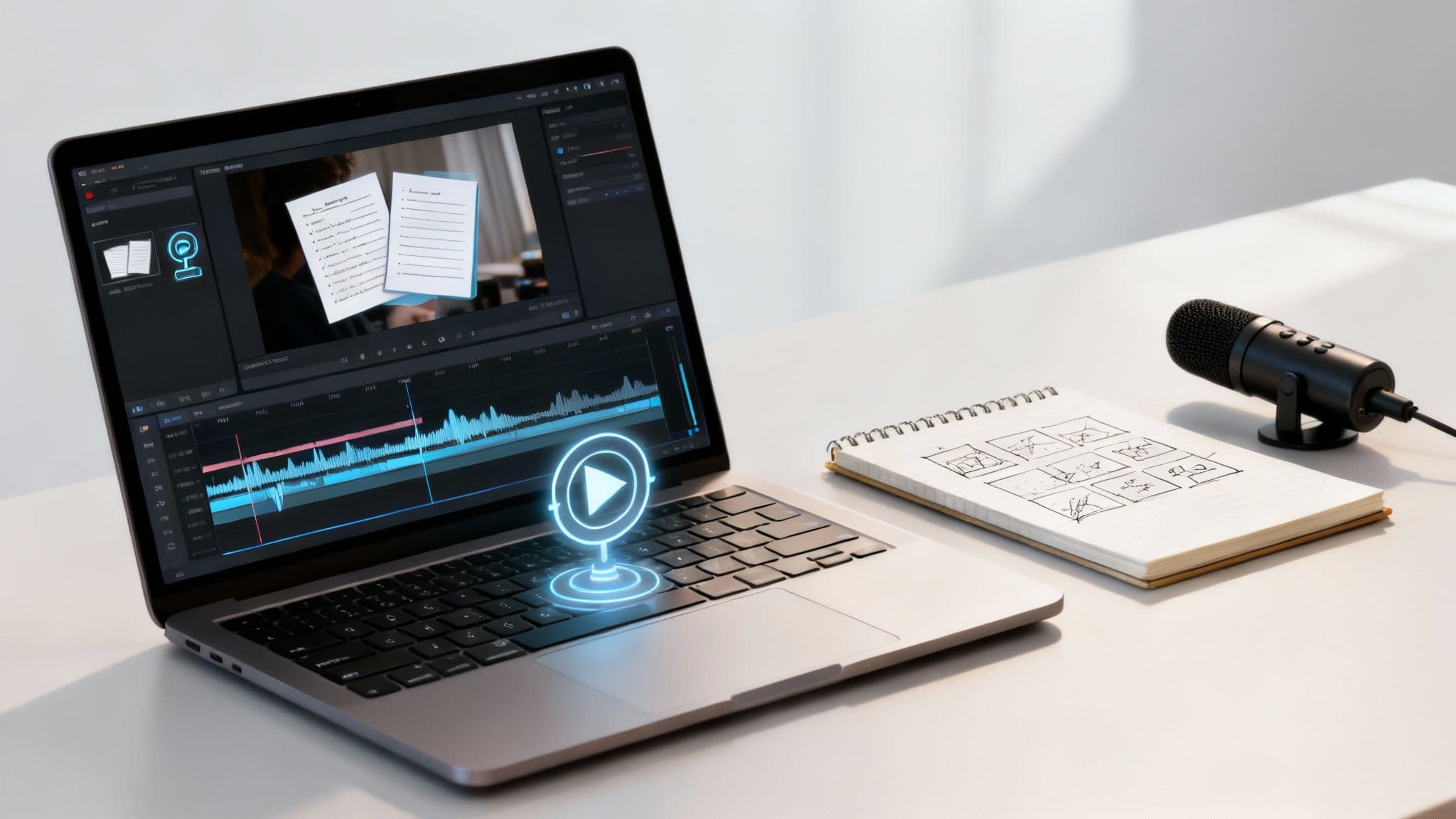
Creating an AI video is surprisingly straightforward. At its core, you feed the AI a script, it generates a surprisingly human-like voiceover, and then matches that audio with relevant images and text. It's a system that takes a simple idea and turns it into a publish-ready video in minutes.
Why AI Video Is Changing the Game for Creators
We're in a completely new era of video production. Forget the need for expensive cameras, fancy microphones, and complicated editing software. High-quality, engaging video content is no longer out of reach, even if you have zero technical skills. AI tools have truly leveled the playing field, making it possible for solo creators to produce content that rivals what bigger studios put out.
This change is all thanks to automation taking over the most tedious parts of the process. Think about it: no more endless scrolling through stock footage sites, re-recording voiceovers to get them just right, or painstakingly syncing subtitles line by line. You can now hand all of that off to an AI.
The entire workflow, from a rough idea to a finished video, is incredibly simple.
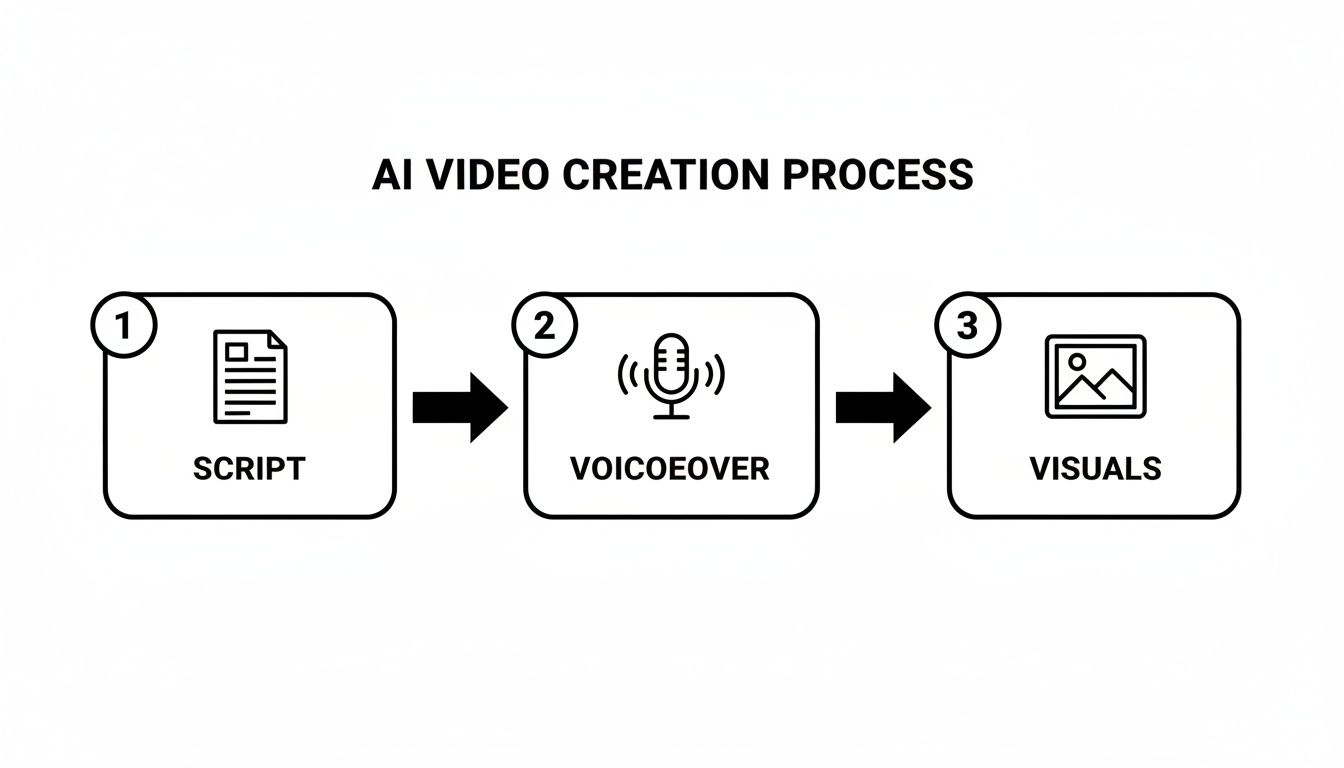
This flowchart breaks down the process into its three core pieces—Script, Voiceover, and Visuals. The magic is how the AI weaves them all together for you.
To really get a handle on how this works, let's look at the main ingredients that go into making one of these videos.
Key Components of an AI-Generated Video
| Component | AI's Role | Why It Matters |
|---|---|---|
| The Script | Generates engaging, structured scripts from a simple prompt or topic. | This is your foundation. A good script ensures your message is clear, concise, and hooks the viewer from the start. |
| The Voiceover | Creates a natural-sounding voiceover from the script text, offering various voices and accents. | High-quality audio keeps viewers engaged. An AI voice saves you time and the cost of hiring a voice actor. |
| The Visuals | Generates or sources relevant images, clips, and animations that align with the script. | Visuals are key to telling your story. The AI ensures the images match the narrative, making the video more compelling. |
| Subtitles & Captions | Automatically transcribes the audio and overlays synced captions onto the video. | Most social videos are watched on mute. Accurate, well-timed captions are crucial for accessibility and viewer retention. |
Each part plays a vital role, and the AI's ability to sync them seamlessly is what makes this whole system so powerful.
The Numbers Behind the AI Video Boom
You don't have to take my word for it; the market growth tells the story. The AI video generator market was valued at USD 614.8 million and is expected to skyrocket to USD 2,562.9 million by 2032. That’s a compound annual growth rate of 20.0%. This isn't just a niche trend; it's a massive shift driven by demand from marketers, educators, and entertainers who need to create content faster than ever.
But the real win here isn't just about speed—it's about consistency. AI gives creators the power to churn out high-quality content daily. That's exactly what algorithms on platforms like TikTok, YouTube Shorts, and Instagram Reels reward.
Making Video Production Effortless
The whole point of AI video is to remove the friction. By automating the technical headaches, these tools let you focus on what actually matters: your ideas, your stories, and your message.
This guide is designed to walk you through every step with practical, actionable advice. For a deeper dive, this detailed guide on how to create AI videos is another excellent resource to check out.
Laying the Groundwork for Your AI Video
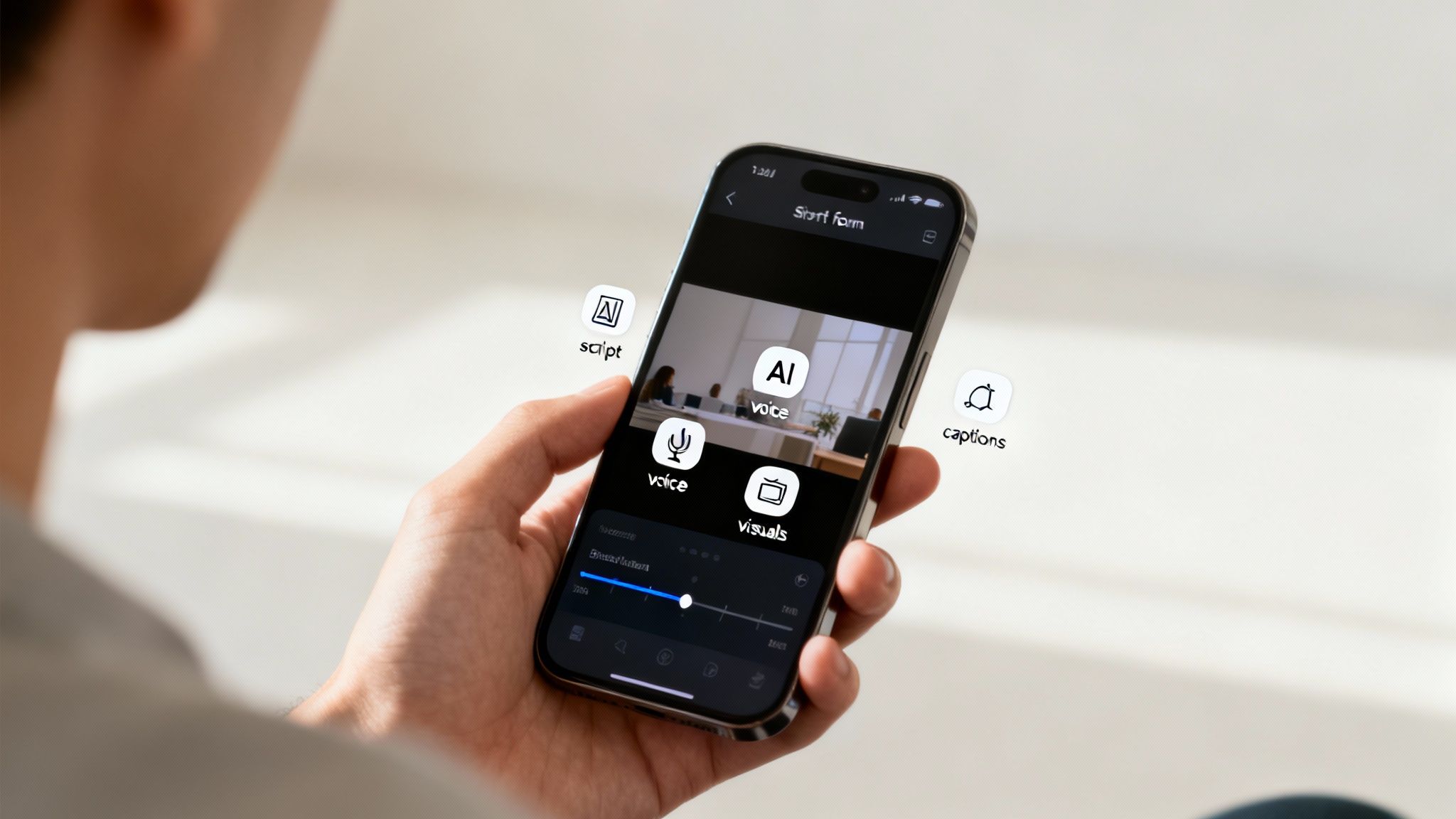
Before you even think about firing up an AI generator, the real work begins. I've seen countless creators jump straight into the tech only to end up with generic videos that go nowhere. A solid strategy is what separates a viral hit from something that just gets lost in the endless scroll. This initial planning is all about figuring out what you’re creating, who it’s for, and why it even matters.
Without a plan, you’re just throwing content at the wall. The key is to start with a clear goal. What are you trying to accomplish? Are you here to teach people something new, tell a captivating story, or maybe drive sales for a product? Your answer will shape every single decision you make from here on out.
For instance, an educational video needs a clear, confident voice and simple, easy-to-follow visuals. But if you're aiming for entertainment—like a spooky historical narrative—you'll want suspenseful narration and moody, atmospheric images to pull viewers in.
Find Your Corner of the Internet
The first thing any successful creator does is carve out their niche. Faceless videos, in particular, thrive when they serve a specific, dedicated audience. Don't try to be everything to everyone; instead, pick a topic you can truly own.
Think about what kind of content shines in a short, punchy, narrative format. I’ve seen channels blow up by focusing on things like:
- Quick Tech Facts: Making sense of complex tech in under 60 seconds.
- Spooky Historical Tales: Unearthing creepy, little-known stories from the past.
- Daily Stoic Wisdom: Dropping one powerful piece of philosophy a day.
- Bizarre Animal Facts: Sharing weird and wonderful truths about the animal kingdom.
Once you have your niche, you can get a crystal-clear picture of your target audience. Who are they? What do they care about? Knowing this helps you nail the tone, language, and visual style that will actually connect with them.
A well-defined niche doesn't just get you views; it builds a loyal community. When people know exactly what to expect from your channel, they hit subscribe and keep coming back. That consistency is pure gold for the algorithm.
Turning a Vague Idea Into a Solid Prompt
With your niche and audience figured out, it's time to brainstorm some actual video ideas. Let's walk through a real-world example. Say you want to start a TikTok channel all about history.
Your first thought might be, "I'll make a video about ancient Rome." Okay, that’s a start, but it's way too broad to be interesting. Let's sharpen it.
- Zoom In: Instead of all of Rome, let’s focus on a single, dramatic event. How about "The assassination of Julius Caesar"?
- Find an Angle: Now, what's a fresh take? Let's tell it "from the perspective of a nervous senator who was in on the plot."
- Set the Mood: What should it feel like? Let's go for "suspenseful and dramatic, with a dark, somber tone."
- Define the Format: Where is this going? It's "a 60-second TikTok video with quick cuts and bold, dynamic captions."
Suddenly, a vague idea has transformed into a detailed brief that you can feed directly to an AI. This level of detail is the secret to creating AI videos that feel intentional and captivating. You're not just letting the AI guess; you're giving it a clear vision to execute.
Weaving Together Scripts and Visuals
Now that you have your strategy mapped out, it's time for the fun part: bringing your idea to life. This is where you hand the creative reins over to the AI. Your job is to guide it with precise instructions to generate the core of your content—the script and the visuals that will ultimately tell your story.
The quality of your final video really comes down to the quality of your initial prompt. I can't stress this enough. A vague, lazy prompt will get you a generic, forgettable video. But a detailed, specific prompt acts as a clear blueprint, empowering the AI to craft something that feels intentional and truly unique.
Prompting for Scripts That Hook Viewers
The script is the soul of your video. For short-form content on TikTok or YouTube Shorts, you need something that's punchy, well-paced, and built for tiny attention spans. You have to think less like a writer and more like a director giving clear, explicit commands.
So, instead of just telling the AI to "write a script about the Roman Empire," you need to give it way more context. From my experience, a powerful prompt always includes a few key elements:
- The Core Topic: What, specifically, is the video about?
- The Angle: What's your unique take or perspective on it?
- The Tone: How should it feel? Is it mysterious, educational, funny, or dramatic?
- The Target Audience: Who are you talking to? This influences the language and complexity.
- The Format and Length: Specify "a 60-second TikTok video" to get the right pacing.
When you layer these details, you're essentially guiding the AI to produce a script that lines up perfectly with your vision. If you need more help structuring your narrative, using a proven video script template can make a world of difference.
From Generic to Gripping: A Prompt Comparison
Let's look at a real-world example of how much a good prompt matters. Imagine you're creating a video about the lost city of Atlantis.
| Prompt Type | Example Prompt | Likely AI Output |
|---|---|---|
| Generic | "Make a video about Atlantis." | A bland, fact-based script with random ocean images. The tone will be flat and uninspired. |
| Detailed | "Create a 60-second TikTok script about the mystery of Atlantis. Use a suspenseful, documentary-style tone. Tell the story of its advanced technology and sudden disappearance, ending with a question to the viewer." | A compelling narrative with a clear hook, rising action, and a call to engagement. Visuals will be atmospheric and story-aligned. |
See the difference? The detailed prompt provides the necessary guardrails, ensuring the AI-generated script and visuals serve a specific creative purpose. This is exactly how you make AI videos that actually stand out from the noise.
How AI Chooses and Paces Your Visuals
Once the script is locked in, the AI starts its visual storytelling. It analyzes the script sentence by sentence, pulling out key nouns, verbs, and emotional cues to find relevant images and video clips. If your script mentions "towering pyramids," the AI will find visuals to match that exact moment.
The AI doesn’t just find images; it sequences them to match the script's pacing. A fast-paced, dramatic script will trigger quicker cuts between scenes, while a calm, narrative video will feature slower, more deliberate transitions, creating a totally cohesive viewing experience.
This automated process is a huge advantage for creators. AI video tools are completely demolishing old production hurdles, allowing anyone to achieve a professional look with minimal effort. This trend is fueling some incredible market growth—the industry is projected to expand from USD 534.4 million to over USD 2.5 billion by 2032. A major part of that growth is text-to-video AI, which powers platforms that intelligently pair scripts with visuals and voiceovers to create viral faceless content. You can learn more about these AI video generator statistics and their impact on content creation.
Perfecting Your AI Voiceover and Audio
When you’re creating a faceless video, your audio does all the heavy lifting. It's not just another element; it’s the main event. Your narration is what builds trust, sets the tone, and ultimately keeps your audience from swiping away.
The right AI voice can make your content feel personal and authoritative. The wrong one, however, can instantly sound robotic and cheapen the entire video. This is why getting the voice style right is absolutely critical.
Selecting the Right Voice for Your Brand
So, how do you choose? Think about the feeling you're trying to create. A spooky historical tale needs a deep, mysterious tone, right? But if you're sharing quick tech facts, you’ll want something more energetic, friendly, and crystal clear. That choice sets the entire mood for your video.
Most AI video tools come with a whole library of voices. My advice is to actually listen to several options while reading your script. Does the voice feel like your content? You wouldn't use a documentary-style narrator for a funny, lighthearted clip, and vice versa.
Here are a few voice archetypes I see work well all the time:
- Authoritative & Deep: Perfect for history, science, or any educational content where you need to sound credible.
- Energetic & Friendly: A go-to for marketing clips, how-to tutorials, and those quick-fact videos that need to grab attention fast.
- Calm & Soothing: The obvious choice for storytelling, guided meditations, or any content where a relaxed pace is the goal.
- Conversational & Natural: Super versatile. This works great for vlog-style explainers and anything that needs to feel relatable.
Don't be afraid to experiment. Generate a short clip with two or three different voices and see which one really brings your script to life.
Fine-Tuning for a Human Touch
Once you’ve got your voice, the real work begins. The best AI platforms let you get granular, adjusting the pacing, adding pauses for dramatic effect, and even tweaking the inflection on certain words. These subtle changes are what separate a robotic reading from a genuinely engaging narration.
Don’t just hit "generate" and call it a day. Take the time to add a slightly longer pause right before you reveal a surprising fact. Speed up the delivery during an exciting part of the story. These small, manual tweaks give your audio a human-like rhythm that holds attention.
Getting this right is becoming more and more important. By 2025, it's predicted that 19 in 20 global customer interactions will involve AI in some way. That means creators who can produce high-quality, lifelike voiceovers are going to have a serious advantage.
Since clean audio is non-negotiable, it's worth learning about noise reduction for video, including expert tips and AI tools. A crisp, clear track is just as vital as the voice itself. For a deeper dive into finding the perfect narrator, check out our guide on choosing an AI voice generator for YouTube. A little background music or a few well-placed sound effects can also do wonders, elevating your video from good to truly memorable.
The Final Stretch: Publishing and Scheduling Your Videos
You’ve done the hard work—the script is sharp, the images pop, and the voiceover is perfect. Now it’s time to get your video in front of people. In the past, this was where the real grind began, with hours spent manually syncing audio, adding captions, and uploading to each platform. Thankfully, modern AI tools have completely changed the game, handling the tedious final steps for you.
This is where you see the real power of the AI workflow. The tool takes all your separate pieces and stitches them together into a seamless video. It automatically syncs your voiceover with the right visuals, making sure the rhythm and flow feel completely natural. This is a huge leap forward, cutting down the time it takes to go from a finished script to a published video from hours to just a few minutes.
A crucial part of this final stage is subtitles. Think about it—a huge number of people on TikTok and Instagram scroll with their sound off. If you don't have engaging, easy-to-read captions, you're losing a massive slice of your audience before they even know what your video is about.
The Magic of Automated Subtitles
AI video tools don't just slap plain text on your video; they create dynamic subtitles. They transcribe your voiceover with impressive accuracy and time the text perfectly with the narration. The really good tools even add subtle animations, like highlighting the current word as it's spoken. It seems like a small detail, but this feature is proven to grab attention and boost viewer retention.
This simple addition ensures your message hits home, whether the sound is on or off. It also makes your content more accessible and keeps viewers hooked, which is a big win for the algorithm.
Set Your Content Schedule and Walk Away
With your video fully assembled and captioned, the last hurdle is getting it out there. Manually uploading your content to different platforms at peak times is a massive time-suck that kills your creative momentum. Scheduling and auto-posting features are your secret weapon here, letting you build a true "set-it-and-forget-it" content machine.
Hooking up your TikTok, YouTube, and Instagram accounts to your AI video tool lets you schedule a whole week or even a month's worth of content at once. Consistency is what the algorithms crave, and this is how you deliver it.
This process is a game-changer if you want to seriously automate content creation and build a lasting presence. You get off the content treadmill, batch your work, and free up your time to focus on the bigger picture.
Figuring out the "best" time to post can feel like a shot in the dark, but we have some solid data to get you started. While your own analytics will eventually be your best guide, the table below provides a great baseline for scheduling your AI videos for maximum impact.
Optimal Posting Times for Short-Form Video Platforms
A general guide to help you schedule your AI videos for maximum visibility on major platforms. Test these times and adjust based on your own analytics.
| Platform | Best Days | General Best Times (Local Time) |
|---|---|---|
| TikTok | Tuesday, Thursday, Friday | 6 AM - 10 AM, 7 PM - 11 PM |
| YouTube | Thursday, Friday, Saturday | 12 PM - 4 PM, 6 PM - 9 PM |
| Monday, Tuesday, Wednesday | 9 AM - 1 PM |
By automating the final assembly and scheduling, you can reclaim your time and energy for what really drives growth: coming up with great ideas. This streamlined workflow is the key for anyone learning how to make AI videos at scale, turning a once-complex process into a simple, repeatable system that fuels your channel’s growth.
Got Questions About Making AI Videos? Let's Clear Things Up
Jumping into AI video creation is exciting, but let's be real—it also brings up a ton of questions. I've heard the same handful of concerns from creators over and over, so let's tackle them head-on. My goal is to get you past the uncertainty and into creating with confidence.

One of the first things people ask is about who actually owns the final product. It's a really important question: if an AI helps you build it, is it truly yours?
So, Do I Actually Own the Videos I Make?
Yes. Full stop. When you use a reputable AI video generator, you get full ownership and commercial rights to everything you produce.
Think of it this way: the AI platform is just a tool, like a camera or editing software. The creative vision is yours, and so is the final video. That means you're free to monetize your content on YouTube, run it as a paid ad for your business, or post it wherever you want without worrying about licensing nightmares. The content belongs to you.
As a rule of thumb, it's smart to glance at any tool's terms of service. But the industry standard is pretty clear: if you create it, you own it.
This is a huge deal because it means you can confidently build a brand or even a business around the content you’re producing. Your creations become real assets.
What Kind of Technical Skills Do I Need to Have?
Here’s the best part: you need zero technical skills. Seriously. Modern AI video tools are built from the ground up for people who have never touched video editing software, messed with animation, or designed a graphic.
The whole point is to make it intuitive. If you can type a sentence and click a few buttons, you’re already overqualified. You play the role of the creative director—you bring the topic, the style, and the script ideas. The AI does all the heavy lifting:
- Finding or generating the right visuals.
- Creating and syncing a human-like voiceover.
- Adding captions and timing them perfectly.
This completely tears down the old barriers. You no longer need to be a tech wizard to produce professional-looking videos.
How Do I Stop My Videos From Looking Generic?
This is a concern every serious creator has. Nobody wants their content to look like a cookie-cutter copy of someone else's. The secret is all in the details: be specific with your instructions and consistent with your brand. A vague prompt will always give you a generic video.
To make your content stand out, drill down on these three areas:
- Get Specific With Your Prompts: Don't just ask for "a video about space." Instead, try something like, "Create a 60-second TikTok explaining the formation of the Andromeda galaxy. Use a calm, wondrous documentary style with a deep male voice." The more detail, the better.
- Build a Consistent Brand: Pick a lane and stick to it. Use the same voice style, a consistent color palette, or a unique on-screen text format across your videos. Over time, this consistency makes your channel instantly recognizable.
- Customize and Tweak: Don't just accept the first version the AI spits out. Most tools let you make small adjustments. Swapping out a few images that don't quite fit or tweaking the pacing of the voiceover can make a world of difference.
The more creative direction you provide, the more unique your final video will be.
How Much Time Does This Actually Save?
The time savings are staggering. If you were to create a short video the traditional way—finding clips, recording a voiceover, editing, and adding subtitles—you could easily burn a few hours of focused work. With a good AI tool, you can have that same video finished in just a few minutes.
The entire process, from typing your idea to downloading the finished HD video, is incredibly quick. This is an absolute game-changer. You can realistically produce an entire week's worth of high-quality, engaging videos in less than an hour.
That speed frees you up to focus on what really matters: coming up with great ideas, refining your content strategy, and actually talking to your audience.
Ready to stop spending hours on video editing and start publishing great content consistently? With ClipCreator.ai, you can generate and schedule a week's worth of engaging, faceless videos for TikTok and YouTube in under an hour. Let AI handle the hard work so you can focus on growing your channel. Start creating for free today at ClipCreator.ai.

Create your first video in under 2 minutes
Pick a niche, and ClipCreator.ai generates and auto-posts faceless videos to your channels every day.
Join ClipCreator.ai