Why can an AI video have beautiful images, a clear voice and accurate subtitles, yet still fail to tell a story? Often, the problem isn't any single ingredient. It's what gets lost when the script becomes a scene, the scene meets the narration, and the captions arrive on screen.
AI storytelling videos work best when those handoffs preserve the same action and meaning. Understanding that process helps you make better creative decisions, whether you're producing bedtime tales, teaching a concept or building a faceless story series for TikTok or YouTube.
How an AI Storytelling Video Gets Built, Piece by Piece
Think of an AI storytelling workflow as a small film crew. The script module acts as the screenwriter, image generation supplies the sets and props, voice synthesis provides the actor, subtitles handle the lettering, and assembly does the editing.
An AI storytelling video is a short, often faceless video assembled with software-generated writing, visuals, narration and captions. Faceless means the creator doesn't need to appear on camera. The finished video may use illustrated scenes, generated clips or still images with movement, usually arranged for vertical feeds such as TikTok, YouTube Shorts and Instagram Reels.
Say you want to tell a story about a lighthouse keeper helping a lost boat. Your initial prompt describes the premise and mood. The script tool turns that request into narration and scene instructions, but the other components still need usable directions.
Components of an AI storytelling video
| Component | What it does | Output handed forward | Typical failure |
|---|---|---|---|
| Script | Turns a topic or prompt into scenes and narration | Text with beats and voice lines | Generic plot and weak hook |
| Images | Creates a visual for each scene | One still or clip per beat | Character identity drifts between scenes |
| Voice | Narrates each line in a chosen voice | Audio track with timing | Flat delivery and unnatural pauses |
| Subtitles | Syncs captions to the narration | Timed text layer | Captions lag behind the voice |
| Assembly | Combines scenes, audio and text into one file | Vertical video for export | Mismatched pacing between scenes |
Follow the material through production
The image generator needs to know what the keeper is doing, not just that the story involves a lighthouse. The voice tool needs the actual narration rather than camera instructions. Caption generation needs the finished spoken track, including any pauses or pronunciation changes.
This diagram shows the production order after you've chosen a topic or prompt.
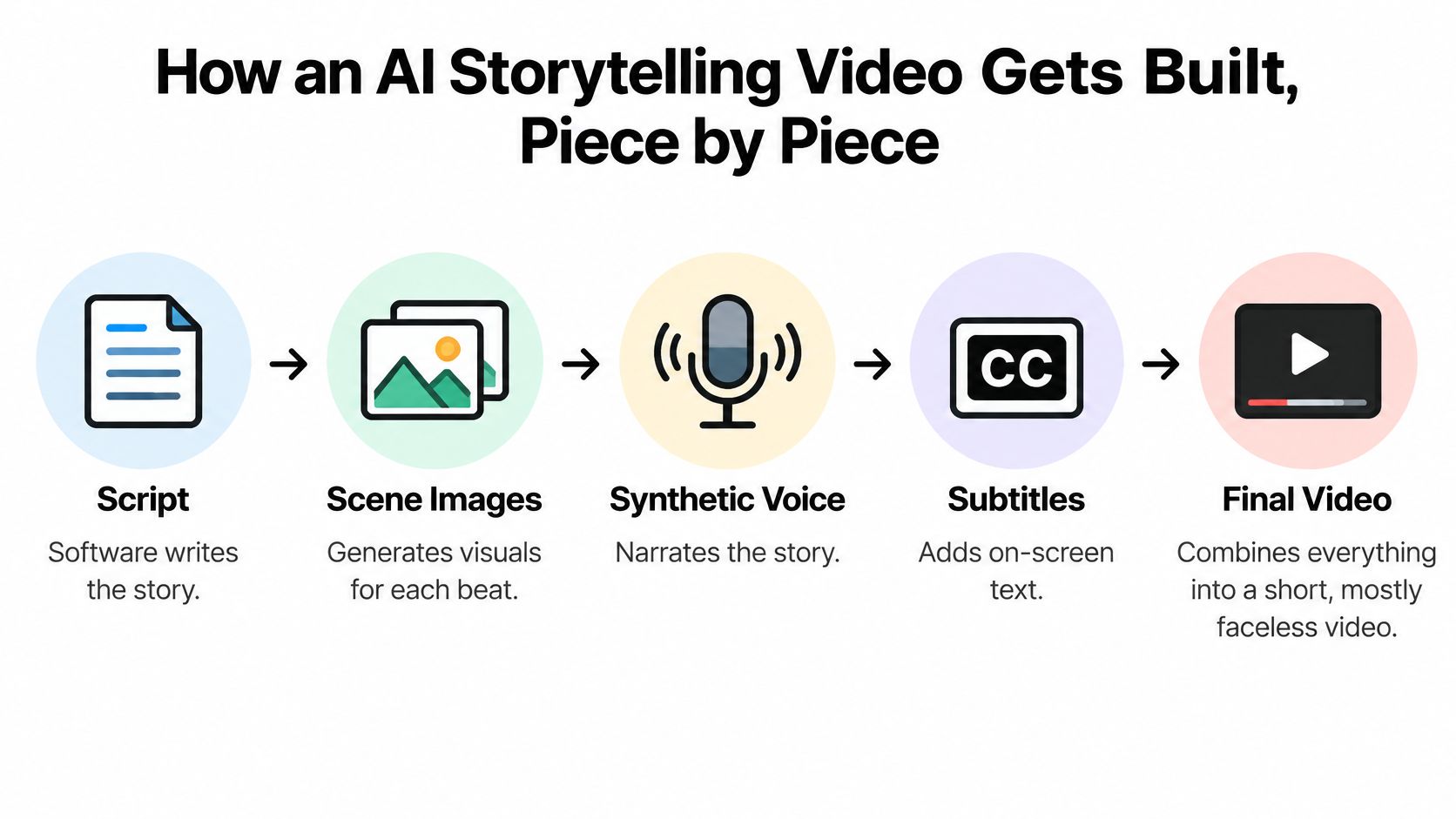
During assembly, an editor or automated module places the assets on a timeline. A scene may need to remain visible while the narrator finishes an important thought. Adding a slow zoom won't fix a picture that shows the wrong action.
Many workflows use separate tools or modules, even when the interface looks like a single application. Keep narration, visual instructions and asset names together so revisions don't separate them.
Practical rule: Check what each component hands to the next, not just whether each output looks good alone.
If you're also considering the business side of automated publishing, Mega Income Stream offers a place to explore artificial intelligence and online income. Treat that as a separate planning question: the ability to generate and publish a video doesn't establish that its story works or that it will earn money.
Writing Scripts Around Story Beats
A script can contain vivid sentences without a causal chain. A storm, a worried keeper and a boat at sea might produce attractive pictures, but viewers still need to understand why the keeper acts and how that action changes the outcome.
Plan with story beats, the moments when something happens that moves the narrative forward. Writing them separately makes missing actions easier to spot before you spend time generating visuals.
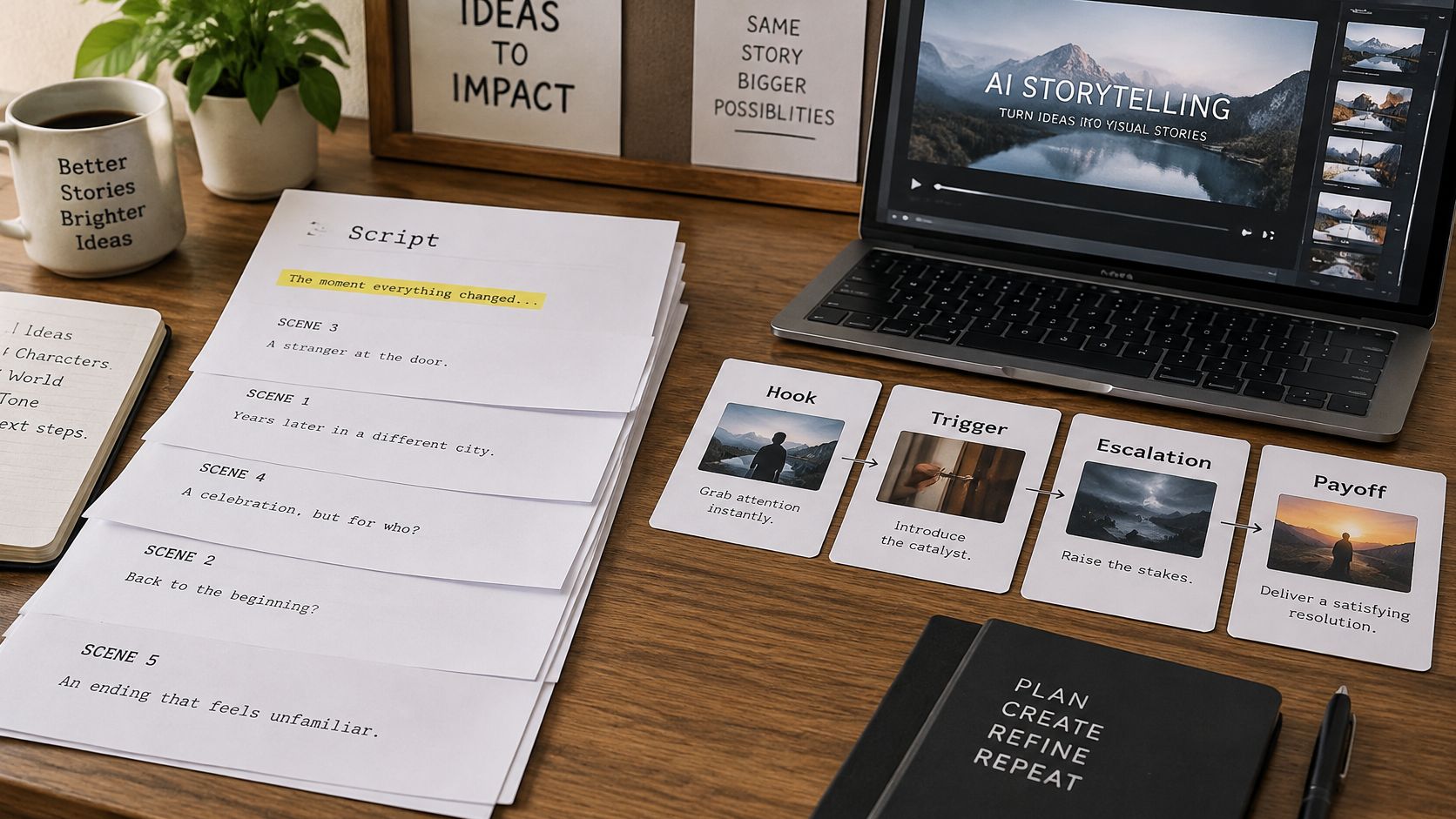
A simple desk layout can help you separate narration from scene instructions.
Give every beat a visible job
Use a hook, trigger, escalation and payoff as a working template. Each beat should identify the character, setting, action and relationship to the previous event.
- Hook: The lighthouse lamp goes out while the keeper watches from the lantern room. Something has changed, and the viewer has a reason to keep watching.
- Trigger: Outside, a boat searches for the missing lighthouse signal. The failure now matters to someone.
- Escalation: The keeper climbs the storm-shaken stairs with a replacement lamp. The response requires effort rather than appearing magically.
- Payoff: The restored light reaches the boat, and its crew turns toward the safe channel.
For a bedtime version, keep the danger gentle and the ending reassuring. The underlying sequence remains clear even when the language becomes softer.
Generating relevant pictures isn't the same as completing a story: the StoryEval benchmark used 423 prompts across seven story classes, with two to four consecutive events each, and none of the 11 tested models exceeded a 50% average story-completion rate.
Write instructions the generator can use
Before drafting, specify the topic, emotional tone, intended runtime and narrator. Decide whether the voice should sound like a recurring storyteller or follow a brand's established language. A narrator who uses gentle, concrete descriptions needs different writing from a brisk educational presenter.
Separate what viewers hear from what they see. A narration line might describe the keeper's determination, while the visual instruction shows a hand gripping the stair rail. Use these script outline examples to organize those parallel instructions.
The embedded video offers another way to approach the production process.

Require every planned beat to be present before generating images. Rewrite any beat that describes only a mood, unless you've paired that mood with something visible.
Finally, read the narration aloud at a natural speaking pace. Check whether the ending resolves the problem you introduced, rather than merely announcing a comforting message. Then read the payoff alone: its immediate action should be understandable, even though its emotional significance depends on the setup.
Checking Every Scene Before Rendering
A crisp image of a keeper standing beside a lighthouse doesn't illustrate the act of repairing its lamp. Sharpness helps viewers see a scene; it doesn't tell you whether you've chosen the correct scene.
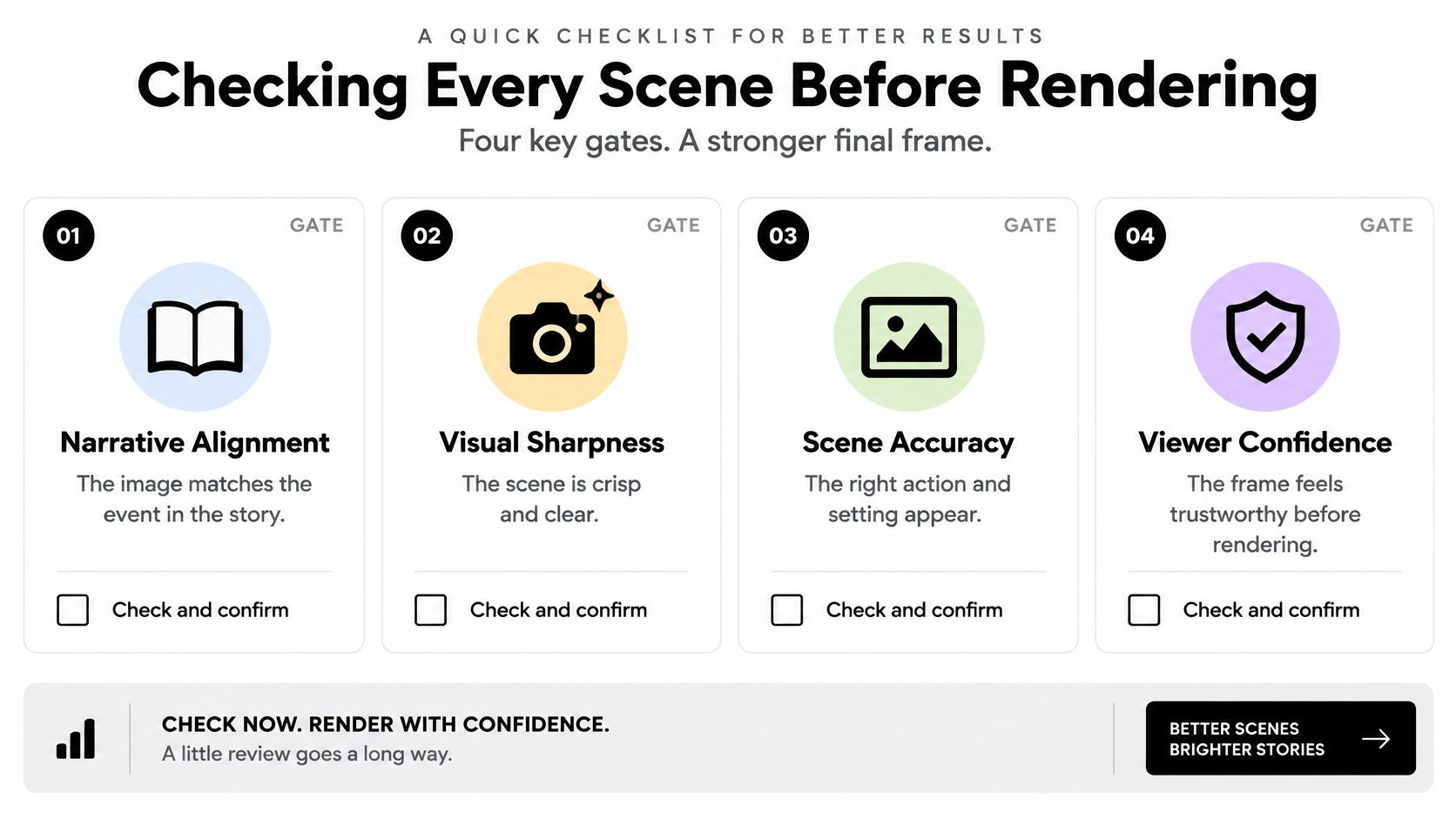
Evaluate narrative alignment, visual legibility, motion stability, and subtitle/audio timing separately. These are independent gates, not qualities you should average into a reassuring overall score. For short stories, give alignment and timing priority because viewers have little opportunity to reconstruct an omitted action.
The EvalCrafter benchmark evaluates text-to-video systems with 700 prompts and 17 objective metrics covering visual quality, content quality, motion quality and text-video alignment. Its multi-metric approach offers a useful lesson for production: a visually impressive result can still fail an essential requirement.
Inspect the sequence in a deliberate order
- Compare each scene with its beat. Read the intended event, then watch the scene without narration. If the keeper should be carrying a replacement lamp upstairs, a portrait of the keeper isn't enough. This check establishes narrative alignment.
- Check the recurring character and phone-size view. Compare the face, clothing and colours across adjacent scenes. Then preview at approximately the size viewers will use. The important subject should remain recognizable without enlarging the frame.
- Look for invented objects and unstable movement. Watch hands, railings, doors and carried props. A lamp that disappears during a turn can make the action hard to follow even when the surrounding scenery looks convincing.
- Play the narration with captions on, then off. Captions should follow the spoken phrase, not reveal the ending early or linger over the next scene. Without captions, listen for missing words, awkward cuts and audio that continues after its relevant image has disappeared.
- Repair the failing part. Regenerate an incorrect scene, adjust a mistimed caption or replace a flawed voice line. Rebuilding the entire video can introduce fresh errors in material you've already approved.
Use the checklist as a prompt for inspection rather than as a substitute for watching the finished sequence.
Review meaning at the cut
Pay particular attention to where scenes meet. The keeper might leave a room carrying the lamp, only to arrive upstairs empty-handed. Each image can look acceptable in isolation while the transition breaks the action.
These visual storytelling techniques can help you choose framing and scene relationships that communicate an event clearly.
A caption can add context, but it shouldn't have to rescue a picture of the wrong event.
For action-led scenes, use this final test: if viewers need the caption to discover what action occurred, revise the visual. That doesn't mean every image must explain the whole plot, only that it should fulfill its assigned job.
Keeping Emotional Authenticity in Automated Stories
Photorealism and production speed aren't always advantages. A nearly realistic face with an unconvincing expression can distract from a tender moment, while a polished voice can make a frightening story sound like a product announcement.
For bedtime, horror and inspirational stories, ask whether the performance supports the feeling rather than whether the assets look expensive. A deliberately illustrated scene may suit a gentle tale better than a realistic image that invites viewers to inspect its flaws.
A 2026 study of AI labeling and engagement found that AI labeling reduced affective and behavioral engagement compared with human-created content, with stronger effects for emotional content because viewers perceived weaker authenticity and emotional resonance. That finding isn't permission to conceal automation. It's a reason to take the emotional writing seriously instead of assuming technical polish will create a connection.
Direct the feeling through specific choices
Start by naming the feeling you want: comfort, fear, relief or hope. Then rewrite the key moment in your own words, using an action that expresses it.
For the lighthouse story, saying that the keeper felt relieved gives the voice actor little to perform. Showing the keeper loosen their grip when the boat turns toward safety gives both the visuals and narration something concrete.
- Bedtime stories: Use a softer voice and an unhurried rhythm. Remove unnecessary threats rather than asking soothing narration to compensate for frightening writing.
- Horror stories: Leave room for silence before the reveal. Don't fill every pause with music or explain the disturbing detail before viewers notice it.
- Inspirational stories: Let the payoff land on a human action, such as returning to help someone, rather than a generic declaration about believing in yourself.
Make the voice serve the scene
Choose a narrator for the genre, not because it's the default option. Listen to the emotionally important line before committing to the full track. Use pronunciation controls where available, and direct pauses through punctuation or the tool's supported instructions.
The guide to AI text-to-speech voice choices provides useful context for choosing a narrator. Also keep the recurring character's appearance stable so viewers can stay with the feeling instead of wondering whether someone new has appeared.
Editing test: If a line names an emotion, try replacing it with the behavior that reveals that emotion.
Test alternative emotional rewrites while keeping the premise, visual style and publishing conditions as similar as practical. Compare retention and comments, looking especially for whether viewers mention the character, the ending or an unnatural performance. Treat the results as clues for revision, not proof that a single wording will always work.
Disclosure Rules for Mixed Production
A faceless story might use AI only for its draft, only for narration, or for every scene. Those aren't interchangeable cases. The practical question is what the audience could mistake for a real recording, not whether software helped make the video.
The YouTube altered or synthetic content policy requires disclosure for realistic altered or synthetic content, while generally excluding productivity assistance such as scripts and automatic captions. Check the current upload guidance for the specific material you're publishing, especially when a realistic person, place or event appears.
Platform disclosure rules for AI-generated video
| Platform | When disclosure applies | What the platform does |
|---|---|---|
| YouTube | Realistic altered or synthetic content | Requires disclosure; scripts and automatic captions are generally excluded |
| TikTok | Realistic AI-generated or manipulated scenes | Requires proactive disclosure; can apply an automatic label creators cannot remove |
| Requirements aren't established by the policy sources cited here | Check Instagram's current policy and upload controls before publishing |
Decide from the finished content
Use a conservative review order rather than assuming that a faceless format needs no label.
- Realistic synthetic scenes: If a scene could be mistaken for recorded footage, disclose the synthetic production using the platform's required controls.
- Writing or caption assistance only: Check the current platform policy before deciding. Don't equate an AI-assisted outline with fabricated footage.
- Clearly fantastical animation: Describe the format accurately where appropriate, but don't assume that an illustrative style overrides every platform requirement.
- Synthetic narration: Review how the voice is used, especially if it imitates an identifiable person. A generic narrator and a convincing impersonation raise different concerns.
Explain without alarming
Keep any additional wording factual. You can explain that a fictional story uses AI-generated illustrations and synthetic narration without implying that viewers are watching a real event. A caption alone may not replace a required platform disclosure setting.
For mixed-production projects, Humantext.pro's guide to deepfake compliance offers additional context for organizing a disclosure review.
Don't test whether hiding a required label improves performance. Instead, compare compliant disclosure wording, placement and explanatory captions by genre and market, then inspect retention and comments for confusion. These platform requirements also shouldn't be treated as a complete statement of applicable law or a guarantee of reach or monetization.
Choosing Your First AI Storytelling Workflow
Choose a story type you can judge confidently, then run a small test series before scaling. Starting with unrelated genres makes it harder to tell whether a weak result came from the premise, narration, visuals or publishing process.
The best starting format is the one that gives your audience a clear reason to watch and gives you a repeatable way to review quality.
Starting workflow by audience
| Audience | Starting format | Main risk |
|---|---|---|
| Solo creator on TikTok or YouTube | Themed story series with one story type | Repetitive scripts and flat voices |
| Educator or e-learning channel | Narrative micro-lesson built on one concept | Explanations that skip checkpoints |
| Small business or brand | Brand story with a steady narrator and clear disclosure | Off-brand tone and unlabelled AI scenes |
| Agency managing client accounts | Templated series with a fixed beat structure per client | Disclosure errors across accounts |
An educator might show a character making a mistaken prediction, trying something and correcting their understanding. A small business could explain a customer problem through a fictional scenario, clearly identified as an illustration rather than a testimonial.
Keep the first week manageable
Begin by choosing a premise that fits a clear sequence of events. Draft a small batch of scripts, then take a representative script through the complete scene review before producing the others. This reveals production problems before you repeat them across the series.
Next, add a deliberate emotional rewrite and the appropriate disclosure. Choose publishing days and times you can maintain, and keep a simple record of what you changed in each video.
For agencies, separate client approval from production approval. A technically finished video can still contain the wrong brand language or an unapproved claim. Mallary.ai's discussion of smarter client workflows for independent creators is useful context for organizing those handoffs.
Choose automation around your review process
At ClipCreator.ai, we generate narratives from a pre-made viral story type or a custom prompt. Custom stories let you direct the AI with your own topics and style to reflect your brand identity, and images are generated automatically for each video to follow the story closely. After you connect a TikTok or YouTube account, we handle everything from video creation to publishing.
That platform choice doesn't replace editorial judgment. Keep a record of recurring problems so you can distinguish an isolated bad scene from a template that needs rewriting.
Over a short trial, track completion rate, comments and whether your publishing cadence holds. Read the comments for signs of understanding, not just praise. A sustainable workflow produces stories you can stand behind without allowing review work to overwhelm the schedule.
ClipCreator.ai brings AI-written stories, story-aligned images, narration and automatic subtitles into a faceless video workflow. Visit ClipCreator.ai to start with a story type or your own prompt, then use the beat and scene checks above to guide your first series.

Create your first video in under 2 minutes
Pick a niche, and ClipCreator.ai generates and auto-posts faceless videos to your channels every day.
Join ClipCreator.ai