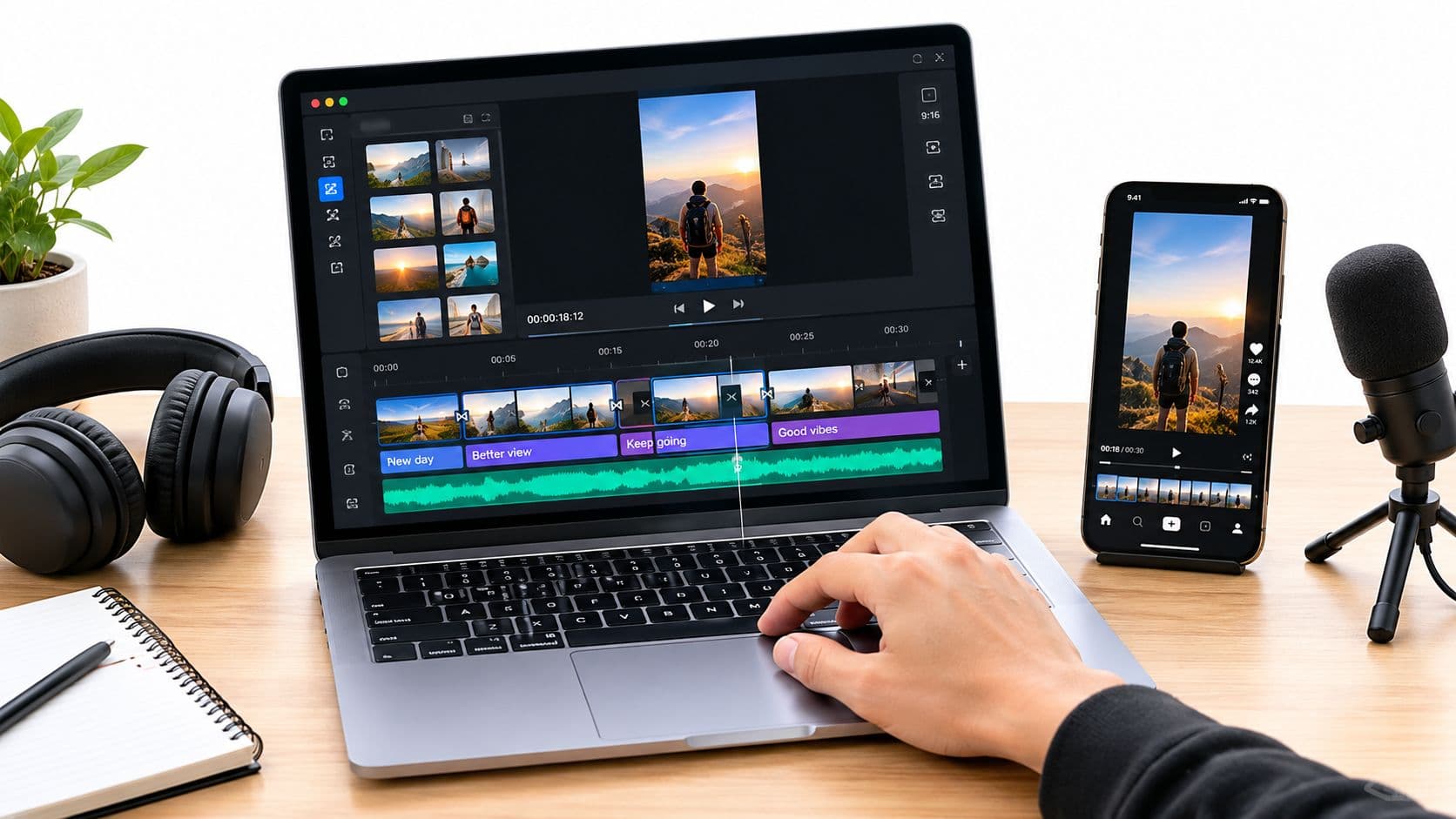
So, what do we actually mean by "visual storytelling"? It's the art of using images, pacing, and emotional cues to tell a story without relying solely on words. For faceless videos, this means you're meticulously choosing visuals that build a narrative arc, hooking viewers from the very first frame. It's all about showing, not just telling.
The Unseen Power of Visuals in Short-Form Video
Ever scroll through TikTok or YouTube Shorts and get completely sucked into a simple, faceless video about a historical event or a creepy story? There's a reason those clips go viral, and it's not a big budget or a celebrity host. The secret sauce is brilliant visual storytelling.
These videos tap into the core of how our brains work. We're hardwired for stories, and when you pair a compelling narrative with the right visuals, it becomes almost impossible to look away. This is a huge opportunity for creators who want to connect with an audience without ever stepping in front of the camera.
Why Visual Narratives Dominate
The move to visual-first content isn't just some passing fad; it's a fundamental shift in how we consume information. In a world of endless scrolling, visuals cut through the noise, grabbing attention and conveying emotion much faster than text ever could.
The market data tells the same story. The global visual content market, currently valued at USD 8.24 billion, is expected to skyrocket to USD 19.10 billion by 2033. This growth is driven by the insane popularity of short-form video, where faceless, narrative clips are pulling in billions of views every single day. You can dig into more of this data over at straitsresearch.com.
The core idea is simple: You're not just making a video; you're crafting an experience. Each image, transition, and subtitle is a deliberate choice designed to make the viewer feel something.
To truly master this, it's helpful to break down the key ingredients.
Core Elements of Effective Visual Storytelling
| Element | Description | Impact on Viewer |
|---|---|---|
| Pacing | The speed and rhythm of cuts, transitions, and on-screen text. | Creates suspense, excitement, or a sense of calm. Keeps attention locked. |
| Imagery | The specific photos, clips, and graphics chosen to match the narration. | Evokes emotion, sets the tone (e.g., dark, mysterious, uplifting), and clarifies the story. |
| Color & Lighting | The use of specific color palettes and lighting to establish a mood. | Instantly communicates the feeling of the story—warm colors for comfort, cool for tension. |
| Text & Subtitles | The style, placement, and timing of on-screen text. | Guides the viewer's focus and emphasizes key moments or emotional beats. |
Understanding how these elements work together is the foundation for creating videos people can't stop watching.
The Foundation for Viral Content
Getting a handle on the "why" behind this phenomenon is your first step. It's about building a solid narrative and emotional framework before you even think about which images to use. This mindset helps you:
- Create a strong emotional hook: You have to grab viewers within the first three seconds, and emotion is the fastest way to do it.
- Maintain viewer attention: Smart pacing and dynamic visuals keep the story from getting stale and prevent the dreaded swipe-away.
- Deliver a memorable message: A well-told story ensures your final point resonates long after the video is over.
Thankfully, you don't have to do it all from scratch. Tools like ClipCreator.ai are designed to automate much of the technical work, freeing you up to focus on what really matters—the story. If you want to see what this looks like in action, check out these inspiring visual storytelling examples.
Building Your Narrative Before You Even Think About Visuals

The most magnetic faceless videos aren't just a slideshow of cool images. They are stories first, videos second. The narrative is the skeleton, and the visuals are just the skin. Without that strong story structure, even the most jaw-dropping images will fall flat and lose your viewer's attention in a heartbeat. This is where viral potential is truly born.
Think about the content you get sucked into. It’s usually a strange historical anecdote, a shocking personal confession, or some little-known fact that makes you go, "Whoa." These formats work because they follow a classic story arc, even if it's crammed into 60 seconds. Before you can start applying visual storytelling techniques, you absolutely need this foundational script.
Deconstructing What Makes a Story Go Viral
Trending story formats are your best friend. Seriously, don't try to reinvent the wheel. Just look at what's already working and figure out why it's working.
- The Historical Anecdote: This is a classic. You take a forgotten event and slam the audience with its shocking modern-day relevance. Instant curiosity.
- The Unsolved Mystery: Who doesn't love a good mystery? You present a strange or spooky situation, slowly revealing clues without giving it all away until the final seconds.
- The Personal Confession: This one uses a relatable "I used to think..." or "Here's a secret..." frame to build instant rapport. It feels vulnerable and real.
By picking a format, you're not copying. You’re using a familiar structure that audiences already know and love, which makes it way easier to grab their attention right away.
Scripting for Today's Attention Span
A script for a 90-second video has zero room for fluff. Every single word has to push the story forward. Your job is to create a tight, emotionally resonant journey that becomes the blueprint for your entire video.
Your script is more than just words; it’s the director’s shot list. A great script tells you not just what to say, but what the audience should be seeing and feeling at that exact moment.
To get this right, you need to nail three critical story beats:
- The Hook (0-3 seconds): Hit them hard and fast. Open with a question, a bold claim, or a puzzling fact. Instead of a boring opener like, "Let me tell you about a weird historical event," try something like, "The world's deadliest party happened in 1518, and it's not what you think." See the difference?
- Building Tension (4-45 seconds): This is where you drip-feed the information. Introduce new details, raise the stakes, and build that sense of, "What happens next?!" You're guiding the viewer through the meat of the story here.
- The Payoff (46-60+ seconds): Deliver that surprising conclusion or the emotional gut-punch. This is the moment that gets you the share, the comment, the follow.
If you want a head start, using a good video script template can give you the structure to hit these beats perfectly every time.
Crafting the narrative first makes sure your visual choices are purposeful, not random. For example, with a tool like ClipCreator.ai, you could give it a simple prompt like, "Write a scary story script about a mysterious noise in the woods." The AI will spit out a script that already follows this proven structure, giving you a solid foundation to build on. This prep work is what separates forgettable content from videos that stick with people long after they’ve scrolled away.
Choosing Visuals That Speak Louder Than Words

Alright, your script is locked in. Now for the fun part. In a faceless video, your images aren't just pretty background noise. They're your actors, your set designers, and your lighting crew, all rolled into one. Every single visual has to earn its screen time by advancing the story and making the audience feel something.
This is where you move beyond just finding nice pictures and start curating a genuine visual experience. The aim is to make someone feel the chill of an unsolved mystery or the wonder of a historical breakthrough, just by the images you choose.
Set the Mood with Color and Consistency
The quickest way to telegraph a mood is through a consistent aesthetic. Telling a spooky story? Your visuals should probably lean into dark, desaturated colors, deep shadows, and maybe even a grainy texture. On the other hand, if you're crafting an uplifting, motivational video, think bright, warm palettes and clean, inspiring imagery.
This kind of consistency builds a cohesive world for your viewer. It’s what separates a professional, intentional video from a random slideshow.
- For Horror/Mystery: Try prompts that include terms like "cinematic lighting," "noir," "eerie," or "foggy" to get that atmospheric vibe.
- For History/Facts: Prompts using "vintage photograph," "sepia tone," or "archival footage style" can lend a powerful sense of authenticity.
- For Motivation: Words like "golden hour," "vibrant colors," or "uplifting" will help generate visuals that spark positive emotions.
Create Motion in Still Images
Since you're working mostly with still images, you have to find clever ways to create a sense of movement. This goes way beyond just slapping on the classic "Ken Burns effect" (that slow pan and zoom). It's about picking images that already feel dynamic.
Look for visuals with strong leading lines, dramatic perspectives, or subjects caught in the middle of an action. A photo of someone mid-stride feels infinitely more alive than one of them standing perfectly still. A shot of a winding road naturally pulls the viewer's eye forward. These little details are what keep your video from feeling flat and static.
A single image can make or break the emotional punch of your video. For a scary story, a photo of a specific, empty, dimly lit hallway will always be more effective than a generic picture of a haunted house. Specificity is what sparks the imagination.
This isn't just a creative hunch; it's backed by data. Storytelling is a massive part of modern marketing, with 42.1% of pros relying on it. And since our brains are wired to process visuals so quickly, it makes sense that the data visualization market is expected to reach $16.54 billion by 2029. You can find more of these storytelling stats over on pzaz.io.
Crafting AI Prompts for the Perfect Visuals
AI image generators are incredible tools, but they need good direction. A vague prompt will get you a vague, forgettable image. Think of your prompt as your director's notes to the artist.
Don't just ask for "a forest." Instead, try something like: "An eerie, misty forest at twilight, volumetric lighting filtering through ancient, gnarled trees, cinematic shot." See the difference? That level of detail gives the AI the specific emotional and stylistic cues it needs to create a visual that truly fits your narrative.
The more descriptive you are, the better your results will be. If you're hitting a creative wall, our guide to short video ideas is a great place to get the inspiration flowing again.
Getting the Pacing Right to Keep Eyes Glued to the Screen
You can have the most fascinating story in the world, but if the pacing is off, it’s dead on arrival. The rhythm of your video—how fast you cut, how long you linger on an image—is what grabs a viewer and holds their attention. It’s the invisible force that makes a video feel just right.
Think of your video's pacing as its heartbeat. A rapid, almost frantic pulse with quick cuts builds excitement. This is perfect for the climax of a scary story or a shocking historical reveal. On the other hand, a slower, more deliberate pace with longer shots gives the viewer room to breathe, creating a sense of wonder or deep reflection.
Syncing Your Images to the Spoken Word
One of the most powerful techniques I've learned is to sync image changes directly to the cadence of the voiceover. When a new visual pops up at the exact moment a key phrase is spoken, it feels incredibly polished and satisfying. It’s like the visuals and the audio are in a perfect dance.
The goal here is harmony. If the images lag behind the narration, your audience will get bored and start scrolling. But if the visuals change too quickly, the story becomes a confusing blur. The magic is in that sweet spot where audio and visuals support each other perfectly.
Your video's rhythm isn't just about speed; it's about controlling the viewer's emotional journey. You are the conductor, and every cut, pause, and transition is a note in your visual symphony.
Getting this right is more critical than ever. We all know video dominates social media—it pulls in 94% more views than text and drives way more engagement. Short-form video, especially, is king because people actually finish watching it. The entire digital brand storytelling market is exploding for this very reason.
Pacing Techniques for Different Video Moods
The timing of your cuts can completely change how your story is received. Here’s a quick guide to help you match your pacing to the mood you want to create.
| Desired Mood | Image Change Frequency | Voiceover Cadence | Example Use Case |
|---|---|---|---|
| Urgent & Exciting | 1-2 seconds per image | Fast, energetic delivery | "Top 5 Shocking Historical Facts" video |
| Thoughtful & Calm | 4-6 seconds per image | Slow, deliberate, with pauses | An inspirational video about philosophy |
| Mysterious & Tense | 2-4 seconds, with sudden quick cuts | Measured, with dramatic pauses | A true crime story building to a reveal |
| Informative & Clear | 3-5 seconds, timed to key points | Steady and authoritative | A "How-To" guide or a financial explainer |
This table is a great starting point, but always trust your gut. The best pacing is the one that feels right for your specific story.
My Quick Review Process for Nailing the Timing
Even when using smart tools, a final human review is what separates the good from the great. AI platforms like ClipCreator.ai are fantastic for applying proven pacing templates to your script, but a quick manual check can elevate the final product.
Here’s the mini-workflow I use to fine-tune a video's rhythm:
- Watch with the sound OFF: Does the visual story still flow? Do the cuts feel logical or just random? This is the fastest way to spot pacing problems that the voiceover might be hiding.
- Listen with your eyes CLOSED: Now, just focus on the audio. Does the voiceover have a natural rhythm? Are there any awkward pauses or rushed sentences? The audio needs to stand on its own.
- Check the big moments: Finally, watch it all together. Pay close attention to your hook, the main turning point, and the final payoff. Make sure the visual changes right at these beats are sharp and impactful to give them the emotional punch they deserve.
This simple three-step check is my secret to ensuring a video doesn’t just get watched, but gets re-watched and shared. It's this tiny bit of extra effort that turns a simple faceless video into something truly captivating.
Automating Your Workflow to Stay Consistent
A great idea is just the starting line. The real marathon in content creation is consistency, and burnout is the quickest way to get pulled from the race. This is where building an automated system becomes your secret weapon for visual storytelling—it's about creating an efficient engine that lets you scale up without burning out.
Let’s get practical. Imagine you have a simple idea for a faceless video: a short, spooky "bedtime tale." If you were doing this manually, you'd be looking at hours of scripting, digging for the right stock footage, recording a voiceover, and then the painstaking process of editing it all together. With a tool like ClipCreator.ai, that same concept can become a polished, high-def video, ready to upload, in literally just a few minutes.
The goal here is pure efficiency. Let the AI do the heavy lifting so you can get back to what you do best—coming up with the story.
Building Your Automated Content Engine
Think of automation not as a shortcut, but as a production line for your creativity. Instead of piecing together every single video from the ground up, you're building a repeatable process that guarantees both quality and speed. This is exactly how top creators manage to go from posting once a week to multiple times a day.
So, what does this production line look like in practice?
- Idea to Prompt: You start by boiling down your video concept into a clear, direct prompt. For our spooky tale, it might be as simple as: "Create a 60-second scary story for TikTok about a hiker who finds an old, abandoned cabin in the woods."
- AI Scripting and Voiceover: From there, the tool crafts a script using proven narrative arcs, complete with a strong hook and a solid conclusion. At the same time, it generates a natural-sounding AI voiceover to bring it to life.
- Visual Generation and Assembly: This is where the real magic kicks in. The AI analyzes the script’s content and emotional beats to find or generate a sequence of perfectly matched visuals.
- Pacing and Subtitles: Finally, the system edits everything together, applying smart pacing techniques to keep your audience glued to the screen. It also adds dynamic subtitles, making your video more accessible and engaging.
When you're looking to really streamline your output and maintain high-quality visual storytelling, you might even consider options like outsourcing video editing to handle the final polish.
Fine-Tuning Your Video Pacing
Even when you're automating, knowing the fundamentals of pacing is crucial. The rhythm of your video—how quickly you cut from one shot to the next—is what controls the emotional journey for the viewer. This diagram breaks down three core pacing methods that can totally change the feel of your content.
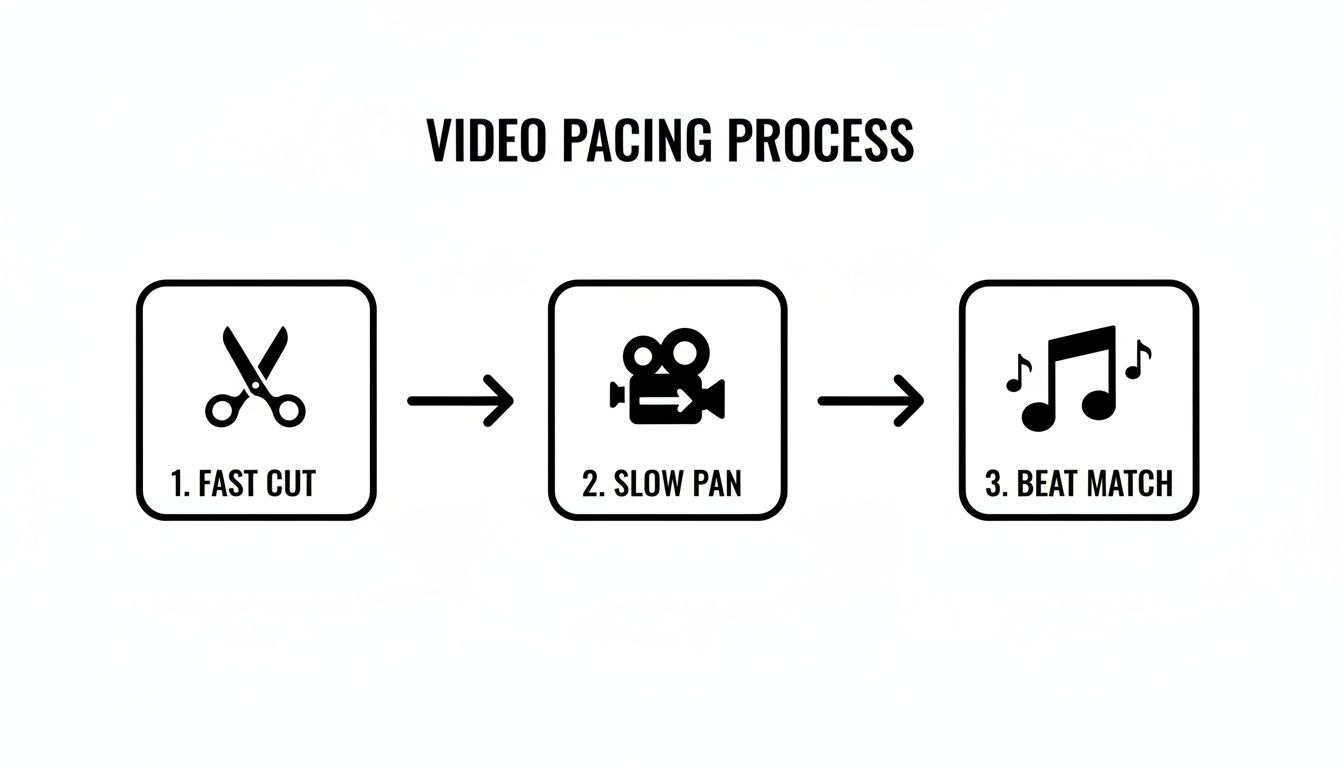
As you can see, different cut speeds and syncing your visuals to the audio can create totally different vibes, from high-octane excitement to slow-burning suspense.
By automating the technical side of things, you're really just freeing up your creative brainpower. You stop being a video editor stuck in timelines and keyframes and become a director, focusing purely on the story and how your audience will experience it.
This mental shift is what makes consistency possible. It turns the act of creating powerful visual stories from a draining chore into a sustainable habit. Once you have a solid automated workflow, you can finally start producing content at the speed of your ideas.
A Few Common Questions About Visual Storytelling
Even with a solid game plan, you're bound to have some questions when you start making these kinds of videos. Let's tackle a few of the most common ones I hear from creators who are just getting their footing with automated, faceless content. Getting these cleared up will help you fine-tune your process and feel more confident.
One of the first things everyone asks is about timing. How long should these videos be? For platforms like TikTok and YouTube Shorts, you want to aim for that sweet spot between 30 and 90 seconds. That's just enough runway to hook someone, build up the story, and deliver a satisfying punchline without them getting bored and scrolling away.
Do I Need to Be a Designer?
Absolutely not. That’s the best part about the tools we have today. Visual storytelling has shifted from being about graphic design skills to being about good directing. Your job is to focus on the story itself—the narrative arc and the feeling you want to create.
Think of yourself as the director, not the artist. Your real skill is crafting a compelling story, not mastering Photoshop. AI-powered tools do all the heavy lifting, finding or creating stunning visuals that match the vibe of your script. You bring the vision, and the tech brings it to life.
What Kinds of Stories Get the Most Views?
Some story types just seem to work every time in a faceless format. They tap into our natural curiosity and share one key trait: a killer hook that grabs you from the very first second.
- Scary Stories: Nothing keeps people watching like good old-fashioned fear and suspense.
- Unsolved Mysteries: We're hardwired to seek answers, and mysteries leave people desperate to see how it ends.
- Little-Known Historical Facts: People love feeling like they've learned a secret or an obscure piece of trivia.
- Motivational Tales: Short, powerful stories about overcoming challenges or gaining wisdom are incredibly shareable and resonate deeply.
My advice? Find a niche you're genuinely interested in and then pour that passion into one of these proven formats. If you want to dig deeper, you can find more insights on visual storytelling that cover different angles.
Here's something you can't overlook: subtitles are non-negotiable. A massive number of people watch videos with the sound off. Your subtitles aren't an add-on; for many viewers, they are the story.
Well-done subtitles do more than just repeat what's being said. They guide the viewer's focus, reinforce the story's pacing, and can even be stylized to match the mood of your video. It’s a simple thing that makes a huge difference in your video's performance.
Ready to stop theorizing and start creating? With ClipCreator.ai, you can take a simple idea and transform it into a professional, engaging video in just a few minutes. It's time to stop getting bogged down in editing and start telling stories that build your audience. Get started with ClipCreator.ai today!

Create your first video in under 2 minutes
Pick a niche, and ClipCreator.ai generates and auto-posts faceless videos to your channels every day.
Join ClipCreator.ai