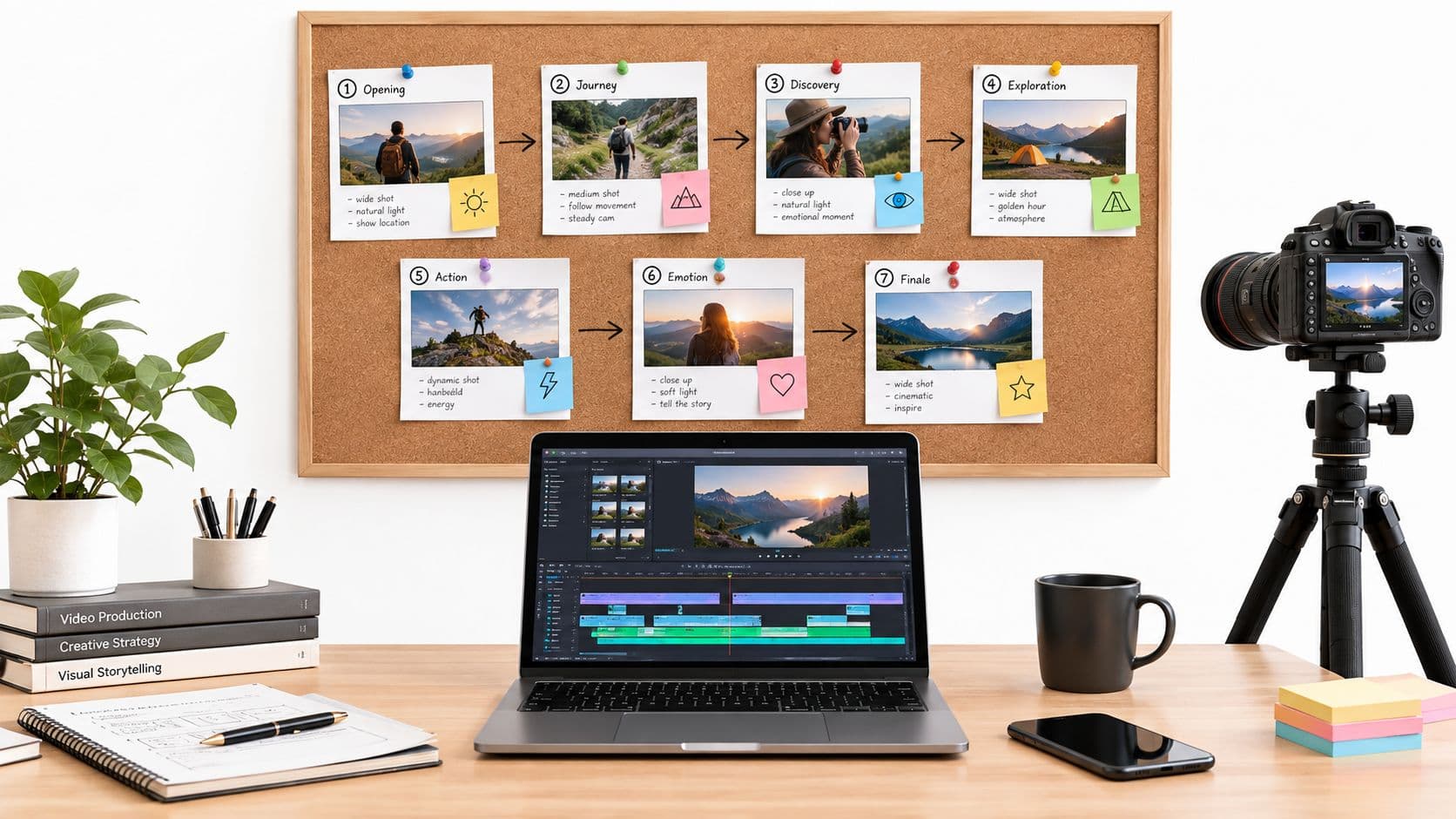
You've probably had this moment already. The song is finished, the artwork is almost ready, and then the hard part appears: now you need a video that looks like it belongs to the music, not a rushed collage of stock clips and lyric screens.
That's where music video AI gets interesting. Not because it replaces taste, and not because it magically understands your artistic intent on the first try. It matters because it changes who gets to make visual work at all. A solo artist, a faceless Shorts creator, or a tiny brand team can now build something much closer to a release-ready visual system without renting cameras, locations, and an editor for every post.
For short-form platforms, that shift is even bigger. TikTok and YouTube Shorts reward consistency, speed, and a recognizable visual identity. A good workflow matters as much as a good tool. The question isn't only “Can AI generate a music video?” It's “Can you turn one song, one concept, and one afternoon into a batch of platform-ready visuals that still feel like you?”
The New Creative Revolution in Video
A familiar story. An indie artist has a strong single and a vivid idea for the video: dim hallway lighting, surreal fire effects, fast cuts on the chorus, maybe a dream sequence in portrait format for TikTok. Then the budget conversation starts. A director, camera operator, editor, color work, motion graphics, and multiple exports for different platforms can push the vision out of reach before the first frame is shot.
Music video AI changes that starting point. It doesn't erase craft. It lowers the threshold for getting from concept to something watchable, testable, and publishable. That matters for artists who need more than one “official video.” Short-form publishing often asks for many visual assets around the same track: teaser clips, lyric moments, loopable hooks, alternate edits, and vertical cuts.
What makes this more than a passing trend is the scale of the market behind it. The generative AI in music market was estimated at USD 440.0 million in 2023 and is forecast to rise to USD 2,794.7 million by 2030 at a 30.4% CAGR, according to Market.us research on AI in music. That projection doesn't prove every tool is good. It does show that AI-assisted creation is moving into the center of music and media workflows.
Why artists are paying attention
The appeal isn't only cost. It's flexibility.
- You can test ideas quickly. A moody black-and-white concept, an animated performance concept, and a surreal narrative concept can all start as drafts instead of expensive commitments.
- You can build for multiple formats. A release now often needs vertical, square, and widescreen thinking.
- You can stay active between major launches. One song can become a sequence of visual posts instead of a single upload.
Practical rule: Treat AI video as a sketchbook first, then as a production tool second. Artists get better results when they use it to explore a visual direction before locking the final cut.
For skeptical artists, that's the useful frame. Music video AI isn't impressive because it's automated. It's useful because it gives more creators a realistic path from finished song to visible release.
What Is a Music Video AI
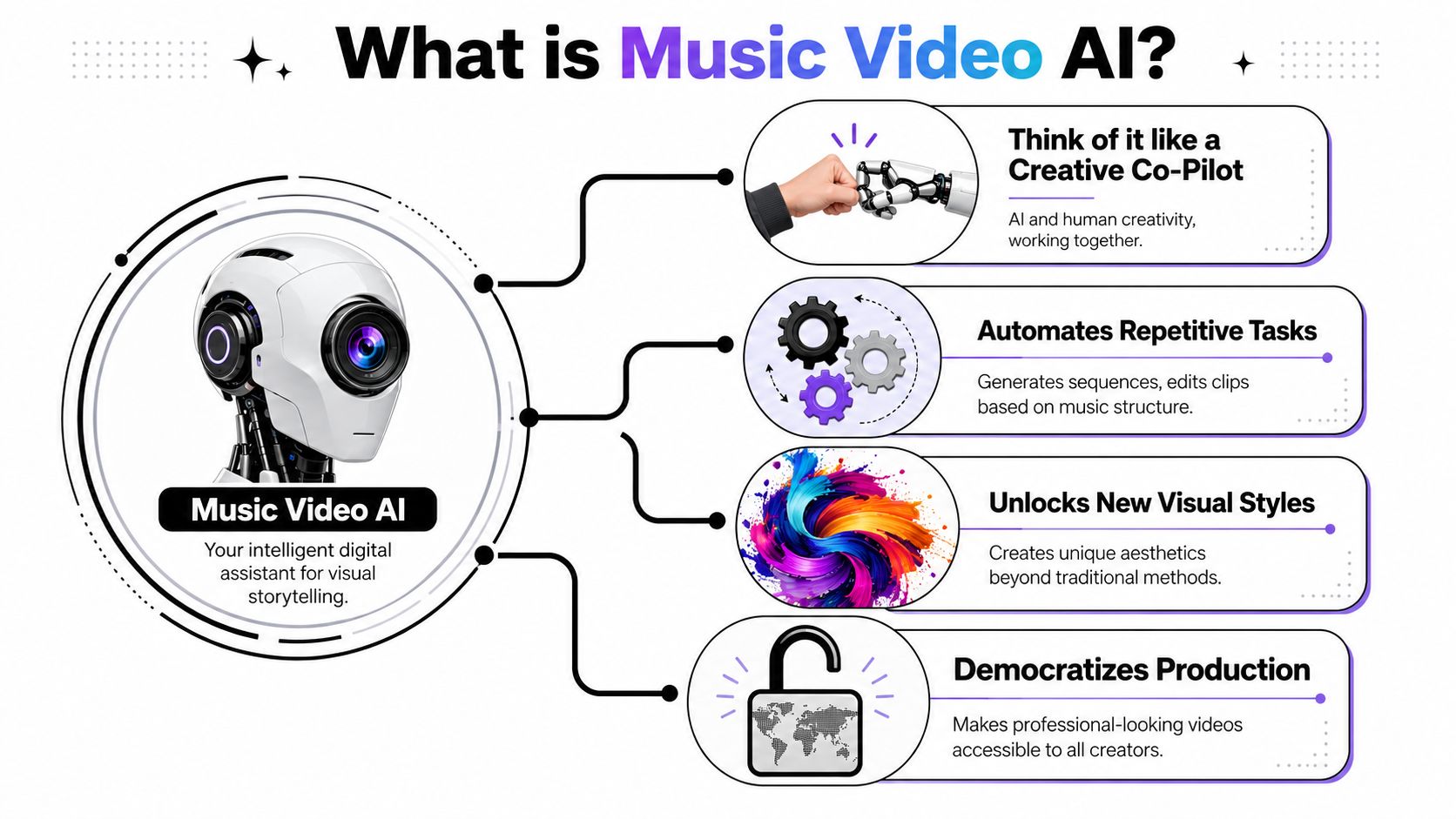
Music video AI is best understood as an automated creative team with very uneven strengths. It can listen, interpret, suggest imagery, generate scenes, cut to structure, add subtitles, and prepare exports. But it still needs a human to decide what the video should mean.
Instead of thinking of it as one thing, think of it as a stack of systems that translate music into visuals.
Three common types you'll run into
Some tools start from text. Others start from images. The most relevant ones for musicians start from audio.
| Type | What you give it | What it's good for | Where artists get confused |
|---|---|---|---|
| Text-to-video | Written prompts | Mood pieces, abstract scenes, visual experimentation | It may look cinematic but ignore the song's structure |
| Image-to-video | A still image or artwork | Character consistency, cover-art animation, stylized loops | Motion can look good while story logic stays weak |
| Audio-to-video | A music file, sometimes with an image | Beat-aware visuals, performance-like motion, music-led pacing | People expect full directing control, but many tools still limit scene-level control |
A lot of confusion comes from expecting all three categories to behave the same way. They don't. A text-first model may produce beautiful clips that still need heavy manual editing. An audio-aware tool may produce better rhythm but less precise camera direction.
What the tool is actually trying to do
A decent music video AI system usually tries to answer a few creative questions:
- What is the energy curve of the song
- Where do sections change
- What visual language fits the mood
- Should this feel like a performance, a story, or a visualizer
- What format should the output fit
That last point matters more for TikTok and YouTube Shorts than many artists realize. A horizontal “official video” can exist separately from the short-form ecosystem. A vertical cut needs instant readability, stronger first-frame composition, and often subtitles or text cues that land fast.
A useful AI music video tool doesn't just generate clips. It helps you move from a song to a visual system that can survive cropping, reposting, and audience scrolling habits.
If you want to see how consumer-facing tools frame that idea, GiftSong's personal video creator is a useful reference point because it presents AI video generation as a creator workflow rather than a purely technical demo.
The simplest definition
Music video AI is software that turns music and creative inputs into synchronized visual output. Sometimes that output is abstract. Sometimes it looks like a performance. Sometimes it's closer to a short film trailer built around a track.
The important part isn't whether the tool calls itself cinematic, generative, or automated. The important part is whether it can help you make visuals that still feel intentional after the novelty wears off.
How the Underlying AI Technology Works
Most artists don't need a machine learning lecture. They need a working mental model. The easiest way to understand music video AI is to split it into three jobs: listening, imagining, and aligning.
The listening layer
First, the system analyzes the song. It isn't “hearing” music the way a person does, but it is identifying patterns that matter visually. Tempo changes, beats, section boundaries, intensity shifts, and sometimes vocal presence all become signals the tool can use.
That's why some outputs feel oddly on-beat while others feel random. A tool with stronger music analysis can place cuts, motion bursts, or scene changes closer to the song's structure. A weaker one might lay visuals over audio without understanding where the chorus hits.
For short-form creators, this matters because the opening seconds do extra work. On TikTok and YouTube Shorts, the visual rhythm has to establish itself fast. If the system misses the song's first meaningful turn, the clip can feel flat before the viewer ever reaches the hook.
The image and video generation layer
Once the software has some sense of the track, it generates visuals. At a high level, many systems work by starting with noise or a base visual state and gradually shaping it toward a prompt, reference image, or style target. You don't need the math to use it well.
You do need to know this: the model is predicting what a fitting next frame or sequence might look like. It is not directing with human intention.
That's why prompts matter. “Sad neon city” is broad. “Lonely singer under flickering train-station lights, wet pavement, handheld motion, blue-magenta palette, vertical composition” gives the model more to latch onto. You're not writing code. You're setting boundaries.
If you want a broader frame for how generative systems turn creative direction into marketing visuals, exploring AI-powered video ads is a helpful parallel because ad workflows often face the same problem of turning intent into fast, platform-ready motion.
The synchronization layer
The third job is keeping the whole thing coherent. Many promising demos falter at this stage.
A practical example comes from WaveSpeedAI. Its generator takes one audio file plus one high-quality photo as inputs and can produce a full-length video up to 10 minutes with 480p or 720p output, as described in WaveSpeedAI's music video generator announcement. That tells you something important. This kind of pipeline is optimized for multimodal alignment, not detailed shot-by-shot directing.
What this means in practice
Here's the main takeaway for artists:
- The AI can infer structure, but not your full narrative intent.
- The AI can maintain some visual relationships, but continuity still breaks.
- The AI can sync broadly to music, but micro-decisions often need human review.
The closer your input is to a clear visual lane, the better the output tends to hold together.
That's why one strong image, one defined character concept, and one clear mood often outperform a pile of conflicting prompts. Music video AI works best when you reduce ambiguity before generation starts.
From Concept to Published Video a Step-by-Step Workflow
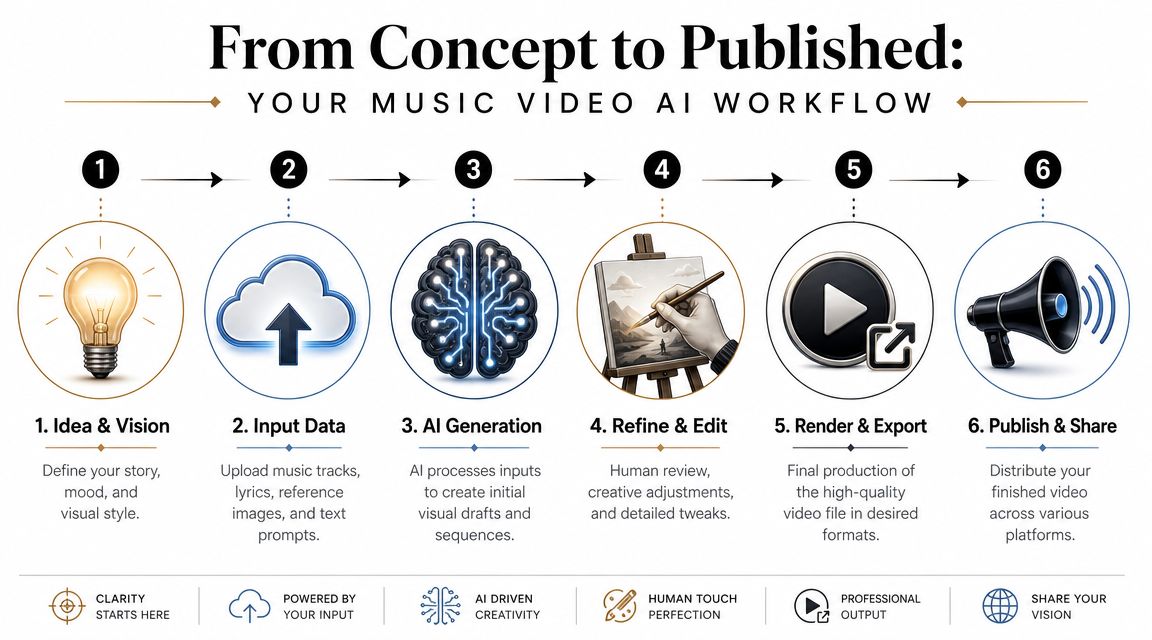
The creators who get useful results don't just hit generate. They build a workflow. For TikTok and YouTube Shorts, that workflow has to think beyond the first render. You need a publishable clip, the right framing, readable pacing, and a reason for someone to watch past the opening beat.
Start with a short-form concept, not a full music video
A common mistake is trying to generate the “official video” first. For social platforms, start smaller. Choose one section of the song that carries emotion or tension on its own. A hook, beat switch, lyric reveal, or dramatic musical moment works better than a random excerpt.
Write down three things only:
- The emotional tone
- The visual world
- The action the viewer sees first
That third point matters most. On Shorts, your opening frame is part thumbnail, part promise.
Generate more than you need, then curate hard
Most AI outputs are rough drafts. You don't need every clip to be perfect. You need enough material to find the few moments that feel intentional.
Useful prompt ingredients often include:
- Visual style references without imitation. Describe texture, lighting, lens feel, or era rather than naming a living artist's exact style.
- Performance behavior. Specify whether the subject is still, singing, moving through space, or reacting to the beat.
- Platform framing. Ask for vertical-safe composition when the clip is meant for TikTok or Shorts.
After the first pass, review with one question: does this feel like one world, or a pile of disconnected scenes?
Editing test: If you mute the clip and watch only the transitions, the visual story should still feel deliberate.
A good overview of AI video production steps for creators lives in this practical guide to making AI videos, especially if you're thinking about generation and publishing as one continuous process.
Here's a useful demo to study while thinking about workflow and output expectations:

Edit for coherence, not just spectacle
Hidden labor often becomes apparent. Creators often assume the hard part is generation. In reality, the bottleneck is usually orchestration. Recent product workflows point toward systems that combine music analysis, visual direction, subtitles, synchronization, and export in one place, which addresses the fundamental problem of making the final video feel coherent, as discussed in this workflow-focused video explanation.
That's especially true for short-form platforms because each version may need different treatment:
| Platform need | What to check before publishing |
|---|---|
| TikTok vertical clip | Fast opening frame, subtitle placement, safe center crop |
| YouTube Shorts | Clear visual hook, readable pacing without context, title synergy |
| Cross-posted teaser | Whether branding, captions, and framing survive reuse |
Export for the feed you're actually posting to
Don't stop at “video exported.” Ask whether the clip supports engagement on the platform.
- For TikTok, use a first second that creates curiosity or contrast.
- For YouTube Shorts, make sure the clip can stand alone even if the viewer never hears the full song.
- For both, decide whether subtitles help or clutter the frame.
The best workflow isn't the one that creates the most footage. It's the one that gets you from song to clean, on-brand, platform-specific posts without a mess of manual fixes at the end.
Use Cases for Creators and Brands
The most exciting thing about music video AI isn't one polished “official” video. It's the range of formats it makes accessible for people who need to publish often. A recent survey found that more than 80% of respondents think AI could help with social media and video content, according to Ari's Take coverage of AI tools used by musicians. That matters because short-form publishing rewards repetition with variation.
Indie musicians building release campaigns
A solo artist can use one song to create multiple visual assets: a teaser built around the chorus, a lyric-driven vertical clip, an animated cover-art loop, and a mood-based promo cut for release week. None of those have to replace a traditional music video. They make the song more visible while the main release takes shape.
This is especially helpful for artists who don't want to appear on camera in every post. AI-generated visuals can carry the tone while the music stays central.
Faceless creators on Shorts and TikTok
Some creators don't think of themselves as musicians at all. They build channels around stories, aesthetics, remixes, mood edits, or educational snippets with music doing emotional work in the background.
For them, music video AI becomes a format engine. A creator might pair non-vocal musical hooks with animated scenes, typography, or surreal character moments, then test which visual language earns better watch-through. If you're comparing that kind of repeatable system against broader automation tools, this overview of AI video creation tools gives a practical way to think about scalable publishing.
Brands that need motion without a shoot
Brands can use music-led AI video for product teasers, event promos, seasonal edits, and social ads. The smartest use isn't pretending the output is a film set. It's using AI for stylized, fast-moving content where mood and motion matter more than literal realism.
A skincare brand, for example, might pair an ambient track with close-up textures, floating packaging visuals, and soft beat-matched transitions for vertical placements. A local fashion label might create editorial-style loops around a new drop without organizing a full video production.
AI video is often strongest when the goal is mood, rhythm, and visual identity, not documentary realism.
Educators and narrative channels
Educators can also borrow the grammar of music videos. Short lessons become more engaging when they use music-led pacing, recurring visual motifs, and scene transitions that follow an emotional arc instead of a slide deck logic.
A history channel, language teacher, or storytelling page can use the same tools musicians use. The difference is the call to action. Instead of “stream the song,” the endpoint might be “watch part two,” “save this lesson,” or “follow for the full series.”
That's why this medium matters beyond music. It teaches creators how to package sound, image, and platform behavior as one system.
Legal and Ethical Considerations You Cannot Ignore
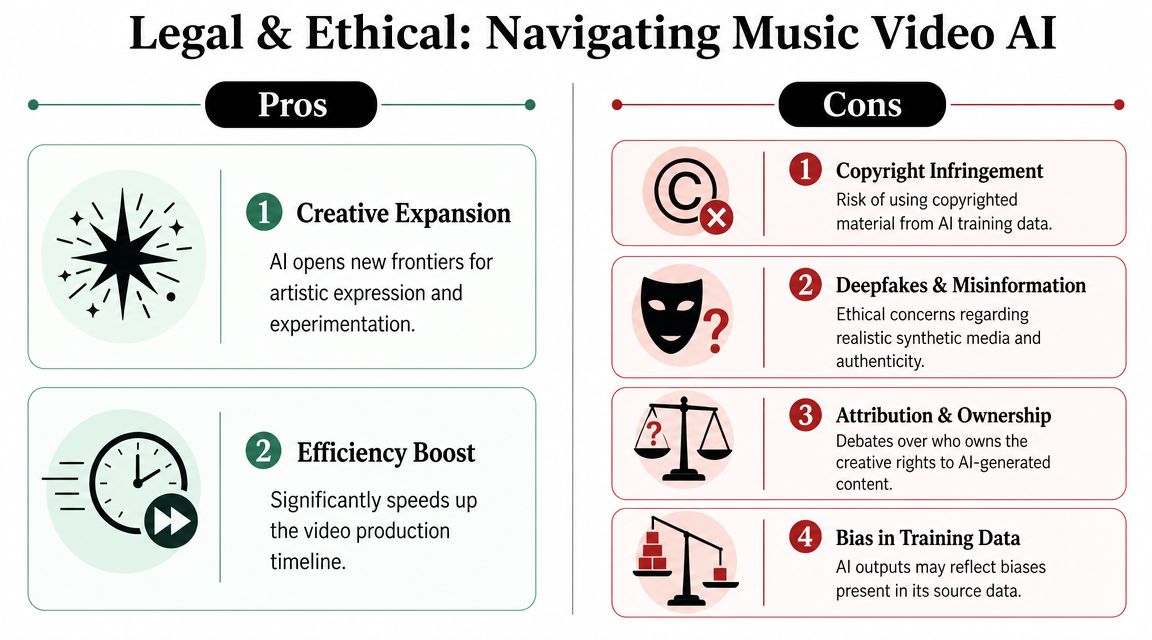
Most artists ask one legal question first: “Can I monetize this?” The actual question is broader. You need to know whether the music, visuals, likenesses, and style references in your workflow create risk.
Copyright-safe music doesn't solve visual risk
A useful recent signal is YouTube's rollout of AI-generated background music inside Creator Music for eligible U.S. Partner Program users, framed as copyright-free for use in videos, as reported by Music Business Worldwide on YouTube's Creator Music AI tool. That reduces soundtrack-clearance friction.
It does not settle the larger issue for AI music videos.
If your visuals resemble a recognizable performer, imitate a protected character, or lean too closely on someone else's signature aesthetic, you may still run into problems. The soundtrack may be cleared while the imagery remains questionable.
The risky areas creators overlook
A few problem areas come up again and again:
- Likeness problems. If a generated performer looks too much like a real artist or public figure, that can create issues even without direct copying.
- Style imitation. Prompting for the exact style of a living artist may create ethical and legal concerns.
- Synthetic performance confusion. Viewers may think a person performed something they didn't.
- Scaled publishing mistakes. When tools bundle generation, captioning, and posting, a bad rights decision can spread across multiple platforms quickly.
A practical companion issue appears when you publish music-driven shorts on YouTube. Even if your workflow is clean, you still need to understand platform-level formatting and music handling. This guide to adding music to YouTube Shorts is useful for understanding that publishing layer.
A safer working mindset
Use these guardrails:
| Safer practice | Why it helps |
|---|---|
| Use original or licensed music inputs | Reduces one obvious rights problem |
| Build original character descriptions | Lowers likeness and imitation risk |
| Avoid artist-name prompts | Keeps your visual direction more defensible |
| Review before auto-posting | Stops one mistake from multiplying |
If you wouldn't feel comfortable describing the prompt and source materials publicly, pause before publishing the result commercially.
There's still uncertainty here. That's the honest answer. The safest creators treat music video AI as a powerful medium that still needs legal caution, not as a shortcut around authorship and consent.
Frequently Asked Questions About AI Music Videos
Can you monetize AI music videos on YouTube
Sometimes. It depends on the music rights, the visual rights, and whether the content violates platform rules around reused, misleading, or infringing material. If the video uses original assets or clearly licensed elements, your odds are better. If it imitates recognizable people or copyrighted aesthetics, monetization can become much harder.
Can AI match visuals to lyrics
Yes, to a point. AI can often detect mood, pacing, and broad song structure. Literal lyric interpretation is less reliable. If your line says one thing and the tool generates a vague symbolic scene, that's normal. The best results usually come from guiding key lyric moments manually instead of expecting perfect line-by-line understanding.
Can it keep the same character consistent
Sometimes, but this remains one of the hardest problems. Consistency improves when you use a strong reference image, a narrow visual concept, and fewer scene changes. It tends to break when prompts get too ambitious or the system has to show the character from many angles, in different outfits, or in complicated motion.
Is music video AI best for full songs or short clips
Right now, short clips are often the better fit for most creators. They're easier to refine, easier to format for TikTok and YouTube Shorts, and easier to test with different hooks. Full-length videos can work, but they usually require more curation and more tolerance for visual inconsistency.
What should you do first if you're curious but skeptical
Take one finished song and make one vertical clip from the strongest moment. Don't try to automate your entire release strategy on day one. Learn what kind of prompt language, visual style, and editing rhythm effectively supports your music.
If you want a simpler way to turn ideas into short, publish-ready videos for TikTok, YouTube, and Instagram, ClipCreator.ai is built for that end-to-end workflow. It helps creators generate faceless videos with scripts, visuals, voiceovers, subtitles, and posting automation, which is especially useful when consistency matters more than hand-editing every clip from scratch.

Create your first video in under 2 minutes
Pick a niche, and ClipCreator.ai generates and auto-posts faceless videos to your channels every day.
Join ClipCreator.ai