Crafting a script for a short video really comes down to three things: a hook that stops the scroll, a quick story that delivers value, and a clear call to action that tells people what to do next. For a 60-second video, you're aiming for a script that's around 150 words. It’s all about being tight, focused, and built for a short attention span.
Why a Great Script Is Your Secret Weapon
In a world where everyone is a creator, a killer script is what separates a viral hit from a video that just gets lost in the noise. It’s not just about what you say; it's the entire blueprint for grabbing and holding attention from the very first second. Think of it as your video's foundation—without it, even the most brilliant idea will fall flat.
And the competition is insane. On TikTok alone, creators are uploading something like 16,000 videos every single minute. That’s 23 million new videos a day competing for eyeballs. With over 1.9 billion daily video views on that platform, your script has to be sharp enough to cut through all that clutter instantly.
The Three Pillars of a Winning Script
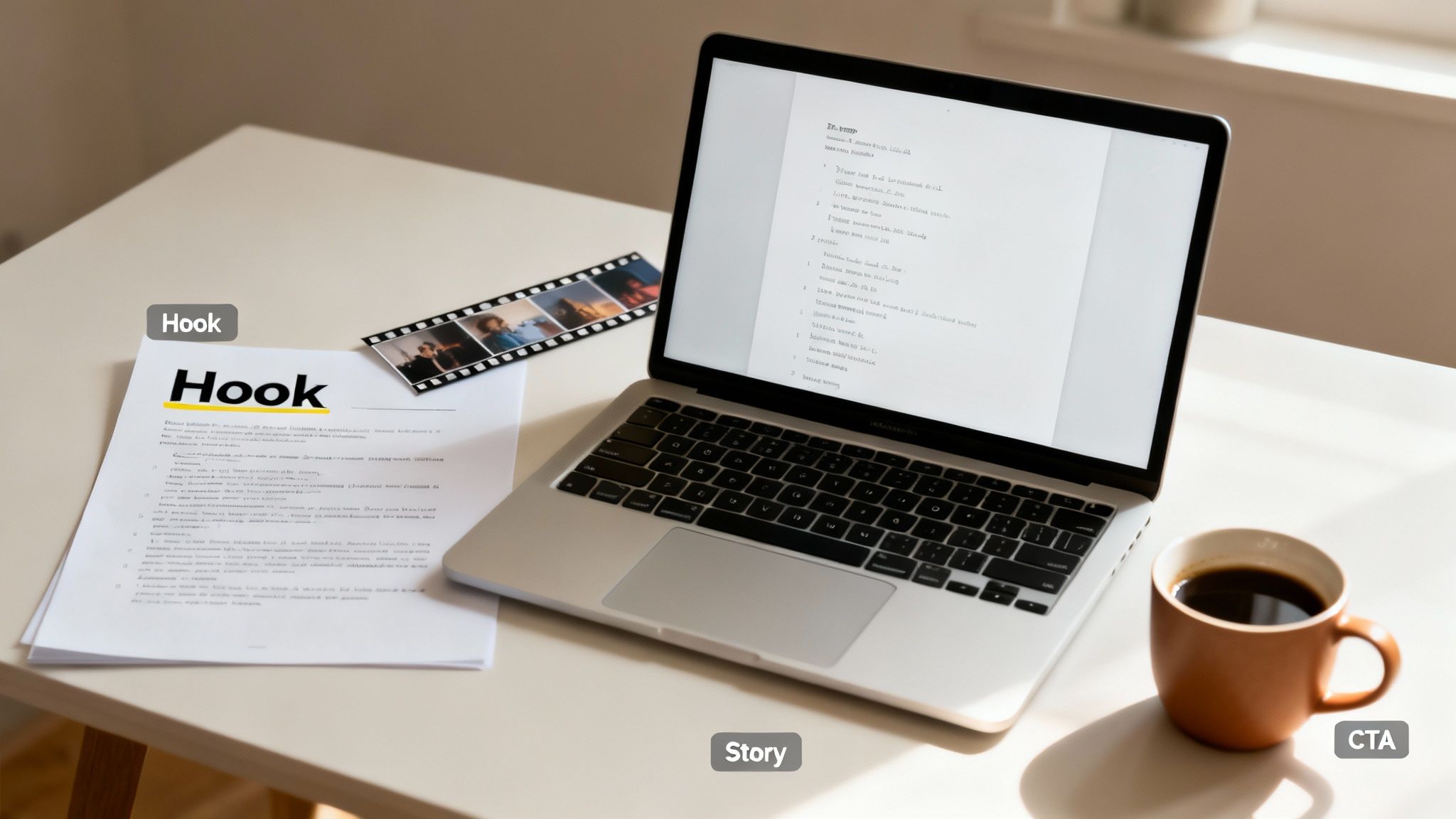
To write a script that actually works, you need to nail three key parts that flow together. Get these right, and you're well on your way to making content that people not only watch but also engage with.
These are the absolute essentials:
- The Hook: You have 1-3 seconds to make someone stop scrolling. That’s it. Your hook has to be intriguing, maybe even a little controversial, or it needs to hit on a relatable problem right away.
- The Story: This is the meat of your video. You need to deliver on the promise of your hook with a simple narrative arc—a setup, a point of interest, and a resolution. And you have to do it all in under 90 seconds.
- The Call to Action (CTA): Don't leave your viewers hanging. Tell them exactly what you want them to do next. Should they follow you? Drop a comment? Check out the link in your bio? A good CTA turns a passive viewer into an active part of your community.
A script isn’t just dialogue; it's a strategic plan. Every word, pause, and visual cue should be intentional, guiding the viewer from the hook to the final action you want them to take.
This structure is so fundamental that tools like ClipCreator.ai are built around it. The AI uses templates that bake these pillars right in, letting you focus on your idea while it handles the narrative flow. It’s a great way to start understanding what makes a video go viral without getting bogged down. By focusing on these core elements, you can start turning your ideas into compelling videos that people actually want to watch.
Crafting a Hook That Stops the Scroll
You've got about three seconds. That’s it. In the blink-and-you'll-miss-it world of short-form video, your first line is everything. It's not just an opener; it’s a bouncer at the door of your content, deciding who stays and who keeps scrolling. A powerful hook is non-negotiable—it creates instant curiosity and gives people a reason to care.
Forget about warming up the audience. Your script needs to dive straight into the deep end. Start with a shocking statement, a question they can't help but answer, or a painfully relatable problem. It’s like dropping the viewer into the middle of the action—it’s just jarring enough to work.
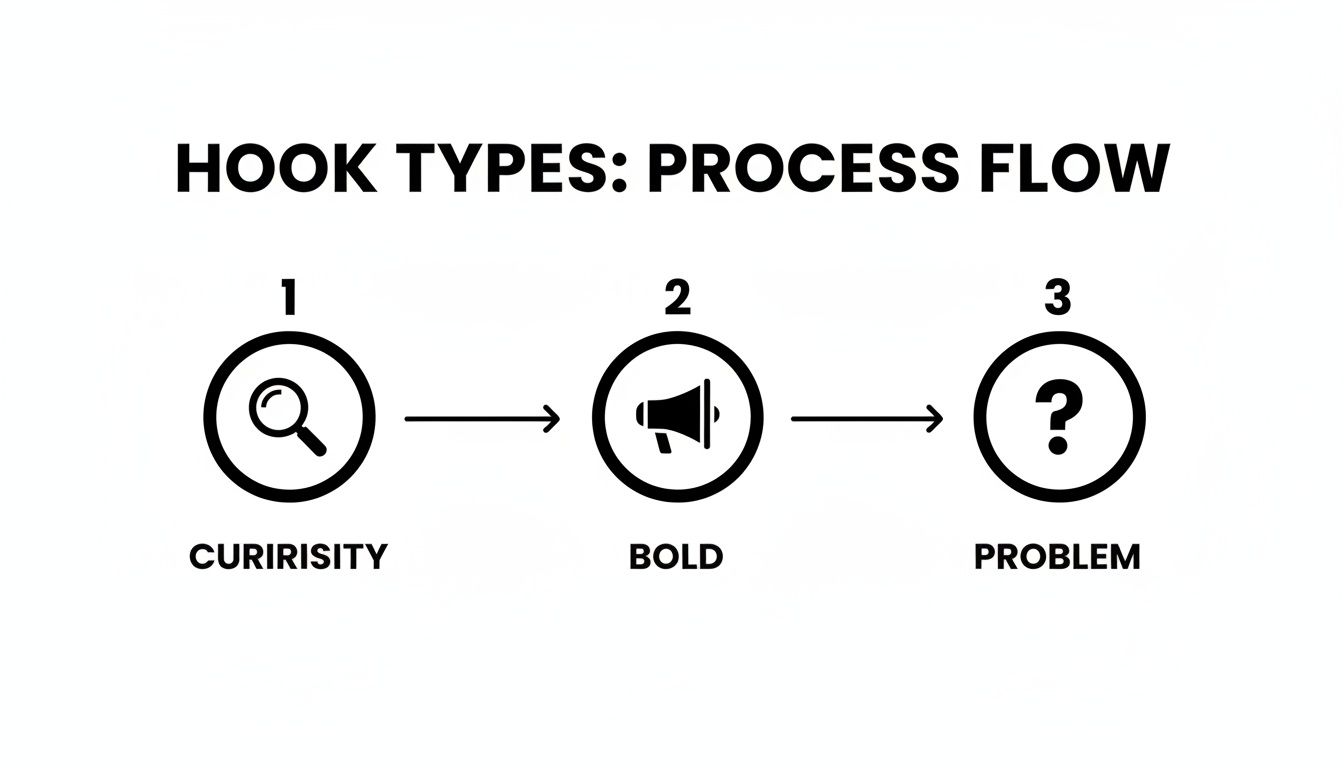
High-Impact Hook Formulas for Short Videos
Instead of just throwing ideas at the wall, you can use frameworks that are practically wired into our psychology. These formulas work because they create a "curiosity gap," that nagging feeling that makes us need to know what comes next.
Here’s a quick-reference table of proven formulas that get results.
| Hook Type | Formula | Example |
|---|---|---|
| The Bold Statement | Start with a strong, often controversial opinion. | "You've been loading your dishwasher all wrong." |
| The Relatable Problem | Address a common pain point your audience feels. | "Do you ever stare at a full closet and think 'I have nothing to wear'?" |
| The Curiosity Gap | Pose a question or tease information that demands a reveal. | "Here’s the one iPhone feature you’re probably not using." |
These aren't just creative writing prompts; they are strategic tools. Mastering them is a foundational step in learning how to make viral videos.
The goal of a hook isn't just to be clever; it's to make a promise. It tells the viewer, "Stick with me for a few more seconds, and I'll give you something valuable in return."
That "something valuable" could be a solution, a mind-blowing fact, or just a good laugh.
The data doesn't lie. Shorter videos on platforms like TikTok already have an edge, with those under 15 seconds hitting a 72% completion rate. But add a solid curiosity hook, and your video is suddenly 22% more likely to go viral. These aren't just fun stats; they show how a tiny tweak to your script's first line can have a massive impact.
Don't just settle on your first idea. Try writing three different hooks for the same video. Read them out loud. Which one makes you want to know more? Getting into this habit is a great way to generate an endless stream of short video ideas.
This is also why many of the viral templates inside ClipCreator.ai are built around these proven formulas—they give you a running start on writing a script that works from the very first word.
Building Your Narrative in Under 90 Seconds
Alright, you’ve grabbed their attention with a killer hook. Now, the real work begins. You've got a precious window—maybe only 45 or 60 seconds—to deliver on the promise you just made.
This isn't the time for a sprawling cinematic masterpiece. Short-form video is all about creating a quick, satisfying story arc. It needs to feel complete and deliver value, fast. The best way to do this is by leaning on a simple but incredibly powerful framework.
The Problem-Agitation-Solution Framework
I always come back to the Problem-Agitation-Solution (PAS) model. It's a classic in copywriting for a reason: it works by tapping directly into your viewer's real-life struggles, making your content feel instantly relatable.
Let's walk through it. Imagine you’re creating a quick video about a productivity hack.
- Problem: You kick things off by calling out a pain point everyone knows. "Ever stare at your to-do list, completely paralyzed by how much you have to do?"
- Agitation: Now, you twist the knife just a little. Make them feel the frustration. "So you end up wasting the first hour of your day just bouncing between emails and small tasks, achieving absolutely nothing meaningful."
- Solution: And finally, you swoop in with the answer. "Try this: pick your single most important task for the day and hide everything else. Watch your focus skyrocket."
See how that works? You’re not just barking a tip at them. You're telling a tiny, relatable story where they get to be the hero who wins. This simple structure is the backbone of so many successful videos. For anyone trying to figure out how to create viral content, mastering these basic narrative loops is a great place to start.
Pacing Your Story for Maximum Impact
Writing a script is one thing; timing it is another. Every second counts. You have to be deliberate about how you map out your narrative to keep the viewer engaged from start to finish.
For a typical 60-second video, here’s a timeline I often use as a guide:
- Seconds 1–3: Your hook. (We covered this in the last section).
- Seconds 4–15: State the Problem. Get straight to it. No fluff.
- Seconds 16–40: This is your Agitation phase. Use this chunk of time to show the consequences of the problem. Quick cuts, b-roll, and visual examples work wonders here.
- Seconds 41–60: Unveil the Solution and drop your Call to Action. This is the big payoff, so make it clear and satisfying.
A great short-form script is an emotional rollercoaster in miniature. You build tension with the problem and agitation, then give the viewer a sense of relief with the solution. That’s what makes a video stick.
This is where your hook choice really matters. By starting with a problem, you’ve already set the stage perfectly for the PAS framework to take over.
When you structure your narrative this way, your script naturally flows from one point to the next. You're not just listing facts; you're telling a cohesive story that feels finished and leaves your audience feeling like they just learned something valuable.
Scripting for the Eyes and the Ears
When you're writing for short-form video, your script is pulling double duty. It has to sound good when spoken, but it also needs to be crystal clear when read as on-screen text or subtitles. This is a non-negotiable, especially since so many people watch videos on mute.
The secret is to write like you talk. Ditch the formal, complex sentences you were taught in school. We're aiming for simple, direct language that gets the point across instantly. It's not about "dumbing it down"; it's about making your message easy to absorb for everyone, whether they're listening or reading.
This conversational style is also a huge advantage when working with AI voice generators, like the ones inside ClipCreator.ai. The voices are incredibly realistic, but they truly shine when fed scripts that follow the natural rhythm of human speech. Think short, crisp sentences.
How to Write for Voice and Subtitles
Think about your script as a single source for two different experiences: one auditory, one visual. Every single word has to work for both.
Here’s a practical breakdown of how to get it right:
- One idea, one sentence. Keep it simple. Packing too many concepts into one long sentence is confusing for the ear and makes for a crowded, overwhelming block of subtitle text.
- Aim for a 5th-grade reading level. You're not writing a dissertation. Use common words and straightforward phrasing. If you're not sure, an online tool like the Hemingway App can be a great gut-check.
- Read it out loud. This is the acid test. Does it feel clunky? Do you stumble over certain phrases or run out of breath? If so, rewrite it until it flows smoothly.
A script that’s easy to read is almost always easy to listen to. Simplicity is your best friend for creating content that connects, sound on or sound off.
Weaving Visuals Directly Into Your Script
For faceless videos, your script isn't just dialogue—it's the blueprint for your visuals. You need to tell the AI exactly what to show on screen. This is a game-changer when using tools that generate imagery based on your text.
The easiest way I've found to do this is by adding quick visual cues right into the script, usually in brackets. This acts as a direct command for the AI, ensuring your visuals perfectly match your narration at every moment. It’s one of the most fundamental visual storytelling techniques you can master.
Let’s look at a quick example for a video about a historical fact:
VOICEOVER: In ancient Rome, the color purple was the ultimate symbol of power.
VISUAL CUE: [Close-up on a Roman emperor wearing a vibrant purple toga]
VOICEOVER: It was made from a rare sea snail, making it more valuable than gold itself.
VISUAL CUE: [An ancient map showing trade routes, with a small snail icon highlighted]
By embedding these cues, you’re not just writing a script; you’re building a complete, scene-by-scene production brief.
Closing Your Script with a Purpose
The best short-form videos don't just stop; they give the viewer something to do next. That final moment of your script is where you turn a passive viewer into an active participant. A strong Call to Action (CTA) isn't just a sales tactic; it's a clear, simple invitation that guides your audience and deepens the connection.
If you skip the CTA, you're leaving a ton of potential engagement on the table. You've already done the hard work of hooking them and delivering something valuable, so don't be afraid to guide their next move. Whether you’re trying to build a community or send people to your website, that last line can make all the difference.
Crafting a CTA That Feels Authentic
The trick to a great CTA is making it feel like a natural next step, not a jarring commercial break. The action you ask for should be a logical extension of the content you just shared.
Here are a few ways to approach this that I've seen work really well:
- Spark a Conversation: These are my favorite for building a genuine community. Just ask a direct question related to your video. If you shared a productivity hack, you could end with, "What's your go-to trick for staying focused? Drop it in the comments below."
- Give Them a Reason to Follow: Don't just say "Follow me." Tell them why they should. Something like, "Follow for more daily tips on how to work smarter, not harder" gives them a clear expectation of what's to come.
- Drive Them to a Resource: When you need to get eyeballs on a link, frame it as a benefit. A line like, "Want my full checklist? You can grab it for free from the link in my bio" is compelling because it offers even more value.
A great CTA completes the loop. It acknowledges the viewer's time and offers a rewarding, logical next step, making them feel like part of an ongoing conversation.
Tailoring Your Script for Different Platforms
While you can absolutely use the same core video idea across platforms, making small adjustments to the script is a pro move. A one-size-fits-all script ignores the unique vibe and user behavior of TikTok, YouTube Shorts, and Instagram Reels. Nailing these subtle differences is the key to creating a script that really performs everywhere.
Think of it like telling the same great story to three different groups of friends—you’d naturally change your tone and emphasis a little for each one. The core message stays, but the delivery shifts.
To help with this, I've put together a quick checklist that breaks down how to optimize your script for the big three platforms.
Script Optimization Checklist for Major Platforms
This table shows how to tweak key script elements when you're posting the same video concept to TikTok, YouTube Shorts, and Instagram Reels.
| Element | TikTok | YouTube Shorts | Instagram Reels |
|---|---|---|---|
| Hook | Tie into a trending sound or challenge for immediate familiarity. | Use keywords people might be searching for. | Focus on visually striking or emotionally resonant openings. |
| Pacing | Fast and energetic, often with rapid cuts and quick reveals. | Can be slightly slower, allowing for more detailed explanations. | A polished, aesthetically pleasing flow is often rewarded. |
| CTA | Often encourages duets, stitches, or using a specific sound. | Frequently asks for subscriptions and likes to support the channel. | Focuses on shares, saves, and DMs to build a direct connection. |
Paying attention to these small platform-specific details shows you understand the culture of each space, which can have a huge impact on how your content is received and amplified.
A Few Common Scripting Questions Answered
Even with the best game plan, you're bound to run into a few questions when you start scripting. It's totally normal. Knowing the answers to these common hurdles is what separates a good script from a great one. Let's tackle some of the things creators ask me about all the time.
How Long Should My Script Be for a 60-Second Video?
For a 60-second video, you want to aim for a script that’s roughly 150 to 160 words. Most people speak at about 150 words per minute, but the snappy, energetic vibe of short-form video often means you can push that a little.
But here’s the most important tip I can give you: read your script out loud. Seriously, time yourself. This is the only way to catch clunky phrases and figure out your true timing. It forces you to account for pauses, breaths, and the moments you need for a visual to land.
A word count is just a guideline. Pacing is everything. I've seen rushed 140-word scripts that feel chaotic and well-paced 160-word ones that feel perfect.
Can I Actually Use AI to Write an Entire Video Script?
Oh, absolutely. The AI tools available now are a world away from the clunky text generators of a few years ago. They’ve gotten shockingly good at understanding what makes a short-form video work, from the hook all the way to the call to action.
Take a platform like ClipCreator.ai, for example. It's built specifically for this. You can approach it in a couple of ways:
- Go with a template: Pick from a library of proven viral script formats (like those "scary story" or "historical fact" videos you see everywhere) and let the AI fill in the blanks.
- Give it a custom prompt: Just feed the AI a topic or a wild idea. It'll spit back a complete script—hook, story, and CTA—that you can use as a starting point.
The pro move is to treat whatever the AI gives you as a solid first draft. Your job is to then go in and sprinkle in your own personality and unique voice. That combination of AI speed and human touch is where the magic really happens.
What’s the Best Way to Format a Faceless Video Script?
When you’re making faceless videos, the visuals are doing all the talking, so your script needs to be a crystal-clear blueprint. The best way I’ve found to do this is with a simple two-column format. It's a classic for a reason—it just works.
On the left, you write the voiceover. On the right, you describe exactly what visual needs to be on screen for that specific line.
It looks something like this:
| Voiceover (Left Column) | Visual Cue (Right Column) |
|---|---|
| "The world's oldest known recipe isn't for bread..." | [Close-up on an ancient Sumerian clay tablet with cuneiform writing] |
| "...it's for beer." | [An animated clip of golden bubbles rising in a frothy mug] |
This layout leaves zero room for error. Whether you're using an AI image generator or working with a human editor, this ensures your visuals and your words are always perfectly in sync.
Should I Write a Different Script for Each Platform?
Not from scratch! That would be a huge waste of time. The smart way to do it is to create one killer core script and then make small, strategic tweaks for each platform.
Think of it like telling the same great story to different groups of friends—you’d change your delivery a little for each, right?
The story itself stays the same. But for TikTok, you might add a visual cue that plays off a trending sound. For YouTube Shorts, you’ll want to make sure your hook and title have strong keywords people are searching for. And for Instagram Reels, you might adjust the pacing to feel a bit more polished or aesthetic. These small changes make a massive difference in how well your video performs.
Ready to stop staring at a blank page? ClipCreator.ai turns your ideas into engaging video scripts in seconds using powerful AI and proven templates. Generate your first video script for free at ClipCreator.ai and see just how easy it can be.

Create your first video in under 2 minutes
Pick a niche, and ClipCreator.ai generates and auto-posts faceless videos to your channels every day.
Join ClipCreator.ai