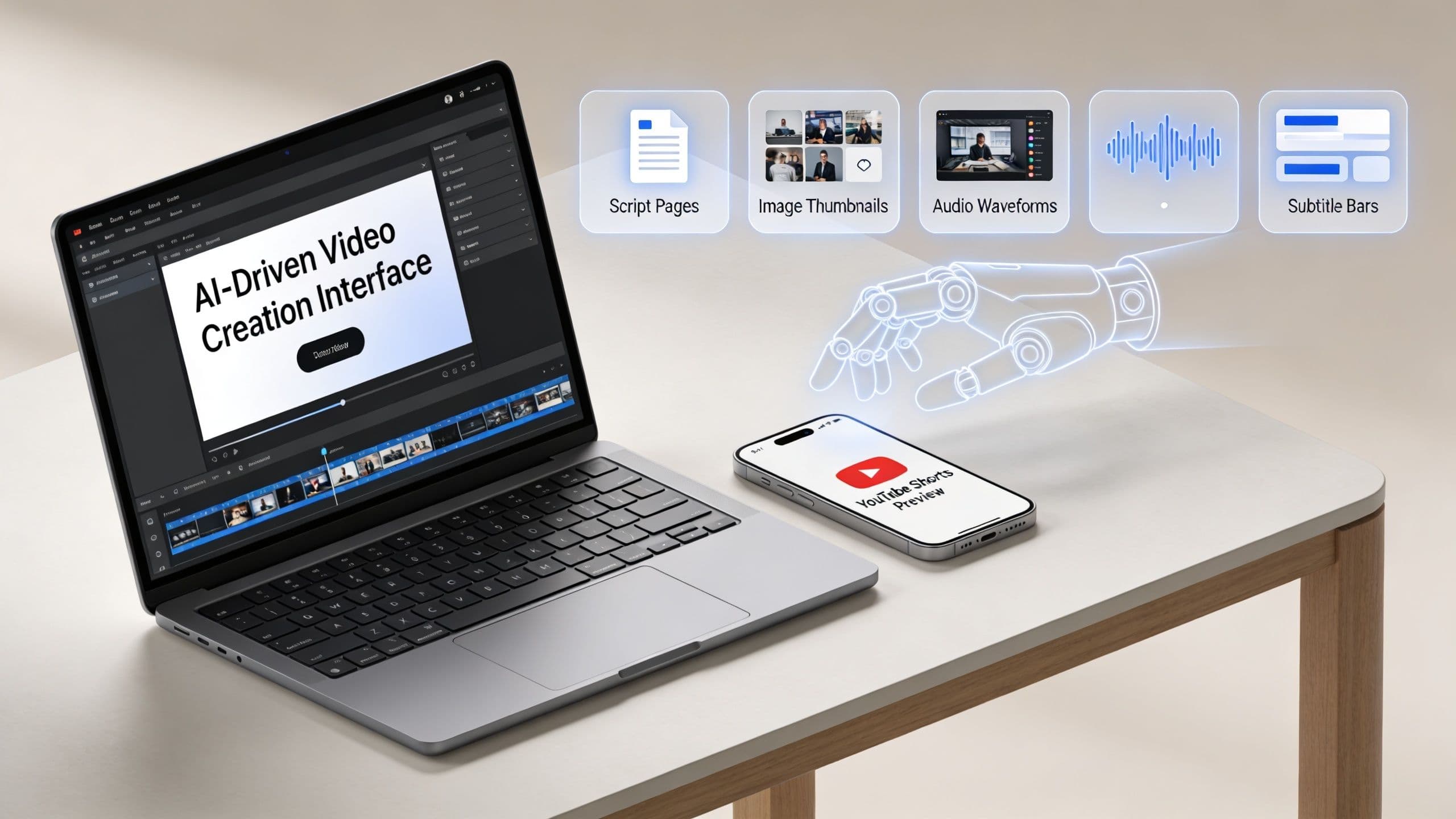
YouTube Shorts now pull over 200 billion daily views and reach more than 2 billion monthly users, according to Shortimize’s Shorts performance overview. That changes the question from “should I make Shorts?” to “how do I make them consistently enough for them to matter?”
Most creators get stuck on the wrong problem. They obsess over camera gear, transitions, and one-off editing tricks. The primary bottleneck is repeatability. You can make a decent Short manually in the YouTube app today. Doing it again tomorrow, and the day after that, with the same quality and pace, is where most channels break down.
That’s why learning how to create a youtube short has two parts. First, understand the native workflow so you know what YouTube expects. Second, build a production system that removes as much manual friction as possible, especially if you’re running a faceless channel, a business account, or an educational brand that needs volume without living in an editing timeline.
Why YouTube Shorts Are Your Biggest Growth Opportunity
YouTube Shorts now sit inside one of the largest attention pools on the internet. For a creator, brand, or educator, that changes the math. You are no longer trying to convince viewers to commit to a ten-minute video from a channel they do not know. You are earning a few seconds of attention first, then building momentum from there.
That makes Shorts especially useful for discovery. A single clip can test a topic, a hook, a teaching angle, or a story format without the production cost of a full-length upload. For teams comparing short-form platforms, it also helps to understand overlapping viewer habits and format differences, including terms like what is a reel.
New creators often obsess over camera gear, flashy transitions, or editing tricks they saw in viral breakdowns. The actual constraint is output. If you can only produce one decent Short every two weeks, you do not get enough feedback to spot patterns, improve hooks, or build series that viewers recognize.
Reach is available. Consistency is harder.
That is why Shorts are such a strong growth channel. They give small channels more shots on goal than long-form usually does, but they also expose weak workflows fast. Manual creation in the YouTube app is fine for learning the format. It becomes a bottleneck once you need repeatable publishing for a faceless channel, a niche education brand, or a business account trying to stay visible.
The channels that grow usually treat Shorts like a production system, not a one-off creative sprint. In practice, that system needs to keep three things under control:
- Idea throughput: You need enough usable concepts to publish regularly without lowering the bar.
- Script speed: Hooks, pacing, and payoff have to come together fast. A simple Short-form scripting workflow that keeps retention tight helps more than extra editing polish.
- Production consistency: Viewers will accept simple visuals. They will not stick around for weak pacing, unclear narration, or irregular posting.
I have seen the same trade-off repeatedly. Creators who stay fully manual often make better individual videos early on, but they hit a ceiling because every upload starts from zero. Creators who build a lighter, more automated workflow publish more often, test more angles, and improve faster because the system keeps running even when motivation drops.
That is the primary opportunity with Shorts. The upside is not just reach. It is the ability to publish consistently enough to learn what your audience responds to, then scale that with less friction.
Planning Your Short From Viral Idea to Solid Script
Bad Shorts usually don’t fail in editing. They fail before recording starts. The topic is too broad, the payoff is vague, or the script spends half the runtime warming up.
The cleanest planning method is the 3 W’s framework: Who, What, and Why. It forces the idea into a shape that can survive a short runtime.
Use the 3 W's before you write a word
Ask these in order:
- Who is this for?Be specific. “Small business owners” is still broad. “Local service businesses that need simple content ideas” is usable.
- What problem or curiosity does this Short address?A good Short usually resolves one clear tension. One mistake. One tip. One reveal. One story turn.
- Why should someone trust or care about this version?Your angle has to feel distinct. That can come from your experience, your format, your examples, or your framing.
Here’s what that looks like in practice:
| Niche | Who | What | Why |
|---|---|---|---|
| Creator education | New YouTubers | Why Shorts stall after upload | Clear diagnosis in plain language |
| Horror storytelling | Fans of eerie micro-stories | A short suspense setup with a twist | The payoff lands fast |
| Business marketing | Small brands | One practical content fix | It’s easy to apply the same day |
Write for retention, not completeness
A Short is not a compressed blog post. It’s a fast delivery system for one core idea. The strongest scripts usually follow a simple rhythm: hook, payoff, close.
According to TubeBuddy’s guide to YouTube Shorts, 70% of viewers swipe away if they aren’t captured immediately, and creators should deliver value within 15 to 60 seconds while maintaining more than 50% average view duration. That’s why your first line has to do real work.
Try this structure:
- First 3 seconds: Open with tension, surprise, or a direct promise.
- Middle: Deliver the insight, reveal, or sequence without side roads.
- End: Close the loop and give a reason to watch more.
Don’t explain the setup for too long. Viewers need to know why they should stay before they know every detail.
Two script examples that actually fit Shorts
Business tip format
- Hook: “If your Shorts get views but no subscribers, this is usually why.”
- Middle: “The video topic might attract curiosity but not connect to your core niche. A random high-view clip often pulls weak-fit viewers.”
- End: “Make the next Short solve a problem your ideal audience already has.”
Scary story format
- Hook: “She kept hearing footsteps upstairs after her apartment was cleared.”
- Middle: “Every night, the sound stopped outside the same locked room. On the fourth night, the lock was already open.”
- End: “Inside was a chair facing the door.”
If you want a tighter writing process for AI-assisted or faceless content, this guide on how to make a script is useful because it keeps the writing focused on voice, pacing, and single-idea clarity instead of bloated narration.
What usually doesn't work
A few patterns fail repeatedly:
- Weak lead-ins: “Hey guys, today I want to talk about…” wastes your most important seconds.
- Too many points: One Short cannot carry five lessons without feeling rushed.
- No ending: If the clip stops, it feels unfinished even when the information was good.
Shorts reward compression. Keep the promise sharp, the delivery clean, and the ending intentional.
Creating Your First Short The Manual Way
Before you automate anything, it helps to make one Short inside YouTube’s native workflow. That teaches you what the platform requires and where the friction lives.
The basic mobile flow is straightforward. Open the YouTube app, tap the + icon, and choose Create a Short. From there, you can record directly in the app or upload clips from your camera roll, then stitch them together into one short sequence.
What to do inside the app
If you’re recording manually, think in beats rather than one continuous take. Short-form pacing usually improves when you break the idea into quick segments, then trim dead space between them.
A practical manual workflow looks like this:
- Record the hook first: The opening usually needs the most energy and precision.
- Add supporting clips after: B-roll, screen captures, product shots, or cutaways help carry the middle.
- Use text overlays deliberately: Add text where it clarifies the point, not everywhere.
- Choose music that matches the content: The verified guidance notes that adding music or effects can improve engagement, especially when the audio fits the pacing and tone of the clip.
- Preview before posting: Small pauses, awkward cuts, and unreadable captions stand out immediately on preview.
Where manual creation starts to drag
Manual creation is fine for a creator with a phone, a clear idea, and time to edit. It’s less efficient for anyone trying to post at volume.
The friction tends to show up in the same places:
- Scripting takes longer than expected
- Finding matching visuals is repetitive
- Voice recording slows down faceless channels
- Caption cleanup becomes a constant chore
- Publishing consistently turns into a daily task list
Native tools are good for learning the format. They’re not always good for sustaining a posting system.
Manual is useful for learning taste
There’s still value in doing it yourself at least a few times. You learn what a good hook feels like, how much text is too much, when a cut lands, and what kind of audio supports the clip instead of cluttering it.
That taste matters even if you never want to edit manually again. Automation works better when you understand the ingredients it’s assembling.
The Automated Workflow Creating Faceless Shorts with ClipCreator.ai
Most YouTube Shorts advice still assumes you’re recording yourself, trimming clips by hand, and building each post one at a time. That leaves a big gap for businesses, educators, agencies, and faceless channels that need a dependable production rhythm.
YouTube’s own creator materials leave a lot of room around this problem, and that gap shows up in the way creators keep asking how to generate Shorts with AI scripts, voiceovers, and matching visuals instead of manually assembling every asset. That’s the exact gap described in YouTube’s broader Shorts creator resource context, where manual creation is emphasized far more than full faceless automation.
The set and forget model
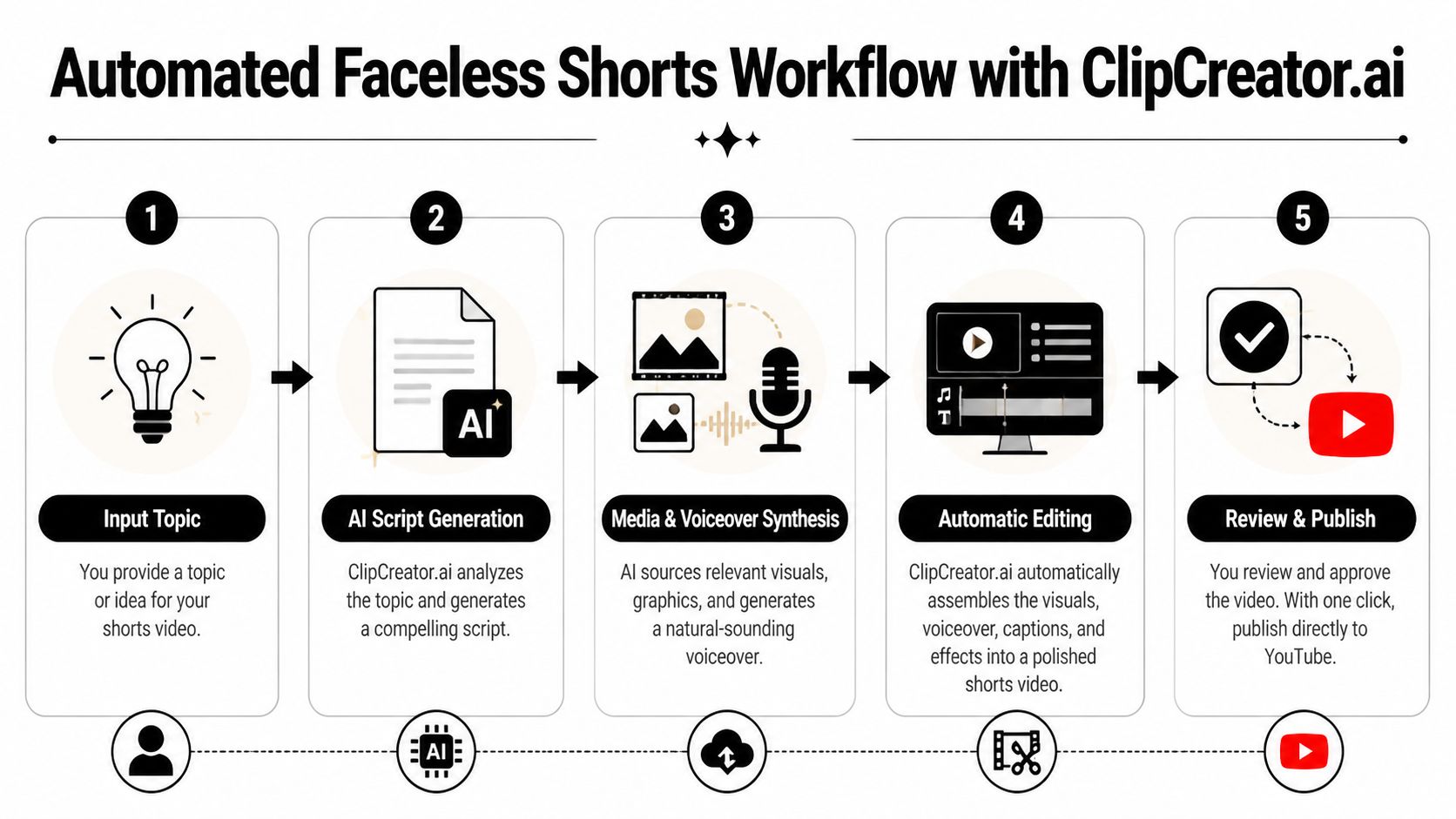
For sustained publishing, the smarter workflow is simple: start with an idea or repeatable template, generate the script, pair it with visuals, add voiceover and subtitles, then queue publishing.
That’s where tools such as ClipCreator.ai’s AI shorts maker fit. Instead of opening a timeline for every upload, you can start from a prompt or template, generate a faceless video, review it, and publish on a schedule. The appeal isn’t novelty. It’s removing the manual steps that usually break consistency.
What an automated faceless workflow actually looks like
A practical workflow usually follows this order:
- Start with a topic or templateThis could be a micro-lesson, product explanation, bedtime story, scary story, or niche fact series.
- Generate the scriptThe script should still follow the same rules as a manual Short. Strong hook, tight body, clean ending.
- Match the visuals to the narrativeRegarding this, faceless content often performs well. Instead of forcing on-camera footage, the video can use scene-based imagery that matches the script.
- Create the voiceoverIf you don’t want to record narration, it helps to understand the basics of generating voiceovers with text to speech, especially how voice style affects pacing and tone.
- Add subtitles and package the final editBurned-in captions usually make faceless Shorts easier to follow in-feed, especially when viewers start with sound low or off.
Automation works best when it handles production, not when it replaces judgment. You still need to choose strong topics and reject weak outputs.
Who benefits most from this approach
Manual recording still makes sense for creators whose personality is the product. But a faceless workflow is often the better fit for:
- Small businesses: They can publish tips, offers, and explainer content without filming staff every day.
- Educators: They can turn lesson ideas into concise narrative Shorts.
- Agencies: They can build repeatable client content pipelines.
- Story channels: They can produce themed narrative videos without actors or shoots.
What works better than manual editing
For repeat output, automation solves the least glamorous but most important problems. It removes the need to source every image by hand, record every voiceover, subtitle every line, and remember every publishing window yourself.
The trade-off is that you need tighter creative standards up front. If your prompt is vague, the output will feel vague. If your topic is weak, faster production won’t save it. But when your format is defined and your niche is clear, an automated pipeline is often the most realistic way to keep a channel active without turning content creation into a full-time editing job.
Technical Specs and Publishing Best Practices
Channels lose momentum on Shorts for predictable reasons. The idea is fine, but the export is soft, the title is vague, or the upload settings are rushed. On a format built for fast swiping, those small misses cost distribution.
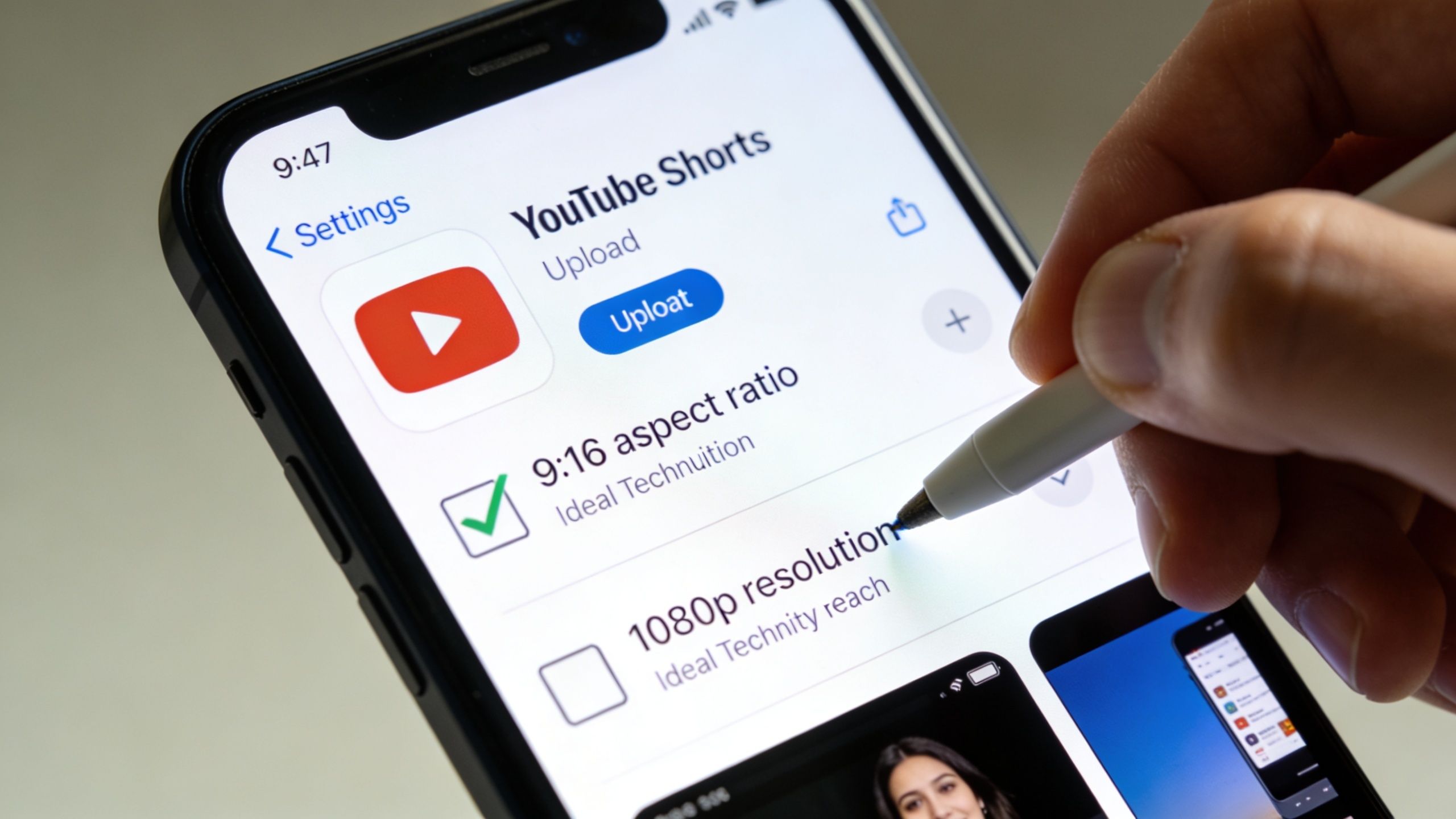
For upload quality, keep the file clean and predictable. Use 9:16 vertical framing, 1080x1920 resolution, MP4, and 48kHz audio. If the Short came from generated visuals, repurposed clips, or an automated pipeline in ClipCreator.ai, verify the final export before it goes live. Fixing specs after a weak first push rarely helps.
Use a pre flight checklist
Publishing works better with a repeatable system than with memory. I treat this as the last quality gate, especially on faceless channels where every title, frame, and setting has to carry more of the click.
Use this checklist before posting:
- Frame and resolution: Keep the video vertical and sharp on mobile.
- Audio clarity: Clean narration beats fancy visuals with harsh or muddy sound.
- Title: Write a short promise with a clear angle.
- Description: Add context and a light CTA only if it helps.
- Hashtags: Use #Shorts plus a small number of relevant niche tags.
- Audience setting: Set it deliberately instead of accepting the default.
If you want a practical reference for file setup and export details, this guide to YouTube video specs covers the formatting side clearly.
Thumbnail and upload settings matter more than most guides admit
Shorts creators often spend all their time on editing and almost none on packaging. That is a mistake. For faceless content, the selected frame often does the job a talking head or expressive reaction would have done in a traditional Short.
YouTube's AI thumbnail previews, which rolled out in Q1 2026, were reported in YouTube Help documentation to improve how preview imagery is handled across surfaces. The practical takeaway is simple. Pick a frame that reads fast, carries one idea, and stays legible on a small screen.
A few thumbnail rules hold up:
- Choose one visual focal point
- Add text only if it sharpens the promise
- Keep backgrounds clean
- Check readability on a phone before publishing
Scheduling matters too, especially if you are building a repeatable posting engine instead of uploading whenever a video is done. These tips for creators to upload to YouTube are a useful reference for choosing publish windows.
Common publishing mistakes
The biggest publishing errors are rarely creative. They are operational.
- Generic titles: They label the topic but give no reason to stop.
- Wrong audience designation: That setting affects how YouTube handles the upload.
- Unreadable text on mobile: Desktop-safe layouts often fail on a phone screen.
- No final review pass: One last watch catches formatting, caption, and timing problems.
Manual creators can catch these one by one at upload time. Automated creators have an advantage if they build these checks into the workflow from the start. This is the core benefit of a set-and-forget Shorts system. It saves time, but what's more, it keeps quality consistent across every post.
Beyond Publishing How to Optimize for Viral Growth
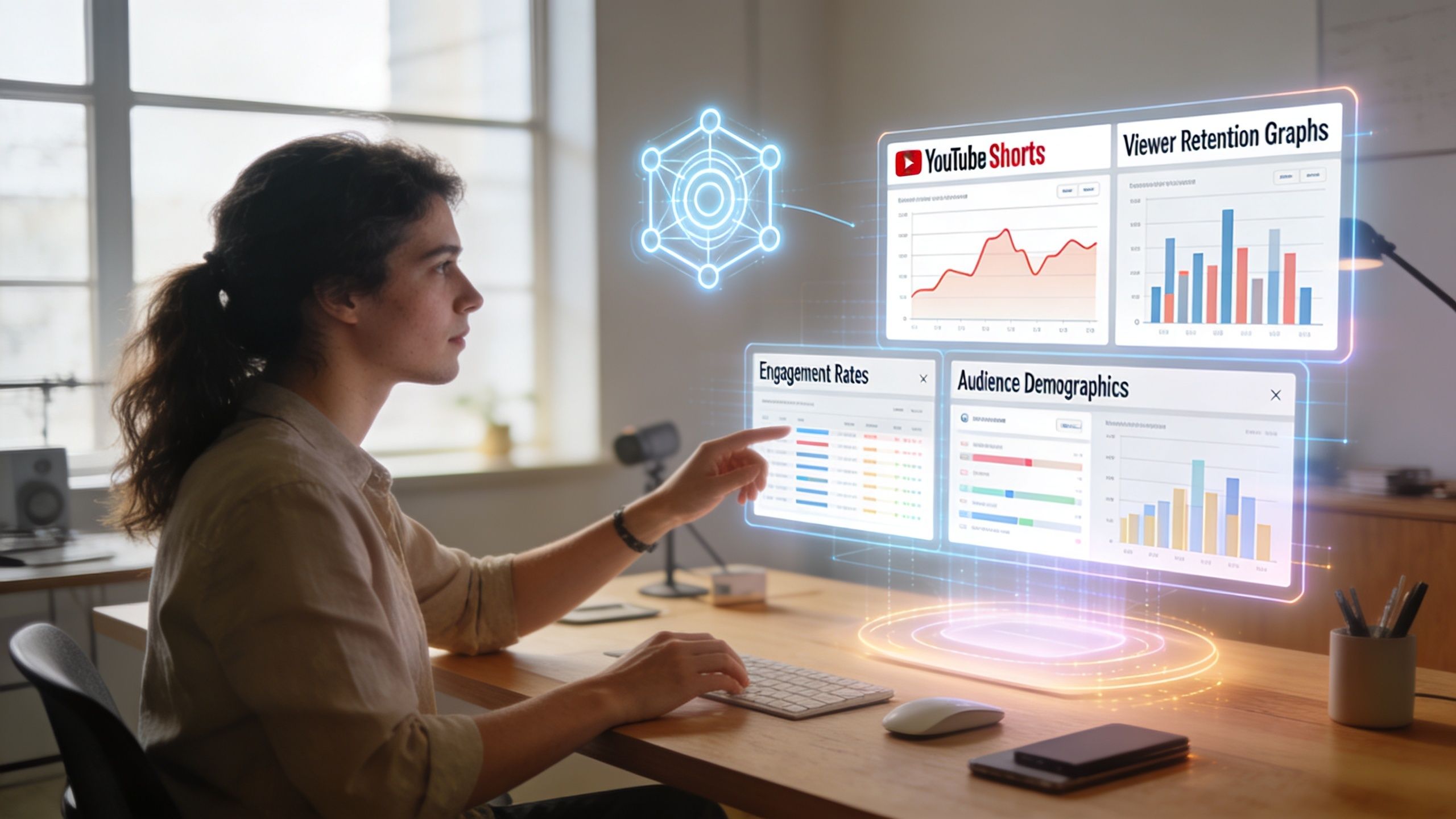
A Short's performance data gives you a clear editing brief for the next upload. You do not need twenty metrics. You need a small set of signals that show whether viewers stopped, stayed, and cared enough to subscribe.
Start in YouTube Studio with the Shorts view, then read the numbers in order. According to Joyspace’s breakdown of Shorts analytics, Average Percentage Viewed above 90% on a 60-second Short can signal viral performance, and the viewed versus swiped away ratio helps identify weak hooks. Joyspace also notes that subscribers gained is one of the clearest ways to see which topics grow the channel instead of just pulling one-off views.
Three metrics that change your next Short
Viewed vs. swiped away measures the stop. If that number is weak, the first frame, title promise, or opening line did not earn attention fast enough.
Average Percentage Viewed measures hold. Strong ideas still underperform when the pacing drifts, the payoff comes late, or the middle repeats what the viewer already understood.
Subscribers gained measures fit. Some Shorts spike views because the topic is broad. The better signal for channel growth is whether that topic brings in the kind of viewer who wants more from the same niche.
This is the difference between chasing a spike and building a system.
How to read the retention graph
The retention graph turns vague feedback into specific editing decisions. I use it as a post-mortem on every Short because it shows where interest drops, not where I hoped the video worked.
Look for patterns:
- Sharp drop at the start: The hook is slow, unclear, or visually bland.
- Dip in the middle: The script repeated itself or took too long to reach the next point.
- Late drop before the end: The payoff landed early, so the closing seconds felt optional.
If retention collapses in the opening, rewrite the first line and first visual before changing anything else.
What to change when the numbers are weak
Use a simple diagnosis loop:
| Metric | What it often means | What to adjust |
|---|---|---|
| Viewed vs. swiped away is weak | Hook did not stop the scroll | Rewrite the opening and improve the first visual |
| APV is low | The body lost momentum | Cut filler, tighten pacing, add a pattern change |
| Subscribers gained is low | Topic attracted the wrong viewers | Shift toward niche-aligned subjects and clearer CTAs |
Manual creators often do this review one video at a time, which works but gets slow fast. A set-and-forget workflow makes iteration easier because the structure stays consistent across uploads. When scripting, visuals, voiceover, subtitles, and scheduling are already standardized, it becomes easier to isolate what changed and why one Short outperformed another.
That is where automation helps growth. It does not replace judgment. It removes repeat production work so you can spend more time choosing stronger topics, testing sharper hooks, and publishing often enough to learn from the data.
If you want a workflow that handles scripting, visuals, voiceover, subtitles, and scheduled publishing for faceless short-form content, ClipCreator.ai is built for that production model. It’s a practical fit for creators, educators, and brands that need consistent YouTube Shorts output without recording every video by hand.

Create your first video in under 2 minutes
Pick a niche, and ClipCreator.ai generates and auto-posts faceless videos to your channels every day.
Join ClipCreator.ai

