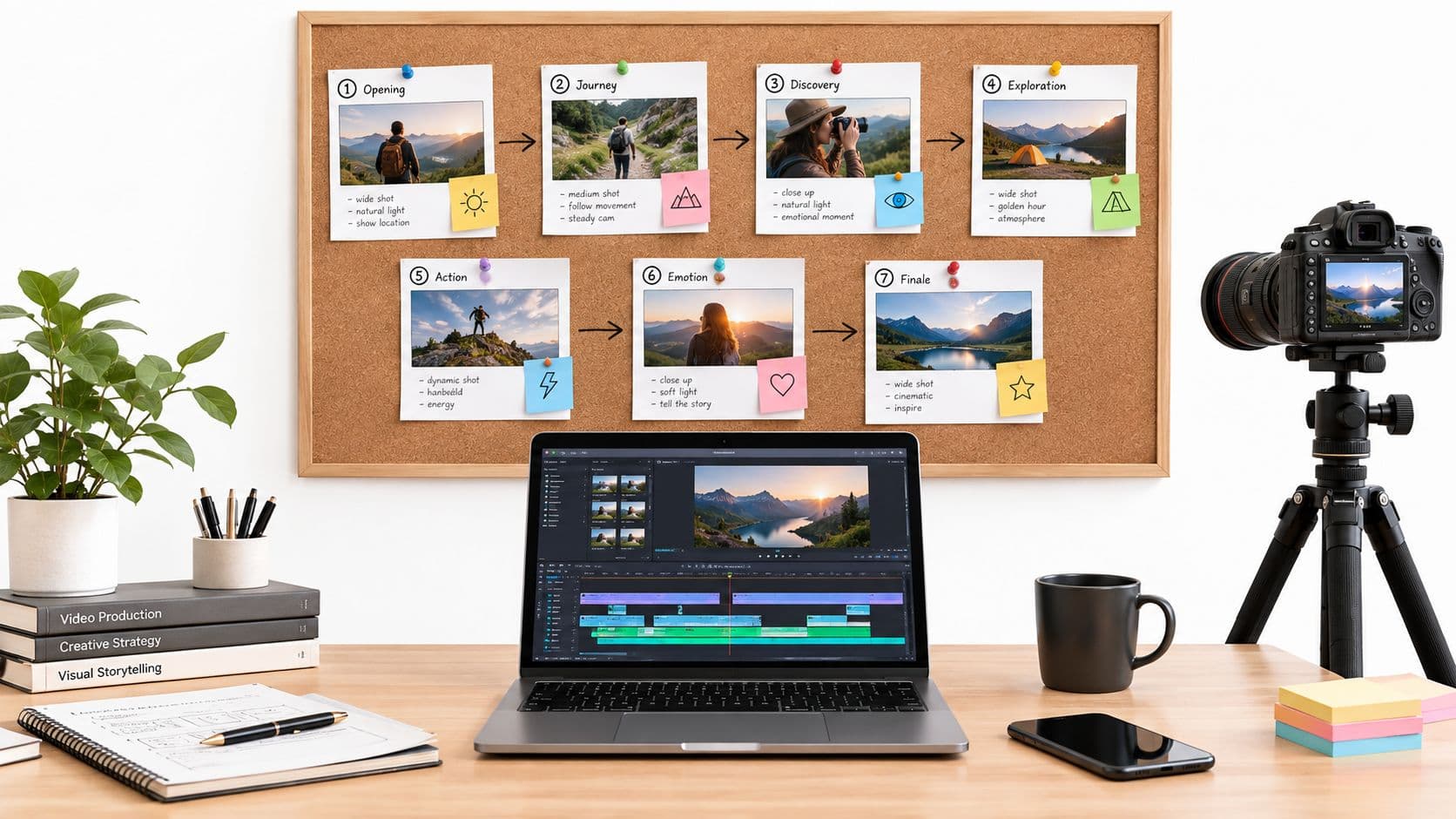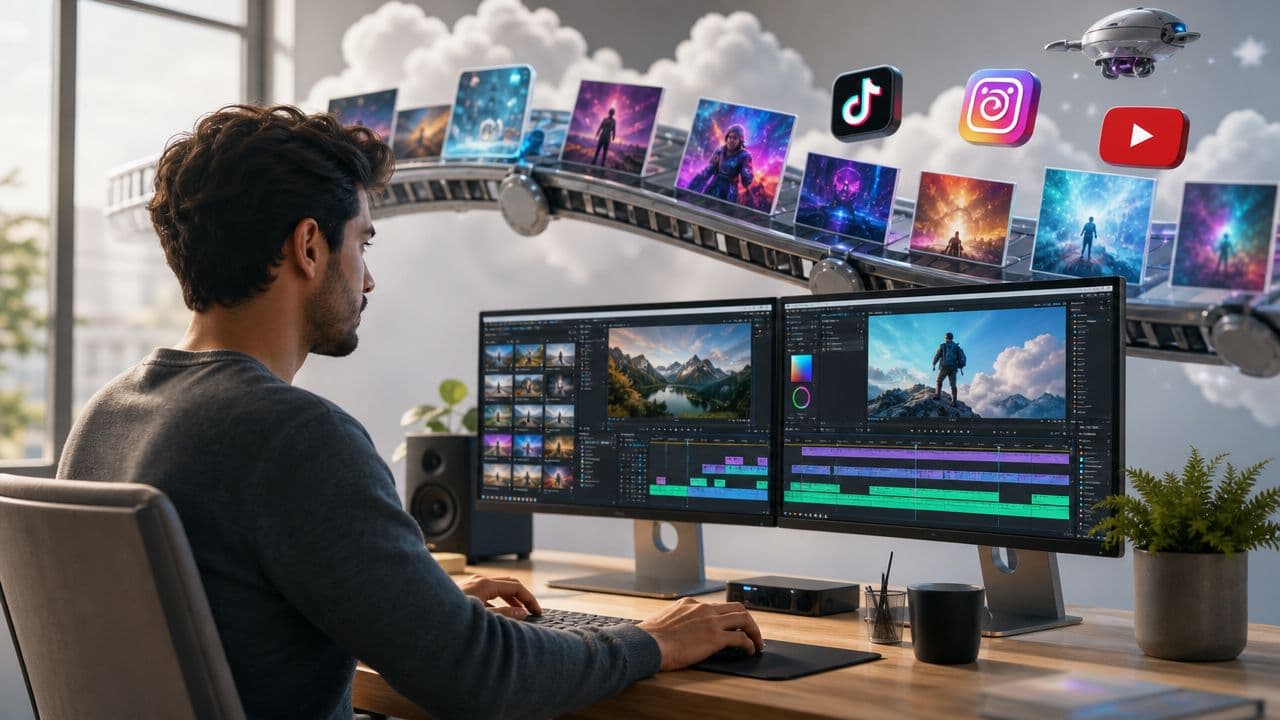
You probably know the routine. You record a decent video, open your editor, trim dead space, hunt for captions, resize for vertical, swap music, export, upload, write the caption, then realize you still need a Reel and a Short version.
The exhausting part usually isn't creativity. It's repetition.
A lot of creators, marketers, educators, and business owners think they need a better editing app. Often they need something else: a social media video editor that works like a production system, not just a toolbox. That shift matters when your real challenge is posting consistently without turning every video into a small manual project.
The Unending Demand for Social Media Video
Short-form video isn't a side format anymore. It's one of the main ways people discover ideas, brands, and creators. One 2026 roundup reports that short-form videos generate about 2.5× more engagement than long-form videos, 85% of marketers say short-form video is the most effective social media format, and short-form video advertising reached about USD 111 billion in 2025, with a projected rise to USD 145.8 billion by 2028 according to Kapwing's 2026 video marketing statistics roundup.
That helps explain why so many teams feel stuck. The audience wants video. The platforms reward frequency. But the editing process still often looks like a one-person craft bench. Every clip gets rebuilt by hand.
The real bottleneck isn't ideas
Individuals don't run out of topics first. They run out of time.
You might have:
- A creator backlog: notes full of hooks, stories, and talking points you haven't turned into finished clips.
- A brand content pile: webinars, customer calls, demos, and founder insights sitting unused.
- An educator's archive: lessons, slides, and scripts that could become short explainers with the right format.
The problem is operational. You need a repeatable way to turn raw material into publishable social content without reopening the same editing decisions every day.
Practical rule: If every post starts from a blank timeline, your content process won't scale.
That's where the meaning of "social media video editor" starts to change. It no longer means only software that lets you cut footage. It can also mean a system that handles the whole production loop, from script and visuals to captions and publishing.
What Is a Modern Social Media Video Editor
Traditional editing software still matters. Adobe Premiere Pro, Final Cut Pro, and DaVinci Resolve are powerful. But they were built like a workshop. You walk in, pick up tools, and craft each video by hand.
A modern social media video editor works more like a factory. Not in a low-quality sense. In a systems sense. It standardizes repeated tasks so the team can produce more videos with fewer manual touches.
The workshop model
In a workshop, skilled editors make dozens of small decisions for every project:
- They build the timeline manually
- They place text line by line
- They resize each version for each platform
- They export and upload one asset at a time
That setup is flexible. It's also slow when the goal is frequent short-form publishing.
A workshop is ideal when each video is a custom production. It's less ideal when you need a steady stream of social posts with consistent structure, branding, and timing.
The factory model
A modern social media video editor treats repeatability as the product.
Instead of asking, "Which effect should I use?" it asks:
- What input are we starting from
- What format are we producing
- What parts can be automated
- What needs human review before publishing
This is why many newer platforms are cloud-based. The market itself is moving in that direction. The global video editing market is estimated at USD 3.75 billion in 2026 and projected to reach USD 4.99 billion by 2031, implying 5.88% CAGR. Within that market, cloud-based workflows are forecast to grow at 8.23% CAGR and smartphone/tablet workflows at 8.62% CAGR, according to Mordor Intelligence's video editing market report.
That growth pattern points to a clear shift. Editing is moving away from desktop-only, file-heavy processes toward systems built for online collaboration, mobile-native formats, and faster turnaround.
Tool mindset versus workflow mindset
Here's the simplest distinction.
| Approach | Main question | Typical result |
|---|---|---|
| Tool mindset | "What can this editor do?" | Feature-heavy but labor-intensive production |
| Workflow mindset | "What does this system remove from my process?" | More consistent output and easier scaling |
A tool mindset focuses on controls. A workflow mindset focuses on throughput.
That's why some teams outgrow software they technically like. The app may be good, but the process around it still depends on manual scripting, manual clipping, manual captioning, manual resizing, and manual publishing. The editor becomes a bottleneck because it was never designed to run the whole line.
A strong social media video editor doesn't just improve the timeline. It reduces the number of times your team has to touch the timeline at all.
The Automated Video Creation Workflow
Once you stop thinking about editing as a single step, the modern process becomes easier to understand. The value isn't hidden inside "AI magic." It's in how the work gets connected.
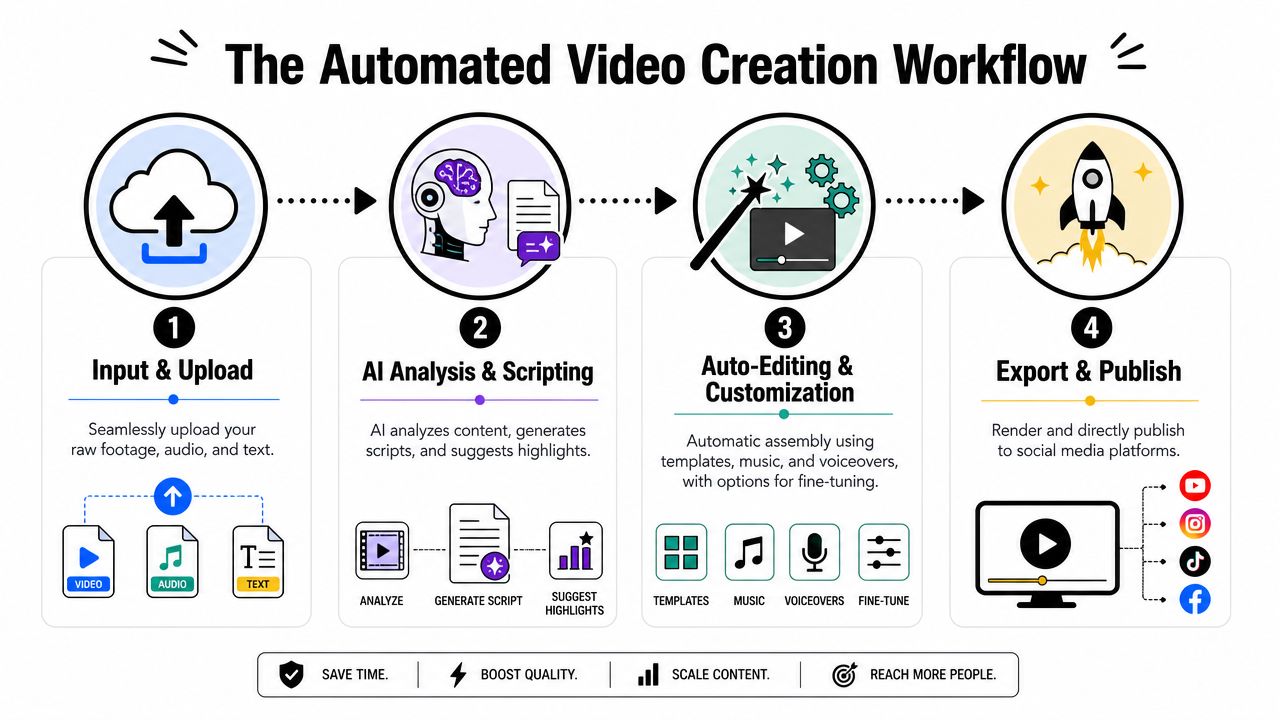
A useful way to picture it is as a chain with four stages. If one stage is still manual, the whole system slows down.
Stage one starts with an input, not a timeline
The old starting point is an empty editing canvas. The newer starting point is an input source.
That source might be:
- A prompt for an original faceless video
- A script draft that needs visuals and narration
- Long-form footage that needs clipping into short posts
- A content template for recurring formats
It changes the editor's role. You're not opening software just to cut clips. You're feeding a system that can interpret source material and move it into production.
Teams that want a deeper look at this process can review a broader video creation workflow guide from ClipCreator.ai.
Stage two turns rough ideas into structure
Automation offers assistance to people who get stuck before editing even begins.
A workflow-driven editor can use prompts, templates, or existing text to generate a script structure. Even when a human rewrites the final copy, the system removes the blank-page problem. Instead of starting from nothing, you start from a draft.
For educators, this might mean converting a lesson idea into a tighter narrative. For brands, it could mean transforming a product angle into a script format that fits short-form pacing. For creators, it often means spinning one topic into several versions with different hooks.
Stage three assembles the video pieces
This is the part many people still think of as "editing," but in an automated pipeline it's only one stage.
The system can pair text with visuals, generate or assign voiceover, add subtitles, apply templates, and build a video draft in the target style. That doesn't eliminate creative judgment. It shifts human effort from repetitive assembly to review and refinement.
A practical workflow often includes:
- Visual matching from generated images, stock, or uploaded media
- Voice layer creation using narration or AI voiceover
- Subtitle generation for readability and accessibility
- Brand application through preset fonts, colors, and layout rules
When the system handles assembly, your team can spend more energy on message quality, hook strength, and publishing decisions.
Stage four finishes with publishing, not exporting
Many teams still treat "export complete" as the end of the process. For social content, it usually isn't.
You still need to name the file, log in to accounts, upload the asset, choose the right destination, set the caption, and schedule timing. That last mile becomes a silent drag on consistency.
An automated workflow treats publishing as part of editing. The finished output doesn't wait in a folder. It moves into a schedule.
That's the biggest conceptual shift in this whole category. A social media video editor isn't just a post-production tool anymore. It's a creation-to-publishing pipeline.
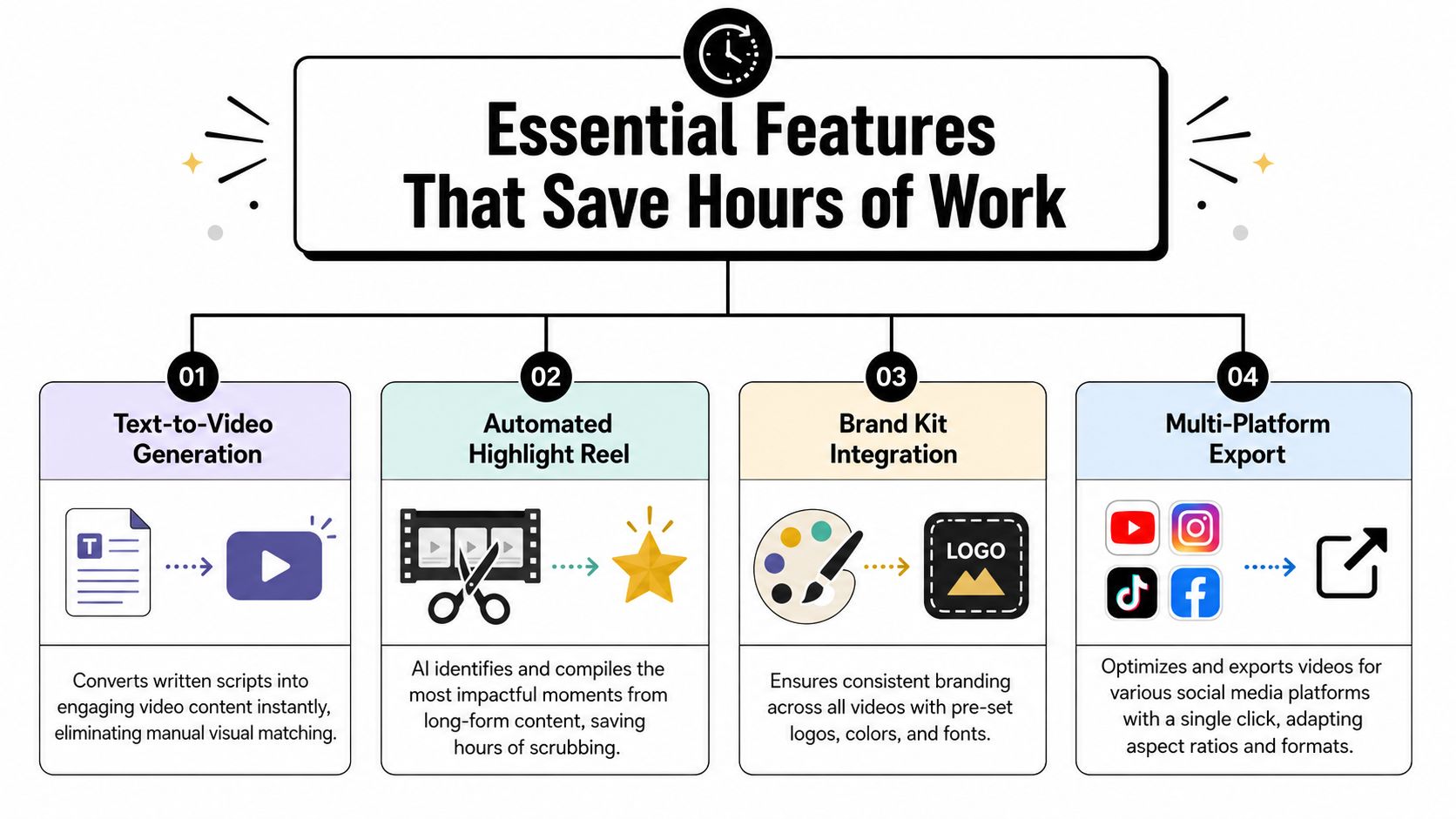
Essential Features That Save Hours of Work
Features matter, but only when they remove a recurring bottleneck. A long feature list can sound impressive while doing very little for output. The useful question is simpler: which parts of your process keep forcing human rework?
Templates fix the starting problem
The blank timeline is expensive. It makes every video feel like a fresh project, even when the format barely changes.
Templates solve that by giving you a repeatable structure. A story format, educational explainer, product teaser, or quote-style short can all run from predefined pacing, text treatment, and visual rhythm.
Before templates, the editor asks, "How should this one look?"After templates, the team asks, "Which proven format fits this topic?"
That difference reduces decision fatigue.
Script generation removes early friction
A lot of people say they struggle with editing when the underlying issue is pre-editing. They don't yet have a script, angle, or sequence.
AI-assisted script generation helps by producing a rough first version from a prompt, topic, or template. It won't replace judgment. It does replace the slowest part of many workflows: getting from idea to usable draft.
This is especially helpful for faceless content, where the script carries more of the video's momentum than on-camera personality does.
Automatic visuals cut search time
Manual B-roll hunting can swallow an afternoon. You know the feeling. You need clips or images that fit the narration, and suddenly you're buried in folders, stock libraries, and open tabs.
A modern system can pair visuals to script segments automatically, either from generated assets, stock sources, or uploaded materials. That doesn't mean every match is perfect. It means the first assembly happens fast enough that you can review instead of build from scratch.
One related category worth understanding is text on video software for automated visual storytelling, especially if your workflow starts from narration, prompts, or educational copy rather than raw footage.
Branding tools protect consistency
Brand inconsistency rarely comes from bad taste. It comes from hurry.
When teams edit manually, logos get skipped, fonts drift, subtitle styles change, and the final feed starts to feel stitched together from different systems. Brand kits solve that by locking recurring choices into presets.
Useful branding controls usually include:
- Logo placement: keeps identity visible without covering key visual areas
- Font presets: avoids random style switching between posts
- Color rules: keeps captions, titles, and overlays aligned with brand design
- Intro or outro patterns: creates recognition across a series
Here's a quick walkthrough that shows the broader context of automation in action:

Multi-platform export prevents duplicate work
This feature sounds small until you don't have it.
Without it, one finished video becomes several manual tasks:
- crop for TikTok
- adjust for Reels
- remake text placement for Shorts
- check subtitle position again
- export each file separately
With platform-aware export, the system handles format variation as a production rule rather than a separate edit. That doesn't eliminate platform judgment, but it removes mechanical duplication.
Key takeaway: The best time-saving feature is the one that stops work from being repeated, not the one that adds another effect to choose from.
Who Should Use an Automated Video Editor
Not everyone needs the same kind of editing system. The key test is whether your publishing goals depend on repeatability more than handcrafted post-production.
The solo creator who can't spend all day editing
A solo creator often has enough ideas for a month and enough time for three posts.
They may want faceless story videos, commentary clips, motivational shorts, or themed niche content. The challenge isn't access to software. It's maintaining output without turning every evening into a production shift.
For that person, an automated editor helps by reducing setup, speeding assembly, and handling recurring format choices. The creator still controls topic selection and final review. They just don't have to hand-build every asset.
The small business owner wearing five hats
A local service business, ecommerce brand, or consultant often knows what customers ask every week. That's excellent short-form material. But the owner is also handling sales, operations, support, and delivery.
A workflow-based editor turns everyday expertise into a more realistic content system:
- answer one customer question
- turn it into a short script
- generate a branded video
- publish consistently without opening multiple apps
That kind of setup is less about "viral editing" and more about making educational visibility sustainable.
The educator turning lessons into micro-content
Educators often have rich source material. They have modules, slide decks, chapter outlines, teaching notes, and explanations they've already refined over time.
What they usually lack is a fast way to convert that material into short, watchable social lessons. A workshop-style editor can do it, but only with a lot of assembly work. An automated editor is better suited when the job is repeated transformation.
A chapter summary can become a narrative short. A concept explanation can become a captioned micro-lesson. A recurring series can keep the same visual style across every upload.
The agency managing multiple brands
Agencies run into a different version of the same problem. They don't just need output. They need repeatable output with variation.
One client needs educational TikToks. Another needs polished Reels. A third needs YouTube Shorts that preserve a stricter brand tone. Manual editing works until account volume rises and every client starts expecting weekly or daily cadence.
In that environment, the right system helps agencies standardize the machinery while keeping each brand's voice distinct. That's where a workflow-first platform can fit alongside traditional tools.
For example, ClipCreator.ai is built for automated short-form creation and publishing for TikTok, YouTube, and Instagram, including template-based faceless videos, custom prompts, subtitles, voiceovers, and scheduling. That's useful when an agency or creator wants the pipeline itself handled, not just the cut-edit stage.
How to Choose the Right Platform for Your Needs
Editors are often compared by features because features are easy to list. The harder question is whether the platform fits the way your team produces content.
That distinction matters because public advice about social editing often stays tactical. It focuses on hooks, captions, pacing, and transitions. Those things matter, but they don't solve the deeper operational question. As noted in ShortGenius's discussion of social media video editing workflows, a frequently underserved issue is whether a social media video editor should prioritize platform-native retention tactics or reusable, brand-safe workflows across TikTok, Reels, and Shorts. The same discussion argues that the best editor is often the one that reduces production time while still adapting aspect ratio, subtitles, pacing, and hook style to each platform's viewing behavior.
That's the lens worth using when you evaluate options.
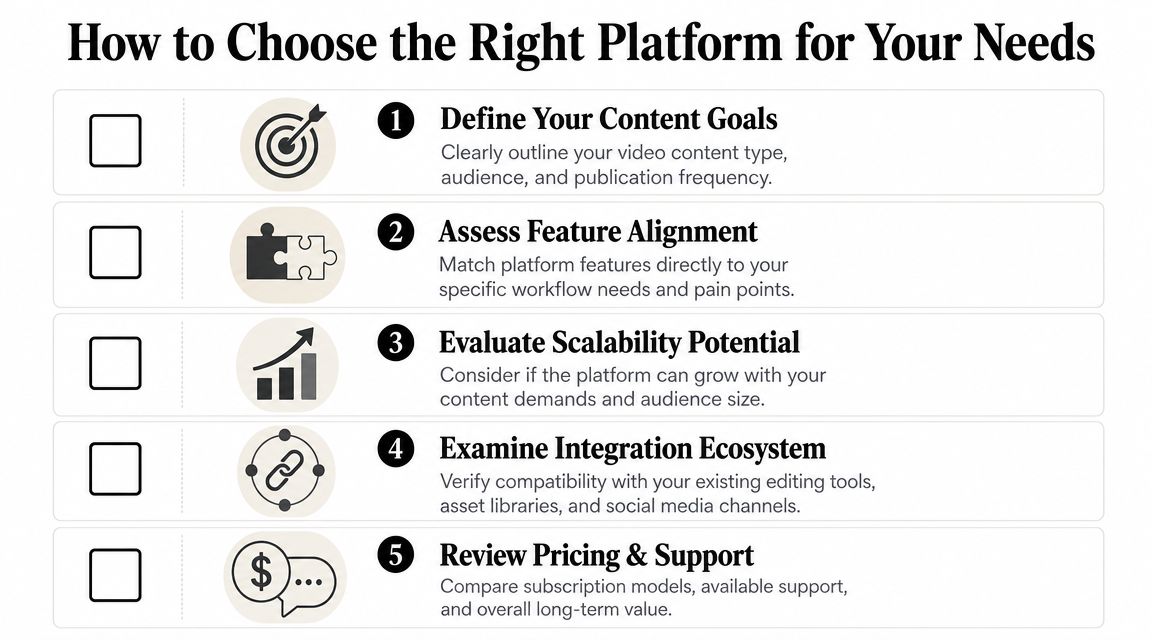
Check how much of the workflow is automated
Some platforms automate one narrow task. Others connect scripting, visuals, voiceover, captioning, resizing, scheduling, and publishing.
Neither model is automatically better. It depends on your bottleneck.
| Question | Why it matters |
|---|---|
| Does it only edit, or also generate content? | Useful if your team struggles before the timeline stage |
| Does it publish directly, or stop at export? | Important if uploads and scheduling keep getting delayed |
| Can you review and adjust the output? | Automation helps most when human control still exists where it matters |
A simple way to compare tools is to map your current process from idea to post, then mark each manual handoff. The best platform is often the one that removes the most handoffs, not the one with the most buttons.
Decide whether you want templates or custom production
Some users need repeatable formats. Others need open-ended control.
Template-driven platforms make sense when:
- You publish recurring formats such as stories, lessons, or product explainers
- You want speed over bespoke design
- You care about consistency across a series
More open systems make sense when every piece is structurally different.
If you're comparing options beyond editing software, it can help to explore AI tools recommended by Lumi Humanizer and see how different creators mix generation, editing, and publishing tools depending on their workflow.
Look for platform fit, not just output quality
A polished video that takes too much labor to produce isn't a reliable system.
Ask practical questions:
- Can it adapt videos for TikTok, Reels, and Shorts without rebuilding the edit?
- Does it support subtitles in a way that fits each platform's viewing style?
- Can your team keep brand rules consistent across posts?
- Will the workflow still work when your publishing volume grows?
These questions are more useful than asking whether the software has "advanced features." Advanced for whom? A solo creator and an agency don't need the same machine.
Review ownership, pricing, and operational trust
This part gets overlooked until teams are already committed.
Check:
- Content ownership: You should know what rights you keep over produced assets.
- Pricing logic: Does the plan fit your posting rhythm now, and can it expand later?
- Workflow reliability: Can the platform support regular publishing without awkward workarounds?
- Support model: When something breaks, is there a clear path to resolution?
A platform can be technically impressive and still be a poor operational fit if it forces too much manual cleanup.
Choose the system that reduces repeated labor
This is the core decision.
If your team values handcrafted editing control above all else, a workshop-style tool may still be right. If your real challenge is consistency, throughput, and multi-platform execution, then a workflow-first system will usually serve you better.
For readers specifically comparing automation-first options, this overview of an AI video creation tool workflow is a useful reference point for what end-to-end production can look like in practice.
The right social media video editor isn't just where clips get polished. It's where your content operation becomes manageable.
If you want a workflow-first option, ClipCreator.ai is built to automate short-form video creation and publishing for TikTok, YouTube, and Instagram, including scripts, visuals, voiceovers, subtitles, templates, and scheduling in one pipeline.

Create your first video in under 2 minutes
Pick a niche, and ClipCreator.ai generates and auto-posts faceless videos to your channels every day.
Join ClipCreator.ai