You finish editing a post, export the assets, write the caption, and hit publish. Then Instagram rejects the upload, trims the frame in a way that wrecks the design, or underperforms after a burst of over-posting. Most creators call all of that an “Instagram glitch.”
Usually, it isn’t a glitch. It’s an instagram post limit problem.
Some limits are hard technical rules. File size, carousel length, upload architecture. Others are soft constraints that matter just as much, like how often you can post before followers tune out or your account starts looking spammy. That’s where a lot of bad advice falls apart. Plenty of guides tell you what Instagram allows. Fewer tell you what’s smart if you want reach, consistency, and fewer publishing headaches.
The practical difference matters. A creator can technically upload far more than they should. They can build a carousel with the maximum number of slides and still create a weak post. They can automate daily publishing and still hurt performance if the cadence is sloppy. The creators who grow usually learn one lesson early: what’s possible on Instagram and what works on Instagram are not the same thing.
Why Every Creator Hits an Instagram Post Limit
Most creators run into limits long before they understand them. It often starts with a simple task. You try to post a recap, a product walkthrough, or a story-driven carousel, and suddenly one part of the workflow breaks. The upload stalls. The scheduler rejects the post. The post goes live, but the pacing feels off and people drop before the key slide.
That frustration is normal because “instagram post limit” sounds like one number, when it’s really a stack of separate constraints. Instagram puts limits on how much media fits into a single post, how heavy those files can be, and how often certain posting behaviors make sense. Then third-party schedulers add another layer because they don’t always catch up to Instagram changes at the same speed.
Practical rule: Treat Instagram limits as a strategy problem, not just a settings problem.
A new creator usually focuses on making more content. An experienced social media manager focuses on making content that fits the platform cleanly. Those are different skills. The first gets posts made. The second gets posts published consistently without errors, weird crops, or audience fatigue.
The invisible limits creators feel first
The first limits users notice aren’t official warnings. They show up as friction:
- Uploads fail at the finish line. Heavy media, especially mixed carousels with video, can create avoidable publishing issues.
- Posts feel bloated. A carousel can hold more content than your audience wants to swipe through.
- Scheduling gets messy. Native posting and automated posting don’t always behave the same way.
- Engagement softens. Not because there’s a hard posting cap, but because frequency and attention are tied together.
That’s why a creator guide should do more than list specs. You need the numbers, but you also need the trade-offs behind them. Once you understand those, you stop fighting Instagram and start using its limits to your advantage.
The Core Instagram Post Limits Cheat Sheet
A creator usually notices these limits at the worst moment. The post is scheduled, captions are written, and the upload stalls because the carousel is too heavy or the crop breaks on slide six. That is why a cheat sheet matters. It keeps production decisions simple before you export.
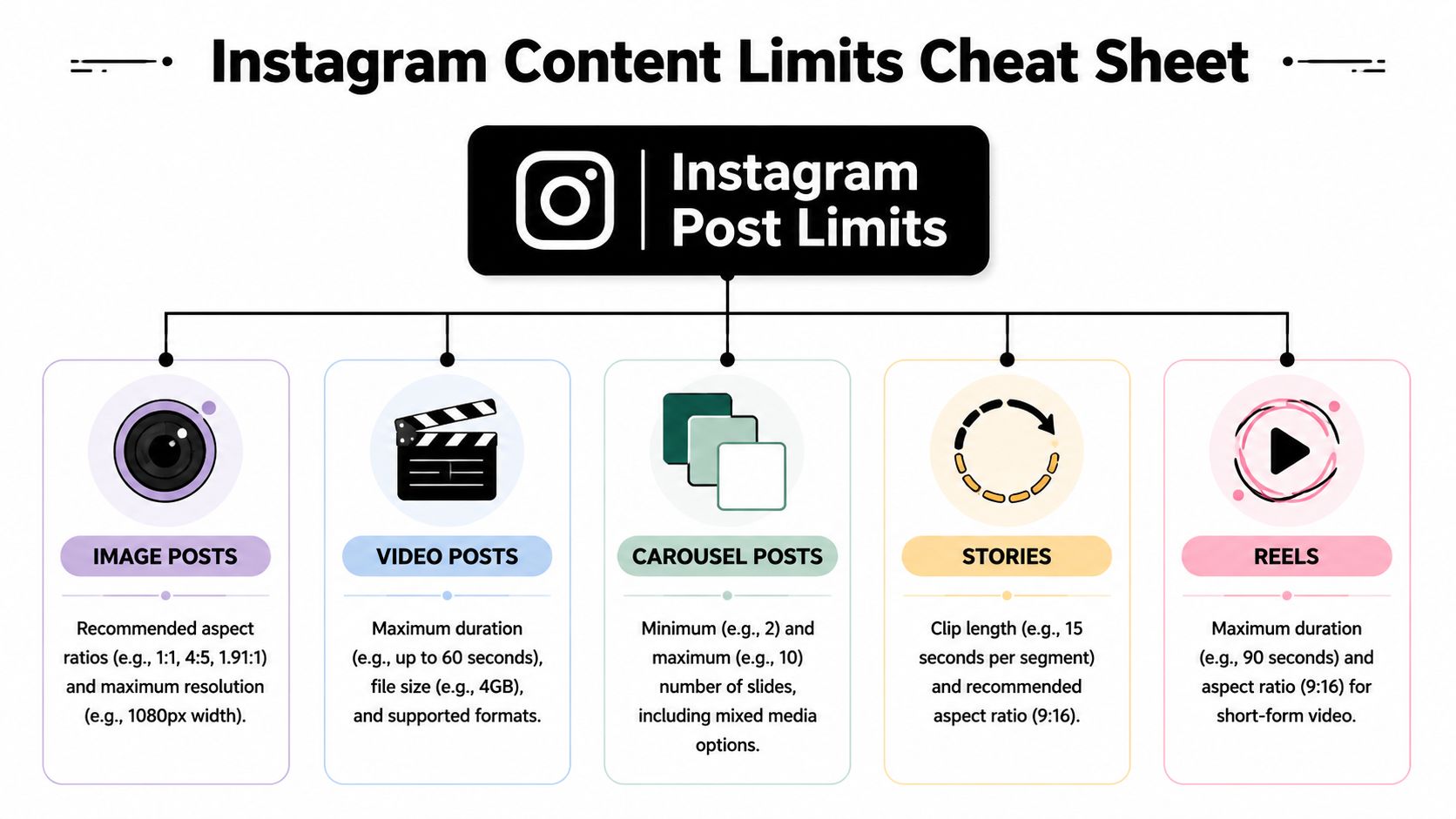
The numbers matter less as trivia and more as guardrails for content that needs to publish reliably.
Instagram Content Specification Limits 2026
| Content Type | Limit Type | Specification |
|---|---|---|
| Account posting | Total lifetime posts | No fixed lifetime post ceiling is commonly cited in third-party summaries. The practical limit is consistency, audience tolerance, and account health |
| Carousel post | Items per post | Up to 20 photos or videos in one carousel |
| Carousel image | File size per item | Large image files can upload, but heavier exports increase processing time and compression risk |
| Carousel video | File size per item | Video files have more room than images, but large clips are more likely to create upload friction |
| Carousel upload load | Total estimated bandwidth | A full 20-item carousel can become heavy fast, especially if several slides are video |
| Video creation workflow | Recommended resolution reference | 1080×1080 remains a safe baseline for square creative |
| Video post geometry | Aspect ratio tolerance reference | Small framing errors are noticeable on text-led posts, so consistent aspect ratios matter more than squeezing in edge-case dimensions |
What these limits mean in practice
The biggest number here is the 20-item carousel cap. That sounds generous, and it is. It also tempts creators to overfill posts that would perform better at 6 to 10 slides. More capacity does not automatically mean more retention.
That is the strategic difference between what is possible and what is smart. A 20-slide carousel works well for tutorials, before-and-after breakdowns, product comparisons, or step-by-step storytelling. It is usually a poor choice for recycled filler slides that exist only because Instagram allows more room.
File weight is the second constraint that matters in real workflows. Instagram may accept a technically valid post and still compress it hard enough to blur text, soften subtitles, or make motion graphics look cheap. I see this most often with mixed carousels that combine static slides with several videos. They pass the format check, then become unreliable in scheduling tools or publish with quality loss.
Use the limits to your advantage
The safest approach is simple.
- Keep carousels tighter than the max: Use 20 slides only when every slide earns its place.
- Export for readability first: Crisp text and clean framing matter more than oversized files.
- Be careful with mixed-media carousels: They offer variety, but they also create more chances for failed processing.
- Standardize your dimensions: A repeatable template prevents crop surprises across manual posting and scheduling tools.
- Leave headroom for automation: If you use a system like ClipCreator.ai, lighter, consistent exports reduce batch errors and save review time.
Smart creators treat limits as filters. They help decide what belongs in one post, what should become a Reel, and what should be split into a second carousel. That discipline protects reach, lowers publishing friction, and reduces the sloppy posting patterns that can make an account look automated in the wrong way.
Understanding Instagrams Daily Posting Limits
You queue eight feed posts for one day, batch-upload them through a scheduler, and expect momentum. What usually happens is messier. A few posts cannibalize the others, engagement clusters around one format, and the account starts to look machine-driven instead of well-managed.
That gap between what Instagram allows and what Instagram rewards is the daily posting limit that actually matters.

Hard limits versus soft limits
Instagram has hard caps in some areas, but daily posting problems usually come from soft limits. You can often publish more than your audience wants to see. You can also post often enough to trigger low-quality signals, especially if the content is repetitive, heavily templated, or pushed out in tight bursts through automation.
As noted earlier, there is no meaningful lifetime cap on regular posting. That does not give creators permission to flood the feed.
A safer working cadence looks like this:
- Feed posts: 1 to 3 per day is a reasonable range for accounts that can maintain quality and spacing, as noted in ElectroIQ’s summary of Instagram posting recommendations.
- Reels: 4 to 7 per week is the same source’s suggested range.
- Stories: Instagram allows up to 100 per day, though shorter, more selective story runs tend to perform better in practice, also noted in ElectroIQ’s summary of Instagram posting recommendations.
The raw numbers are only the starting point. Strategy decides whether those numbers help or hurt.
What daily limits mean in practice
Feed posts create the most immediate fatigue because they compete for the same attention in the main scroll. Reels can handle higher frequency, but only if each one gives the algorithm a distinct reason to distribute it. Stories are the most forgiving format, yet even there, over-posting causes drop-off if the sequence feels bloated or self-promotional.
I treat daily capacity like a budget. Spend it where the content has a clear job.
If a post is just filling a slot, skip it. If three posts in one day serve three different purposes, such as reach, proof, and conversion, that can work. If they all say roughly the same thing, expect weaker session depth and more passive scrolling past your content.
The real risk with over-posting
Instagram rarely sends a clear warning that says you posted too much. The penalty is usually indirect. Lower engagement per post, weaker early signals, reduced consistency in distribution, and an account pattern that looks closer to spam than audience-led publishing.
That matters even more if you use automation tools.
Automation is useful, but volume without spacing is one of the fastest ways to create avoidable problems. Tools like ClipCreator.ai help teams keep a steady pipeline, which is good. They do not remove the need for judgment about pacing, format mix, and how often followers should see you in one day. Smart automation keeps output consistent without making the account look over-processed.
The same logic shows up in niche publishing too. Teams planning content for faith-based organizations, for example, still have to balance format and frequency. Good social media strategies for churches rely on cadence discipline, not just more posts.
A workable schedule for a new creator
Start with a cadence you can hold for 30 days without rushing.
- Feed: 1 post per day or 3 to 5 per week
- Reels: 3 to 4 per week if short-form is your growth priority
- Stories: Post around active moments, not all day by default
- Spacing: Give feed posts room to breathe instead of stacking them close together
That approach sounds conservative. It usually outperforms chaotic bursts because the account stays readable to followers and cleaner to Instagram’s systems.
Consistent posting helps growth. Excess posting creates noise.
A Deep Dive into Carousel Post Limits
You build a 20-slide carousel, schedule it, and expect it to carry the week. Then the post drags by slide 4, the scheduler strips options you had in the app, and the account gets less traction than a tighter 6-slide post would have. That is the practical carousel limit most creators run into. Instagram may allow 20 items, but attention usually does not.
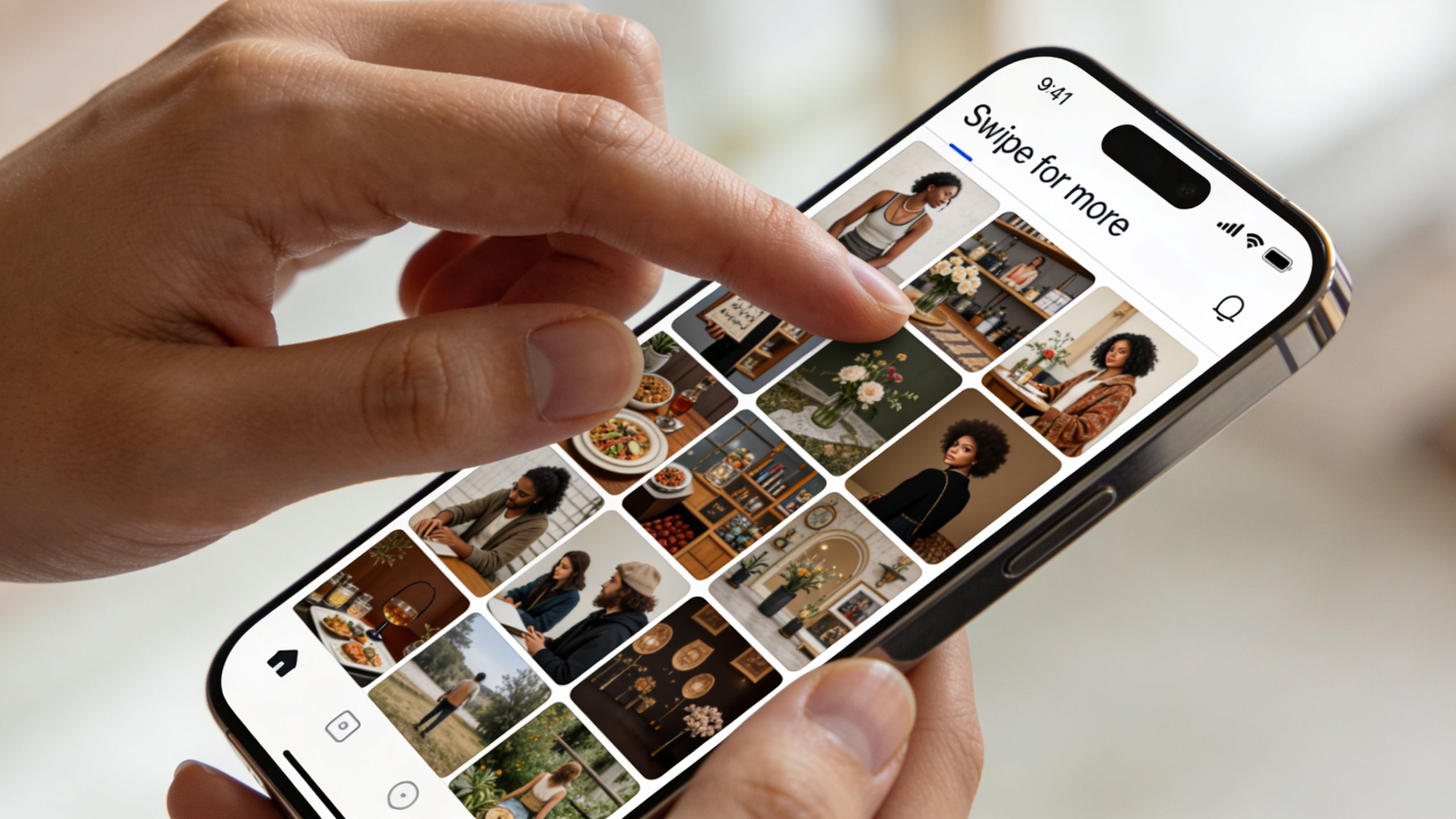
Instagram’s current carousel cap is 20 photos or videos per post, as noted earlier. Useful, yes. A reason to max out every carousel, no. The practical trade-off is simple. More slides give you more room to teach, sequence, or tell a story. More slides also increase drop-off risk, slow down the payoff, and make weak editing more obvious.
For growth, carousel length should match intent.
A save-focused tutorial can support more slides because the viewer expects a sequence. A product comparison, opinion post, or quick educational point usually performs better when the value lands fast. If slide 1 and slide 2 do not create enough curiosity to earn the next swipe, slide 12 will not save the post.
Why the 20-slide limit matters strategically
The expanded limit changed how creators can package content. It did not change the basic rule that every slide has to earn its place. I usually see four strong use cases for longer carousels:
- Step-by-step tutorials where each slide handles one action
- Event recaps with clearly different moments, not near-duplicates
- Case studies that need setup, proof, and takeaway
- Photo dumps for audiences that already respond well to that format
Even in those cases, restraint helps. A 20-slide carousel with 8 strong slides and 12 filler slides often underperforms a clean 8-slide version because viewers feel the drag before they reach the payoff.
The hidden limit is completion rate
Instagram does not publish a public rule that says, "keep carousels under X slides for reach." Creators still see the pattern in performance. Long carousels can work, but only when the sequence keeps earning swipes. That is the difference between what is possible and what is smart.
A good working range for many newer creators is 5 to 8 slides. That is usually enough room to make a point, build a mini narrative, and keep the post easy to consume. Once a carousel starts pushing past that, the edit needs to get stricter. Repeated angles, redundant text, and slow intros cost more in a carousel than they do in a single-image post.
This matters even more if you publish with automation. Tools can help you maintain output, but they can also tempt you to over-package content just because you have enough assets. ClipCreator.ai is useful here when you treat the carousel as one part of a broader format mix and schedule it around audience behavior, not just production convenience. If Reels are your reach engine, use a timing plan based on best times to post Instagram Reels, then place carousels where they support saves, shares, or deeper education.
Scheduling friction still affects carousels
Carousel limits also create workflow problems. Native Instagram features and third-party schedulers do not always stay in sync. An account may be able to post a longer carousel in the app while a scheduler still handles the format less cleanly. That mismatch matters for teams batching content in advance, because the post you planned in your system may still need manual cleanup before publishing.
That is one reason I do not recommend building your whole content operation around max-length carousels. The longer and more complex the post, the more chances there are for formatting errors, asset ordering mistakes, awkward crops, or caption-to-slide mismatches. Simpler posts are easier to publish consistently and easier to diagnose when performance drops.
Teams serving niche audiences run into the same issue. Resources on social media strategies for churches often show the same lesson. Carousel posts work best when the sequence is intentional and audience-specific, not when every update gets stretched into a long swipe set.
Here’s a useful walkthrough if you want to see carousel format in action:

When to use all 20 slides
Use the full limit rarely, and only when the structure justifies it.
- Use 20 slides for walkthroughs, recaps, or story sequences where each frame adds context
- Use mid-length carousels for educational content that needs a hook, a few proof points, and a clear takeaway
- Use short carousels when the goal is speed, clarity, or one strong opinion
The strongest carousel is rarely the longest one. It is the one with no wasted slides.
Beyond the Numbers Strategic Scheduling for Growth
A lot of creators get stuck on the wrong question. They ask, “How much can I post?” The better question is, “How much can I post before quality, reach, or audience patience starts slipping?”
That trade-off doesn’t get enough attention. Public guidance around Instagram limits often focuses on dimensions, file sizes, and format rules. The harder problem is cadence. As noted in Coffee Contracts’ discussion of posts getting cut off and broader publishing friction, there’s a real gap in existing content around the relationship between publishing frequency and algorithm decay, especially for creators using automation across multiple platforms.

The Goldilocks zone matters more than the maximum
Most bad posting advice can be summed up in three words: post more often.
That advice sounds productive, but it’s incomplete. More posting only helps if each post has room to breathe. If you stack too much content too quickly, you create internal competition. Your own posts crowd each other out. Followers skip because the cadence feels relentless. Even strong creative gets less attention when it arrives in a flood.
A better scheduling mindset
Think in terms of spacing, not just frequency.
- Batch creation, stagger release: Creating in bulk is efficient. Publishing in bulk usually isn’t.
- Match format to tolerance: Stories can handle a faster pace than feed posts.
- Protect your best assets: Don’t bury a strong Reel under another upload too soon.
- Watch audience signals: If replies, saves, or swipe-through quality soften, your rhythm may be off.
For creators managing more than one account, account hygiene matters too. If you’re handling separate brand profiles or client pages, operational setup becomes part of posting strategy. In that context, guides on secure Instagram account verification can help clarify the logistics of managing multiple accounts without turning your setup into a mess.
Timing is part of the limit conversation
The “best” posting frequency always depends on when those posts land. A disciplined schedule beats a packed one because each piece gets a clearer test. If you’re refining cadence for short-form video, this guide on the best time to post Instagram Reels is a useful companion to frequency planning.
Posting more often can look like growth discipline. Sometimes it’s just distribution clutter.
The practical takeaway is simple. The instagram post limit that matters most for growth usually isn’t a hard cap from Instagram. It’s the point where your publishing speed starts working against your content.
Automating Content Within Limits Using ClipCreator.ai
Automation works best when it respects platform constraints instead of brute-forcing volume. That’s the line many creators miss. They automate publishing, but they don’t automate thoughtfully. The result is a busy calendar with weak pacing, awkward exports, and too many posts that feel interchangeable.
Good automation solves the repetitive work first. Script drafting, visual assembly, voiceover, subtitle creation, and scheduling are all tasks that eat time before you even get to strategy. If your workflow produces short, faceless videos for Instagram, TikTok, and YouTube, the main advantage is consistency without constant manual rebuilding.
What smart automation should actually do
A useful system should help you:
- Standardize output: Keep video dimensions and structure consistent enough for social publishing.
- Reduce avoidable errors: Catch problems before a scheduled post fails.
- Support pacing: Let you plan a steady rhythm instead of dumping content in bursts.
- Adapt content across channels: Not every asset should publish the same way everywhere.
That last point matters. A creator using AI tools still needs editorial judgment. The strongest teams use automation to save time, then spend that saved time improving hooks, tightening scripts, and choosing what deserves a feed post versus a Reel. That’s also why broader perspectives like Bulby’s insights on AI creativity are useful. AI should widen your creative range, not flatten it into sameness.
If you want a practical framework for the workflow side, this guide on how to automate social media posts is a solid reference. The key is to use automation to stay within healthy posting limits, not to test how much content you can force through the pipe.
Frequently Asked Questions About Instagram Limits
Can you get banned for posting too much
Posting a lot isn’t the same as violating content rules. In practice, creators are more likely to run into action blocks, reduced effectiveness, or spam-like signals before anything more serious. If your account behavior starts looking unnatural, slow down, space out activity, and avoid stacking too many aggressive actions at once.
Is the full carousel limit always the best choice
No. The maximum and the best-performing length are different things. If the story needs depth, use more slides. If the point can land faster, cut it down. Most weak carousels don’t fail because they’re too short. They fail because they overstay their welcome.
Why does Instagram make my uploaded video look worse
Compression is usually the culprit. Heavy exports, dense text overlays, and poorly sized files give Instagram more chances to recompress the media. The safest move is to export cleanly, keep dimensions consistent, and avoid making the platform do extra correction work for you.
Do schedulers always match what the Instagram app can do
No. Scheduler support can lag behind native Instagram features. If a post works in the app but not in your publishing tool, check whether the tool has caught up to the current format support before rebuilding the content from scratch.
How do you tell whether poor reach is a limit issue or a shadowban concern
Start by separating technical problems from distribution problems. If the post publishes cleanly but reach drops sharply, review cadence, content quality, and engagement patterns before assuming the worst. This guide on how to tell if you're shadowbanned on Instagram is a useful troubleshooting reference.
If you want a simpler way to stay consistent without over-posting, ClipCreator.ai helps you create and schedule short, faceless videos built for Instagram, TikTok, and YouTube. It’s a practical option if you want more output without turning your content calendar into noise.

Create your first video in under 2 minutes
Pick a niche, and ClipCreator.ai generates and auto-posts faceless videos to your channels every day.
Join ClipCreator.ai