
You've probably already felt the friction.
You want to start creating content, but every path looks heavy. Long videos seem slow. Posting your face feels awkward. Editing looks technical. Then you open TikTok or YouTube Shorts, see polished creators everywhere, and assume you're already late.
You're not late. You're just looking at the wrong entry point.
Most beginner advice still assumes you'll build a personal brand by filming yourself, learning editing software, and posting every day until you “find your voice.” That works for some people. It also burns a lot of beginners out before they publish anything useful.
A better starting path is simpler. Use faceless, short-form videos, lean on AI-assisted production, and choose formats that already fit how people watch content on TikTok, Shorts, and Reels. You remove camera anxiety, cut production time, and make consistency realistic. That matters because consistency is usually where beginners fail, not ideas.
If you're building a business alongside this, it also helps to study how creators turn attention into trust. This breakdown of X growth via individual branding is useful because it shows how focused positioning compounds over time, even when the creator's style evolves.
And before you pick a niche or a format, get clear on the role itself. This overview of what a content creator actually does is worth reading if you're still lumping content creation, influencing, and social media management into one thing.
Your Starting Point in the Creator Economy
You open TikTok for ten minutes, scroll past polished clips, AI voiceovers, clean captions, and creators posting three times a day, then decide you missed your chance.
You did not miss it. You just need a starting model that fits a beginner.
The creator economy is crowded, but that does not mean the door is closed. It means broad, high-effort content is a bad entry point. New creators usually stall because they stack too many jobs onto one video. They try to learn scripting, filming, editing, branding, hooks, thumbnails, and platform strategy at the same time. That setup kills momentum before the first useful feedback comes in.
Start with lower-friction content instead.
Faceless short videos are a practical on-ramp because they remove the parts that slow beginners down most. No camera anxiety. No pressure to look polished. No need to build a personal brand around your face before you know what viewers care about. A narrow topic, a simple script, and a production process you can repeat will take you further than ambition alone.
If you are still unclear on the role itself, this breakdown of what a content creator actually does helps separate creation from influencing, brand work, and social media management.
Why this path works better for beginners
Short-form video gives fast feedback. You can test an idea in hours, not weeks. That matters because beginners improve through volume and pattern recognition, not through polishing one post for days.
I usually tell beginners to choose the method that saves energy first. The early goal is not self-expression at maximum depth. The early goal is to publish enough pieces to learn what gets watched, skipped, saved, and repeated. Faceless formats help with that because they are easier to batch, easier to revise, and easier to automate.
The modern advantage is simple. AI can handle a lot of the production drag. It can help draft hooks, turn notes into scripts, generate voiceovers, clean captions, and speed up rough cuts. That does not replace judgment. It removes the repetitive work that makes beginners quit.
A better first bet
Here is the trade-off most new creators face:
| Approach | What usually happens |
|---|---|
| Talking-head videos from day one | Feels personal, but many beginners delay posting, redo takes, and over-edit |
| Long-form content first | Can build authority later, but it is slow for testing ideas and formats |
| Faceless, AI-assisted short-form first | Faster output, lower pressure, easier iteration, and less burnout risk |
This is a starting point, not a permanent identity. Many creators begin faceless, build a library, learn what topics earn attention, then add more personality later. If your goal includes business growth, X growth via individual branding shows how focused positioning compounds once you have consistent output behind it.
Start where repetition is realistic. That is how creators get good.
Find Your Unique Niche and Audience
A beginner usually burns out here.
They pick a huge topic, post six disconnected videos, get weak feedback, then assume they are bad at content. The primary problem is usually poor positioning. If viewers cannot tell who the content is for and what they will keep getting, they do not stick around long enough to give useful signals.

For faceless, AI-assisted short video, a good niche does two jobs at once. It gives the viewer a clear reason to follow, and it gives you a repeatable system for making the next 20 to 50 posts without forcing ideas every day.
That second part matters more than beginners expect.
A niche works best when it sits inside three constraints:
- You can make credible content on it without heavy research every time
- A specific viewer already wants help, entertainment, or explanation on it
- The topic breaks cleanly into short, visual, repeatable video ideas
A lot of topics fail the third test. “Motivation” sounds broad enough to work, but it often turns into recycled quotes and vague advice. “Study systems for students who freeze before exams” is tighter, easier to script, and easier to turn into faceless shorts with templates, voiceover, captions, and stock visuals.
Pick a niche that survives repetition
New creators often choose based on interest alone. Interest helps, but output matters more. If the niche cannot support batch production, it will fight your schedule.
Use this filter:
- Write down 5 to 10 topic areas you already know or actively consumeInclude work skills, hobbies, obsessions, old projects, and problems you have solved for yourself.
- Narrow each topic to one clear angleSkip labels like business, wellness, or history. Choose angles like startup mistakes, sleep myths for shift workers, or historical disasters with modern lessons.
- Name the viewer in plain language“People into finance” is weak. “First-job workers trying to stop wasting their paycheck” is usable.
- Test idea volume fastCan you list 30 short-video prompts in 15 minutes? If not, the niche is still too wide, too shallow, or too hard to produce consistently.
- Check production frictionAsk whether the content can be made without filming yourself, chasing guests, or doing hours of research per post.
That last check saves a lot of people from quitting.
Build for one viewer, not a vague audience
You do not need a polished brand persona. You need one believable person in mind when you write hooks and scripts.
| Prompt | Example answer |
|---|---|
| Who are they? | A university student who wants quick explanations with no filler |
| What do they want? | Clear takeaways, fast examples, and useful shortcuts |
| What frustrates them? | Slow intros, overexplaining, and creators stretching one point into a minute |
| Why would they follow? | They expect one practical or interesting takeaway every time |
Write to that person. It sharpens your topic choices, script pacing, and hook quality.
Strong niche types for faceless short-form
Some niches are easier to automate than others. That does not make them shallow. It makes them practical.
These tend to work well:
- Story-based education such as business failures, psychology lessons, myths, or overlooked history
- Narrative entertainment such as horror stories, mystery facts, urban legends, or bedtime stories
- Micro-tutorials for apps, AI workflows, language learning, study systems, or budgeting basics
- Problem-solution content for freelancers, students, small business owners, or beginner creators
If you want examples of tools that support this kind of workflow, this guide to AI video creation tools for faceless short-form content is a useful reference point.
A simple way to pressure-test your niche
Use this sentence:
I make short videos for [specific person] who want [specific outcome] through [repeatable content style].
Examples:
- I make short videos for students who want better grades through fast study-system breakdowns.
- I make short videos for horror fans who want quick suspense stories through narrated faceless clips.
- I make short videos for new freelancers who want more clients through simple outreach mistakes and fixes.
If that sentence feels muddy, your niche is still muddy.
Clarity beats variety at the start. A tighter niche gives you cleaner feedback, faster production, and a better chance of building consistency without burning out.
Choose Your Format and Minimalist Toolkit
Beginners usually overbuy and overprepare. They think content creation starts with gear. It doesn't. It starts with format choice.
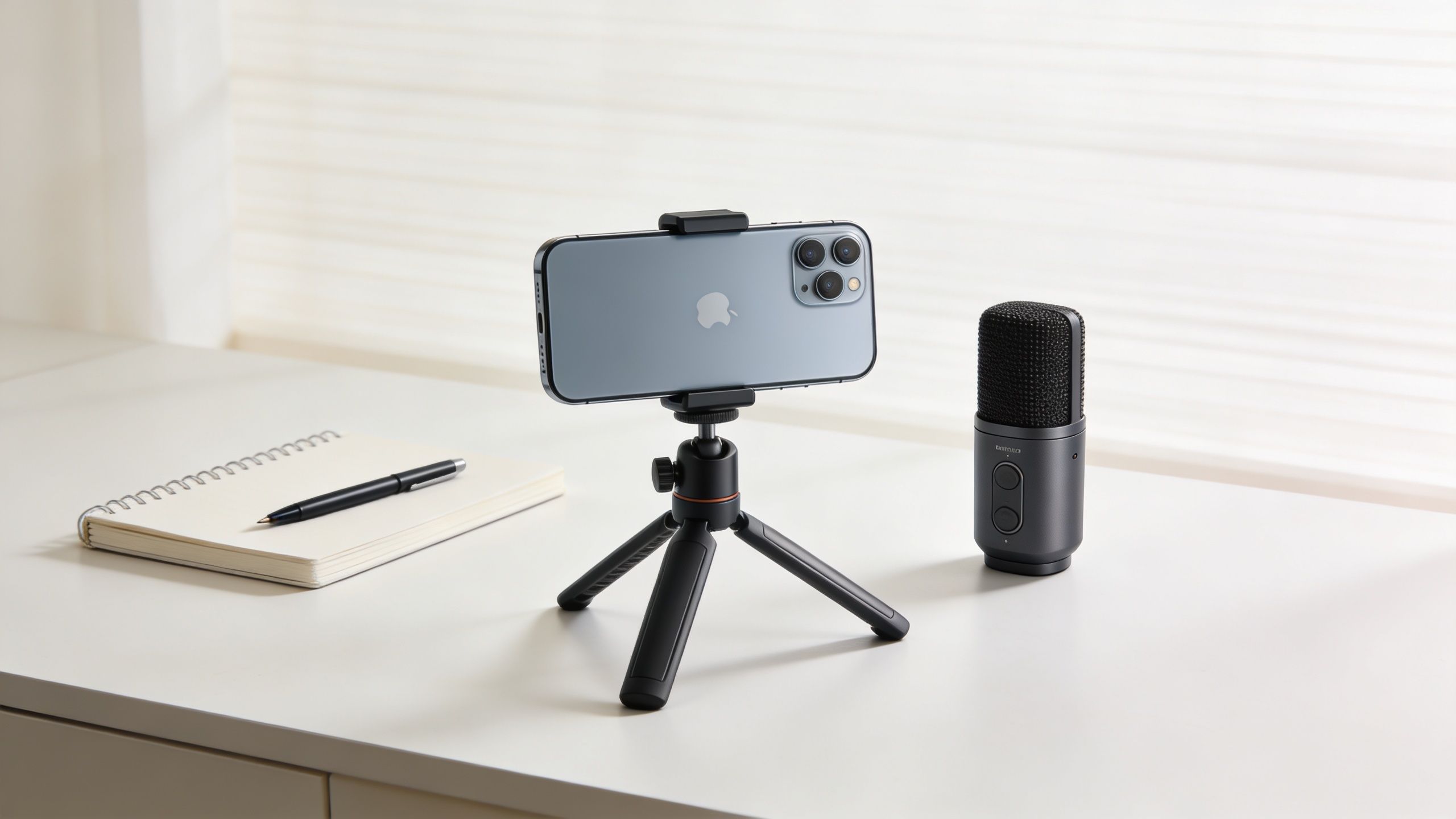
If you're learning how to start content creation in 2026, short-form faceless video is the most forgiving format for a beginner. It asks less from you upfront and gives feedback faster.
According to Valchanova's write-up on content angles, faceless channels on YouTube Shorts grew 320% year-over-year, and storytelling templates averaged 3.2 times more views than talking-head videos. That's why I'd start there before investing heavily in on-camera content.
Compare the common formats
Here's the practical trade-off:
| Format | Upside | Friction |
|---|---|---|
| Talking-head videos | Builds personality fast | Camera confidence, setup, retakes, appearance pressure |
| Long-form tutorials | Strong authority | Slow production, harder editing, slower learning loop |
| Faceless short narratives | Fast, repeatable, easy to batch | Needs clear scripting and strong hooks |
For a beginner, low friction wins. You can always expand later.
Your minimalist toolkit
You do not need a studio. Start with:
- A phone for testing ideas, reviewing posts, and light recording if needed
- A notes app or Google Docs for hooks, scripts, and angle lists
- Platform analytics inside TikTok or YouTube Studio
- One AI video tool that can handle scripting, visuals, voiceover, subtitles, and scheduling
That last part matters because tool sprawl kills momentum. If you're juggling five apps before your first post, your workflow is already too fragile.
One option is AI video creation tools for beginners and teams. If you want an all-in-one path, ClipCreator.ai creates faceless short videos from prompts or templates, adds AI-generated visuals, voiceovers, subtitles, and can schedule posts across platforms. That setup makes sense when your goal is output consistency, not manual editing practice.
Validate before you commit
New creators often turn a simple concept into a costly endeavor at this stage.
Don't spend weeks building a brand package before you know whether your format works. Instead, test a few video directions using proven structures like:
- Scary story
- Myth or legend
- Quick historical lesson
- “You won't believe this mistake” business story
- Bedtime or narrated educational tale
Make a few prototypes and watch for audience signals. Which topic gets better retention? Which hook style makes people stay? Which story type feels easiest to make repeatedly?
A quick example helps:
- Topic: personal finance
- Weak format: “5 things I learned about money”
- Better faceless format: “The small spending habit that keeps people broke”
- Alternate angle: “What happened when one worker ignored this money rule”
A narrative frame almost always makes the idea easier to watch.
Here's a walkthrough that shows how these videos are typically assembled and posted:

Create Your First Piece of Content
Your first video should teach you the process, not prove your talent.
That's why I don't recommend starting with an original masterpiece. Start with one short, clean, faceless video that follows a proven shape and gets published fast.
According to BetterContext's content process overview, a repeatable workflow for AI-automated short-form videos can boost output efficiency by 60%, and structured systems raise the success rate to 75% for creators trying to post consistently. Beginners don't need more inspiration. They need a workflow they can repeat.
Use a simple script shape
For a first video, use a 30 to 60 second narrative template:
- Hook Open with tension, surprise, or a direct benefit.Example: “Many creators believe this habit helps them focus. It usually does the opposite.”
- SetupGive the viewer the context fast.“Students often copy long study routines from productivity creators.”
- TurnAdd the insight, reveal, or contradiction.“The problem isn't motivation. It's that the routine takes too much effort to start.”
- TakeawayClose with one useful point.“If you're new, build a routine that feels too easy to skip.”
That's enough. Don't cram five lessons into one short.
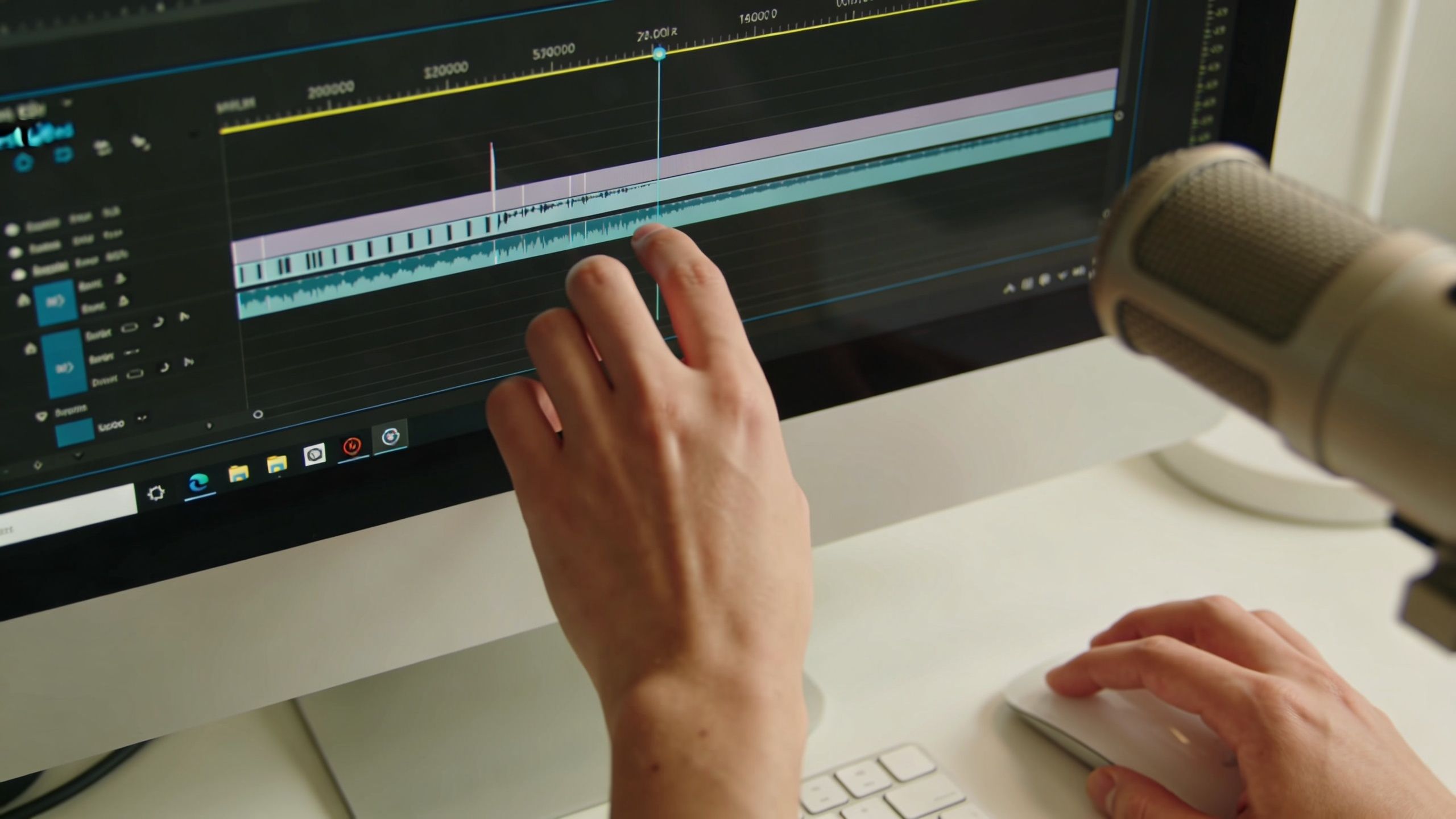
Feed the tool better inputs
AI doesn't rescue a vague idea. It scales a clear one.
When generating your first video, define these inputs:
- TopicBe specific. “Weird sleep facts” beats “health tips.”
- ToneCalm, eerie, educational, urgent, playful. Pick one.
- Visual styleCinematic illustrations, animated scenes, simple stock-style pacing, dark story aesthetic.
- Audience levelBeginner, casual viewer, student, parent, business owner.
A weak prompt gives you generic output. A narrow prompt gives you usable footage.
Here's a better prompt example:
Create a 45-second faceless video for college students. Topic: why all-nighters hurt memory. Tone: direct and slightly dramatic. Use a clear hook, simple explanation, and one practical takeaway. Add subtitles and visuals that match a late-night study setting.
Publish good enough, not polished forever
Most first videos die in draft form because the creator keeps tweaking words no one has heard yet.
Your job on video one is to finish. Check only these essentials:
- The hook is clear in the first line
- The subtitles are readable
- The visuals roughly match the script
- The ending lands on one point
Then publish it.
A first post is not your identity. It's your first data point. The people who get better are the people who get into the feedback loop early.
Build a Repeatable Publishing Workflow
The biggest mistake beginners make after posting once is treating every future post like a fresh emergency.
That creates daily stress. It also leads straight into burnout.
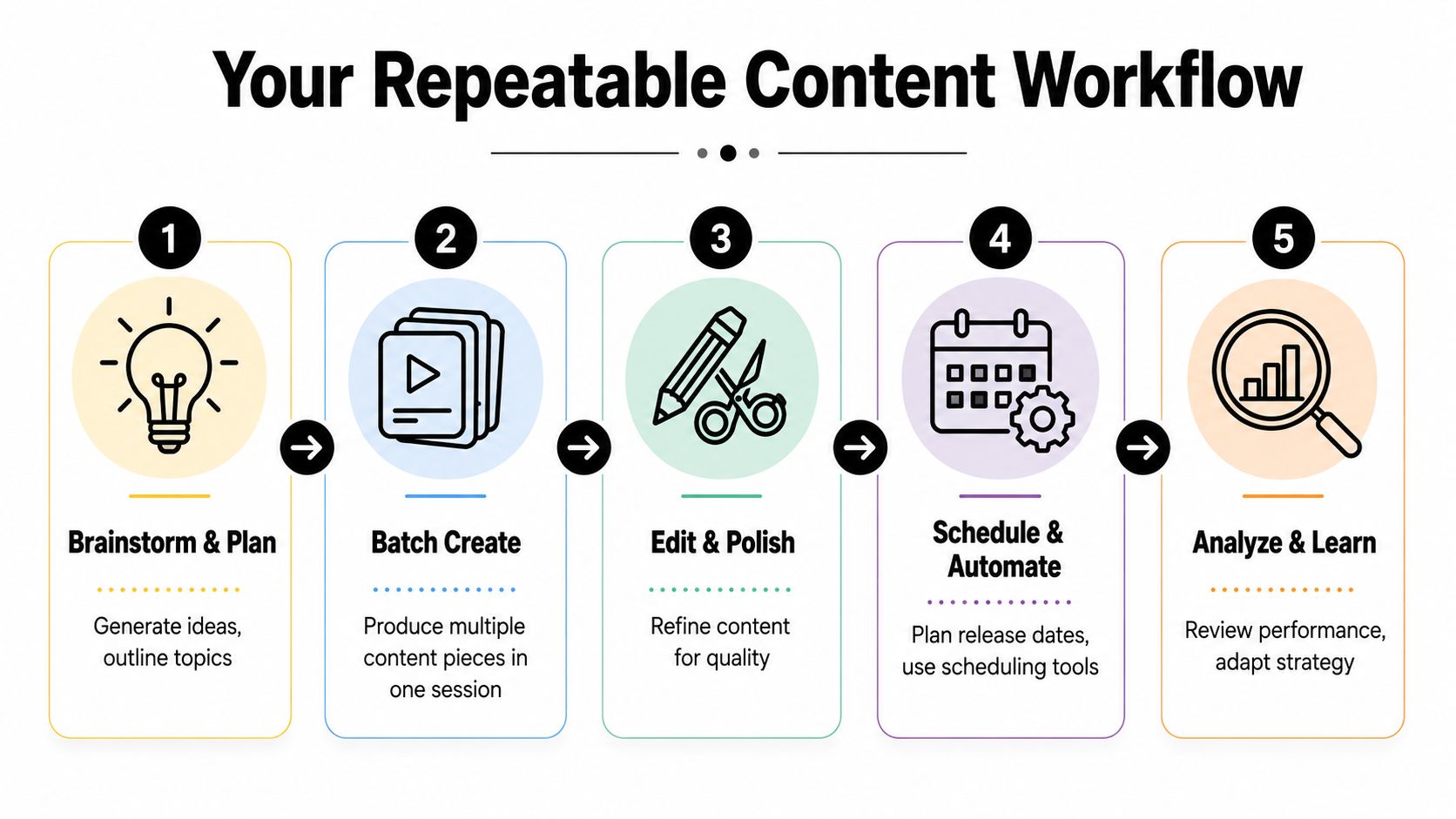
A better approach is to build a system that turns one good idea into several usable posts. The heavy lift happens once. Then you repurpose intelligently.
Use micro-angling instead of chasing new ideas
According to Heavy Pen's breakdown of content angles, the consistency trap causes 68% of creators to abandon their channels within three months due to burnout. One of the best counters is micro-angling, where you turn one core idea into 7 to 10 faceless video variants. That approach can boost output by 500% and cut production time by 90% with AI automation.
That's the mindset shift beginners need. Don't ask, “What should I post today?” Ask, “How many angles can I pull from this one topic?”
One idea, many posts
Let's say your core topic is sleep.
You can angle it several ways:
- Myth angle“The sleep rule most students get wrong”
- Story angle“Why one missed night of sleep can wreck your next day”
- Contrarian angle“Why trying harder to sleep can backfire”
- Checklist angle“Three things to stop doing before bed”
- Dark curiosity angle“What sleep deprivation does to your judgment”
That's one topic. Five posts already.
The easiest creators to stay consistent are not the most disciplined. They're the ones with the fewest decisions left to make.
Batch and schedule in one sitting
You don't need to create every day. You need a production block.
Try this rhythm:
| Block | What you do |
|---|---|
| Idea block | Pick 3 core topics and list multiple angles for each |
| Script block | Draft hooks and short scripts in one session |
| Production block | Generate or assemble several videos together |
| Scheduling block | Load posts into a scheduler for TikTok, YouTube, and Instagram |
| Review block | Check which hooks and formats earned the strongest retention |
If you need help organizing this cadence, a practical content calendar planning workflow can keep your week from turning into last-minute posting.
And if your strategy expands beyond short-form platforms, it's worth studying how cadence and positioning differ by channel. This guide to LinkedIn posting strategy is useful because it shows how publishing systems change when the audience expects professional context instead of entertainment-first hooks.
What usually breaks the system
A workflow fails when one of these happens:
- You invent from scratch every time
- You over-edit low-stakes posts
- You post manually when tired
- You confuse variety with randomness
Beginners often think structure will make them boring. The opposite is true. Structure frees up your energy for better ideas.
Measure and Scale Your Content Creation
Publishing alone doesn't create growth. Feedback does.
A lot of creators keep posting more and assume volume will solve weak content. It usually doesn't. If viewers keep leaving early, doubling output only gives you more weak signals.
According to Coursera's content strategy guidance, defining SMART goals yields 42% higher attainment rates, and regularly auditing content, including removing videos with under a 4% completion rate, can improve channel health by up to 25%.
Track the few metrics that matter first
Beginners don't need a giant reporting dashboard. Watch these:
- Completion rateDid people finish the video, or leave halfway through?
- Audience retentionWhere did viewers drop? At the intro, the middle, or the ending?
- Click-through behaviorIf the platform shows an impression-to-view signal, are your hooks and titles earning the click?
- Pattern by formatWhich recurring template performs better? Story, myth, list, or lesson?
If one format consistently holds attention better, don't get cute. Make more of it.
Audit with honesty
Every few weeks, review your posts and sort them into three buckets:
| Bucket | What to do |
|---|---|
| Keep repeating | Strong hook, strong retention, easy to reproduce |
| Test again with a tweak | Good idea, weak intro or unclear pacing |
| Retire | Weak completion, confusing topic, low replay value |
Automation simplifies the process. When tools manage scripting, assembly, subtitles, and scheduling, you can focus your energy on pattern recognition instead of manual editing.
Growth usually comes from improving what already worked, not constantly reinventing your brand.
Scale after the pattern is clear
Once you know your strongest niche, your best hook style, and your most watchable format, increase output carefully. Move from a few posts each week to a more frequent schedule only after you've proven the formula.
That's also the stage where monetization starts to matter. If you eventually want sponsorship revenue, learn early what brands look for. This guide on how creators secure YouTube sponsorships is useful because it frames deals around audience fit and reliability, not just follower counts.
If you want the fastest path from idea to published video, ClipCreator.ai is built for exactly this workflow. You can start with a faceless short-video template or a custom prompt, generate the script, visuals, voiceover, and subtitles, then schedule posts to TikTok, YouTube, and Instagram without piecing together a manual stack. That makes it easier to start, stay consistent, and scale only after your content proves it deserves more volume.

Create your first video in under 2 minutes
Pick a niche, and ClipCreator.ai generates and auto-posts faceless videos to your channels every day.
Join ClipCreator.ai