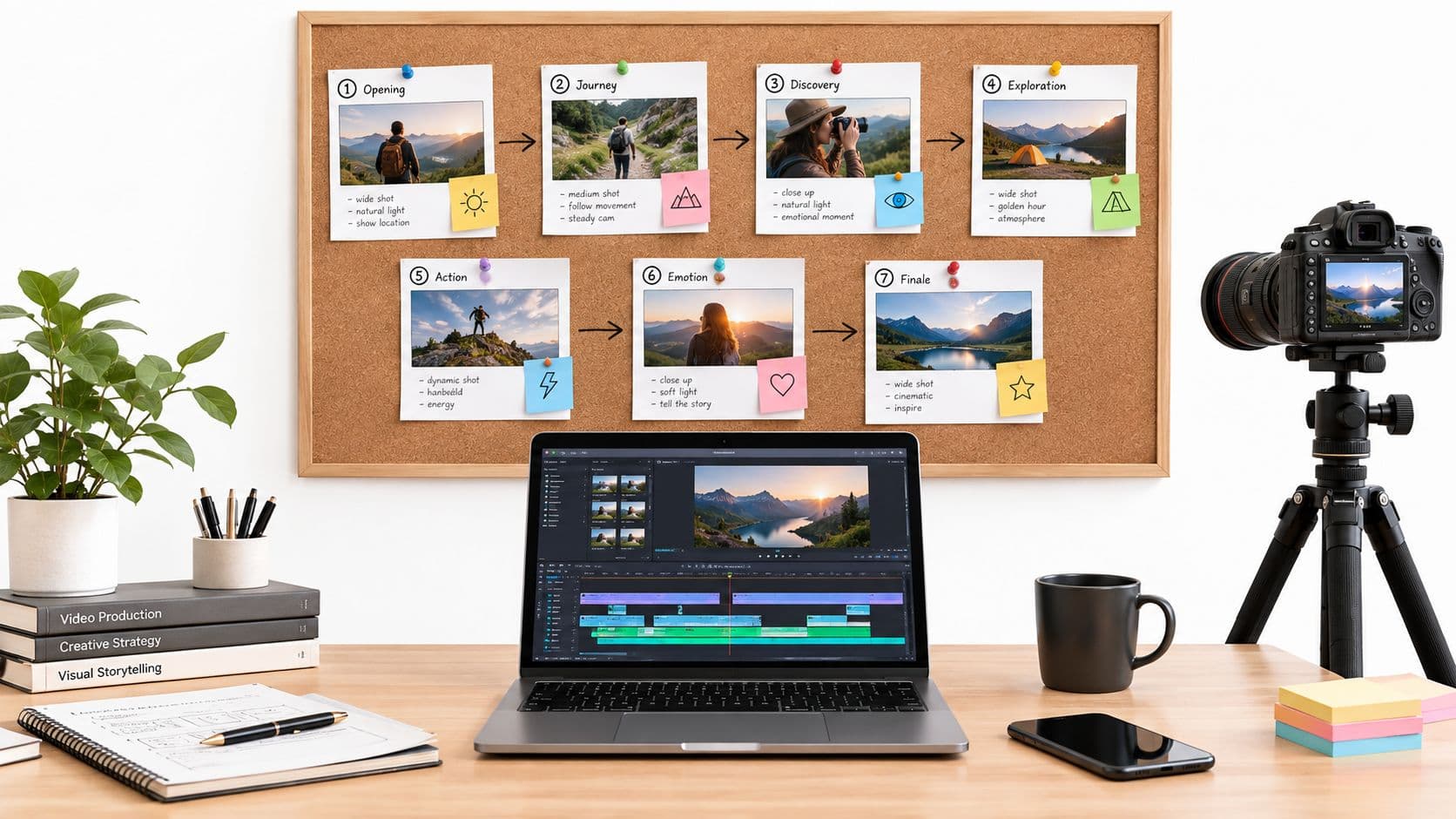
Let's be real—nobody gets excited about a dense training PDF or a two-hour webinar that could have been an email. That’s where smart video production for training comes in. It’s all about turning learning from a passive chore into an experience that actually sticks, respecting your team’s time and how our brains really work.
Why Training Videos Are No Longer Optional
The days of relying on text-heavy manuals to get employees up to speed are over. We live in a world dominated by visual content, and workplace learning has caught up. This isn't just a trend; it's a fundamental shift driven by how incredibly effective video is for teaching.
This guide is built on a simple idea: you don’t need a Hollywood budget or a film crew to create great training videos. Modern tools, especially those with AI features, have made it possible for anyone to produce professional-level learning content. The whole game has shifted from long, drawn-out lectures to short, digestible micro-lessons that people actually remember.
The Power of Visual Learning
The data on video learning is hard to ignore. Since a staggering 65% of people are visual learners, video is an essential tool for effective training. One recent survey found that 62% of businesses see huge value in their employee training videos. It's no surprise that corporate adoption is through the roof—87% of businesses now use video for training and marketing, a massive leap from just 63% back in 2017.
My goal here is to give you a practical, streamlined path to creating training videos your team will actually want to watch. We’ll walk through a modern workflow that’s all about clarity, engagement, and efficiency.
The goal of modern training isn't just to throw information at people; it's to make sure it's absorbed and applied. Video is the most powerful bridge between knowing and doing, making complex topics feel intuitive and accessible.
So, why does video work so well for corporate learning?
- It Boosts Retention: When you combine visuals, audio, and text, people remember information far better than they do from reading alone.
- It Ensures Consistency: Every single employee gets the exact same message and instruction. No more "he said, she said" from different live training sessions.
- It Offers Flexibility: Team members can learn at their own pace, re-watching tricky parts whenever they need to, on any device they want.
By mastering just a few core principles, you can completely change your approach to training. For some more ideas, take a look at our guide on the best practices for online teaching.
Planning Your Content for Maximum Impact
An amazing training video doesn’t just happen when you press the record button. In my experience, the best ones—the ones people actually watch and learn from—are built on a rock-solid plan. It all boils down to answering one fundamental question: what specific problem am I solving for my audience?
Once you can answer that, you have your North Star. Instead of creating a vague "software overview," you can target a real-world outcome, like "how to create and send a customer invoice in under 90 seconds." That kind of specificity immediately signals value and makes the information much easier for a busy person to absorb.
This is the whole idea behind micro-learning, which has become my go-to strategy for corporate training. It’s all about breaking down huge, intimidating topics into a series of short, digestible videos, each focused on a single concept. This approach respects people's time and, frankly, works a lot better for long-term retention.
Define Your Objectives First
Before you even think about writing a script, you need to know exactly what you want the viewer to be able to do after watching. What's the destination?
- Make it action-oriented. Frame your goals with strong verbs. Think "Identify three common safety hazards" or "Correctly set up a new project file."
- Solve a real pain point. Your training should be the solution to a frustrating problem. A quick video on the new expense reporting process can directly reduce incorrect submissions, saving everyone a headache.
- One video, one core idea. This is the golden rule. Resisting the urge to cram too much into one video is what makes this format so powerful.
This move from dense, static documents to dynamic, bite-sized video isn't just a trend. It’s a fundamental shift in how people prefer to learn and process information in the workplace.
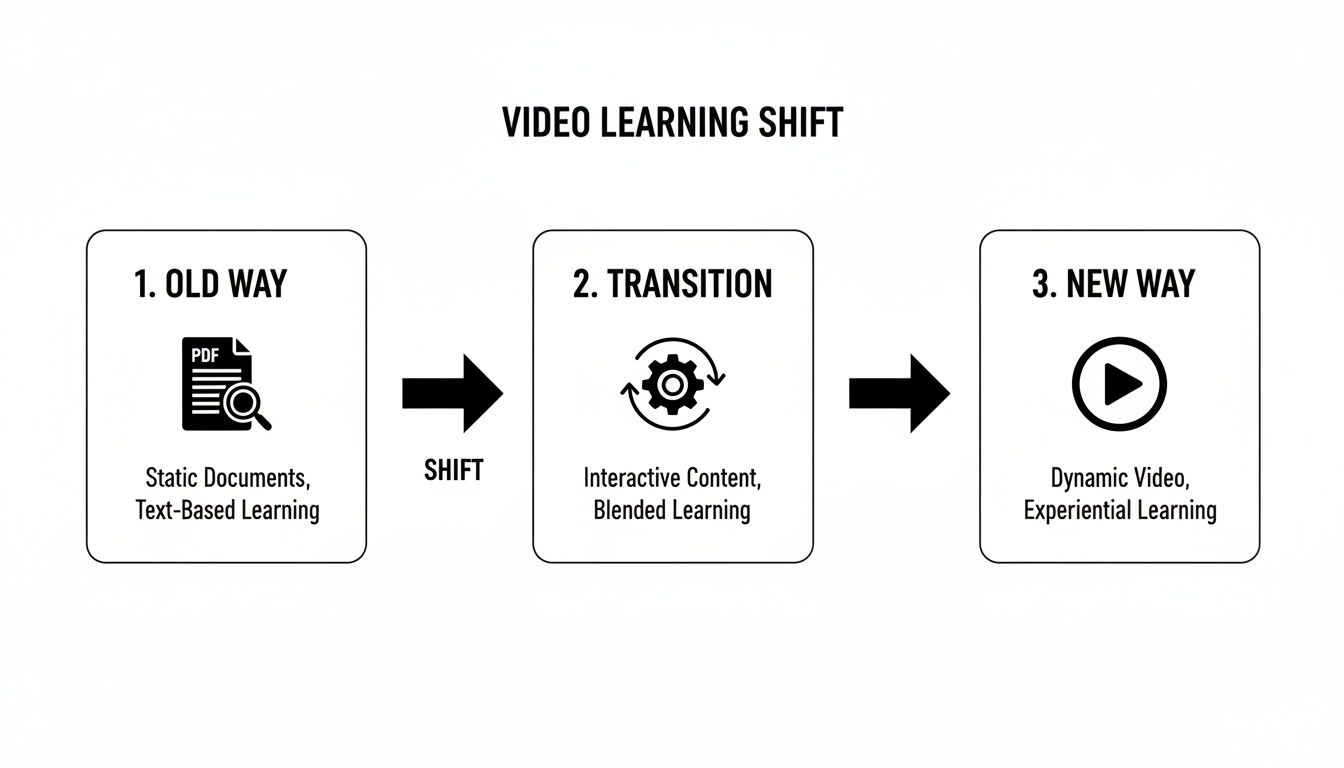
The data really backs this up. US companies are investing heavily, pouring $101.8 billion into training. Video is a massive piece of that puzzle. Blended learning models that include video accounted for 32% of all training hours delivered, with other computer-based methods making up another 33%. If you want to get into the numbers, you can read the full training industry report for a deeper look.
I've put together a simple checklist that I use to structure my own micro-lesson planning. It helps keep everything focused and ensures no crucial steps are missed.
Micro-Lesson Planning Checklist
Use this checklist to guide the planning process for a single, highly effective training micro-lesson.
| Phase | Action Item | Key Consideration |
|---|---|---|
| Analysis | Define the Target Audience | Who are they? What is their current skill level? |
| Identify the Core Problem | What specific pain point does this video solve? | |
| Set a SMART Learning Objective | What will the viewer be able to do after watching? (Specific, Measurable, etc.) | |
| Content | Outline Key Talking Points | What are the 3-5 essential pieces of information? |
| Plan the Visuals | Will this be a screen recording, animation, or something else? | |
| Write the Script | Keep sentences short, conversational, and jargon-free. | |
| Review | Perform a "Read Aloud" Test | Does the script sound natural and human? |
| Check for Single-Focus | Does the video stick to its one core objective? |
This simple framework makes the scripting process much more straightforward and results in a far more polished final product.
Scripting for Clarity and Engagement
With a clear objective locked in, writing the script is no longer an intimidating task. A good training script should feel like a helpful conversation, not a robotic lecture. Use clear, simple language and kill the corporate jargon wherever you can.
This is especially critical for "faceless" videos that use screen recordings, animation, or stock footage instead of a person on camera. In these cases, your script and the voiceover have to do all the heavy lifting to keep the viewer engaged. The upside is that this style is often faster to produce and works perfectly with modern AI tools for voiceovers and visual generation.
Pro Tip: Always, always read your script out loud before you finalize it. Does it flow naturally? Are the sentences getting too long and complicated? This one simple check will instantly reveal awkward phrasing that a human would stumble over—and an AI voice will butcher. It's the best way to ensure a smooth, professional-sounding final video.
Ultimately, taking the time to plan and script properly is what turns a passive viewing experience into active, effective learning.
Let AI Do the Heavy Lifting in Your Video Workflow
Here's the good news: you don't need a film degree or a high-end studio to produce great training videos anymore. Modern AI tools handle the most tedious parts of the process, turning video creation into a more creative, low-stress endeavor.
You can now generate clear scripts, find the perfect voiceover, and source compelling visuals without ever getting bogged down in complex editing software. This lets you put your energy where it belongs—on crafting an effective lesson, not fighting with technology.
AI-Powered Scriptwriting
Instead of staring at a blank page, you can let an AI script generator do the initial work. I've found these tools are fantastic for turning a rough bullet-point outline into a structured micro-lesson in seconds.
- Just feed the tool your key points and let it create a first draft.
- Then, you can go in and refine the language to make it more conversational and engaging for your specific audience.
- Most tools let you export the script in a simple format, making it easy to drop right into a voiceover tool.
This approach not only saves a ton of time but also helps maintain a consistent tone across all your training modules.
Choosing an AI Voiceover
The quality of AI voices has improved dramatically. They sound surprisingly natural and can rival human actors for clarity and pacing, especially for straightforward instructional content.
- Experiment with different accents to better connect with regional teams.
- Adjust the speed and pitch to find a rhythm that feels right for your lesson.
- Don't forget to add strategic pauses to emphasize key instructions or give learners a moment to process information.
A quick tip: Always listen to a sample before you finalize the audio. This helps you catch any odd pronunciations before it's too late.
I’ve seen teams cut their video production time by up to 70% just by using pre-built AI templates and workflows. It’s a game-changer for consistency.
Finding Your Visuals Automatically
Manually searching for the right images or b-roll is a huge time sink. AI image generators and smart stock-finders can pull relevant visuals that match your script's content in a fraction of the time.
- Generate custom diagrams or illustrations based on your narration.
- Use AI-powered filters to search massive royalty-free libraries with simple keywords.
- Some tools can even sync visuals to your audio timestamps automatically, which makes editing a breeze.
This automated approach ensures every frame supports your teaching goals without you having to spend hours scrolling through stock photo sites.
Auto-Generated Subtitles and Captions
Captions are non-negotiable. They make your content accessible and are essential for anyone watching in a noisy office or with the sound off.
- Use an AI transcription tool to generate subtitles directly from your voiceover. They’re surprisingly accurate at capturing natural speech patterns.
- Always do a quick editing pass to correct any minor errors or tweak the timing.
- Customize the captions with your brand’s font and colors to keep everything looking professional.
Once they're ready, you can export the captions as an SRT file or burn them directly into the video.
The explosion in video is real. Wistia reported that video uploads jumped from 724,782 in 2013 to millions each year now. While many companies create videos in-house, about 50% of marketers will outsource when they're short on time or resources.
If you're looking for a tool that can take you from script to final video, check out our guide on making AI-driven videos: https://clipcreator.ai/blog/how-to-make-videos-with-ai
Working with Pre-Built Templates
Why reinvent the wheel? Pre-built video templates give you a proven structure that works for common training formats, like tutorials or explainers.
- Pick a layout that fits the flow of your micro-lesson.
- Simply drop in your script and visuals, and the template handles the rest.
- You can easily adjust the timing to fit the requirements of different platforms, like TikTok or YouTube Shorts.
Using templates is one of the fastest ways to produce a polished video without getting lost in formatting details.
Tips for a Smooth AI Transition
Jumping headfirst into a dozen new AI tools can be overwhelming. A more gradual approach works best.
- Start small. Pilot your new workflow with a single micro-lesson to work out the kinks.
- Create a simple style guide so everyone on your team edits the AI outputs consistently.
- Keep an eye on your performance metrics to see what’s working and what’s not, then tweak your AI prompts and settings accordingly.
This helps you integrate these powerful tools without sacrificing the unique, human touch that makes your training effective.
A Quick Workflow Checklist
Here’s a simple way to think about your AI-powered production process:
| Stage | AI Tool | Output |
|---|---|---|
| Script | Generative AI | Draft script |
| Voiceover | Text-to-Speech | Audio file |
| Visuals | AI Image Finder | Image assets |
| Captions | Auto-Subtitle Engine | SRT or embedded |
For a more detailed breakdown, this guide on how to create videos with AI is a great resource.
Just remember, AI is your assistant, not your replacement. Always give the final output a human review before you hit publish.
Polishing Your Videos for How People Actually Learn Today

Getting a video from your AI tool is a fantastic starting point, but it's not the finish line. The real magic happens in post-production, where a few intentional edits can turn a good video into a powerful learning experience. This is where we stop just making content and start crafting it for how people really watch and absorb information now: in short bursts, usually on their phones.
The first thing I always do is inject the brand's personality. Adding your logo, specific brand colors, and consistent fonts might seem like a small detail, but it’s what builds recognition and professionalism. It makes your training materials feel cohesive and instantly marks them as yours.
From there, the focus shifts entirely to the short-form environment. Think about platforms like TikTok or YouTube Shorts—they've trained our brains to expect a fast pace. That means your training videos need dynamic visuals, bold text popping up to emphasize key takeaways, and a ruthless commitment to making every single second count.
Designing for Short Attention Spans
To create videos that genuinely teach and stick, you have to build them for immediate impact. Forget those long, winding introductions from old-school training modules. Get straight to the value.
If you really want to get into the weeds, understanding the cognitive science behind video learning retention is a game-changer. It gives you the "why" behind what makes certain video styles so much more effective.
For a typical 90-second video, I've found a simple framework works wonders:
- The Hook (Seconds 1-5): Kick things off with a pointed question, a startling statistic, or a clear problem statement. The only job here is to earn the next ten seconds of their attention.
- The Core Lesson (Seconds 6-75): This is the meat of the video. Break down your topic into 2-3 simple, bite-sized steps. Use on-screen text and clear visuals to back up every point you make with your voice.
- The Wrap-Up & CTA (Seconds 76-90): Quickly summarize the single most important takeaway. Then, give a clear next step—maybe it's practicing the skill or clicking to watch the next lesson in the series.
I live by the five-second rule in video production for training. If you haven't given your audience a rock-solid reason to keep watching by the five-second mark, you've probably already lost them.
This tight structure isn't just about keeping things short; it forces you to be incredibly clear and respects your learner's time. If you have a complex topic, resist the urge to make a long video. Instead, break it into a series of focused micro-lessons. You can find some great microlearning examples that really nail this approach.
The Final Polish: A Mobile-First Gut Check
Before you even think about hitting "publish," do this one thing: watch the entire video on your smartphone. This is the single most important quality check you can do.
Ask yourself these questions as you watch:
- Can I actually read the text? All those helpful text overlays need to be big, bold, and instantly legible on a small screen.
- Are the captions clean? Double-check that your subtitles are accurate and aren't awkwardly placed over other important visuals.
- Does it still look good vertically? Make sure the core visual elements are centered and aren't getting cropped out in a 9:16 vertical format.
Running through these final checks ensures that all the hard work you put into the content actually lands with your audience, no matter how or where they’re watching.
Measuring the True Success of Your Training Videos
It feels great to hit "publish," but that’s really just the beginning. The real measure of success in video production for training isn’t how many videos you pump out, but whether they actually make a difference. This is where your job shifts from content creator to analyst, and you start digging into the data to see what’s truly connecting with your audience.
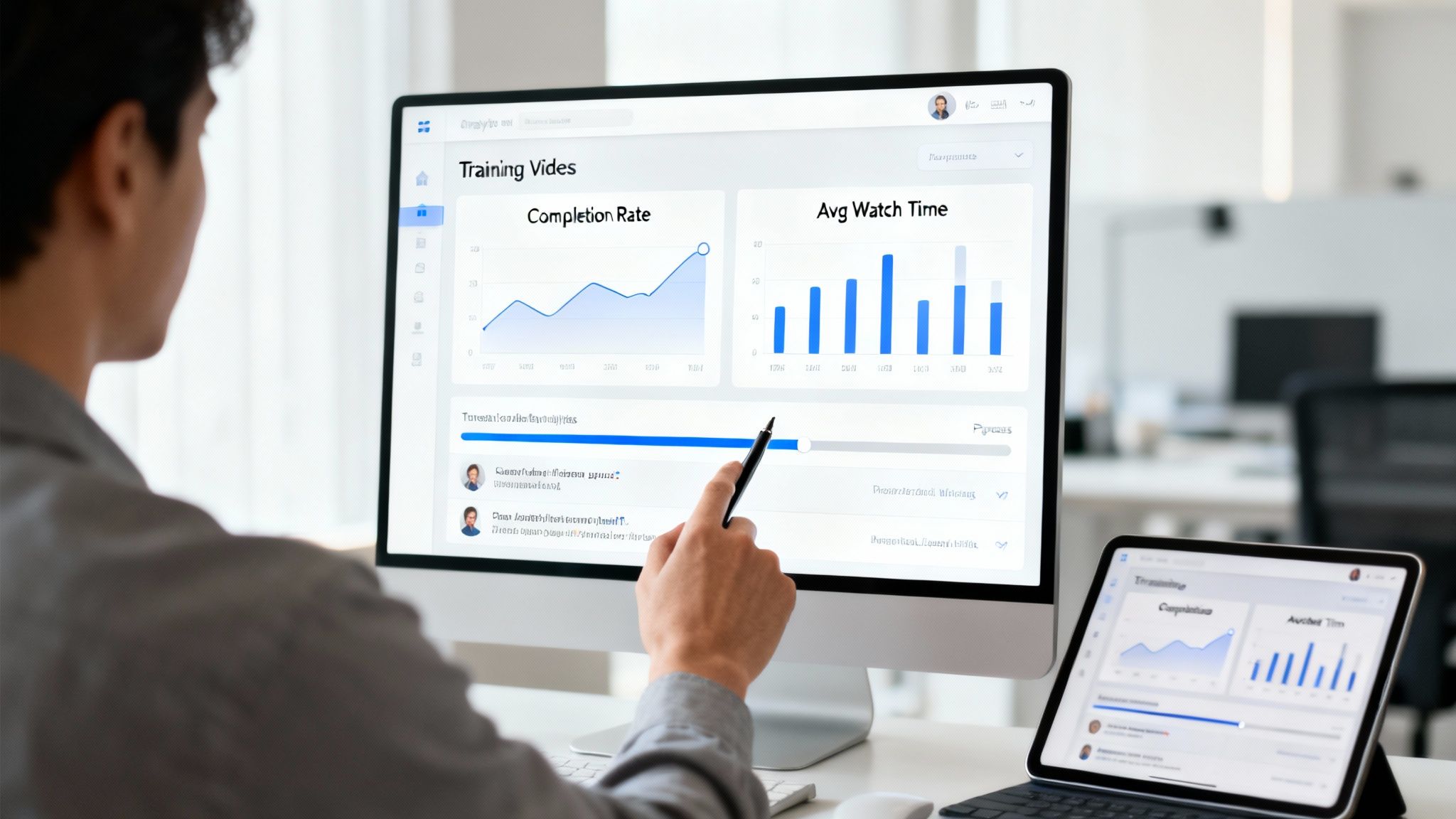
Before you even think about metrics, think about distribution. Don’t just drop a video into a shared drive and hope for the best. A smart rollout can make all the difference. I like to use scheduling tools to build out a learning series, releasing content consistently over a few weeks. This turns a one-off lesson into an ongoing development program and keeps people coming back for more.
A structured release also gives you much cleaner data. You can compare apples to apples, seeing how each video in the series performs and quickly spotting which topics or formats are home runs.
Moving Beyond Vanity Metrics
It's tempting to fixate on view counts, but that number can be incredibly misleading. A video might get thousands of views, but if everyone clicks away after 10 seconds, did anyone actually learn anything? To get to the truth, you have to look at metrics that show genuine engagement and understanding.
The most valuable feedback loop isn't just about what people watch, but how they watch it. A sharp drop-off at a specific timestamp is a clear signal that something in your content—be it a confusing explanation or a slow pace—is losing your audience.
I always push my team to focus on these three performance indicators above all else:
- Average View Duration: This is, hands down, the most critical metric. If your 90-second video has an average view time of 75 seconds, you've nailed it. If it's only 15 seconds, you know you’re losing people right out of the gate.
- Audience Retention Chart: This is your secret weapon. The graph shows you, second by second, exactly where viewers are dropping off. Are they skipping the intro? Is there one specific concept that sends them running? This chart is a roadmap for what to fix next time.
- Completion Rate: What percentage of viewers stick it out to the very end? A high completion rate is a fantastic sign that your content is valuable and engaging from start to finish.
Gathering Qualitative Feedback
Numbers tell you the what, but they don't always tell you the why. For that, you need to dive into the comments and any direct feedback you receive. This is where the gold is.
Keep an eye out for comments that show either comprehension or confusion. Are people asking smart follow-up questions, or are they all stuck on the same point? Those qualitative insights tell you whether your message actually landed. A comment like, "I used this trick today and it saved me 20 minutes!" is worth a thousand generic "great video" comments.
By combining the hard data with this human feedback, you create a powerful cycle of improvement. Every video becomes a learning opportunity—not just for your audience, but for you. You get to constantly fine-tune your process, making sure the next video you create is even better than the last.
Your Top Questions About Training Video Production Answered
When you're first dipping your toes into creating training videos, a few practical questions always seem to pop up.## Answering Your Top Questions About Training Video Production
When you first start creating training videos, a few practical questions always pop up. Getting past these initial uncertainties is the key to building a solid video strategy you can feel good about. I've heard these questions from countless teams, so let's clear them up with some straightforward answers.
The whole point here is to demystify the process. Creating great training content is more within reach than you probably think. Let's tackle these common roadblocks so you can get back to what you're really trying to do: create learning that actually sticks.
How Long Should a Training Video Be?
In today's world, shorter is almost always better. I've found the real sweet spot for a micro-lesson is between 60 and 90 seconds. That's just enough time to land a single, core idea without losing anyone's attention, and it's perfectly tuned for platforms like TikTok or YouTube Shorts.
When you're faced with a big, complex topic, fight the urge to make one long video. Seriously, don't do it. A much better approach is to break it down into a series of short, focused videos. This makes the information way easier to digest and, funny enough, it actually makes people more likely to watch the next one in the series.
A huge mistake people make is thinking a longer video is a more valuable one. The real measure of a great training video is how quickly and clearly it gets an idea across. Brevity forces you to be clear.
Do I Really Need Expensive Equipment?
Nope, absolutely not. The days of needing a fancy camera, a professional mic, and a three-point lighting setup are long gone, especially for internal training content. The game has completely changed thanks to AI-powered tools and what I call "faceless" video strategies.
You can now use modern platforms to generate professional-looking visuals, surprisingly natural voiceovers, and spot-on captions, all from a simple text script. What this really means is that your most important asset isn't your gear anymore—it's your expertise on the subject. This shift opens the door for anyone to create polished, effective training content without needing a big budget.
How Can I Tell If My Videos Are Actually Working?
You have to look past the vanity metric of view counts. Instead, focus on the numbers that show you people are truly engaged. Your analytics dashboard is a treasure trove of insights if you just know what to look for.
- Average View Duration: What percentage of your video are people actually watching? A high percentage is a great sign your content is connecting. If you see a steep drop-off in the first few seconds, you know your hook needs work.
- Audience Retention Chart: This is my favorite tool. It’s a graph that shows you, second by second, where you’re losing people. Use it to pinpoint confusing explanations or spots where the pacing drags so you can fix them next time.
- Comments and Questions: Don't brush off the qualitative feedback. Are people asking smart follow-up questions? Are they sharing stories about how they used what you taught them? That's your proof that real learning is happening.
When you combine that watch-time data with real human feedback, you get a crystal-clear picture of what’s working and what needs a rethink.
What’s the Best Way to Write a Script for an AI Voice?
When you’re writing for an AI voiceover, clarity is everything. Stick to simple, direct sentences. Avoid slang or dense industry jargon that an AI might stumble over or pronounce in a weird way.
Here’s a simple trick: always read your script out loud before you let the AI touch it. This is the quickest way to catch awkward phrasing or sentences that just run on too long. Your punctuation is also incredibly important—commas and periods are the signals that guide the AI's pacing and tone. A clean, well-punctuated script is the secret to getting a final video that sounds professional and natural.
Ready to create engaging training videos without all the hassle? ClipCreator.ai handles the entire process, from script to finished video, so you can just focus on teaching. Start creating your first video for free today!

Create your first video in under 2 minutes
Pick a niche, and ClipCreator.ai generates and auto-posts faceless videos to your channels every day.
Join ClipCreator.ai