So, you're staring at a blank screen, wondering how to create professional videos without a Hollywood-sized budget. The secret isn't more expensive gear; it's a smarter, more efficient workflow that can turn a simple idea into polished, engaging content. This guide will show you exactly how to use AI-powered tools to do just that, without ever needing to step in front of a camera.
The Modern Way to Create Professional Videos
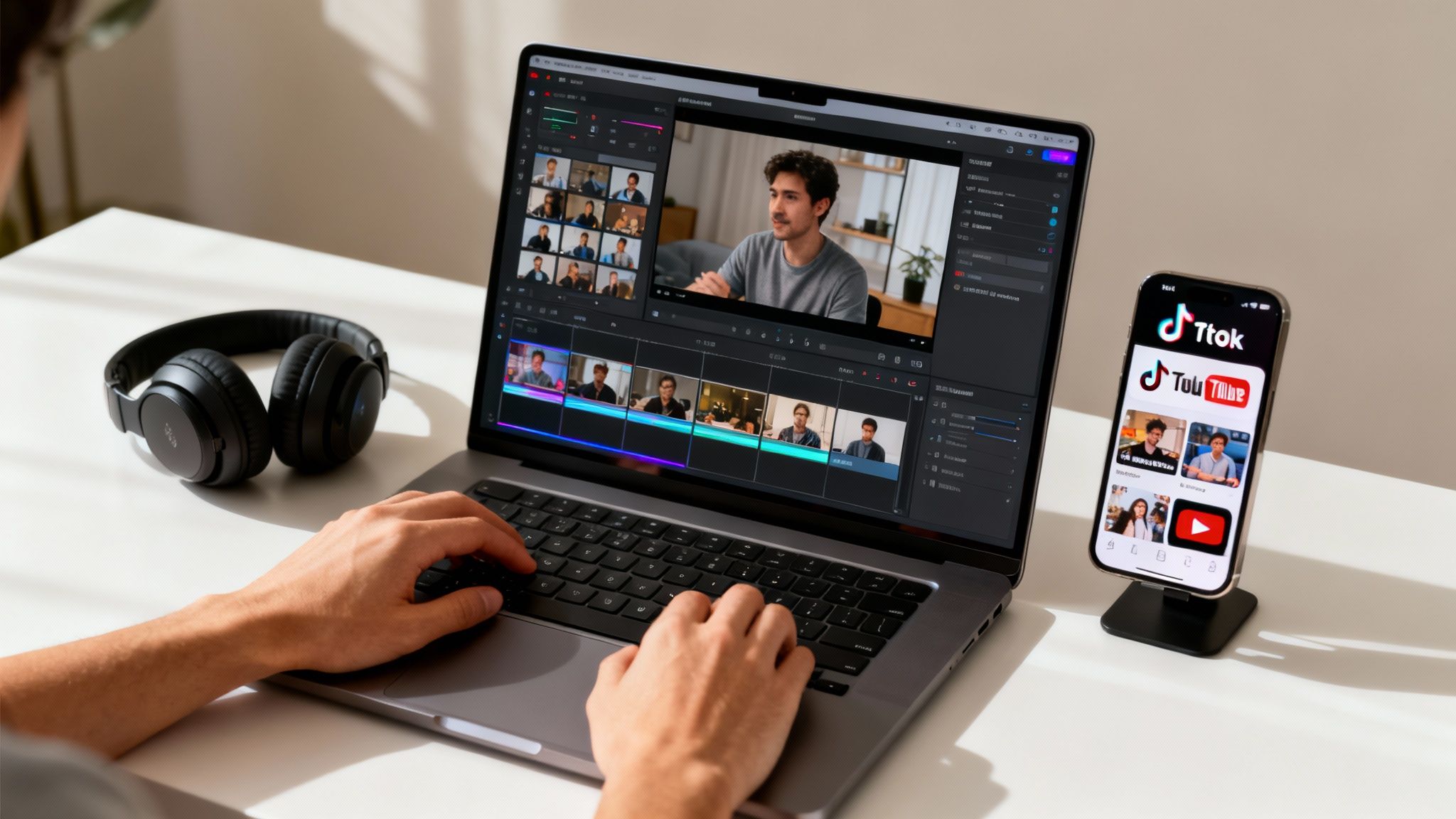
The demand for high-quality video has absolutely exploded, but let's be honest—traditional production can be a real grind. It’s often slow, expensive, and complicated. The good news is you no longer need complex editing software or a full production crew to create videos that actually grab people's attention.
The most efficient way to get it done today is by letting AI handle the heavy lifting. Platforms like ClipCreator.ai are completely changing the game by automating the most tedious parts of the video creation process.
This isn't just a niche trend. The global film and video production market was valued at a massive USD 297 billion in 2024 and is expected to hit USD 429.8 billion by 2034. A huge driver for this is the 54% jump in social media video consumption, which is pushing creators to produce better content, faster. You can dig into the full market analysis over at Business Research Insights.
How AI Actually Simplifies Video Creation
Think about the old way: manually scripting, filming, and then spending days editing. An AI-driven system throws that entire model out the window. This new method breaks down the barriers that once kept so many people from making great videos.
With a modern AI tool, you can:
- Automate Scriptwriting: Turn a simple prompt into a compelling narrative in minutes, not hours.
- Generate Visuals Instantly: The AI finds or creates visuals that perfectly match your story, so you can forget about filming or endless stock footage searches.
- Add Professional Voiceovers: Convert your script to lifelike audio with just a click, giving your video a polished, human sound.
- Sync Subtitles Perfectly: Automatically generate and time subtitles to make your content more accessible and boost viewer retention.
This isn't about replacing creativity—it's about amplifying it. When you remove all the technical headaches, you get to focus purely on your message and storytelling. The result? You can produce far more content in a fraction of the time.
If you're looking to really dial in your process, understanding the stages of production is a must. Take a look at our guide on the ideal video production workflow to see how you can structure your projects for maximum efficiency from start to finish.
Finding Your Niche for Viral Video Success
Before you even think about hitting ‘record’—or in our case, ‘generate’—the real work begins. The difference between a video that vanishes and one that goes viral is almost always the strategic groundwork laid beforehand. It all starts with finding your corner of the internet.
Your niche is everything. It dictates who you’re talking to and what you’re talking about. Are you obsessed with obscure "historical facts"? Or maybe you're looking to jump into the massive "scary stories" trend dominating TikTok. Picking a clear niche means you're not shouting into the void; you're speaking directly to a community that's already eager to listen and share.
Once you know who you're talking to, you need to figure out what gets them excited. This part takes a little digging, but the payoff is huge. A great starting point is learning how to find trending topics that are bubbling up online right now. This is how you create content that people are actively looking for.
Choosing Your Path: Viral Template vs. Custom Prompt
With your niche and a hot topic ready, ClipCreator.ai gives you two main ways to bring your idea to life. Knowing when to use each is the secret to an efficient workflow that actually gets results.
Sometimes you need to move fast and capitalize on a trend, and other times you need to build a unique brand voice from the ground up. This is where you decide between using a pre-built template or crafting your own custom prompt.
Choosing Your Path: Viral Template vs. Custom Prompt
| Feature | Viral Templates | Custom Prompts |
|---|---|---|
| Speed | Blazing fast. Pick a proven formula and go. | Takes more upfront thought to craft your angle. |
| Effort | Super low. The structure is already built for you. | Higher effort. You're the director, guiding the AI. |
| Branding | Designed for broad appeal, perfect for testing ideas. | Fully customized to fit your specific brand voice. |
| Best For | Pumping out content in popular, proven categories. | Building a one-of-a-kind channel with a distinct feel. |
So, what does this look like in practice? A new creator wanting to dive into scary stories could use a template to generate a dozen high-quality videos in an afternoon. On the other hand, an expert creating short lessons on quantum physics would use a custom prompt to make sure every detail is precise and the tone feels authoritative.
My advice? Don't pick just one. The smartest creators use templates to keep a consistent flow of content going, then they mix in custom-prompted videos to inject their unique personality and build a brand that stands out.
To really get your videos seen, it pays to understand the different strategies for creating engaging social media videos that work for your specific niche.
In the end, it really boils down to your goal. Are you chasing broad appeal with formats that are already working, or are you carefully building a niche brand from scratch? A marketing agency might lean on custom prompts to nail a client's specific voice, while a solo creator might rely on templates to keep up with a demanding daily posting schedule. Know your "why," and every video you create becomes a deliberate step toward your goal.
Turning Your Vision Into a Polished Video—Automatically
Once you’ve locked in your niche and core message, it's time for the fun part: bringing that idea to life. This used to be the most time-consuming and technically demanding stage of video production. But with the right AI tools, what once took days of juggling different software for scripting, recording, and editing can now happen in minutes.
It all starts with a single input from you—either a pre-designed template or a simple text prompt. From that tiny seed, the AI gets to work. It doesn't just spit out a generic script; it writes a narrative specifically structured to grab and hold attention, which is crucial for short-form content. At the same time, it’s pulling or creating visuals that perfectly match the story, scene by scene.
Then comes the audio. A professional, human-like voiceover is generated and timed perfectly with the script. To cap it all off, synchronized subtitles are added automatically. The whole process is hands-off, delivering a complete, ready-to-publish video without you needing to touch a single editing timeline.
From a Simple Prompt to a Finished Product
The entire workflow is built for speed and simplicity. You give the system your prompt, and it autonomously handles all the essential production steps.
- Smart AI Scripting: The AI doesn't just read your prompt; it interprets the core message, tone, and key takeaways to write a script that’s built for engagement.
- Context-Aware Visuals: It scans the script for themes and keywords to generate or source images and video clips that make the story pop.
- Flawless Syncing: A natural-sounding voiceover is created and meticulously synced with both the visuals and the on-screen captions, ensuring a smooth, professional viewing experience.
This process follows a clear strategic path, starting broad with your niche and template, then narrowing down to the specific prompt that creates the final video.
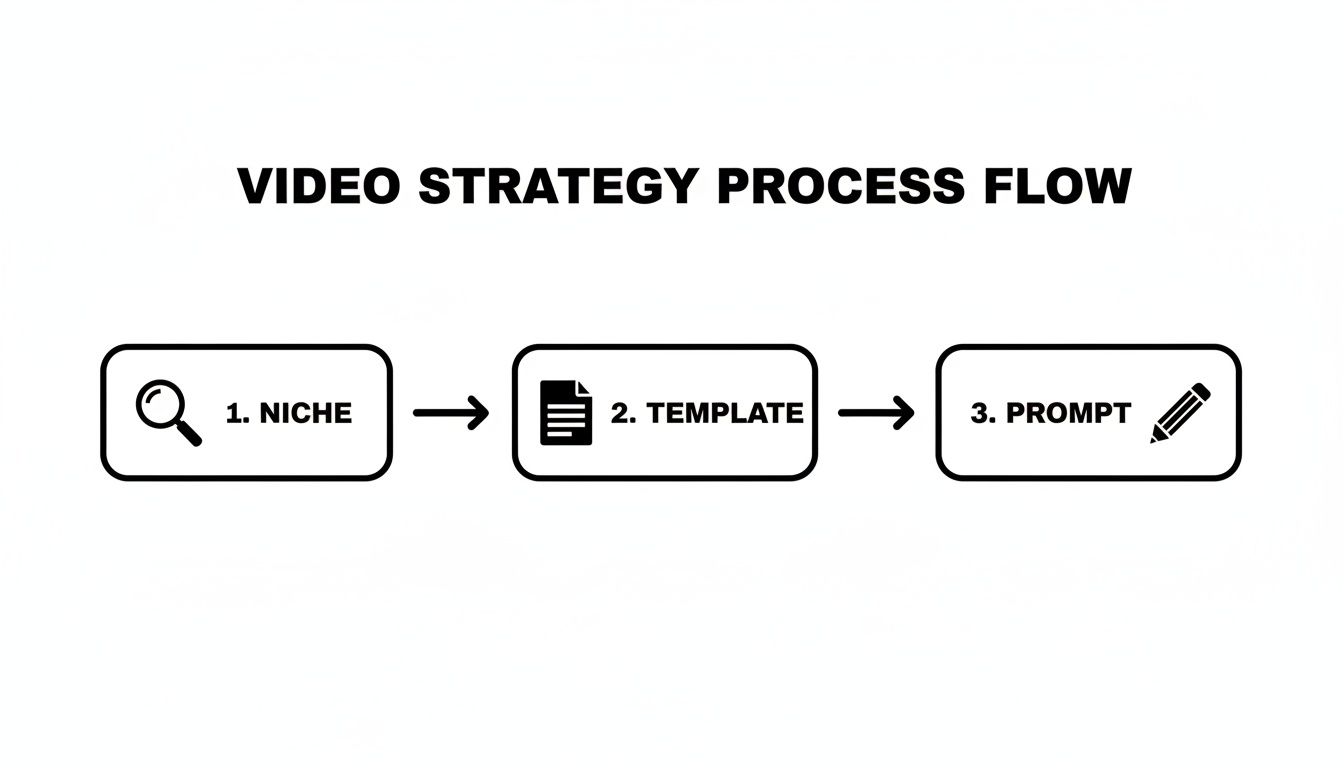
As you can see, each step logically builds on the last. This ensures that every video you produce isn't just a one-off piece of content, but a strategic asset that’s solid from the ground up.
This kind of automation isn't just a novelty; it's rapidly becoming the industry standard. With 3.65 billion people watching video content globally, the pressure is on. It’s why 50% of companies have already brought video production in-house. That demand exploded after the pandemic when 74% of businesses increased their video output. The payoff is huge—in India alone, YouTube paid creators a staggering US$2.8 billion, proving just how valuable a steady stream of quality content can be.
You're Still the Director
Automating the heavy lifting doesn't mean you give up creative control. Far from it. While the AI delivers a video that's ready to go live, you always have the final say.
Maybe a sentence in the script doesn't quite match your brand's voice, or you have a better idea for a specific visual. No problem. You can easily jump in and make those small, final tweaks.
The real goal here isn't to replace your creativity but to get all the tedious, technical work out of your way. This lets you focus your energy on what truly matters: refining the story and making sure the final video is exactly what you envisioned.
Think of the AI as your personal production crew. It handles the complicated tasks, but you’re the one calling the shots. This balance is fundamental to making https://clipcreator.ai/blog/content-creation-automation a true asset for your brand.
To further boost your productivity, you can also look into other YouTube content generation tools that help with things like crafting catchy titles, writing descriptions, or even drafting community posts. By combining these tools, you can build a powerful system for creating high-quality videos at scale, without ever sacrificing quality.
Get Your Videos Seen: Publishing and Scheduling for Maximum Impact
You can craft the most amazing video in the world, but if nobody sees it, does it even matter? This final step—getting your content in front of the right eyeballs at the right time—is where the real work begins. It’s also the part most people overlook. The secret isn't about working harder; it’s about publishing smarter.
A consistent posting schedule does more than just keep you organized. It sends a powerful signal to both your audience and the platform algorithms that you're a serious, reliable creator. But let's be honest, manually uploading every video is a soul-crushing time sink. This is exactly why integrated scheduling and auto-posting features are your secret weapon for learning how to create professional videos without burning out.
Connect Your Accounts for a Direct Pipeline
First things first, you need to link your social media accounts—like TikTok and YouTube—directly inside the ClipCreator.ai platform. This is a simple, one-time setup that builds a direct pipeline from your finished projects straight to your audience. No more downloading, no more re-uploading, no more hassle.
Once you’re connected, you can build a content calendar that works for you 24/7. Seriously. You can queue up videos with specific dates and times, ensuring your channel stays active and your content feels fresh, even when you’re taking a well-deserved break.
Dialing in Your Posting Frequency for Growth
"How often should I post?" I get this question all the time. The real answer is: it depends. It depends on your goals, your niche, and how much content your audience can handle. The great thing about an automated system is that it makes any posting frequency totally manageable.
Here are a few common strategies I’ve seen work wonders:
- Steady Growth (3 times a week): This is a solid starting point. It builds a consistent presence and keeps you on the algorithm's good side without overwhelming your followers.
- Accelerated Growth (Once a day): If you're serious about scaling quickly, posting daily is the way to go. This dramatically increases your chances of a video taking off and rapidly builds a backlog of content for new fans to binge.
- Aggressive Growth (Twice a day): In super-competitive spaces, posting twice a day can be a game-changer. You capture attention at different times and simply dominate the feed.
The opportunity here is massive. Global Entertainment & Media revenues are projected to hit US$2.9 trillion, and Ad-Supported Video on Demand (AVOD) is growing to a 27.1% revenue share. The value of short-form video is exploding. For creators, an automated publishing schedule across multiple platforms isn't a luxury; it's essential for grabbing a piece of a market where billions of video hours are consumed daily. You can dive deeper into these trends in this future of media report on pwc.com.
Pinpoint Your Peak Posting Times
Consistency is key, but timing is your launchpad. Posting your video at just the right moment gives it an initial burst of velocity that can make all the difference. While there's plenty of generic advice out there, your best data comes from one place: your own channel.
Pop open your TikTok and YouTube analytics. Find the charts that show when your followers are most active online. This is your gold mine. Schedule your videos to go live just before these peak times to hit the feed when your audience is ready and waiting.
For instance, if your analytics show a huge spike in activity around 7 PM, try scheduling your post for 6:45 PM. That gives it a little time to pick up steam. ClipCreator.ai lets you set these exact times, turning your data-driven insights into an automated strategy. It's a true "set it and forget it" system that frees you from the daily grind of manual uploads so you can focus on what's next.
Scaling Your Content Engine to Grow Your Brand

Once you've got a steady rhythm going with your videos, the real fun begins. This is where you shift from just making one-off clips to building a full-blown content engine that can truly grow your brand. It’s the difference between having a hobby and building a scalable, sustainable asset for your business.
The first move is figuring out what’s actually landing with your audience. Don't just guess—let the data be your guide. Dig into your YouTube and TikTok analytics. You’re looking for patterns. Which videos are getting the views? What’s keeping people watching? What topics, formats, or hooks are consistently outperforming the rest? That data is your treasure map.
When a certain video style or topic really takes off, don't just treat it as a one-hit-wonder. Double down on it. If your video on "surprising historical facts" suddenly goes viral, your audience is practically screaming at you to make more. This creates a powerful feedback loop where performance directly fuels your next set of prompts. You stop throwing content at a wall to see what sticks and start making strategic, data-backed decisions.
Managing Multiple Channels or Clients
If you're an agency or a creator juggling several accounts, trying to manage everything by hand is a recipe for burnout. This is where automation becomes your best friend and most reliable team member. Forget hopping between a dozen different logins; you can run the whole show from a single dashboard.
- Centralized Scheduling: Load up the content queue for all your client accounts or personal channels weeks ahead of time.
- Brand-Specific Prompts: You can save and reuse custom prompts that are dialed in for each brand's specific voice. This ensures consistency without you having to reinvent the wheel every single time.
- Efficient Reporting: Get a quick, clear view of how different accounts are performing. You'll instantly see what's hitting the mark and where you might need to make a few tweaks.
This kind of system turns your operation from a chaotic mess of individual tasks into a smooth, efficient production line. It's how you deliver consistent, high-quality results for clients or build out a portfolio of successful niche channels without losing your mind.
A common myth is that scaling up your video output automatically means quality goes down. It’s actually the opposite. When you automate the tedious, repetitive parts of the process, you free up your brainpower to focus on what really matters: high-level strategy, creative brainstorming, and digging into the analytics to see what makes your audience tick.
Understanding Content Ownership and Monetization
One of the biggest questions that always comes up is, "Who actually owns the content I make?" With ClipCreator.ai, the answer couldn't be simpler: you do. You retain 100% ownership of every single video you create. That gives you total freedom and control over your work.
This is a huge deal for a few key reasons. It means you can:
- Monetize on Any Platform: Feel free to run ads, land sponsorships, and join creator funds on platforms like YouTube with zero restrictions holding you back.
- Repurpose Content Freely: That viral short you made? You can expand it into a detailed blog post, turn it into a podcast episode, or slice it up into social media graphics. Your video becomes a versatile asset you can use everywhere.
- Build Long-Term Brand Equity: The entire library of content you create is yours forever. It becomes an asset that grows in value as your brand's authority and audience expand over time.
At the end of the day, mastering how to create professional videos at scale is about more than just churning out content. It’s about building an intelligent system that learns and improves. By analyzing performance, automating the grunt work, and leveraging full ownership of your content, you're building a powerful engine for brand growth that works for you 24/7.
Common Questions About AI Video Creation
As people start digging into AI-powered video workflows, the same few questions tend to pop up. Getting clear on the answers is key to jumping in and learning how to create professional videos you can be proud of.
It might feel like a big change, but the fundamentals of what makes a great story haven't changed at all. You’re just using a different, much faster set of tools to bring your vision to life.
Can I Really Make a Professional-Looking Video with Zero Design Skills?
Yes, you absolutely can. Frankly, that’s one of the best things about using AI to create video content. Tools like ClipCreator.ai are built from the ground up to do all the heavy lifting on the design and technical side for you.
You bring the creative idea—the concept or the prompt—and the AI essentially becomes your personal production crew. It digs through libraries to find visuals that fit your story, applies a clean and consistent design, generates a surprisingly human-sounding voiceover, and syncs up the subtitles perfectly. You get to skip the years it takes to master things like color grading, typography, and shot composition. Your job is to focus on the message, and the AI handles the professional polish.
What's the Ideal Video Length for Social Media?
On platforms like TikTok and YouTube Shorts, you're fighting for every second of attention. While you can create AI videos that are up to 90 seconds long, the real magic—the stuff that goes viral—usually happens between 15 and 60 seconds.
That’s just enough time to grab someone with a strong hook, tell a quick story, and deliver a satisfying conclusion before they get bored and swipe away. AI script generators are actually pretty good at writing for this short, punchy format, making sure every word pulls its weight. The most important thing? A killer hook in the first three seconds to stop the scroll.
Remember, you’re not just trying to make a video. You're trying to make a video that people finish. A short, tight video with a high watch time will almost always beat a longer one that people bail on halfway through.
What Kind of Content Is a Good Fit for Faceless AI Videos?
Story-driven content is king here, hands down. When you don't have a person on screen to hold the audience's attention, the story has to do all the work. This is fantastic for anyone who wants to build a channel around a specific topic or theme without ever showing their face.
A few genres that consistently do well are:
- Compelling Stories: Think scary stories, weird historical facts, or even simple bedtime tales. They all pull people in.
- Educational Content: Quick, bite-sized lessons, simple tutorials, and "did you know?" trivia clips are perfect for this format.
- Motivational Shorts: Inspiring quotes, short anecdotes, and mindset hacks resonate with a huge audience.
At the end of the day, if you can tell a good story or share a useful piece of information, you can make this format work for you.
How Can I Make the AI Content Sound Like Me and My Brand?
It all comes down to the prompt. Your prompt is your instruction manual for the AI. The more detailed and specific you are, the better the AI can mimic the tone, style, and vocabulary you're going for.
For instance, you could tell it to write in a style that is "witty and informal with a bit of sarcasm," "authoritative and academic," or "calm and meditative." Giving the AI that kind of clear direction is what helps it create a script that sounds like it genuinely came from you. Don't be shy about playing around with different prompts until you land on a voice that feels right.
Ready to stop spending hours on video editing? Start creating professional, engaging videos in minutes with ClipCreator.ai. Try it today!

Create your first video in under 2 minutes
Pick a niche, and ClipCreator.ai generates and auto-posts faceless videos to your channels every day.
Join ClipCreator.ai