Ever wondered how long your Instagram Story can actually be? It's a common question, and the answer has a few layers.
Let’s start with the basics. A single video clip in your Instagram Story can now run for a full 60 seconds. For a static photo, Instagram will display it for 7 seconds. This is your foundational building block.
Your Quick Guide to Instagram Story Length
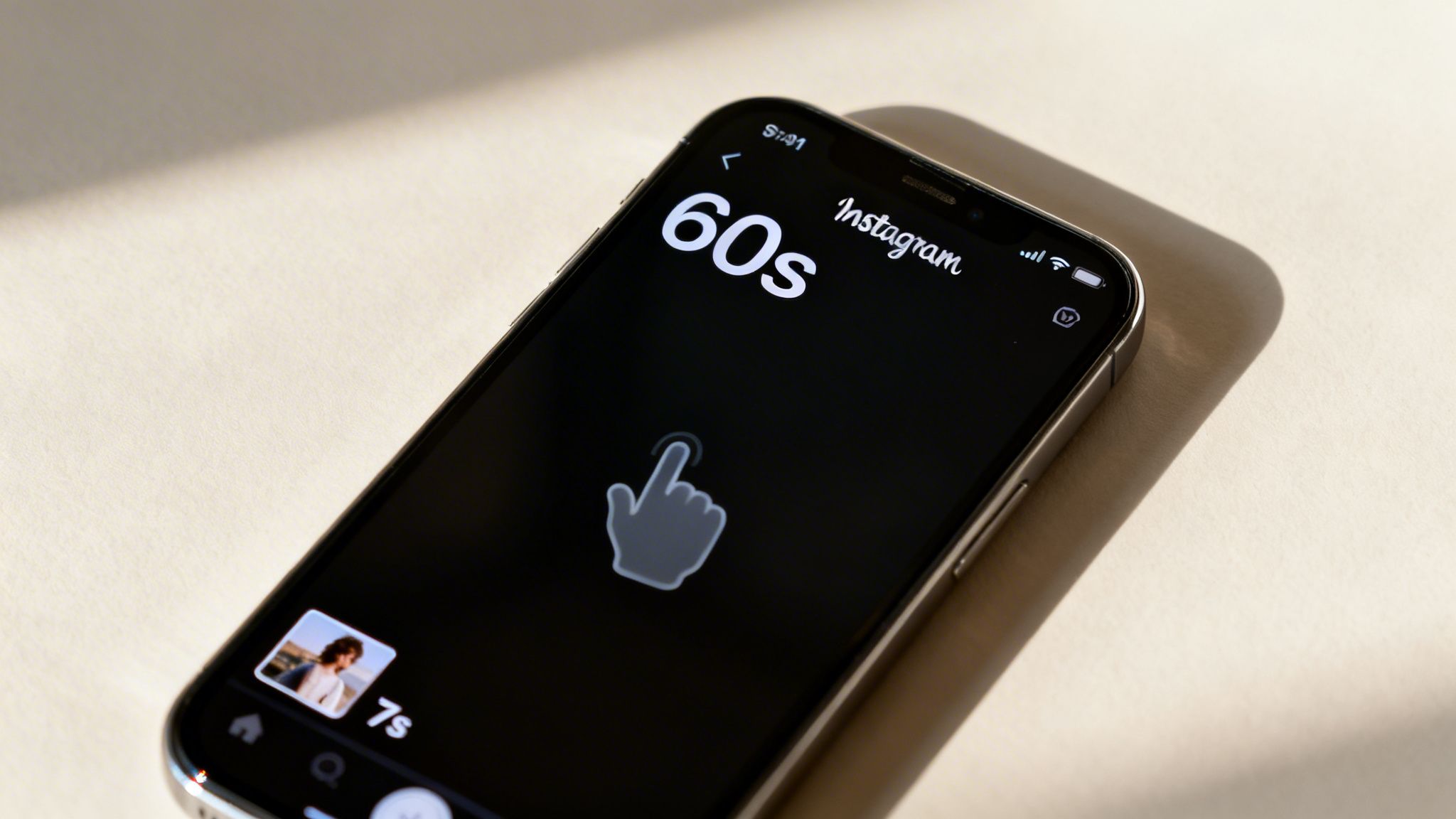
But here’s where it gets interesting. The real magic of Stories isn't just in one clip; it's in how you can chain them together. You can upload up to 100 individual Story segments at a time. This lets you craft a longer, unfolding narrative that your audience can tap through at their own pace.
Think of it this way: just because you can post 100 segments doesn't mean you always should. The technical limit is one thing, but keeping your audience hooked is another game entirely. It's about finding that sweet spot between what's possible and what's effective.
The Core Time Limits to Remember
Back in 2022, Instagram gave creators a huge gift by quadrupling the video segment limit from a tight 15 seconds to the much more flexible 60 seconds we have today. This was a massive shift, allowing for deeper storytelling without constant, jarring cuts. That rule is still in place in 2026, and you can find more background on these kinds of updates over at SocialRails.com.
Knowing these numbers is the first step to mastering the format.
Key Takeaway:
- Video Story: Up to 60 seconds per segment.
- Photo Story: Displays for 7 seconds per segment.
- Total Sequence: You can string together up to 100 segments within a 24-hour period.
With these limits in mind, you can start planning content that not only fits the platform's rules but also captures and holds your viewers' attention from the first tap to the last.
How Instagram Handles Longer Videos
So, what happens when you try to upload a video that's longer than the 60-second limit for a single Instagram Story? Good news: Instagram doesn't just reject it. Instead, the app has a handy built-in feature that automatically chops it up for you.
Imagine your video is a loaf of bread. When you upload it, Instagram neatly slices it into perfectly portioned, 60-second pieces. These individual clips are then arranged back-to-back in your Story, creating a seamless sequence.
To your followers, the experience is smooth. They just tap through from one segment to the next, watching your story unfold without any awkward breaks. This auto-splitting is the magic that lets you build a much longer narrative than a single clip would allow.
Crafting a Seamless Narrative
While Instagram handles the technical side of splitting the video, it's on you as the creator to make sure the story still flows. The app makes its cuts at precise 60-second intervals, which means you need to think about your content in one-minute chunks.
An awkward cut right in the middle of a sentence is a surefire way to lose a viewer's attention. The trick is to plan your video with these natural breakpoints in mind, so each segment feels like its own little chapter.
A great Story isn’t just about length; it’s about flow. Each 60-second segment should offer a complete thought or a satisfying piece of the larger puzzle, encouraging viewers to tap for more.
Best Practices for Segmented Stories
To keep your audience hooked across multiple clips, you need to turn those automatic cuts into an intentional part of your storytelling. Here’s how to make your segmented story feel polished and professional:
- Build Anticipation: Try to end each 60-second clip with a bit of a cliffhanger or a question. This gives people a reason to tap to the next frame to see what happens.
- Use Visual Cues: A simple sticker that says "Tap for more" or even just "Part 2" toward the end of a clip lets your audience know there's more to come.
- Pace Your Content: When you're filming or scripting, keep that one-minute timer in your head. Try to wrap up key points just before the 60-second mark so the cut feels natural, not jarring.
Once you get the hang of how Instagram splits longer videos, you can start telling more complex and engaging stories that keep your audience tapping all the way to the end.
Why Shorter Stories Almost Always Win
Just because Instagram gives you 60 seconds for a Story doesn't mean you should use all of it. In the fast-paced world of Stories, your audience's attention is a precious, fleeting resource. Success isn't about filling the time; it's about making every second count.
We all live in a "tap-through" culture. If a Story doesn't grab us instantly, we're gone. It's nothing personal, just the nature of the feed.
The hard truth is that completion rates—the number of people who actually watch a Story all the way through—plummet after just a few seconds. This is why the real sweet spot for engagement isn't 60 seconds, but somewhere between 7 and 15 seconds. Short, sweet, and to the point.
The Make-or-Break First 3 Seconds
You have about 3 seconds to make an impression. That's it. If you haven't hooked your viewer in that tiny window, they're already swiping to the next thing. This reality changes how we have to think about creating content. You absolutely have to front-load your best stuff.
A killer opening hook isn’t just a nice-to-have anymore; it's a survival tactic. Your job is to stop the thumb from swiping.
So, instead of a slow, cinematic intro, jump right in. Start with a bold claim, a direct question, or the most visually interesting part of your video. You're showing respect for your viewer's time and giving them a compelling reason to stick around.
This flowchart shows how Instagram helps out by automatically slicing longer videos into a series of Story clips, creating a seamless narrative for your viewers.
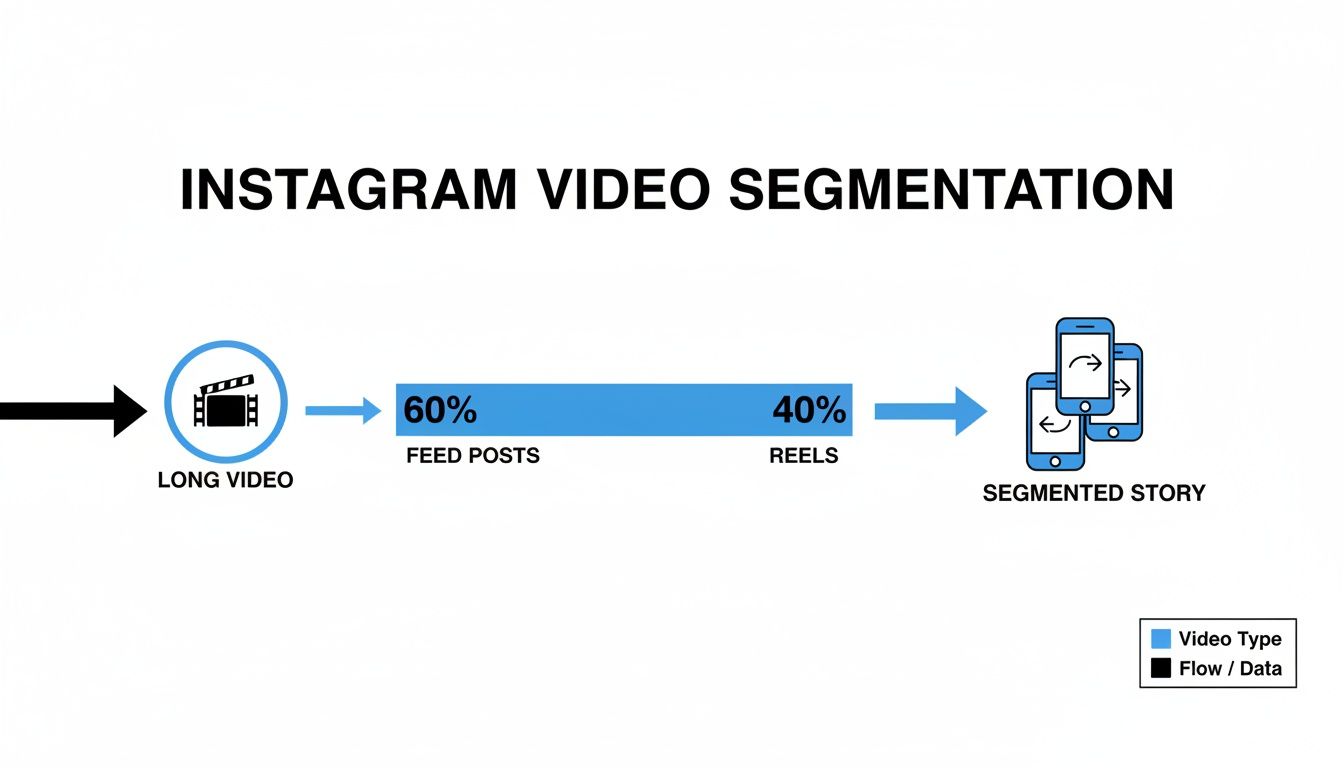
Even though the platform does the heavy lifting to connect the pieces, each individual segment has to earn the viewer's attention. That’s why keeping each clip tight and punchy is the key to keeping people watching. If you're looking for more ways to boost your engagement rate on Instagram, digging into proven strategies is a great next step.
At the end of the day, understanding how people actually watch Stories lets you create content that connects. If you’re trying to grow your audience, learning how to get more views on your Instagram Story can give you a serious edge and help you master the art of the quick-hit narrative.
Choosing the Right Format: Stories, Reels, or Posts?

Knowing the time limits for an Instagram Story is just one piece of the puzzle. The real magic happens when you pick the right format for what you're trying to say. Instagram gives you three main stages for your videos—Stories, Reels, and in-feed Posts—and each one has a totally different job. Using the wrong one is like trying to hammer in a screw; you might get it in there, but it won't be pretty.
The easiest way to think about it is to imagine you’re running a TV network. Stories are your live, behind-the-scenes broadcast. They're meant to be casual, in-the-moment, and a little raw, which makes them perfect for connecting with the followers you already have. Use them for quick updates, polls, Q&As, and showing off your brand’s personality without all the polish. Since they vanish in 24 hours, there's no pressure to be perfect.
When to Choose Reels or Posts
Reels, on the other hand, are your primetime hit show. They’re built from the ground up for entertainment and discovery, making them your number one tool for reaching people who have never heard of you. The algorithm loves a good Reel and will push it out to fresh audiences, so this is the place for viral trends, quick-fire tutorials, and high-energy clips. To really nail this, check out our guide on the perfect Instagram Reel length for maximum impact.
Finally, think of your in-feed video Posts as your permanent content library. These are the polished, high-value videos that live on your profile grid forever. They should be your cornerstones: detailed product demos, major company announcements, or powerful customer testimonials. These posts build up likes and comments over the long haul and act as a go-to resource for anyone checking out your profile for the first time.
Key Takeaway: Match the format to the goal. Stories build connection, Reels drive reach, and Posts create a lasting archive.
Once you get the hang of what each format does best, you can make sure your message always hits the right audience in the right way. It's really about understanding the unique strengths of Reel vs Stories and using them intentionally. This clarity is what turns casual viewers into a dedicated community.
Creating Engaging Stories Without Showing Your Face

Keeping up with the demand for fresh, engaging Instagram Stories can feel like a full-time job. This is especially true if you're a busy creator or trying to run a brand. But what if you could churn out compelling content daily without ever having to step in front of a camera?
That's exactly where AI-powered tools like ClipCreator.ai are changing the game. They specialize in creating polished "faceless" videos that are perfectly formatted for Stories. Instead of wrestling with scripts, filming, and editing, you can hand the entire process over to AI, freeing you up to focus on the bigger picture.
Automating Your Story Content
Let's say you want to share a gripping scary story with your followers. Normally, that would take a lot of work. With an AI tool, you just provide the initial idea or prompt, and the system does the heavy lifting.
It writes a unique script, sources or generates compelling visuals to match, adds a natural-sounding voiceover, and finishes it off with perfectly timed subtitles.
You could generate a complete 60-second spooky narrative, perfectly sized for a single Story segment and ready to upload. It's a fantastic way to produce high-impact content without any on-camera work. If you're looking for more inspiration, we've put together a guide on how to make videos without showing your face that still hook viewers.
The real advantage here is efficiency. You can generate a week's worth of high-quality, engaging Story content in the time it would normally take to produce a single, manually edited video.
This approach isn't just about saving time; it's about consistency. And because the tool automatically adds subtitles, you're set up for success from the start. A huge number of people watch Stories with the sound off, so subtitled videos almost always perform better. It’s a simple feature that makes a massive difference in keeping your audience tapped in.
Common Questions About Instagram Story Length
When you start digging into the details of Instagram Stories, a few practical questions always pop up. Getting these basics down means you can plan your content with confidence and dodge those annoying upload failures.
Can I Post a 2-Minute Video to My Instagram Story?
You sure can. If you upload a video that's 2 minutes long, Instagram will automatically do the work for you, slicing it into two continuous 60-second segments.
From your followers' perspective, it will look like one seamless story they can just tap through. The key is to be mindful of that 60-second cut-off point when filming, so the transition between clips doesn't feel awkward or jarring.
What Is the Shortest Possible Story Length?
There isn't really a hard "minimum" you need to worry about. A video clip just needs to be at least one second long to upload. For still images, they display for a default of 7 seconds, and you can't shorten that time within the Instagram app itself. Honestly, the focus is almost always on the maximum limit, not the minimum.
Key Insight: The real magic of a Story isn't about hitting a certain length; it's about making an impact. A well-timed, 5-second clip that grabs attention can be way more effective than a full 60-second segment that rambles.
Do Instagram Story Highlights Have a Time Limit?
Nope! Once you add a Story to a Highlight on your profile, it’s there for good—it won't expire after 24 hours. Think of Highlights as a permanent archive for your best stuff.
You can pack up to 100 stories into a single Highlight. If you hit that limit, you'll just need to remove an older clip to make room for a new one.
Are There Different Length Limits for Business Accounts?
This one's simple: no. The time limits for Instagram Stories are universal across all account types, whether you have a Personal, Creator, or Business profile. Everyone gets the same canvas to work with: up to 60 seconds for each video clip and 7 seconds for photos. This keeps the viewing experience consistent for everyone on the platform.
Ready to create compelling, faceless Stories in minutes? ClipCreator.ai automates your entire workflow, from script to final video, so you can post consistently engaging content without the hassle. Start creating today at https://clipcreator.ai.

Create your first video in under 2 minutes
Pick a niche, and ClipCreator.ai generates and auto-posts faceless videos to your channels every day.
Join ClipCreator.ai