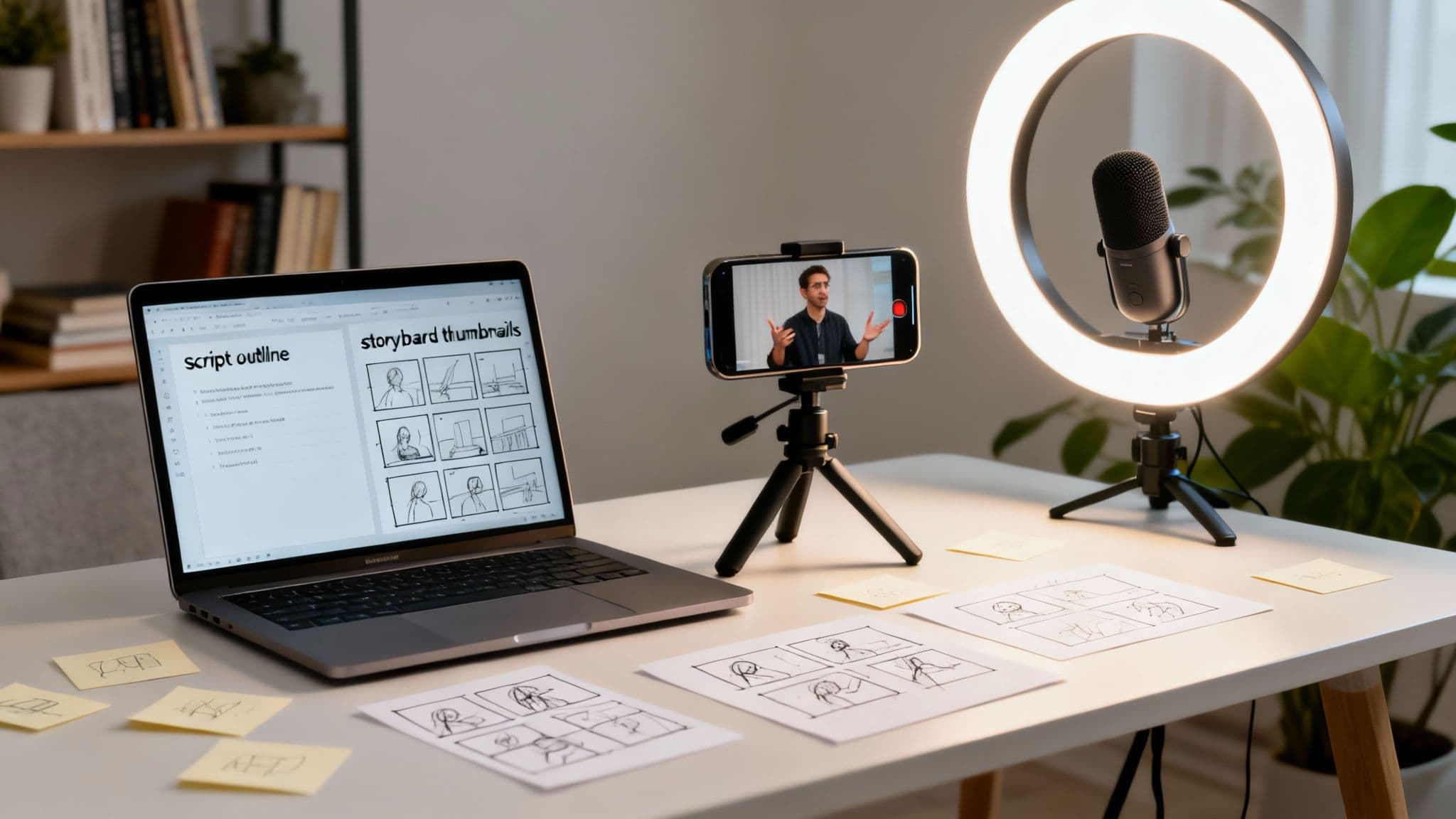
Let's be honest: those hour-long training webinars and dusty manuals aren't cutting it anymore. If you want your training to actually land, creating compelling video content is no longer just a nice-to-have. It’s the new standard for teaching anyone, from your internal team to your newest customers.
Why Short-Form Video Is a Must for Modern Training
The way we all learn and process information has fundamentally changed. We've been rewired by platforms like TikTok and YouTube Shorts to expect information in quick, high-impact doses. A long, drawn-out training session simply can't compete when your audience is used to getting the point in 60 seconds or less.
This isn't a problem—it's a massive opportunity. When you adapt your training to this new reality, you create content that actually sticks. Modern learners don't just prefer video; they expect it. In fact, research shows a staggering 83% of people would rather watch a video to learn something than read a manual or a guide.
To understand just how much has changed, let's compare the old way with the new.
Traditional Training vs. Modern Video Training
The difference is stark when you see it side-by-side.
| Metric | Traditional Training (Manuals, Seminars) | Modern Short-Form Video Training |
|---|---|---|
| Engagement | Often passive and low; easy to get distracted. | High; uses visuals and sound to hold attention. |
| Retention | Poor; information overload leads to forgetting. | Excellent; focused content is easier to remember. |
| Flexibility | Rigid; requires scheduled time and location. | On-demand; accessible anytime, anywhere. |
| Scalability | Difficult and expensive to scale to large groups. | Infinitely scalable at little to no extra cost. |
| Completion Rate | Typically low, with many dropping off. | Significantly higher due to short, manageable length. |
| Cost | High recurring costs (instructors, venues, materials). | Lower production cost with high ROI. |
The move toward short-form video is a clear winner, transforming training from a chore into an engaging, efficient experience.
The Power of Microlearning
This shift toward brevity is driving the rise of microlearning—breaking down complex topics into small, laser-focused chunks.
Instead of a one-hour marathon session on a new software tool, think about a series of two-minute videos. Each one tackles a single feature or task. This approach just works better for our brains.
- It Sticks: We're far more likely to absorb and remember information when it's delivered in these short, digestible pieces.
- It's Flexible: Learners can squeeze in a quick lesson during a coffee break or on their commute, fitting training into their real-world schedule.
- It's Engaging: Punchy visuals and concise messages grab and hold attention in a way that a wall of text never could.
This isn't just a passing fad; it's a massive market movement. The global training video production market is on a rocket ship, projected to grow from around USD 19 billion in 2024 to over USD 66 billion by 2030. This explosive growth shows just how seriously companies are ditching outdated methods for dynamic video.
Ultimately, creating training videos means you're meeting your audience where they already are. You’re respecting their time and catering to their modern learning habits. By checking out different microlearning examples, you can spark ideas for your own strategy and turn training from a passive chore into an active, effective process.
Building Your Training Video Content Strategy
Let's be honest: great training videos don't just happen. They're the result of a deliberate strategy, not a spark of random creativity. Before you even think about cameras or scripts, you have to nail down the fundamentals. What, exactly, do you want people to learn? And who are these people, anyway?
Getting this planning stage right is the single biggest predictor of whether your video will actually hit the mark or just become another file lost on the company server.
If you skip the strategy, you're just guessing. You end up with videos that are unfocused, don't resonate with the audience, and ultimately, waste everyone's time and money. A solid plan ensures every single second of your video has a job to do.
This whole process really boils down to three key phases.
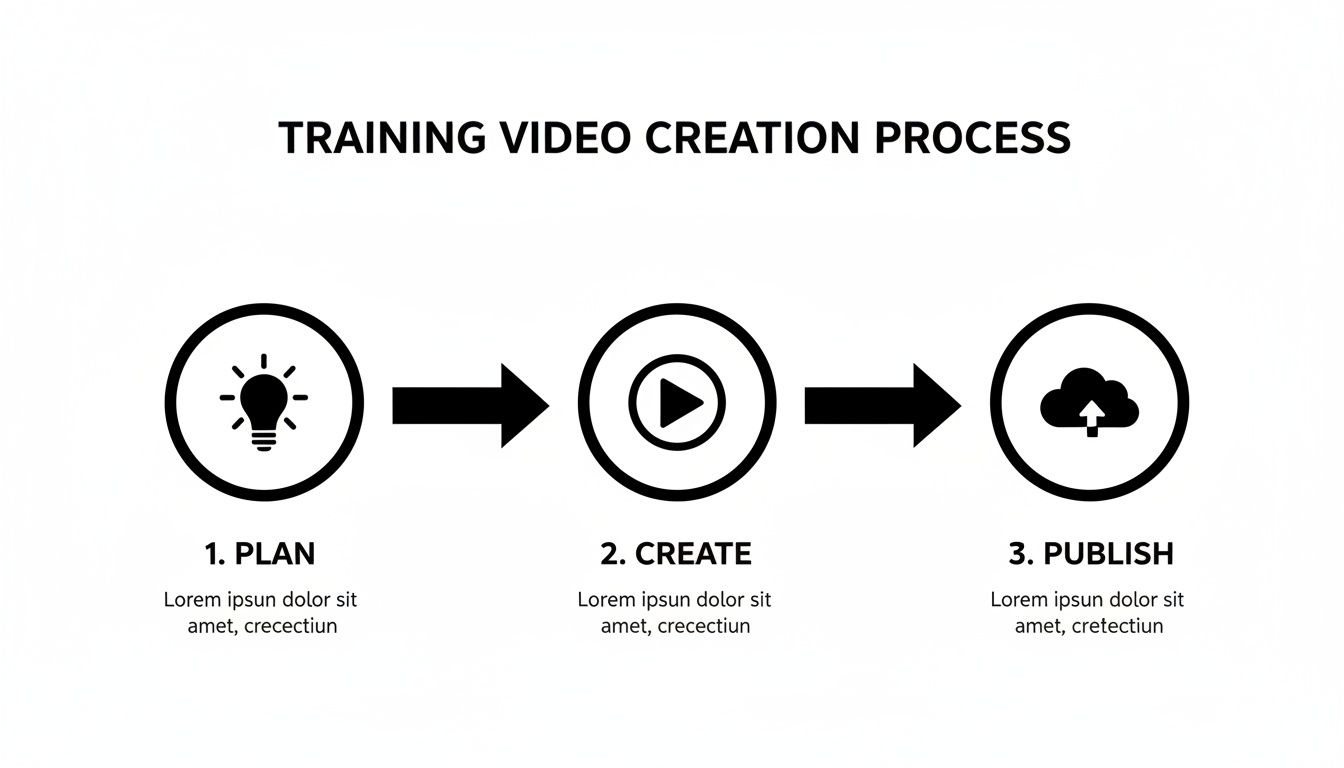
As you can see, planning isn't just a box to check off. It’s the foundation that supports everything else.
Define Your Learning Objectives
First things first, what is the point of this video? Vague goals like "teach about our new software" are a trap. That's not an objective; it's a wish. You need to get laser-focused. What is the one measurable thing someone should be able to do after watching?
A truly effective learning objective sounds more like this: "After watching this video, the user will be able to create and export a new customer report from the dashboard." See the difference? That level of clarity drives your script, your visuals—everything. It's what separates a rambling, confusing overview from a sharp, effective lesson.
Think in terms of concrete outcomes:
- For a new skill: "Show how to properly clean the espresso machine in under three minutes."
- For critical knowledge: "Explain the top three security risks of phishing emails."
- For a specific process: "Walk through the five steps for submitting an expense report in the new portal."
A sharp objective is your North Star. If a line in the script or a visual you're considering doesn't directly help achieve that one specific goal, cut it. It’s just noise.
Understand Who You Are Teaching
Once you know what you're teaching, the next question is who you're teaching. This is a big one. An internal training video for your senior engineering team is going to feel completely different from a tutorial for a brand-new customer who has never used your product before.
Knowing your audience lets you fine-tune the content so it actually connects. For example, a video for new hires needs simple language, zero jargon, and a ton of context. But for a group of power users? You can skip the hand-holding and jump right into the complex stuff they care about.
Your audience shapes the tone, pacing, and complexity of your training. Don't ever fall into the "one-size-fits-all" trap. It never works. Customizing your approach for the specific viewer is what gets them to pay attention and actually learn something.
Scripting Narratives That Actually Teach

Let's be honest, a great training video is never just a list of facts read from a teleprompter. It's a story. Your script is the blueprint that turns a dry, step-by-step process into a narrative that sticks with people long after they’ve watched.
If you want your training to land, you have to stop thinking like a manual and start thinking like a storyteller. Every compelling story has a beginning, a middle, and an end. In the world of training videos, this translates perfectly to a simple, effective structure: the hook, the body, and the summary.
Crafting a Powerful Hook
You’ve got maybe three seconds to grab someone's attention before their thumb keeps scrolling. The hook is everything. Please, don't start your video with a flat, "Today, we're going to learn about..." Instead, open with a relatable problem or a question that makes them stop and think.
For example, imagine you're teaching a new software feature. The boring hook is: "This video will show you how to use the new analytics dashboard." A much better approach? "Tired of spending hours pulling manual reports? I'm going to show you how to get all your data in 30 seconds." See the difference? You’re immediately offering a solution to a real pain point.
Structuring the Body of Your Script
Once you’ve hooked them, the body of your script needs to deliver the goods—clearly and without any fluff. This is your chance to walk them through the steps, explain the concept, or demo the process. The biggest mistake people make here is trying to cram too much information in. Keep it focused.
Break down complex ideas into bite-sized, logical steps. And write like you talk! Ditch the corporate jargon and use the same language your audience uses every day. This creates a genuine connection and makes the content feel way more approachable. If you need a starting point, this video script template offers a fantastic foundation for all kinds of training scenarios.
A pro tip: The best scripts anticipate questions before they're even asked. Think about where people usually get stuck and address those points head-on in your script. It shows you get it, and that builds a ton of trust.
Nailing the Summary and Call to Action
The way you end your video is just as crucial as how you begin it. Don't just let it trail off. A strong summary locks in the main takeaway and tells the viewer exactly what to do next.
First, recap the core lesson. Something like, "So, by following those three steps, you can now export your customer reports instantly." Simple and direct. Then, follow it up with a clear call to action (CTA). This could be anything from "Go try it yourself now" to "Check out the next video in this series to learn how to customize your reports."
Here are a few classic script structures that just work:
- Problem-Solution: Present a common frustration, then introduce your tool or process as the hero that solves it. Perfect for technical walkthroughs.
- Day-in-the-Life: Frame the training within a real-world workflow. This is fantastic for showing how a new internal process actually fits into someone's day.
- Step-by-Step Tutorial: The classic, no-nonsense approach for teaching a linear task. Keep it clean and focus on one single action per step.
When you start scripting narratives instead of just listing instructions, you're not just creating a video; you're creating a memorable learning experience. This is the secret to making training that actually works.
Using AI Tools to Automate Video Production

Let's be honest: the old way of making training videos was a slog. It was slow, expensive, and demanded specialized editing skills, not to mention the hassle of coordinating with voice actors. Thankfully, artificial intelligence has completely flipped the script, making it possible to create genuinely good videos in a tiny fraction of the time.
This isn’t just about making one step faster; it’s about automating the whole assembly line. With tools like ClipCreator.ai, you can feed it a simple script and get back a polished, ready-to-share video in minutes.
The boom in AI video is a direct response to the massive demand for training content that can keep up. The video learning market was already valued at USD 2.5 billion in 2023 and is on track to explode to USD 9.7 billion by 2032. It makes sense when you see that 61% of L&D professionals are leaning on video to close critical skill gaps in their organizations.
From Script to Screen Without the Manual Work
The real breakthrough with AI-driven video is how it takes the most tedious, time-consuming tasks off your plate. Think about it—you provide the core message, and the technology does the heavy lifting.
This “set-and-forget” model completely changes the game. Instead of treating each video as a major project, it becomes a quick, repeatable task you can knock out whenever you need to.
Here’s a look at how these systems typically break down the work:
- Script Generation: AI can draft a script from a simple prompt, making sure the tone and message align perfectly with your brand.
- Story-Aligned Visuals: The AI reads your script and automatically finds or creates relevant images and video clips to match the story you're telling.
- Lifelike Voiceovers: Forget those clunky, robotic voices from a few years ago. Modern text-to-speech sounds incredibly natural and human, with plenty of styles to choose from.
- Synchronized Subtitles: Captions are automatically generated and perfectly timed with the voiceover, which is a must for accessibility and keeping viewers engaged.
If you're looking to offload some of the grunt work, exploring the best AI tools for content creators is a great starting point for automating these kinds of tasks.
The Power of Scalable Production
The biggest advantage here is scale. You can ramp up your video output without having to hire more people or throw more money at the problem. Manually producing just one solid training video a week is a huge time sink. With an automated system, you could potentially create several in a single day.
That kind of consistency is crucial for building a comprehensive training library and keeping your team engaged. When you can create videos that quickly, you can respond to immediate training needs, update old content on the fly, and experiment with different formats without risking a ton of time or resources.
You can see just how straightforward this is in our guide on how to make videos with AI.
By removing the friction of manual editing, AI empowers you to focus on what truly matters: the quality and relevance of your training content. It handles the technical execution so you can focus on the educational strategy.
Ultimately, this shift isn't just about being more efficient. It's about opening up professional-quality video creation to everyone. You no longer need a fancy studio or a degree in film editing to produce content that looks and sounds incredible.
Publishing and Optimizing for Maximum Reach

Creating a great training video is a huge win, but your work isn't over when you click "export." The truth is, a brilliant video that no one sees is just a file on your hard drive. The final, and arguably most important, part of the process is getting it out there and making sure it connects with the right audience.
This is where knowing the lay of the land really pays off. A title and hashtag strategy that crushes it on YouTube Shorts could easily flop on TikTok. Each platform has its own unique algorithm, its own culture, and its own audience expectations.
The opportunity here is massive. The corporate eLearning market, which is now dominated by video, is expected to surge to USD 462.6 billion by 2027. This isn't just a trend; it's a reflection of real business impact. In fact, 42% of companies see a direct increase in revenue after they start using video training. The ROI is undeniable.
Dress Your Content for the Right Occasion
Think of it this way: you wouldn't show up to a black-tie gala in gym shorts. In the same way, you need to tailor your video's presentation for each social platform. A few thoughtful adjustments can be the difference between getting lost in the noise and getting discovered.
Here’s my take on how to approach the big three short-form platforms:
- TikTok: Jump on trending audio and don't be shy with punchy on-screen text. Keep your descriptions brief and use a mix of broad and super-niche hashtags that your target audience is actually searching for.
- YouTube Shorts: Your title is everything here. YouTube is a search engine at its core, so pack your titles with relevant keywords and a hook that sparks curiosity. A well-optimized Short can have a much longer lifespan than a video on other platforms.
- Instagram Reels: Visuals are a big deal on Instagram. Use a captivating cover image and make sure your video quality is sharp. Reels also thrives on a good mix of trending audio and a caption that provides real value, encouraging people to save and share.
As search engines evolve, getting found is becoming more complex. To give your training videos a real edge, it's worth looking into the best AI SEO tools for Generative Engine Optimization.
Keep the Momentum Going with Automation
If there's one secret to winning with algorithms, it's consistency. Posting here and there confuses the algorithm and makes it almost impossible to build any real momentum. This is exactly why automation tools, like the scheduler built into ClipCreator.ai, are no longer a "nice-to-have"—they're essential.
By scheduling your content ahead of time, you eliminate the daily scramble to get something posted. You can create your videos in batches, line them up to publish during peak viewing hours, and keep a steady stream of content flowing without the constant stress.
The real goal isn't just to post, but to post and learn. Once your videos are live, dive into the analytics. Look for patterns in watch time, comments, and shares. This data tells you exactly what's working and what's not.
These numbers are your guide. A video with a high watch time but few shares might be useful but not exciting enough to pass along. A ton of comments could mean you've hit on a hot topic. Use this feedback to sharpen your strategy and make every video better than the last.
Of course. Here is the rewritten section, designed to sound like an experienced human expert.
Quick Answers to Your Training Video Questions
Even with the best-laid plans, you're bound to hit a few snags or second-guess your approach when creating training videos. It happens to everyone. Let's walk through some of the most common questions I hear and get you some clear, practical answers to keep your project moving.
| Question | Answer |
|---|---|
| What's the best length for a training video? | Keep it short and focused, ideally between 1-3 minutes. For a simple task, aim for under 60 seconds. For a more involved process, 2-5 minutes is a good range. |
| How much should I budget for a video? | Costs vary wildly, from your time for a DIY screen recording to $1,500-$10,000+ per minute for a professional production. AI tools are a game-changer here, offering a flat-rate alternative. |
| How can I make my videos more engaging? | Hook viewers immediately, use dynamic visuals (zooms, callouts), write a conversational script, and keep the pace brisk. Respect their time, and they'll pay attention. |
Getting these key details right from the start can make a huge difference in how well your videos perform and whether your team actually watches them. Let's dig a little deeper into each of these points.
What Is the Ideal Length for a Training Video?
The short answer? As short as you can possibly make it without losing the point. In my experience, the sweet spot for most training topics lands somewhere between one and three minutes. This hits the microlearning nail on the head, letting people absorb one solid idea before they get distracted.
But honestly, the "right" length is dictated by your goal.
- Quick Demos: Showing someone how to reset a password or use a new software filter? Keep it under 60 seconds. Quick, simple, and straight to the point.
- Process Walkthroughs: Explaining something with a few steps, like submitting an expense report, usually takes about two to five minutes. This gives you enough breathing room to explain each step without rushing.
- Complex Topics: If you have a beast of a topic, don't try to cram it into one long video. A single 15-minute video is an instant turn-off. Instead, break it into a series of five three-minute videos. It’s far less intimidating and your completion rates will thank you.
How Much Does It Cost to Create a Training Video?
This is the classic "it depends" question. The cost can be anything from nearly zero (just your time with a simple screen recorder) to thousands of dollars for every finished minute. A professionally shot live-action video can easily run $1,500 to $10,000 for a single minute.
The price tag really comes down to a few key things:
- Production Style: Animation is usually a more budget-friendly route than filming with a crew. A solid 2D animated explainer video, for example, might cost around $1,000 to $2,500 per minute.
- People Power: As soon as you hire voice actors, on-screen talent, and professional editors, the costs start climbing fast.
- The Tools You Use: This is where AI automation completely changes the math. A platform like ClipCreator.ai can take the place of multiple expensive software subscriptions, voice talent, and even editors, which dramatically lowers what you spend on each video.
The smartest, most cost-effective way to produce training videos today is by using AI tools. You get high-quality, professional results for a predictable monthly cost, sidestepping the unpredictable and often steep expenses of traditional production.
How Do I Make My Videos Not Boring?
Let's be real: a video is boring when it feels like a lecture. Monotonous voice, static visuals, and zero connection to the viewer's day-to-day work? That’s a recipe for a video that gets ignored.
Engagement comes down to variety and relevance. Here's how to inject some life into your content:
- Nail the Opening: Start with a hook. Pose a relatable question, state a surprising fact, or jump right into the problem. Whatever you do, ditch the generic "In this video, we are going to learn..." intro.
- Keep the Visuals Moving: Nobody wants to stare at the same static screen for three minutes. Use zooms to highlight key areas, add on-screen text callouts, and cut to different B-roll footage to keep the viewer’s eyes engaged.
- Write a Human Script: Write the way you talk. Use simple, everyday language and a friendly tone. You're trying to have a conversation, not read from a textbook.
- Pick Up the Pace: Keep things moving. Be ruthless in your editing—cut out every awkward pause, "um," and rambling tangent. Your audience's time is valuable, so show them you respect it.
Ready to skip the tedious parts and start creating training videos that people actually want to watch? ClipCreator.ai turns your scripts into polished, professional videos in minutes, complete with AI-powered visuals, lifelike voiceovers, and accurate subtitles. Start creating for free today!

Create your first video in under 2 minutes
Pick a niche, and ClipCreator.ai generates and auto-posts faceless videos to your channels every day.
Join ClipCreator.ai