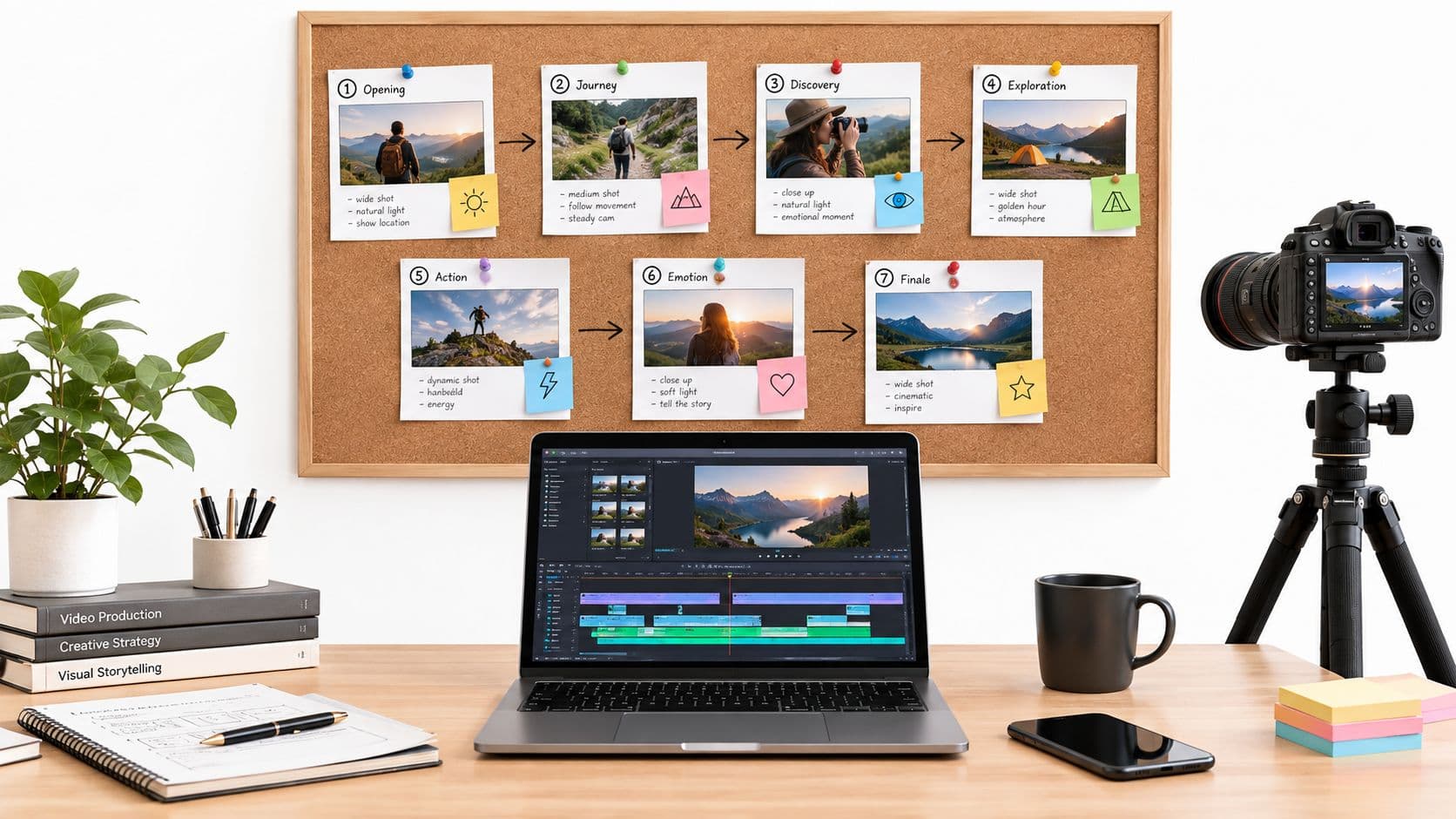
What if you could knock out a week’s worth of video editing in just one afternoon? That’s not a pitch for some far-off future—it’s what automatic video editing makes possible today. This guide is all about leaving behind the tedious hours of slicing clips and syncing audio, and stepping into a smarter workflow where AI does the heavy lifting for you.
The New Way to Create Content
For years, making a good video was a grind. It took serious technical skill, pricey software, and, more than anything, a ton of time. Every single polished minute of video you see online probably had hours of painstaking work poured into it. This reality created a huge bottleneck, limiting how much content businesses, marketers, and solo creators could actually produce and making it tough to keep up online.
Automatic video editing flips that script entirely. Instead of you manually scrubbing through hours of raw footage, an AI-powered system can scan the whole recording, pinpoint the most engaging moments, and spit out a solid first draft. This isn't about replacing your creativity—it's about getting rid of the mind-numbing, repetitive tasks that eat up most of an editor's day.
Think of it this way: a traditional editor is like an artisan, meticulously carving a sculpture from a block of stone. An editor using automatic tools is more like an architect who brings in heavy machinery to clear the land and pour the foundation. This lets them focus their energy on designing a true masterpiece.
From Technical Chores to Creative Strategy
When you automate the grunt work, you’re free to pour your energy into what actually matters—the story, the emotional connection, and the strategic message. This shift in focus is a game-changer, bringing some major advantages to the table.
- Massive Time Savings: Things that used to take days, like adding subtitles, chopping out dead air, or sifting for the best takes, can now be done in minutes. This frees you up to either make more content or spend that time polishing your creative ideas.
- More Content, Faster: The internet rewards consistency. Automation gives you the power to scale up your video production without burning out. You can take one long-form video and effortlessly turn it into dozens of social media clips, keeping your brand front and center on every platform.
- Everyone's a Creator: High-quality video editing isn't just for the pros anymore. These tools give entrepreneurs, teachers, and small teams the ability to produce slick, professional-looking videos without a steep learning curve or a massive budget.
This approach is central to any modern content plan. To get a better sense of how this applies to different formats, check out our guide to automate content creation and see how you can rebuild your workflow from the ground up.
How AI Works as Your Creative Co-Pilot
Thinking of AI as a replacement for human creativity really misses the mark. It's much more accurate to see it as an expert co-pilot, the kind that handles all the technical grunt work so you can focus on the big picture—steering the story. This partnership is what automatic video editing is all about, breaking down a daunting process into simple, logical steps.
It all starts with the AI acting like a super-diligent production assistant. Imagine you just dumped hours of raw footage on its desk. Instead of you having to scrub through every single second, the AI "watches" it all, using computer vision and natural language processing to log and tag everything it sees.
It picks out faces, objects, scenic shots, and even specific actions like a handshake or a smile. This first pass creates a searchable, organized library from your raw material, making everything easy to find for the next stage.
From Raw Footage to a Coherent Story
Once all your footage is neatly cataloged, the AI shifts gears and becomes more of a storyboard artist. It’s not just seeing pixels anymore; it’s starting to understand context and emotional tone. The algorithms have been trained to spot the basic building blocks of a good story.
This is where a few key functions work together:
- Scene Detection: The AI automatically finds the natural breaks in your footage. It groups clips into distinct scenes based on changes in location, lighting, or who's on screen. This alone saves you the tedious task of manually chopping up long recordings.
- Emotional Peak Identification: By analyzing audio cues (like laughter or a shift in someone's voice) and visuals (like facial expressions), the AI can pinpoint the most powerful moments. It flags these highlights, making sure the best parts of your story don’t get buried.
- Dialogue Analysis: For things like interviews or presentations, the AI transcribes every word. This lets it find key phrases, filter out all the "ums" and "ahs," and even pull out the most memorable soundbites to build your narrative around.
This intelligent breakdown turns a chaotic mess of video files into a structured set of story components, all ready to be put together. To really get how powerful this is, it's worth looking at the broader trend of AI powered content creation and how it's simplifying workflows everywhere.
This flowchart shows the shift from a traditional, hands-on workflow to a more collaborative one where an AI co-pilot joins the team.
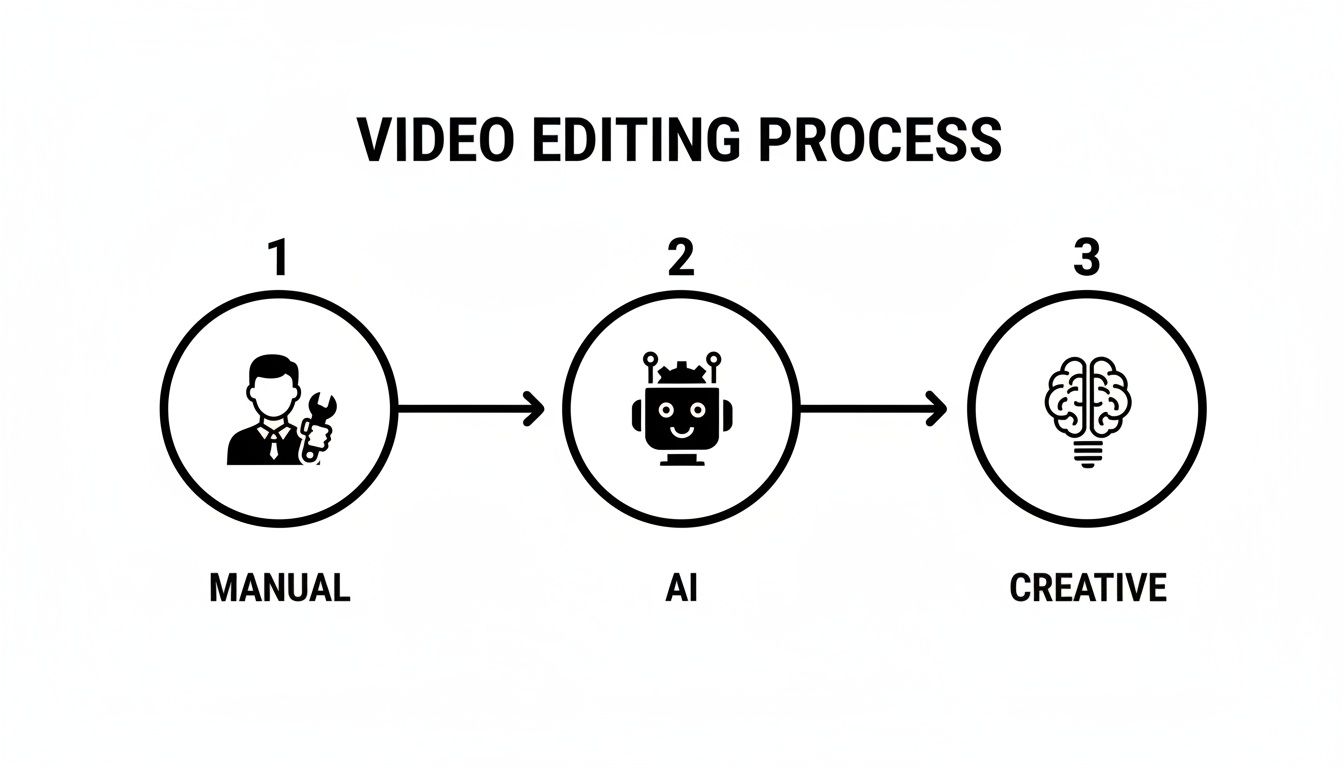
As you can see, the AI takes over the most time-consuming analytical and assembly tasks. This frees up the creator to pour their energy into refining the final cut and making it shine.
The Automated Assembly Line
With all the best moments identified, the AI finally steps into the role of a lightning-fast editor. It pieces together a first draft, what we often call a "rough cut," by intelligently sequencing the clips it flagged earlier. This isn’t just a random shuffle; the AI makes informed choices to create a logical flow.
At its core, automatic video editing is about using machine learning to handle repetitive, data-heavy tasks at a speed and scale that’s impossible for a human. It’s about automating the science of editing to free up the art of storytelling.
For instance, the system can automatically grab relevant b-roll footage to cover a jump cut or just to make the video more visually interesting. If someone is talking about "data analysis," the AI might pull a pre-tagged clip of a chart or someone at a computer and drop it right onto the timeline. It can also sync background music, matching the edits to the rhythm, and apply basic color correction to make sure all the clips look consistent.
This rapid assembly is what’s driving huge growth in the market. The global AI-powered video editing software market was valued at USD 563 million in 2024 and is expected to hit USD 953 million by 2032. This is largely because AI can slash manual editing time by 40-50% in professional settings by handling tasks like scene detection and timeline restructuring.
In the end, the AI gives you a solid draft that's often 80-90% of the way there. Your job transforms from a tedious clip-cutter to a high-level creative director. You get to make the final tweaks, add your personal flair, and make sure the story truly connects with your audience.
The Core Benefits of Embracing Video Automation
It's one thing to understand how AI can act as a creative sidekick, but the real magic is in the tangible, day-to-day impact it has on your work. Switching to automatic video editing isn't just a minor upgrade—it's a strategic shift that delivers some serious advantages. These benefits really boil down to three powerful pillars: incredible speed, unbreakable consistency, and a newfound accessibility for everyone.

These core advantages don't work in isolation; they compound to completely change the content production game. You move from being a technical operator to a strategic storyteller. The impact isn’t just about clawing back a few hours. It’s about unlocking entirely new avenues for creativity and growth.
Unparalleled Speed in Content Creation
In a world that runs on a constant stream of content, speed is everything. It's your biggest competitive edge. Traditional video editing is notoriously slow—a few minutes of polished video can easily eat up hours, or even days, of manual labor. Automatic video editing smashes through this bottleneck, collapsing what used to be a marathon process into a sprint.
Think about a social media manager who needs to pump out five unique videos for the week. The old way meant spending an entire day glued to the editing timeline. Now, they can upload their raw footage and let an AI spit out five distinct drafts in minutes. This makes it possible to keep up with the relentless pace of platforms like TikTok and Instagram without burning out or compromising on quality.
By automating the tedious stuff—like cutting out dead air, adding captions, and spotting the best moments—creators can reclaim dozens of hours every single month. That recovered time is gold. It can be poured back into strategy, engaging with your audience, or cooking up more ambitious creative ideas.
This efficiency is what's driving explosive market growth. The global AI video editing market is projected to skyrocket from USD 0.9 billion in 2023 to a massive USD 4.4 billion by 2033. This surge is fueled by real-world results. Some studies on key video editing statistics even suggest that by 2035, 73% of filmmakers will use AI editors to slash post-production costs by nearly half.
Let's look at a practical comparison.
Manual Editing vs Automatic Video Editing A Time and Cost Comparison
To really see the difference, let’s compare the workflows for creating a standard 5-minute marketing video. One path is the traditional, hands-on approach, and the other uses an AI-powered tool. The savings in both time and money quickly become obvious.
| Task | Manual Editing Workflow | Automatic Editing Workflow | Time/Cost Savings |
|---|---|---|---|
| Footage Review & Logging | 1-2 hours of watching all raw clips to find the best takes. | AI scans footage in minutes, identifying key moments and speakers. | 90% time reduction |
| Rough Cut Assembly | 2-4 hours of manually placing clips on a timeline. | AI generates an initial cut based on a script or highlights. | 85% time reduction |
| Adding Captions/Subtitles | 1-2 hours using transcription services and manually timing text. | AI auto-transcribes and syncs captions in under 10 minutes. | 95% time reduction |
| Adding B-Roll & Graphics | 1-3 hours of searching for stock footage and creating graphics. | AI suggests relevant B-roll and applies branded templates. | 70% time reduction |
| Color Correction & Audio | 1-2 hours of adjusting colors and mixing audio levels. | AI applies pre-set color grades and auto-levels audio. | 80% time reduction |
| Total Estimated Time | 6-13 hours | Under 1 hour | ~90% total time saved |
| Estimated Cost | $300 - $650 (assuming $50/hr freelance editor) | $20 - $50 (based on monthly subscription fee) | ~90-95% cost reduction |
The numbers don't lie. What takes a full day or more of skilled labor can be accomplished in less time than a lunch break. This efficiency isn't just about saving money; it's about giving creators the agility to produce more content, experiment with new ideas, and react faster to market trends.
Unwavering Brand Consistency at Scale
Keeping a consistent look and feel across all your videos is vital for building a recognizable brand. But when you're doing it all by hand, it's incredibly tough. Tiny variations in color grading, font choices, or even the pacing of your edits can creep in, slowly diluting your brand’s identity over time.
Automatic video editing nails this with robotic precision. You can set up "brand kits" that lock in your creative DNA:
- Color Palettes: Guarantees every video uses your exact brand colors, every time.
- Font Styles: Applies your official fonts for titles and subtitles flawlessly.
- Logo Placement: Automatically sticks your logo in the same spot, no exceptions.
- Editing Rhythm: Helps maintain a consistent pace and style of transitions that feels like you.
An AI applies these rules perfectly to every video it touches, whether you’re making one or one hundred. This means every piece of content—from a quick social clip to a deep-dive product demo—feels cohesive and is instantly identifiable as yours. This kind of systematic approach is a cornerstone of a well-oiled video editing workflow, baking quality and consistency right into the process.
Breakthrough Accessibility for All Creators
Maybe the most profound benefit is how this technology throws the doors wide open for everyone. For years, making a professional-looking video meant shelling out for expensive software, owning a beast of a computer, and having specialized skills that took a long time to learn. Automatic video editing completely flattens that learning curve.
Now, a solo entrepreneur can produce marketing videos that look like they came from a big agency, all without hiring an editor. An educator can turn a dry lecture recording into an engaging, subtitled lesson without any technical background. A small business can finally launch that YouTube channel and publish consistently without needing a dedicated video team.
This newfound accessibility empowers anyone with a story to finally share it through the powerful medium of video. By tearing down the old technical and financial walls, automatic video editing tools are unleashing a wave of creativity from a new generation of creators who were previously stuck on the sidelines.
Putting Automatic Video Editing to Work in Your Industry

Knowing the theory behind automatic video editing is one thing, but seeing it solve real-world problems is where the lightbulb really goes on. This isn't just some tech novelty; it's a practical tool that people are using every day to get more done, produce more content, and see better results in all sorts of fields. From marketing departments to university classrooms, automation is fundamentally changing how we create and share visual stories.
Let's dig into the specific ways different industries are actually using these tools, turning what used to be a headache into a simple, repeatable process. Each example shows a straight line from a common pain point to a powerful, automated solution.
Driving Marketing and Advertising Forward
If you're on a marketing team, you know the constant pressure to test, learn, and optimize. Before automation came along, creating multiple versions of a single video ad was a massive time and money sink, which meant you could only test a handful of ideas.
Automatic video editing flips that script completely. A team can shoot one product commercial and then use AI to spit out dozens of unique variations in minutes. Think about it—each version could have a different opening hook, a unique call-to-action, or different background music. This opens the door for marketers to run massive A/B tests on platforms like Facebook and Google, letting them quickly pinpoint what resonates with their audience and get the most out of their ad spend.
That kind of rapid iteration is a game-changer for staying agile.
Scaling Social Media Content
Social media managers are in a constant battle to feed the content beast. A single long-form video, like a podcast or a webinar, is an absolute goldmine of potential clips, but digging them out manually is an exhausting, soul-crushing task.
This is where AI-powered repurposing tools are a lifesaver. A manager can upload a one-hour podcast interview and just let the AI handle the grunt work.
- Highlight Detection: The system automatically pinpoints the best soundbites, key questions, and memorable quotes.
- Auto-Reframing: It instantly reformats the horizontal video into vertical clips perfect for TikTok, Reels, and YouTube Shorts.
- Branded Captions: Stylish, on-brand captions are slapped on every clip to make them more engaging and accessible.
A job that used to take an entire day of tedious editing can now be knocked out in under an hour. This lets one person generate a week's worth of top-notch social content from a single source, keeping their channels buzzing. For creators, this level of efficiency is key to growing an audience and learning how to efficiently monetize your YouTube channel.
By automating the repurposing workflow, social media managers shift their focus from being clip-cutters to content strategists. They spend less time in the timeline and more time analyzing performance and engaging with their community.
The massive demand for these smart features is fueling some incredible market growth. The AI video editing tools market is expected to jump from $1.6 billion in 2025 to a staggering $9.3 billion by 2030, which is a compound annual growth rate of 42.19%. This boom is driven by the real need for intelligent editing everywhere, from marketing to education.
Enhancing Education and Corporate Training
In both education and corporate learning, video has become a go-to for delivering information. The problem is, raw recordings of lectures or training sessions can be pretty dry and hard to sit through.
Automatic video editing helps educators and trainers produce much more polished and user-friendly learning materials without the extra effort. For instance, a university professor can upload a two-hour lecture recording and let the AI take over.
- Remove Pauses: It automatically snips out all the long silences and filler words like "ums" and "ahs."
- Generate a Transcript: A full, searchable transcript of the lecture is created instantly.
- Add Visual Aids: The AI might suggest relevant b-roll footage or insert on-screen graphics to help explain tricky concepts.
- Auto-Caption: Perfectly synced subtitles are added to make the content accessible for all students.
In the corporate world, HR teams can use the same tech to create consistent, high-quality training videos for new hires without needing a video crew. This ensures every new employee gets the same clear, professional instruction, no matter where they are. Automating these tasks empowers organizations to build huge libraries of educational content that people actually want to watch.
Choosing the Right AI Video Editing Tool
Alright, so you're sold on the idea of automatic video editing. Now comes the hard part: picking the right tool. The market is flooded with platforms all claiming to be the next big thing, and it's easy to get lost in the marketing noise. The trick is to tune that out and focus on what actually matters—the core features that solve your specific problems.
A tool that’s perfect for a podcaster chopping up interviews into social media gold might be a terrible fit for a marketer who needs to generate dozens of ad variations. It’s all about matching the software’s strengths to what you need to get done.
Evaluate Core Editing Features
Not all automatic video editing platforms are built the same. Some are laser-focused on one killer feature, while others are more of a Swiss Army knife. When you're comparing your options, keep an eye out for these genuinely game-changing capabilities.
- Text-Based Editing: Imagine editing your video just by editing a Word document. That's what this does. You get an automatic transcript, and to cut a clip, you just delete the words. It's a massive time-saver for anyone working with interviews, webinars, or any dialogue-heavy footage.
- AI Highlight Detection: This is your secret weapon for repurposing content. The AI scans hours of footage and pinpoints the most interesting, engaging, or funny moments. Instead of you scrubbing through a timeline for hours looking for that one viral clip, the AI serves it up on a platter.
- Auto-Reframing: If you post on social media, you need this. This feature takes your standard widescreen video and automatically reformats it for vertical (TikTok, Reels) or square (Instagram feed) viewing. The clever part is that it keeps the main speaker or action perfectly centered in the new frame.
These are the features that really separate the good tools from the great ones. For a broader look at the technology, our guide to different AI content creation tools can give you a better sense of what’s out there.
To help you compare different software, we've put together a table outlining the key features you should be looking for.
Key Features to Evaluate in Automatic Video Editing Software
| Feature | What It Does | Why It's Important |
|---|---|---|
| Text-Based Editing | Generates a transcript and allows you to edit the video by editing the text. | Dramatically speeds up editing for dialogue-heavy content like interviews and podcasts. |
| AI Highlight Detection | Automatically identifies the most engaging or important clips in your footage. | Saves hours of manual review when repurposing long-form content for social media. |
| Auto-Reframing | Intelligently converts horizontal video to vertical or square formats. | Essential for efficiently creating social media content for multiple platforms. |
| Filler Word Removal | Finds and removes "ums," "ahs," and other filler words with one click. | Cleans up audio and makes speakers sound more polished and professional. |
| Automatic Subtitles | Transcribes audio and generates synchronized captions for your video. | Boosts accessibility and engagement, as most social videos are watched without sound. |
| Stock Media Integration | Suggests and adds relevant B-roll, images, and music from a built-in library. | Enhances visual storytelling without the need to search external stock sites. |
Looking for these features will ensure you choose a tool that truly automates the most time-consuming parts of the editing process.
Assess Usability and Integration
A tool could have every feature under the sun, but if it's a nightmare to use, you'll never touch it. The user interface (UI) is a huge deal. Some platforms are made for total beginners, with clean, simple drag-and-drop controls. Others, like Runway, offer more granular control that might appeal to experienced editors looking to speed up their workflow.
The best tool is the one that feels natural to you. Always sign up for a free trial. Does it feel clunky? Or does it genuinely make your job easier? Don't commit to a subscription until you've given it a real test drive.
Integration is the other side of this coin. If you still plan on doing a final polish in traditional software, you need a tool that plays nicely with others. Look for options that can export project files for programs like Adobe Premiere Pro or Final Cut Pro. This lets you use AI for the heavy lifting and your professional NLE for the final creative touches.
Understand Pricing Models
Finally, you have to look at the price tag. Most AI video editors use a subscription model, but the devil is in the details. Pay close attention to the limits on each pricing tier, because that's where they often get you.
Here’s what to watch out for:
- Minutes of Video Processed: Most plans cap how much footage you can upload or export each month.
- Export Resolution: Free or cheap plans might lock you into 720p exports. You'll likely need a paid plan for crisp 1080p or 4K video.
- Watermarks: Expect a branded watermark on your videos with any free plan. You have to pay to remove it.
- Feature Access: The coolest stuff, like AI-suggested B-roll or voice cloning, is almost always reserved for the more expensive tiers.
By weighing the features, usability, and cost, you can find an automatic video editing tool that isn't just another subscription, but a genuine partner in creating great content faster than ever before.
The Future of AI-Powered Storytelling
The world of automatic video editing is evolving at a breakneck pace, and what's coming next is genuinely exciting. We're stepping into a new creative age where AI isn't just a tool for assembling clips; it’s becoming a partner in the creative process itself. This next wave of technology is set to dissolve the lines between human ideas and machine execution, making AI a true collaborator in telling stories.
The biggest buzz right now is around generative video. This is where AI can create brand-new video footage from nothing more than a text prompt. Just imagine typing "a cinematic shot of a futuristic city at sunset" and watching a unique, high-quality clip appear on your screen. This is going to open up a world of visual possibilities, especially for creators who need custom b-roll or animations but don't have a blockbuster budget.
Your New Creative Partner
Looking ahead, AI tools will move beyond just generating visuals and become a genuine narrative assistant. Think of an AI that helps you structure your story, suggests alternative plot lines, or even points out emotional lulls in your rough cut. It could analyze your script and recommend where a shift in music or a faster cutting pace would build more tension, almost like a data-driven co-director sitting next to you.
This all points to a massive shift in how we think about AI's place in creative work.
AI isn't here to replace the storyteller. It's here to supercharge their vision, tear down technical hurdles, and let creators focus on the one thing that truly matters: crafting a story that connects with people.
Redefining What's Possible
Ultimately, these advancements are all about empowerment. Automatic video editing is growing beyond being a simple time-saver. It's becoming a creative enabler, giving you the freedom to experiment, take risks, and innovate without getting bogged down. By taking on the heavy lifting—from generating footage to fine-tuning a story's flow—AI gives you the mental space to think bigger.
The best way to approach these tools is to see them as powerful collaborators. They give you the ability to tell richer stories, reach more people, and completely redefine what you thought was possible with video. The future of storytelling is a partnership, and with AI in your corner, your creative potential has no limits.
Got Questions About Automatic Video Editing? We’ve Got Answers.
Jumping into AI-powered tools always brings up a few questions. When it’s something as hands-on as video editing, it’s completely normal to wonder about control, ease of use, and security. Let's clear up some of the most common things people ask when they're thinking about adding automatic video editing to their process.
We'll give you straight answers to help you see where this technology shines and where it still has its limits, so you can make a smart choice.
Will AI Completely Replace Human Video Editors?
Not a chance. Think of AI as the best creative assistant you’ve ever had, not a replacement for the artist. It’s brilliant at handling the tedious, soul-crushing parts of editing—like chopping out dead air, sorting through hours of footage to find the best takes, and slapping together a solid rough cut in minutes. This can easily knock out about 80% of the repetitive work.
But that final 20%? That’s where a human editor is irreplaceable. This is the stuff that requires creative instinct, emotional timing, and a deep understanding of storytelling. The best workflow is a partnership: AI provides the speed and does the heavy lifting, while the human editor adds the final creative touch that makes the story connect.
Is Automatic Video Editing a Good Place for Beginners to Start?
Absolutely. In many ways, these tools were built with beginners in mind. Most automatic video editing platforms have clean, simple interfaces that completely sidestep the intimidating learning curve of traditional software like Adobe Premiere Pro.
Features like drag-and-drop editing or text-based editing (where you literally edit the video by editing a written transcript) open the door for anyone to create professional-looking content. Solo creators, teachers, and small business owners can finally produce great video without needing a film degree.
How Safe Is My Footage When I Upload It to a Cloud Platform?
That’s a great question, and it's one you should definitely be asking. Any reputable AI video editing service takes security very seriously and puts strong protections in place for your content. When you're checking out a new tool, here are the non-negotiable security features to look for:
- End-to-End Encryption: This means your video files are scrambled and protected both during upload (in transit) and while they’re sitting on the company's servers (at rest).
- Secure Access Controls: The platform should offer things like multi-factor authentication to keep anyone who isn't you out of your account.
- Clear Data Policies: A trustworthy company will be upfront about how your data is handled. Look for a transparent privacy policy that explains what they do with your footage and who has access to it.
Stick with platforms that are open about their security measures. Your creative work is too valuable to risk.
What’s the Real Difference Between a Template Editor and a True AI Editor?
This is a crucial distinction to understand. A template-based editor gives you a fixed layout—a pre-made box where you just drop in your own clips and text. They’re simple, but they don't offer much room for creativity.
A true AI editor, however, is smart and responsive. It actually watches your footage to make intelligent decisions. It can identify the most compelling moments, understand what’s being said, and build a unique edit based on the actual story in your video, rather than just forcing your content to fit a mold.
Ready to stop spending hours on manual edits and start producing content faster? ClipCreator.ai automates the entire short-form video creation process, from script to final publish. Get your first AI-powered videos today and see how easy content creation can be at https://clipcreator.ai.

Create your first video in under 2 minutes
Pick a niche, and ClipCreator.ai generates and auto-posts faceless videos to your channels every day.
Join ClipCreator.ai