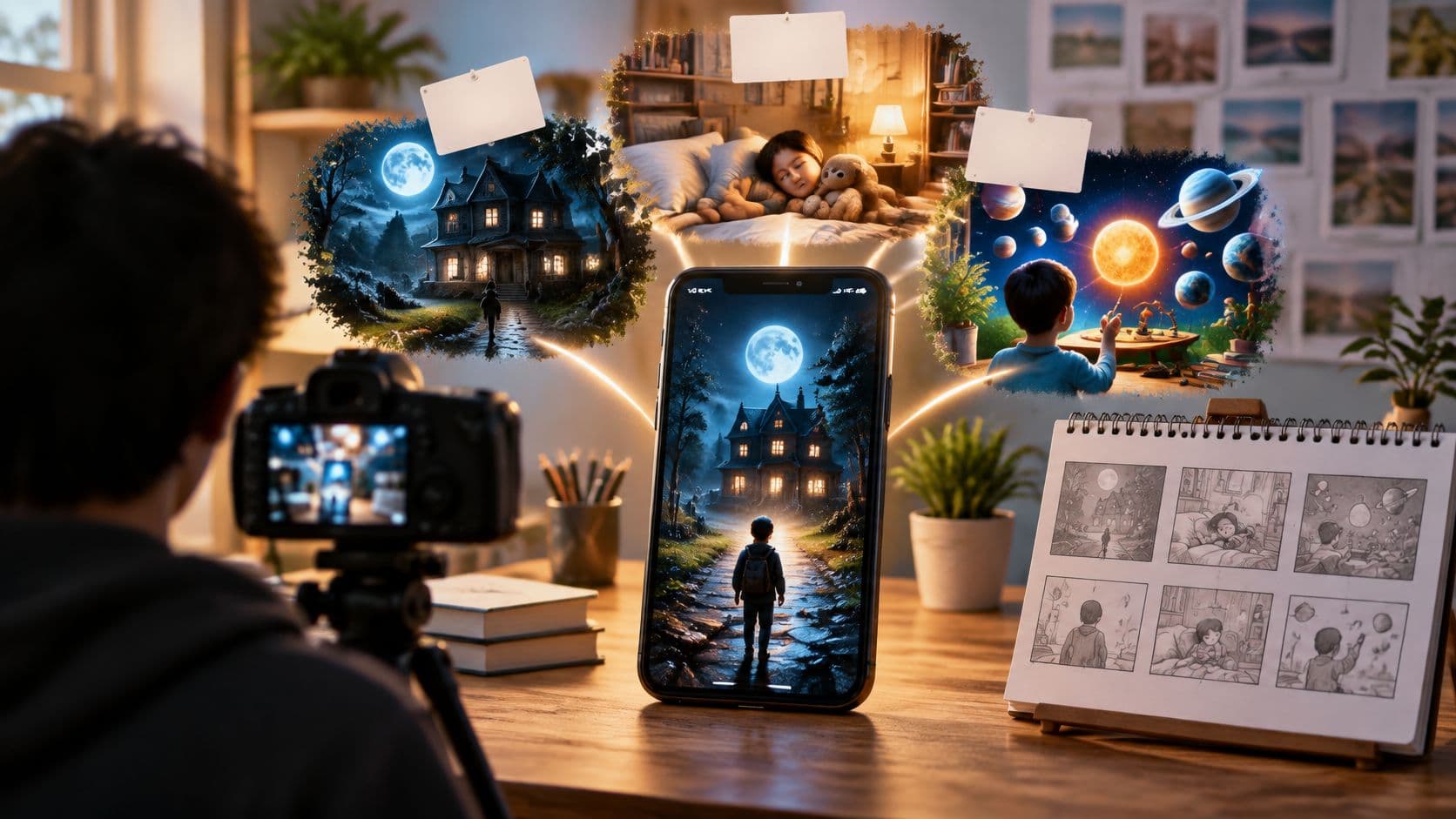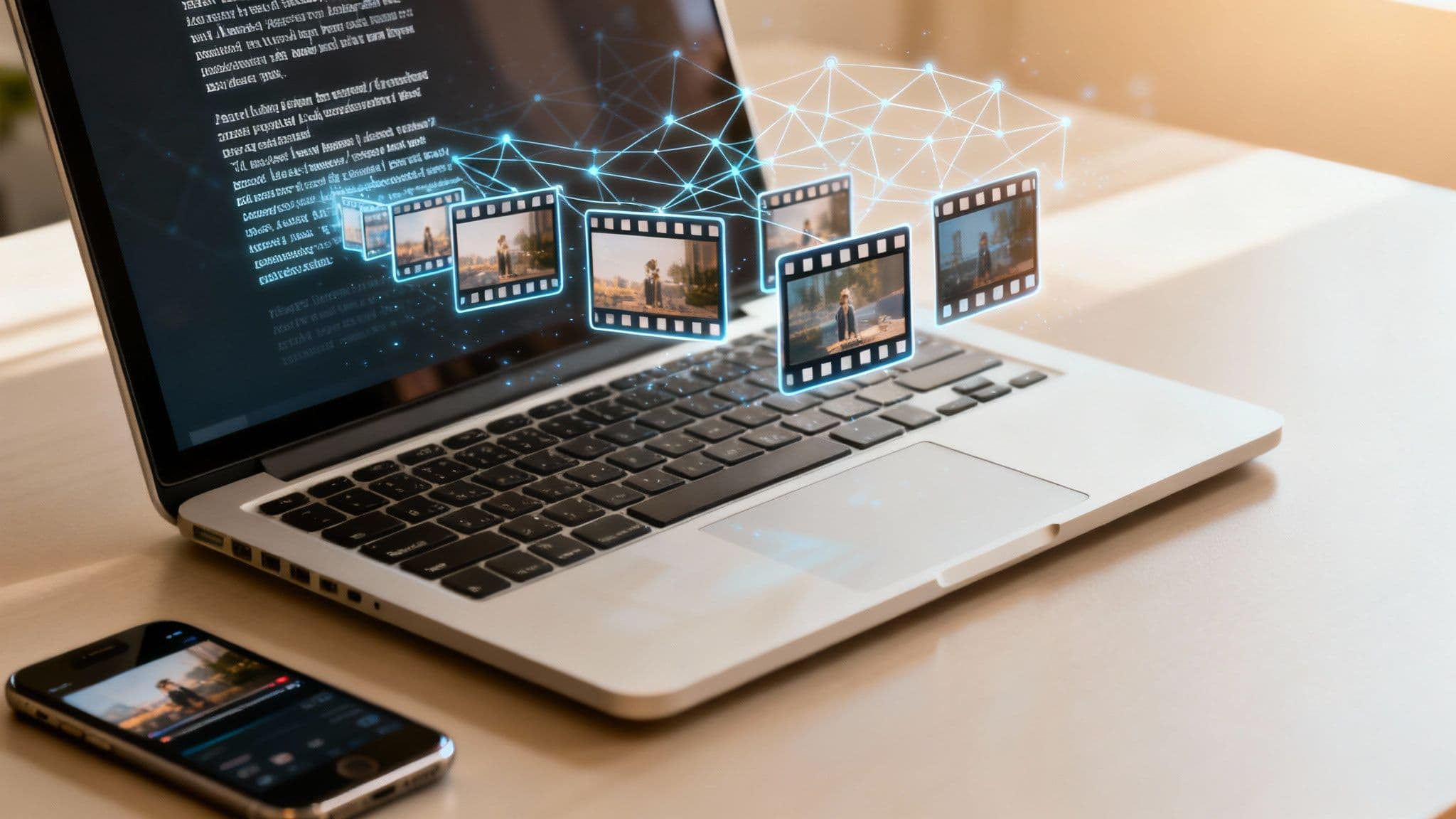
So, what exactly is an AI video maker from text? At its core, it’s a tool that takes a script you’ve written and automatically turns it into a complete video. Think visuals, voiceover, subtitles—the whole package. You supply the words, and the AI acts as your personal director, editor, and narrator, spinning your ideas into a finished story in just minutes.
Your Digital Storyteller Explained
Picture the old way of making a video. You'd need a script, a camera, a library of stock footage, a decent microphone, editing software, and a whole lot of time. An AI video maker from text essentially takes all those separate jobs and rolls them into one streamlined, automated process.
It’s like having a digital storyteller on call, ready to bring your content to life without needing a film degree or any technical skills. Instead of spending hours hunting for the perfect clip or recording audio, you just feed it your text. From there, the AI takes over.
How the Magic Happens
The system starts by reading your script, figuring out the main message, the right tone, and the story's flow. Once it understands what you're trying to say, it juggles several tasks at once:
- Visual Generation: The AI intelligently pulls relevant images and video clips—or even generates new ones—that perfectly match what your script is talking about, moment by moment.
- Voiceover Creation: It uses sophisticated text-to-speech tech to create a natural, human-sounding voiceover that narrates your script.
- Subtitle Syncing: To make sure your video works everywhere (especially for silent viewing on platforms like TikTok), it automatically creates and times subtitles to the audio.
This smooth, all-in-one process is what makes these tools so powerful. They aren't just making a glorified slideshow; they’re building a coherent video with a clear narrative, ready for an audience. Of course, a big question in this space is how these AIs are trained, with ongoing debates around content licensing and copyright. There are cases where it is alleged that an OpenAI built an AI video app from copyrighted content.
The goal is to democratize video creation, making it accessible to anyone with an idea, from small business owners and educators to social media storytellers.
This tech isn't just a niche idea—it's booming. The AI video generator market is expected to jump from USD 1.8 billion in 2026 to USD 5.1 billion by 2033, all thanks to the massive demand for automated content. Discover more insights about the AI video market's future. This growth is great news for creators, making it possible to produce professional-looking videos without needing a big budget or complicated software.
How Text-to-Video AI Turns Your Script into a Finished Video
Ever wonder how a simple text document gets turned into a full-blown video? It’s not magic, but it’s close. An AI video maker from text essentially becomes your entire production crew, taking your script and systematically building it into a visual story, piece by piece.
The whole thing kicks off the second you feed it your script. The AI doesn't just read the words; it digests them. It looks for the main ideas, the emotional tone, the key characters or subjects, and even the pacing of your story. This initial analysis creates a kind of blueprint for the video it's about to build.
From Blueprint to Visuals
Once the AI has a solid grasp of your script's intent, it starts pulling together the visual assets. This is where your story really begins to take shape. The tool dives into massive libraries of high-quality stock footage and images, searching for clips that perfectly match the meaning behind each sentence. Some of the more advanced tools can even generate brand-new AI images on the fly.
For instance, if your script says, "a lonely lighthouse stood against the stormy sea," the AI won't just look for "lighthouse" and "sea." It understands the emotional weight of "lonely" and "stormy," so it finds a dramatic clip that captures that specific mood. It’s this deep, semantic matching that makes the final video feel connected and emotionally resonant, not just a random slideshow.
This diagram gives you a bird's-eye view of how this simple but powerful workflow operates.
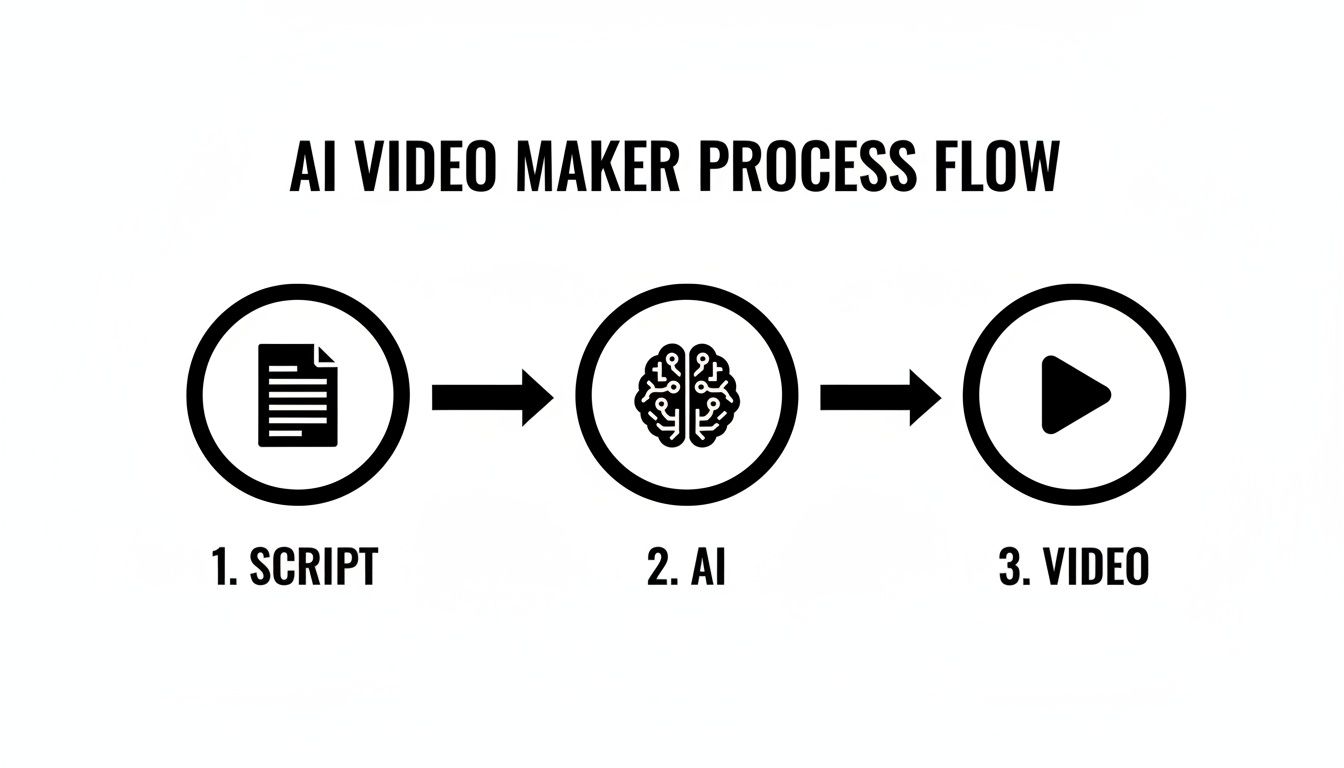
As you can see, the AI is the engine in the middle, taking a basic text input and turning it into a complex, layered video ready for an audience.
Adding Voice and Words on Screen
With the visuals locked in, the AI gets to work on the audio. Using impressive text-to-speech (TTS) technology, it generates a voiceover that sounds surprisingly natural. You can usually pick from a library of different voices and accents to find one that fits your brand. Today’s TTS engines have come a long way, adding human-like inflections and pauses that make the narration feel genuine.
At the same time, the AI is creating and syncing subtitles. It takes the narration it just generated, transcribes it, and times the text to appear on screen right as the words are spoken. This is a non-negotiable step for a few key reasons:
- Accessibility: It opens up your content to viewers who are deaf or hard of hearing.
- Engagement: With up to 85% of videos on social media being watched on mute, subtitles are your best bet for grabbing attention.
- Clarity: Captions help reinforce your message, making it easier for people to understand, especially if they're in a noisy place.
The real genius of an AI video maker is how it flawlessly pulls all these different elements together—visuals, voice, and text—into one polished video without you ever having to open an editing timeline.
Finally, the AI puts it all together. It sequences the clips, lays down the voiceover, syncs the captions, and adds simple transitions for a clean, professional finish. This whole process takes what used to be hours of painstaking manual work and condenses it into just a few minutes. And if you want to nail that first crucial step, we have a guide that shows you exactly how to write a video script.
The Strategic Benefits of Automated Video Creation
Sure, saving time is a huge plus, but the real magic of an AI video maker from text is the strategic edge it gives you. These tools aren't just about making things faster. They fundamentally change the game for creators and businesses by opening up new possibilities for consistency, scale, and creative freedom.
Think about how platforms like TikTok or YouTube work. Their algorithms reward creators who post great content, consistently. For a single person or a small team, trying to keep up that pace manually is a fast track to burnout. This is where AI automation steps in, making it genuinely possible to post new videos daily, or even multiple times a day.
That kind of consistency is what builds momentum. It keeps your channel top-of-mind and tells the platform’s algorithm that you’re a serious, active creator. It’s like the difference between pushing a boulder up a hill by yourself every once in a while and having a machine that does it for you every single day.
Unlocking Scale And Affordability
Let's be honest: traditional video production gets expensive, fast. You've got costs for freelance editors, voice actors, camera gear, and subscriptions to stock footage sites. All those expenses can easily run into the thousands of dollars for just a few short videos, sidelining great ideas before they ever see the light of day.
An AI video maker essentially rolls all those costs into a single, predictable subscription fee. Suddenly, you don't need a whole production crew. What used to be a massive upfront investment becomes a simple, manageable operational cost, putting professional-quality video within reach for just about anyone.
By removing financial barriers, AI empowers you to experiment with new formats, topics, and creative styles without risking a large budget on an unproven concept.
Here’s a quick look at how the old way compares to the new.
Manual vs AI Video Creation: A Quick Comparison
| Aspect | Manual Video Production | AI-Powered Video Production |
|---|---|---|
| Time Investment | Days or weeks per video. Involves shooting, editing, sound mixing. | Minutes or hours per video. Automated from a single text prompt. |
| Cost | High. Equipment, software licenses, freelance fees ($500 - $5,000+ per video). | Low. A single, affordable subscription fee ($20 - $100 per month). |
| Skill Requirement | High. Requires expertise in videography, editing, and sound design. | Low. No technical skills needed; the AI handles the heavy lifting. |
| Scalability | Low. Output is limited by team size and budget. | High. Create dozens of videos in the time it takes to make one manually. |
| Consistency | Difficult to maintain without a dedicated team and resources. | Easy. Generate consistent, on-brand content on a schedule. |
The table makes it pretty clear. The shift to AI means a single creator can now have the output of a small content agency.
Instead of pouring weeks into one perfectly polished video, you can churn out dozens in the same amount of time. This lets you test different hooks, storylines, and visual approaches to see what truly connects with your audience. That ability to iterate quickly is a massive advantage for growth. To dig deeper, check out this guide on how to automate content creation and get your channel on the fast track.
Inspiring Use Cases and Content Ideas
Okay, now that we've covered the nuts and bolts, let's get to the fun part: what can you actually create with these tools? An AI video maker from text is more than just a piece of software; it's a creative partner that opens up entirely new ways to make content, especially the kind that grabs attention on social media. Its real magic is in how quickly it can spit out engaging, story-driven videos without you ever needing to pick up a camera.
This is a huge deal for the "faceless" content trend, where creators are building massive audiences by telling great stories instead of showing their faces. Think about it—from creepy Reddit stories to fascinating history lessons, these tools let you put all your energy into the narrative. And let's be honest, the story is what makes a short-form video go viral.
As you start to see what's possible, it becomes obvious how AI is shaking up content creation for everyone. Even marketing is changing, with things like AI TV commercials giving small businesses a shot at creating professional-looking ads without breaking the bank.
Faceless TikTok Stories
One of the biggest wins for these AI tools is creating those addictive story videos you see all over TikTok and YouTube Shorts. You know the ones—they pull you in with a great script, moody visuals, and a human-sounding voiceover. The AI does all the tedious work, finding or generating clips that perfectly match the vibe of your story.
This format is a goldmine because it taps directly into our love of a good yarn. And since you're not on camera, you can churn out videos consistently, focusing only on honing your storytelling chops.
The secret to faceless content is a great hook and a steady stream of videos. An AI video maker automates the production grind, freeing you up to focus on crafting stories that people actually want to share.
Here are a few ideas to get you started:
- Historical Anecdotes: Dig up weird but true historical events and turn them into short, dramatic clips.
- Spooky or Mystery Tales: Craft suspenseful narratives that keep people glued to their screens, desperate to see how it ends.
- Science Facts Explained: Take a complex science topic and break it down into a simple, visual story that anyone can understand.
Micro-Lessons and Explainer Snippets
It's not all about entertainment, though. These tools are fantastic for education and marketing. You can take a dense blog post, a new product feature, or a tricky concept and spin it into a quick, bite-sized video lesson in just a few minutes. It's perfect for dropping knowledge on social media or creating simple "how-to" videos for your product.
These short, focused videos work so well because they serve up information in a way that's easy to digest and visually interesting. For businesses, they're the ideal explainer clips for social media ads or website landing pages, getting your point across in seconds.
Here are a few content templates to try:
- "Did You Know?" Series: Create snappy videos sharing one surprising fact about your industry or niche.
- Product Feature Spotlights: Instead of a boring bulleted list, make a short video that shows how each feature solves a real problem for your customer.
- Inspirational Quote Videos: Match a powerful quote with some beautiful, abstract visuals and a calm voiceover. Instant motivation.
Choosing the Right AI Video Maker for Your Needs
With so many new tools popping up, picking the right AI video maker from text can feel like a chore. The secret is to ignore the marketing hype and focus on what actually matters: the features that will make your videos look great and your workflow run smoothly. Not every tool is built the same, and what works for one person might be a complete dead end for another.
Think about what you're trying to create. Are you a storyteller building faceless TikTok narratives, or are you a business owner putting together a quick product demo? Your answer will point you toward the right tool. The storyteller needs rich, emotive voiceovers and a deep library of cinematic visuals. The business owner, on the other hand, should be looking for brand customization features—like adding logos and locking in specific brand colors—to keep everything consistent.
Core Features to Evaluate
Before you pull out your credit card for a subscription, you need to kick the tires on a few critical features. These are the absolute fundamentals of any decent AI video maker, and they're what separate a polished, professional video from something that looks like it was made in five minutes (and not in a good way).
Start your evaluation by looking at these three areas:
- Visual Quality and Style: Do the AI-generated visuals look sharp and modern, or are they grainy and dated? Find a tool with an aesthetic that matches your vibe, whether that’s hyper-realistic, animated, or something more abstract.
- AI Voiceover Naturalness: This one is huge. Close your eyes and just listen to the voice samples. The best platforms offer voices that have natural-sounding inflections and pacing, not that flat, robotic drone that screams "low-budget production."
- Subtitle Accuracy and Timing: Pay attention to the auto-generated captions. Are they perfectly synced with the audio? Are they free of typos? Sloppy subtitles can make your whole video feel unprofessional and undermine your message.
Workflow and Publishing Tools
Beyond just the quality of the video itself, think about how the tool actually fits into your day-to-day work. A great AI video maker doesn’t just spit out a file; it streamlines the entire process, from your initial idea all the way to hitting "publish." This is becoming more important as video content goes global.
The demand for AI-driven video content is exploding everywhere. This means built-in features, like automatically posting to different platforms, are becoming essential for creators who want to reach a wider audience without spending all day doing it.
This boom is being driven by a few key regions, with North America and Asia Pacific at the front of the pack. In 2025, North America is expected to grab a 41% global market share worth USD 293.8 million. At the same time, the Asia Pacific region is the fastest-growing, with a 23.8% CAGR that’s projected to reach USD 150.2 million by 2025. This incredible growth is exactly why tools like ClipCreator.ai that can post directly to global platforms are becoming so valuable. Discover more market trends in AI video generation.
How to Create Your First Video in Minutes

Alright, let's move from theory to practice. Seeing an AI video maker from text in action is really the best way to grasp its power, and the whole process is probably faster and easier than you imagine.
We're going to walk through creating a complete video from scratch using a tool like ClipCreator.ai. The goal here is to go from a simple idea to a finished, ready-to-publish video in just a couple of minutes. This is where you get to see that 'set-it-and-forget-it' simplicity firsthand.
The Four-Step Creative Process
Getting your first video out the door takes just a few clicks. The AI does all the heavy lifting, from writing the script to editing the final cut.
Here's the entire process, broken down into four simple steps:
- Select a Proven Template: Start with a format you know works. For this example, we’ll pick the 'scary story' template, which is a proven winner for engagement on platforms like TikTok.
- Enter a Single Prompt: You don't need a finished script. Just give the AI a one-sentence idea, something like, "A story about a haunted lighthouse." It will take that and build out a complete, compelling narrative.
- Review the AI-Generated Draft: The platform automatically pulls together the visuals, creates a surprisingly lifelike voiceover, and adds perfectly timed subtitles. This is your chance to give it a quick once-over before it goes live.
- Schedule and Auto-Post: The final step is to connect your social accounts and set a schedule. ClipCreator.ai can post the video directly to your TikTok or YouTube channel at whatever time you choose.
The dashboard below gives you a feel for how clean the interface is. It lays out all your scheduled content so you know exactly what’s coming up.
This kind of layout helps you manage your content pipeline at a glance, making it much easier to keep a consistent posting schedule without all the manual work.
And that's really it. Following these steps gets you a professional-looking video in minutes, saving you hours of work. If you want to dive a bit deeper, you can learn more about the process of turning a script to video with AI. It’s a true game-changer for automating your creative workflow.
Common Questions About AI Video Makers
Whenever you're trying out a new piece of tech, a few questions always pop up. It's totally normal to wonder about things like ownership, originality, and how much you can really make the content yours. Getting these questions answered is the key to using an ai video maker from text with confidence.
Let's tackle the big ones so you can get started without any hesitation.
Who Owns the Videos I Create?
This is probably the most important question on your mind, and the answer is simple: you do. When you create a video using a platform like ClipCreator.ai, you have full ownership of the final video.
That means you're free to post it, share it, and even monetize it anywhere you want—TikTok, YouTube, your own website, you name it. Think of the AI tool as your camera and editing software; you're the director, and the final cut belongs to you. This freedom is crucial for building a brand or channel without getting tangled up in weird licensing rules.
How Does the AI Make Each Video Unique?
It's a fair question. If thousands of people are using the same tool, won't all the videos start to look the same? Not really. The magic is in the mix. For every script you input, the AI pulls together a unique combination of visuals, voice inflections, and pacing.
Even if you and another user entered almost the exact same script, the AI would likely source different clips and generate tiny, distinct variations in the narration.
The AI has access to a massive library of stock footage and the text-to-speech engine is sophisticated enough to create subtle differences every time. The chances of two videos coming out identical are practically zero. Your unique script is what really guides the originality.
Can I Customize the Videos to Match My Brand?
Absolutely. The AI does the heavy lifting, but you're still in the driver's seat when it comes to branding. Most good AI video tools give you plenty of control over the final look and feel.
For example, you can usually:
- Pick a voice style that fits your brand’s personality, whether you're going for something upbeat, serious, or mysterious.
- Guide the visual aesthetic to match your content, from clean and corporate to dark and cinematic.
- Add your own branding, like a logo or specific brand colors, especially in more advanced platforms.
This flexibility is what lets you create a consistent vibe across all your videos, which is a huge part of building a recognizable brand.
Ready to stop wondering and start creating? With ClipCreator.ai, you can turn your ideas into engaging, ready-to-publish videos in just minutes. Sign up today and create your first video for free!

Create your first video in under 2 minutes
Pick a niche, and ClipCreator.ai generates and auto-posts faceless videos to your channels every day.
Join ClipCreator.ai